
ที่บันทึกไว้
เลือกชื่อที่จะแสดงในเมนูที่บันทึกไว้ของคุณ
เสร็จแล้ว
| ผู้พัฒนา: | DigitalTeamz Technologies LLP (1) | ||
| ราคา: | $1.99 | ||
| การประเมิน: | 1,300 เงิน | ||
| การจัดอันดับ: | 0 | ||
| ความเห็น: | 0 โพสต์ความคิดเห็น | ||
| รายการ: | 0 + 0 | ||
| แต้มแล: | 0 + 0 ¡ | ||
| +1 แต้มแล | |||
คำอธิบาย

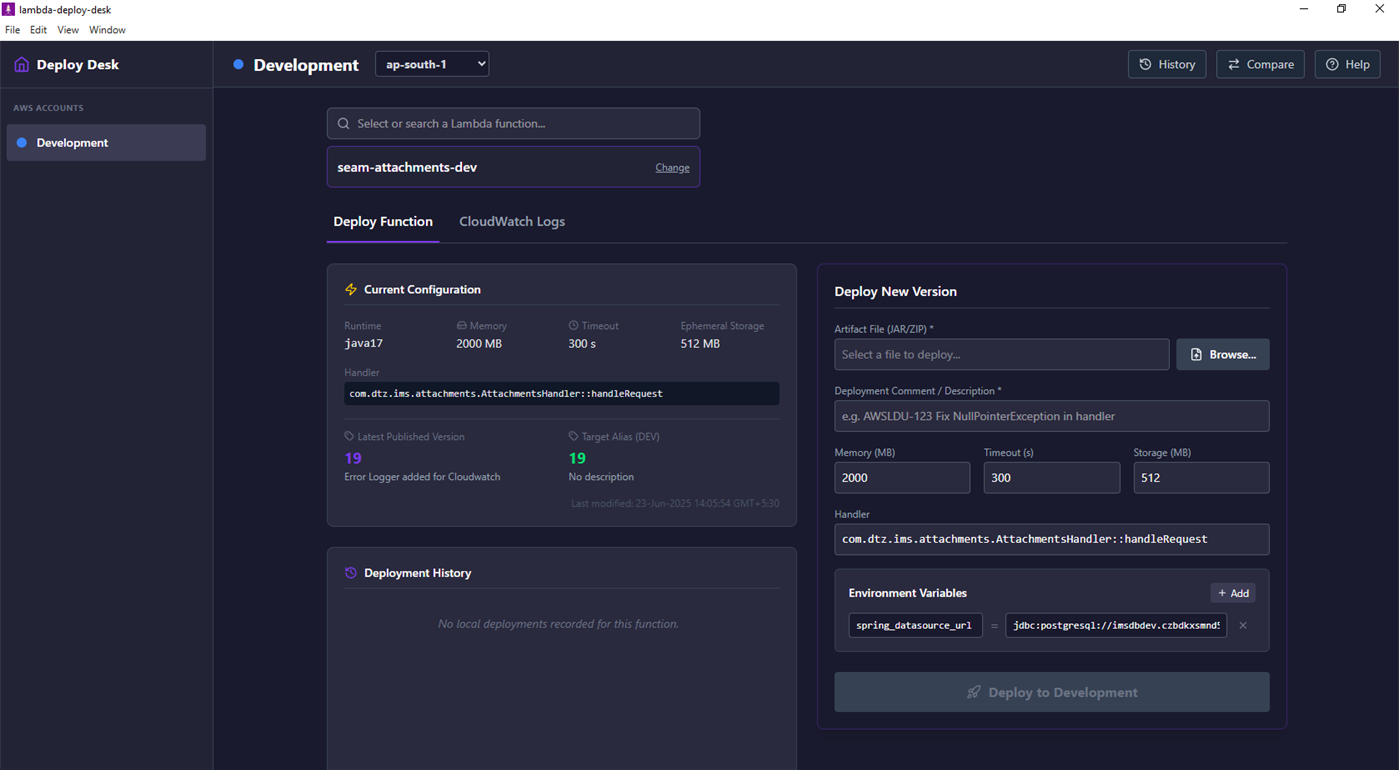
Whether you are pushing a quick update to a Dev environment, overriding environment variables, or comparing configurations across accounts and regions, Lambda Deploy Desktop gives you complete control over your serverless deployments directly from your Windows desktop.
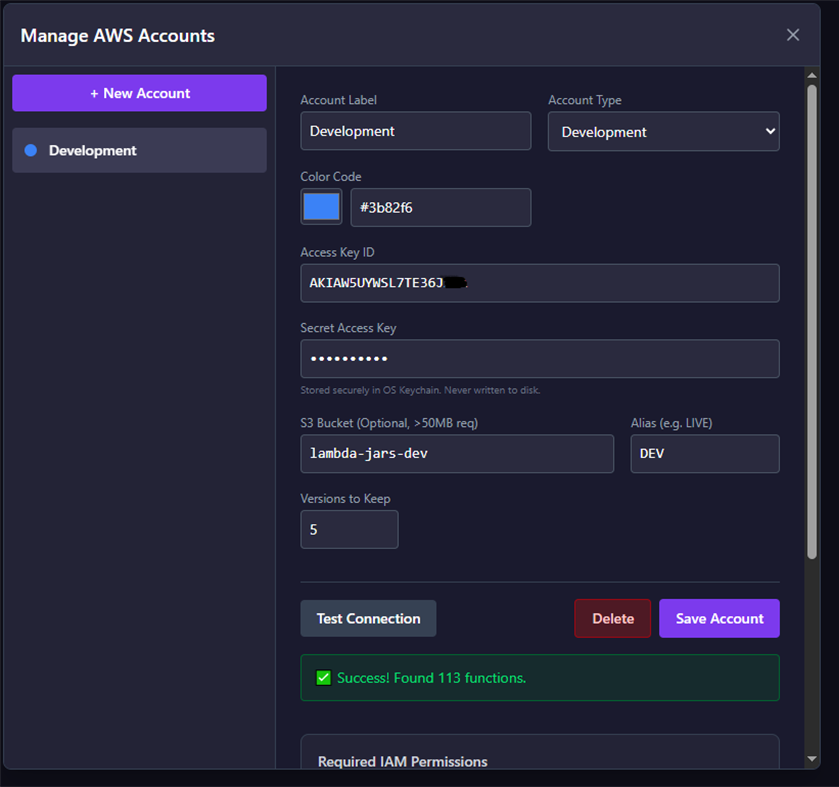
Built with security in mind, your AWS credentials never leave your machine and are stored securely using your OS's native keychain.
Key Features:
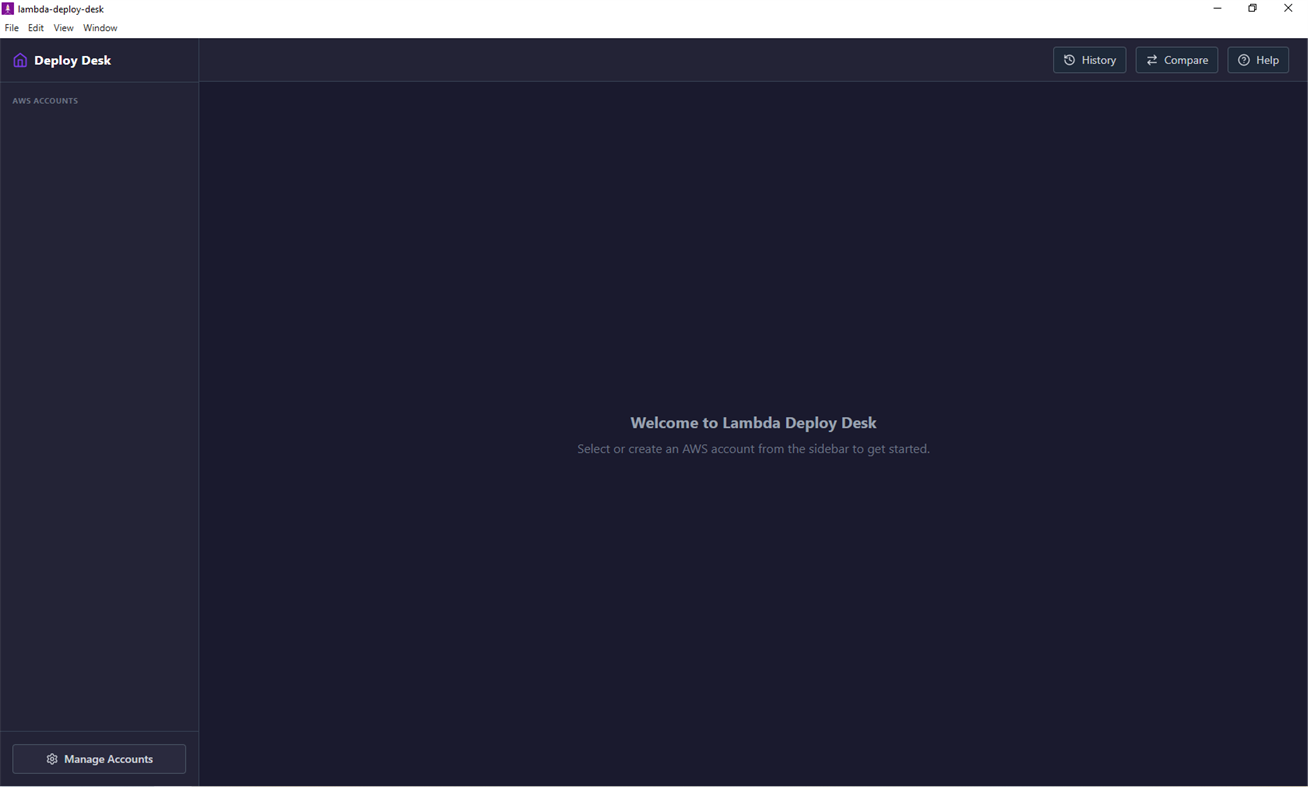
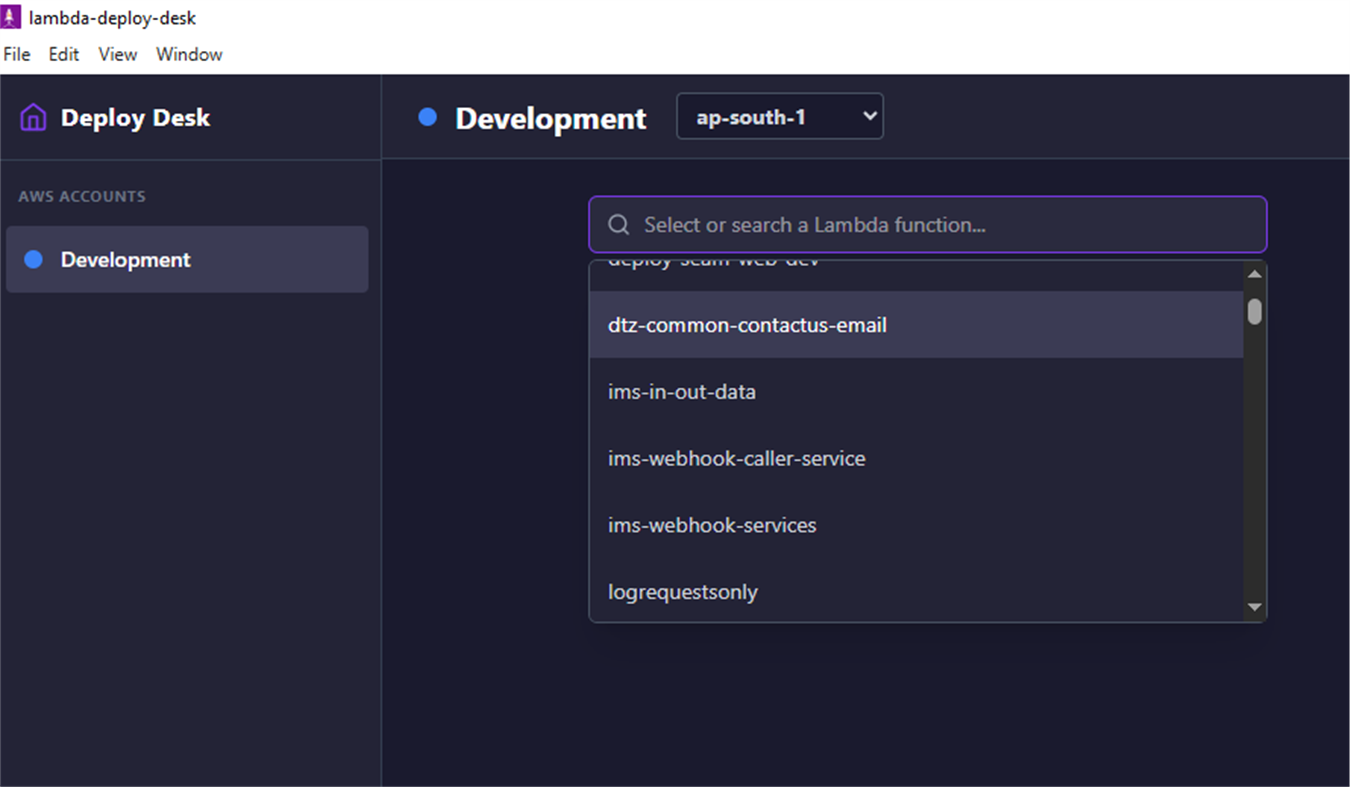
Multi-Account Management: Effortlessly switch between Dev, Staging, and Production AWS accounts with color-coded labels.
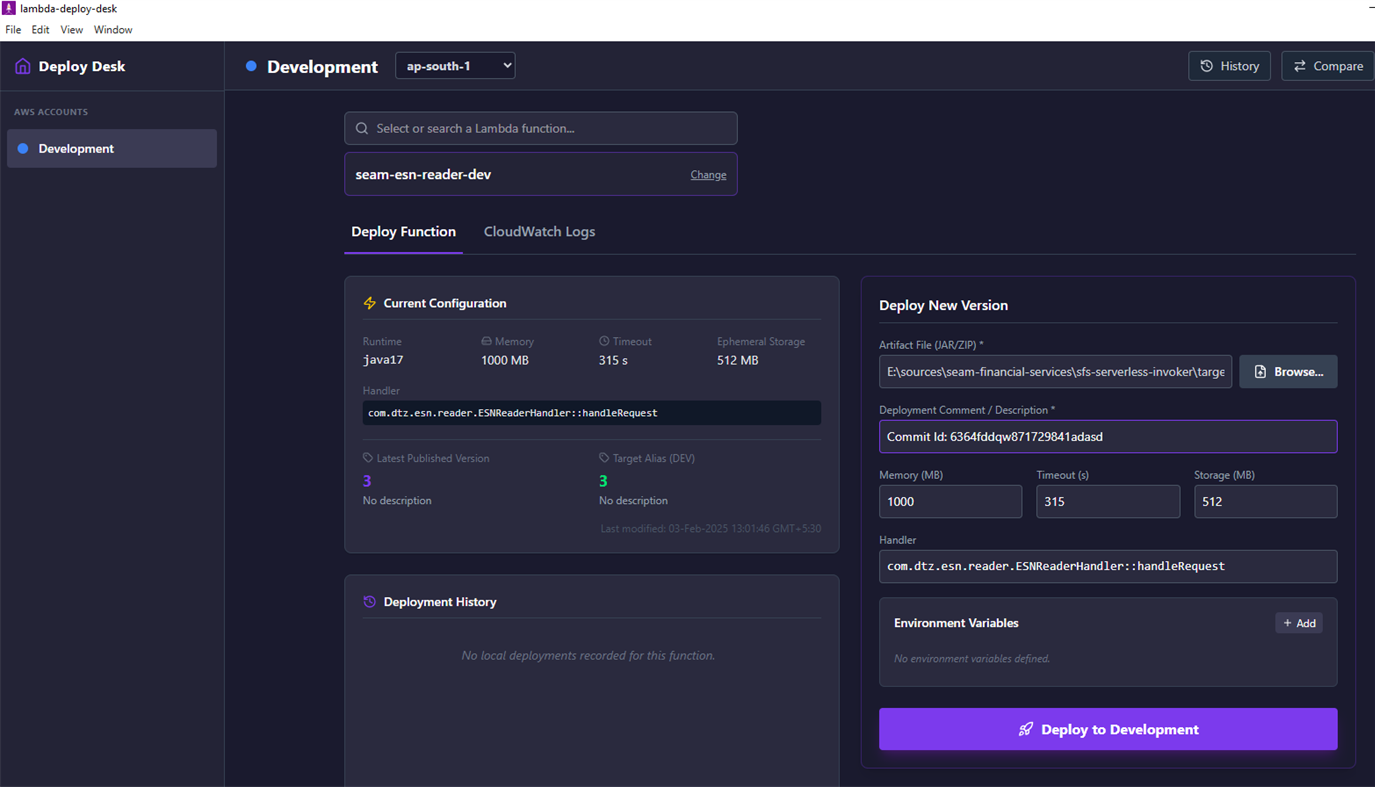
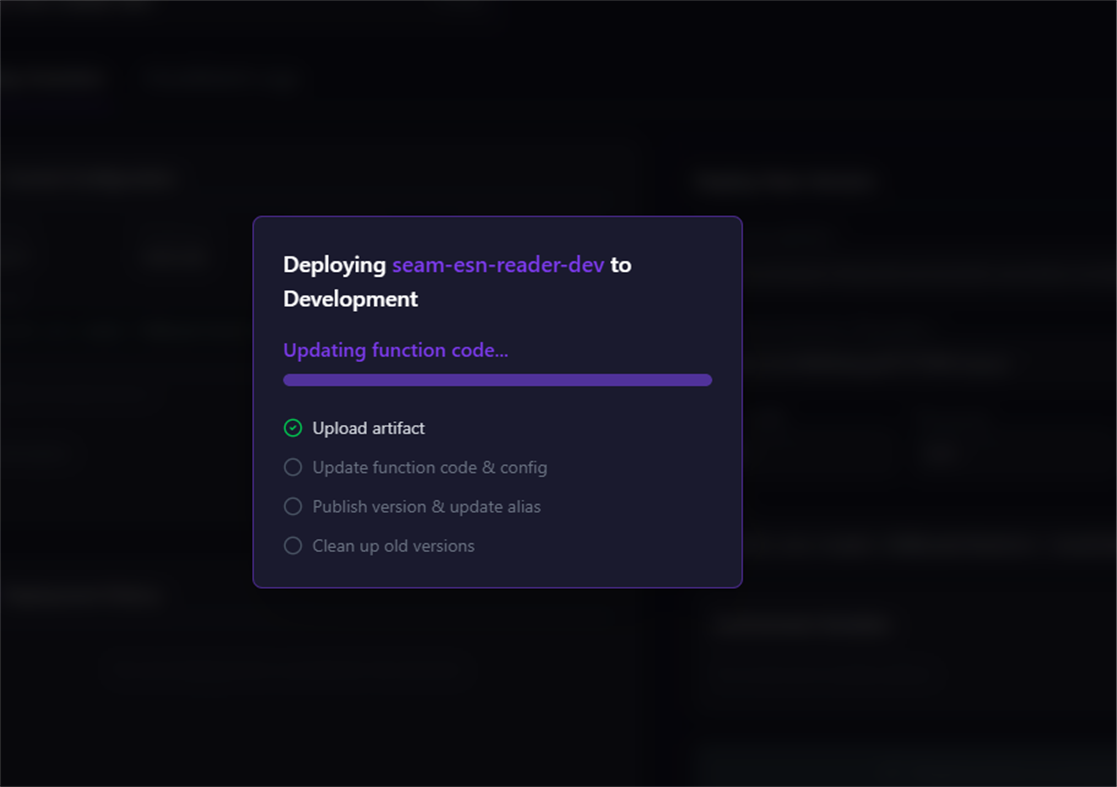
Rapid Deployments: Upload ZIP or JAR artifacts, publish versions, update aliases, and clean up old versions with a single click. Artifacts larger than 50MB are automatically routed through S3.
Concurrent Deployments: Queue and run up to 3 Lambda deployments simultaneously, so you're never blocked waiting.
On-the-fly Configuration: Quickly override function memory, timeout, handlers, ephemeral storage, and environment variables during deployment.
Deployment Safety Guardrails: Automatically detects when your selected artifact differs from the previously deployed package and prompts you before proceeding.
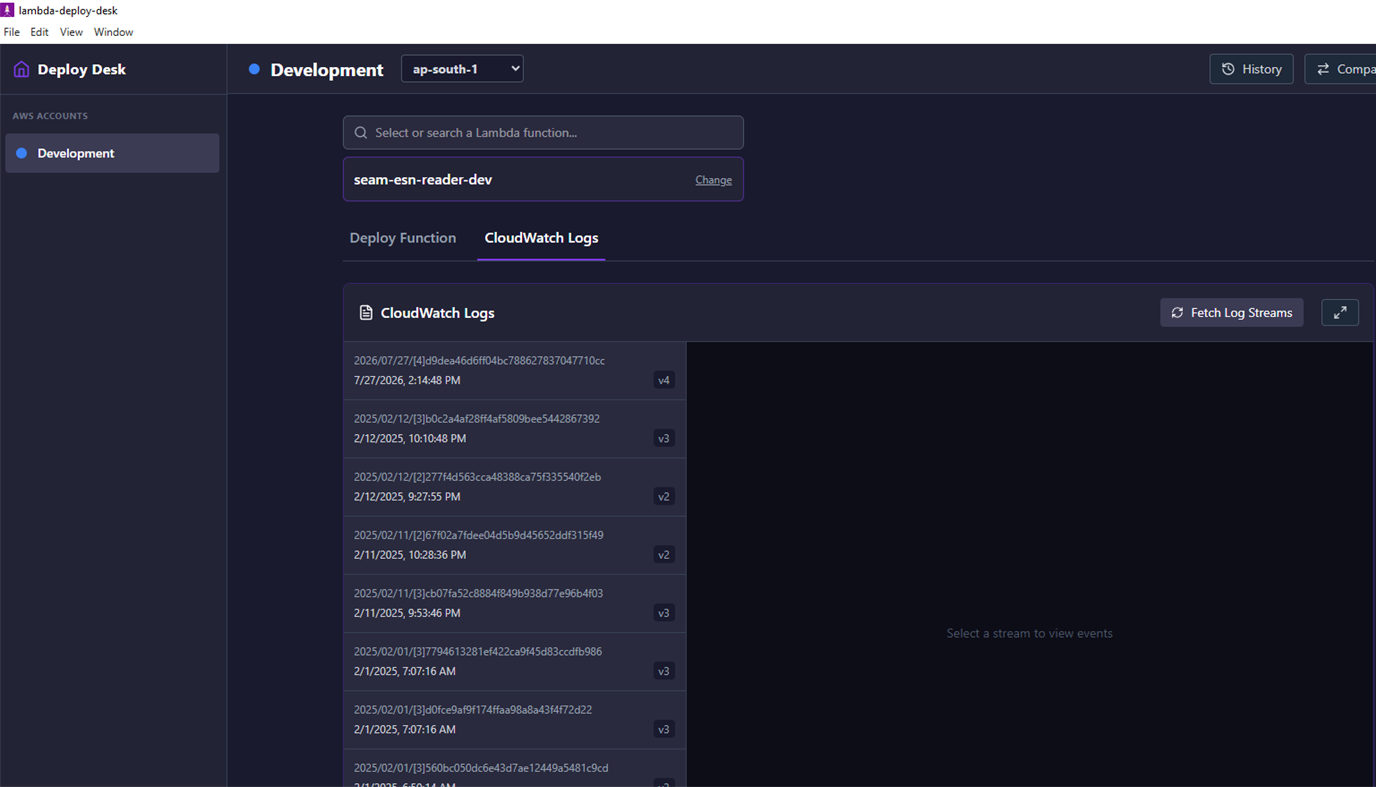
CloudWatch Log Viewer: Instantly fetch, view, and search recent CloudWatch log streams without navigating away from your deployment screen.
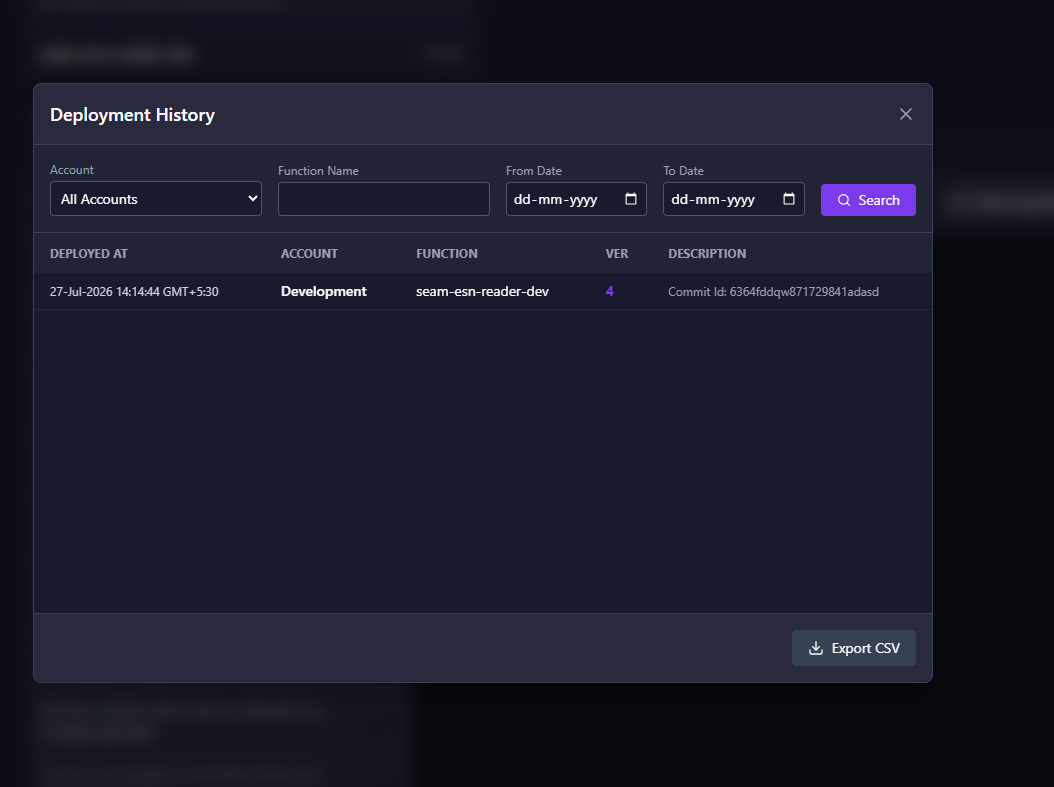
Deployment History: Maintain a local log of all your deployments — complete with artifact names and custom deployment references — with CSV export and filters by account, function, and date.
Function Configuration Comparison: Compare any two Lambda functions side-by-side across different AWS accounts and regions to instantly spot deployment drift in runtime, memory, environment variables, layers, VPC config, and more.
Secure by Design: Utilizes the native Windows Credential Manager to safely store access keys. Secrets are never written to plain text files.
Who is this for? Solo AWS developers and small DevOps teams who deploy Lambda functions frequently, manage multiple AWS environments, and need a faster, more focused workflow than what standard CI/CD pipelines or the AWS Management Console provide.
โฆษณา
ภาพหน้าจอ
ประวัติราคา
- ราคาปัจจุบัน: $1.99
- ต่ำสุด: $1.99
- มากที่สุด: $1.99
ติดตามราคา เพิ่มลงในรายการเพื่อรับการแจ้งเตือนส่วนลดทางอีเมลหรือพุช
การประเมิน AppAgg
1,300
การประเมิน AppAgg โดยประมาณสำหรับ
Lambda Deploy Desktop
ผู้พัฒนา: DigitalTeamz Technologies LLP
1,300 เงิน
การประเมินที่สูงขึ้นมักหมายถึงสัญญาณบน AppAgg ที่แข็งแกร่งขึ้น
อิงจาก: ความนิยม · คะแนนจากผู้ใช้ · ความสดใหม่ · ดีล · ข้อมูลร้านค้า · กิจกรรมชุมชน
คำนวณใหม่ทุกวันจากข้อมูล AppAgg ล่าสุด.
URL แบบสั้น: คัดลอกแล้ว!
มีอะไรใหม่
- เวอร์ชัน: PC
- อัปเดตล่าสุด:
ข้อมูลเพิ่มเติม
- วันที่วางจำหน่าย:
- หมวดหมู่:
Windows แอป›เครื่องมือสำหรับนักพัฒนา - ระบบปฏิบัติการ:
PC - ขนาด:
282 Mb - ภาษาที่สนับสนุน:
English - การจัดประเภทเนื้อหา:
EVERYONE - Windows Store คะแนนโดย:
0 - เว็บไซท์:
 http://www.digitalteamz.com/
ผู้พัฒนา
- DigitalTeamz Technologies LLP
- ผู้ติดตาม: 0
- แพลตฟอร์ม: Windows แอป (1)
- ลดราคา: 0
- รายการ: 0 + 0
- แต้มแล: 0 + 0 ¡
- การจัดอันดับ: 0
- ความเห็น: 0
- วิดีโอ: 0
- RSS: ติดตาม
รายการ (0)
0
- Lambda Deploy Desktop
แต้มแล (0)
0
การจัดอันดับ (0)
0
ความเห็น (0)
เป็นคนแรกที่แสดงความเห็น
สรุป
Lambda Deploy Desktop URL แบบสั้น: คัดลอกแล้ว!- แชร์
- Windows Store
«Lambda Deploy Desktop». แพลตฟอร์ม: Windows. หมวดหมู่: เครื่องมือสำหรับนักพัฒนา. ผู้พัฒนา: «DigitalTeamz Technologies LLP». การเปิดตัวครั้งแรก: . อัปเดตล่าสุด: . ราคาปัจจุบัน: $1.99. ราคาต่ำสุดที่บันทึกไว้: $1.99. ราคาสูงสุดที่บันทึกไว้: $1.99. ชื่อนี้ยังไม่ได้รับการให้คะแนนหรือบทวิจารณ์บน AppAgg ภาษาที่ใช้ได้: English. AppAgg ติดตามประวัติราคา การให้คะแนน และคำติชมของผู้ใช้ «Lambda Deploy Desktop». AppAgg ไม่ได้โฮสต์แอปพลิเคชันหรือแจกจ่ายซอฟต์แวร์ เครื่องหมายการค้า โลโก้ และภาพหน้าจอทั้งหมดเป็นของเจ้าของที่เกี่ยวข้อง ส่วนลดและอัปเดตในอนาคต: RSS
คล้ายกัน
-
- Desktop Go
- Windows แอป: เครื่องมือสำหรับนักพัฒนา โดย: Bipanshu Kumar
- ฟรี
- รายการ: 0 0 0
- แต้มแล: 0 + 0 580 · บรอนซ์ เวอร์ชัน: PC Desktop Go is a lightweight desktop companion for Expo and React Native developers that streamlines the development workflow. Launch local projects, automatically detect your ...
-
- Desktop App Converter
- Windows แอป: เครื่องมือสำหรับนักพัฒนา โดย: Microsoft Corporation
- ฟรี
- รายการ: 0 0 0
- แต้มแล: 0 + 48 5K · ทอง เวอร์ชัน: PC The Desktop App Converter has been deprecated. Please use the new and improved MSIX Packaging Tool to package your desktop apps - ...
-
- DCC - Desktop Command Center
- Windows แอป: เครื่องมือสำหรับนักพัฒนา โดย: Foreign Technologies
- * ฟรี
- รายการ: 0 0 0
- แต้มแล: 0 + 0 1K · เงิน เวอร์ชัน: PC Desktop Command Center (DCC) is the ultimate productivity application for Windows. Built with the modern WinUI 3 ecosystem, DCC introduces FutureShell: an intelligent terminal ...
-
- JSONGrid Desktop
- Windows แอป: เครื่องมือสำหรับนักพัฒนา โดย: JSONGrid
- * ฟรี
- รายการ: 2 0 0
- แต้มแล: 2 + 0 1K · ทอง เวอร์ชัน: PC JSONGrid Desktop brings your JSON data to life with a clean, intuitive, and interactive grid-based interface. Instead of sifting through raw, nested structures, you can effortlessly ...
-
- Nester Deploy
- Windows แอป: เครื่องมือสำหรับนักพัฒนา โดย: Inkton
- * ฟรี
- รายการ: 0 0 0
- แต้มแล: 1 + 0 1K · เงิน เวอร์ชัน: PC Host your App on nest.yt and build Xamarin clients to use the app. Follow these steps to deploy a trial app on AWS for FREE. - Watch 'Getting started' videos at https://nest.yt - ...
-
- Docker Desktop
- Windows แอป: เครื่องมือสำหรับนักพัฒนา โดย: Docker, Inc
- ฟรี
- รายการ: 0 0 0
- แต้มแล: 0 + 69 2K · ทอง เวอร์ชัน: PC Docker Desktop is a one-click-install application for your Mac, Linux, or Windows environment, enabling you to build, share, and run containerized applications and microservices. With ...
- ใหม่
- AgentBrowser Desktop
- Windows แอป: เครื่องมือสำหรับนักพัฒนา โดย: ChangStudio
- * ฟรี
- รายการ: 0 0 0
- แต้มแล: 0 + 0 580 · บรอนซ์ เวอร์ชัน: PC AgentBrowser is a Windows desktop browser built for AI agents and automation workflows. It performs web tasks in a real, visible browser window, preserves signed-in sessions, and ...
- ใหม่
- SolaR Desktop
- Windows แอป: เครื่องมือสำหรับนักพัฒนา โดย: DevRa Labs
- ฟรี
- รายการ: 0 0 0
- แต้มแล: 0 + 0 570 · บรอนซ์ เวอร์ชัน: PC SolaR Desktop brings R and Python work into one private desktop application. Develop and run scripts locally, manage R libraries and isolated Python environments, review jobs and logs,
-
- CCX Desktop
- Windows แอป: เครื่องมือสำหรับนักพัฒนา โดย: BenedictKing
- ฟรี
- รายการ: 0 0 0
- แต้มแล: 0 + 0 590 · บรอนซ์ เวอร์ชัน: PC CCX Desktop is a local Windows control center for the CCX AI API gateway. It helps you run and manage the local gateway service, edit environment and configuration, monitor health and ...
-
- Pranova - Desktop Automation Studio
- Windows แอป: เครื่องมือสำหรับนักพัฒนา โดย: FileForge
- $4.49
- รายการ: 0 0 0
- แต้มแล: 0 + 0 1K · เงิน เวอร์ชัน: PC Pranova - Desktop Automation Studio is a powerful desktop tool that helps you automate repetitive tasks on Windows with ease. Build, organize, and run automation workflows through a ...
-
- VibesCool Desktop
- Windows แอป: เครื่องมือสำหรับนักพัฒนา โดย: ハックフォープレイ株式会社
- ฟรี
- รายการ: 0 0 0
- แต้มแล: 0 + 0 550 · บรอนซ์ เวอร์ชัน: PC VibesCool Desktop helps people signed in to VibesCool follow lesson guides, open lesson projects, and review app progress from one desktop app.
-
- Kubezilla Desktop
- Windows แอป: เครื่องมือสำหรับนักพัฒนา โดย: Red Function
- * ฟรี
- รายการ: 0 0 0
- แต้มแล: 0 + 0 910 · เงิน เวอร์ชัน: PC Kubezilla Desktop is a fast, native Kubernetes management GUI for engineers who'd rather click than memorize kubectl flags. Connect to any cluster local kubeconfig, SSH tunnel, or ...
-
- Simple Git - A fully local, beginner-friendly Git desktop app
- Windows แอป: เครื่องมือสำหรับนักพัฒนา โดย: Ayan's Apps
- ฟรี
- รายการ: 0 0 0
- แต้มแล: 0 + 0 590 · บรอนซ์ เวอร์ชัน: PC Simple Git is a fully local, zero-cost, beginner-friendly Git desktop client. It makes everyday version control approachable with plain language explanations on every action while ...
-
- Container Desktop
- Windows แอป: เครื่องมือสำหรับนักพัฒนา โดย: Ionut Stoica
- ฟรี
- รายการ: 0 + 1 0 0
- แต้มแล: 0 + 0 970 · เงิน เวอร์ชัน: PC A simple graphical interface for managing container engines, running in WSL, in a virtual machine or even remote. Microsoft Windows Subsystem for Linux and Podman are required to be ...

