
Gespeichert
Wähle den Namen, der im Menü Gespeichert angezeigt werden soll.
Fertig!
| Entwickler: | Haha Circle (12) | ||
| Preis: | Kostenlos | ||
| Einschätzung: | 590 Bronze | ||
| Klassifizierungen: | 0 | ||
| Kommentare: | 0 Kommentar posten | ||
| Listen: | 0 + 0 | ||
| Punkte: | 0 + 0 ¡ | ||
| +1 Punkte | |||
Beschreibung

Master Python programming with a powerful, beginner-friendly desktop IDE and interactive tutorial suite built specifically for Windows! Whether you are writing your first
"Hello, World!" program or visualizing complex data with Matplotlib, Learn Python provides a complete, self-contained environment with zero configuration required.
⚡ Key Features:
🚀 Out-of-the-Box CPython Runtime
• Bundled Python 3.14 execution harness.
• No manual Python installation, environment variables, or complex PATH setup needed.
• Simply launch the app and press F5 to execute your code!
📝 Feature-Rich Code Editor
• Full syntax highlighting for Python keywords, strings, numbers, decorators, and comments.
• Instant Font Size Controls: Zoom text in/out with toolbar buttons (A+ / A-) or keyboard shortcuts (Ctrl+Add / Ctrl+Subtract).
• Line numbering, custom undo/redo history stack, line wrapping, and integrated search (Ctrl+F).
• 10 Built-in Starter Templates: Jump-start your coding with templates for Data Structures, OOP, Regex, Math, JSON Parsing, Sorting Algorithms, and Matplotlib Charts.
📊 Interactive Matplotlib Plotting & Graphics Viewer
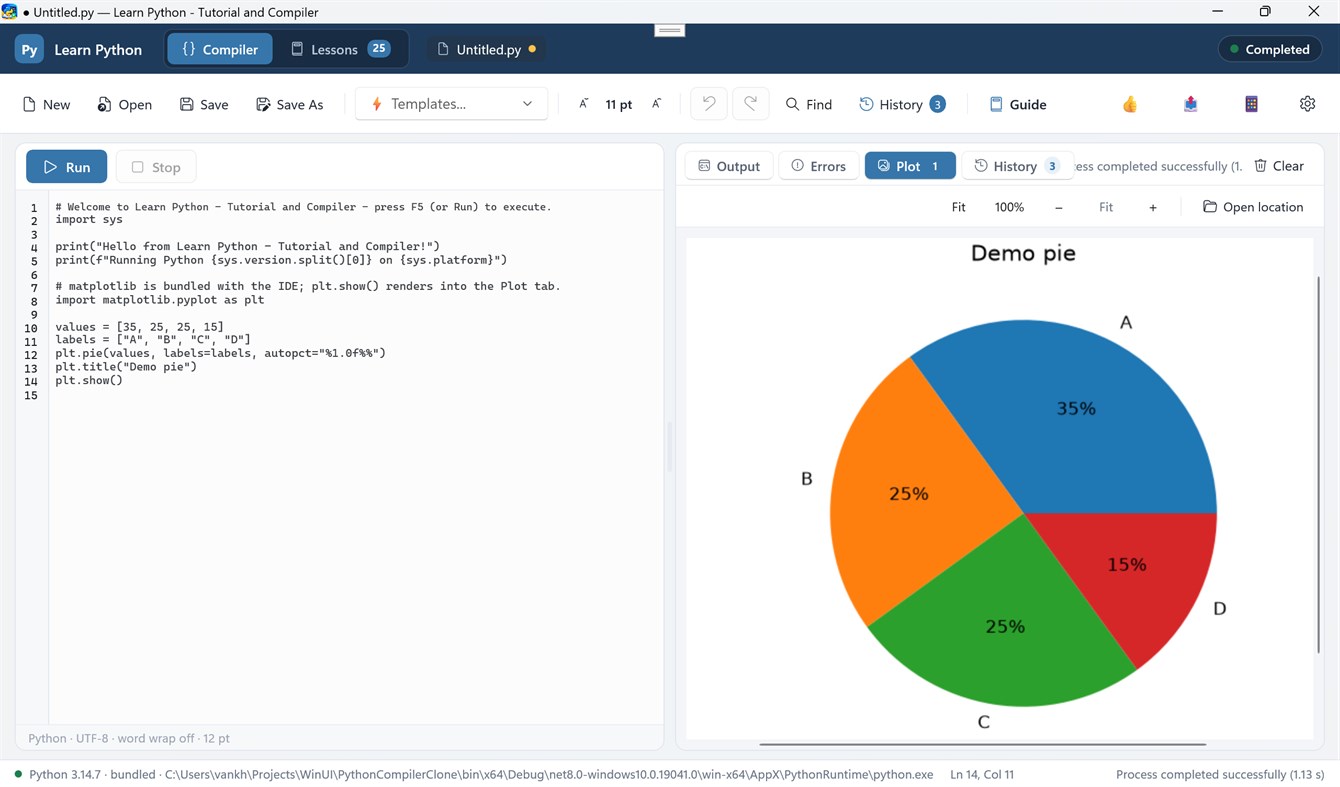
• Automatic rendering of figures generated via `plt.show()` directly into the IDE's Plot tab.
• Interactive Image Zooming: Scale figures with Fit, 100%, Zoom In (+), Zoom Out (-), or smooth Ctrl + Mouse Wheel zooming.
• Plot Thumbnail Gallery: View and toggle between all generated figures in your current session.
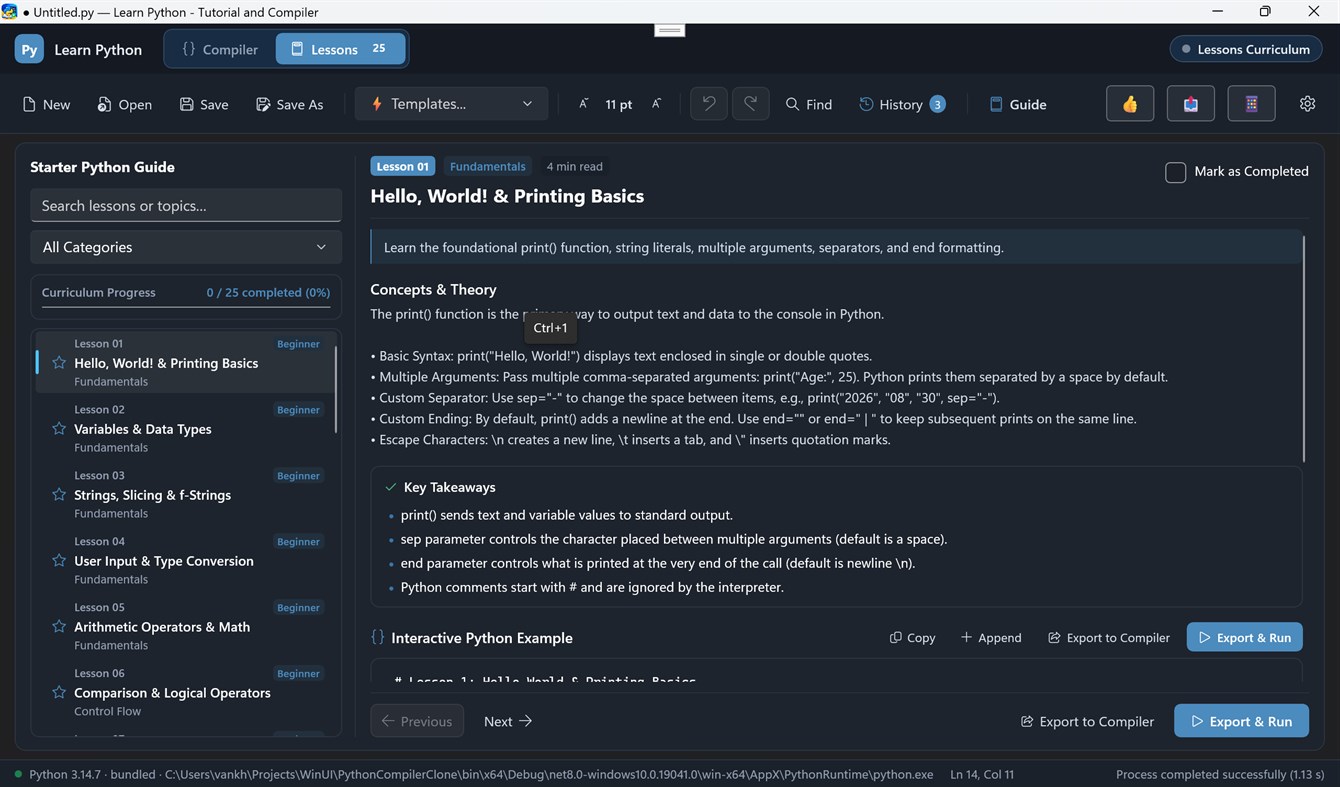
🎓 26+ Interactive Lessons & Coding Challenges
• Structured step-by-step curriculum covering basic syntax, data structures, algorithms, and visualization.
• One-click "Load Code" to export lesson code directly into the compiler.
• Hands-on coding challenge exercises to test your Python knowledge.
📜 Execution History & Results Pane
• Side-by-side adjustable column layout to view code and compile results simultaneously.
• Real-time stdout streaming and highlighted stderr error tracebacks.
• Dedicated Run History tab to review previous execution logs and execution timestamps.
🎨 Modern Windows UI
• Built with WinUI 3 and Fluent Design.
• Full support for Dark Mode, Light Mode, and System Theme preferences.
• Responsive side-by-side draggable column splitter.
Werbung
Screenshots
Preisentwicklung
- Aktueller Preis: Kostenlos
- Mindestens: Kostenlos
- Maximale: Kostenlos
Preise beobachten Zur Liste hinzufügen und Rabattbenachrichtigungen per E-Mail oder Push erhalten
AppAgg-Einschätzung
590
Geschätzte AppAgg-Einschätzung für
Learn Python - Tutorial and Compiler
Entwickler: Haha Circle
590 Bronze
Höhere Einschätzungen bedeuten meist stärkere Signale auf AppAgg.
Basierend auf: Popularität · Nutzerbewertungen · Aktualität · Angeboten · Shop-Daten · Community-Aktivität
Wird täglich anhand aktueller AppAgg-Daten neu berechnet.
Kurz-URL: Kopiert!
Neue Funktionen
- Version: PC
- Zuletzt aktualisiert:
Weitere informationen
- Veröffentlichungsdatum:
- Kategorie:
Windows-Apps›Entwicklungstools - Betriebssysteme:
HoloLens,Mobile,PC,Surface Hub - Größe:
125 Mb - Unterstützte Sprachen:
English - Altersfreigabe:
EVERYONE - Windows Store Bewertung:
0
Entwickler
- Haha Circle
- Follower: 0
- Plattformen: Windows Apps (12)
- Rabatte: 0
- Listen: 0 + 0
- Punkte: 0 + 0 ¡
- Klassifizierungen: 0
- Kommentare: 0
- Videos: 0
- RSS: Abonnieren
Listen (0)
0
- Learn Python - Tutorial and Compiler
Punkte (0)
0
Klassifizierungen (0)
0
Kommentare (0)
Seien Sie der Erste, der einen Kommentar abgibt
Kurzinfo
Learn Python - Tutorial and Compiler Kurz-URL: Kopiert!- Teilen
- Windows Store
Auf AppAgg können Sie „Learn Python - Tutorial and Compiler“ verfolgen, eine App von Haha Circle für Windows in der Kategorie Entwicklungstools. AppAgg-Einschätzung: 590 (Bronze). AppAgg-Punkte der App — bestätigt: 0; indirekt: 0. Öffentliche Listen mit dieser App: 0. Nutzer, die sie in privaten Listen gespeichert haben: 0. AppAgg-Nutzer haben die App noch nicht bewertet. Bestätigte Punkte erfassen Store-Aufrufe angemeldeter AppAgg-Nutzer; indirekte Punkte beruhen auf Store-Daten. AppAgg zählt öffentliche Listen mit einer App oder einem Spiel sowie Nutzer, die sie oder es in privaten Listen gespeichert haben. Die App wurde erstmals am veröffentlicht. Die App wurde zuletzt am aktualisiert. Die App ist derzeit kostenlos verfügbar. Die App ist in folgenden Sprachen verfügbar: English. Sehen Sie sich den Preisverlauf an, fügen Sie die App einer Liste hinzu oder folgen Sie dem Entwickler. Verfolgen Sie künftige Angebote und Aktualisierungen der App über den RSS-Feed. AppAgg hostet oder vertreibt diese App nicht. Alle Marken, Logos und Screenshots im Zusammenhang mit der App gehören ihren jeweiligen Eigentümern.

