
저장됨
저장됨 메뉴에 표시할 이름을 선택하세요.
완료!
| 개발자: | Haha Circle (12) | ||
| 가격: | 무료 | ||
| 평가: | 590 브론즈 | ||
| 순위: | 0 | ||
| 댓글: | 0 댓글 게시 | ||
| 목록: | 0 + 0 | ||
| 포인트: | 0 + 0 ¡ | ||
| +1 포인트 | |||
기술

Master Python programming with a powerful, beginner-friendly desktop IDE and interactive tutorial suite built specifically for Windows! Whether you are writing your first
"Hello, World!" program or visualizing complex data with Matplotlib, Learn Python provides a complete, self-contained environment with zero configuration required.
⚡ Key Features:
🚀 Out-of-the-Box CPython Runtime
• Bundled Python 3.14 execution harness.
• No manual Python installation, environment variables, or complex PATH setup needed.
• Simply launch the app and press F5 to execute your code!
📝 Feature-Rich Code Editor
• Full syntax highlighting for Python keywords, strings, numbers, decorators, and comments.
• Instant Font Size Controls: Zoom text in/out with toolbar buttons (A+ / A-) or keyboard shortcuts (Ctrl+Add / Ctrl+Subtract).
• Line numbering, custom undo/redo history stack, line wrapping, and integrated search (Ctrl+F).
• 10 Built-in Starter Templates: Jump-start your coding with templates for Data Structures, OOP, Regex, Math, JSON Parsing, Sorting Algorithms, and Matplotlib Charts.
📊 Interactive Matplotlib Plotting & Graphics Viewer
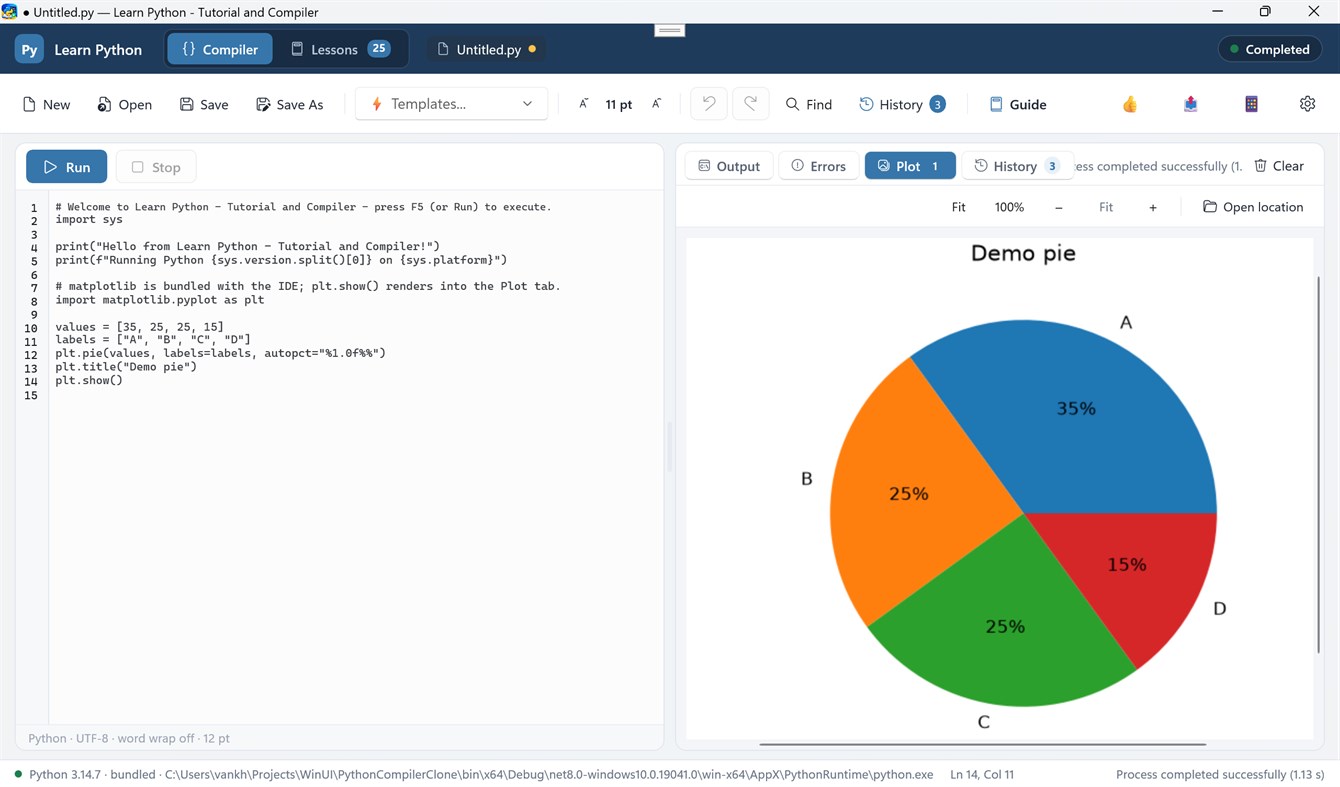
• Automatic rendering of figures generated via `plt.show()` directly into the IDE's Plot tab.
• Interactive Image Zooming: Scale figures with Fit, 100%, Zoom In (+), Zoom Out (-), or smooth Ctrl + Mouse Wheel zooming.
• Plot Thumbnail Gallery: View and toggle between all generated figures in your current session.
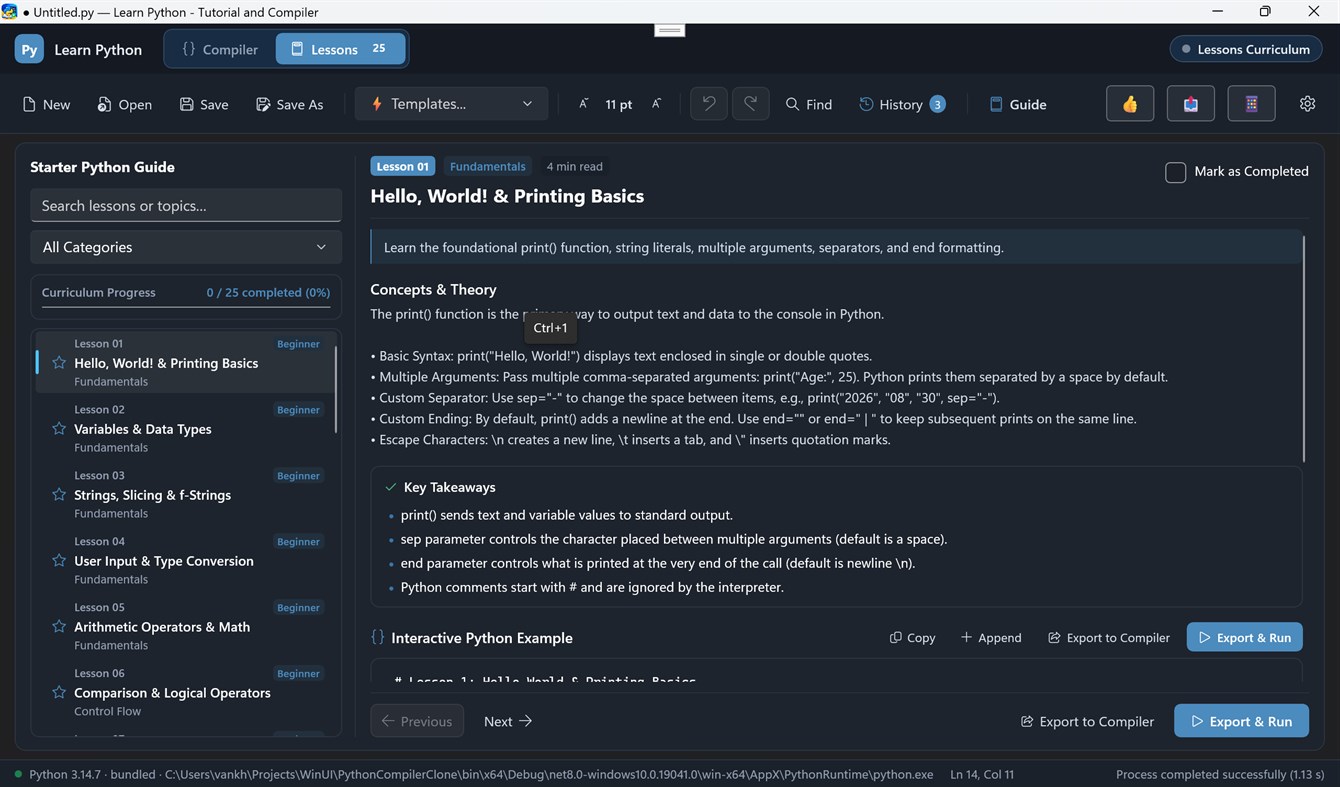
🎓 26+ Interactive Lessons & Coding Challenges
• Structured step-by-step curriculum covering basic syntax, data structures, algorithms, and visualization.
• One-click "Load Code" to export lesson code directly into the compiler.
• Hands-on coding challenge exercises to test your Python knowledge.
📜 Execution History & Results Pane
• Side-by-side adjustable column layout to view code and compile results simultaneously.
• Real-time stdout streaming and highlighted stderr error tracebacks.
• Dedicated Run History tab to review previous execution logs and execution timestamps.
🎨 Modern Windows UI
• Built with WinUI 3 and Fluent Design.
• Full support for Dark Mode, Light Mode, and System Theme preferences.
• Responsive side-by-side draggable column splitter.
광고
스크린샷
가격 내역
- 현재 가격: 무료
- 최소: 무료
- 최대: 무료
AppAgg 평가
590
AppAgg 예상 평가:
Learn Python - Tutorial and Compiler
개발자: Haha Circle
590 브론즈
평가가 높을수록 보통 AppAgg에서 더 강한 신호를 의미합니다.
기준: 인기 · 사용자 평점 · 최신성 · 딜 · 스토어 데이터 · 커뮤니티 활동
최신 AppAgg 데이터를 바탕으로 매일 다시 계산됩니다.
단축 URL: 복사됨!
새로운 기능
- 버전: PC
- 마지막 업데이트:
추가 정보
개발자
- Haha Circle
- 팔로워: 0
- 플랫폼: Windows 앱 (12)
- 할인: 0
- 목록: 0 + 0
- 포인트: 0 + 0 ¡
- 순위: 0
- 댓글: 0
- 동영상: 0
- RSS: 구독
목록 (0)
0
- Learn Python - Tutorial and Compiler
포인트 (0)
0
순위 (0)
0
댓글 (0)
가장 먼저 댓글을 남겨주세요
요약
Learn Python - Tutorial and Compiler 단축 URL: 복사됨!- 공유하기
- Windows Store
“Learn Python - Tutorial and Compiler” 앱은 Windows용 개발자 도구 카테고리에 속합니다. 이 앱은 “Haha Circle”에서 개발했으며, 에 처음 출시되고 에 마지막으로 업데이트되었습니다. 이 앱은 현재 무료로 이용할 수 있습니다. 이 앱은 아직 AppAgg에서 평점을 받지 않았습니다. 이 앱은 다음 언어를 지원합니다: English. AppAgg는 “Learn Python - Tutorial and Compiler” 앱의 가격 기록, 평점 및 사용자 리뷰를 추적합니다. AppAgg는 이 앱을 호스팅하거나 배포하지 않습니다. 이 앱과 관련된 모든 상표, 로고 및 스크린샷은 각 소유자에게 귀속됩니다. 이 앱의 향후 할인과 업데이트는 RSS 피드에서 확인할 수 있습니다.

