
Saved
Choose the name that will be shown in your Saved menu.
Done!
| Developer: | NGLCZR (1) | ||
| Price: | $39.99 | ||
| Score: | 1,370 Gold | ||
| Rankings: | 0 | ||
| Comments: | 0 Add a comment | ||
| Lists: | 0 + 0 | ||
| Points: | 0 + 0 ¡ | ||
| +1 Points | |||
Description

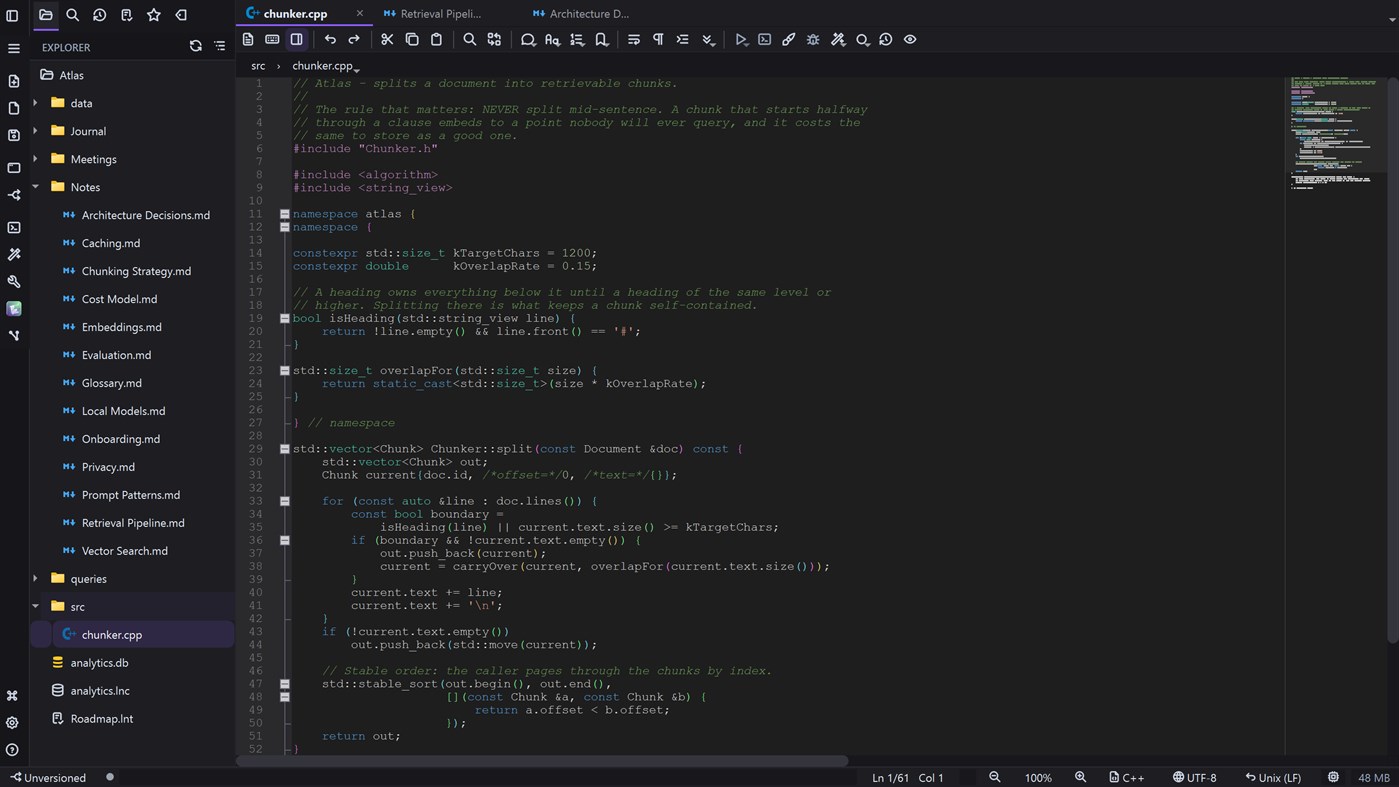
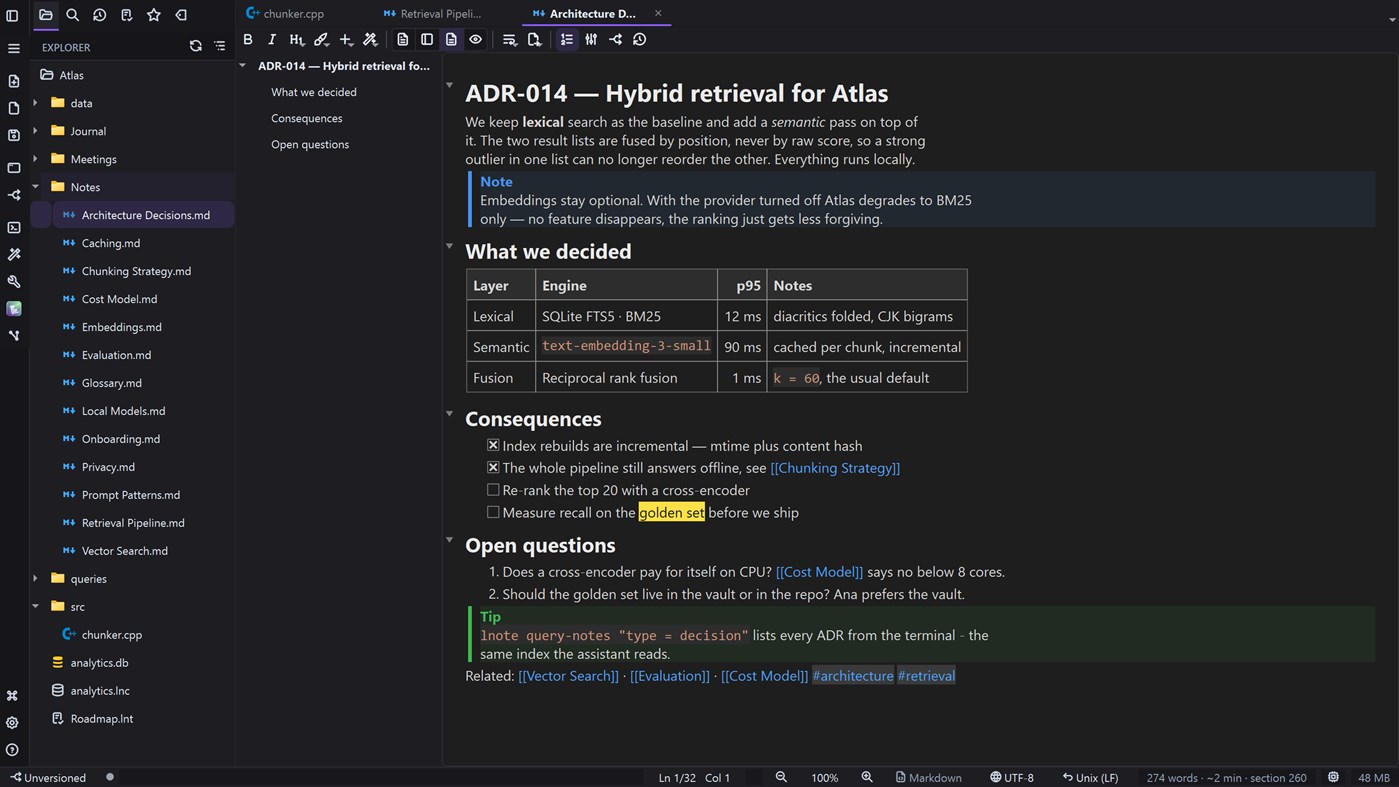
LightNote is a lightweight Windows editor where your second brain in Markdown becomes the context for your AI agents. Built in native C++/Qt — no Electron, no browser tabs and no mandatory cloud. It opens instantly, uses under 50 MB of RAM and renders on the CPU only, so it fits in the palm of your hand even on modest machines.
Two pillars, and a bridge between them.
PILLAR 1 — A COCKPIT FOR YOUR AI AGENTS
LightNote embeds no model: it orchestrates the AI you already use — local CLIs, API providers (OpenAI, Google Gemini, Anthropic Claude) or local models through Ollama and LM Studio.
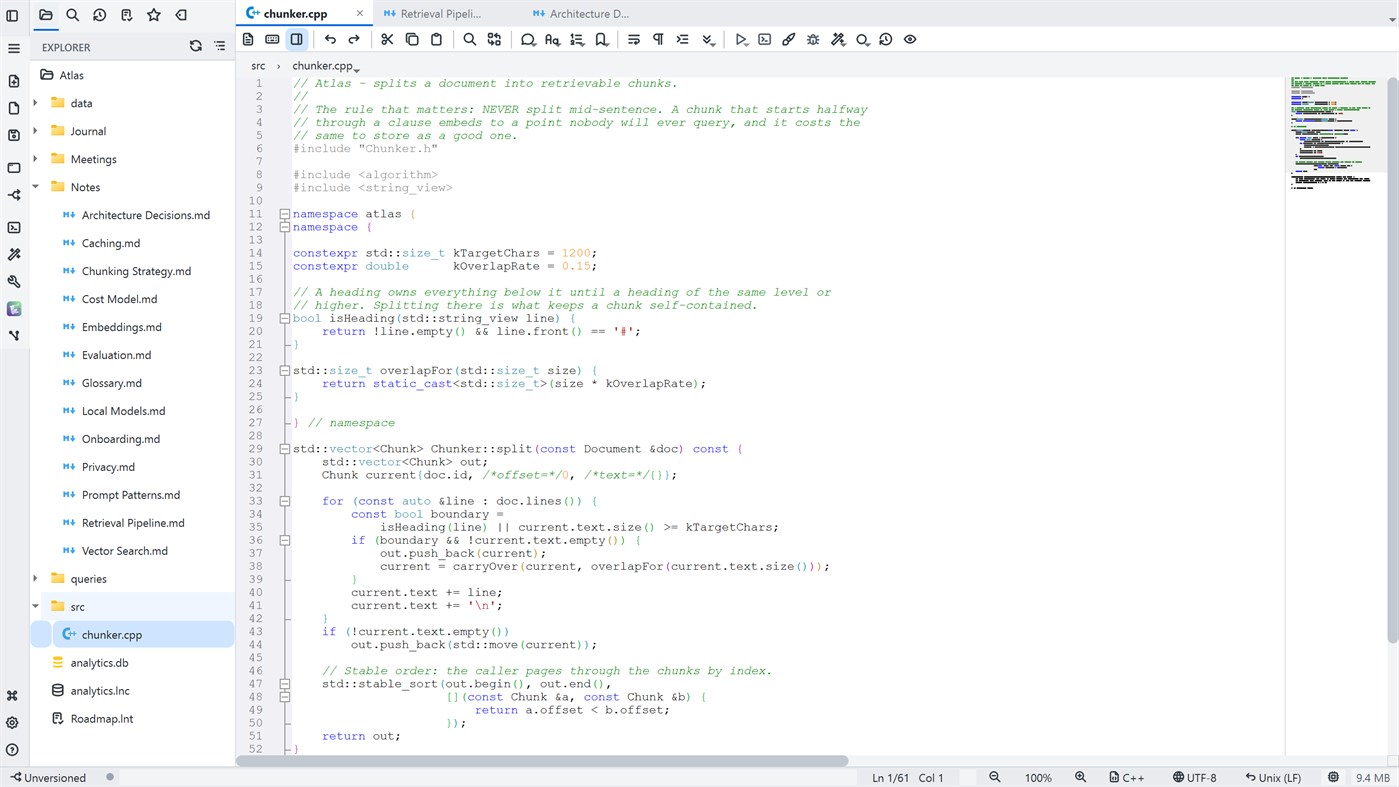
• A real code editor: a Scintilla core with syntax highlighting for about 70 languages, script running with a single shortcut (F5), an integrated terminal, global search with ripgrep and file comparison.
• Vibe code: chat with the AI in the terminal and ask for inline edits (Ctrl+K) — the suggestion arrives as a diff you accept or reject hunk by hunk.
• AI sessions: a panel to follow each session, review everything it changed and, if you want, let it work in an isolated copy of the repository.
• Simplified Git: a per-line change gutter and checkpoints to audit what happened while you were not watching.
PILLAR 2 — A SECOND BRAIN IN MARKDOWN
Your ideas in open .md files, on your machine, yours forever.
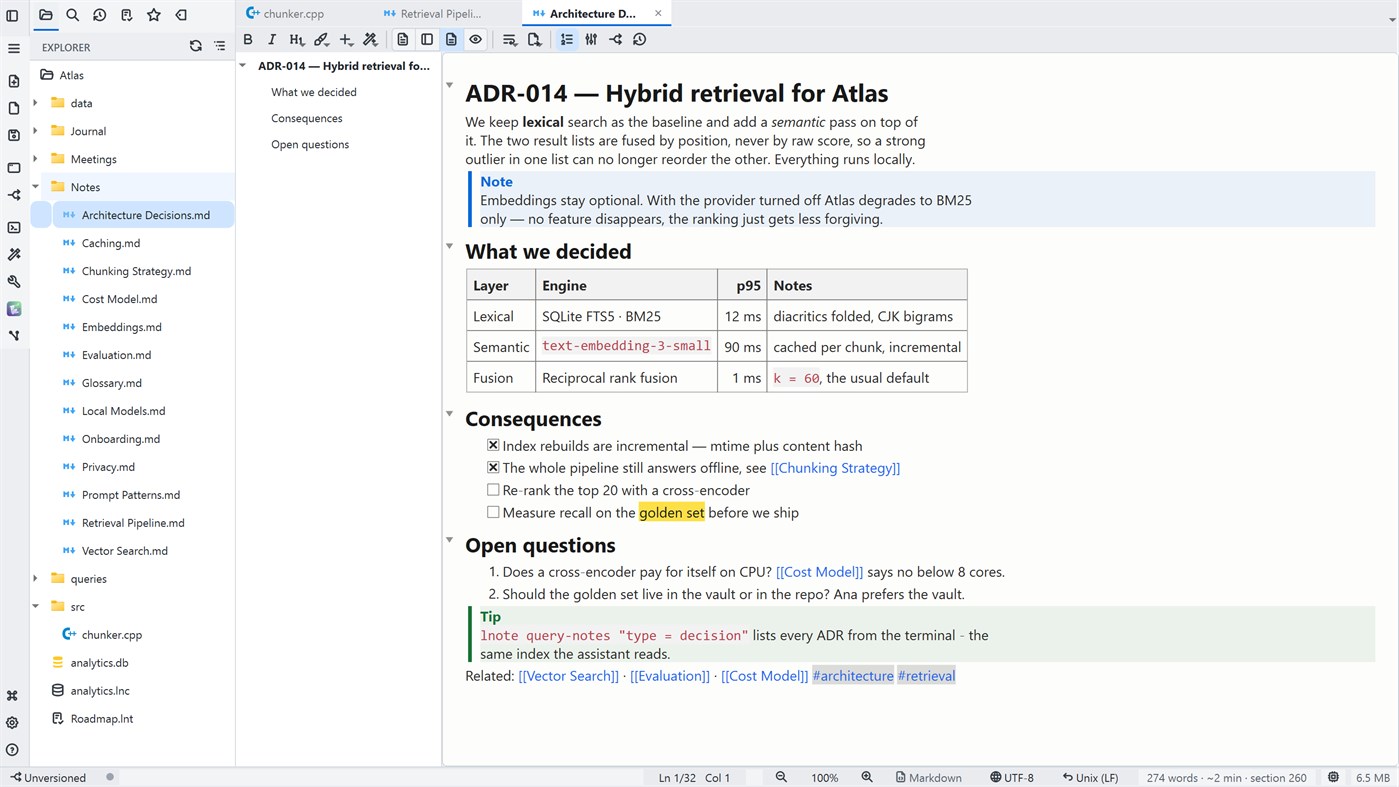
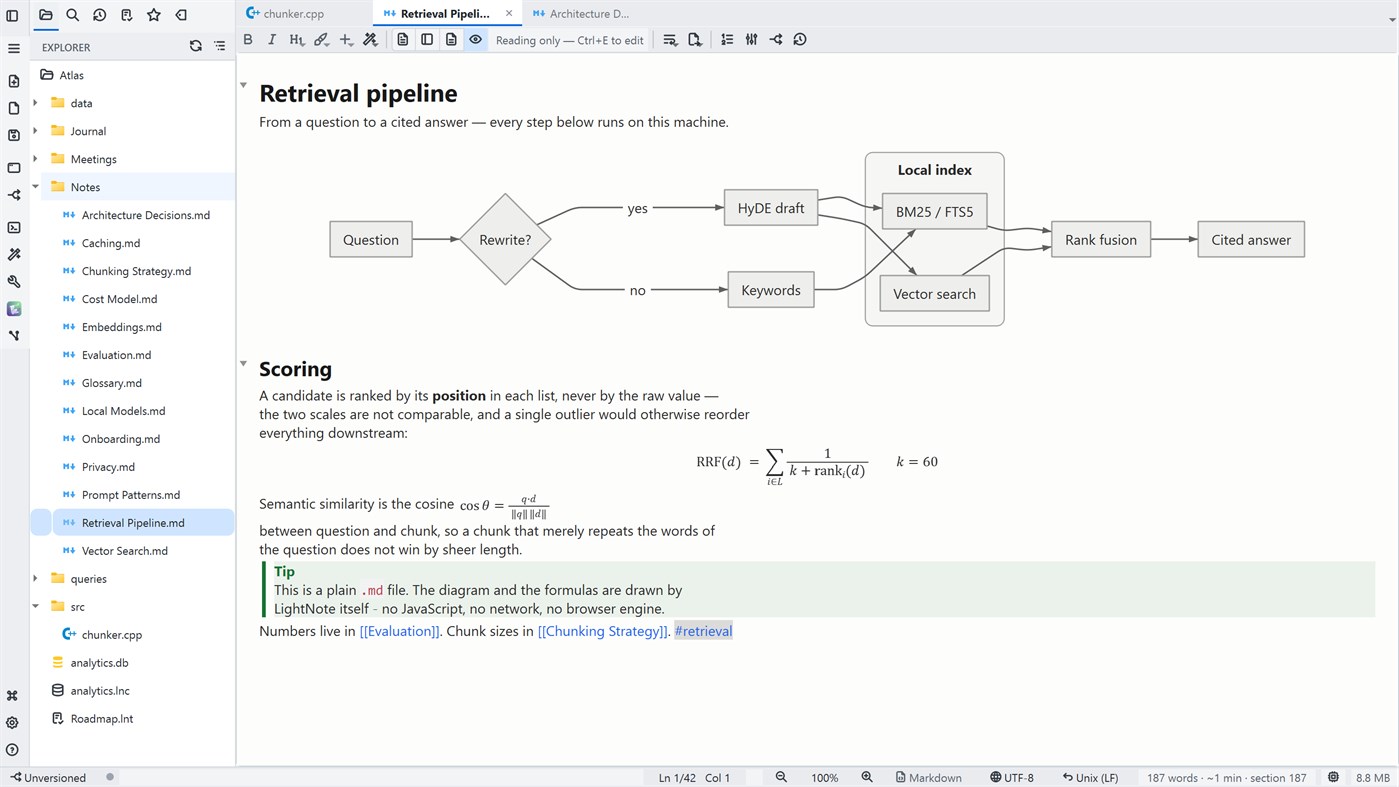
• Formatted editing: headings, lists, tables and images shown as they are — while the file stays plain Markdown. Mermaid diagrams and LaTeX math drawn inside the note.
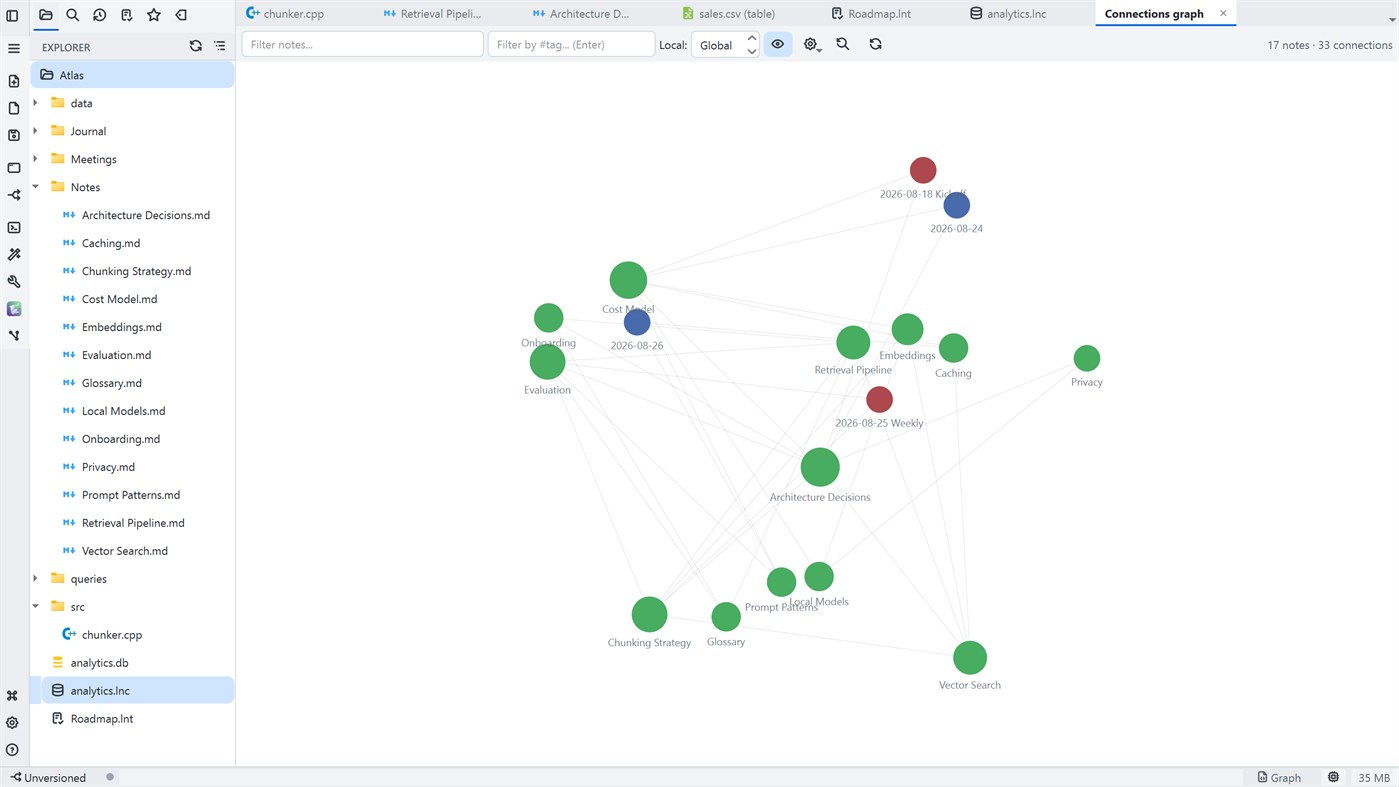
• Obsidian-style [[ ]] wikilinks, backlinks, note templates and an interactive connections graph to see how your ideas link together.
• Automatic daily notes and quick capture from the tray, with a global shortcut — it works even with everything closed.
• Colorful sticky notes on your desktop, always at hand.
• Audio recording (microphone and system sound) with AI transcription and summary.
THE BRIDGE: YOUR NOTES BECOME THE AGENTS' CONTEXT
This is where the two pillars meet.
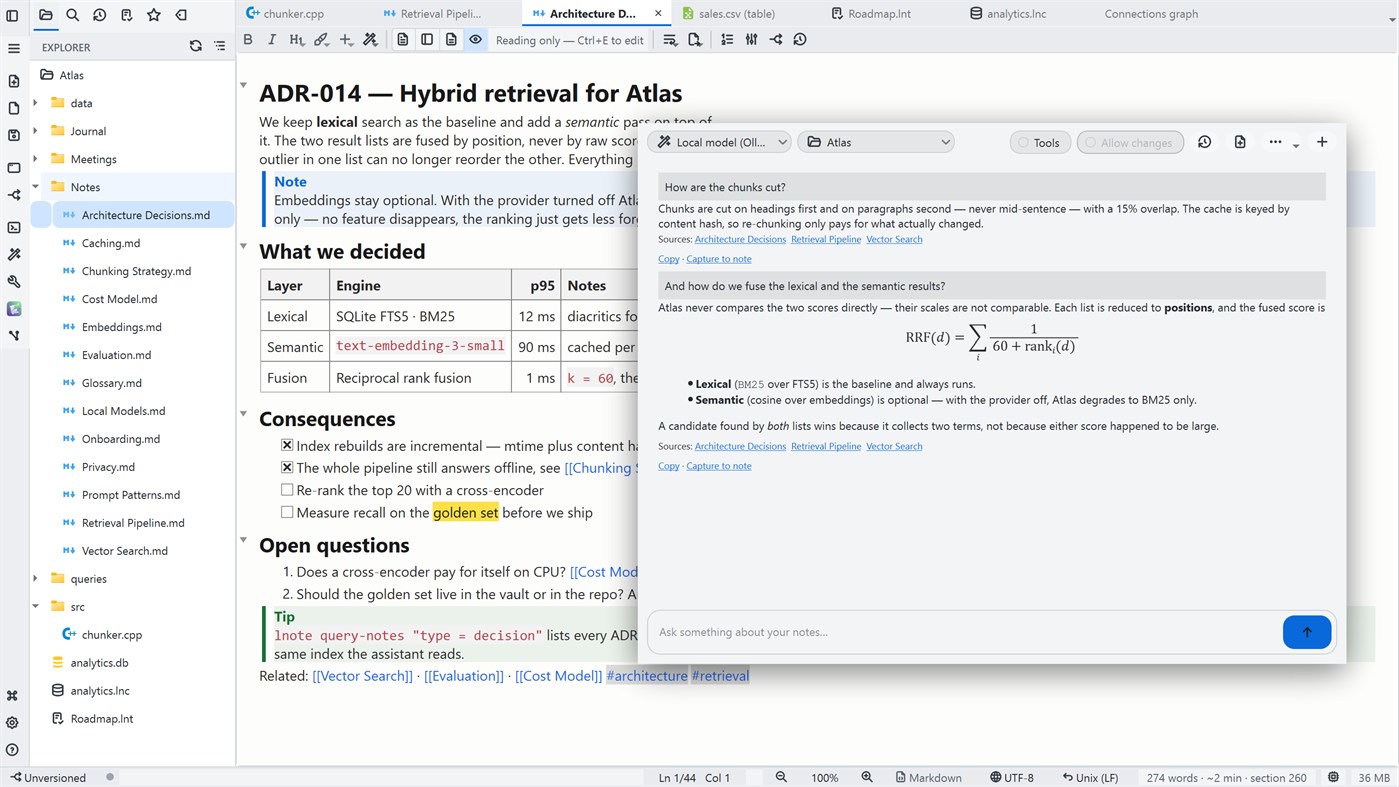
• Ask your notes: chat with your second brain and get answers grounded in your own notes, with clickable citations. Local search, with optional semantic reinforcement.
• MCP server and the lnote CLI: expose the workspace to your agents — read and write notes and tasks, search, query data and use Git.
AND EVERYTHING ELSE A WORKING DAY ASKS FOR
The developer tools are all here, serving those two pillars — in tabs of the same workspace.
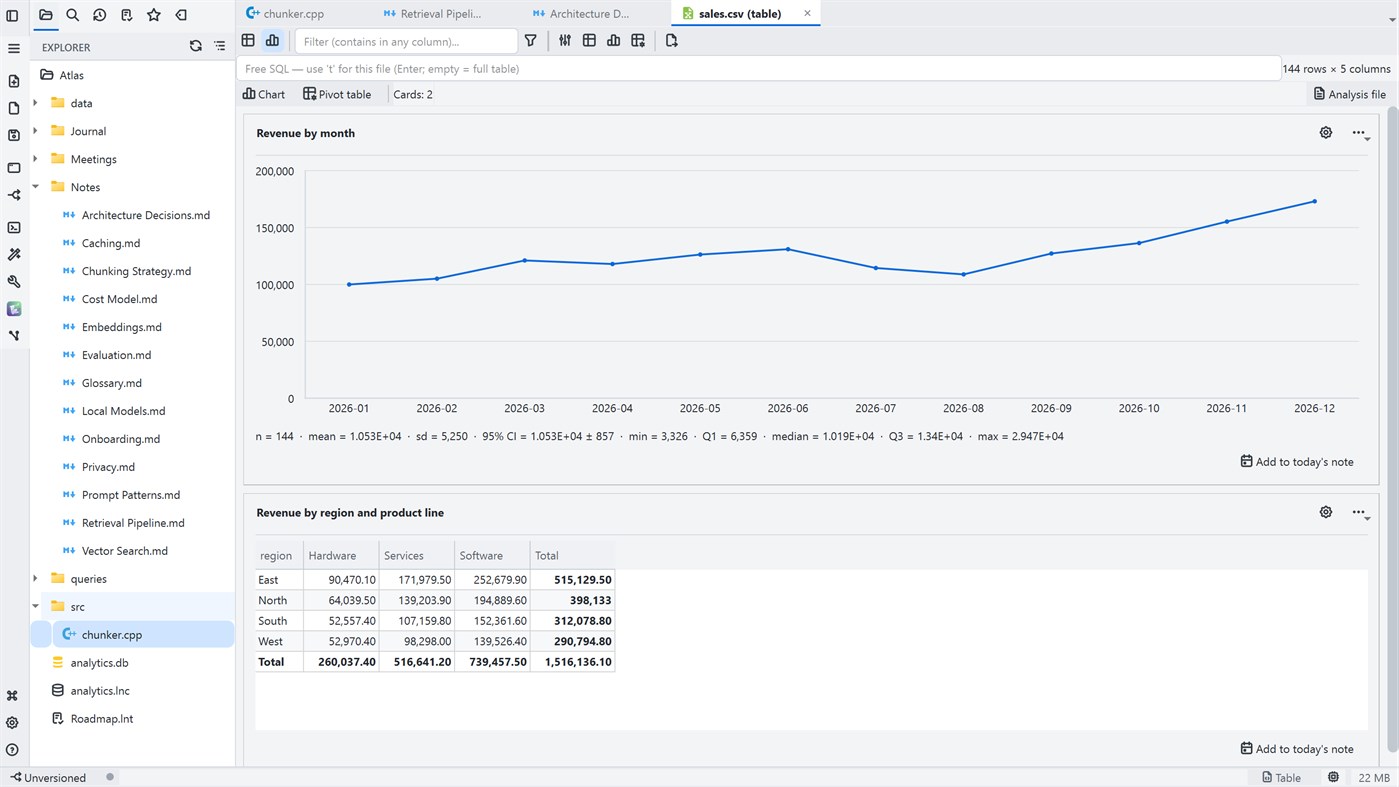
• Data as tables: open Parquet, CSV, JSON and Excel via DuckDB — filter, sort, query with free SQL and export without writing code.
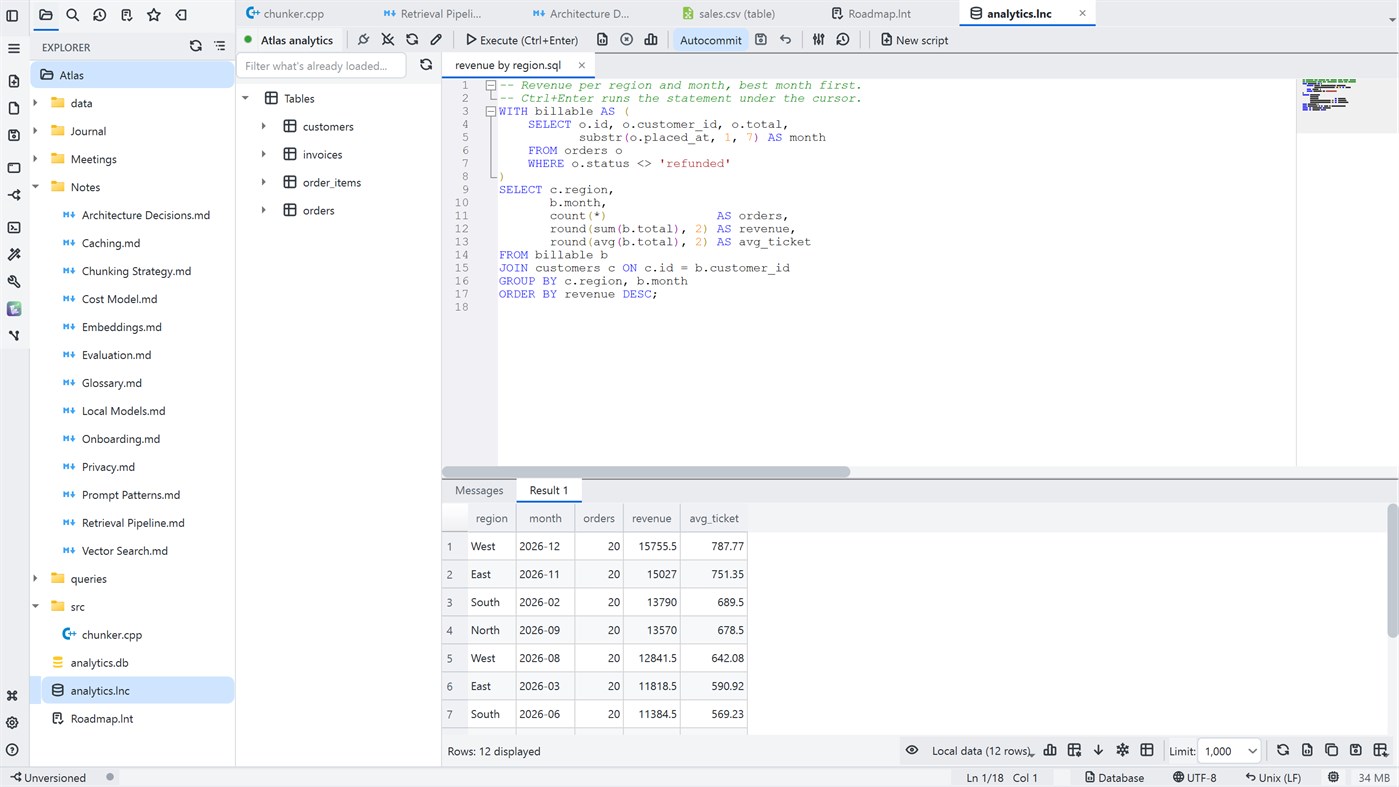
• A full SQL client for SQLite, DuckDB, PostgreSQL, MySQL, SQL Server and Oracle: schema browsing, history, variables, SQL generation and export.
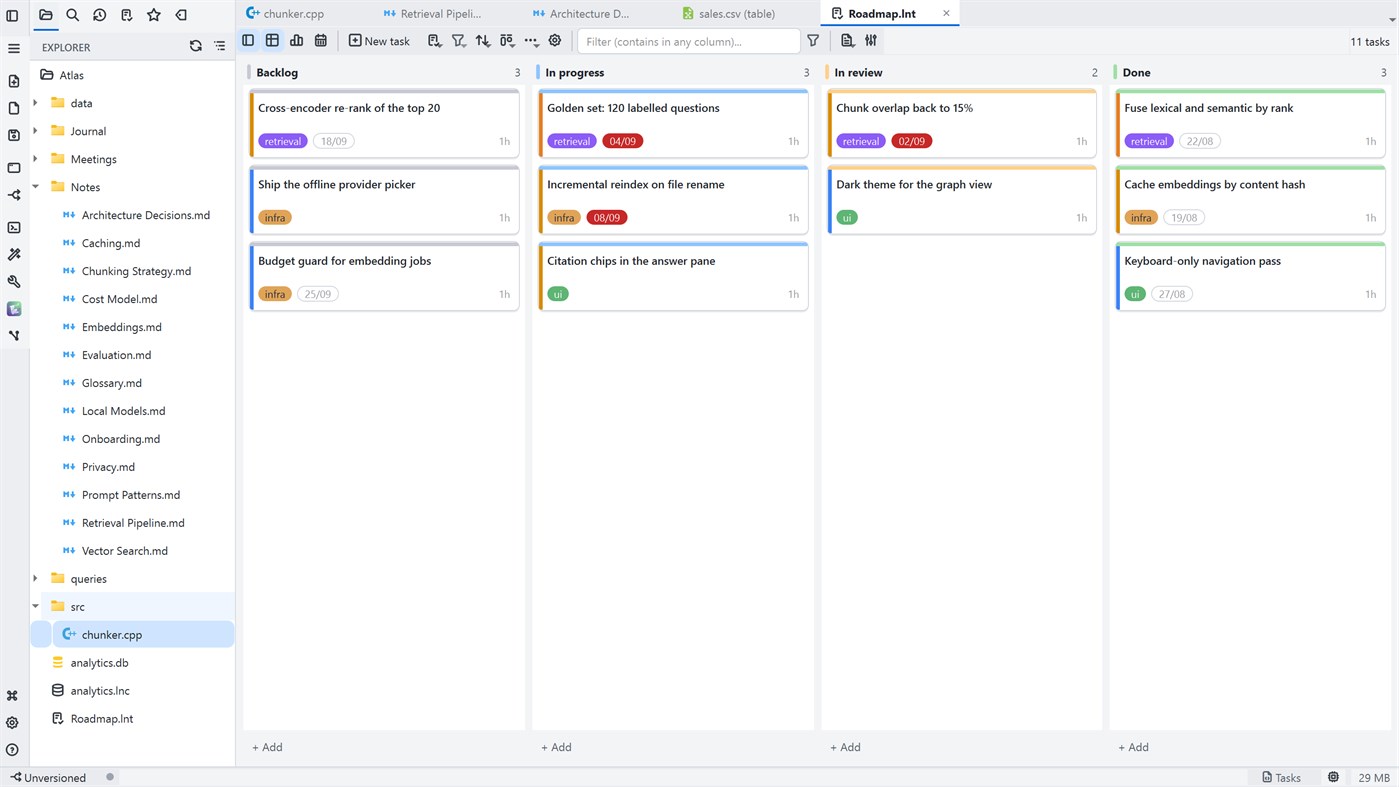
• Task boards in table, Kanban or timeline (Gantt) view, with a working-day calendar — and versionable in Git without merge conflicts.
• An integrated SSH terminal and SFTP file transfer, straight from a connection file inside your project.
• PDF, image and ZIP file viewing, executable code blocks and a spell checker.
SEARCH BY MEANING, WITH YOUR DOCUMENTS INSIDE IT
Not just notes: PDF, Word, Excel, PowerPoint, OpenDocument, EPUB, RTF, saved web pages, e-mail, Jupyter notebooks, subtitles and CSV join the search alongside your Markdown.
• Search for the meaning, not the exact word — and a hit opens the original file on the right page, never a cache.
• A scanned PDF says it has no text, and you can run OCR on it whenever you want.
• Similar notes: the semantic neighbour of every note, without asking.
FOR PEOPLE WHO WRITE AND DO RESEARCH
An Academic section in Settings, with one switch per feature and everything off by default — anyone who just wants a simple editor still has one.
• Citations and a bibliography from .bib, .ris or CSL-JSON in your own folder, in ABNT, APA 7 and Vancouver styles, with Zotero import and DOI lookup.
• Automatic numbering for figures, tables and equations, with cross-references in the text.
• PDF highlighting anchored to the text, spaced-repetition flashcards (FSRS-5) and a calculator with units inside the note.
GENUINELY LIGHTWEIGHT
Under 50 MB of RAM, CPU-only rendering and instant startup. Native C++/Qt, no Electron.
PRIVACY AND SECURITY
Everything is local: your files stay on your computer and nothing is sent to servers of ours. You decide if and when you sync — through Git, for example. A per-workspace Secure Phrase and Secure Markdown with portable encryption that opens on any machine.
TWO EDITIONS, THE SAME FEATURES
The free edition is for personal, non-commercial use. LightNote Core, here on the Microsoft Store, brings exactly the same features, with a commercial-use license, automatic updates — and it supports the development of the project.
Requirements: Windows 10 or 11 (64-bit).
Advertisement
Screenshots
Price History
- Current price: $39.99
- Minimum: $40.99
- Maximum: $50.99
Track prices Add to a list to get discount alerts by email or push
AppAgg Score
1,370
Estimated AppAgg Score for
LightNote Core
Developer: NGLCZR
1,370 Gold
Higher scores usually mean stronger signals on AppAgg.
Based on: popularity · ratings · freshness · deals · store data · community signals
Recalculated daily using fresh AppAgg data.
Short URL: Copied!
What's new
- Version: PC
- Last Updated:
Additional Information
- Release Date:
- Category:
Windows Apps›Developer tools - OS:
PC - Size:
42 Mb - Supported Languages:
Chinese,English,French,German,Italian,Japanese,Korean,Portuguese,Russian,Spanish - Content Rating:
EVERYONE - Windows Store Rating: ¡
0 - Website:
 http://lightnote.com.br
Developer
- NGLCZR
- Followers: 0
- Platforms: Windows Apps (1)
- Deals: 0
- Lists: 0 + 0
- Points: 0 + 0 ¡
- Rankings: 0
- Comments: 0
- Videos: 0
- RSS: Subscribe
Lists (0)
0
- LightNote Core
Points (0)
0
Rankings (0)
0
Comments (0)
Be the first to comment
Summary
LightNote Core Short URL: Copied!- Windows Store
On AppAgg, you can track the Windows app “LightNote Core” by NGLCZR, listed under Developer tools. AppAgg Score: 1,370 (Gold). AppAgg Points for the app — confirmed: 0; indirect: 0. Public lists containing the app: 0. Users who have saved it in private lists: 0. AppAgg users have not rated the app yet. Confirmed Points record visits to a store by signed-in AppAgg users; indirect Points are based on store data. AppAgg counts public lists containing an app or game and users who have saved it in private lists. The app was first released on . The app was last updated on . The app currently costs $39.99. The lowest recorded price for the app was $40.99 (); the highest was $50.99 (). The app is available in these languages: Chinese, English, French, German, Italian, Japanese, Korean, Portuguese, Russian, Spanish. Explore the price history, add the app to a list, or follow its developer. Follow future deals and updates for the app via its RSS feed. AppAgg does not host or distribute the app. All trademarks, logos, and screenshots related to the app belong to their respective owners.

