
Salvati
Scegli il nome che verrà mostrato nel tuo menu Salvati.
Completato!
| Sviluppatore: | NGLCZR (1) | ||
| Prezzo: | $39.99 | ||
| Valutazione: | 590 Bronzo | ||
| Classificazioni: | 0 | ||
| Commenti: | 0 Pubblica commento | ||
| Listes: | 0 + 0 | ||
| Punti: | 0 + 0 ¡ | ||
| +1 Punti | |||
Descrizione

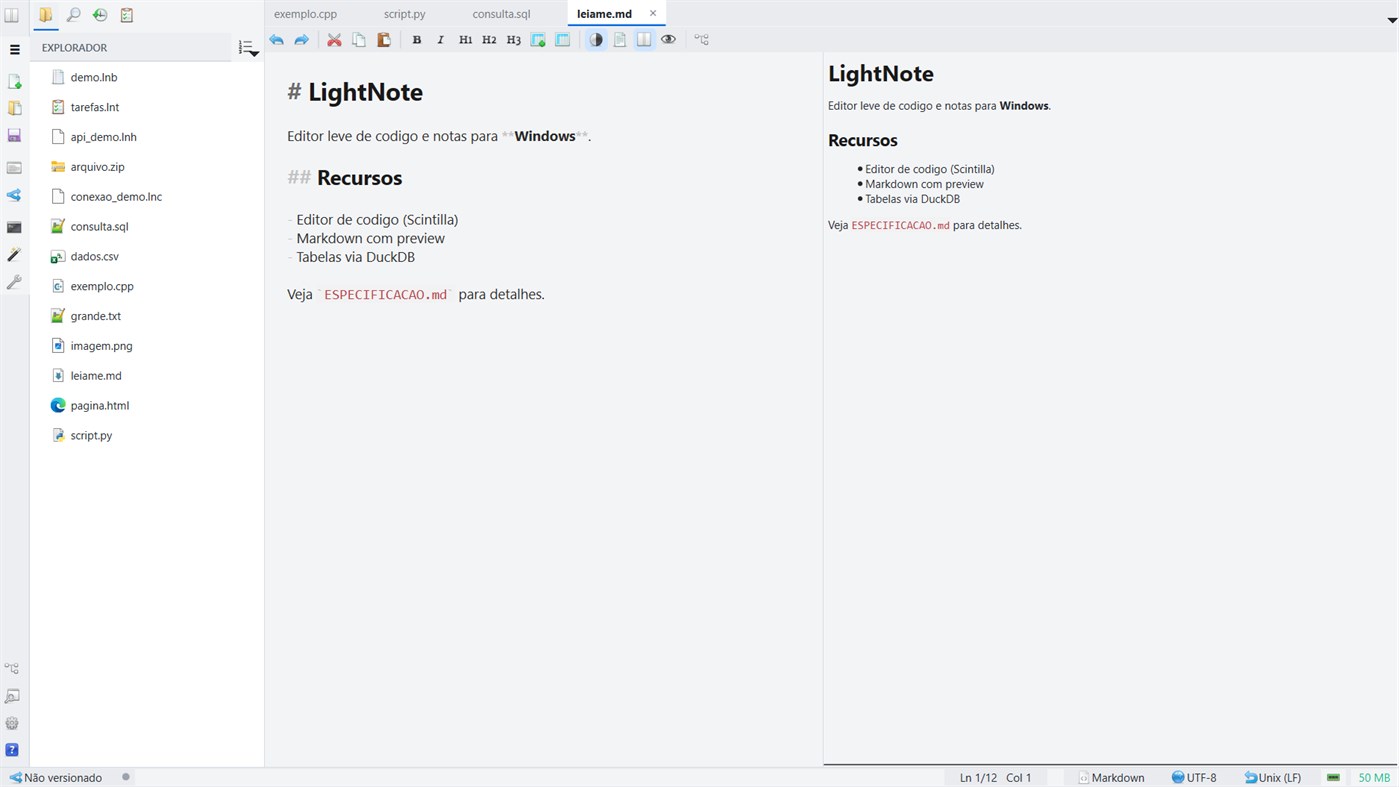
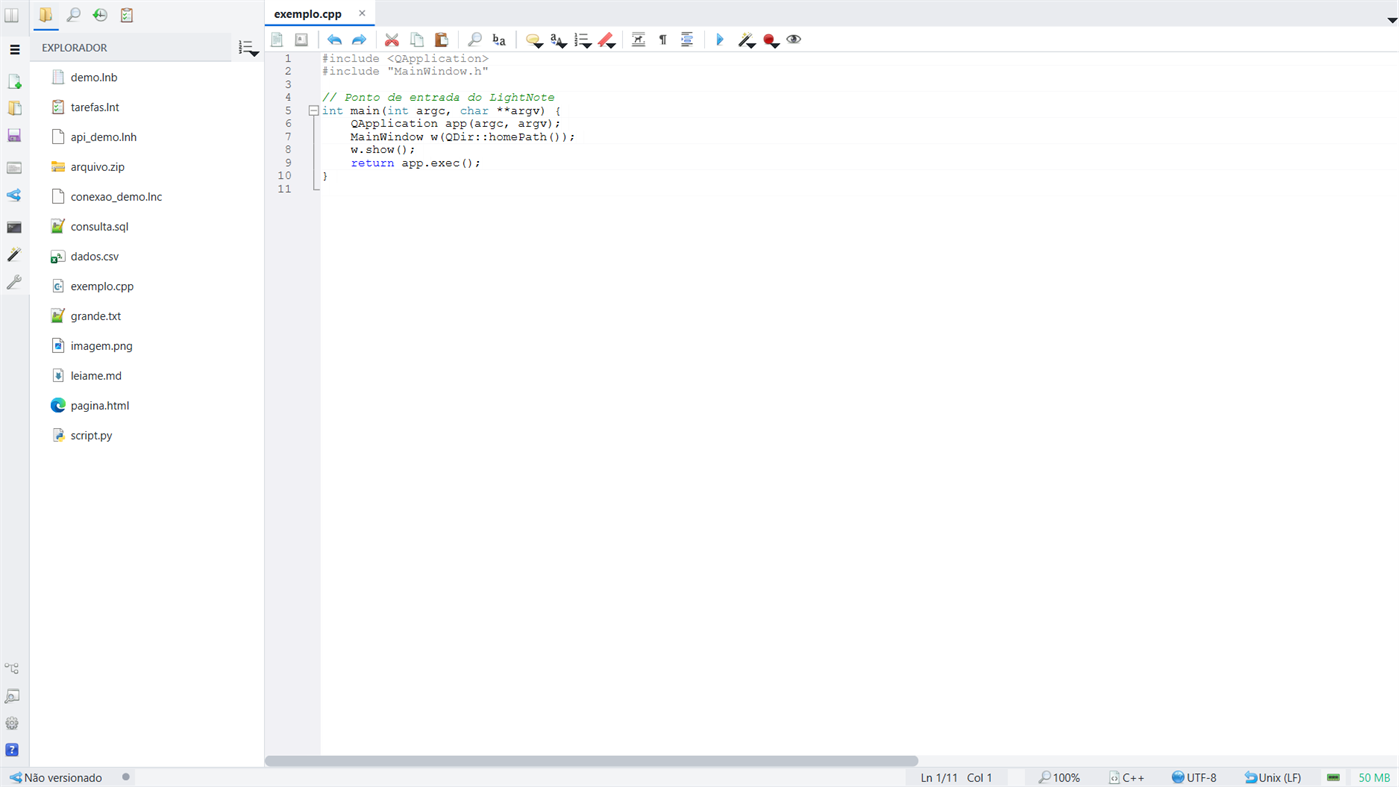
LightNote is a lightweight Windows editor where your second brain in Markdown becomes the context for your AI agents. Built in native C++/Qt — no Electron, no browser tabs and no mandatory cloud. It opens instantly, uses under 50 MB of RAM and renders on the CPU only, so it fits in the palm of your hand even on modest machines.
Two pillars, and a bridge between them.
PILLAR 1 — A COCKPIT FOR YOUR AI AGENTS
LightNote embeds no model: it orchestrates the AI you already use — local CLIs, API providers (OpenAI, Google Gemini, Anthropic Claude) or local models through Ollama and LM Studio.
• A real code editor: a Scintilla core with syntax highlighting for around 30 languages, script running with a single shortcut (F5), an integrated terminal, global search with ripgrep and file comparison.
• Vibe code: chat with the AI in the terminal and ask for inline edits (Ctrl+K) — the suggestion arrives as a diff you accept or reject hunk by hunk.
• AI sessions: a panel to follow each session, review everything it changed and, if you want, let it work in an isolated copy of the repository.
• Simplified Git: a per-line change gutter and checkpoints to audit what happened while you were not watching.
PILLAR 2 — A SECOND BRAIN IN MARKDOWN
Your ideas in open .md files, on your machine, yours forever.
• Near-WYSIWYG editing that dims the markup and reveals it where you are writing.
• Obsidian-style [[ ]] wikilinks, backlinks, note templates and an interactive connections graph to see how your ideas link together.
• Automatic daily notes and quick capture from the tray, with a global shortcut — it works even with everything closed.
• Colorful sticky notes on your desktop, always at hand.
• Audio recording (microphone and system sound) with AI transcription and summary.
THE BRIDGE: YOUR NOTES BECOME THE AGENTS' CONTEXT
This is where the two pillars meet.
• Ask your notes: chat with your second brain and get answers grounded in your own notes, with clickable citations. Local search, with optional semantic reinforcement.
• MCP server and the lnote CLI: expose the workspace to your agents — read and write notes and tasks, search, query data and use Git.
AND EVERYTHING ELSE A WORKING DAY ASKS FOR
The developer tools are all here, serving those two pillars — in tabs of the same workspace.
• Data as tables: open Parquet, CSV, JSON and Excel via DuckDB — filter, sort, query with free SQL and export without writing code.
• A full SQL client for SQLite, DuckDB, PostgreSQL, MySQL, SQL Server and Oracle: schema browsing, history, variables, SQL generation and export.
• Task boards in table, Kanban or timeline (Gantt) view, with a working-day calendar — and versionable in Git without merge conflicts.
• An integrated SSH terminal and SFTP file transfer, straight from a connection file inside your project.
• PDF, image and ZIP file viewing, executable code blocks and a spell checker.
GENUINELY LIGHTWEIGHT
Under 50 MB of RAM, CPU-only rendering and instant startup. Native C++/Qt, no Electron.
PRIVACY AND SECURITY
Everything is local: your files stay on your computer and nothing is sent to servers of ours. You decide if and when you sync — through Git, for example. A per-workspace Secure Phrase and Secure Markdown with portable encryption that opens on any machine.
TWO EDITIONS, THE SAME FEATURES
The free edition is for personal, non-commercial use. LightNote Core, here on the Microsoft Store, brings exactly the same features, with a commercial-use license, automatic updates — and it supports the development of the project.
Requirements: Windows 10 or 11 (64-bit).
Pubblicità
Screenshot
Cronologia dei prezzi
- Prezzo attuale: $39.99
- Minimo: $40.99
- Massimo: $50.99
Monitora prezzi Aggiungi a un elenco per ricevere avvisi sugli sconti via e-mail o push
Valutazione AppAgg
590
Valutazione AppAgg stimata per
LightNote Core
Sviluppatore: NGLCZR
590 Bronzo
Valutazioni più alte indicano di solito segnali più forti su AppAgg.
Basato su: popolarità · valutazioni degli utenti · freschezza · offerte · dati degli store · attività della community
Ricalcolato ogni giorno con dati AppAgg aggiornati.
URL breve: Copiato!
Novità
- Versione: PC
- Ultimo aggiornamento:
Informazioni aggiuntive
- Data di uscita:
- Categoria:
Windows App›Strumenti di sviluppo - Sistemi operativi:
PC - Dimensioni:
39 Mb - Lingue supportate:
Chinese,English,French,German,Italian,Japanese,Korean,Portuguese,Russian,Spanish - Classificazione contenuti:
EVERYONE - Windows Store Voto:
0 - Sito web:
 http://lightnote.com.br
Sviluppatore
- NGLCZR
- Follower: 0
- Piattaforme: Windows App (1)
- Sconti: 0
- Listes: 0 + 0
- Punti: 0 + 0 ¡
- Classificazioni: 0
- Commenti: 0
- Video: 0
- RSS: Sottoscrivi
Listes (0)
0
- LightNote Core
Punti (0)
0
Classificazioni (0)
0
Commenti (0)
Sii il primo a commentare
In breve
LightNote Core URL breve: Copiato!- Condividi
- Windows Store
«LightNote Core». Piattaforma: Windows. Categoria: Strumenti di sviluppo. Sviluppatore: «NGLCZR». Prima uscita: . Ultimo aggiornamento: . Prezzo attuale: $39.99. Prezzo più basso registrato: $40.99 (). Prezzo più alto registrato: $50.99 (). Questo titolo non ha ancora ricevuto valutazioni o recensioni su AppAgg. Lingue disponibili: Chinese, English, French, German, Italian, Japanese, Korean, Portuguese, Russian, Spanish. AppAgg tiene traccia della cronologia dei prezzi, delle valutazioni e del feedback degli utenti per «LightNote Core». AppAgg non ospita applicazioni né distribuisce software. Tutti i marchi, loghi e screenshot appartengono ai rispettivi proprietari. Segui futuri sconti e aggiornamenti tramite RSS
Simili
-
- Light JSON CSV Converter
- Windows App: Strumenti di sviluppo di: TJ & MJ
- * Gratis
- Listes: 0 0 0
- Punti: 0 + 0 590 · Bronzo Versione: PC Light JSON CSV Converter is a desktop utility that converts JSON data and spreadsheet data in both directions. It helps developers, analysts, and business users easily transform JSON ...
-
- IoT Core Selfhost Companion
- Windows App: Strumenti di sviluppo di: CET IoT Core Quality
- Gratis
- Listes: 0 0 0
- Punti: 0 + 0 500 · Bronzo Versione: PC This is the Companion app for the IoT Core Smart Display Selfhost project. It can list all IoT Core machines on your network, connect to your selfhost device, and display different ...
-
- Note Rivet
- Windows App: Strumenti di sviluppo di: Force5Dev
- Gratis
- Listes: 0 0 0
- Punti: 0 + 0 540 · Bronzo Versione: PC This windows store application for Note Rivet provides a central hub for settings for the various extensions available for the Note Rivet application. This version is limited and only ...
-
- GearAI
- Windows App: Strumenti di sviluppo di: Caleb Kwabena Kyere Boateng
- Gratis
- Listes: 0 0 0
- Punti: 0 + 0 500 · Bronzo Versione: PC Light-weight AI Terminal and Code Editor
-
- Interop Tools (Preview)
- Windows App: Strumenti di sviluppo di: IT Dev Team
- Gratis
- Listes: 0 0 0
- Punti: 0 + 13 1K · Oro Versione: PC Note: This release requires provider extensions to make Interop Tools fully work, learn more at http://insidewindows.net/category/interop-tools/ Interop Tools is an app that allows you
-
- Microsoft PowerToys
- Windows App: Strumenti di sviluppo di: Microsoft Corporation
- Gratis
- Listes: 3 + 2 4 (1) 0
- Punti: 4 + 3,489 12K · Oro Versione: PC Microsoft PowerToys is a collection of utilities that help you customize Windows and streamline everyday tasks. PowerToys includes over 25 utilities to help you customize and optimize ...
-
- Serial Debug Assistant
- Windows App: Strumenti di sviluppo di: lingguang
- * Gratis
- Listes: 4 0 0
- Punti: 15 + 82 24K · Platino Versione: PC A communication debugging tool tailored for embedded systems, supporting serial port debugging, TCP and UDP debugging. Powerful yet easy to use, it helps you easily send and receive ...
-
- Ubuntu on Windows
- Windows App: Strumenti di sviluppo di: Canonical Group Limited
- Gratis
- Listes: 2 0 0
- Punti: 11 + 831 5K · Oro Versione: PC Ubuntu on Windows allows you to use Ubuntu Terminal and run Ubuntu command line utilities including bash, ssh, git, apt and many more. Please note that Windows 10 S does not support ...
-
- Termora
- Windows App: Strumenti di sviluppo di: TermoraDev
- * Gratis
- Listes: 0 0 0
- Punti: 0 + 0 610 · Argento Versione: PC Termora is a cross-platform terminal emulator and SSH client, available on Windows, macOS, and Linux. Free Plan Features Core functionality for everyday SSH and file transfer tasks: · ...
-
- Arduino IDE
- Windows App: Strumenti di sviluppo di: Arduino LLC
- Gratis
- Listes: 0 + 2 0 0
- Punti: 2 + 936 4K · Oro Versione: PC Arduino is an open-source electronics platform based on easy-to-use hardware and software. It's intended for anyone making interactive projects. IMPORTANT: This app performs with core ...
-
- COM-SQL
- Windows App: Strumenti di sviluppo di: COM-ADD
- * Gratis
- Listes: 0 + 3 0 0
- Punti: 2 + 10 11K · Oro Versione: PC COM-SQL is a SQLite © management application, essentially intended for learning this database. This application can also be useful for designing a new database and for defining queries
-
- NuGet Package Explorer
- Windows App: Strumenti di sviluppo di: Claire Novotny LLC
- Gratis
- Listes: 0 + 1 0 0
- Punti: 5 + 145 3K · Oro Versione: PC IMPORTANT: This app works with Windows 10 Pro and Home. This app performs with core functionality on Windows 10 S but binary enumeration and plugins do not work. This app allows ...
-
- uTaskManager
- Windows App: Strumenti di sviluppo di: Andrew Whitechapel
- Gratis
- Listes: 1 + 1 0 0
- Punti: 1 + 8 1K · Oro Versione: PC The Universal Task Manager (uTaskManager) is a Universal Windows Platform app that provides much of the same functionality as the traditional Win32 Desktop Task Manager app. Note that ...
-
- JavaScript Studio
- Windows App: Strumenti di sviluppo di: Melvin Dev
- Gratis
- Listes: 1 + 2 0 0
- Punti: 1 + 89 2K · Oro Versione: PC Use your JavaScript, CSS, html skills to create apps wherever you go. These days many of us we use a smartphone anytime, as a developers sometimes we create code using some text editor

