
Gespeichert
Wähle den Namen, der im Menü Gespeichert angezeigt werden soll.
Fertig!
| Entwickler: | azoksky (1) | ||
| Preis: | * Kostenlos | ||
| Einschätzung: | 1,430 Silber | ||
| Klassifizierungen: | 0 | ||
| Kommentare: | 0 Kommentar posten | ||
| Listen: | 0 + 0 | ||
| Punkte: | 0 + 0 ¡ | ||
| +1 Punkte | |||
Beschreibung

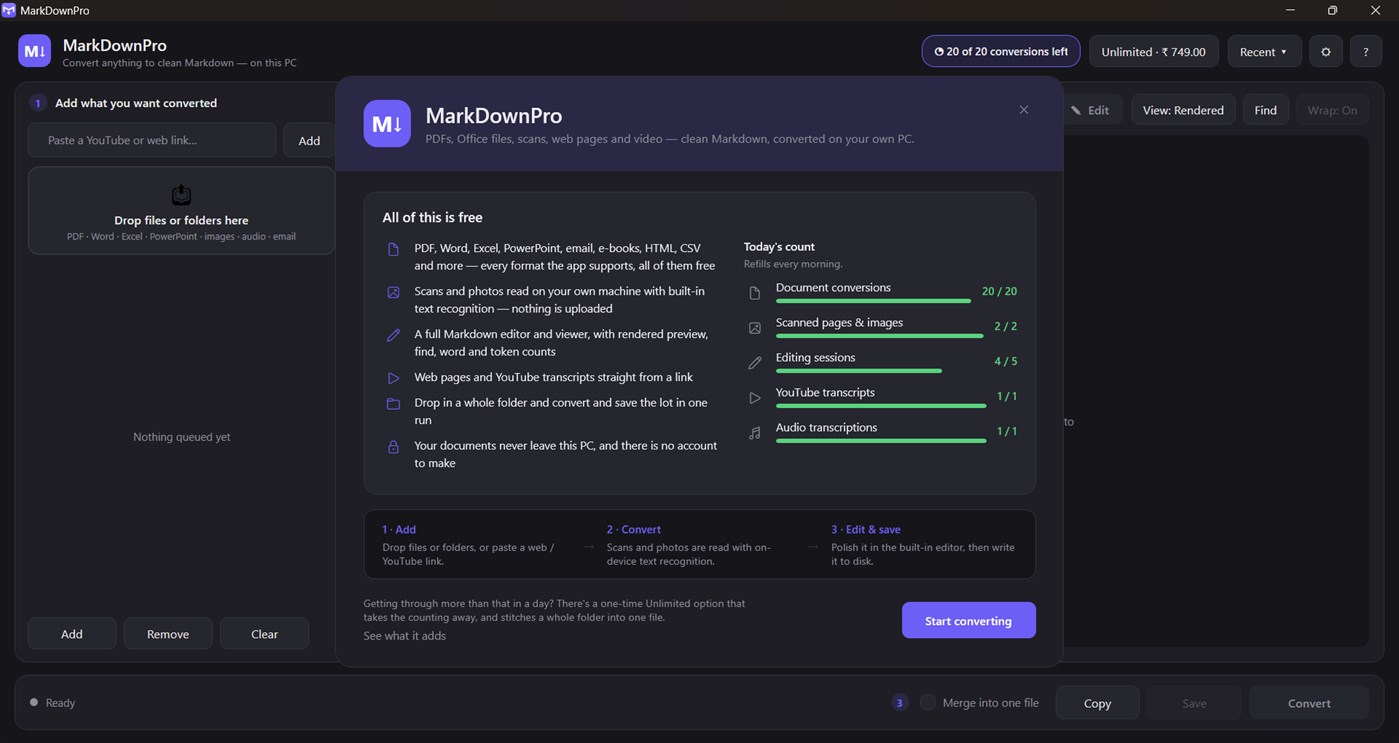
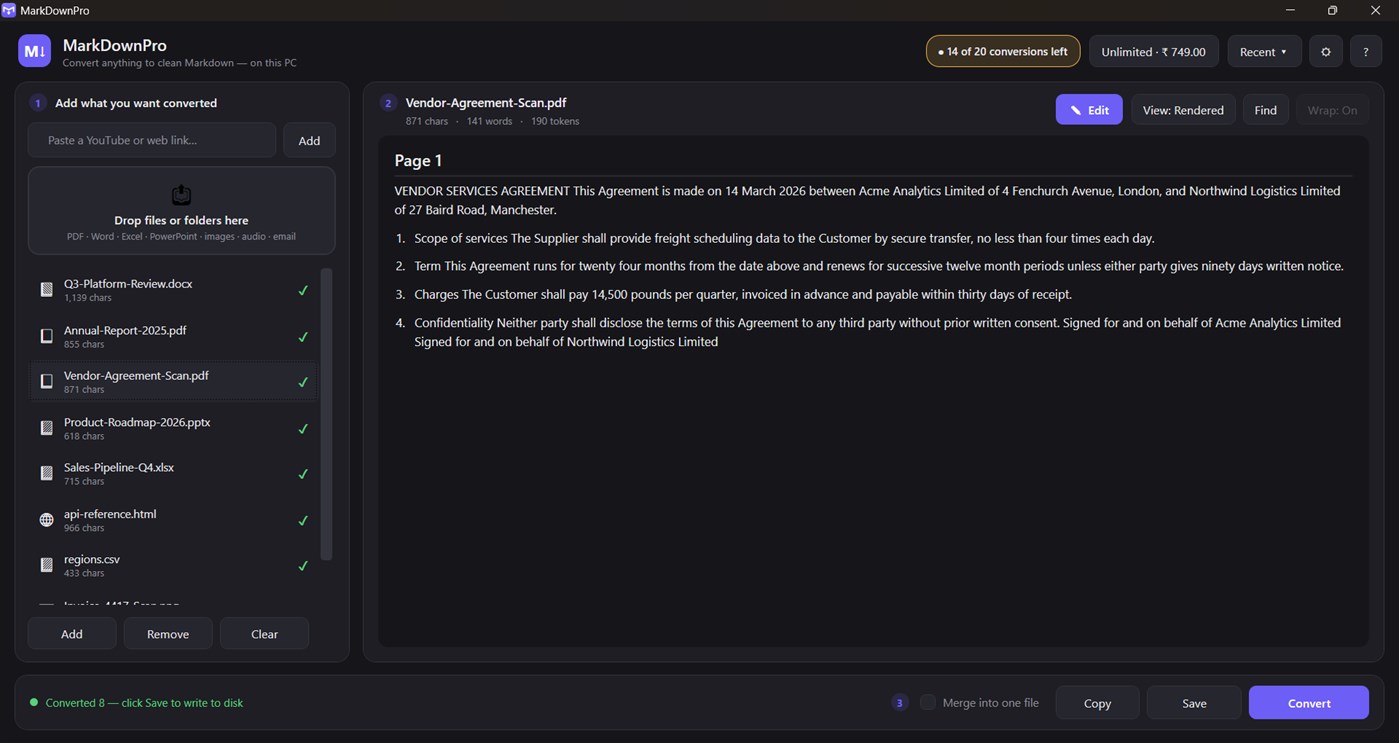
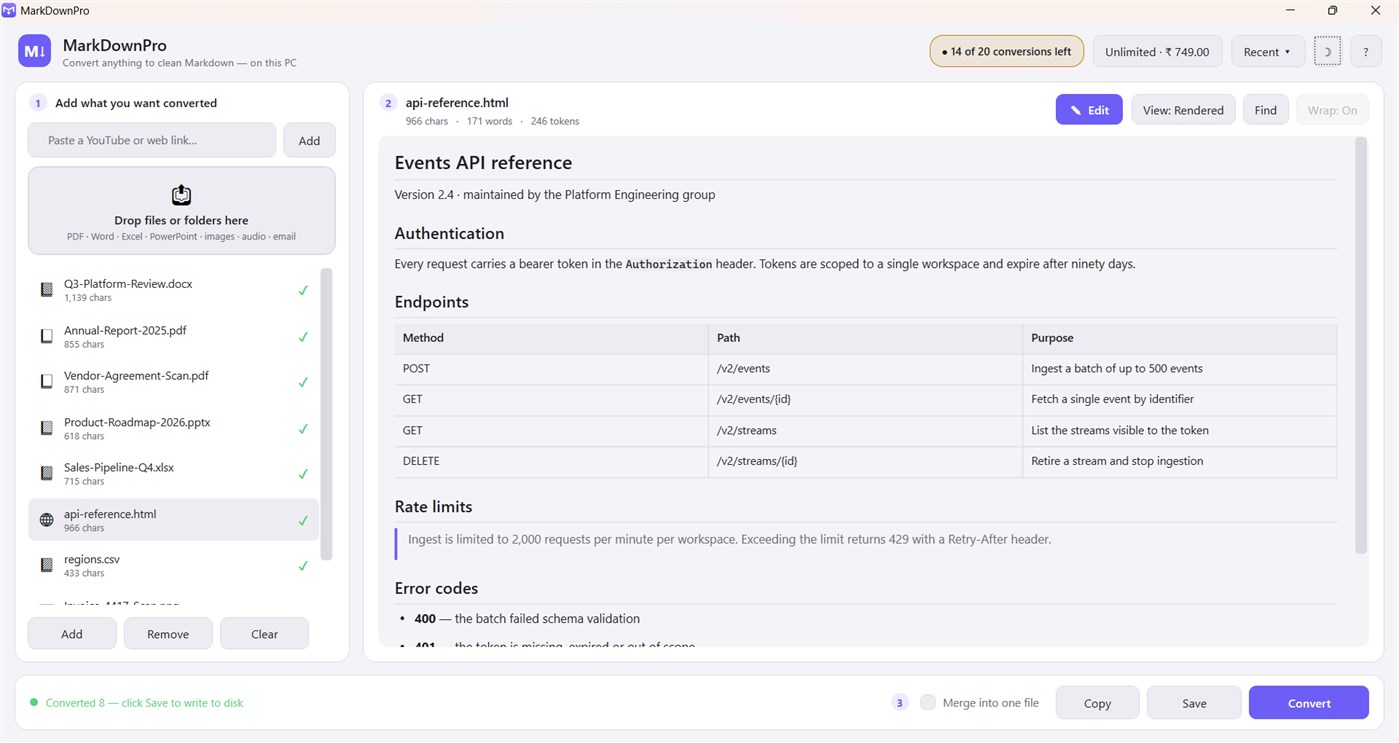
Every AI workflow starts with the same chore: getting a document into text a model can actually read. Drop the file in and get back structured Markdown with the headings, lists, tables and links intact - not a wall of stripped text. Ready to paste into ChatGPT, Claude, a RAG pipeline, Obsidian or a git repo.
WHAT IT CONVERTS
- Documents - PDF, DOCX, EPUB, TXT, HTML
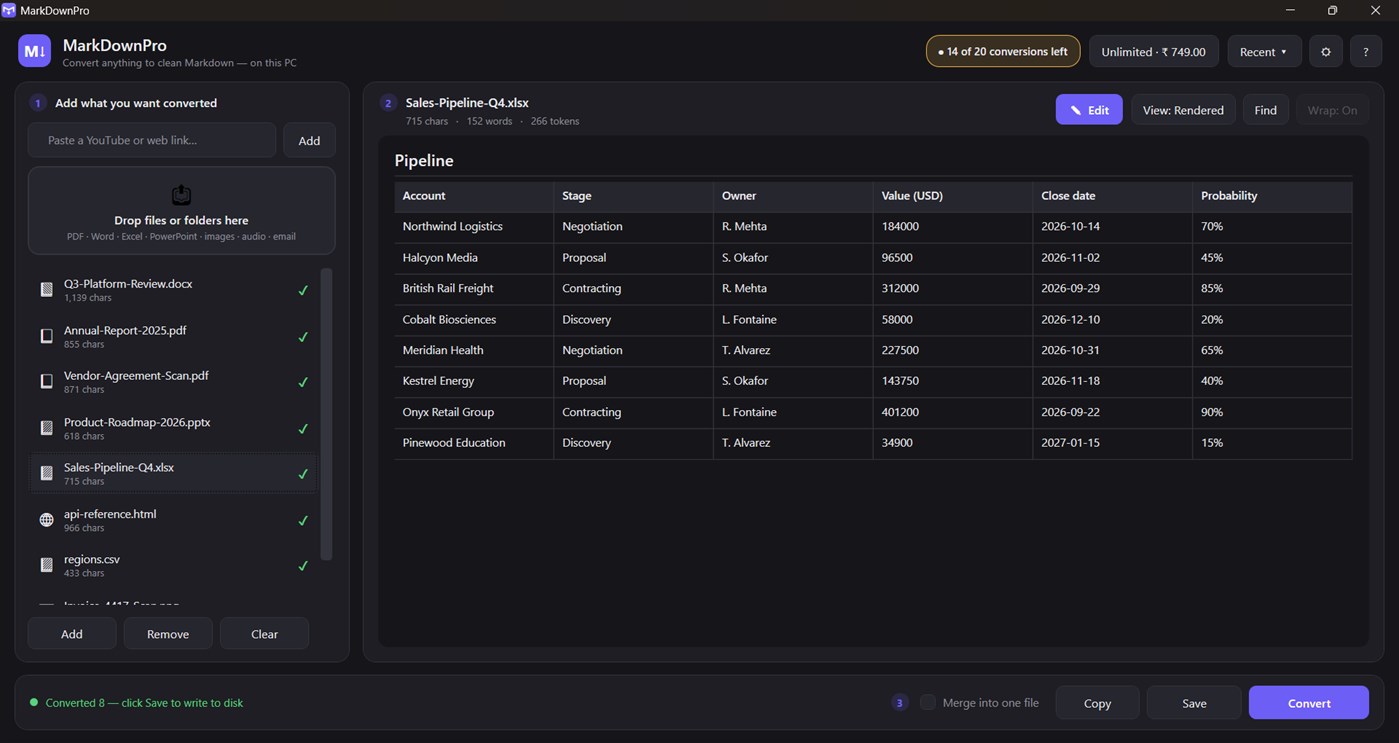
- Slides and sheets - PPTX, XLSX, XLS, CSV
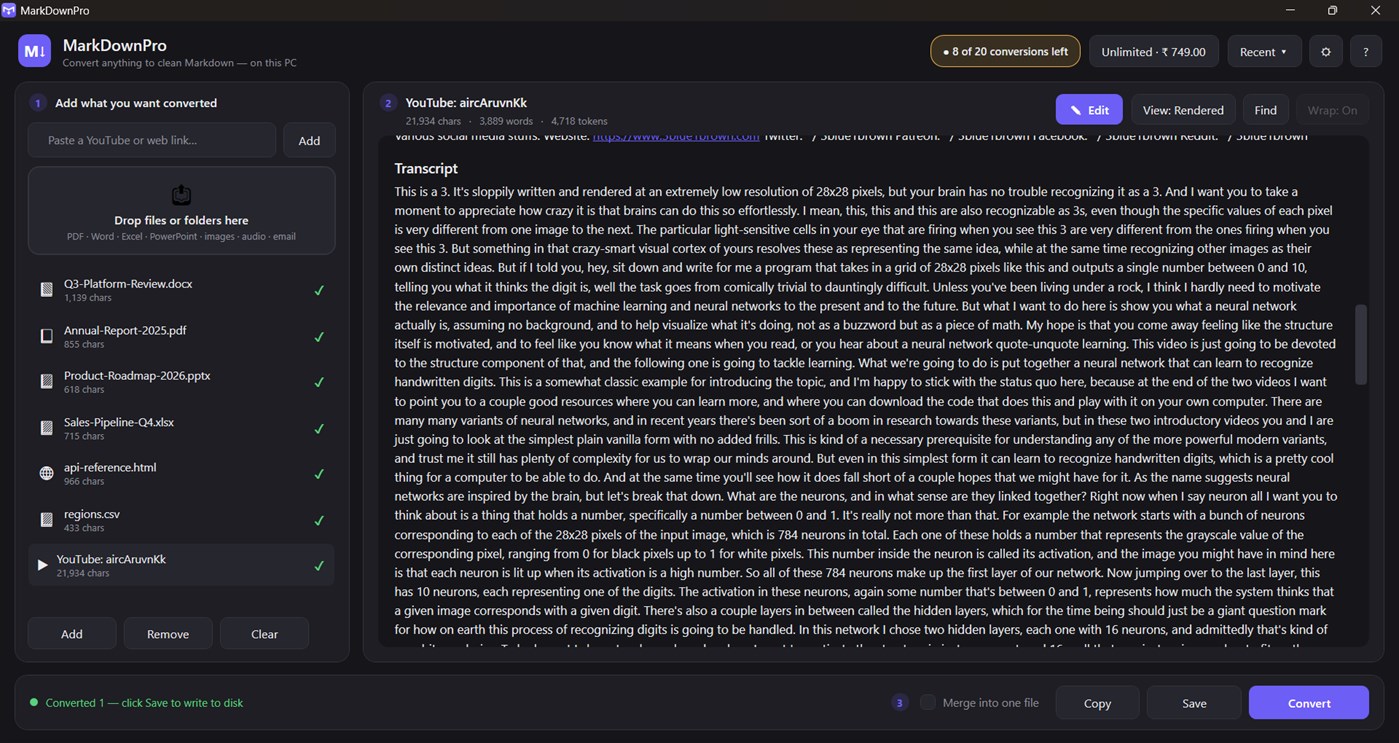
- Web - any URL, plus YouTube pages with transcripts
- Email - Outlook .msg files
- Images - PNG, JPG, TIFF, BMP, WebP, read with on-device OCR
- Scanned PDFs - detected automatically and put through OCR
- Archives - ZIP files, expanded and converted in place
- Audio - MP3, WAV, M4A, FLAC (transcription is opt-in; see Privacy)
BUILT FOR FEEDING LANGUAGE MODELS
- Live token count for every document, using the same cl100k encoding GPT-4 and friends use, so you know before you paste whether it fits the context window
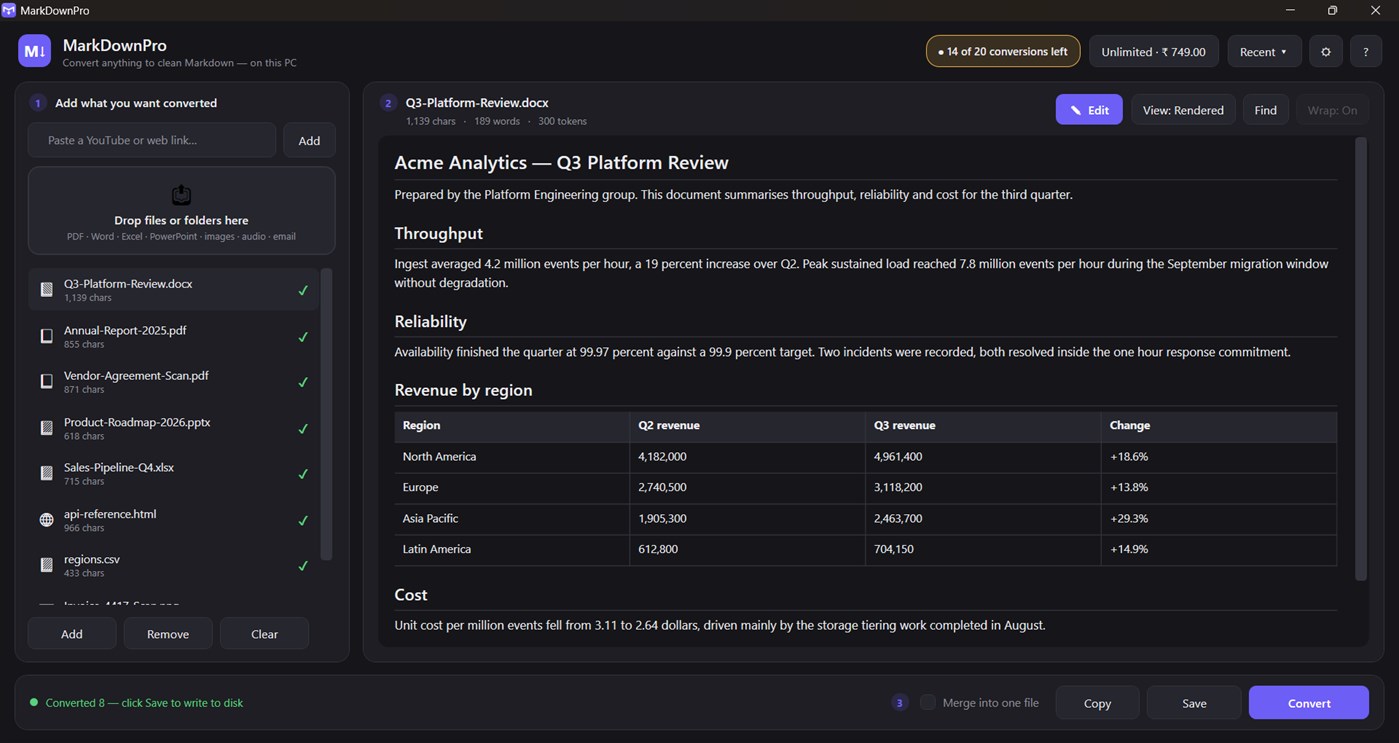
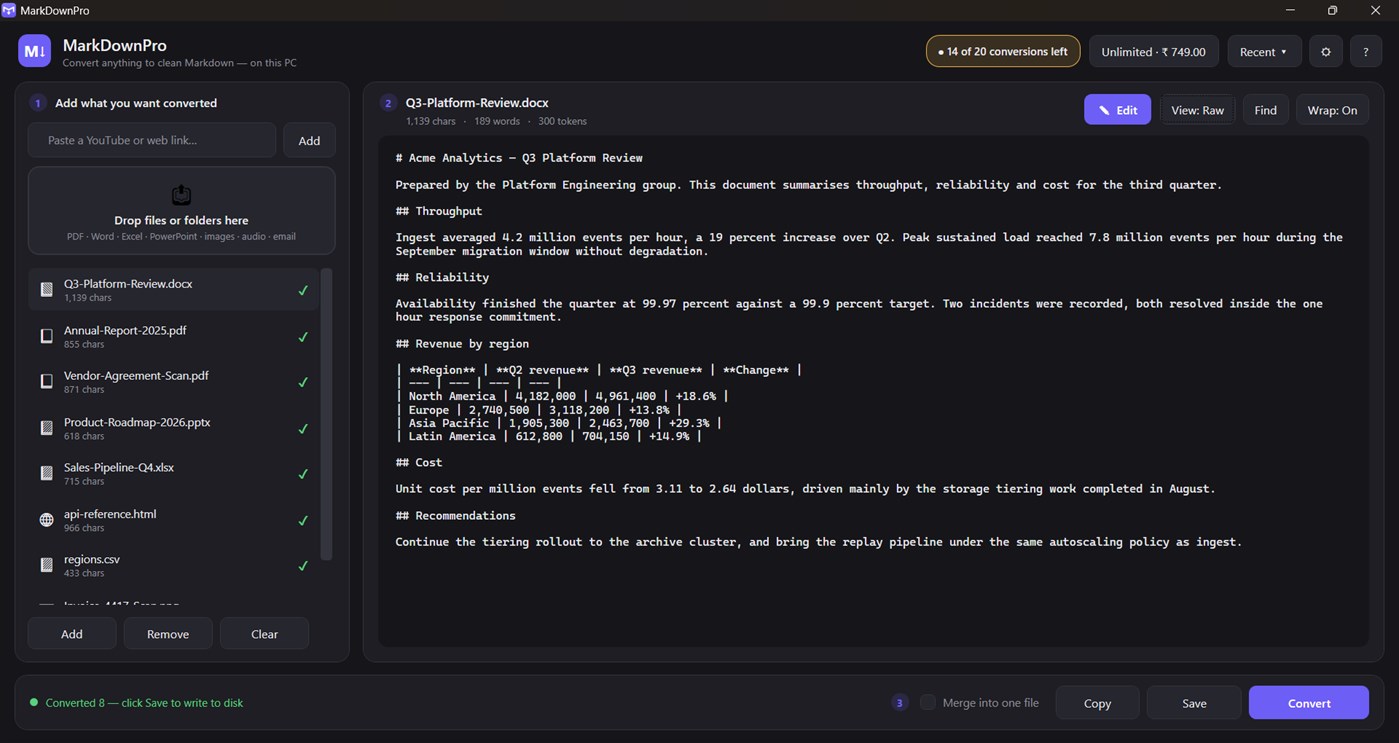
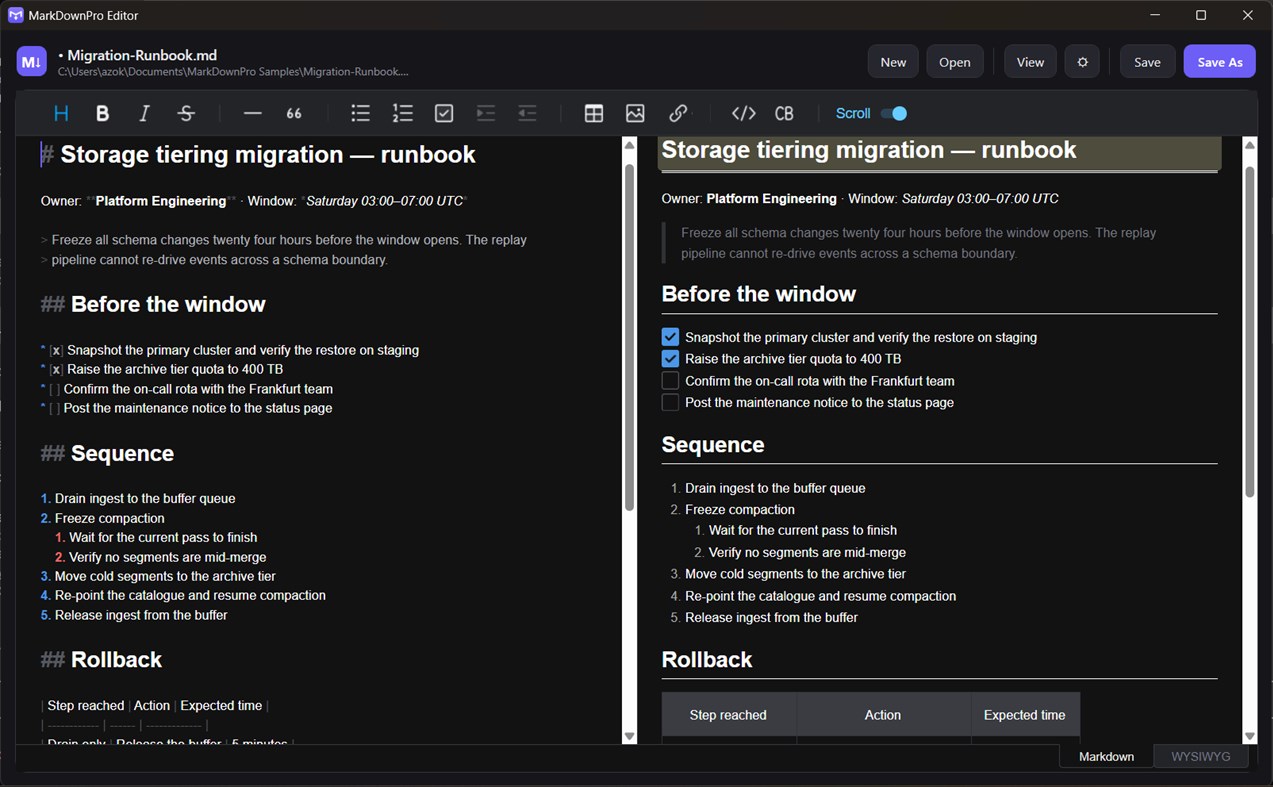
- Rendered preview and raw Markdown side by side, so you can check the structure before you use it
- Merge an entire folder into one Markdown file with clear section breaks - one paste instead of forty
MARKDOWN EDITOR AND VIEWER
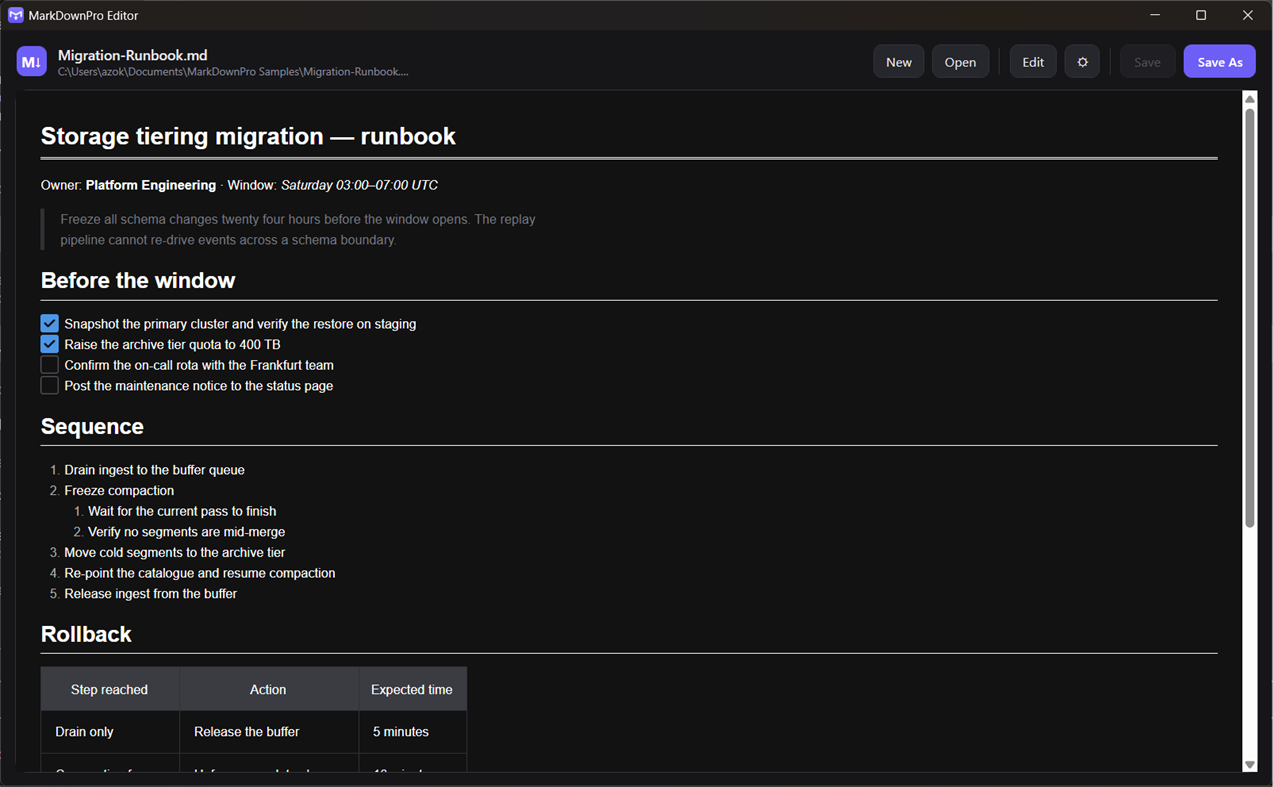
Converted text opens in a full Markdown editor: rendered preview, find-in-document, word wrap, live word and token counts, and copy to clipboard. Double-click any .md file in Explorer and it opens here too, so MarkDownPro is a Markdown reader and editor as well as a converter.
SCANNED PAGES AND PHOTOGRAPHS
When a PDF has no text layer, MarkDownPro notices and runs the Windows OCR engine over the pages instead of handing you an empty file. Photographs of documents, screenshots and faxes work the same way. The text recognition runs on your PC.
BATCH CONVERSION, FREE
Queue a whole folder. Everything converts in a single pass with live progress and a Cancel button that actually stops it, then saves in one action. There is no limit on how many files you can put in the queue.
WORKS OFFLINE
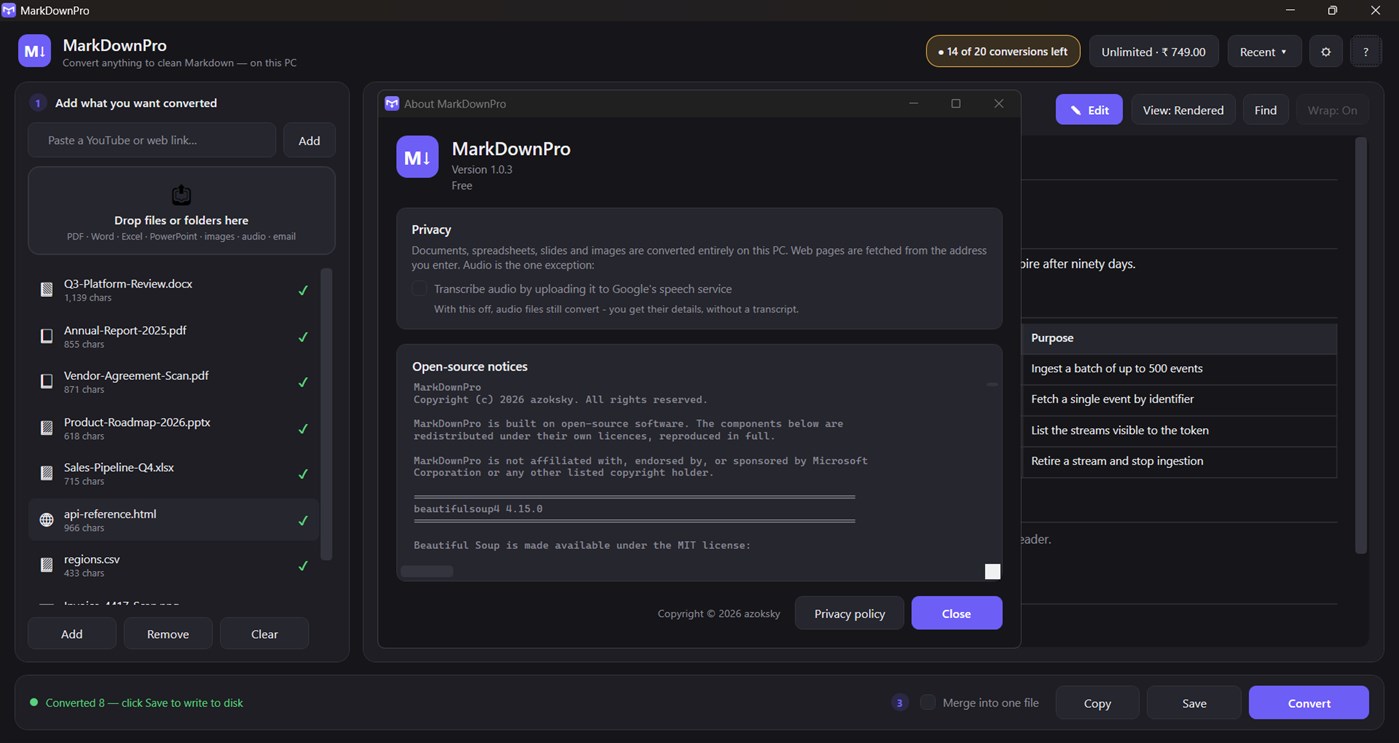
Local files never leave your PC. There is no account, no sign-in and no telemetry. Only three things ever touch the network, and all three are things you asked for: fetching a URL you typed, fetching a YouTube transcript, and audio transcription - which is off until you turn it on.
WHAT IS FREE
Everything is free to use. Every format, every feature, nothing greyed out and nothing switched off. The free version simply does a set amount of each per day:
- 20 document conversions
- 2 conversions with text recognition (scans, photos, image PDFs)
- 5 editing sessions
- 1 YouTube transcript
- 1 audio transcription
Batch conversion and saving the whole queue are free and unlimited. The daily counts reset at midnight.
UNLIMITED
A one-time purchase that takes the daily counting away entirely, and adds merge-into-one-file so a whole folder becomes a single Markdown document in one action. No subscription, no account, no expiry. Buy it once.
---
MarkDownPro is built on Microsoft's open-source MarkItDown library and other open-source components, listed in full under About. It is an independent product and is not affiliated with, endorsed by, or sponsored by Microsoft Corporation.
Werbung
Screenshots
Preisentwicklung
-
* In-App Käufe - Aktueller Preis: Kostenlos
- Mindestens: Kostenlos
- Maximale: Kostenlos
Preise beobachten Zur Liste hinzufügen und Rabattbenachrichtigungen per E-Mail oder Push erhalten
AppAgg-Einschätzung
1,430
Geschätzte AppAgg-Einschätzung für
MarkDownPro
Entwickler: azoksky
1,430 Silber
Höhere Einschätzungen bedeuten meist stärkere Signale auf AppAgg.
Basierend auf: Popularität · Nutzerbewertungen · Aktualität · Angeboten · Shop-Daten · Community-Aktivität
Wird täglich anhand aktueller AppAgg-Daten neu berechnet.
Kurz-URL: Kopiert!
Neue Funktionen
- Version: PC
- Zuletzt aktualisiert:
Weitere informationen
- Veröffentlichungsdatum:
- Kategorie:
Windows Apps›Entwicklungstools - Betriebssysteme:
PC - Größe:
175 Mb - Unterstützte Sprachen:
English - Altersfreigabe:
EVERYONE - Windows Store Bewertung:
0 - Webseite:
 https://azoksky.github.io/markdownpro/
Entwickler
- azoksky
- Follower: 0
- Plattformen: Windows Apps (1)
- Rabatte: 0
- Listen: 0 + 0
- Punkte: 0 + 0 ¡
- Klassifizierungen: 0
- Kommentare: 0
- Videos: 0
- RSS: Abonnieren
Listen (0)
0
- MarkDownPro
Punkte (0)
0
Klassifizierungen (0)
0
Kommentare (0)
Seien Sie der Erste, der einen Kommentar abgibt
Kurzinfo
MarkDownPro Kurz-URL: Kopiert!- Teilen
- Windows Store
«MarkDownPro». Plattform: Windows. Kategorie: Entwicklungstools. Entwickler: «azoksky». Erste Veröffentlichung: . Letzte Aktualisierung: . Aktueller Preis: kostenlos. Dieser Titel hat noch keine Bewertungen oder Rezensionen auf AppAgg erhalten. Verfügbare Sprachen: English. AppAgg verfolgt den Preisverlauf, Bewertungen und Benutzerfeedback für «MarkDownPro». AppAgg hostet keine Anwendungen und vertreibt keine Software. Alle Marken, Logos und Screenshots gehören ihren jeweiligen Eigentümern. Verfolgen Sie zukünftige Rabatte und Updates über RSS
Ähnliches
-
- Pro Auto Clicker: Fast Mouse Clicker & Keyboard Macro
- Windows Apps: Entwicklungstools Von: VAGames
- $9.99
- Listen: 0 0 0
- Punkte: 0 + 0 720 · Silber Version: PC Pro Auto Clicker is a fast, reliable auto clicker and macro recorder for Windows. Automate repetitive clicking and keyboard tasks, record complex mouse + keyboard sequences, and play ...
- Neuer
- File Combiner Pro
- Windows Apps: Entwicklungstools Von: File Combiner Pro
- $19.99
- Listen: 0 0 0
- Punkte: 0 + 0 560 · Bronze Version: PC File Combiner Pro is a powerful, lightweight, and efficient desktop utility designed to streamline your workflow by effortlessly merging multiple files into a single document. Whether ...
-
- GUID Pro
- Windows Apps: Entwicklungstools Von: Michał Łeptuch
- Kostenlos
- Listen: 0 + 1 0 0
- Punkte: 2 + 0 950 · Silber Version: PC Generate up to 1 million unique identifiers at once and customize them to fit your needs. Whether you're a developer, IT pro, or just need GUIDs fast, this app gives you full control. ...
-
- notepad_pro
- Windows Apps: Entwicklungstools Von: Redix System
- Kostenlos
- Listen: 0 0 0
- Punkte: 0 + 0 560 · Bronze Version: PC **Notepad Pro** is a modern, lightweight, and incredibly powerful text editor designed to maximize your productivity. Whether you're jotting down quick ideas, managing complex code ...
-
- VpsMonitor.Pro
- Windows Apps: Entwicklungstools Von: VARNA WEB EOOD
- * Kostenlos
- Listen: 0 0 0
- Punkte: 0 + 0 630 · Silber Version: PC VpsMonitor.Pro is free to use. On its very first run you get Premium free for 7 days full access to every feature, with no signup and no card. After that the app keeps working forever ...
- -50%
- JSON Parser Pro
- Windows Apps: Entwicklungstools Von: Aria Vision
- ▼ $0.99
$1.99-50% - Listen: 0 0 0
- Punkte: 0 + 0 570 · Bronze Version: PC Json Parser Pro is a material-styled workbench for serious JSON work: dual code/tree views, JSONPath search, pretty/minify/sort, CSV export, and file diff everything offline. A ...
-
- Auto Clicker Pro – Macro Clicker for Games & Work
- Windows Apps: Entwicklungstools Von: Silamia2025
- Kostenlos
- Listen: 0 + 1 0 0
- Punkte: 0 + 0 580 · Bronze Version: PC Auto Clicker Pro is a powerful and user-friendly tool that helps you automate mouse clicks for games, work, or repetitive tasks. Whether you're farming in a game, grinding resources in
-
- QuickContext Switch Pro
- Windows Apps: Entwicklungstools Von: VengeSoft
- $2.99
- Listen: 0 0 0
- Punkte: 0 + 0 570 · Bronze Version: PC Are you having trouble adjusting to the new Windows 11 context menu options? Do you prefer the classic Windows 10 context menu options? Our app offers the best of both worlds. With the
-
- Matrix Prism Pro
- Windows Apps: Entwicklungstools Von: Andy Lang
- Kostenlos
- Listen: 0 0 0
- Punkte: 0 + 0 920 · Silber Version: PC Prism is a workstation monitor and system-tools hub for Windows. Instead of juggling Task Manager, disk cleanup utilities, terminal windows, and network tools, you get everything in a ...
-
- Hexee Pro - Color Editor & Tools
- Windows Apps: Entwicklungstools Von: Alberto Malagoli
- $9.99
- Listen: 0 0 0
- Punkte: 0 + 0 1K · Silber Version: PC Hexee Pro is a set of advanced color tools for designers and artists. With it, you can create, edit, and organize your color palettes, fine-tune colors, generate tints and shades, and ...
-
- FileZilla Pro
- Windows Apps: Entwicklungstools Von: Business Follows srl
- $49.99
- Listen: 0 0 0
- Punkte: 0 + 0 830 · Silber Version: PC FileZilla Pro is a fast and reliable FTP, FTPS, SFTP, Amazon S3, Backblaze B2, Box, Dropbox, Google Cloud Storage, Google Drive, Microsoft OneDrive, Microsoft Azure Storage, OpenStack ...
-
- SysmonHUD Pro
- Windows Apps: Entwicklungstools Von: ASTechAI
- * Kostenlos
- Listen: 0 0 0
- Punkte: 0 + 0 600 · Silber Version: PC Experience real-time system monitoring at a glance with SysMonHUD PRO! SysMonHUD PRO is a premium, state-of-the-art telemetry display HUD that overlays essential system metrics ...
-
- Serial Studio Pro
- Windows Apps: Entwicklungstools Von: Alex Spataru
- * Kostenlos
- Listen: 0 0 0
- Punkte: 0 + 0 1K · Silber Version: PC Serial Studio Pro turns raw data from your hardware into live dashboards. Connect a microcontroller, sensor board, PLC, or industrial device and watch plots, gauges, maps, and tables ...
-
- HTML:Editor Pro
- Windows Apps: Entwicklungstools Von: Aurora Byte
- $4.59
- Listen: 0 0 0
- Punkte: 0 + 0 560 · Bronze Version: PC "HTML:Editor Pro" is your indispensable Windows app for HTML editing and web development. With its user-friendly interface and robust features, this powerful tool simplifies the ...

