
ที่บันทึกไว้
เลือกชื่อที่จะแสดงในเมนูที่บันทึกไว้ของคุณ
เสร็จแล้ว
| ผู้พัฒนา: | azoksky (1) | ||
| ราคา: | * ฟรี | ||
| การประเมิน: | 1,430 เงิน | ||
| การจัดอันดับ: | 0 | ||
| ความเห็น: | 0 โพสต์ความคิดเห็น | ||
| รายการ: | 0 + 0 | ||
| แต้มแล: | 0 + 0 ¡ | ||
| +1 แต้มแล | |||
คำอธิบาย

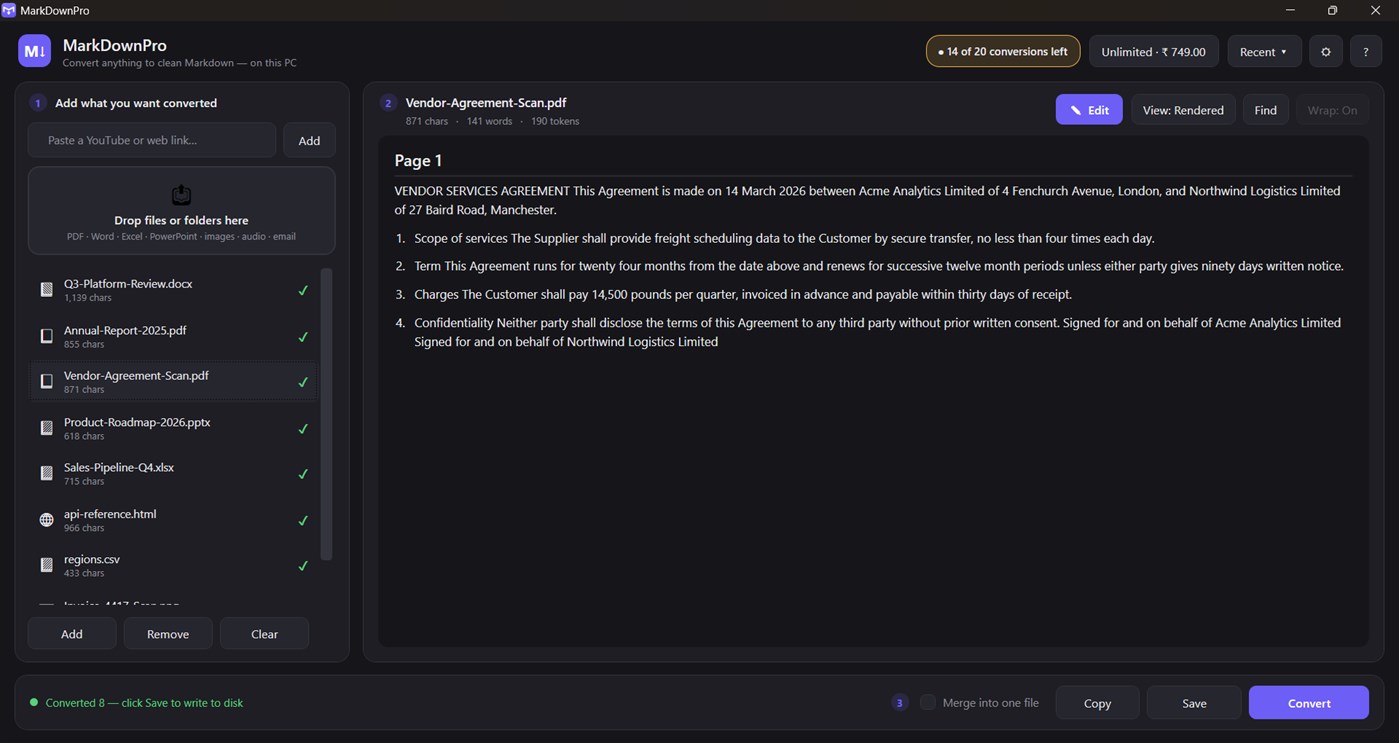
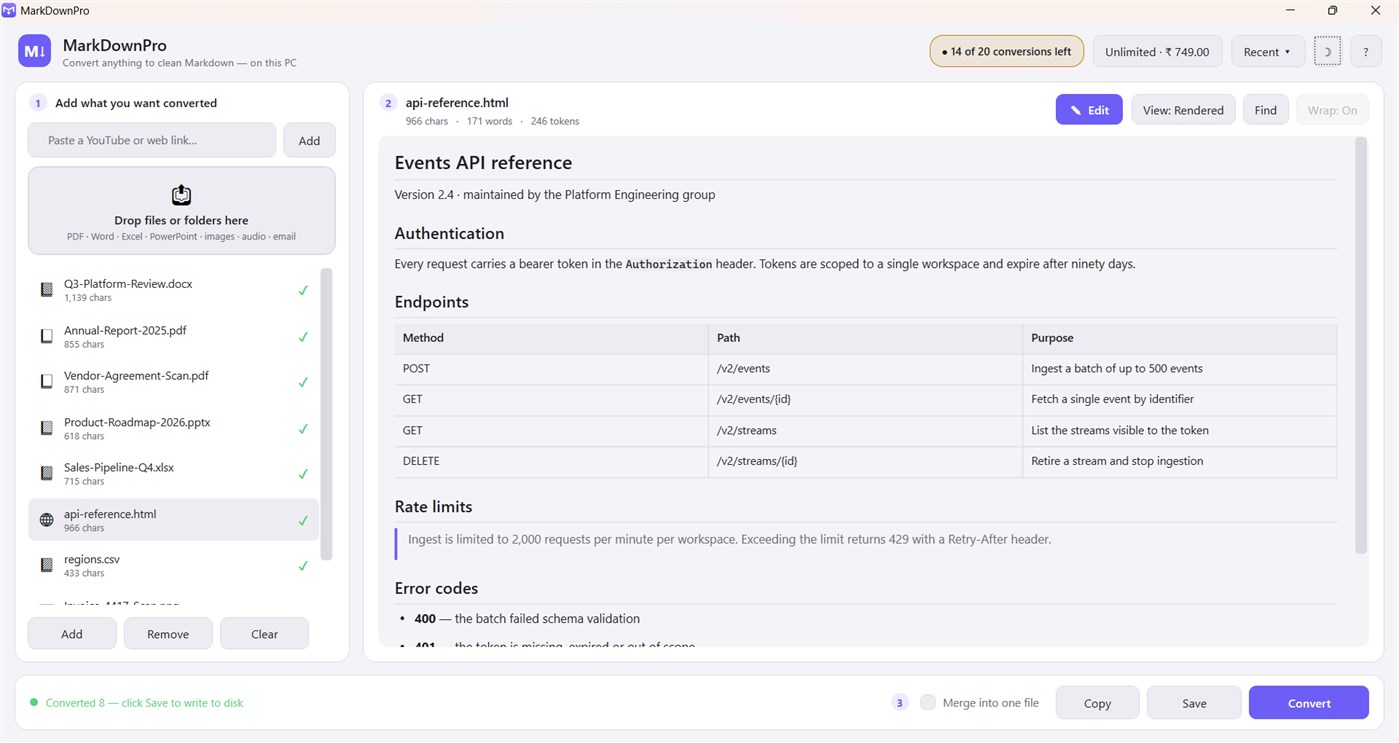
Every AI workflow starts with the same chore: getting a document into text a model can actually read. Drop the file in and get back structured Markdown with the headings, lists, tables and links intact - not a wall of stripped text. Ready to paste into ChatGPT, Claude, a RAG pipeline, Obsidian or a git repo.
WHAT IT CONVERTS
- Documents - PDF, DOCX, EPUB, TXT, HTML
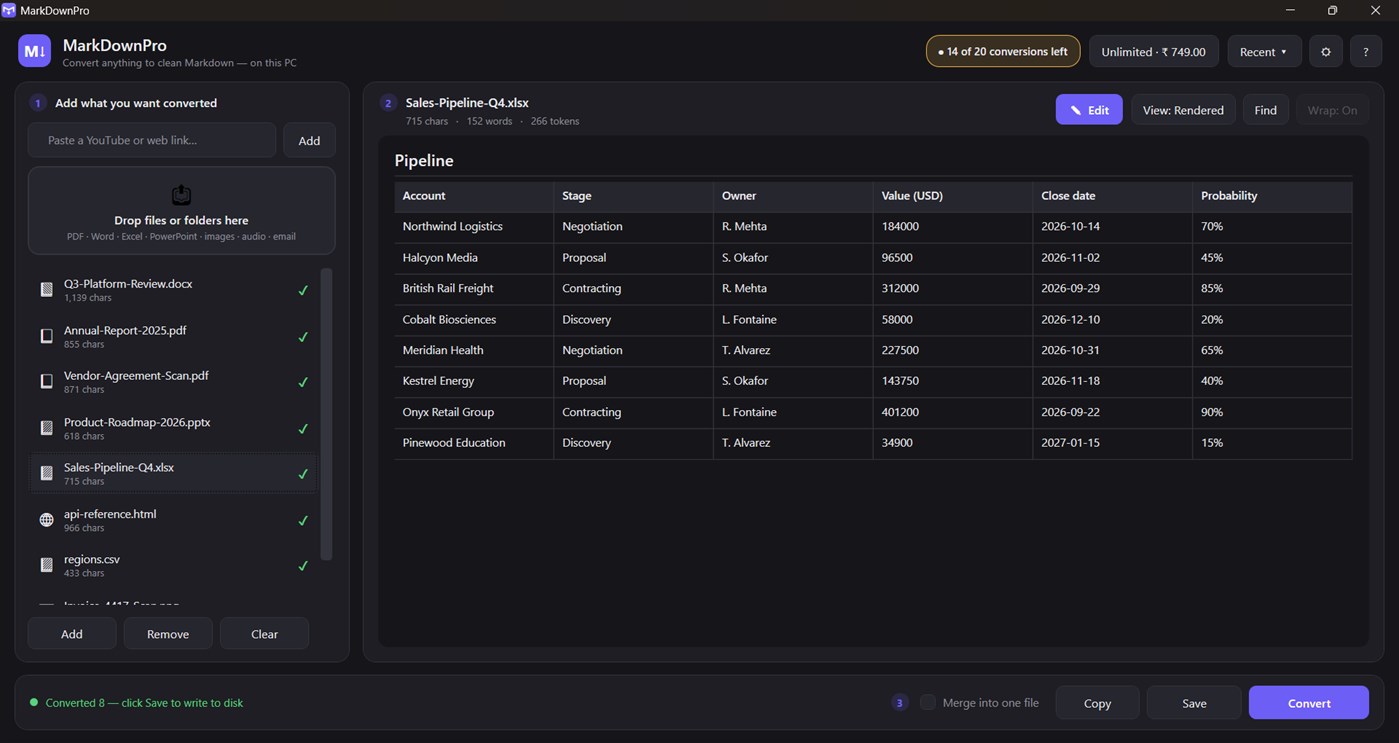
- Slides and sheets - PPTX, XLSX, XLS, CSV
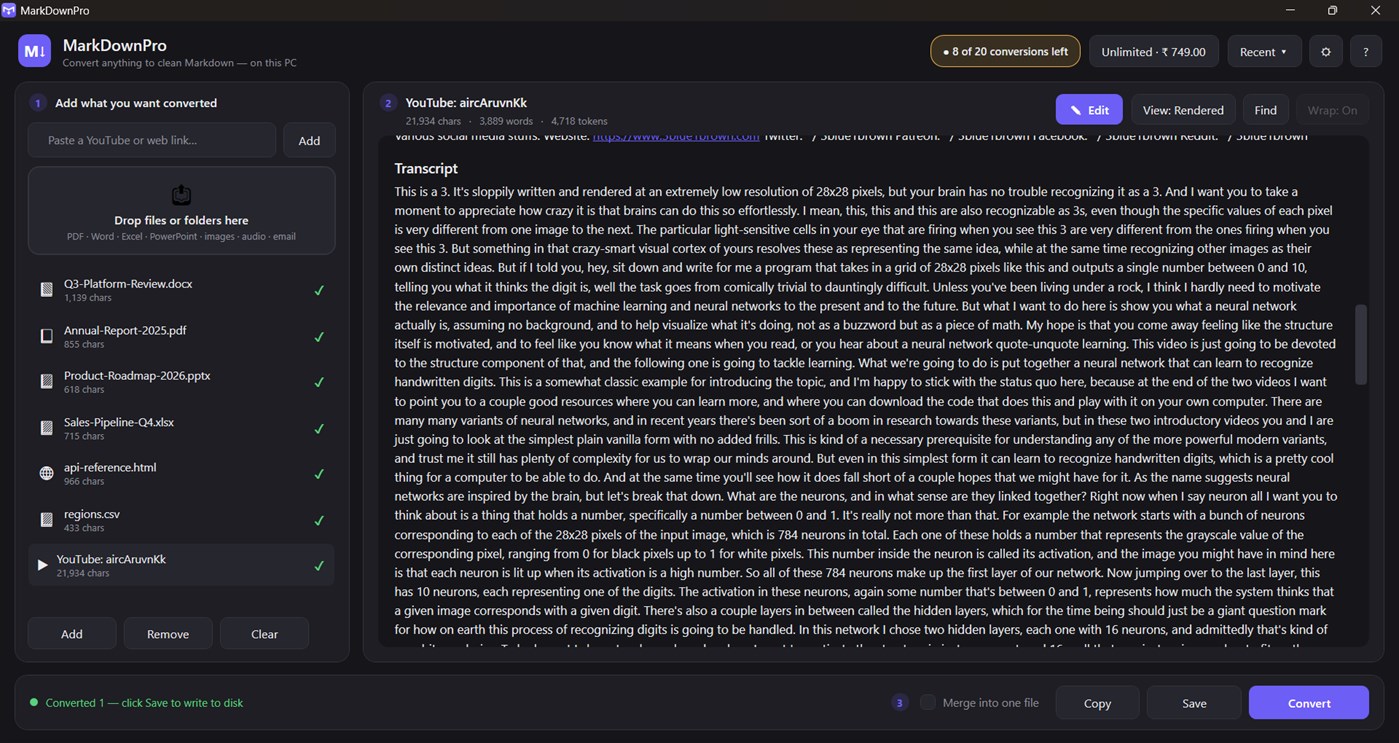
- Web - any URL, plus YouTube pages with transcripts
- Email - Outlook .msg files
- Images - PNG, JPG, TIFF, BMP, WebP, read with on-device OCR
- Scanned PDFs - detected automatically and put through OCR
- Archives - ZIP files, expanded and converted in place
- Audio - MP3, WAV, M4A, FLAC (transcription is opt-in; see Privacy)
BUILT FOR FEEDING LANGUAGE MODELS
- Live token count for every document, using the same cl100k encoding GPT-4 and friends use, so you know before you paste whether it fits the context window
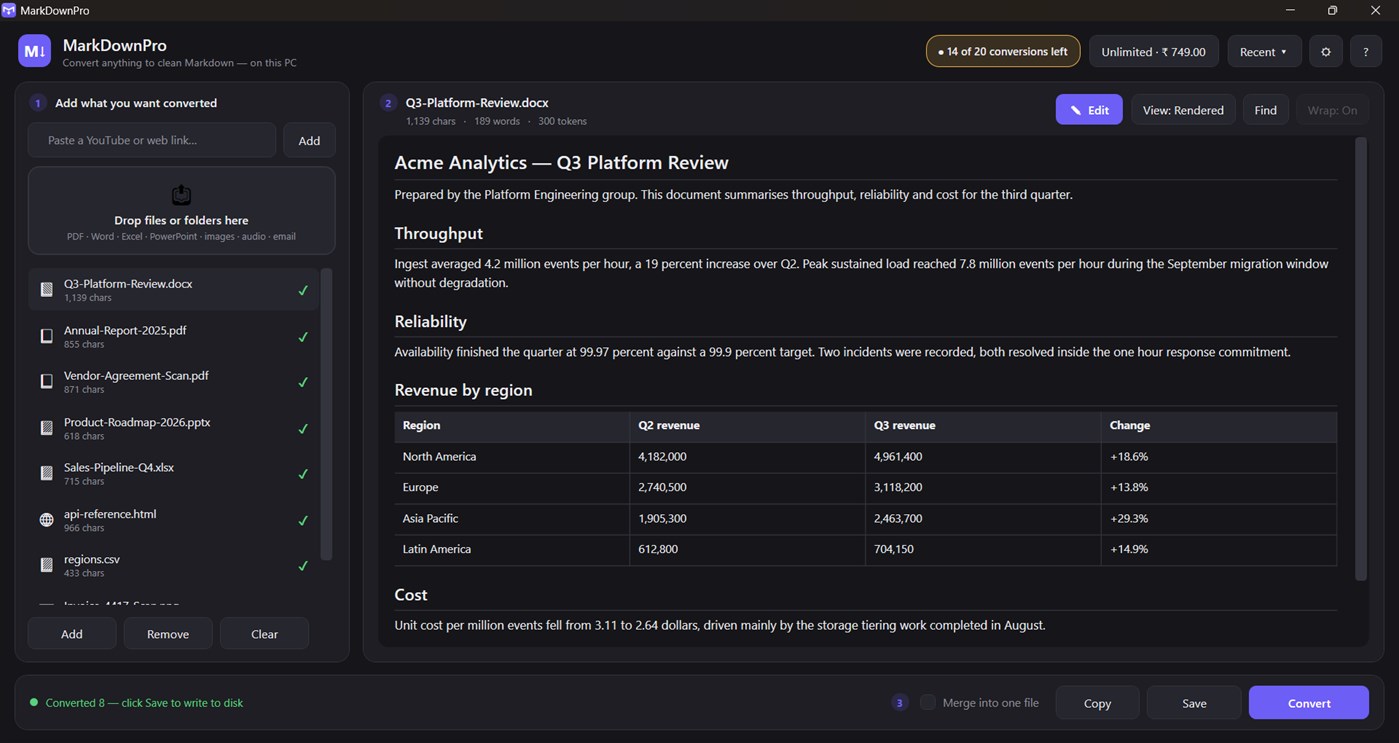
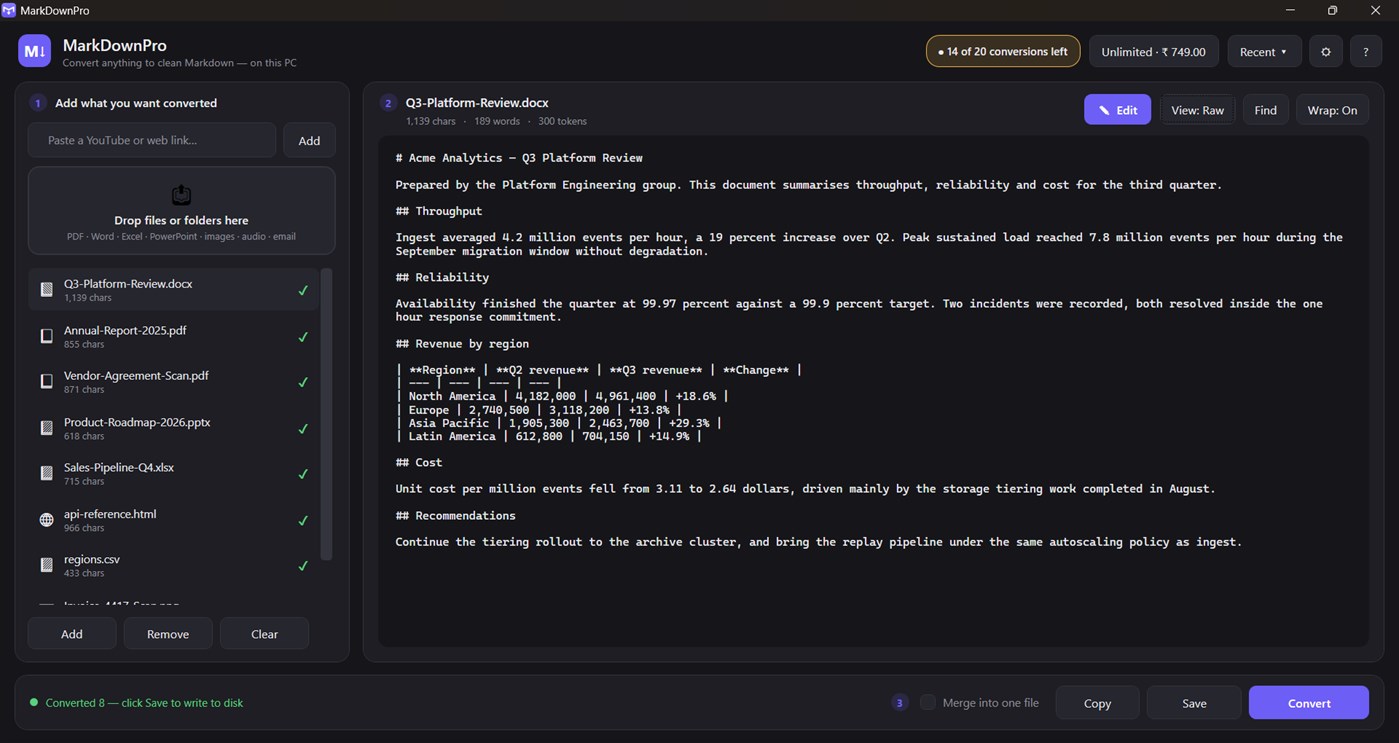
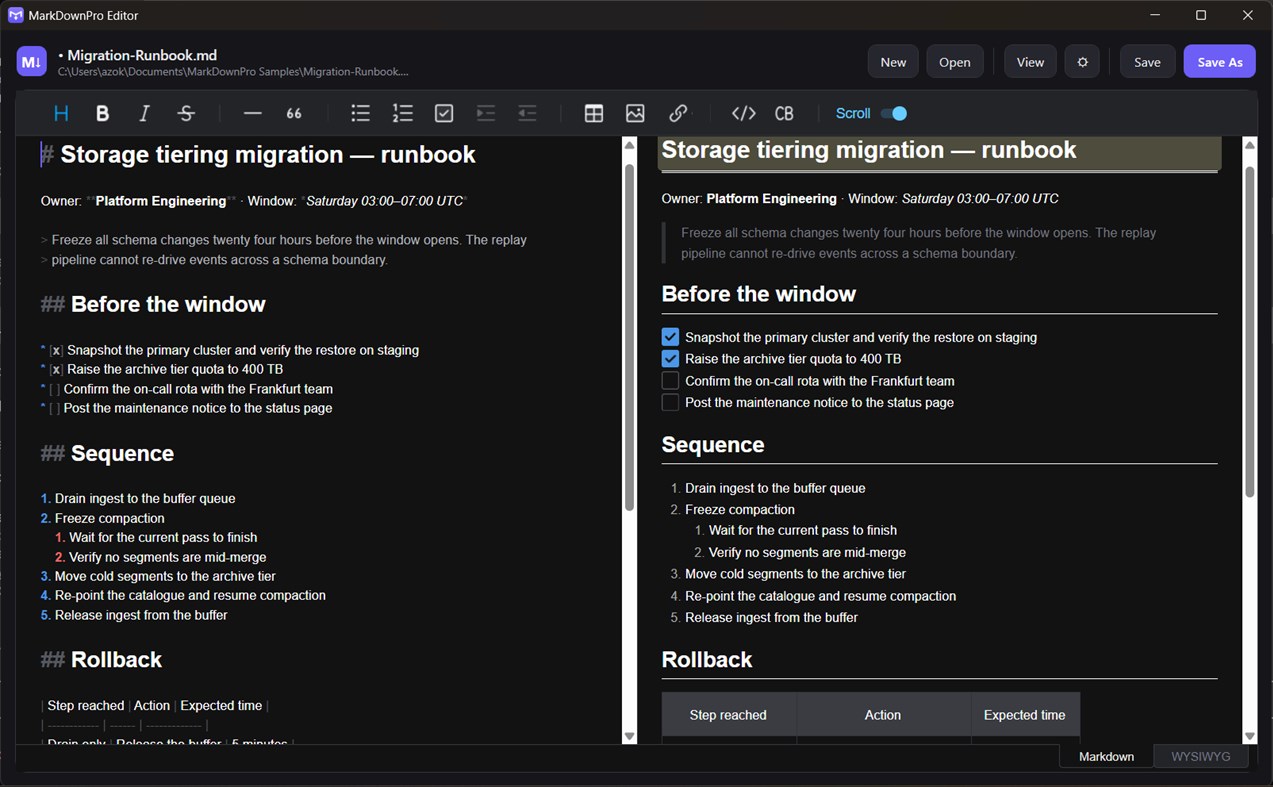
- Rendered preview and raw Markdown side by side, so you can check the structure before you use it
- Merge an entire folder into one Markdown file with clear section breaks - one paste instead of forty
MARKDOWN EDITOR AND VIEWER
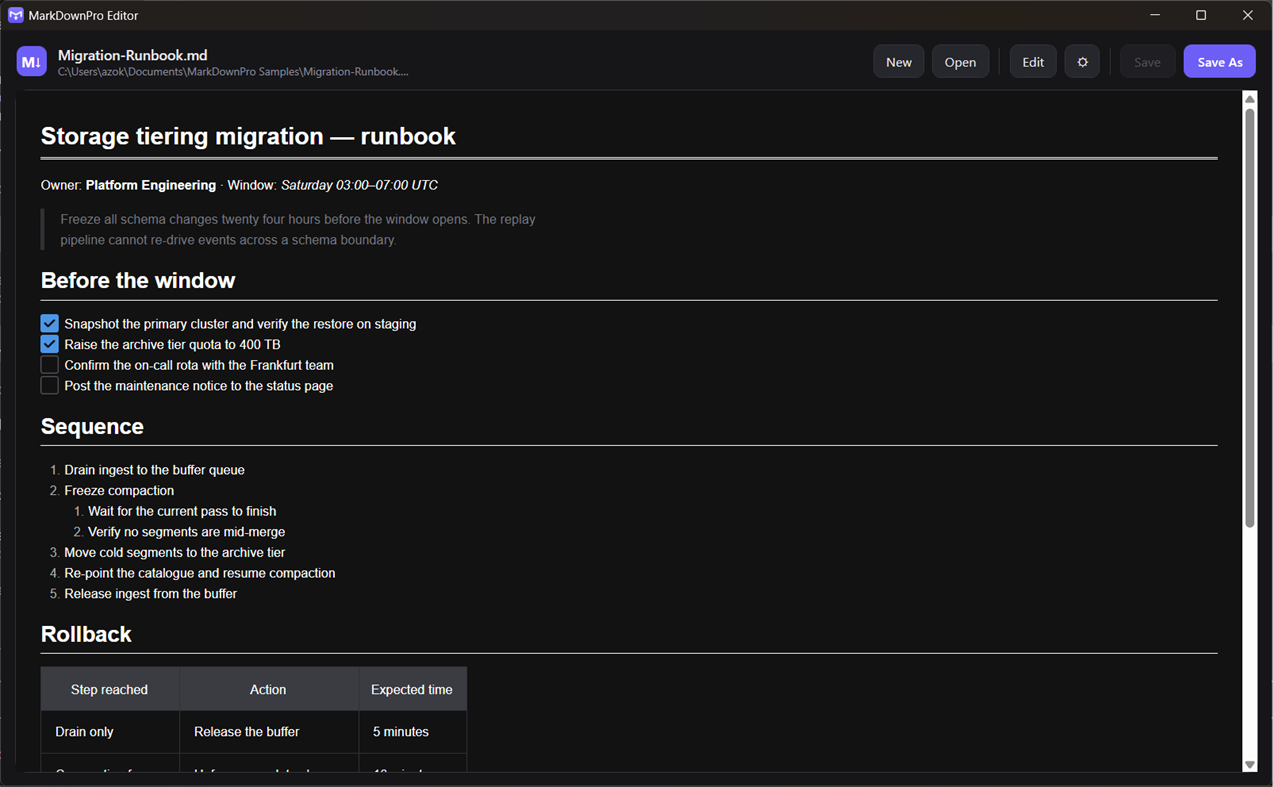
Converted text opens in a full Markdown editor: rendered preview, find-in-document, word wrap, live word and token counts, and copy to clipboard. Double-click any .md file in Explorer and it opens here too, so MarkDownPro is a Markdown reader and editor as well as a converter.
SCANNED PAGES AND PHOTOGRAPHS
When a PDF has no text layer, MarkDownPro notices and runs the Windows OCR engine over the pages instead of handing you an empty file. Photographs of documents, screenshots and faxes work the same way. The text recognition runs on your PC.
BATCH CONVERSION, FREE
Queue a whole folder. Everything converts in a single pass with live progress and a Cancel button that actually stops it, then saves in one action. There is no limit on how many files you can put in the queue.
WORKS OFFLINE
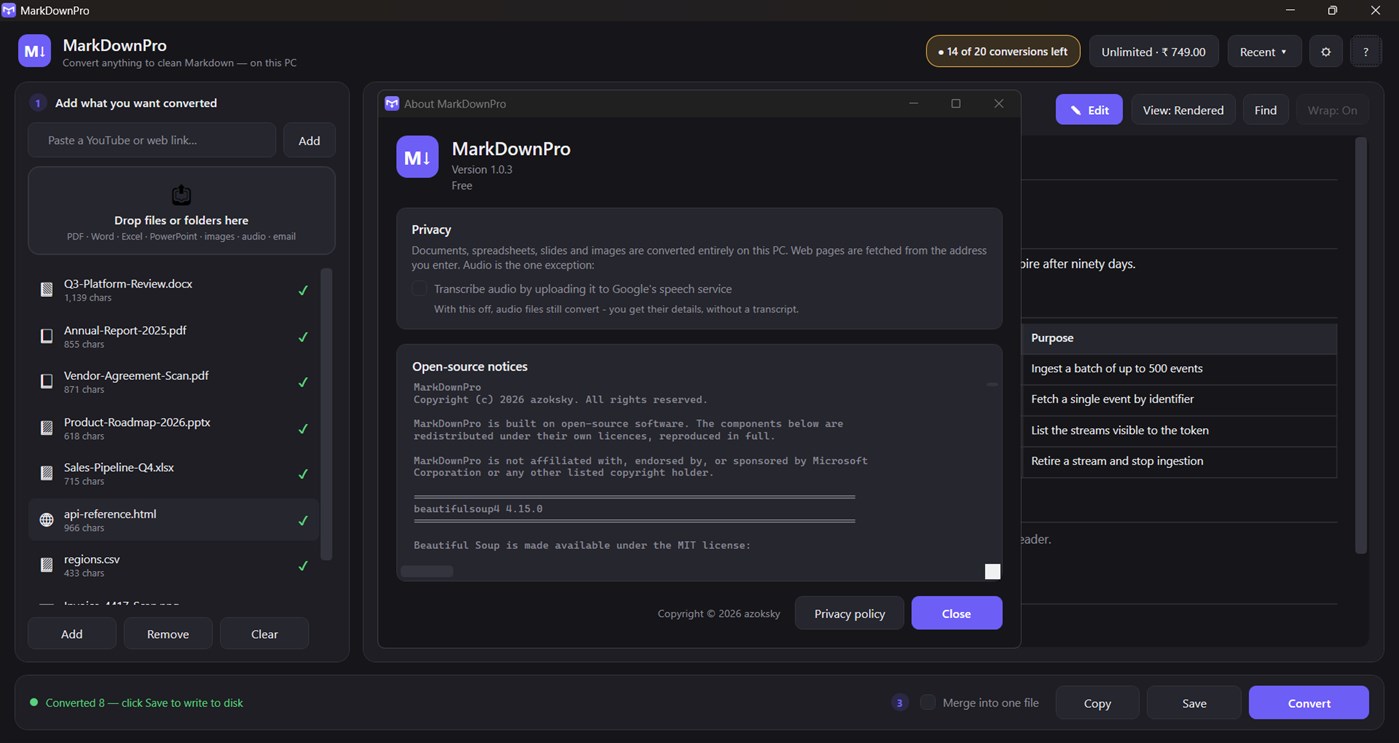
Local files never leave your PC. There is no account, no sign-in and no telemetry. Only three things ever touch the network, and all three are things you asked for: fetching a URL you typed, fetching a YouTube transcript, and audio transcription - which is off until you turn it on.
WHAT IS FREE
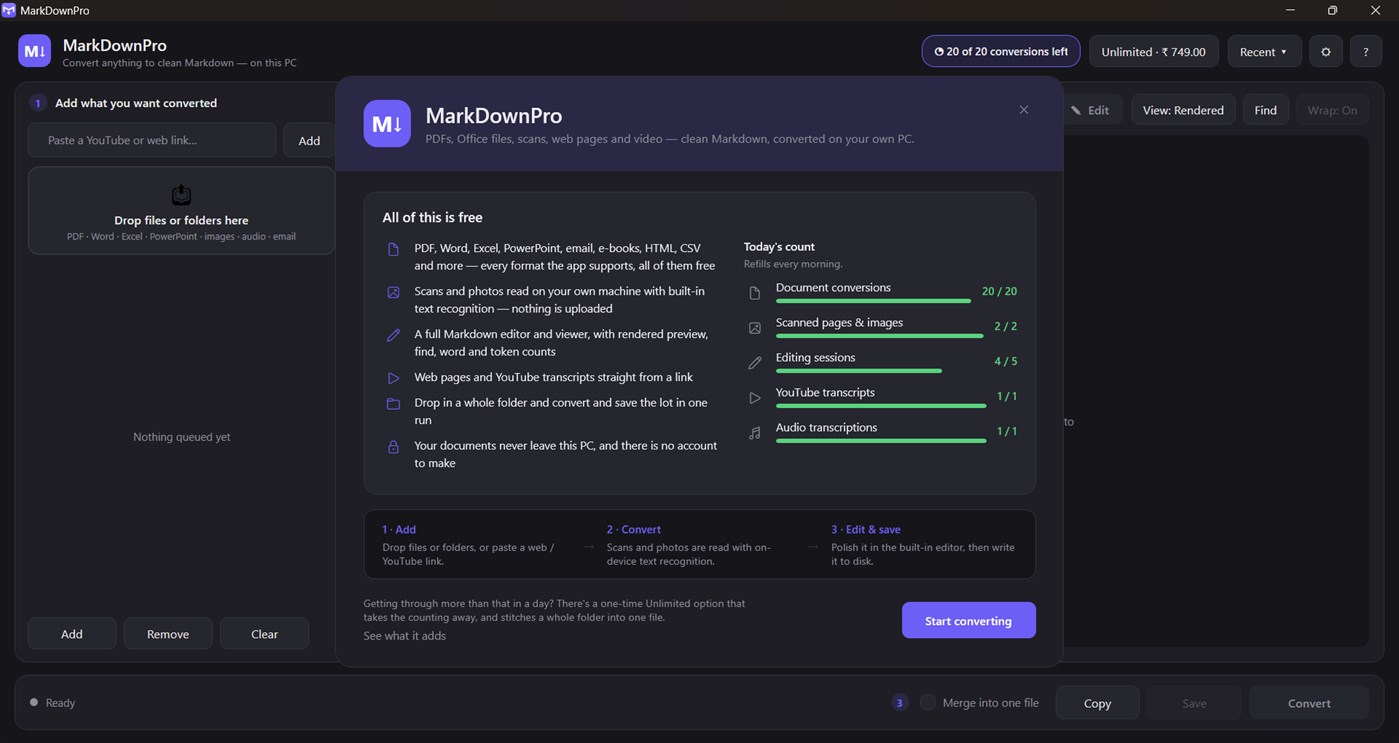
Everything is free to use. Every format, every feature, nothing greyed out and nothing switched off. The free version simply does a set amount of each per day:
- 20 document conversions
- 2 conversions with text recognition (scans, photos, image PDFs)
- 5 editing sessions
- 1 YouTube transcript
- 1 audio transcription
Batch conversion and saving the whole queue are free and unlimited. The daily counts reset at midnight.
UNLIMITED
A one-time purchase that takes the daily counting away entirely, and adds merge-into-one-file so a whole folder becomes a single Markdown document in one action. No subscription, no account, no expiry. Buy it once.
---
MarkDownPro is built on Microsoft's open-source MarkItDown library and other open-source components, listed in full under About. It is an independent product and is not affiliated with, endorsed by, or sponsored by Microsoft Corporation.
โฆษณา
ภาพหน้าจอ
ประวัติราคา
-
* การซื้อภายในแอพ - ราคาปัจจุบัน: ฟรี
- ต่ำสุด: ฟรี
- มากที่สุด: ฟรี
ติดตามราคา เพิ่มลงในรายการเพื่อรับการแจ้งเตือนส่วนลดทางอีเมลหรือพุช
การประเมิน AppAgg
1,430
การประเมิน AppAgg โดยประมาณสำหรับ
MarkDownPro
ผู้พัฒนา: azoksky
1,430 เงิน
การประเมินที่สูงขึ้นมักหมายถึงสัญญาณบน AppAgg ที่แข็งแกร่งขึ้น
อิงจาก: ความนิยม · คะแนนจากผู้ใช้ · ความสดใหม่ · ดีล · ข้อมูลร้านค้า · กิจกรรมชุมชน
คำนวณใหม่ทุกวันจากข้อมูล AppAgg ล่าสุด.
URL แบบสั้น: คัดลอกแล้ว!
มีอะไรใหม่
- เวอร์ชัน: PC
- อัปเดตล่าสุด:
ข้อมูลเพิ่มเติม
- วันที่วางจำหน่าย:
- หมวดหมู่:
Windows แอป›เครื่องมือสำหรับนักพัฒนา - ระบบปฏิบัติการ:
PC - ขนาด:
175 Mb - ภาษาที่สนับสนุน:
English - การจัดประเภทเนื้อหา:
EVERYONE - Windows Store คะแนนโดย:
0 - เว็บไซท์:
 https://azoksky.github.io/markdownpro/
ผู้พัฒนา
- azoksky
- ผู้ติดตาม: 0
- แพลตฟอร์ม: Windows แอป (1)
- ลดราคา: 0
- รายการ: 0 + 0
- แต้มแล: 0 + 0 ¡
- การจัดอันดับ: 0
- ความเห็น: 0
- วิดีโอ: 0
- RSS: ติดตาม
รายการ (0)
0
- MarkDownPro
แต้มแล (0)
0
การจัดอันดับ (0)
0
ความเห็น (0)
เป็นคนแรกที่แสดงความเห็น
สรุป
MarkDownPro URL แบบสั้น: คัดลอกแล้ว!- แชร์
- Windows Store
«MarkDownPro». แพลตฟอร์ม: Windows. หมวดหมู่: เครื่องมือสำหรับนักพัฒนา. ผู้พัฒนา: «azoksky». การเปิดตัวครั้งแรก: . อัปเดตล่าสุด: . ราคาปัจจุบัน: ฟรี. ชื่อนี้ยังไม่ได้รับการให้คะแนนหรือบทวิจารณ์บน AppAgg ภาษาที่ใช้ได้: English. AppAgg ติดตามประวัติราคา การให้คะแนน และคำติชมของผู้ใช้ «MarkDownPro». AppAgg ไม่ได้โฮสต์แอปพลิเคชันหรือแจกจ่ายซอฟต์แวร์ เครื่องหมายการค้า โลโก้ และภาพหน้าจอทั้งหมดเป็นของเจ้าของที่เกี่ยวข้อง ส่วนลดและอัปเดตในอนาคต: RSS
คล้ายกัน
-
- Pro Auto Clicker: Fast Mouse Clicker & Keyboard Macro
- Windows แอป: เครื่องมือสำหรับนักพัฒนา โดย: VAGames
- $9.99
- รายการ: 0 0 0
- แต้มแล: 0 + 0 720 · เงิน เวอร์ชัน: PC Pro Auto Clicker is a fast, reliable auto clicker and macro recorder for Windows. Automate repetitive clicking and keyboard tasks, record complex mouse + keyboard sequences, and play ...
- ใหม่
- File Combiner Pro
- Windows แอป: เครื่องมือสำหรับนักพัฒนา โดย: File Combiner Pro
- $19.99
- รายการ: 0 0 0
- แต้มแล: 0 + 0 560 · บรอนซ์ เวอร์ชัน: PC File Combiner Pro is a powerful, lightweight, and efficient desktop utility designed to streamline your workflow by effortlessly merging multiple files into a single document. Whether ...
-
- GUID Pro
- Windows แอป: เครื่องมือสำหรับนักพัฒนา โดย: Michał Łeptuch
- ฟรี
- รายการ: 0 + 1 0 0
- แต้มแล: 2 + 0 950 · เงิน เวอร์ชัน: PC Generate up to 1 million unique identifiers at once and customize them to fit your needs. Whether you're a developer, IT pro, or just need GUIDs fast, this app gives you full control. ...
-
- notepad_pro
- Windows แอป: เครื่องมือสำหรับนักพัฒนา โดย: Redix System
- ฟรี
- รายการ: 0 0 0
- แต้มแล: 0 + 0 560 · บรอนซ์ เวอร์ชัน: PC **Notepad Pro** is a modern, lightweight, and incredibly powerful text editor designed to maximize your productivity. Whether you're jotting down quick ideas, managing complex code ...
-
- VpsMonitor.Pro
- Windows แอป: เครื่องมือสำหรับนักพัฒนา โดย: VARNA WEB EOOD
- * ฟรี
- รายการ: 0 0 0
- แต้มแล: 0 + 0 630 · เงิน เวอร์ชัน: PC VpsMonitor.Pro is free to use. On its very first run you get Premium free for 7 days full access to every feature, with no signup and no card. After that the app keeps working forever ...
- -50%
- JSON Parser Pro
- Windows แอป: เครื่องมือสำหรับนักพัฒนา โดย: Aria Vision
- ▼ $0.99
$1.99-50% - รายการ: 0 0 0
- แต้มแล: 0 + 0 570 · บรอนซ์ เวอร์ชัน: PC Json Parser Pro is a material-styled workbench for serious JSON work: dual code/tree views, JSONPath search, pretty/minify/sort, CSV export, and file diff everything offline. A ...
-
- Auto Clicker Pro – Macro Clicker for Games & Work
- Windows แอป: เครื่องมือสำหรับนักพัฒนา โดย: Silamia2025
- ฟรี
- รายการ: 0 + 1 0 0
- แต้มแล: 0 + 0 580 · บรอนซ์ เวอร์ชัน: PC Auto Clicker Pro is a powerful and user-friendly tool that helps you automate mouse clicks for games, work, or repetitive tasks. Whether you're farming in a game, grinding resources in
-
- QuickContext Switch Pro
- Windows แอป: เครื่องมือสำหรับนักพัฒนา โดย: VengeSoft
- $2.99
- รายการ: 0 0 0
- แต้มแล: 0 + 0 570 · บรอนซ์ เวอร์ชัน: PC Are you having trouble adjusting to the new Windows 11 context menu options? Do you prefer the classic Windows 10 context menu options? Our app offers the best of both worlds. With the
-
- Matrix Prism Pro
- Windows แอป: เครื่องมือสำหรับนักพัฒนา โดย: Andy Lang
- ฟรี
- รายการ: 0 0 0
- แต้มแล: 0 + 0 920 · เงิน เวอร์ชัน: PC Prism is a workstation monitor and system-tools hub for Windows. Instead of juggling Task Manager, disk cleanup utilities, terminal windows, and network tools, you get everything in a ...
-
- Hexee Pro - Color Editor & Tools
- Windows แอป: เครื่องมือสำหรับนักพัฒนา โดย: Alberto Malagoli
- $9.99
- รายการ: 0 0 0
- แต้มแล: 0 + 0 1K · เงิน เวอร์ชัน: PC Hexee Pro is a set of advanced color tools for designers and artists. With it, you can create, edit, and organize your color palettes, fine-tune colors, generate tints and shades, and ...
-
- FileZilla Pro
- Windows แอป: เครื่องมือสำหรับนักพัฒนา โดย: Business Follows srl
- $49.99
- รายการ: 0 0 0
- แต้มแล: 0 + 0 830 · เงิน เวอร์ชัน: PC FileZilla Pro is a fast and reliable FTP, FTPS, SFTP, Amazon S3, Backblaze B2, Box, Dropbox, Google Cloud Storage, Google Drive, Microsoft OneDrive, Microsoft Azure Storage, OpenStack ...
-
- SysmonHUD Pro
- Windows แอป: เครื่องมือสำหรับนักพัฒนา โดย: ASTechAI
- * ฟรี
- รายการ: 0 0 0
- แต้มแล: 0 + 0 600 · เงิน เวอร์ชัน: PC Experience real-time system monitoring at a glance with SysMonHUD PRO! SysMonHUD PRO is a premium, state-of-the-art telemetry display HUD that overlays essential system metrics ...
-
- Serial Studio Pro
- Windows แอป: เครื่องมือสำหรับนักพัฒนา โดย: Alex Spataru
- * ฟรี
- รายการ: 0 0 0
- แต้มแล: 0 + 0 1K · เงิน เวอร์ชัน: PC Serial Studio Pro turns raw data from your hardware into live dashboards. Connect a microcontroller, sensor board, PLC, or industrial device and watch plots, gauges, maps, and tables ...
-
- HTML:Editor Pro
- Windows แอป: เครื่องมือสำหรับนักพัฒนา โดย: Aurora Byte
- $4.59
- รายการ: 0 0 0
- แต้มแล: 0 + 0 560 · บรอนซ์ เวอร์ชัน: PC "HTML:Editor Pro" is your indispensable Windows app for HTML editing and web development. With its user-friendly interface and robust features, this powerful tool simplifies the ...

