
Bookmarks
Choose a title for this bookmark.
Bookmark saved
| Developer: | jgrimard (1) | ||
| Price: | Free New | ||
| Score: | 540 Bronze | ||
| Rankings: | 0 | ||
| Comments: | 0 Add a comment | ||
| Lists: | 0 + 0 | ||
| Points: | 0 + 0 ¡ | ||
| +1 Points | |||
Screenshots
Advertisement
Description

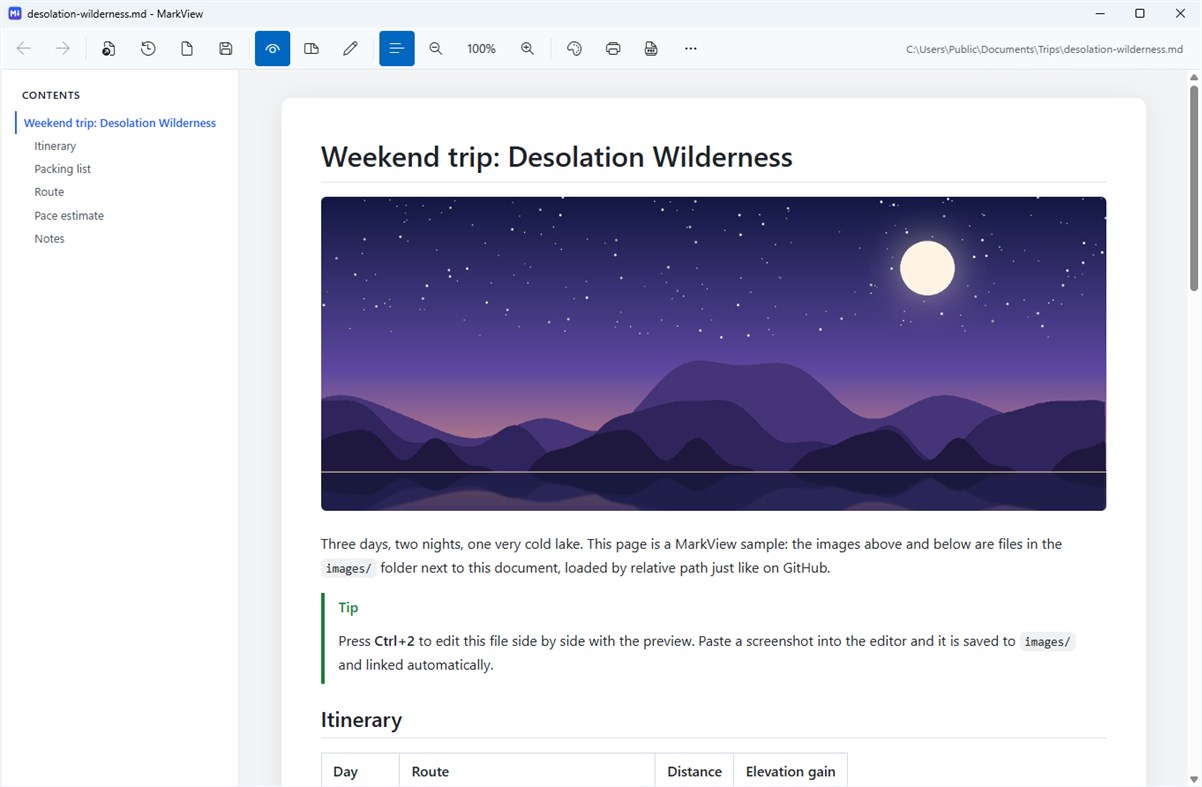
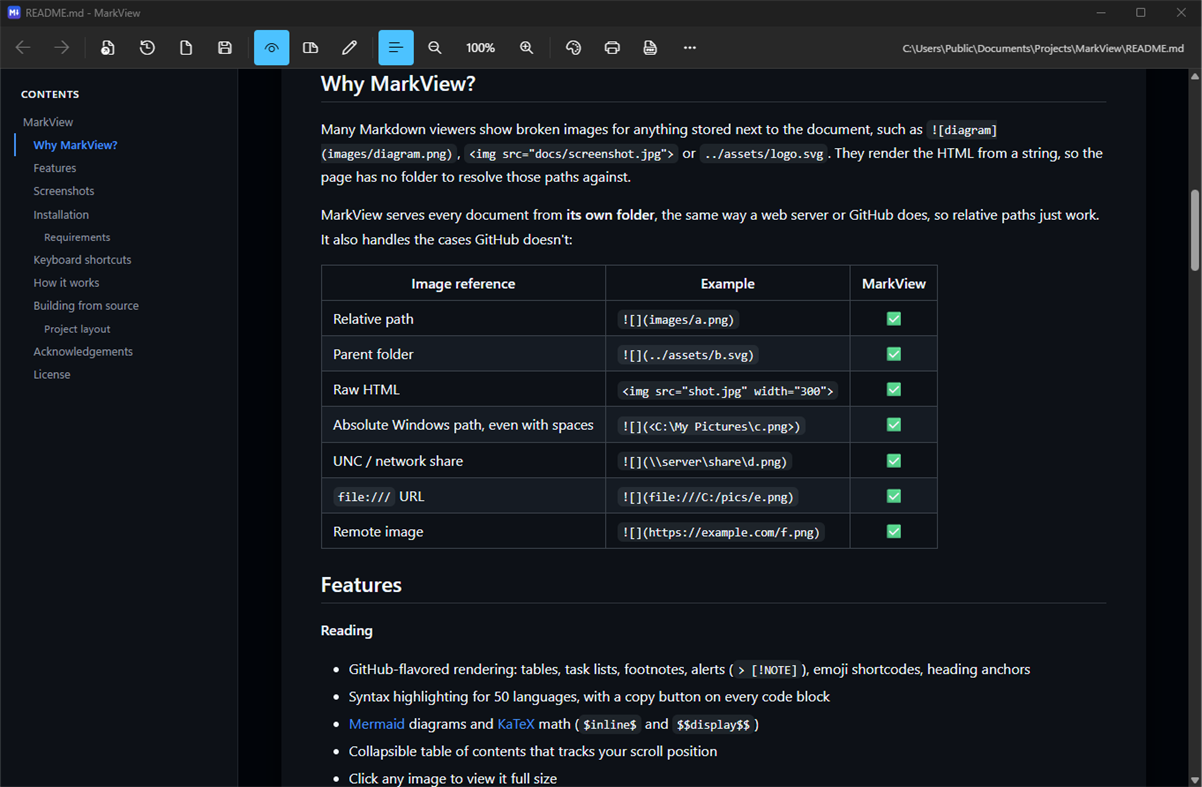
Many Markdown viewers show broken images for anything stored next to the document. MarkView serves every document from its own folder, the same way a web server or GitHub does, so relative paths just work. It also handles parent folders, raw HTML tags, absolute Windows paths (even with spaces), network shares, file:/// URLs and remote images.
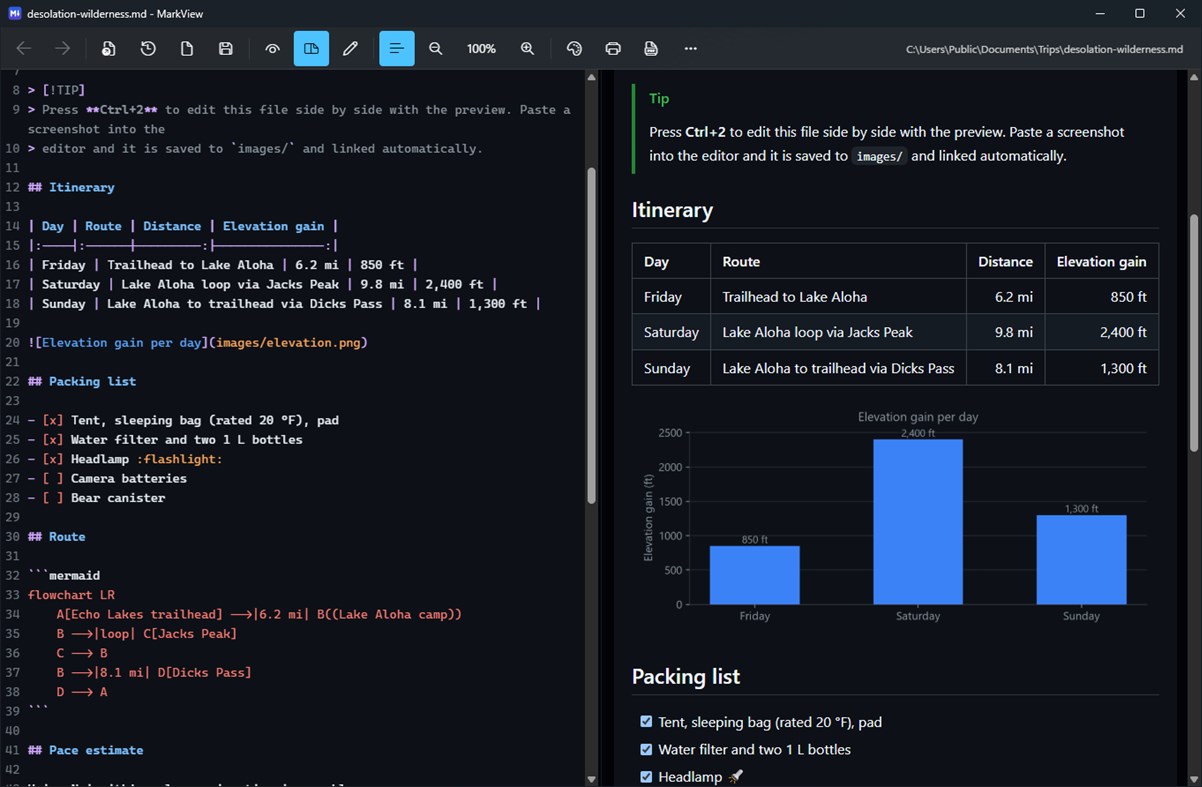
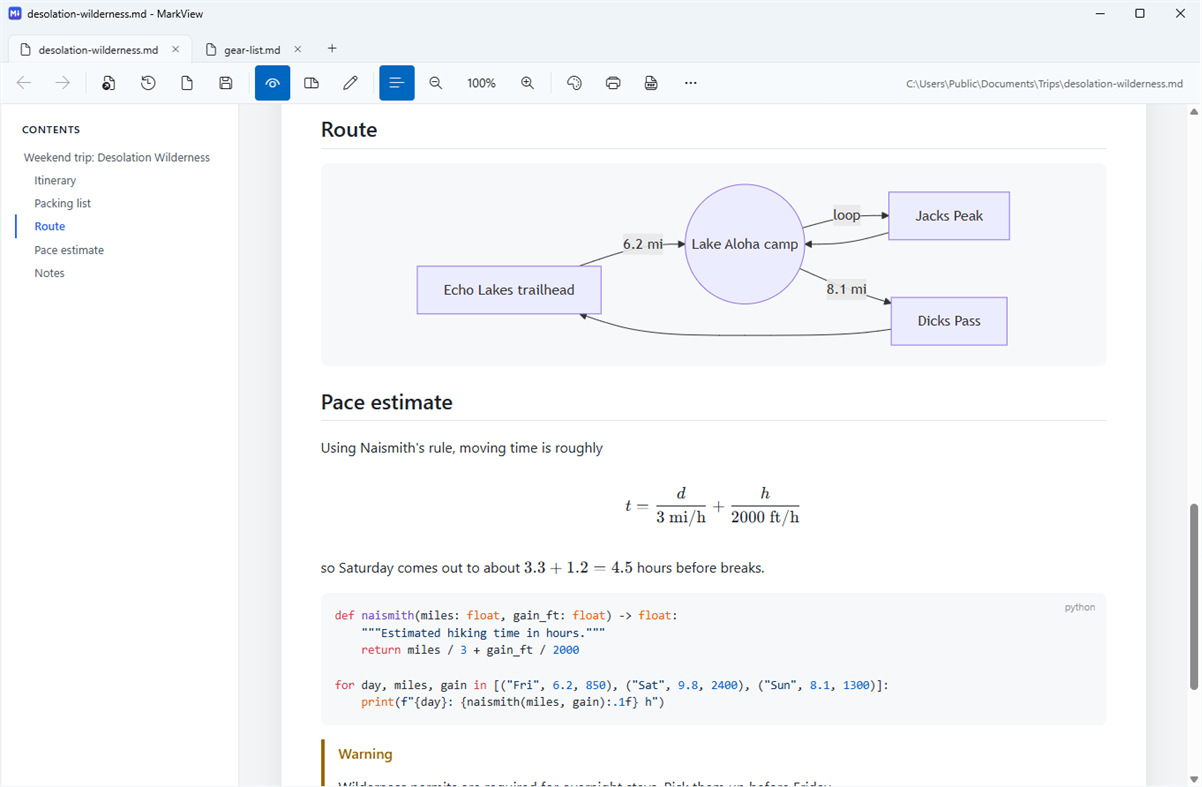
Read with GitHub-style formatting: tables, task lists, footnotes, alerts, emoji, syntax-highlighted code, Mermaid diagrams and KaTeX math. Switch to the built-in editor for a live side-by-side preview that scrolls in sync, paste screenshots straight into your document, and export to PDF with everything intact.
MarkView is small, starts instantly, follows your Windows light or dark theme and accent color, and sends no telemetry. Your files stay on your computer.
Other platforms
| MarkView – Markdown ViewerWindows Store540 BronzeYou are here | Free |
Only in this store right now.
Price History
- Current price: Free
- Minimum: Free
- Maximum: Free
Track prices Add to a list to get discount alerts by email or push
Lists 0
0
- MarkView – Markdown Viewer
Points 0
0
Rankings 0
-

- Your rating

Comments 0 ¡
Be the first to comment
Developer
- jgrimard
- Followers: 0
- Platforms: Windows Apps (1)
- Deals: 0
- Lists: 0 + 0
- Points: 0 + 0 ¡
- Rankings: 0
- Comments: 0
- Videos: 0
- RSS: Subscribe
What's new
- Version: PC
- Last Updated:
- New: Markdown examples
Open them from the start screen or the ⋯ menu for a tour of everything MarkView can display: headings, text styles, colors, font sizes and alignment, alerts, lists and task lists, links, images, tables, code highlighting, LaTeX math, Mermaid diagrams, footnotes, emoji and more. Each example shows the result next to the Markdown that produces it.
The examples open side by side with the editor, so you can change anything and watch the preview update. It's your own scratch copy: nothing is saved unless you choose Save As, and the examples start fresh the next time you open them.
Fixed: selected text in the editor is now highlighted on the line with the cursor.
Additional Information
- Release Date:
- Category:
Windows Apps›Developer tools - OS:
PC - Size:
4 Mb - Supported Languages:
Chinese,Dutch,English,French,German,Italian,Japanese,Korean,Polish,Portuguese,Russian,Spanish,Turkish - Content Rating:
EVERYONE - Windows Store Rating: ¡
0 - Website:
 https://github.com/jgrimard/MarkView
AppAgg Score
540
Estimated AppAgg Score for
MarkView – Markdown Viewer
Developer: jgrimard
540 Bronze
Higher scores usually reflect better results across AppAgg’s indicators.
Based on: popularity · ratings · freshness · deals · store data · community signals
Recalculated daily using fresh AppAgg data.
Website badge:  Copied!
Summary
MarkView – Markdown Viewer Short URL: Copied!- Windows Store
On AppAgg, you can track the Windows app “MarkView – Markdown Viewer” by jgrimard, listed under Developer tools. AppAgg Score: 540 (Bronze). AppAgg Points for the app — confirmed: 0; indirect: 0. Public lists containing the app: 0. Users who have saved it in private lists: 0. AppAgg users have not rated the app yet. Confirmed Points record visits to a store by signed-in AppAgg users; indirect Points are based on store data. AppAgg counts public lists containing an app or game and users who have saved it in private lists. The app was first released on . The app was last updated on . The app is currently available for free. The app is available in these languages: Chinese, Dutch, English, French, German, Italian, Japanese, Korean, Polish, Portuguese, Russian, Spanish, Turkish. Explore the price history, add the app to a list, or follow its developer. Follow future deals and updates for the app via its RSS feed. AppAgg does not host or distribute the app. All trademarks, logos, and screenshots related to the app belong to their respective owners.
You may also like
Recent discussions
 AppLocalDub – Real-Time Game Dubbing Hello Kırtay Interactive, I am using LocalDub - Real-Time Game Dubbing. I would like to know if Hind...
  rashid game5
  AppNauticPlayer This app is absolute cinema. Honestly, it’s one of the best media players I’ve ever tried, and I’m s...
  Manuel16
  AppScreen Beings - Desktop Pet & Study Companion This is my app so I’m a little bias but as someone from the ADHD community that teaches ADHD and neu...
  Tarelle Irwin6
  AppAadi vault good it ia a encrypter and good you my work on office
  Aditya Rai5
  AppTyping 365 | Daily Typing Trainer The best typing app ever. With Typing 365 you don’t have to force yourself for couple minutes traini...
  Ahmad Mozaffar5
  AppZefir Calendar — Calendar in the Taskbar excelente app! Superando todas as espectativas!
  Diógenes Magnus5
  AppLockinRa LockinRa 리뷰 LockinRa는 작업 관리, 집중력 도구, AI 코칭을 하나의 데스크톱 앱으로 통합한 무료 Windows 생산성 프로그램입니다. 클라우드 동기화 없이 로컬 ...
  abhilok reddy6
  AppCN Vault I Love this app CN Vault is a user-friendly app that helps keep your passwords safe and secure. If y...
  Marjuk Amin5
