
Záložky
Zvolte název této záložky.
Záložka uložena
| Vývojář: | LEVELHARD (3) | ||
| Cena: | Zdarma | ||
| Skóre: | 1 500 Zlato | ||
| Žebříčky: | 0 | ||
| Komentáře: | 0 Přidat komentář | ||
| Seznamy: | 0 + 0 | ||
| Body: | 0 + 13 (2.5) ¡ | ||
| +1 Body | |||
Snímky obrazovky
Reklama
Popis

Free, offline, no account, no ads, no telemetry.
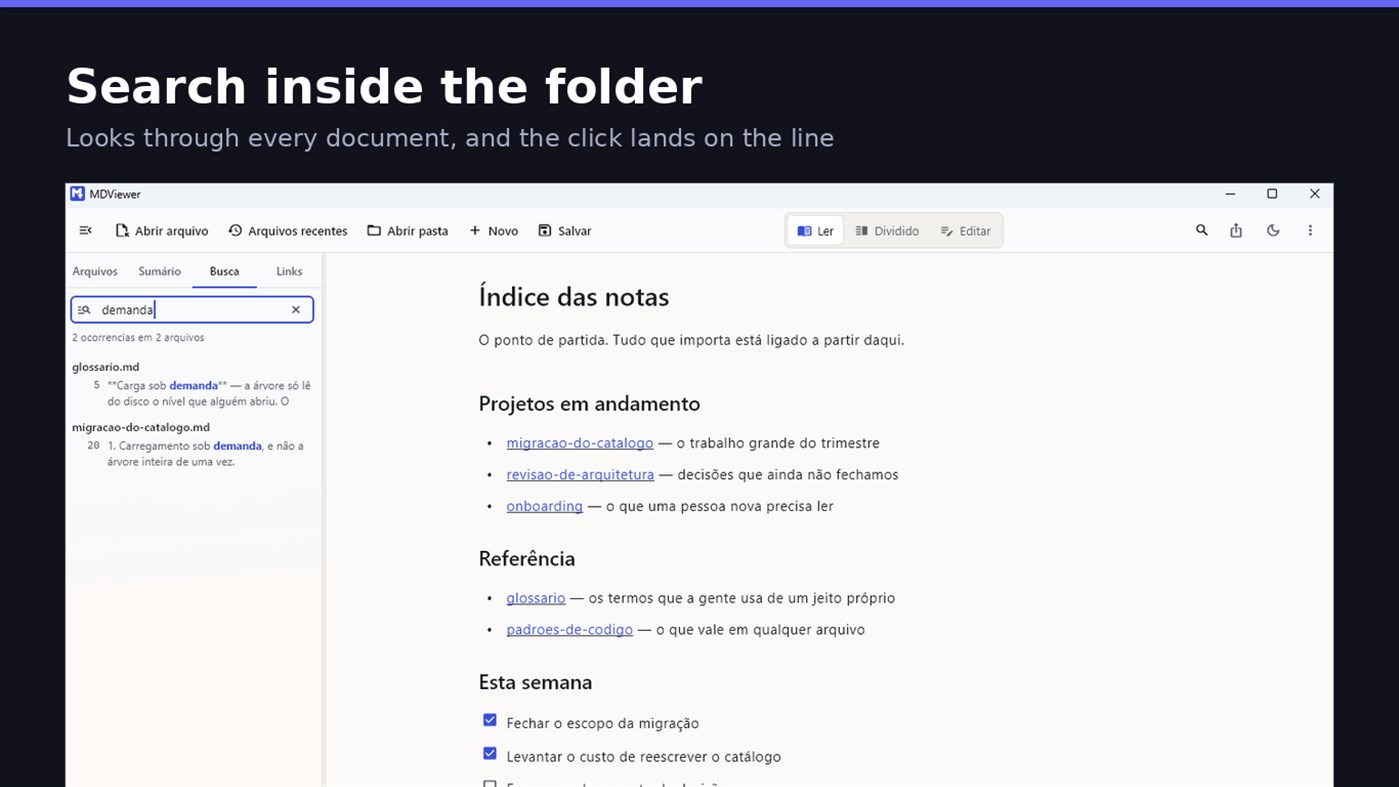
FIND WHAT YOU WROTE
Search by content across the folder with Ctrl+Shift+F: MDViewer looks for the term inside every document, shows the snippet with the word highlighted, and clicking takes you to the file with the line already selected. Filter by name finds the file even in a subfolder you never opened, showing the path to it.
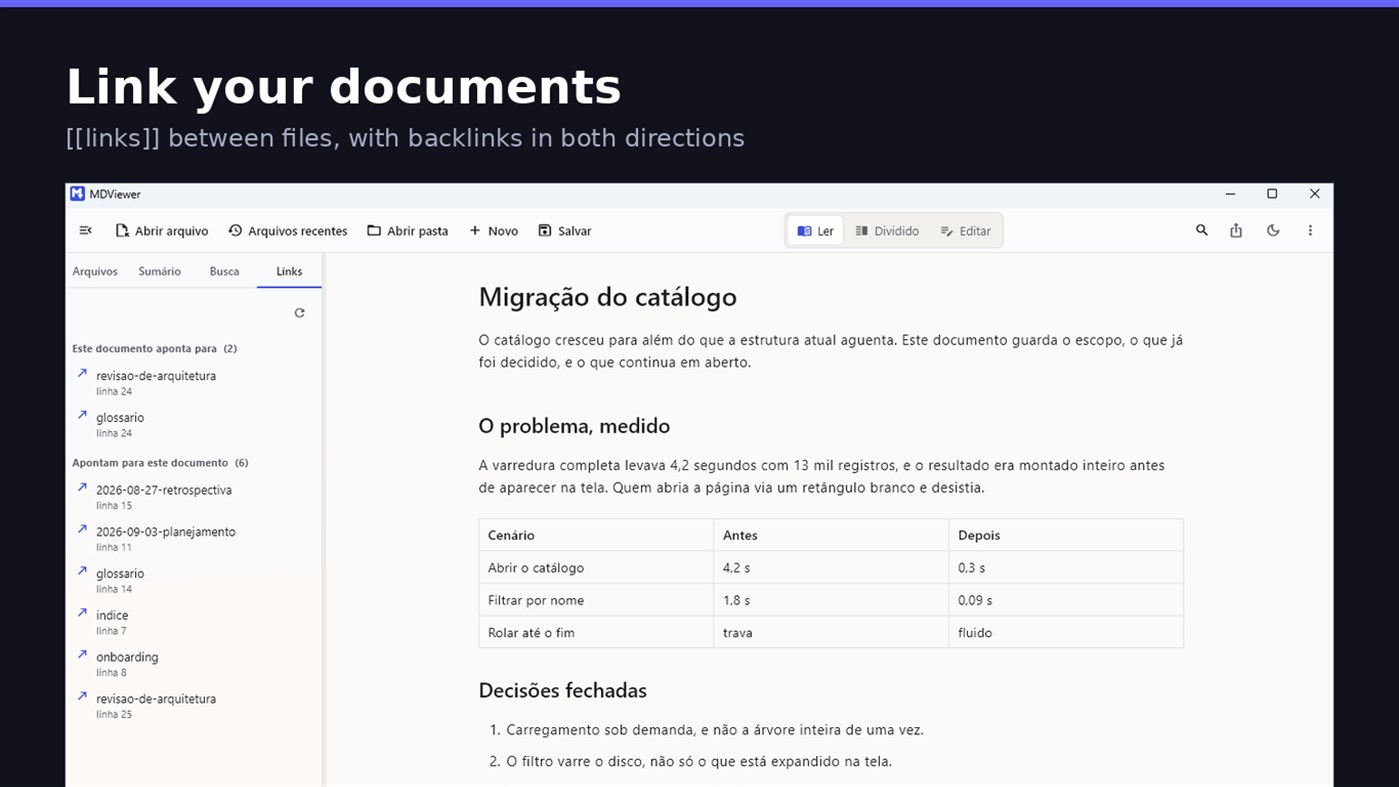
LINK YOUR DOCUMENTS TOGETHER
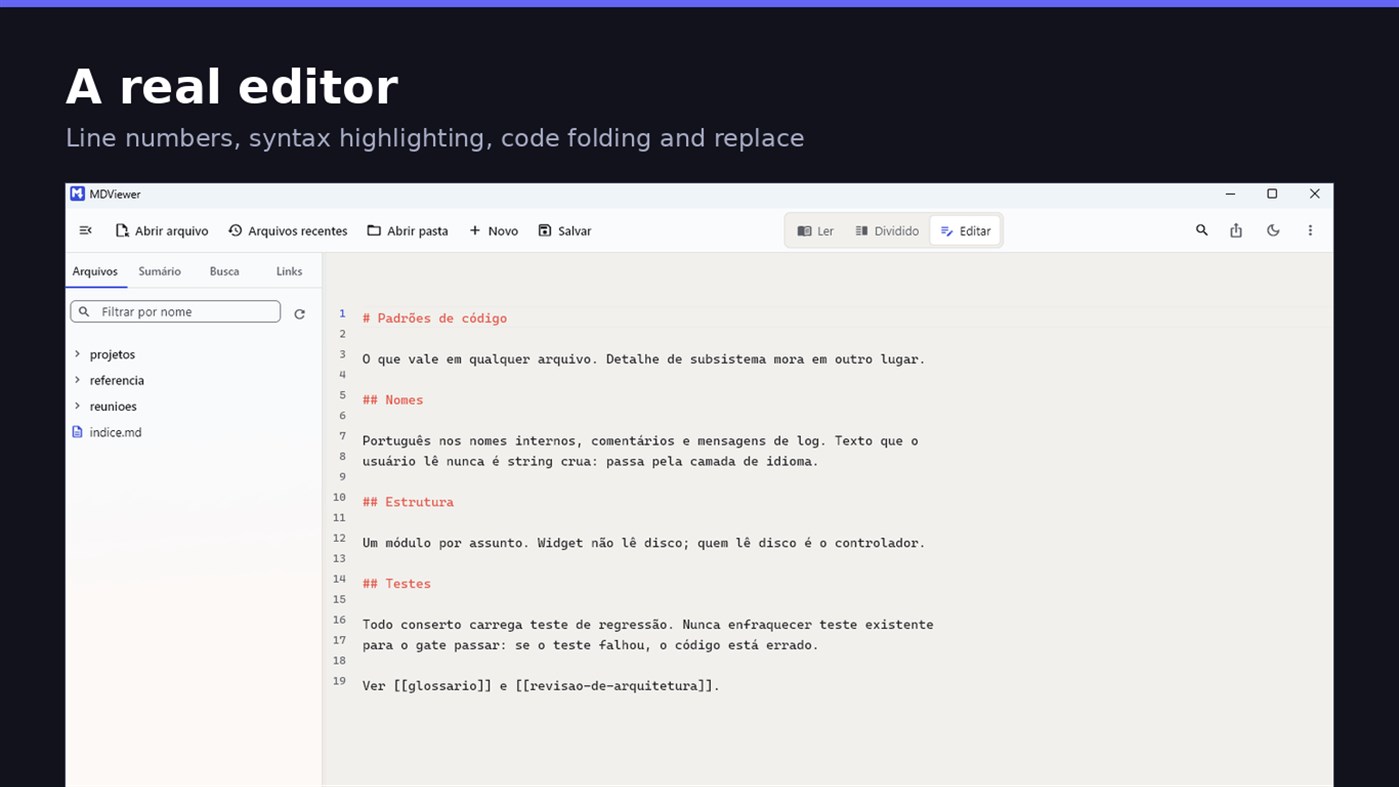
Write [[document-name]] and it becomes a clickable link. [[document#section]] jumps straight to the section; [[document|the text you want]] shows your own label. The Links tab shows both directions: where this document points, and who points to it, and a backlink takes you to the exact line where the link was written. A link to a target that does not exist is marked, instead of silently doing nothing.
READ
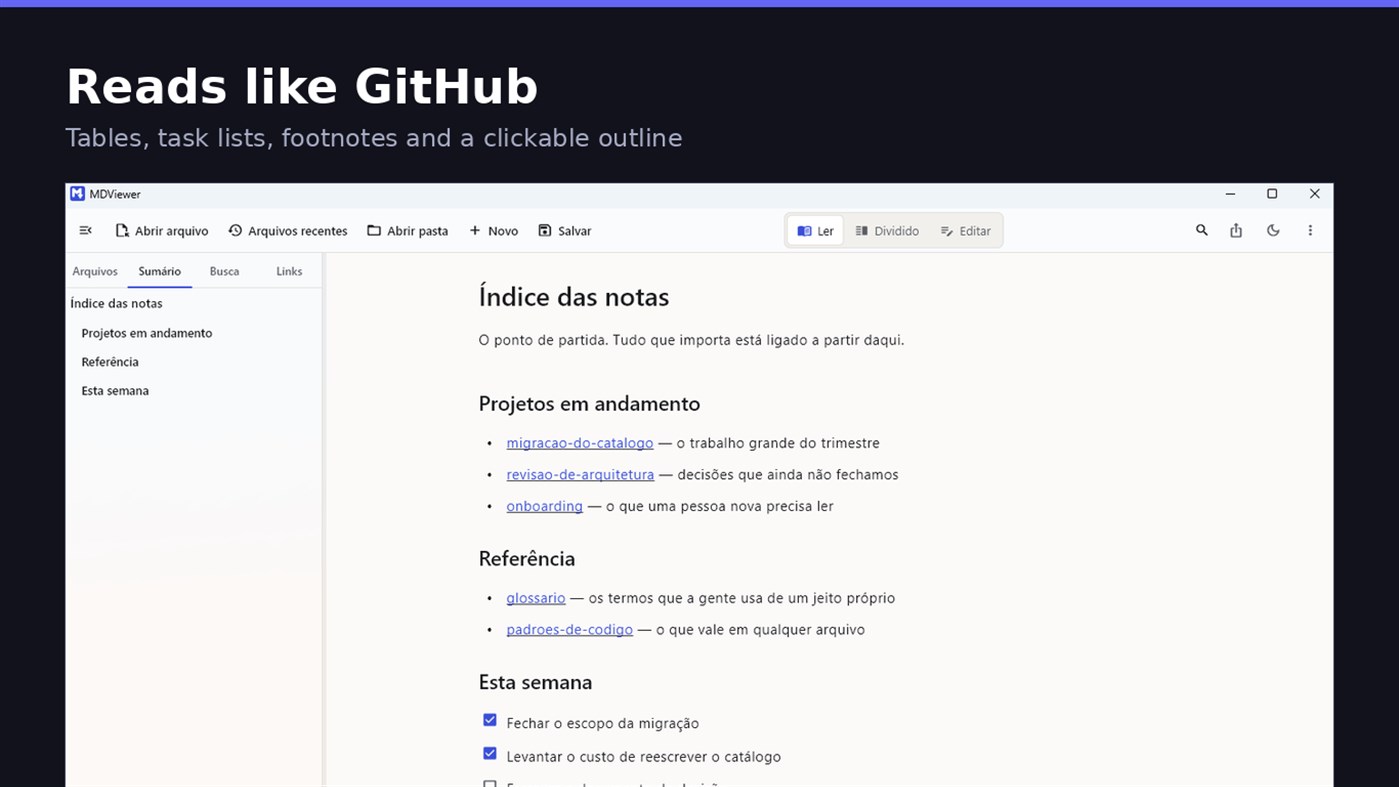
• GitHub Flavored Markdown: tables, task lists, strikethrough, footnotes and code blocks
• A reading column with a comfortable width, instead of text stretched across the screen
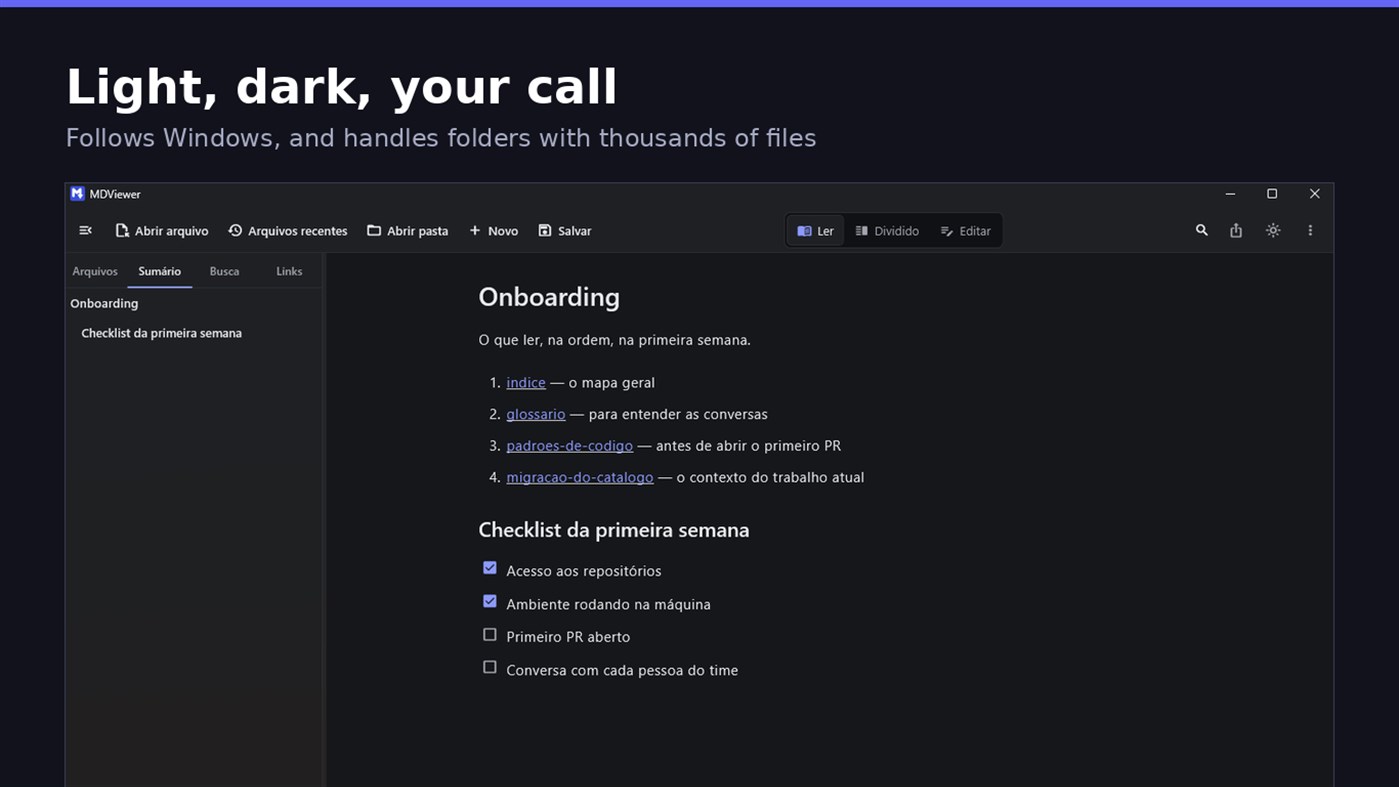
• Clickable document outline, to jump between sections
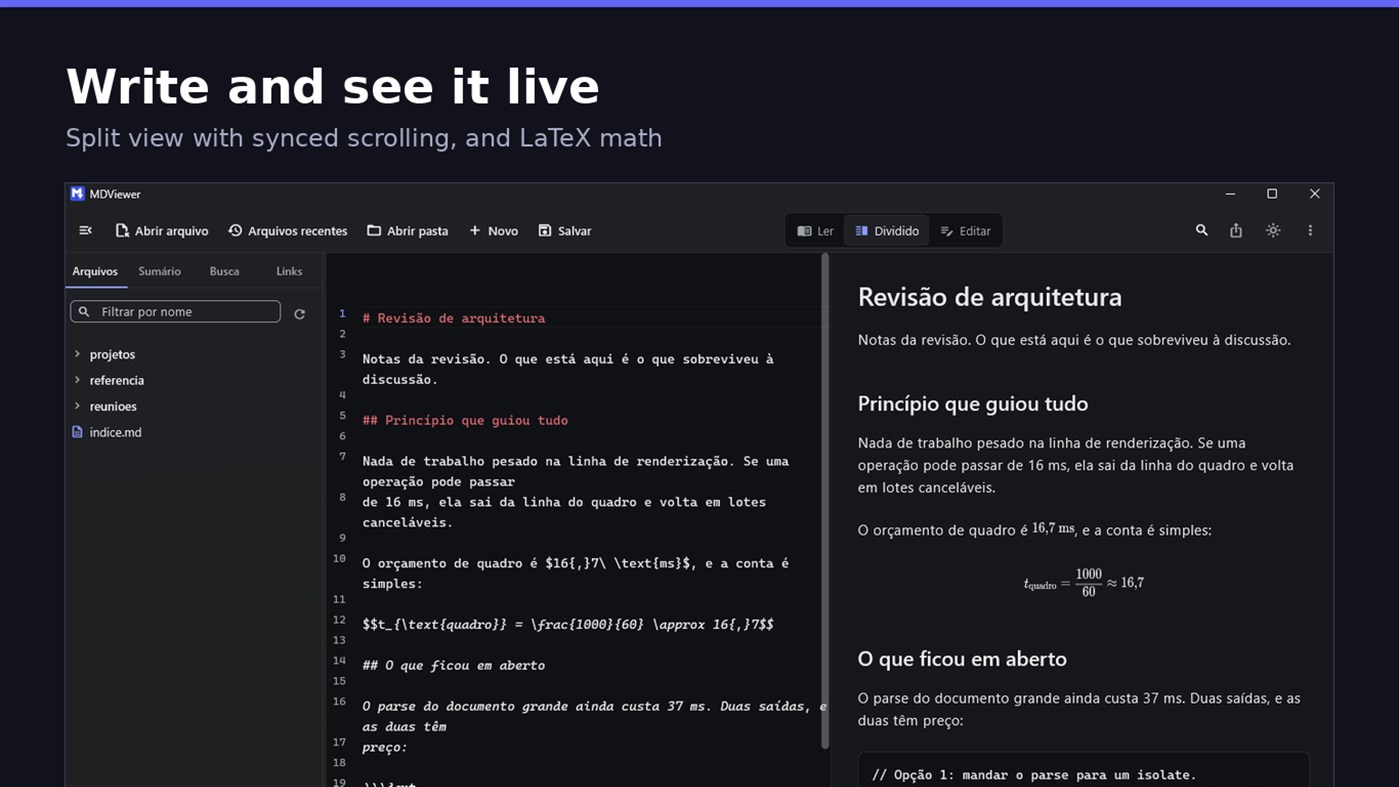
• LaTeX math
• Task checkboxes you tick with one click, written back to the file
• Light and dark themes, following Windows
EDIT
• Editor with line numbers, syntax highlighting, code folding, undo and redo, find and replace
• Split view, text on one side and result on the other, scrolling together
• Draft saved automatically, and recovered if the app closes without saving
• A warning when the file changes outside the app
• Nothing is written to your file unless you say so
HOLD UP UNDER LOAD
In a folder with thirteen thousand documents, MDViewer opens without freezing the screen. The folder tree loads on demand and skips .git and node_modules. Search, filtering and the link index run off the rendering thread, in batches, and are cancelled the moment you keep typing. This is measured every release, and the app logs any operation that goes over the frame budget.
FIT INTO WINDOWS
• File association for .md, .markdown and .mdx, with its own document icon
• Single instance: a second file becomes a tab, not another window
• Document tabs, and a taskbar dot while any document has unsaved changes
• Taskbar progress while exporting PDF
• Mica background on Windows 11, with the reading area always solid
• Drag and drop a file or a folder onto the window
• Export to HTML and PDF, and print
• Interface in Portuguese, English and Spanish
PRIVACY
MDViewer has no account, uploads nothing anywhere, and works without an internet connection. There is no remote telemetry: the log stays on your machine, and the app has a shortcut to open its folder.
Made by LEVELHARD.
Další platformy
| MDViewerWindows Store1K ZlatoJste zde | Zdarma |
Zatím jen v tomto obchodě.
Historie cen
- Aktuální cena: Zdarma
- Minimální: Zdarma
- Maximální: Zdarma
Sledovat ceny Přidejte do seznamu a dostávejte upozornění na slevy e-mailem nebo push oznámením
Seznamy 0
0
- MDViewer
Body 0
0
Žebříčky 0
-

- Vaše hodnocení

Komentáře 0 ¡
Napište první komentář
Vývojář
- LEVELHARD
- Sledující: 0
- Platformy: Windows Aplikace (3)
- Slevy: 0
- Seznamy: 0 + 0
- Body: 0 + 13 ¡
- Žebříčky: 0
- Komentáře: 0
- Videa: 0
- RSS: Odebírat
Novinky
- Verze: PC
- Poslední aktualizace:
- This version makes the editor easier to use and reading more complete.
• Command palette (Ctrl+Shift+P): type what you want to do, like "pdf" or "theme", and see the key for each command.
• Formatting toolbar in the editor, and a key for every format: Ctrl+Shift+1 to 3 headings, Ctrl+Shift+7, 8 and 9 lists and tasks, Ctrl+Shift+Q quote, Ctrl+T table.
• The editor understands Markdown: Enter continues the list, Tab builds the sublist, and pasting an address over text creates the link.
• Mermaid diagrams drawn in reading view, in light and dark themes, with no internet.
• Select and copy text in reading view.
• Chinese, Japanese and Korean with the right font, on screen and in exported PDFs.
Další informace
- Datum vydání:
- Kategorie:
Aplikace pro Windows›Vývojářské nástroje - OS:
PC - Velikost:
20 Mb - Podporované jazyky:
Angličtina,Portugalština,Španělština - Hodnocení obsahu:
EVERYONE - Windows Store Hodnocení: ¡
2.5(13)
 https://levelhard.com.br
Skóre AppAgg
1 500
Odhadované skóre AppAgg pro
MDViewer
Vývojář: LEVELHARD
1 500 Zlato
Vyšší skóre obvykle odráží lepší výsledky v ukazatelích sledovaných na AppAgg.
Na základě: popularity · uživatelských hodnocení · aktuálnosti · nabídek · dat obchodů · aktivity komunity
Denně se přepočítává z aktuálních dat AppAgg.
Odznak na web:  Zkopírováno!
Stručně
MDViewer Krátká adresa URL: Zkopírováno!- Windows Store
Na AppAgg můžete sledovat „MDViewer“, aplikaci od LEVELHARD pro Windows v kategorii Vývojářské nástroje. Skóre AppAgg: 1 500 (Zlato). Body AppAgg aplikace — potvrzené: 0; nepřímé: 13. Veřejné seznamy s touto aplikací: 0. Uživatelé, kteří si ji uložili do soukromých seznamů: 0. Uživatelé AppAgg zatím tuto aplikaci nehodnotili. Potvrzené body zaznamenávají přechody přihlášených uživatelů AppAgg do obchodu. Nepřímé body vycházejí z údajů obchodů. Dvě počítadla ukazují počet veřejných seznamů a uživatelů, kteří si aplikaci nebo hru uložili do soukromých seznamů. Aplikace poprvé vyšla . Poslední aktualizace aplikace: . Aplikace je nyní k dispozici zdarma. Aktuální hodnocení aplikace v obchodě Windows Store: 2.5. Počet hlasů: 13. Aplikace podporuje tyto jazyky: Angličtina, Portugalština, Španělština. Prohlédněte si historii cen, přidejte aplikaci do seznamu nebo sledujte vývojáře. Budoucí slevy a aktualizace aplikace můžete sledovat přes RSS kanál. AppAgg tuto aplikaci nehostuje ani nedistribuuje. Všechny ochranné známky, loga a snímky obrazovky související s aplikací patří příslušným vlastníkům.

