
Kirjanmerkit
Valitse tälle kirjanmerkille otsikko.
Kirjanmerkki tallennettu
| Kehittäjä: | LEVELHARD (3) | ||
| Hinta: | Ilmainen | ||
| Arvio: | 1 500 Kulta | ||
| Sijoitukset: | 0 | ||
| Kommentit: | 0 Lähetä kommentti | ||
| Listat: | 0 + 0 | ||
| Pisteet: | 0 + 13 (2.5) ¡ | ||
| +1 Pisteet | |||
Näyttökuvat 6
Mainos
Kuvaus

Free, offline, no account, no ads, no telemetry.
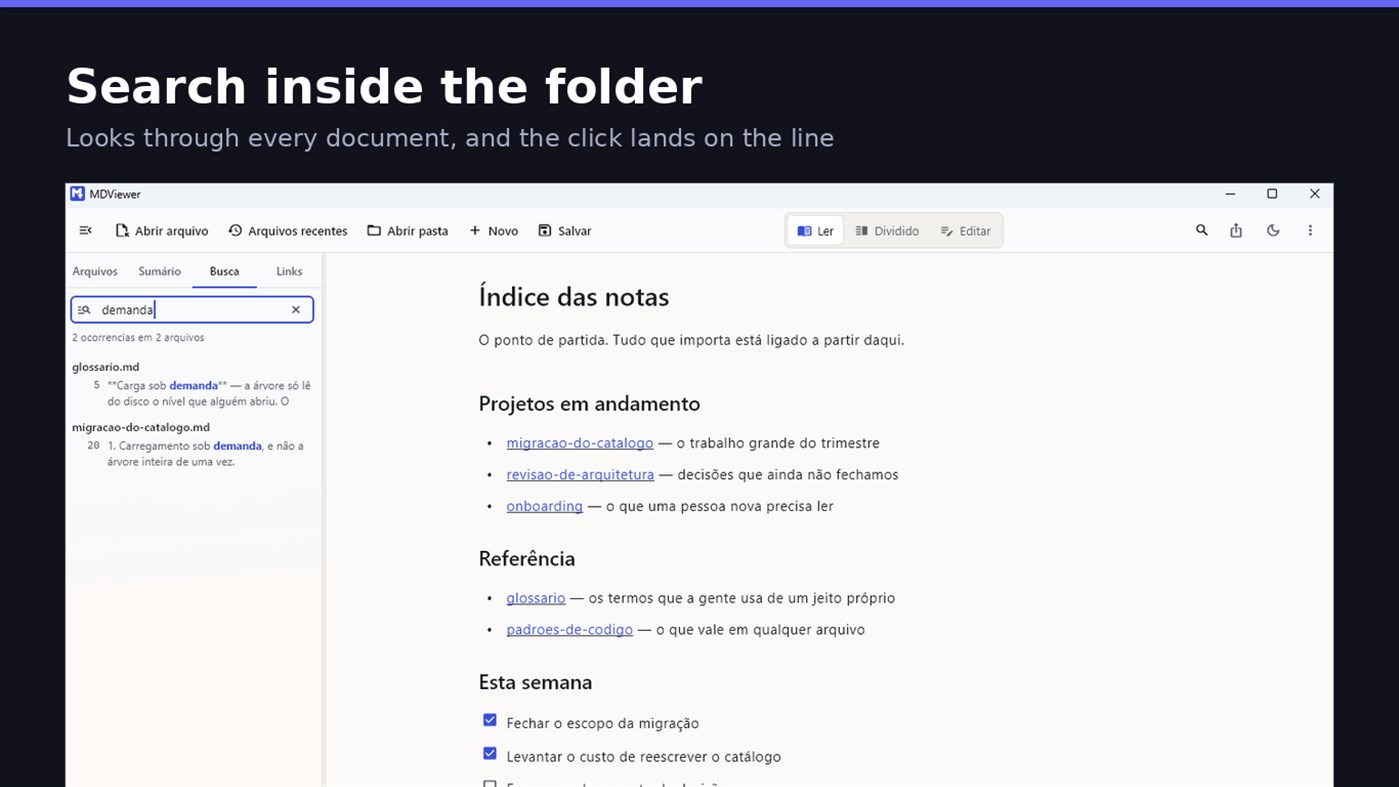
FIND WHAT YOU WROTE
Search by content across the folder with Ctrl+Shift+F: MDViewer looks for the term inside every document, shows the snippet with the word highlighted, and clicking takes you to the file with the line already selected. Filter by name finds the file even in a subfolder you never opened, showing the path to it.
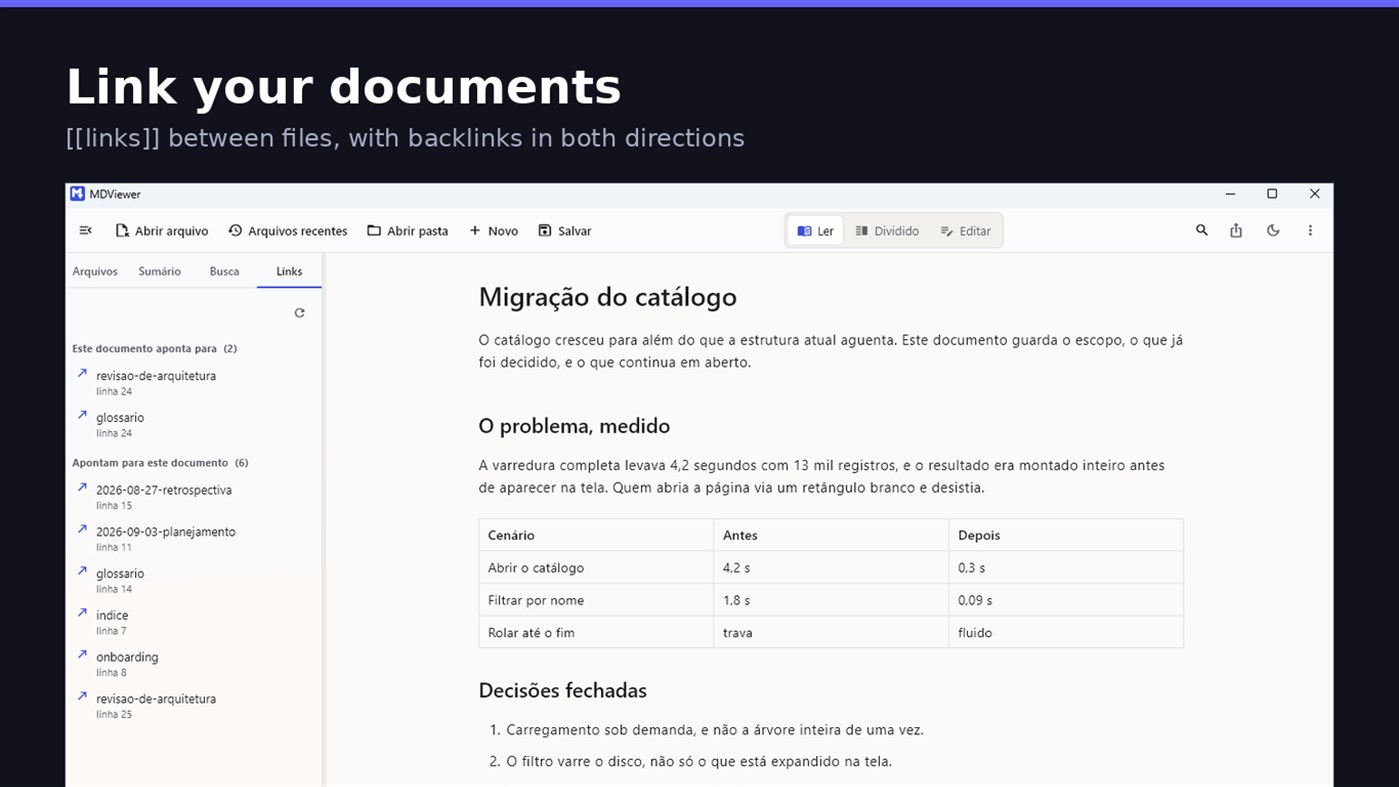
LINK YOUR DOCUMENTS TOGETHER
Write [[document-name]] and it becomes a clickable link. [[document#section]] jumps straight to the section; [[document|the text you want]] shows your own label. The Links tab shows both directions: where this document points, and who points to it, and a backlink takes you to the exact line where the link was written. A link to a target that does not exist is marked, instead of silently doing nothing.
READ
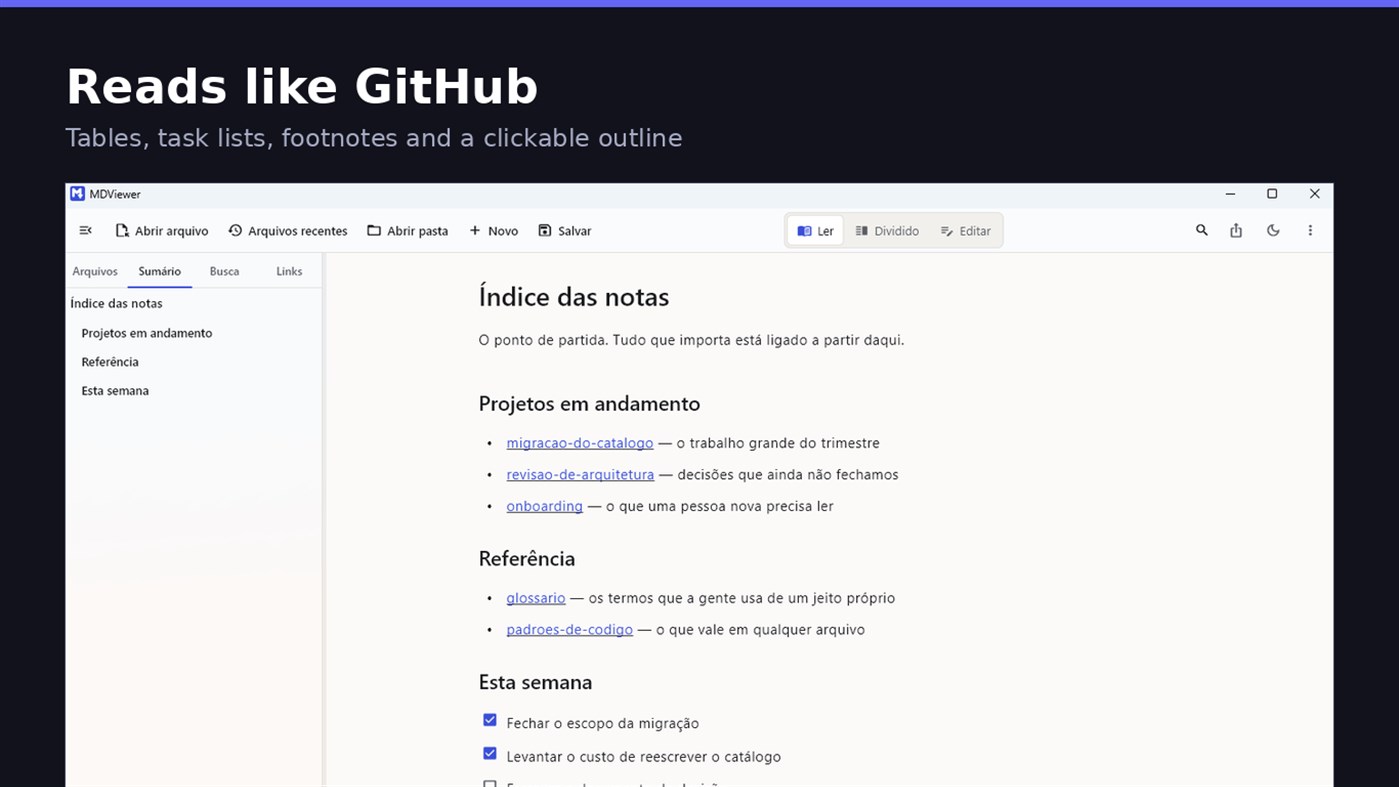
• GitHub Flavored Markdown: tables, task lists, strikethrough, footnotes and code blocks
• A reading column with a comfortable width, instead of text stretched across the screen
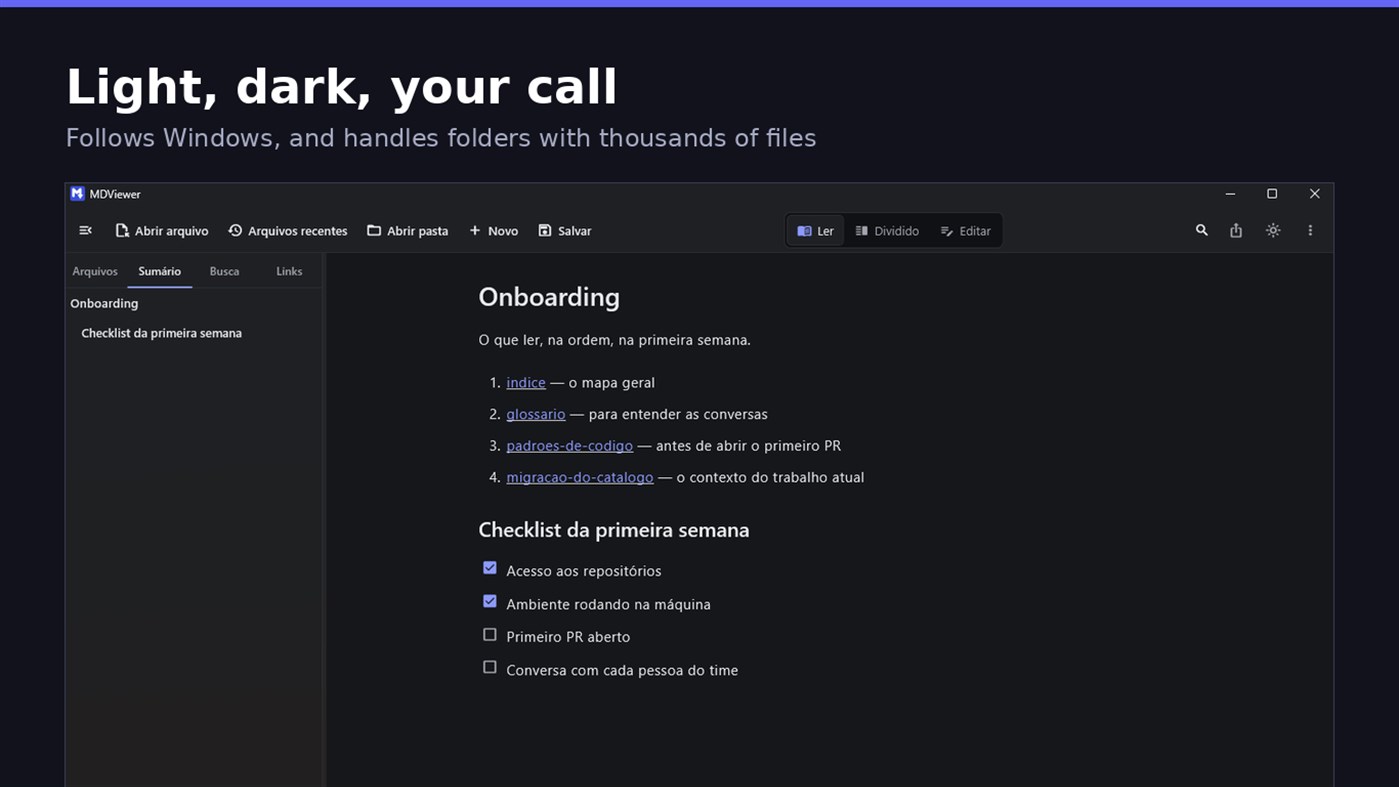
• Clickable document outline, to jump between sections
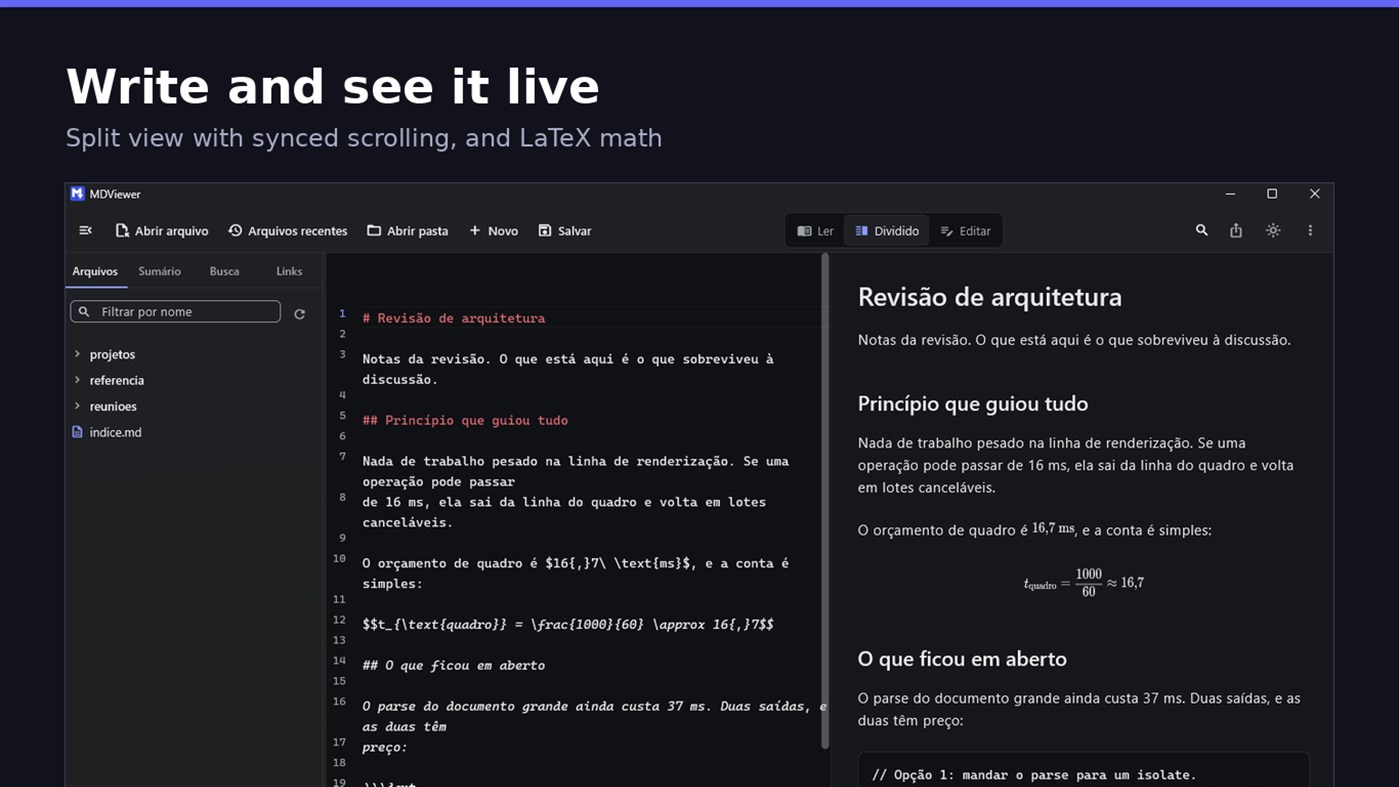
• LaTeX math
• Task checkboxes you tick with one click, written back to the file
• Light and dark themes, following Windows
EDIT
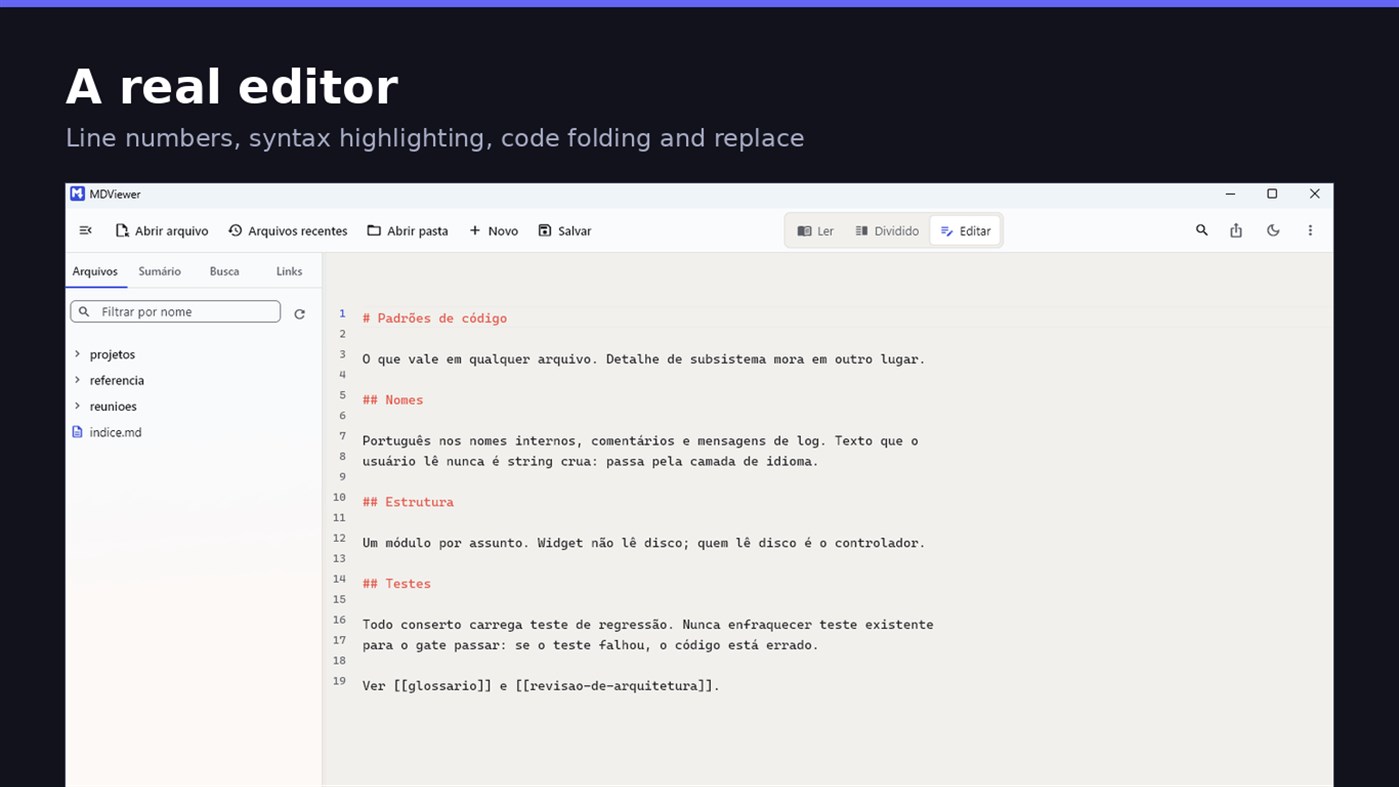
• Editor with line numbers, syntax highlighting, code folding, undo and redo, find and replace
• Split view, text on one side and result on the other, scrolling together
• Draft saved automatically, and recovered if the app closes without saving
• A warning when the file changes outside the app
• Nothing is written to your file unless you say so
HOLD UP UNDER LOAD
In a folder with thirteen thousand documents, MDViewer opens without freezing the screen. The folder tree loads on demand and skips .git and node_modules. Search, filtering and the link index run off the rendering thread, in batches, and are cancelled the moment you keep typing. This is measured every release, and the app logs any operation that goes over the frame budget.
FIT INTO WINDOWS
• File association for .md, .markdown and .mdx, with its own document icon
• Single instance: a second file becomes a tab, not another window
• Document tabs, and a taskbar dot while any document has unsaved changes
• Taskbar progress while exporting PDF
• Mica background on Windows 11, with the reading area always solid
• Drag and drop a file or a folder onto the window
• Export to HTML and PDF, and print
• Interface in Portuguese, English and Spanish
PRIVACY
MDViewer has no account, uploads nothing anywhere, and works without an internet connection. There is no remote telemetry: the log stays on your machine, and the app has a shortcut to open its folder.
Made by LEVELHARD.
Muut alustat 0
| MDViewerWindows Store1K KultaOlet tässä | Ilmainen |
Tällä hetkellä vain tässä kaupassa.
Hintahistoria 0
- Nykyinen hinta: Ilmainen
- Vähintään: Ilmainen
- Enintään: Ilmainen
Seuraa hintoja Lisää listalle saadaksesi alennusilmoituksia sähköpostitse tai push-ilmoituksina
Listat 0
0
-
 MDViewer
Pisteet 0
0
Sijoitukset 0
-

- Arviosi

Kommentit 0 ¡
Ole ensimmäinen kommentoija
Kehittäjä 3
- LEVELHARD
- Seuraajat: 0
- Alustat: Windows Sovellukset (3)
- Tarjoukset: 0
- Listat: 0 + 0
- Pisteet: 0 + 13 ¡
- Sijoitukset: 0
- Kommentit: 0
- Videot: 0
- RSS: Tilaa
Uutta
- Versio: PC
- Viimeksi päivitetty:
- This version makes the editor easier to use and reading more complete.
• Command palette (Ctrl+Shift+P): type what you want to do, like "pdf" or "theme", and see the key for each command.
• Formatting toolbar in the editor, and a key for every format: Ctrl+Shift+1 to 3 headings, Ctrl+Shift+7, 8 and 9 lists and tasks, Ctrl+Shift+Q quote, Ctrl+T table.
• The editor understands Markdown: Enter continues the list, Tab builds the sublist, and pasting an address over text creates the link.
• Mermaid diagrams drawn in reading view, in light and dark themes, with no internet.
• Select and copy text in reading view.
• Chinese, Japanese and Korean with the right font, on screen and in exported PDFs.
Lisätietoja
- Julkaisupäivämäärä:
- Luokka:
Windows-sovellukset›Kehittäjien työkalut - Käyttöjärjestelmä:
PC - Koko:
20 Mb - Tuetut kielet:
Englanti,Espanja,Portugali - Sisällön ikärajoitus:
EVERYONE - Windows Store Arvio: ¡
2.5(13) - Verkkosivusto:
 https://levelhard.com.br
AppAgg-arvio
1 500
Laskennallinen AppAgg-arvio:
MDViewer
Kehittäjä: LEVELHARD
1 500 Kulta
Korkeampi arvio kertoo yleensä paremmista tuloksista AppAggin seuraamissa mittareissa.
Perustuu: suosioon · käyttäjäarvioihin · tuoreuteen · tarjouksiin · kauppadataan · yhteisön aktiivisuuteen
Lasketaan uudelleen päivittäin tuoreiden AppAgg-tietojen perusteella.
Merkki verkkosivustolle:  Kopioitu!
Lyhyesti
MDViewer Lyhennetty URL: Kopioitu!- Windows Store
AppAggissa voit seurata sovellusta ”MDViewer”, jonka kehittäjä on LEVELHARD. Alusta: Windows. Kategoria: Kehittäjien työkalut. AppAgg-arvio: 1 500 (Kulta). Sovelluksen AppAgg-pisteet — vahvistetut: 0; epäsuorat: 13. Julkisia listoja, joilla sovellus on: 0. Käyttäjiä, jotka ovat tallentaneet sen yksityisille listoille: 0. AppAggin käyttäjät eivät ole vielä arvioineet sovellusta. Vahvistetut pisteet kirjaavat kirjautuneiden AppAgg-käyttäjien siirtymisiä kauppaan. Epäsuorat pisteet perustuvat kauppojen tietoihin. Laskurit näyttävät julkisten listojen määrän sekä niiden käyttäjien määrän, jotka ovat tallentaneet sovelluksen tai pelin yksityisille listoille. Sovellus julkaistiin ensimmäisen kerran . Sovelluksen viimeisin päivitys: . Sovellus on tällä hetkellä saatavilla maksutta. Sovelluksen nykyinen arvosana palvelussa Windows Store: 2.5. Äänimäärä: 13. Sovellus tukee seuraavia kieliä: Englanti, Espanja, Portugali. Tutustu hintahistoriaan, lisää sovellus listalle tai seuraa kehittäjää. Tilaa RSS-syöte ja seuraa sovelluksen tulevia tarjouksia ja päivityksiä. AppAgg ei säilytä tätä sovellusta palvelimillaan eikä jakele sitä. Kaikki sovellukseen liittyvät tavaramerkit, logot ja kuvakaappaukset kuuluvat omistajilleen.

