
Segnalibri
Scegli un titolo per questo segnalibro.
Segnalibro salvato
| Sviluppatore: | LEVELHARD (3) | ||
| Prezzo: | Gratis | ||
| Punteggio: | 1500 Oro | ||
| Classifiche: | 0 | ||
| Commenti: | 0 Pubblica commento | ||
| Liste: | 0 + 0 | ||
| Punti: | 0 + 13 (2.5) ¡ | ||
| +1 Punti | |||
Screenshot
Pubblicità
Descrizione

Free, offline, no account, no ads, no telemetry.
FIND WHAT YOU WROTE
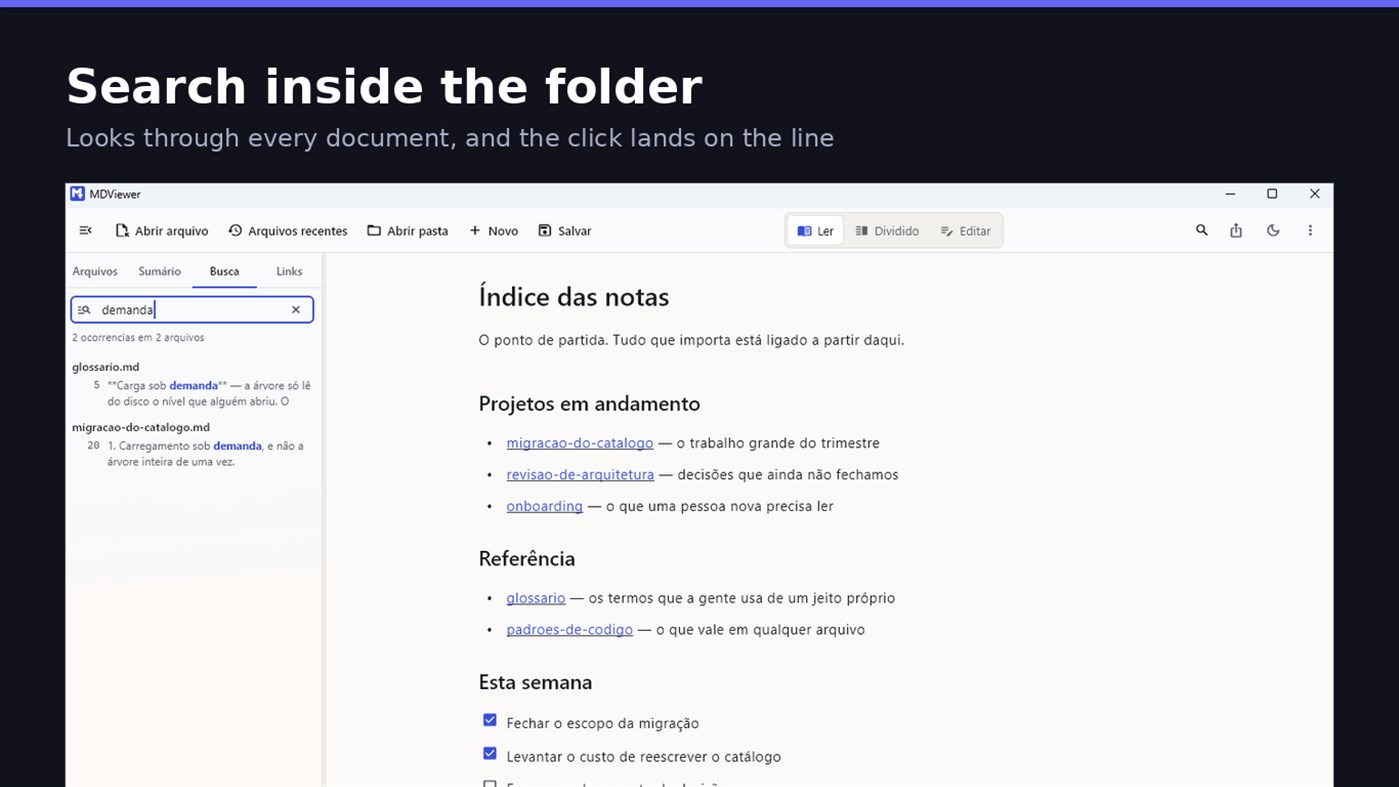
Search by content across the folder with Ctrl+Shift+F: MDViewer looks for the term inside every document, shows the snippet with the word highlighted, and clicking takes you to the file with the line already selected. Filter by name finds the file even in a subfolder you never opened, showing the path to it.
LINK YOUR DOCUMENTS TOGETHER
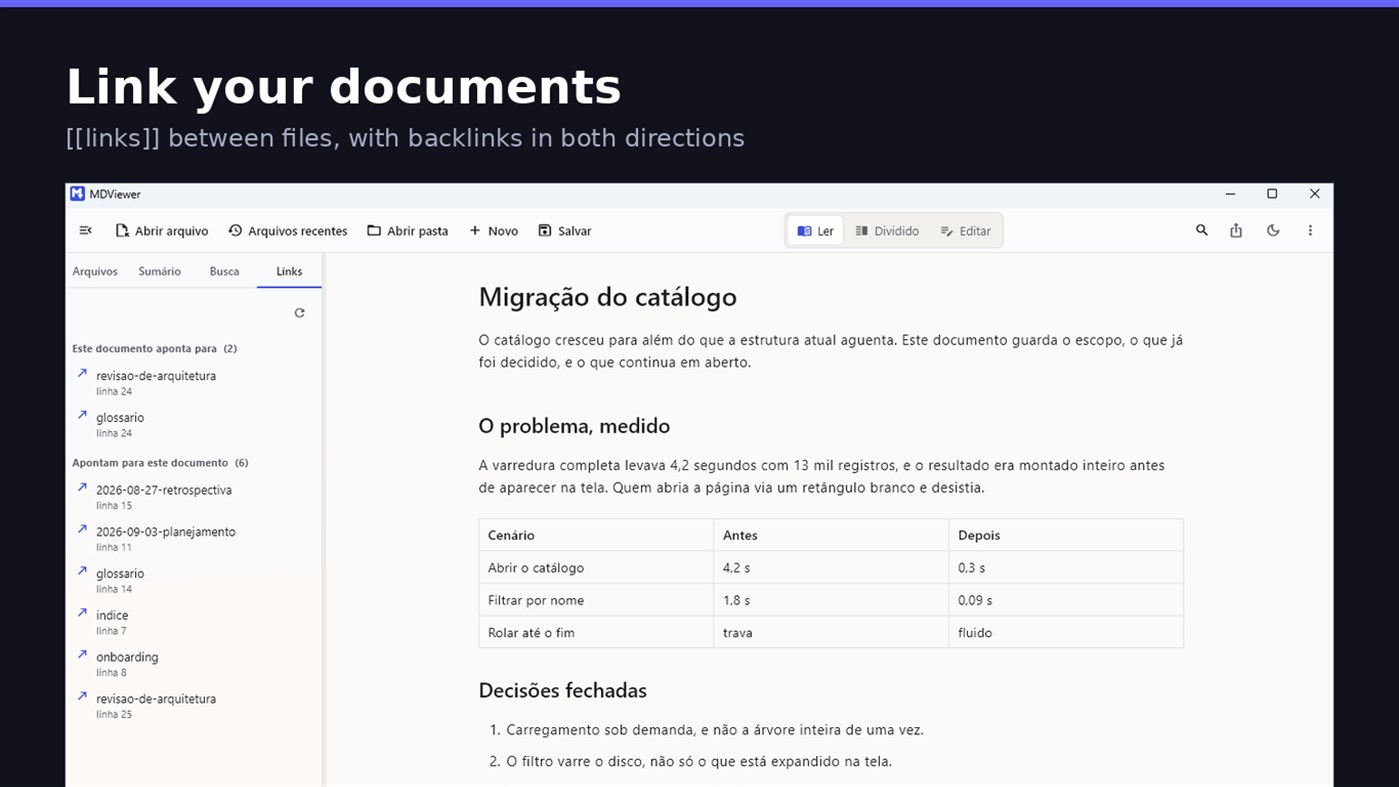
Write [[document-name]] and it becomes a clickable link. [[document#section]] jumps straight to the section; [[document|the text you want]] shows your own label. The Links tab shows both directions: where this document points, and who points to it, and a backlink takes you to the exact line where the link was written. A link to a target that does not exist is marked, instead of silently doing nothing.
READ
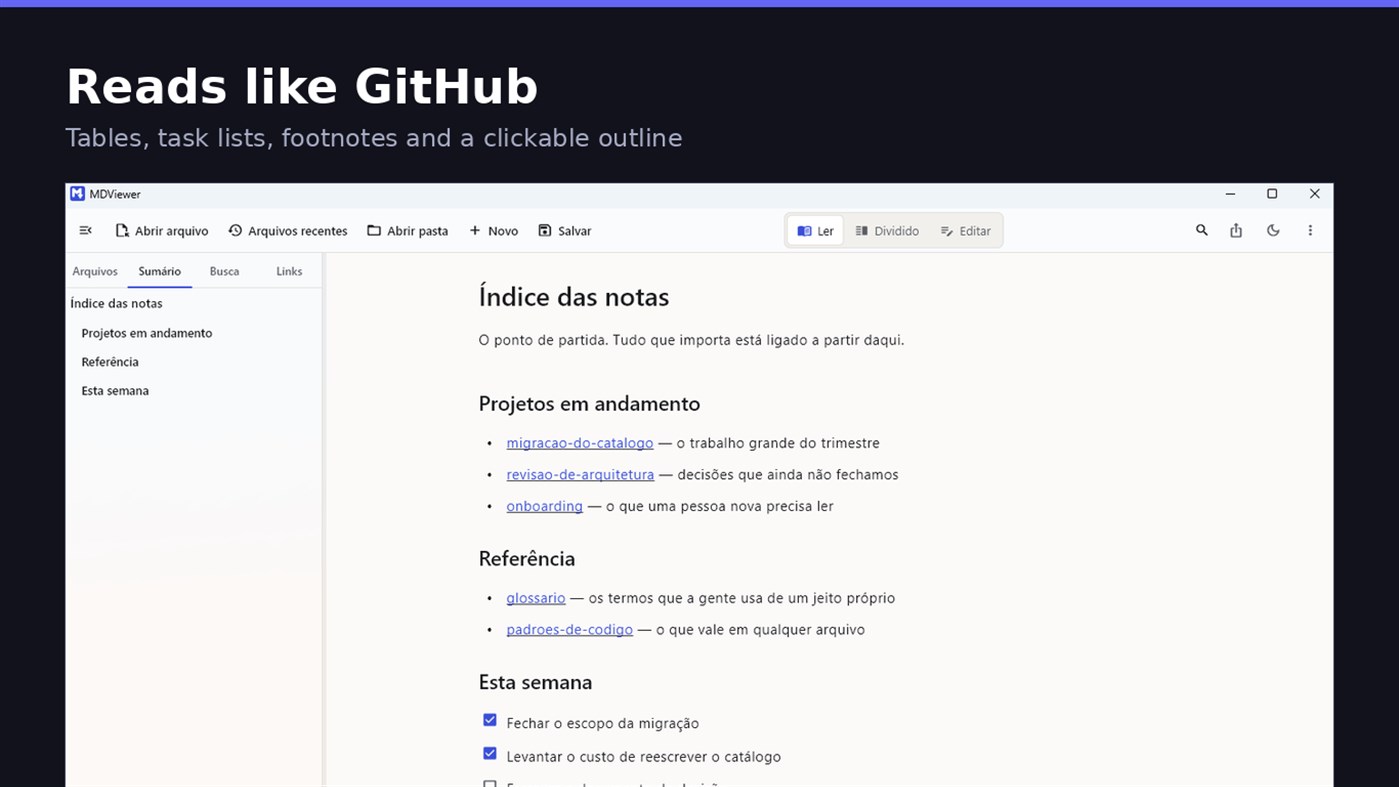
• GitHub Flavored Markdown: tables, task lists, strikethrough, footnotes and code blocks
• A reading column with a comfortable width, instead of text stretched across the screen
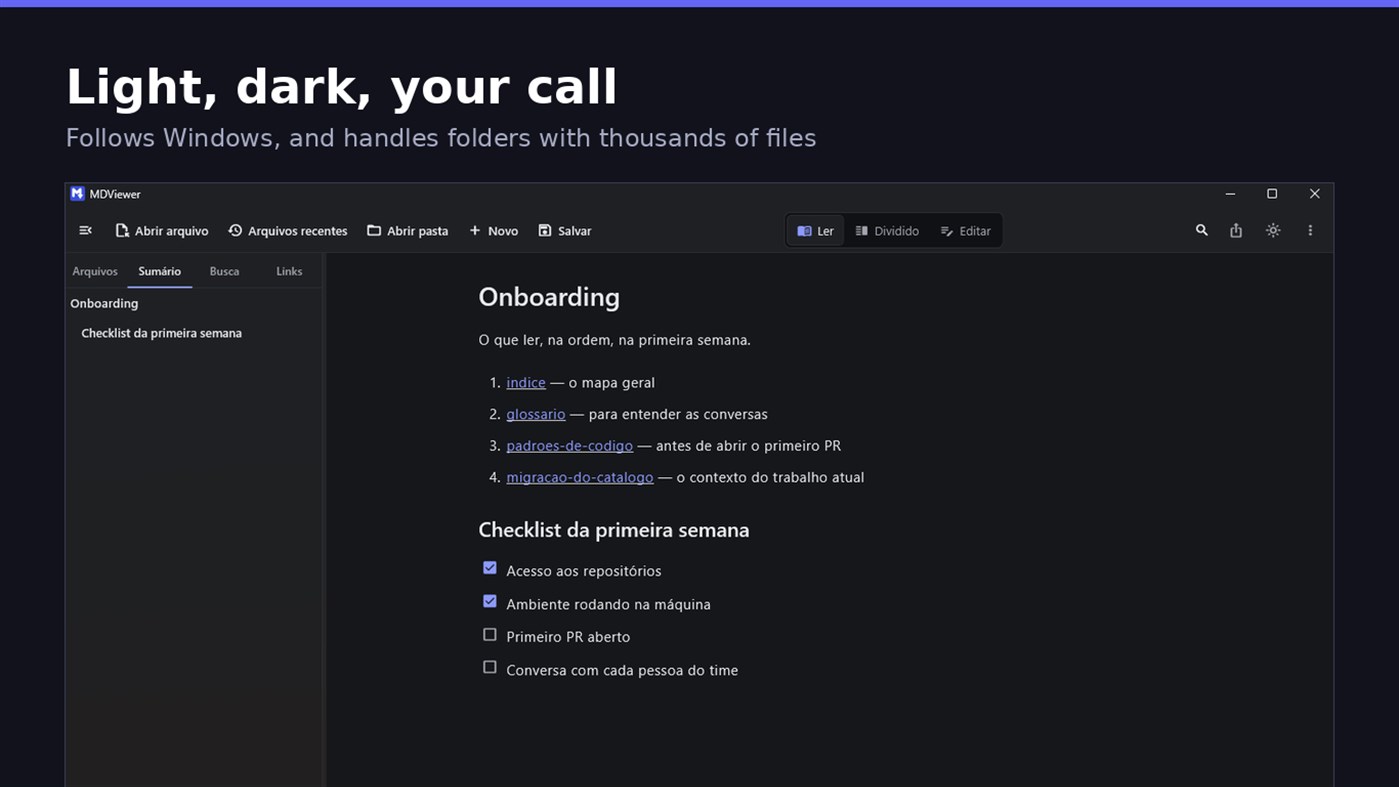
• Clickable document outline, to jump between sections
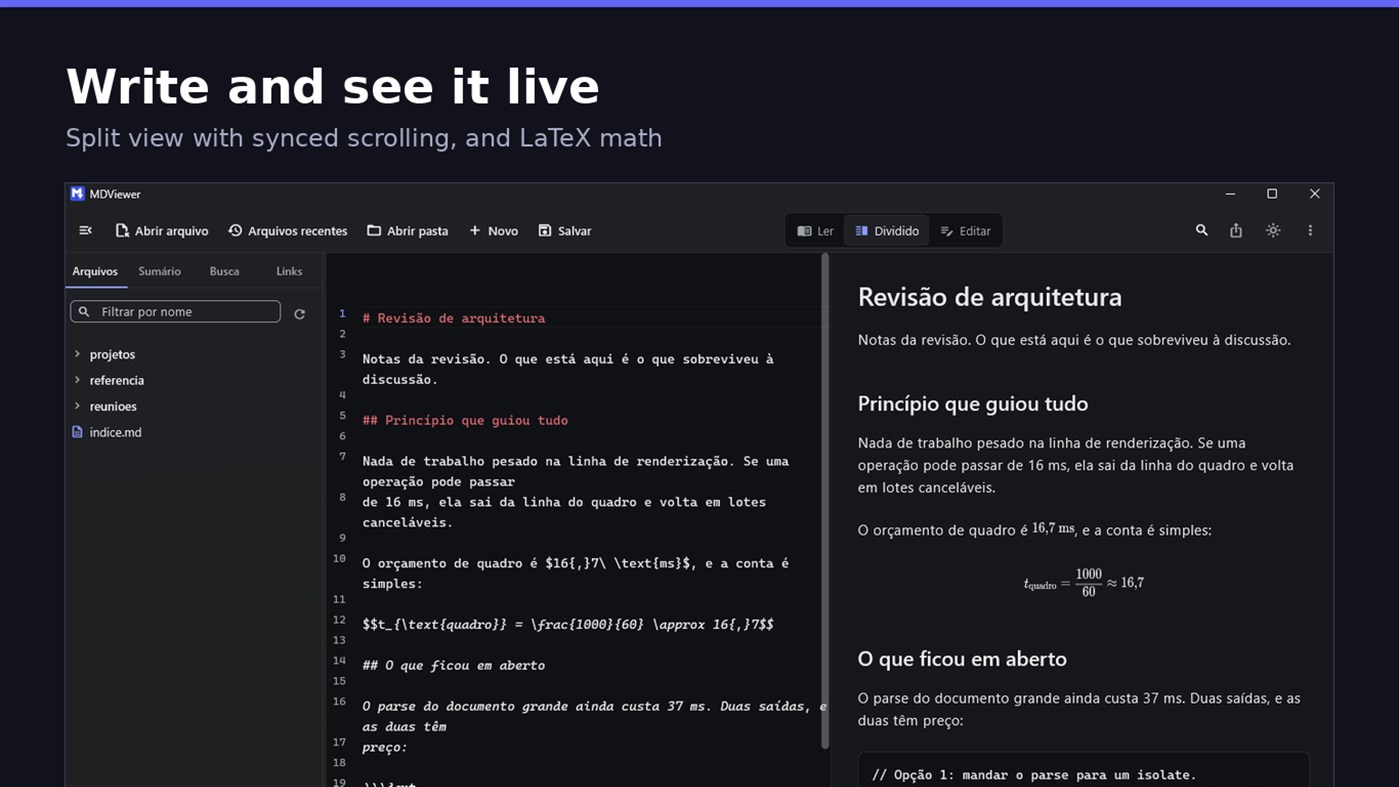
• LaTeX math
• Task checkboxes you tick with one click, written back to the file
• Light and dark themes, following Windows
EDIT
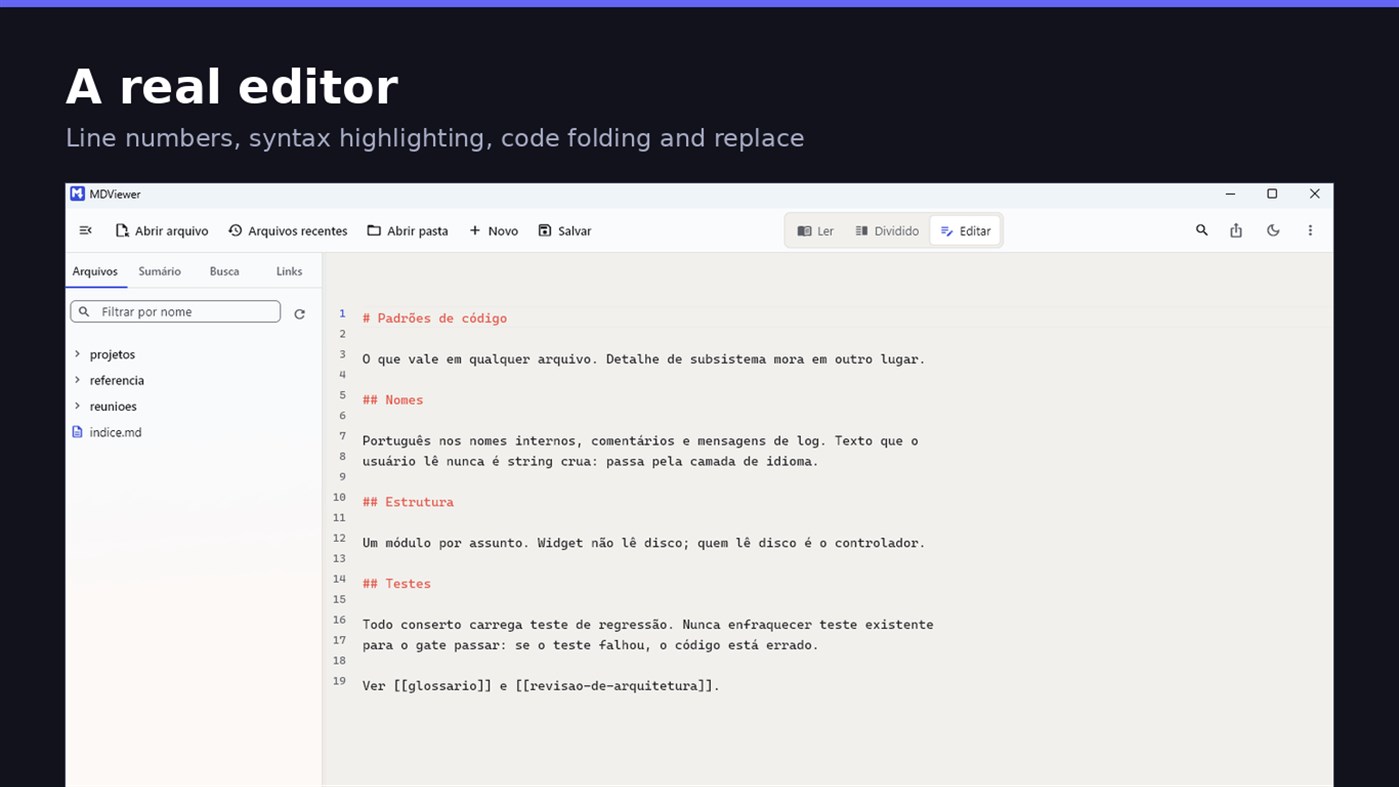
• Editor with line numbers, syntax highlighting, code folding, undo and redo, find and replace
• Split view, text on one side and result on the other, scrolling together
• Draft saved automatically, and recovered if the app closes without saving
• A warning when the file changes outside the app
• Nothing is written to your file unless you say so
HOLD UP UNDER LOAD
In a folder with thirteen thousand documents, MDViewer opens without freezing the screen. The folder tree loads on demand and skips .git and node_modules. Search, filtering and the link index run off the rendering thread, in batches, and are cancelled the moment you keep typing. This is measured every release, and the app logs any operation that goes over the frame budget.
FIT INTO WINDOWS
• File association for .md, .markdown and .mdx, with its own document icon
• Single instance: a second file becomes a tab, not another window
• Document tabs, and a taskbar dot while any document has unsaved changes
• Taskbar progress while exporting PDF
• Mica background on Windows 11, with the reading area always solid
• Drag and drop a file or a folder onto the window
• Export to HTML and PDF, and print
• Interface in Portuguese, English and Spanish
PRIVACY
MDViewer has no account, uploads nothing anywhere, and works without an internet connection. There is no remote telemetry: the log stays on your machine, and the app has a shortcut to open its folder.
Made by LEVELHARD.
Altre piattaforme
| MDViewerWindows Store1K OroSei qui | Gratis |
Per ora solo in questo store.
Cronologia dei prezzi
- Prezzo attuale: Gratis
- Minimo: Gratis
- Massimo: Gratis
Monitora i prezzi Aggiungi a una lista per ricevere avvisi sugli sconti via email o push
Liste 0
0
- MDViewer
Punti 0
0
Classifiche 0
-

- La tua valutazione

Commenti 0 ¡
Sii il primo a commentare
Sviluppatore
- LEVELHARD
- Follower: 0
- Piattaforme: Windows App (3)
- Offerte: 0
- Liste: 0 + 0
- Punti: 0 + 13 ¡
- Classifiche: 0
- Commenti: 0
- Video: 0
- RSS: Iscriviti
Novità
- Versione: PC
- Ultimo aggiornamento:
- This version makes the editor easier to use and reading more complete.
• Command palette (Ctrl+Shift+P): type what you want to do, like "pdf" or "theme", and see the key for each command.
• Formatting toolbar in the editor, and a key for every format: Ctrl+Shift+1 to 3 headings, Ctrl+Shift+7, 8 and 9 lists and tasks, Ctrl+Shift+Q quote, Ctrl+T table.
• The editor understands Markdown: Enter continues the list, Tab builds the sublist, and pasting an address over text creates the link.
• Mermaid diagrams drawn in reading view, in light and dark themes, with no internet.
• Select and copy text in reading view.
• Chinese, Japanese and Korean with the right font, on screen and in exported PDFs.
Informazioni aggiuntive
- Data di uscita:
- Categoria:
App per Windows›Strumenti di sviluppo - Sistemi operativi:
PC - Dimensioni:
20 Mb - Lingue supportate:
Inglese,Portoghese,Spagnolo - Classificazione contenuti:
EVERYONE - Windows Store Valutazione: ¡
2.5(13) - Sito web:
 https://levelhard.com.br
Punteggio AppAgg
1500
Punteggio AppAgg stimato per
MDViewer
Sviluppatore: LEVELHARD
1500 Oro
Un punteggio più alto riflette in genere risultati migliori negli indicatori di AppAgg.
Basato su: popolarità · valutazioni degli utenti · freschezza · offerte · dati degli store · attività della community
Ricalcolato ogni giorno con dati AppAgg aggiornati.
Badge per siti web:  Copiato!
In breve
MDViewer URL breve: Copiato!- Windows Store
Su AppAgg puoi seguire «MDViewer», un’app di LEVELHARD per Windows nella categoria Strumenti di sviluppo. Punteggio AppAgg: 1500 (Oro). Punti AppAgg dell’app — confermati: 0; indiretti: 13. Liste pubbliche che includono l’app: 0. Utenti che l’hanno salvata in liste private: 0. Gli utenti di AppAgg non hanno ancora valutato questa app. I punti confermati registrano le visite allo store degli utenti che hanno effettuato l’accesso ad AppAgg; quelli indiretti si basano sui dati degli store. I due contatori indicano le liste pubbliche e gli utenti che hanno salvato l’app o il gioco in liste private. L’app è stata pubblicata per la prima volta il . Ultimo aggiornamento dell’app: . L’app è attualmente disponibile gratuitamente. Valutazione attuale dell’app su Windows Store: 2.5. Numero di voti: 13. L’app è disponibile nelle seguenti lingue: Inglese, Portoghese, Spagnolo. Consulta la cronologia dei prezzi, aggiungi l’app a una lista o segui lo sviluppatore. Segui le prossime offerte e gli aggiornamenti dell’app tramite il Feed RSS. AppAgg non ospita né distribuisce questa app. Tutti i marchi, i loghi e gli screenshot relativi all’app appartengono ai rispettivi proprietari.

