
Закладки
Выберите название для этой закладки.
Закладка сохранена
| Разработчик: | LEVELHARD (3) | ||
| Цена: | Бесплатно | ||
| Оценка: | 1,500 Золото | ||
| Рейтинги: | 0 | ||
| Комментарии: | 0 Оставьте комментарий | ||
| Списки: | 0 + 0 | ||
| Очки: | 0 + 13 (2.5) ¡ | ||
| +1 Очки | |||
Скриншоты
Реклама
Описание

Free, offline, no account, no ads, no telemetry.
FIND WHAT YOU WROTE
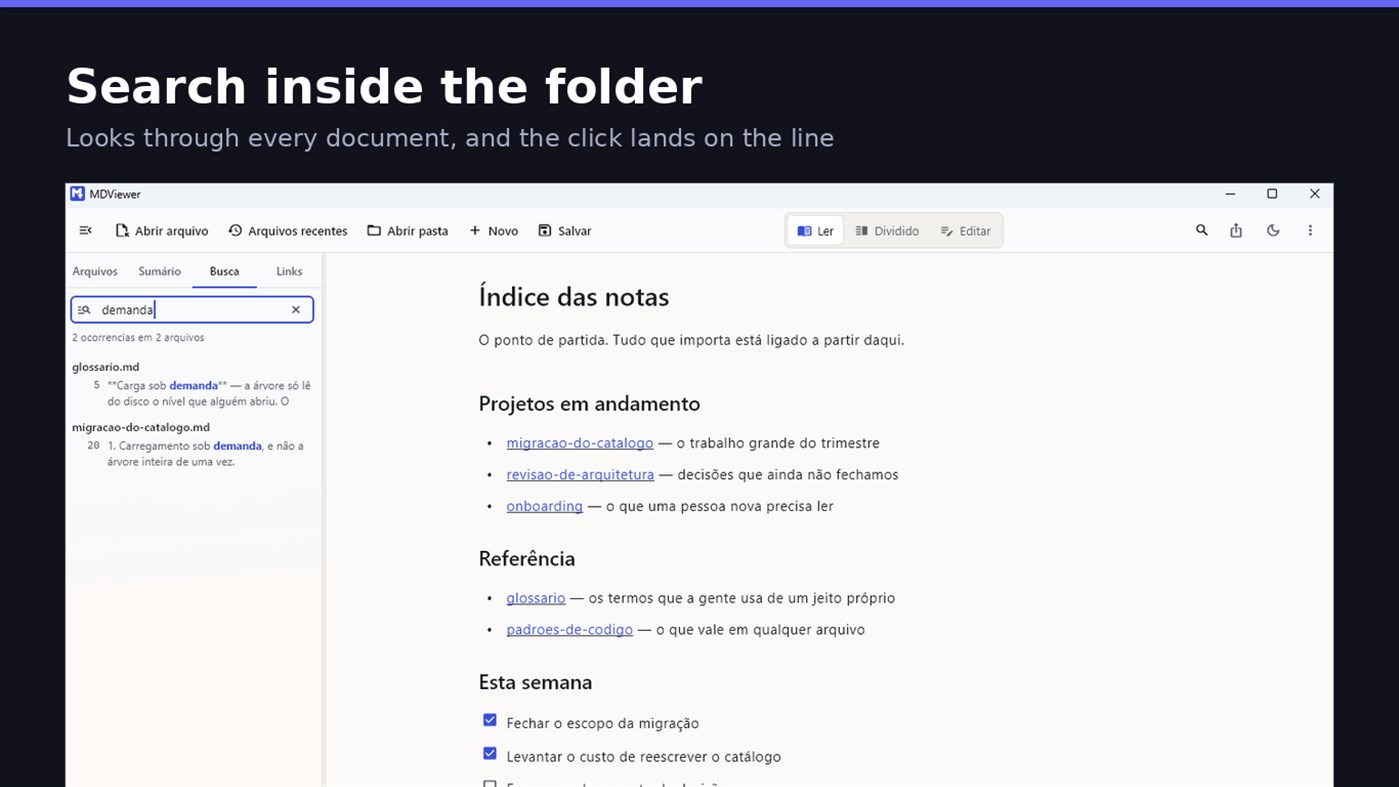
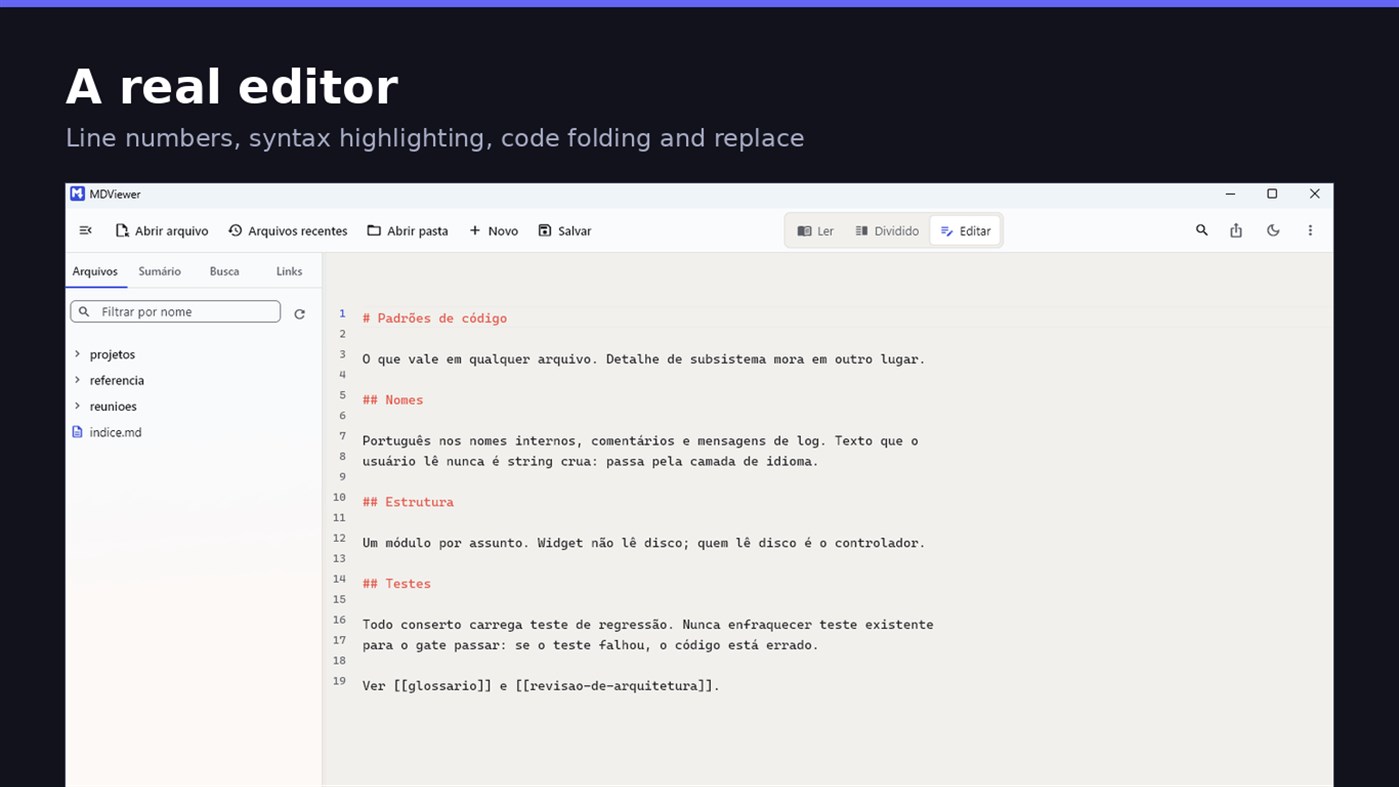
Search by content across the folder with Ctrl+Shift+F: MDViewer looks for the term inside every document, shows the snippet with the word highlighted, and clicking takes you to the file with the line already selected. Filter by name finds the file even in a subfolder you never opened, showing the path to it.
LINK YOUR DOCUMENTS TOGETHER
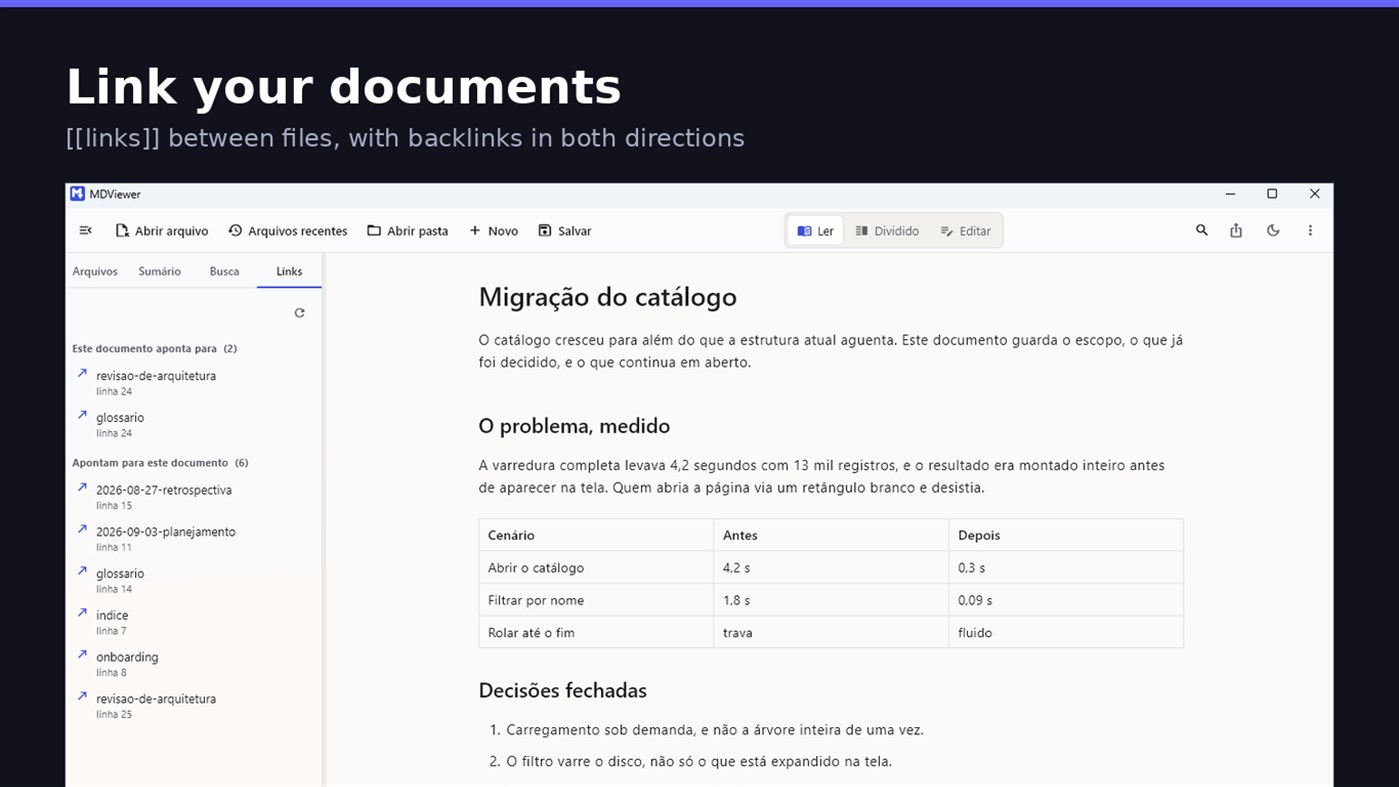
Write [[document-name]] and it becomes a clickable link. [[document#section]] jumps straight to the section; [[document|the text you want]] shows your own label. The Links tab shows both directions: where this document points, and who points to it, and a backlink takes you to the exact line where the link was written. A link to a target that does not exist is marked, instead of silently doing nothing.
READ
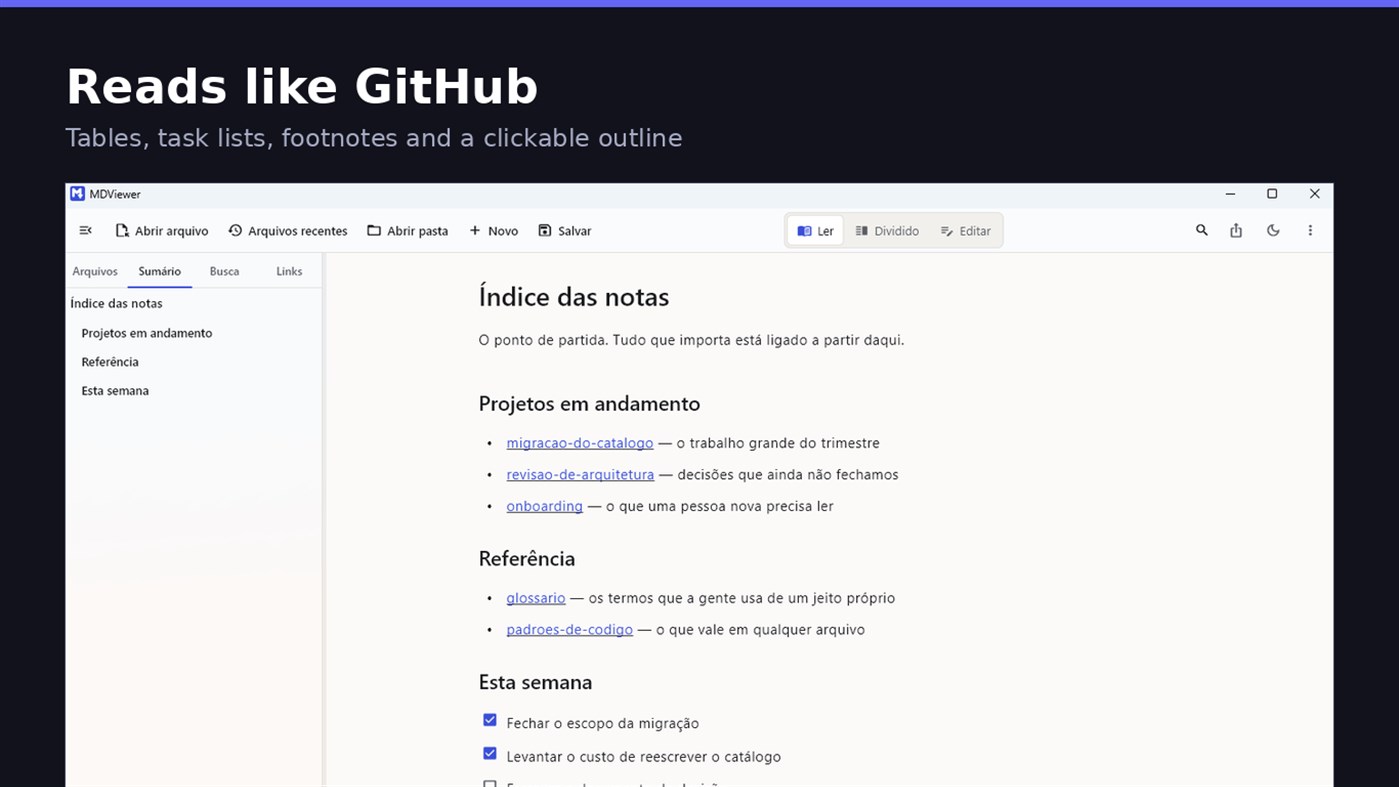
• GitHub Flavored Markdown: tables, task lists, strikethrough, footnotes and code blocks
• A reading column with a comfortable width, instead of text stretched across the screen
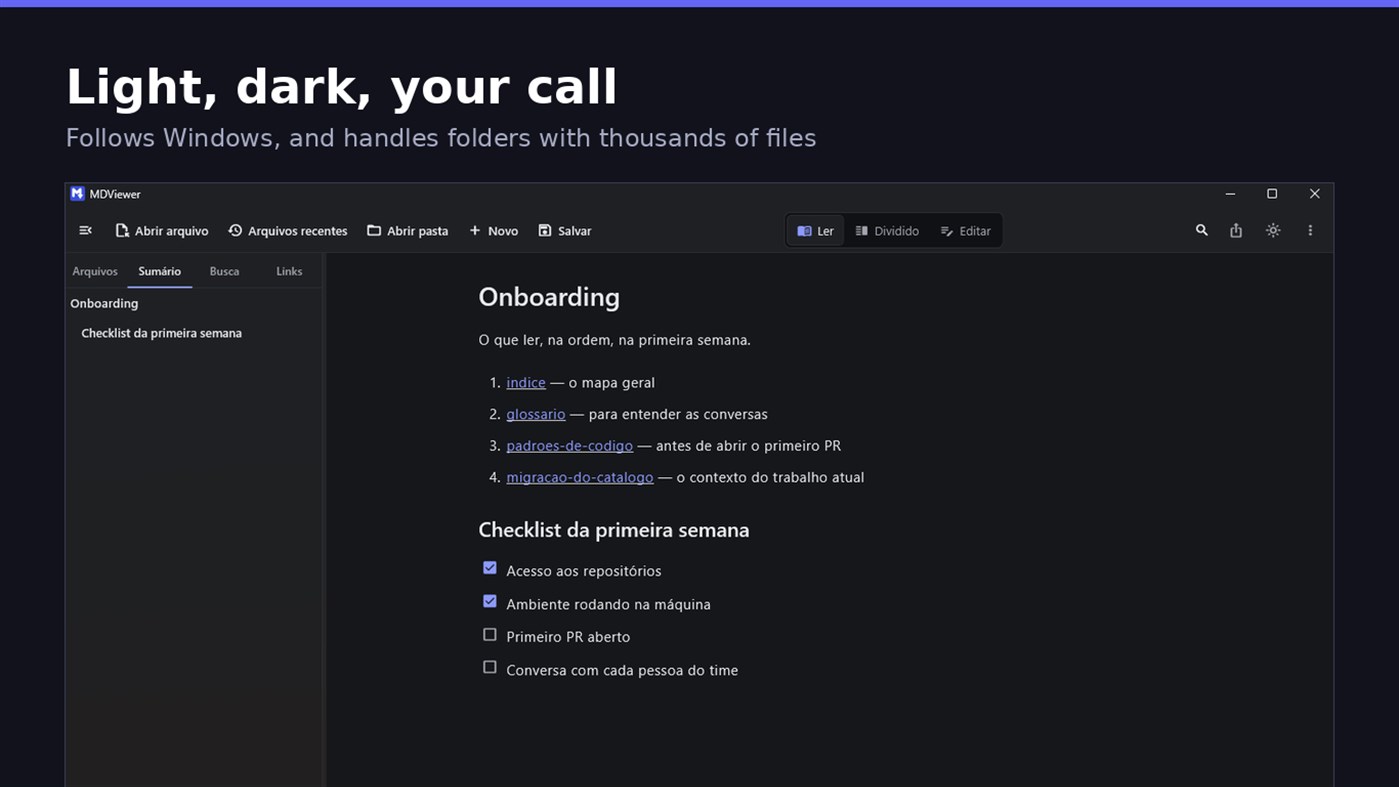
• Clickable document outline, to jump between sections
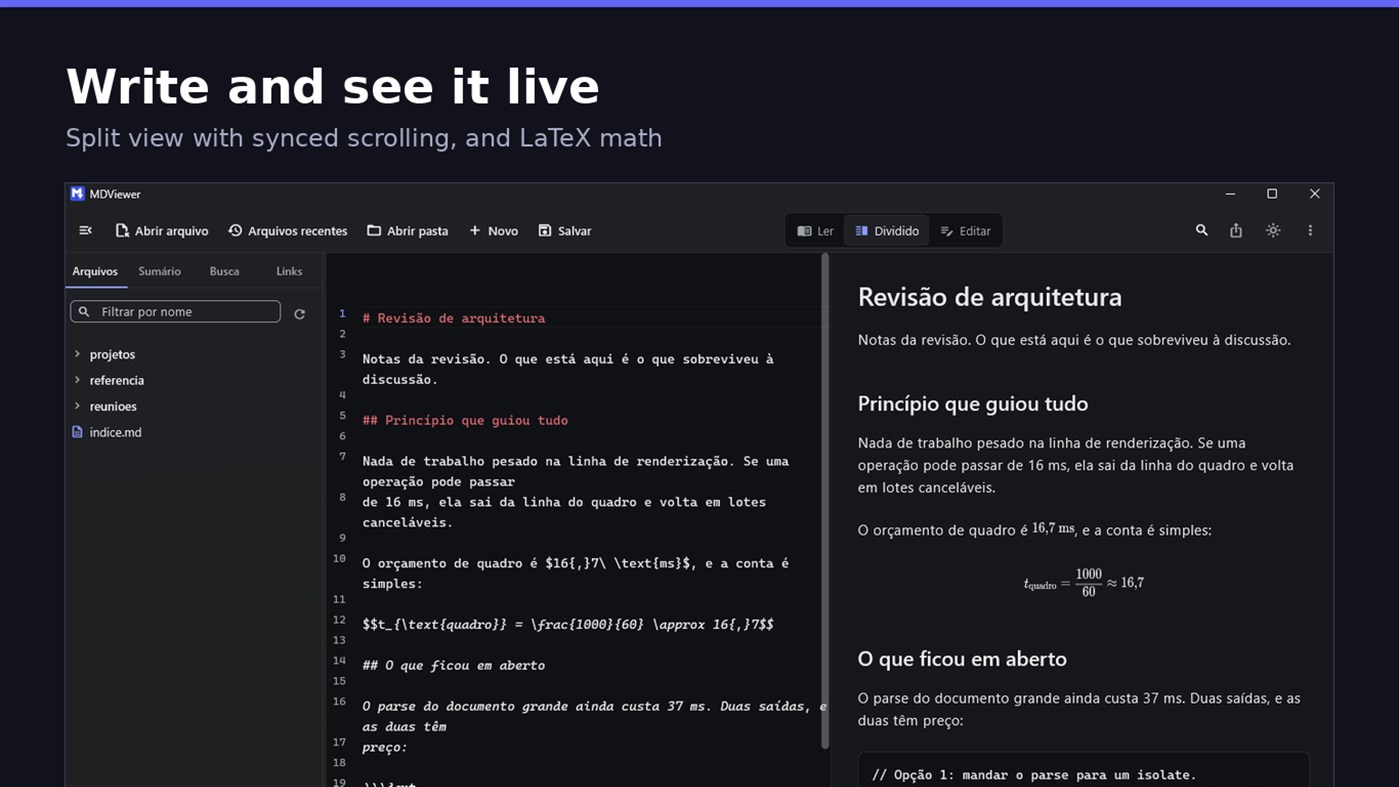
• LaTeX math
• Task checkboxes you tick with one click, written back to the file
• Light and dark themes, following Windows
EDIT
• Editor with line numbers, syntax highlighting, code folding, undo and redo, find and replace
• Split view, text on one side and result on the other, scrolling together
• Draft saved automatically, and recovered if the app closes without saving
• A warning when the file changes outside the app
• Nothing is written to your file unless you say so
HOLD UP UNDER LOAD
In a folder with thirteen thousand documents, MDViewer opens without freezing the screen. The folder tree loads on demand and skips .git and node_modules. Search, filtering and the link index run off the rendering thread, in batches, and are cancelled the moment you keep typing. This is measured every release, and the app logs any operation that goes over the frame budget.
FIT INTO WINDOWS
• File association for .md, .markdown and .mdx, with its own document icon
• Single instance: a second file becomes a tab, not another window
• Document tabs, and a taskbar dot while any document has unsaved changes
• Taskbar progress while exporting PDF
• Mica background on Windows 11, with the reading area always solid
• Drag and drop a file or a folder onto the window
• Export to HTML and PDF, and print
• Interface in Portuguese, English and Spanish
PRIVACY
MDViewer has no account, uploads nothing anywhere, and works without an internet connection. There is no remote telemetry: the log stays on your machine, and the app has a shortcut to open its folder.
Made by LEVELHARD.
Другие платформы
| MDViewerWindows Store1K ЗолотоВы здесь | Бесплатно |
Сейчас только в этом магазине.
История цен
- Текущая цена: Бесплатно
- Минимум: Бесплатно
- Максимум: Бесплатно
Отслеживайте цены Добавьте в список, чтобы получать уведомления о скидках по электронной почте или через push
Списки 0
0
- MDViewer
Очки 0
0
Рейтинги 0
-

- Ваша оценка

Комментарии 0 ¡
Будьте первым, кто оставит комментарий
Разработчик
- LEVELHARD
- Подписчики: 0
- Платформы: Windows Приложения (3)
- Скидки: 0
- Списки: 0 + 0
- Очки: 0 + 13 ¡
- Рейтинги: 0
- Комментарии: 0
- Видео: 0
- RSS: Подписаться
Что нового
- Версия: PC
- Последнее обновление:
- This version makes the editor easier to use and reading more complete.
• Command palette (Ctrl+Shift+P): type what you want to do, like "pdf" or "theme", and see the key for each command.
• Formatting toolbar in the editor, and a key for every format: Ctrl+Shift+1 to 3 headings, Ctrl+Shift+7, 8 and 9 lists and tasks, Ctrl+Shift+Q quote, Ctrl+T table.
• The editor understands Markdown: Enter continues the list, Tab builds the sublist, and pasting an address over text creates the link.
• Mermaid diagrams drawn in reading view, in light and dark themes, with no internet.
• Select and copy text in reading view.
• Chinese, Japanese and Korean with the right font, on screen and in exported PDFs.
Дополнительная информация
- Дата выпуска:
- Категория:
Приложения для Windows›Средства разработчика - Операционные системы:
PC - Размер:
20 Mb - Поддерживаемые языки:
English,Portuguese,Spanish - Возрастные ограничения:
EVERYONE - Windows Store Рейтинг: ¡
2.5(13) - Сайт:
 https://levelhard.com.br
Оценка AppAgg
1,500
Примерная оценка AppAgg для
MDViewer
Разработчик: LEVELHARD
1,500 Золото
Более высокая оценка обычно означает лучшие результаты по показателям AppAgg.
На основе: популярности · оценок пользователей · актуальности · скидок · данных магазинов · активности сообщества
Пересчитывается ежедневно на основе актуальных данных AppAgg.
Бейдж для сайта:  Скопировано!
Кратко
MDViewer Короткий URL: Скопировано!- Windows Store
На AppAgg можно следить за приложением «MDViewer» от LEVELHARD. Платформа — Windows, категория — Средства разработчика. Оценка AppAgg: 1,500 (Золото). Очки приложения — подтверждённые: 0; косвенные: 13. Публичных списков с приложением: 0. Пользователей, сохранивших его в приватные списки: 0. Пользователи AppAgg пока не оценили приложение. Подтверждённые очки отражают переходы авторизованных пользователей AppAgg в магазин; косвенные очки основаны на данных магазинов. AppAgg учитывает публичные списки с приложением или игрой и пользователей, сохранивших приложение или игру в приватные списки. Приложение впервые выпущено . Последнее обновление приложения: . Сейчас приложение доступно бесплатно. Оценка приложения в Windows Store: 2.5. Количество голосов: 13. Приложение доступно на следующих языках: English, Portuguese, Spanish. Посмотрите историю цен, добавьте приложение в список или подпишитесь на разработчика. Следите за будущими скидками и обновлениями приложения через RSS-канал. AppAgg не размещает и не распространяет это приложение. Все связанные с приложением товарные знаки, логотипы и снимки экрана принадлежат их владельцам.

