
Lesezeichen
| Entwickler: | Kyrylo Pshenychnyi (3) | ||
| Preis: | Kostenlos Neu | ||
| Score: | 600 Silber | ||
| Ranglisten: | 0 | ||
| Kommentare: | 0 Kommentar posten | ||
| Listen: | 0 0 | ||
| Punkte: | 0 | ||
| +1 Punkt | |||
Kurzinfo
Vorhang auf für MoMarkdown, eine App von Kyrylo Pshenychnyi aus der Kategorie „Entwicklungstools“.
Neuerscheinung: erst erschienen, du bist also ganz vorne mit dabei.
Gratis, keine Werbung, keine In-App-Käufe. Nur du und die App.
Der Microsoft Store ist in Windows eingebaut, die Installation ist also in ein paar Klicks erledigt.
Der AppAgg-Score liegt bei 600. Silber, und das ist gar nicht übel.
Altersfreigabe „EVERYONE“, also auch für Kinder geeignet.
Spricht nur eine Sprache, und das ist nicht Deutsch.
Schon benutzt? Deine Rezension wäre hier die erste.
Der Entwickler hat noch 2 weitere Apps auf AppAgg. Ein Blick lohnt sich.
Willst du als Erstes von Updates und neuen Apps erfahren? Folge dem Entwickler oder abonniere den RSS-Feed. Push-Nachrichten kommen über die App AppAgg Alerts für Android und iOS.
Screenshots 3
Andere Plattformen 0
Preisentwicklung 0
- Aktueller Preis: Kostenlos
- Minimum: Kostenlos
- Maximum: Kostenlos
Dein eigener Feed auf der Startseite
Beschreibung

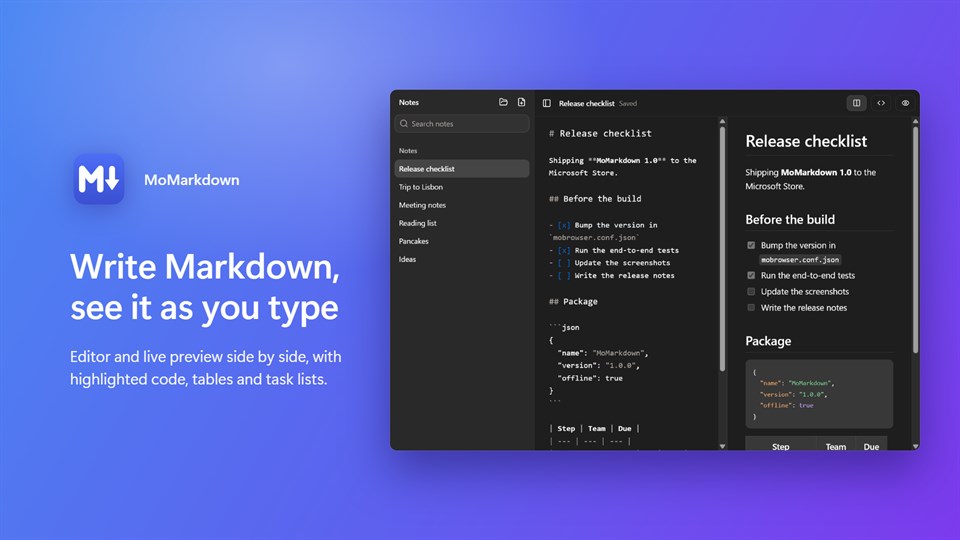
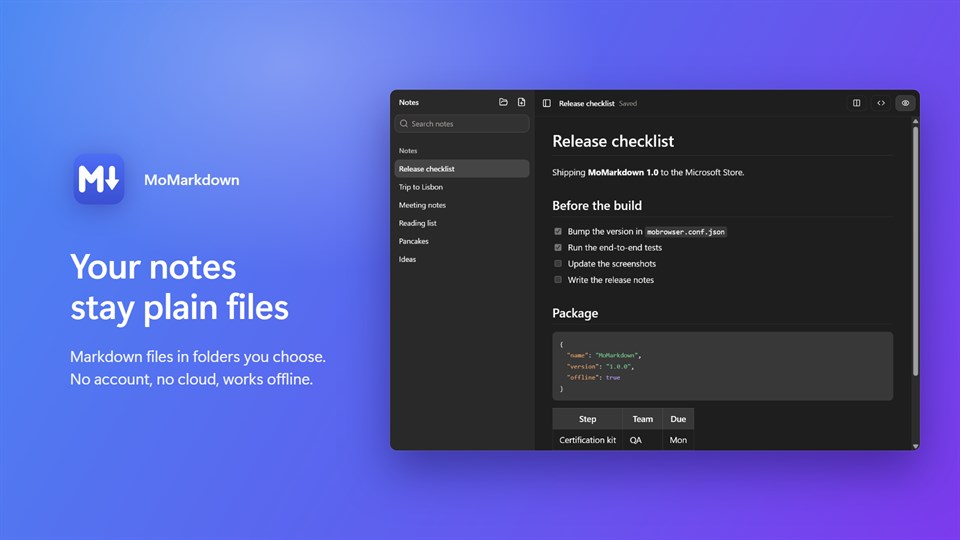
Point it at any folder on your PC, and every .md file in it becomes a note. There's no import step, no proprietary database, and no account. Your notes stay plain-text Markdown files in a folder you choose, so you can back them up, sync them with your own tools, or open them in any other editor.
Write with a focused source editor that highlights Markdown as you type and saves your work automatically. You can see the rendered result side by side, or switch to the editor or the preview alone with one keystroke. The preview supports GitHub Flavored Markdown: tables, task lists, syntax-highlighted code blocks and images stored next to your notes.
MoMarkdown works well with the other programs you use. If a note changes on disk, for example from a sync client or another editor, the change appears right away. If a note was edited in two places, MoMarkdown asks which version to keep, so nothing is silently overwritten.
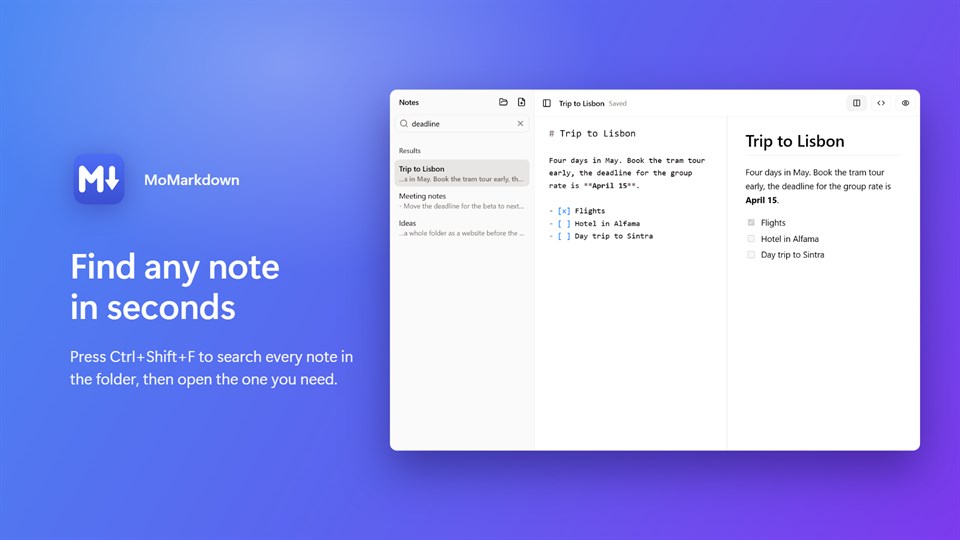
Search across the names and contents of all your notes, and create, rename or delete notes in a click. Deleted notes go to the Recycle Bin, so you can always get them back.
When you're ready to share, export a note as a standalone HTML file, or print it and save it as a PDF.
MoMarkdown feels like a native Windows app, d shortcuts, a recent-folders list, aremembered window size, and light, dark or system themes.
Your privacy is respected by design. MoMarkd and sends nothing over the network: noanalytics, no telemetry, no crash reports. Your notes never leave your computer.
Vom Entwickler
Entwickler
- Kyrylo Pshenychnyi
- Follower: 0
- Plattformen: Windows Apps (3)
- Angebote: 0
- Listen: 0 0
- Punkte: 0
- Ranglisten: 0
- Kommentare: 0
- Videos: 0
- RSS: Abonnieren
Listen 0
-
 MoMarkdown
Punkte 0
-

- +1 Punkt

Ranglisten 0
-
- Deine Bewertung
Neue Funktionen
- Version: PC
- Zuletzt aktualisiert:
- • Word count and reading time for the open note.
• Updated app runtime (Chromium 157) with the latest security and stability fixes.
Weitere Informationen
- Veröffentlichungsdatum:
- Kategorie:
Windows-Apps›Entwicklungstools - Betriebssysteme:
PC - Größe:
202 Mb - Unterstützte Sprachen:
Englisch - Altersfreigabe:
EVERYONE - Windows Store Bewertung: ¡
0
Kommentare 0 ¡
AppAgg-Score
Geschätzter AppAgg-Score für
MoMarkdown
Entwickler: Kyrylo Pshenychnyi
Ein höherer Score weist meist auf bessere Werte bei den von AppAgg erfassten Kennzahlen hin.
Basierend auf: Popularität · Nutzerbewertungen · Aktualität · Angeboten · Store-Daten · Community-Aktivität
Wird täglich anhand aktueller AppAgg-Daten neu berechnet.
MoMarkdown Kurz-URL: Kopiert!- Windows Store

