
| ผู้พัฒนา: | Newera Software Technology Inc. (33) | ||
| ราคา: | $89.99 | ||
| การจัดอันดับ: | 0 | ||
| ความเห็น: | 0 เขียนความเห็น | ||
| รายการ: | 0 + 1 | ||
| แต้มแล: | 2 + 0 ¡ | ||
| Windows Store | |||
คำอธิบาย

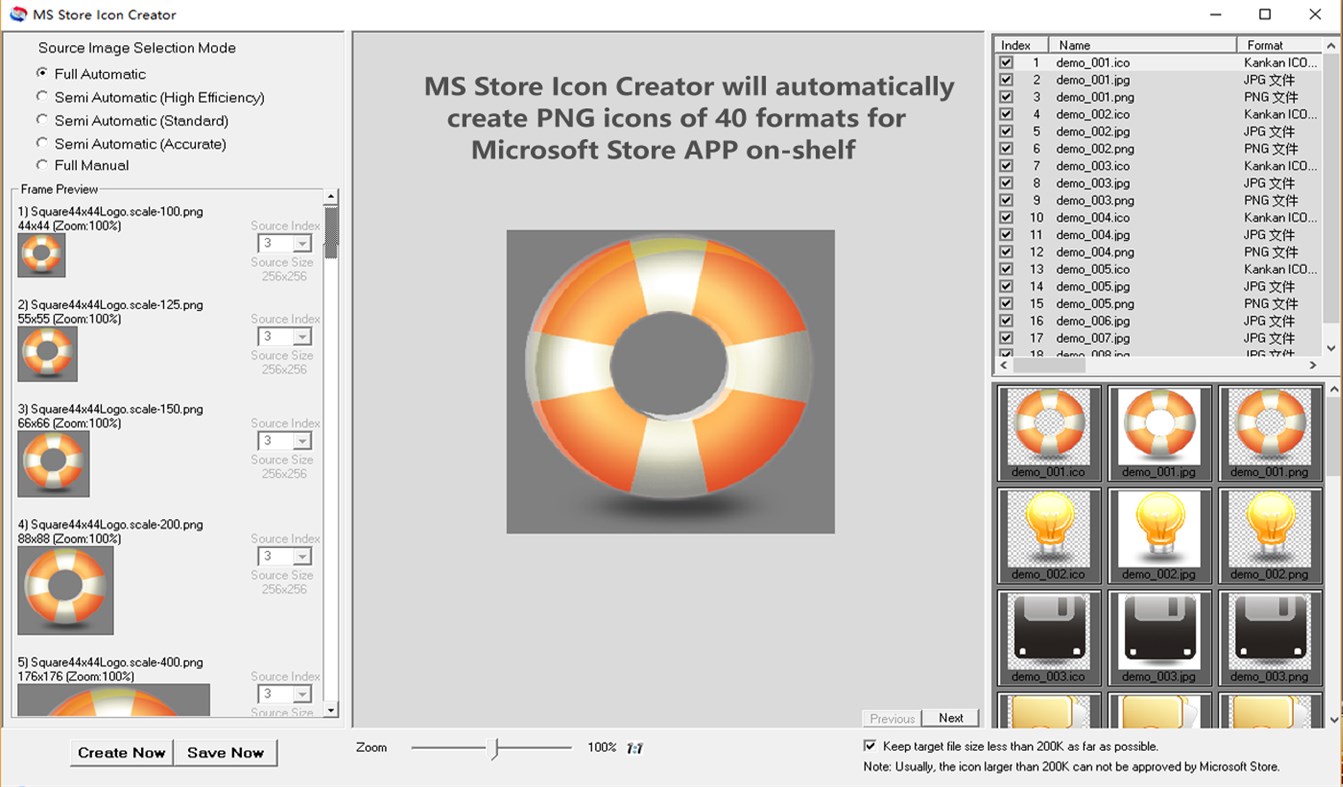
The feature of this tool is "automation", which automatically choose source images to create icons according to the following principles:
1.32bit source image first
2.PNG format source image first
3.With similar size of target icons
4.With similar length and width ratio of target icons
5.Avoid target icon size exceeding 200K
In addition to the "Full Automatic" mode, there are three "Semi-Automatic" modes for selecting source images, and a "Fully Manual" mode, users can even manually specify a source image for each format.
To avoid the created icon files are larger than 200K, you can choose to let the program limit the size as much as possible.
This tool is based the frameworkon of Graphics Converter Pro, which is IconCool team's famous software. In addition to the above functions, the software also supports the following functions:
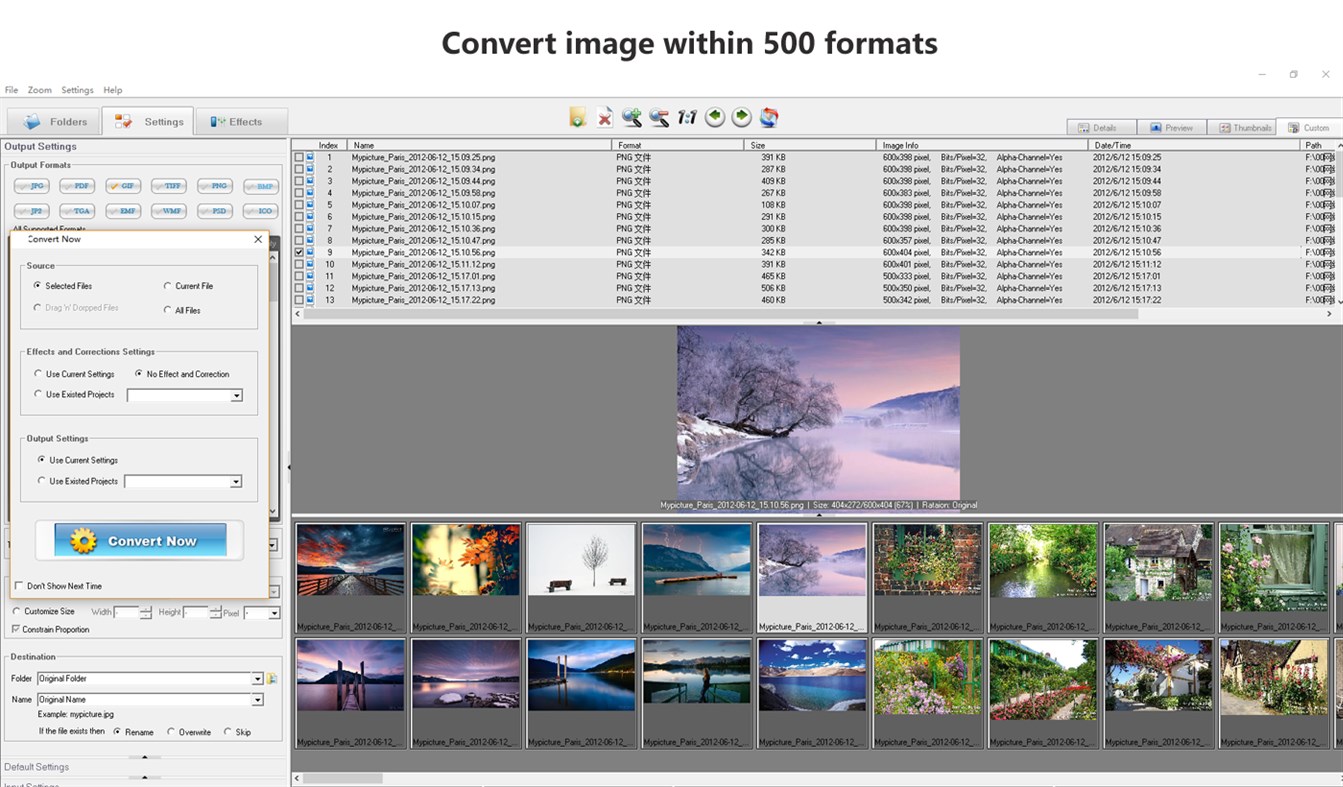
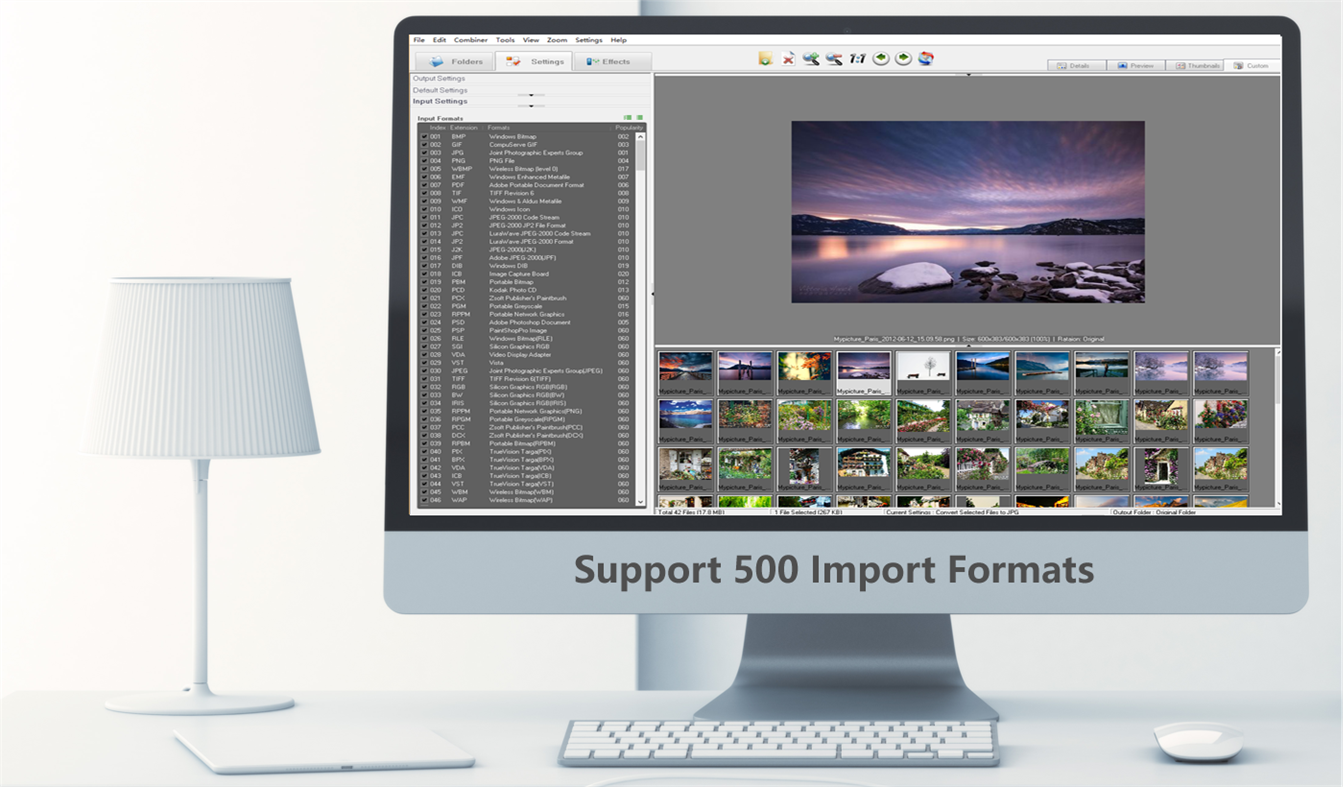
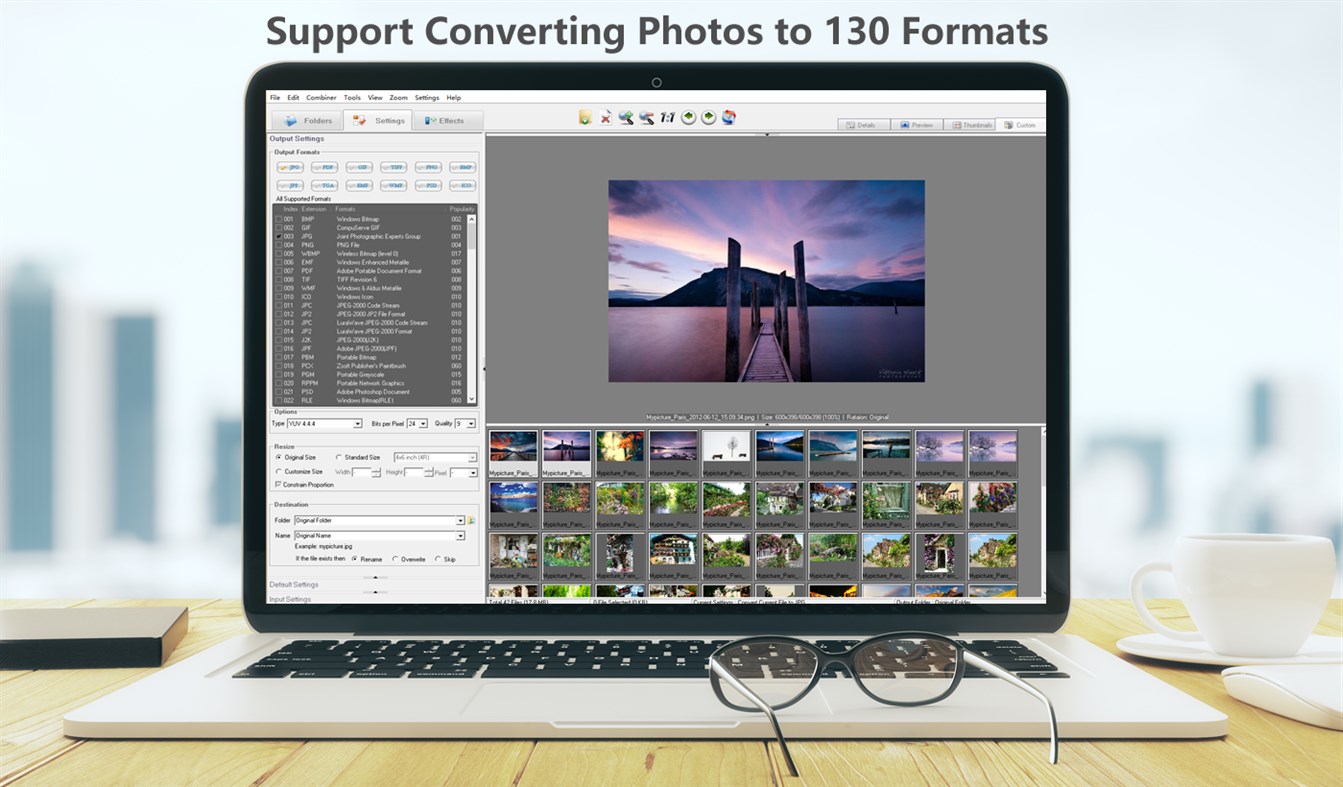
Import images in more than 500 formats, includes BMP, PDF, EMF, GIF, ICB, ICO, JPG, JPEG, PBM, PCD, PCX, PGM, PNG, PPM, PSD, PSP, RLE, SGI, TGA, TIF, TIFF, VDA, VST, WBMP, WMF... MS Store Icon Creator can export to more than 100 formats, includes BMP, GIF, PDF, JPG, PNG ,WBMP, EMF, TGA, TIF, WMF, ICO...
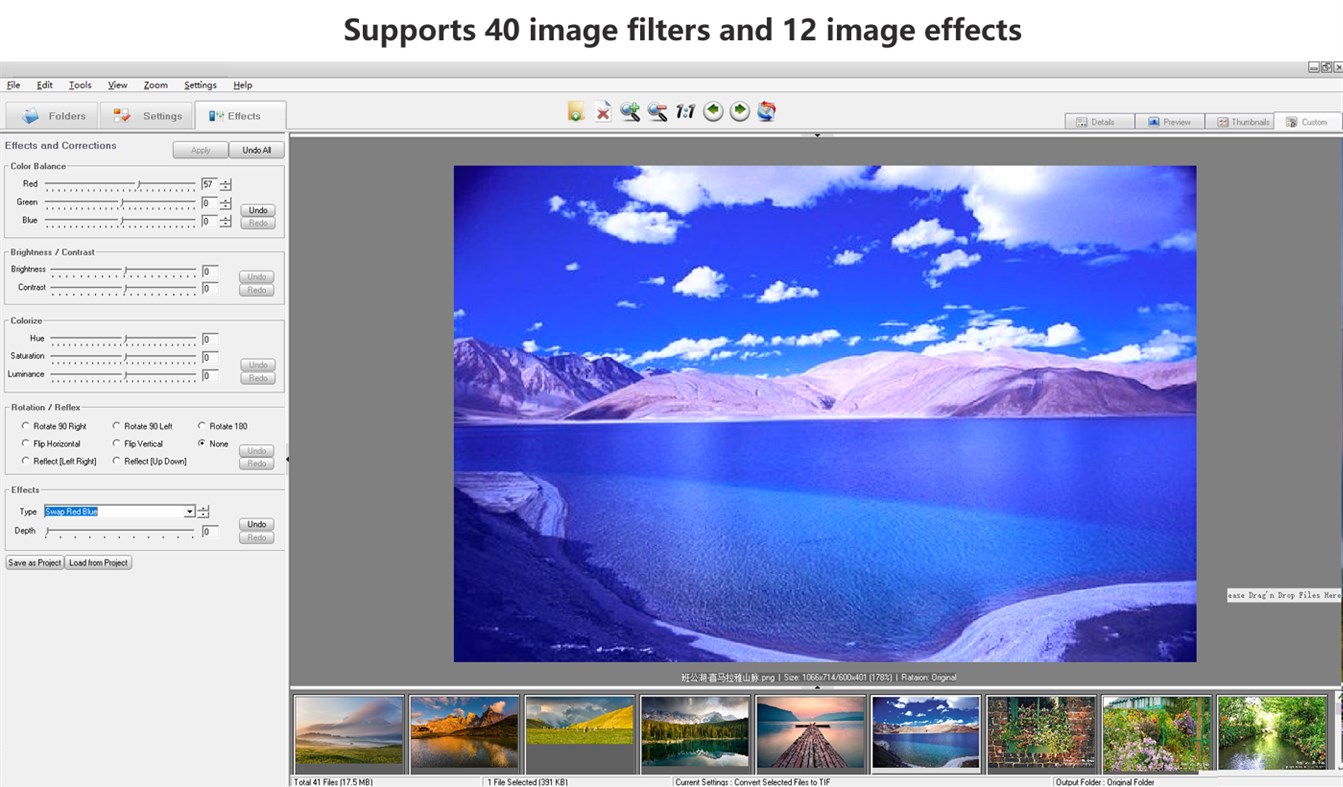
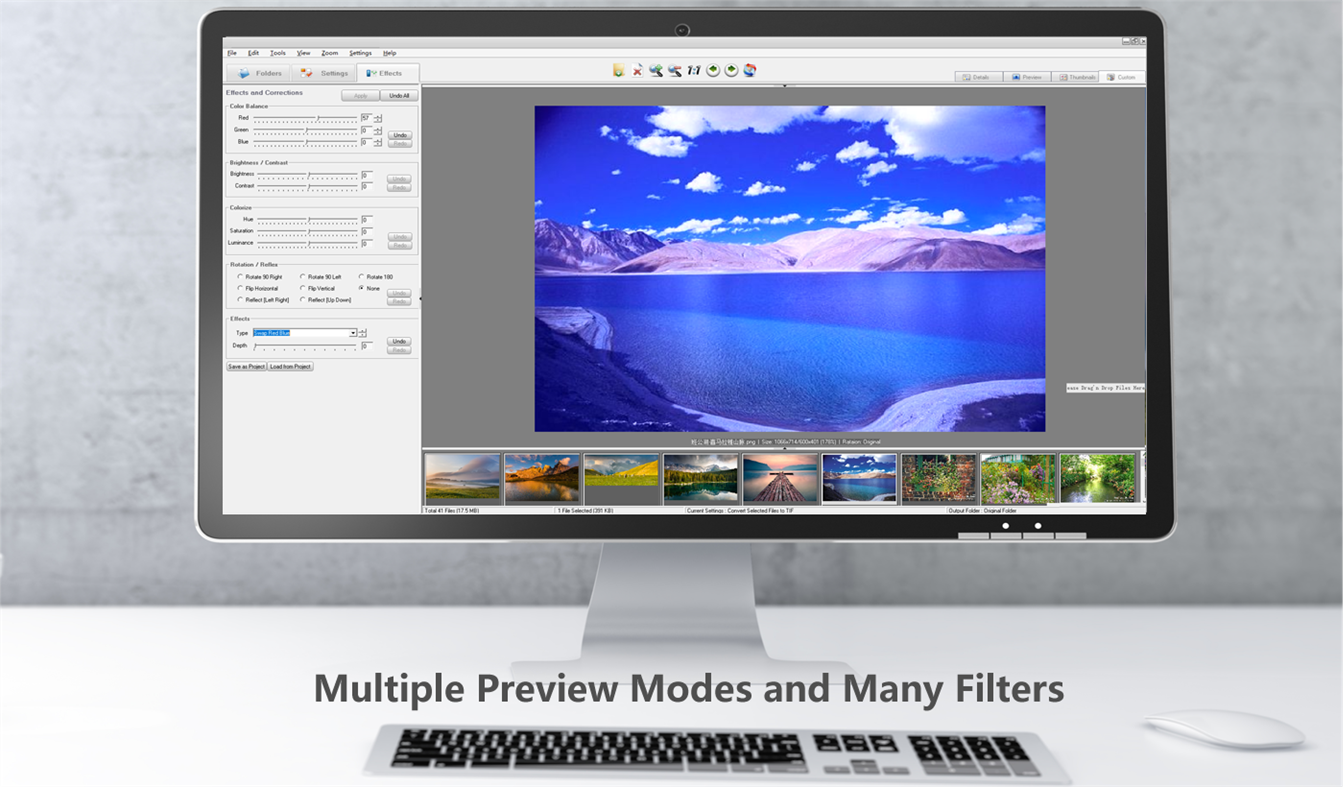
Supports 40 image filters including Blurring, Sharpening, Embossing, Diffusing, Color Balance, and more and 12 image effects including Flip, Wave, Noise, Rotation, Reflect, and more.
Easily browse and preview your photos. It has 4 preview modes, includes Details, Preview, Thumbnails and Custom.
Fully supports transparence layer in GIF, PNG or ICO formats. The transparence layer will NOT be deleted or ignored when you are converting or dealing with a 32-bit image.
Fully supports multi-page formats. You can convert, create or preview multi-page images, including TIF, GIF, PCX, AWD, WFX, FLI and FLC.
Product Features:
Easy-to-use user interface;
One-off purchase for lifetime use;
No hidden costs in applications;
No third-party costs;
Continuous updates and support.
Special offer:
We will give each buyer a FREE account of the powerful "Any to Any File Cloud Processor".
"Any to Any File Cloud Processor" is an online system(SaaS). It supports PDF converting, editing, encryption, decryption, combining(merging), splitting, photo online processing, and many document processing functions. It supports converting 500 formats to PDF or JPG, and converting PDF or JPG to 150 formats,
You just need to send a screenshot of the running product to iconcool@vip.126.com to get this free account.
ภาพหน้าจอ
มีอะไรใหม่
- เวอร์ชัน: PC
- อัปเดต:
ราคา
- วันนี้: $89.99
- ต่ำสุด: ฟรี
- มากที่สุด: $99.99
ติดตามราคา
ผู้พัฒนา
- Newera Software Technology Inc.
- แพลตฟอร์ม: Windows แอป (33)
- รายการ: 5 + 2
- แต้มแล: 52 + 102 ¡
- การจัดอันดับ: 0
- ความเห็น: 0
- ลดราคา: 0
- วิดีโอ: 0
- RSS: ติดตาม
แต้มแล
-

- 1 Поверков
- +1
-
- 10,874 Simon Chan
- +1


การจัดอันดับ
0 ☹️
รายการ
0 ☹️
- MS Store Icon Creator
ความเห็น
แสดงรีวิวเป็นคนแรกเลย 🌟
ข้อมูลเพิ่มเติม
- เวอร์ชัน: PC
- หมวดหมู่:
Windows แอป›เครื่องมือสำหรับนักพัฒนา - ระบบปฏิบัติการ:
PC - ขนาด:
29 Mb - ภาษาที่สนับสนุน:
English - การจัดประเภทเนื้อหา:
EVERYONE - Windows Store คะแนนโดย:
0 - อัปเดต:
- วันที่วางจำหน่าย:
รายชื่อติดต่อ
- เว็บไซท์:
 http://graphics-converter-pro.com/
MS Store Icon Creator URL แบบสั้น: คัดลอกแล้ว!- 🌟 แชร์
- Windows Store
คุณอาจชอบ
-
- App Icon Creator
- Windows แอป: เครื่องมือสำหรับนักพัฒนา โดย: Axel Howind
- $7.49
- รายการ: 0 + 0 การจัดอันดับ: 0 ความเห็น: 0
- แต้มแล: 0 + 0 เวอร์ชัน: PC Wasting too much time preparing icons for your applications? Do it now with a single click! ⥯
-
- Icon Converter
- Windows แอป: เครื่องมือสำหรับนักพัฒนา โดย: Duckhead Software
- $2.99
- รายการ: 0 + 0 การจัดอันดับ: 0 ความเห็น: 0
- แต้มแล: 0 + 8 (1.3) เวอร์ชัน: PC Icon Converter is the easiest way to batch convert Icons to transparent PNG, JPegXR, and single image ICO files. Convert just a few Icons, or whole folders, volumes, archives, or ... ⥯
-
- Icon Maker - IconCool Studio Lite
- Windows แอป: เครื่องมือสำหรับนักพัฒนา โดย: Newera Software Technology Inc.
- $29.99
- รายการ: 0 + 1 การจัดอันดับ: 0 ความเห็น: 0
- แต้มแล: 1 + 8 (2.4) เวอร์ชัน: PC "Icon Maker - IconCool Studio Lite" is a "lite version" of IconCool Studio Pro, it has all the functions of IconCool Studio Pro, but IconCool Mixer. IconCool Studio is a famous icon ... ⥯
-
- Store Packager
- Windows แอป: เครื่องมือสำหรับนักพัฒนา โดย: MKA Solutions
- $14.99
- รายการ: 0 + 0 การจัดอันดับ: 0 ความเห็น: 0
- แต้มแล: 0 + 0 เวอร์ชัน: PC Create the package for the store of Windows 10 directly from the files of your software! Without the need to create a setup, this software of absolute simplicity allows your WIN32 ... ⥯
-
- XAML Asset Creator
- Windows แอป: เครื่องมือสำหรับนักพัฒนา โดย: Dean Chalk
- ฟรี
- รายการ: 0 + 0 การจัดอันดับ: 0 ความเห็น: 0
- แต้มแล: 1 + 1 (5.0) เวอร์ชัน: PC A great tool for all UWP and Xamarin Developers. This app has over 6000 vector icons that you can choose from to create all of the necessary asset files for UWP, iOS, Mac and Android ... ⥯
-
- Microsoft Store Developer CLI
- Windows แอป: เครื่องมือสำหรับนักพัฒนา โดย: Microsoft Corporation
- ฟรี
- รายการ: 0 + 1 การจัดอันดับ: 0 ความเห็น: 0
- แต้มแล: 4 + 6 (3.8) เวอร์ชัน: PC The Microsoft Store Developer Command Line Tool is a CLI that helps developers configure their API access to the Microsoft Store, for both managed, as well as unmanaged applications. ... ⥯
-
- Short Link Creator
- Windows แอป: เครื่องมือสำหรับนักพัฒนา โดย: Melvin Dev
- $17.99
- รายการ: 0 + 0 การจัดอันดับ: 0 ความเห็น: 0
- แต้มแล: 0 + 0 เวอร์ชัน: PC Give a short link to your Long Link. Short Link Creator is capable to Create short link with one click; it generates and unique Id or custom id link into the database. Because it used ... ⥯
-
- Assets Resizer for Windows Store
- Windows แอป: เครื่องมือสำหรับนักพัฒนา โดย: Ray Adams
- $0.99
- รายการ: 0 + 0 การจัดอันดับ: 0 ความเห็น: 0
- แต้มแล: 0 + 2 (5.0) เวอร์ชัน: PC Are you the developer for Windows Store? Are you tired to resize the tiles for application each time you develop a new application? Then this little , but very handy application is ... ⥯
-
- Dynamic GUID Creator [Dynamic System]
- Windows แอป: เครื่องมือสำหรับนักพัฒนา โดย: Andreas Holthaus Dynamic Development
- ฟรี
- รายการ: 0 + 1 การจัดอันดับ: 0 ความเห็น: 0
- แต้มแล: 2 + 0 เวอร์ชัน: PC Tool for creating a GUID in different formats. A GUID is a 128-bit value consisting of one group of 8 hexadecimal digits, followed by three groups of 4 hexadecimal digits each, ... ⥯
-
- UWP Asset Creator
- Windows แอป: เครื่องมือสำหรับนักพัฒนา โดย: Crazycode
- ฟรี
- รายการ: 0 + 1 การจัดอันดับ: 0 ความเห็น: 0
- แต้มแล: 1 + 2 (3.0) เวอร์ชัน: PC The most boring part for a developer comes completely automated. Creates and automatically adds to the project (in the manifest file) the whole 48 necessary assets maintaining the ... ⥯
-
- XML Copy Editor Store Edition
- Windows แอป: เครื่องมือสำหรับนักพัฒนา โดย: Hauke Hasselberg
- ฟรี
- รายการ: 0 + 1 การจัดอันดับ: 0 ความเห็น: 0
- แต้มแล: 2 + 9 (4.4) เวอร์ชัน: PC XML Copy Editor is an XML editor with DTD/XML Schema/RELAX NG validation, XSLT, XPath, pretty-printing, syntax highlighting, folding, tag completion and tag locking. ⥯
-
- SVG Icon Builder
- Windows แอป: เครื่องมือสำหรับนักพัฒนา โดย: DEVELOPER EXPRESS INC.
- ฟรี
- รายการ: 0 + 0 การจัดอันดับ: 0 ความเห็น: 0
- แต้มแล: 1 + 12 (3.5) เวอร์ชัน: PC A productivity tool designed to simplify the creation of custom SVG icons. You can create thousands of unique icons for your application based on a wide set of predefined icons. ⥯
-
- Interop Tools (Store)
- Windows แอป: เครื่องมือสำหรับนักพัฒนา โดย: IT Dev Team
- ฟรี
- รายการ: 0 + 0 การจัดอันดับ: 0 ความเห็น: 0
- แต้มแล: 0 + 3 (3.7) เวอร์ชัน: PC Note: This release requires provider extensions to make Interop Tools fully work, learn more at http://insidewindows.net/category/interop-tools/ Interop Tools is an app that allows you ⥯
-
- Windows Community Toolkit Gallery
- Windows แอป: เครื่องมือสำหรับนักพัฒนา โดย: Microsoft
- ฟรี
- รายการ: 0 + 1 การจัดอันดับ: 0 ความเห็น: 0
- แต้มแล: 3 + 126 (4.7) เวอร์ชัน: PC The Windows Community Toolkit is a collection of controls for WinUI 2 with UWP, WinUI 3 with the Windows App SDK, and Uno Platform developers. It simplifies and demonstrates common ... ⥯