
Bookmarks
Choose a title for this bookmark.
Bookmark saved
| Developer: | MYS TEAM (1) | ||
| Price: | Free | ||
| Score: | 580 Bronze | ||
| Rankings: | 0 | ||
| Comments: | 0 Add a comment | ||
| Lists: | 0 + 0 | ||
| Points: | 0 + 0 ¡ | ||
| +1 Points | |||
Description

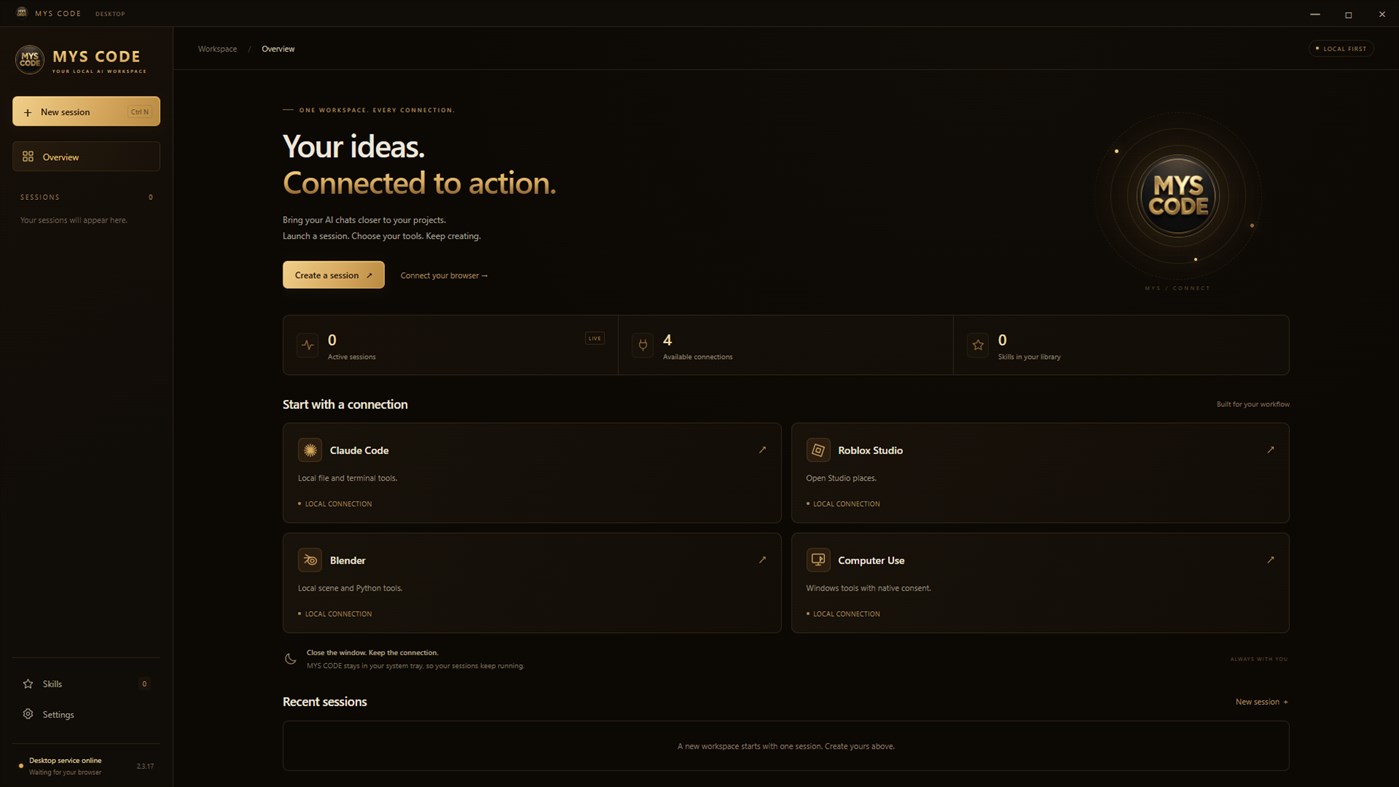
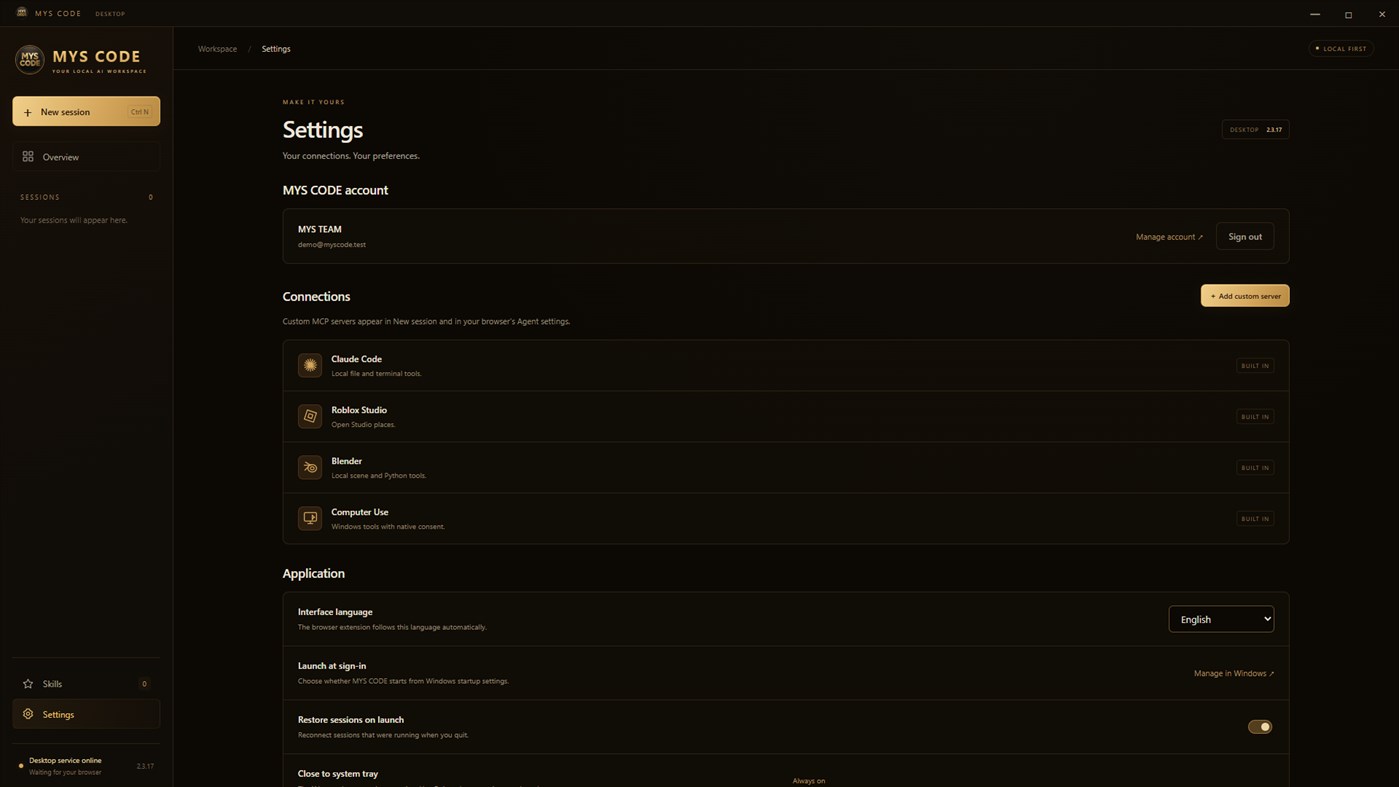
Connect Claude Code's local file and terminal tools, an open Roblox Studio place, a Blender scene, or your own local MCP server. Separate project sessions keep connections and activity organized. Manage your local skills and attach them to the chats where you need them.
Compact and Continue help carry project context into another supported chat so you can continue your work.
Optional Computer Use lets an AI chat with image upload support see and operate Windows after you grant access in Desktop. An indicator shows active control. Ctrl+Alt+Esc and the native Pause control let you pause input immediately.
Choose English, Russian, or Uzbek in Desktop. The companion extension automatically follows your language selection. Closing the Desktop window keeps your sessions running in the system tray. Desktop checks for Microsoft Store updates and waits until your local sessions stop and the window is in the tray before installing them.
Requirements:
Windows 10 version 2004 (build 19041) or later, or Windows 11, on an x64 PC.
Microsoft Edge WebView2 Runtime, internet access, and a verified MYS CODE account.
The MYS CODE companion extension, installed separately in Microsoft Edge, for browser AI workflows.
Your chosen AI provider's account and any external tools required for your selected connections. Provider limits and terms apply.
Tool results, selected project context, and permitted Computer Use images are sent to the AI chat you choose.
MYS CODE is an independent companion application and is not affiliated with or endorsed by the supported AI providers or external tool publishers.
Advertisement
Screenshots
Price History
- Current price: Free
- Minimum: Free
- Maximum: Free
Track prices Add to a list to get discount alerts by email or push
AppAgg Score
580
Estimated AppAgg Score for
MYS CODE
Developer: MYS TEAM
580 Bronze
Higher scores usually reflect better results across AppAgg’s indicators.
Based on: popularity · ratings · freshness · deals · store data · community signals
Recalculated daily using fresh AppAgg data.
Badge for your website:  Copied!
What's new
- Version: PC
- Last Updated:
Additional Information
- Release Date:
- Category:
Windows Apps›Developer tools - OS:
PC - Size:
29 Mb - Supported Languages:
English,Russian,Uzbek - Content Rating:
EVERYONE - Windows Store Rating: ¡
0 - Website:
 https://myscode.com
Developer
- MYS TEAM
- Followers: 0
- Platforms: Windows Apps (1)
- Deals: 0
- Lists: 0 + 0
- Points: 0 + 0 ¡
- Rankings: 0
- Comments: 0
- Videos: 0
- RSS: Subscribe
Lists (0)
0
- MYS CODE
Points (0)
0
Rankings (0)
0
Comments (0)
Be the first to comment
Summary
MYS CODE Short URL: Copied!- Windows Store
On AppAgg, you can track the Windows app “MYS CODE” by MYS TEAM, listed under Developer tools. AppAgg Score: 580 (Bronze). AppAgg Points for the app — confirmed: 0; indirect: 0. Public lists containing the app: 0. Users who have saved it in private lists: 0. AppAgg users have not rated the app yet. Confirmed Points record visits to a store by signed-in AppAgg users; indirect Points are based on store data. AppAgg counts public lists containing an app or game and users who have saved it in private lists. The app was first released on . The app was last updated on . The app is currently available for free. The app is available in these languages: English, Russian, Uzbek. Explore the price history, add the app to a list, or follow its developer. Follow future deals and updates for the app via its RSS feed. AppAgg does not host or distribute the app. All trademarks, logos, and screenshots related to the app belong to their respective owners.

