
북마크
이 북마크의 제목을 입력하세요.
북마크가 저장되었습니다
설명

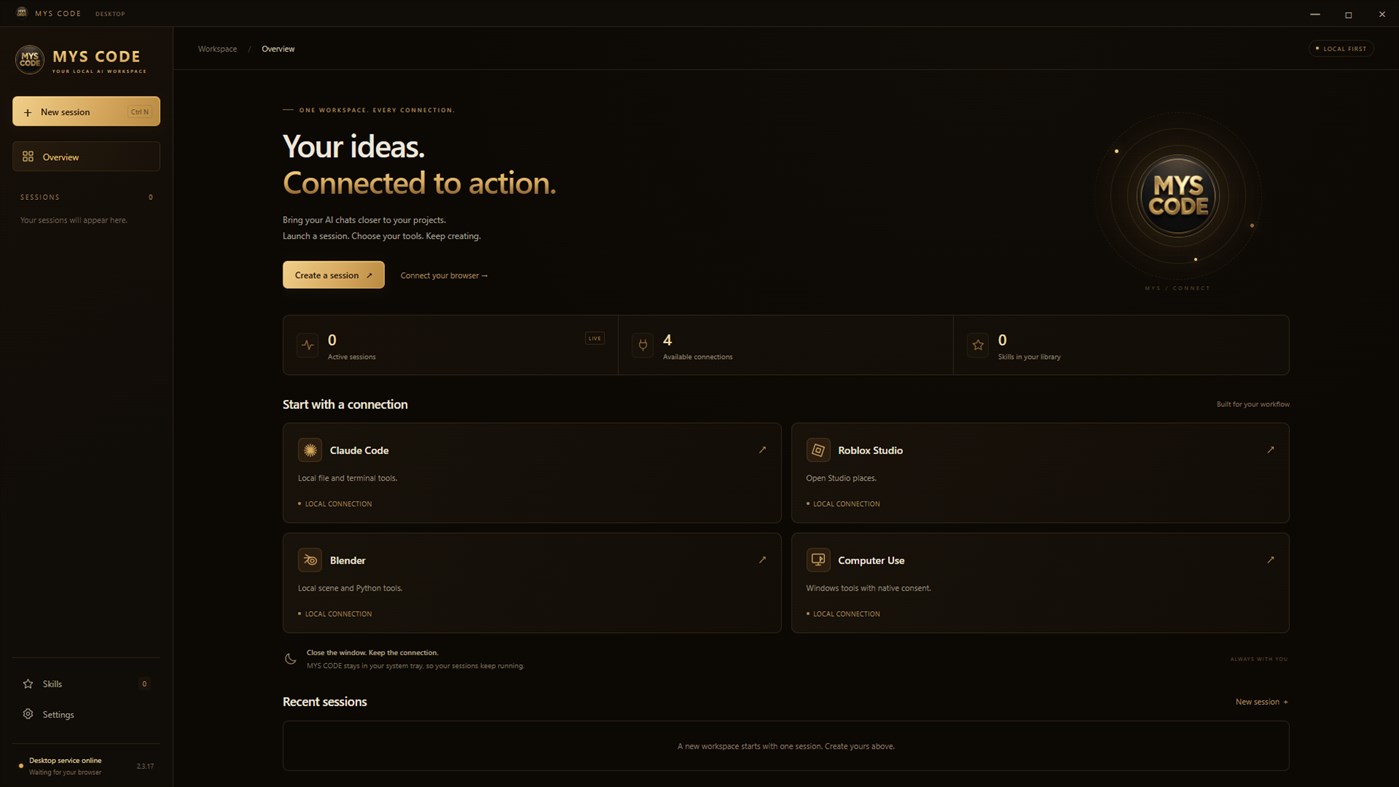
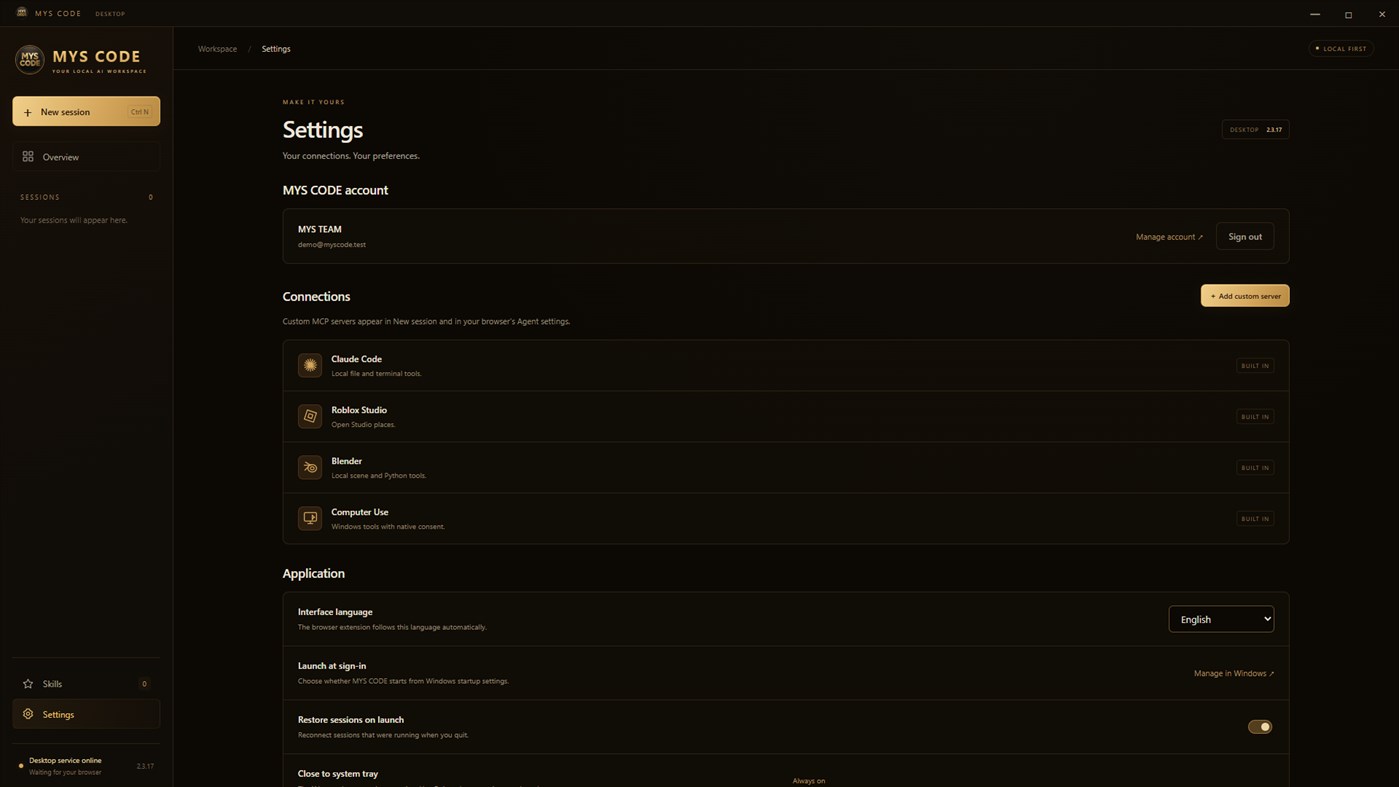
Connect Claude Code's local file and terminal tools, an open Roblox Studio place, a Blender scene, or your own local MCP server. Separate project sessions keep connections and activity organized. Manage your local skills and attach them to the chats where you need them.
Compact and Continue help carry project context into another supported chat so you can continue your work.
Optional Computer Use lets an AI chat with image upload support see and operate Windows after you grant access in Desktop. An indicator shows active control. Ctrl+Alt+Esc and the native Pause control let you pause input immediately.
Choose English, Russian, or Uzbek in Desktop. The companion extension automatically follows your language selection. Closing the Desktop window keeps your sessions running in the system tray. Desktop checks for Microsoft Store updates and waits until your local sessions stop and the window is in the tray before installing them.
Requirements:
Windows 10 version 2004 (build 19041) or later, or Windows 11, on an x64 PC.
Microsoft Edge WebView2 Runtime, internet access, and a verified MYS CODE account.
The MYS CODE companion extension, installed separately in Microsoft Edge, for browser AI workflows.
Your chosen AI provider's account and any external tools required for your selected connections. Provider limits and terms apply.
Tool results, selected project context, and permitted Computer Use images are sent to the AI chat you choose.
MYS CODE is an independent companion application and is not affiliated with or endorsed by the supported AI providers or external tool publishers.
광고
스크린샷
가격 내역
- 현재 가격: 무료
- 최소: 무료
- 최대: 무료
AppAgg 점수
580
AppAgg 예상 점수:
MYS CODE
개발자: MYS TEAM
580 브론즈
점수가 높을수록 대체로 AppAgg의 여러 지표에서 좋은 결과를 보인다는 뜻입니다.
기준: 인기 · 사용자 평점 · 최신성 · 할인 · 스토어 데이터 · 커뮤니티 활동
최신 AppAgg 데이터를 바탕으로 매일 다시 계산됩니다.
웹사이트용 배지:  복사됨!
복사됨!
새로운 기능
- 버전: PC
- 마지막 업데이트:
추가 정보
 https://myscode.com
목록 (0)
0
- MYS CODE
포인트 (0)
0
순위 (0)
0
댓글 (0)
가장 먼저 댓글을 남겨주세요
요약
MYS CODE 단축 URL: 복사됨!- Windows Store
AppAgg에서 앱 ‘MYS CODE’의 정보를 확인할 수 있습니다. 개발자: MYS TEAM. 플랫폼: Windows. 카테고리: 개발자 도구. AppAgg 점수: 580 (브론즈). 이 앱의 AppAgg 포인트: 확인된 포인트 0, 간접 포인트 0. 이 앱이 포함된 공개 목록: 0개. 비공개 목록에 저장한 사용자: 0명. AppAgg 사용자가 아직 이 앱에 별점을 남기지 않았습니다. 확인된 포인트는 로그인한 AppAgg 사용자가 스토어로 이동한 기록을 반영합니다. 간접 포인트는 스토어 데이터를 바탕으로 합니다. 두 숫자는 공개 목록 수와 비공개 목록에 저장한 사용자 수를 나타냅니다. 이 앱의 최초 출시일은 입니다. 이 앱의 마지막 업데이트 날짜는 입니다. 이 앱은 현재 무료로 이용할 수 있습니다. 이 앱은 다음 언어를 지원합니다: English, Russian, Uzbek. 가격 기록을 확인하거나 앱을 목록에 추가하고 개발자를 팔로우할 수 있습니다. 이 앱의 향후 할인과 업데이트는 RSS 피드에서 확인할 수 있습니다. AppAgg는 이 앱을 호스팅하거나 배포하지 않습니다. 이 앱과 관련된 모든 상표, 로고 및 스크린샷은 각 소유자에게 귀속됩니다.

