
Lesezeichen
| Entwickler: | Atyf Solutions LLC (4) | ||
| Preis: | Kostenlos | ||
| Score: | 940 Silber | ||
| Ranglisten: | 0 | ||
| Kommentare: | 0 Kommentar posten | ||
| Listen: | 0 0 | ||
| Punkte: | 0 | ||
| +1 Punkt | |||
Kurzinfo
Vorhang auf für NetSignal, eine App von Atyf Solutions LLC aus der Kategorie „Entwicklungstools“.
Läuft sogar auf HoloLens: Windows in Mixed Reality.
Es gibt sogar eine Version für Windows Mobile. Grüße aus der Vergangenheit.
Gratis, keine Werbung, keine In-App-Käufe. Nur du und die App.
Erst erschienen, also noch ziemlich frisch.
Sogar fit für Surface Hub, für große Besprechungsräume.
Der AppAgg-Score liegt bei 940. Silber, und das ist gar nicht übel.
Altersfreigabe „EVERYONE“, also auch für Kinder geeignet.
Spricht nur eine Sprache, und das ist nicht Deutsch.
Schon benutzt? Deine Rezension wäre hier die erste.
Der Entwickler hat noch 3 weitere Apps auf AppAgg. Ein Blick lohnt sich.
Willst du als Erstes von Updates und neuen Apps erfahren? Folge dem Entwickler oder abonniere den RSS-Feed. Push-Nachrichten kommen über die App AppAgg Alerts für Android und iOS.
Andere Plattformen 0
Preisentwicklung 0
- Aktueller Preis: Kostenlos
- Minimum: Kostenlos
- Maximum: Kostenlos
Dein eigener Feed auf der Startseite
Screenshots 6
Beschreibung

ONE CLICK, ONE CLEAR ANSWER
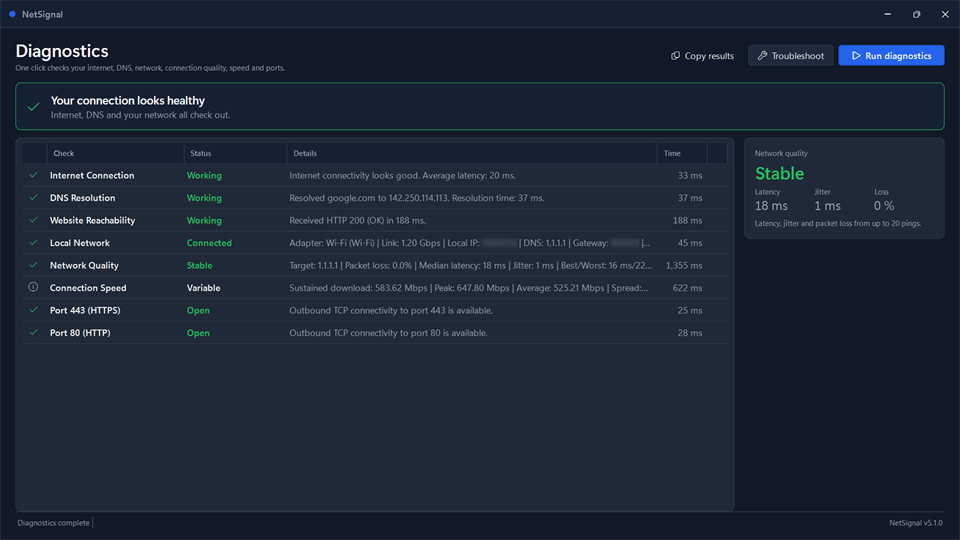
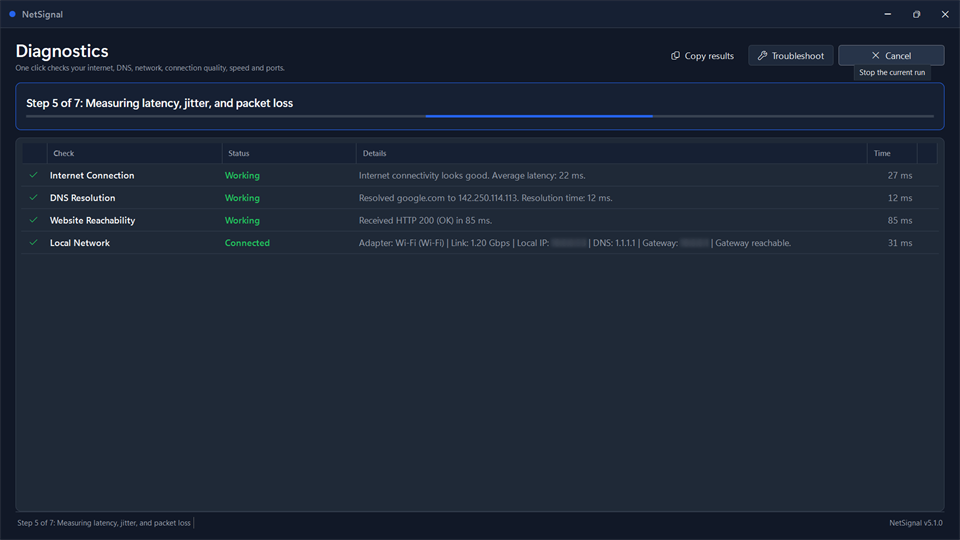
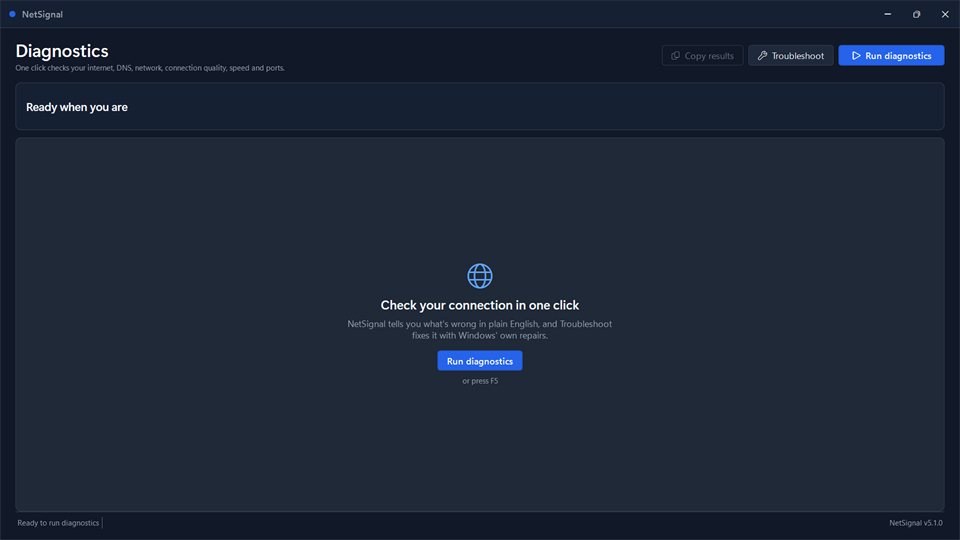
Press Run diagnostics (or F5). NetSignal runs seven checks one after another and shows each step as it goes, and you can press Cancel at any time. At the end, a banner gives you the verdict in plain words, such as "Your connection looks healthy" or "You're online, but website lookups are failing", plus what to try next. If your PC, network or DNS is the problem, Troubleshoot is one click away in the banner.
WHAT IT CHECKS
• Internet, DNS and whether a secure website loads. If your network blocks ping, you see "Reachable (ICMP blocked)" instead of a false failure.
• Local network: adapter, link speed, local IP, DNS server, gateway, and whether your router answers.
• Connection quality: up to 20 pings measure latency, jitter and packet loss, rated Stable, Fair or Poor on the Network quality card. Handy for chasing lag in games and calls.
• Download speed: sustained and peak speed. The speed test finishes in under 10 seconds, even on a slow connection.
• Outbound ports 443 and 80.
FIX IT WITH WINDOWS' OWN REPAIRS
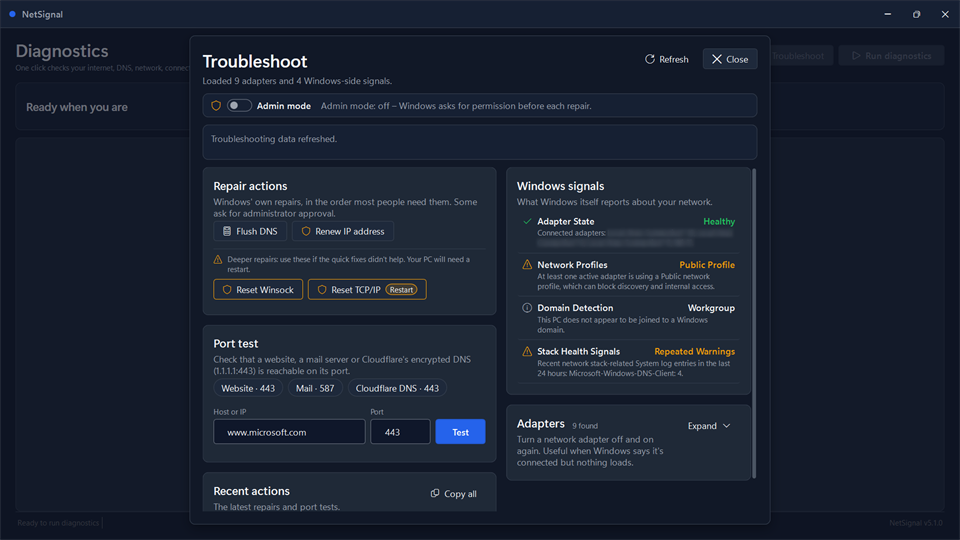
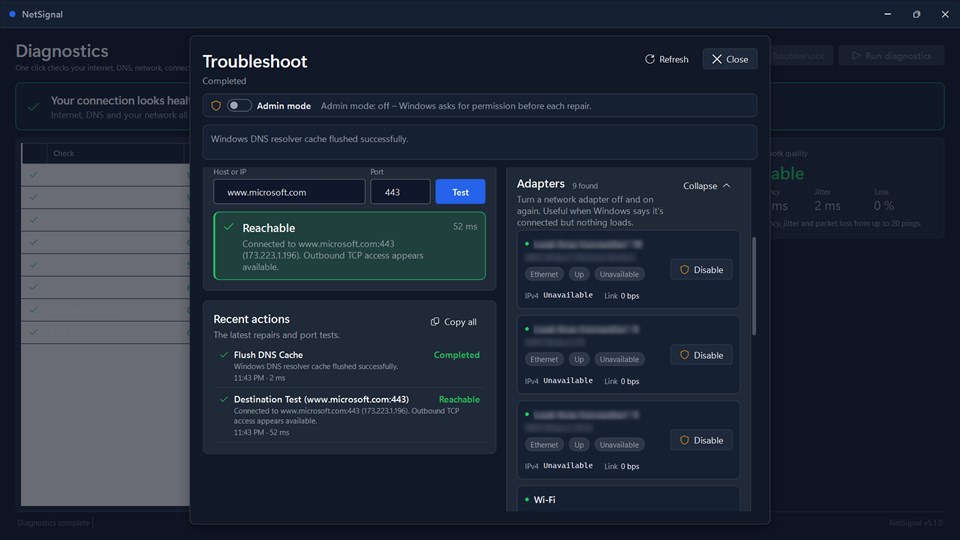
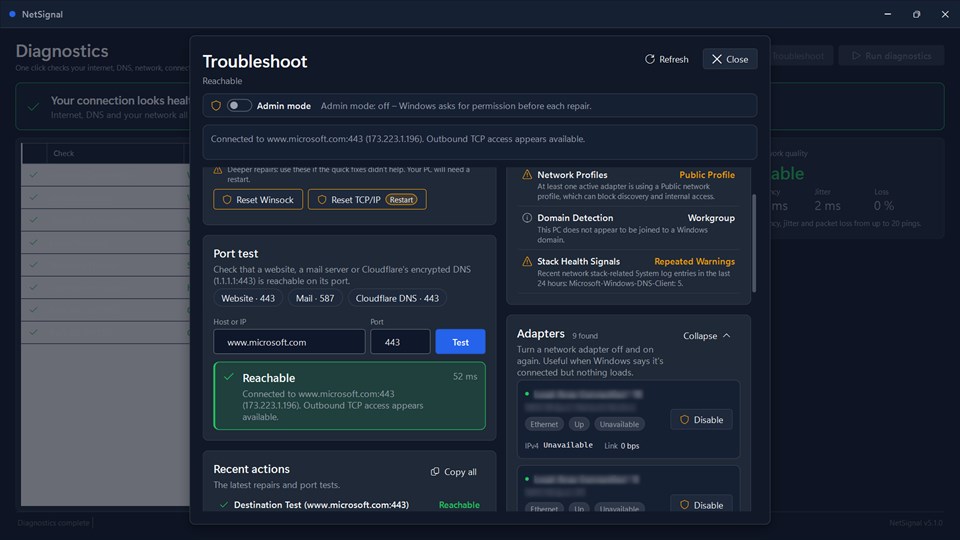
Troubleshoot puts the usual command-prompt fixes on one screen: Flush DNS, Renew IP address, Reset Winsock, Reset TCP/IP, and turning a network adapter off and on. Before anything that can drop your connection or needs a restart, NetSignal explains what will happen and waits for your OK. Repairs that need administrator rights ask for Windows' approval when you click them. Each result shows up in Recent actions.
Fixing a lot of PCs? Turn on Admin mode (off by default): approve once when NetSignal starts, and repairs run without a prompt each time.
SEE WHAT WINDOWS SEES
• Wi-Fi or Ethernet turned off, or no adapter connected
• Networks set to Public, or mixed network profiles
• A PC joined to a work domain but not authenticated to it
• Network warnings and errors from the Windows System log in the last 24 hours
The adapter list shows each adapter's name, type, status, network profile, IPv4 address and link speed, with a button to turn it off or on.
TEST ANY HOST AND PORT
Port test checks whether a connection to any host and port gets through, or use a preset: Website · 443, Mail · 587 or Cloudflare DNS · 443.
EASY TO USE AND SHARE
• Follows your Windows light or dark mode, with High Contrast support
• Works with the keyboard and Narrator
• Plain, friendly messages when something goes wrong
• Copy results (Ctrl+Shift+C) pastes neatly into a support ticket, forum post or spreadsheet
PRIVATE BY DESIGN
No telemetry or analytics, and nothing about you is collected. NetSignal only goes online when you run a check or test, and the tests contact public test servers (Google, Cloudflare, Microsoft), your router, and any host you type. Results aren't saved after you close the app. NetSignal opens without asking for administrator rights, unless you turn on Admin mode.
Vom Entwickler
Listen 0
-
 NetSignal
Punkte 0
-

- +1 Punkt

Ranglisten 0
-
- Deine Bewertung
Entwickler 4
- Atyf Solutions LLC
- Follower: 0
- Plattformen: iOS Apps (3) Windows Apps (1)
- Angebote: 0
- Listen: 0 0
- Punkte: 0
- Ranglisten: 0
- Kommentare: 0
- Videos: 0
- RSS: Abonnieren
Neue Funktionen
- Version: PC
- Zuletzt aktualisiert:
- The Founders Update: free for everyone.
- Clear verdict: one banner tells you in plain English whether your connection is healthy, and what's wrong if it isn't. If something needs fixing, Troubleshoot is one click away.
- Network quality card: latency, jitter and packet loss from up to 20 pings, rated Stable, Fair or Poor. One dropped ping no longer makes you Poor.
- New design that follows Windows light or dark mode, plus High Contrast, with better keyboard and Narrator support.
- Friendlier messages when something goes wrong.
- No admin prompt at launch. Repairs that need admin rights ask only when you click them.
- Reset TCP/IP joins Flush DNS, Renew IP address and Reset Winsock. Disruptive repairs explain what will happen and ask first.
- Optional Admin mode, off by default: approve once each time NetSignal starts, and repairs run without a prompt each time.
- If your network blocks ping, NetSignal checks over a secure connection and shows "Reachable (ICMP blocked)" instead of a false failure.
- The download speed test now finishes in under 10 seconds, even on a slow connection.
- Copy results in one click, ready for a support ticket or forum post.
- Port test presets: Website 443, Mail 587 and Cloudflare DNS 443.
- Cancel diagnostics and repairs at any time.
- Thank you, founders: if you're using NetSignal on this PC now, you're one of the people who made this update happen, and you'll get something special when Pro arrives.
- Version 5.0.1 — Major Engine & Repair Overhaul
NetSignal 5.0.1 introduces a ground-up performance refactor for Windows 10 and 11, featuring a brand-new parallel diagnostic engine, a dedicated administrative repair suite, and ultra-low system resource usage.
What’s New in v5.0.1:
-Parallel Diagnostic Engine: All checks—including gateway ping, DNS resolution, jitter, web reachability, and download throughput—now run concurrently for drastically faster test passes.
-1-Click Network Repair Suite: Added a dedicated Troubleshooting modal with instant administrative actions:
Flush & Reset DNS Cache
Release & Renew IPv4 DHCP Leases
Reset WinSock Catalog
Reset TCP/IP Stack
-Outbound Port & Endpoint Tester: Verify reachability to custom remote hosts and TCP ports with quick-load presets for Web (443), Mail (587), and Internal services (8443).
-Real-Time Adapter Inspector: Monitor active Wi-Fi and Ethernet interfaces, link speeds, IPv4 addresses, and network profiles—complete with 1-click adapter enable/disable controls.
-Windows System Signals: Automatically surface network profile mismatches, domain-detection failures, and underlying stack warnings.
-UI & Visual Optimizations: Custom dark-themed title bar, High-DPI crisp text rendering, smooth animated overlays, and fixed nested list scrolling.
-Under-the-Hood Modernization: Rebuilt on a low-allocation memory architecture for sub-millisecond execution and near-zero idle CPU usage
Weitere Informationen
- Veröffentlichungsdatum:
- Kategorie:
Windows-Apps›Entwicklungstools - Betriebssysteme:
HoloLensMobilePCSurface Hub - Größe:
68 Mb - Unterstützte Sprachen:
Englisch - Altersfreigabe:
EVERYONE - Windows Store Bewertung: ¡
0 - Webseite:
 https://atyfsolutions.com
AppAgg-Score
Geschätzter AppAgg-Score für
NetSignal
Entwickler: Atyf Solutions LLC
Ein höherer Score weist meist auf bessere Werte bei den von AppAgg erfassten Kennzahlen hin.
Basierend auf: Popularität · Nutzerbewertungen · Aktualität · Angeboten · Store-Daten · Community-Aktivität
Wird täglich anhand aktueller AppAgg-Daten neu berechnet.
Kommentare 0 ¡
Teilen
NetSignal Kurz-URL: Kopiert!- Windows Store

