
Segnalibri
Scegli un titolo per questo segnalibro.
Segnalibro salvato
| Sviluppatore: | Saeid Khoorani (1) | ||
| Prezzo: | * Gratis Novità | ||
| Punteggio: | 1450 Oro | ||
| Classifiche: | 0 | ||
| Commenti: | 0 Pubblica commento | ||
| Liste: | 0 + 0 | ||
| Punti: | 0 + 0 ¡ | ||
| +1 Punto | |||
Screenshot 10
Pubblicità
Descrizione

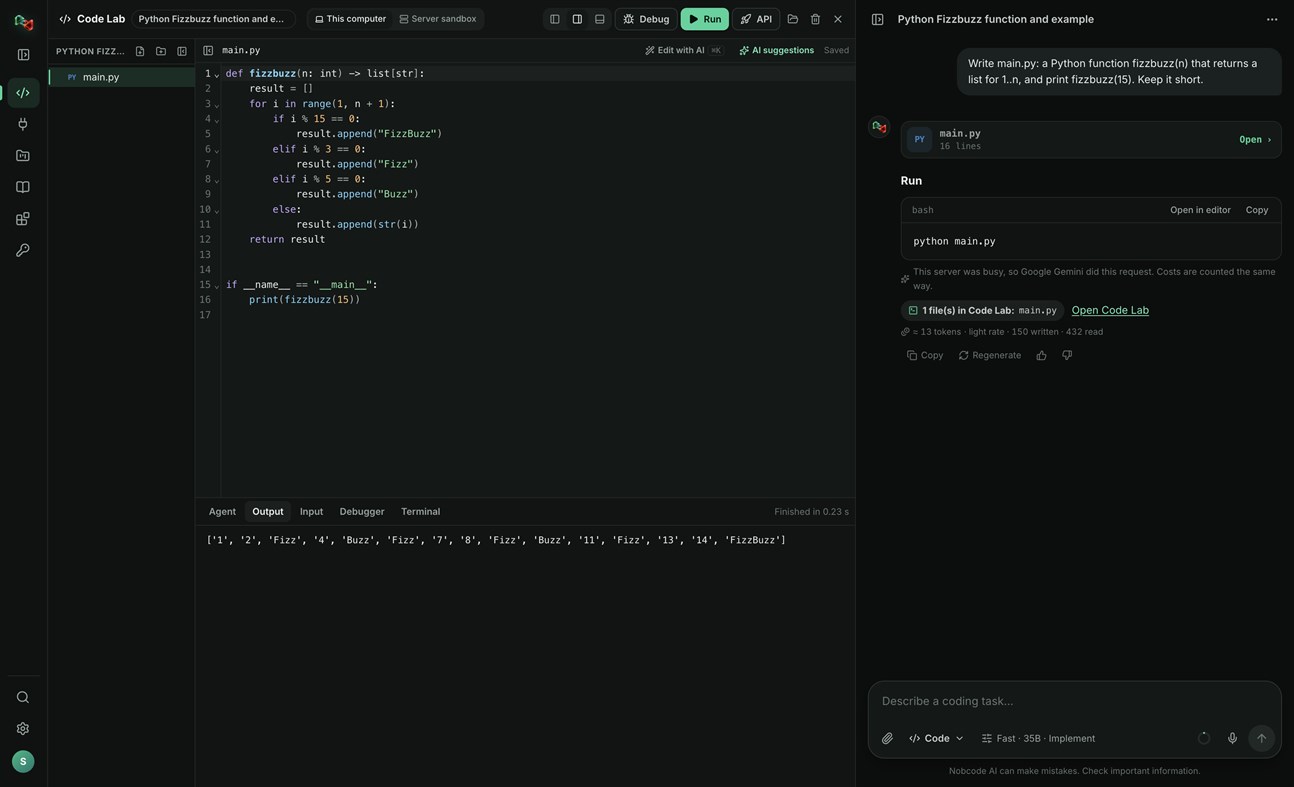
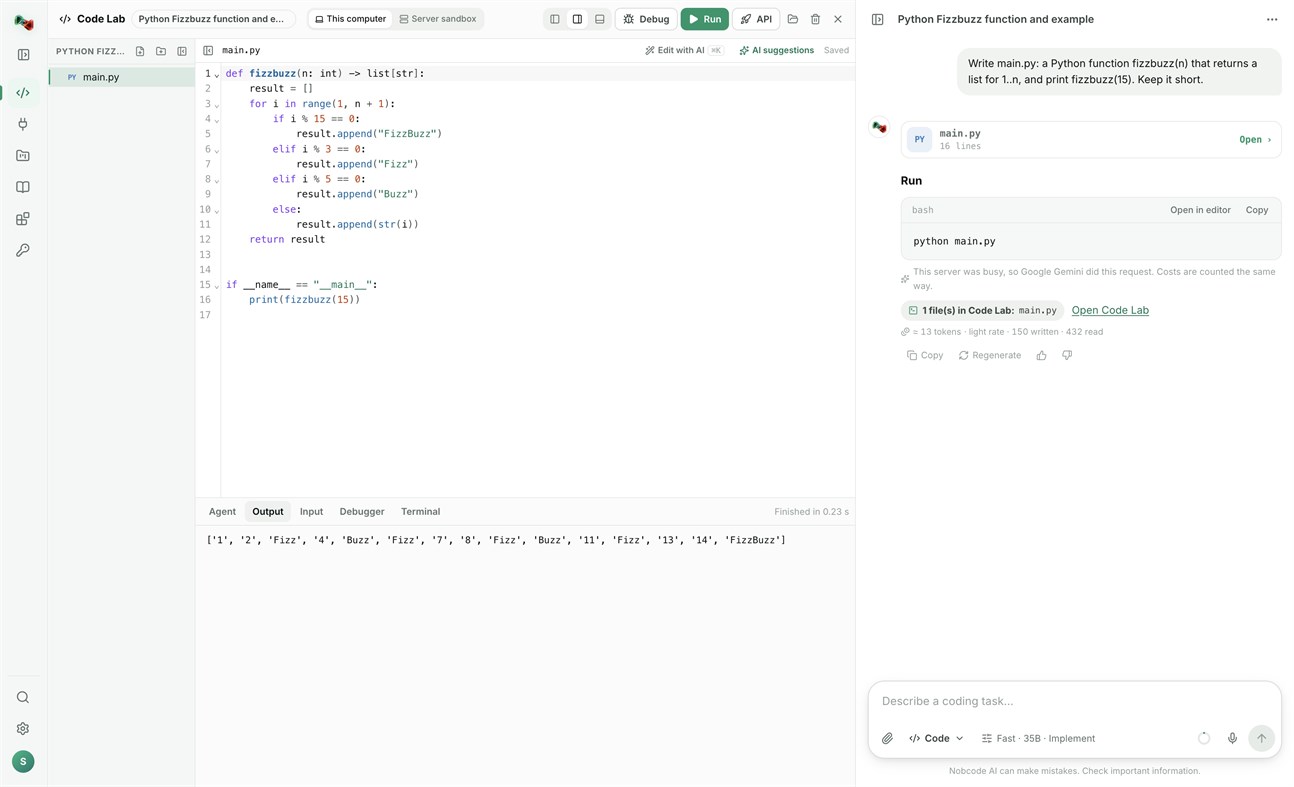
CODE LAB
• Run code locally: Python, JavaScript and TypeScript, Go, C and C++, Rust, Java, C#, PHP, Ruby, shell and PowerShell scripts, and SQL, with your own compilers and interpreters.
• Open a terminal in your project folder.
• Link a folder on your PC: Code Lab and your files stay in sync both ways.
• The AI assistant proposes commands and file changes. Nothing runs or is written without your approval.
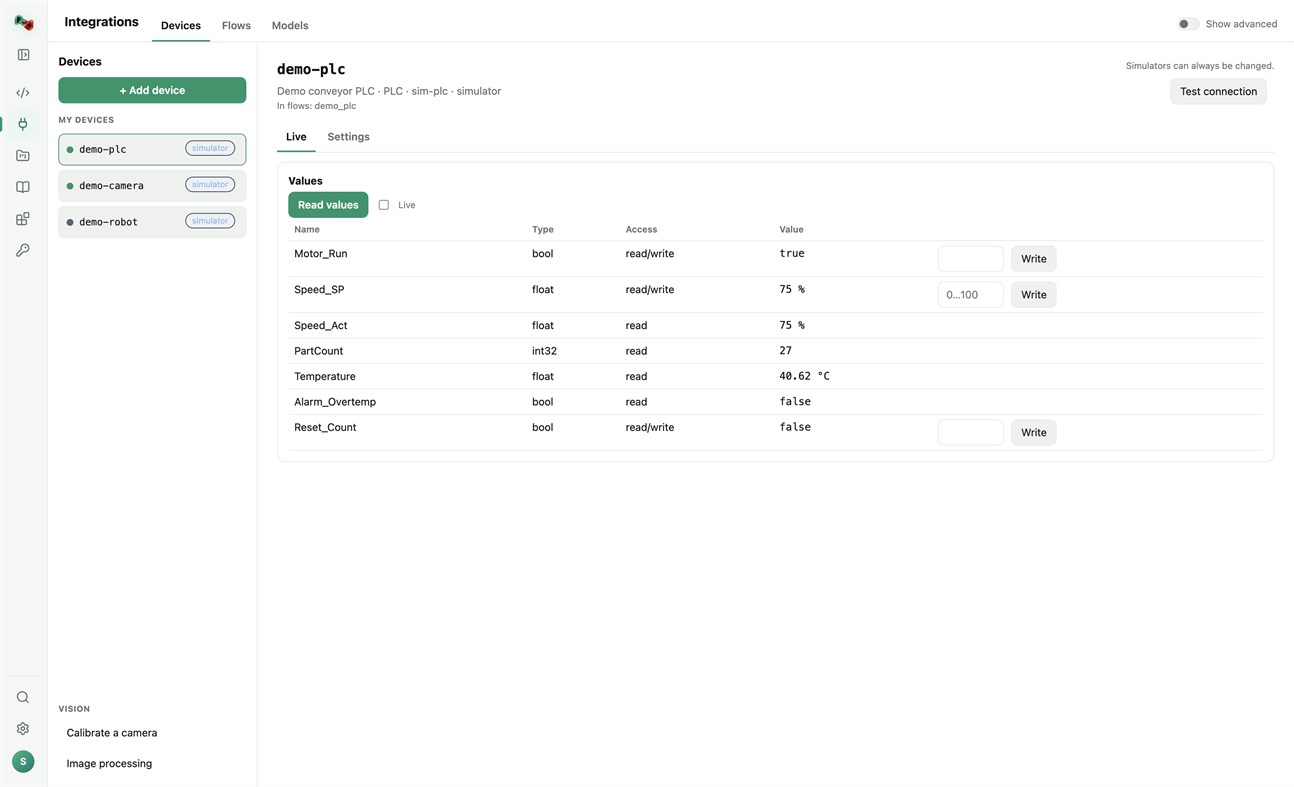
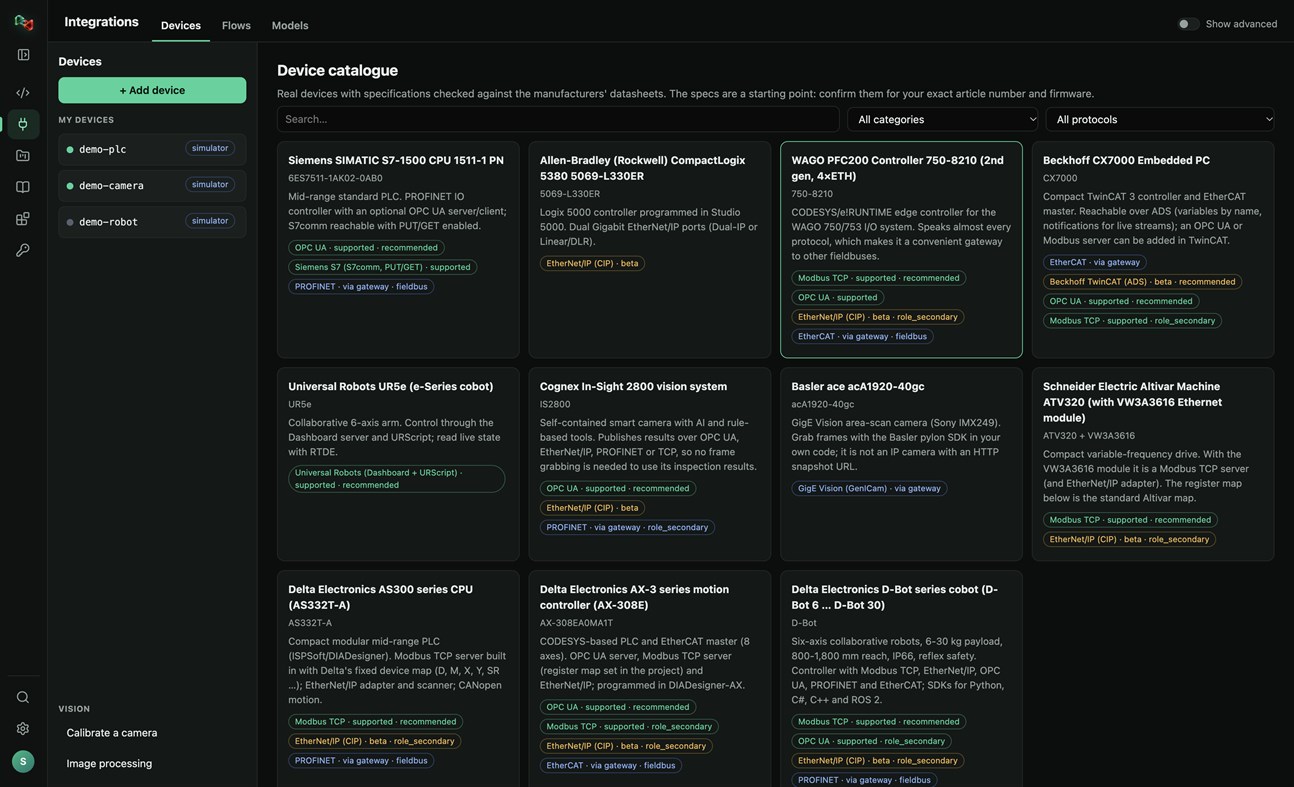
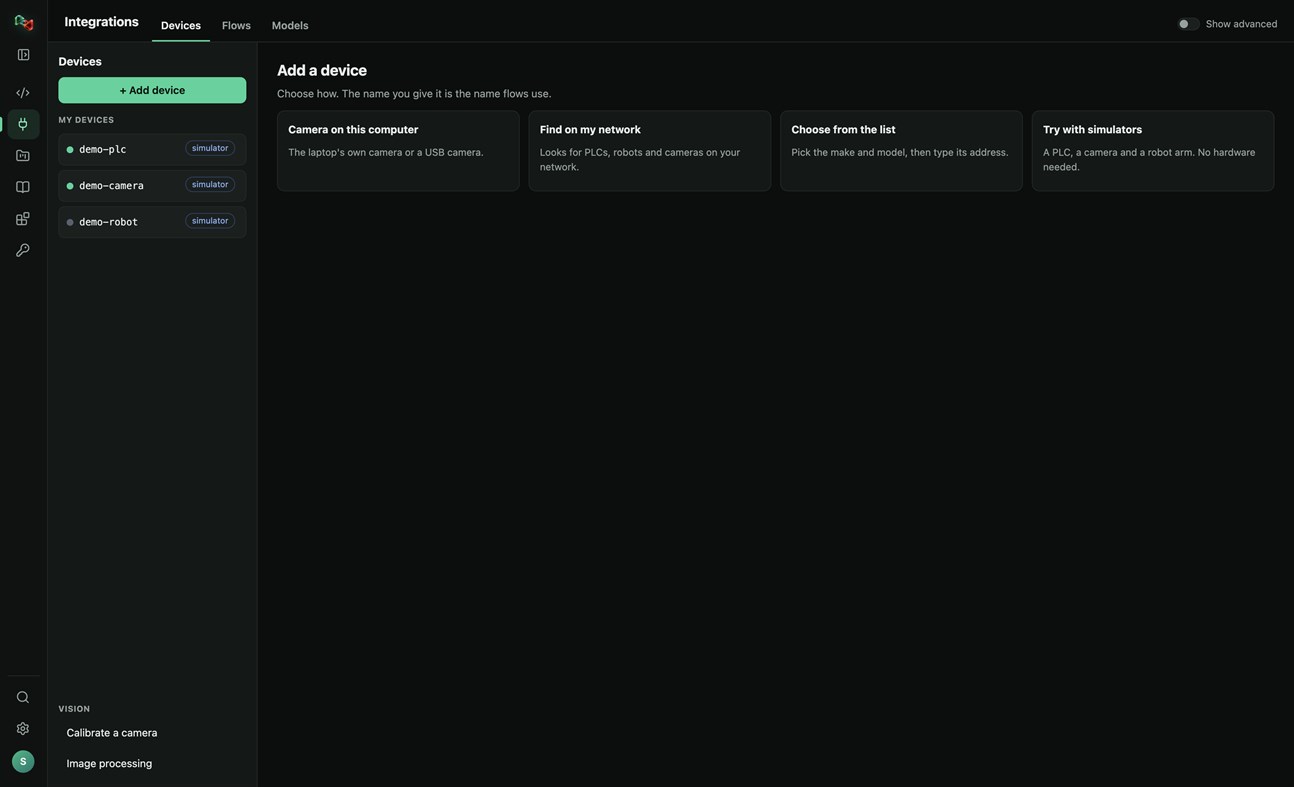
DEVICES: ADD YOUR OWN HARDWARE
• Add a device in four ways: the camera of this PC or a USB camera, search your network for PLCs, robots and cameras, pick the make and model from a catalogue of real devices, or start with simulators (a PLC, a camera and a robot arm, no hardware needed).
• Connections: OPC UA, Siemens S7 (S7comm), Modbus TCP, Universal Robots, ROS and ROS 2 (rosbridge), IP cameras (HTTP snapshot, MJPEG, RTSP), serial RS-232/RS-485 and CAN through a USB adapter. EtherNet/IP and Beckhoff ADS are in beta.
• Watch live values and read and write tags. Real devices only accept writes and moves after you arm them; stop is always allowed.
• Calibrate a camera and try image processing on its pictures.
• Use your devices from your own code: the Python and JavaScript libraries read and write PLC values, take camera pictures and move robots by the device's name.
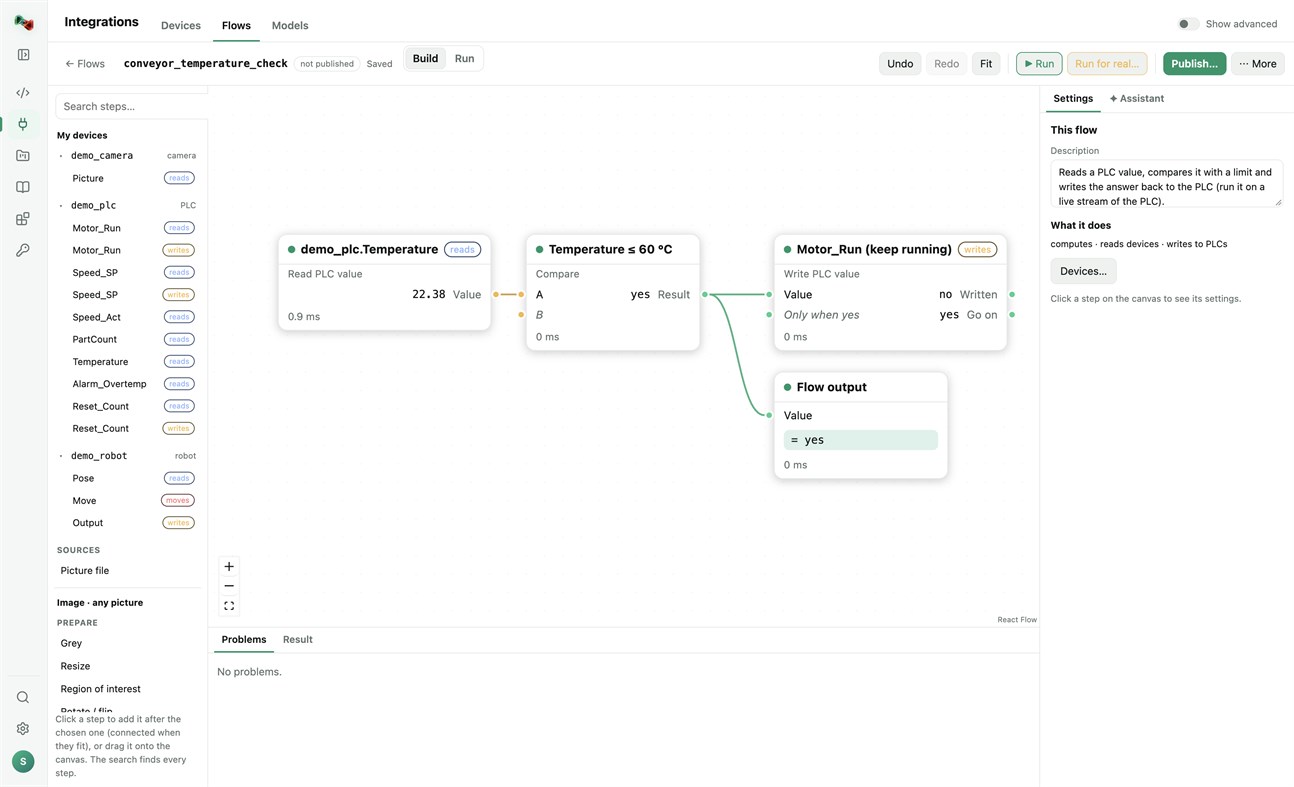
FLOWS: VISION AND AUTOMATION WITHOUT BOILERPLATE
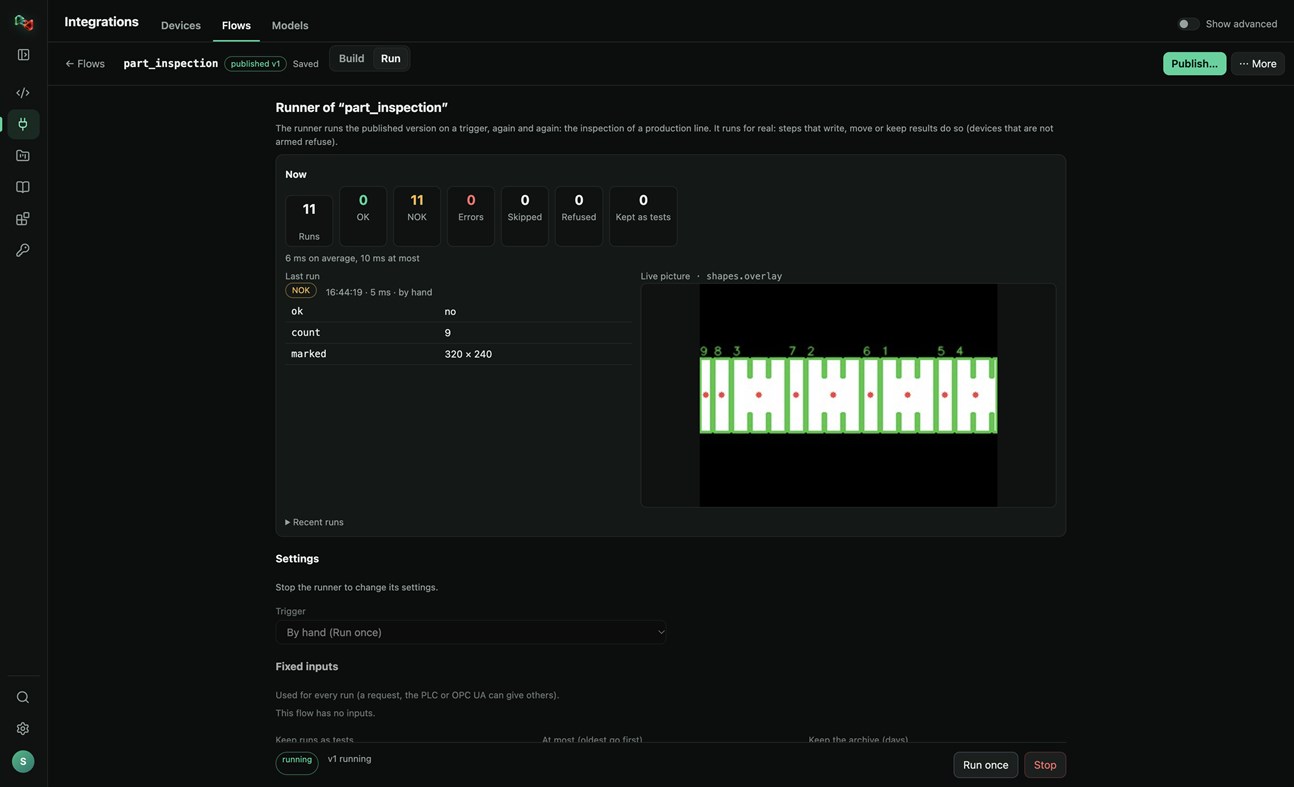
• Build flows in a visual editor: a camera picture or a PLC value, then prepare, find (shapes, circles, known parts, QR codes, barcodes), measure (count, sizes in millimetres), decide (compare, OK/NOK) and act (write a PLC value, move a robot, keep the result).
• Start from a template (inspect parts with a camera, measure parts in millimetres, react to a PLC value) or let the assistant draft the flow.
• Test with a picture, publish versions, and run them on a trigger: by hand, on a timer, PLC handshake, TCP socket, OPC UA or a live stream, with OK/NOK counts and the live picture. Your programs run published flows by name, in any language.
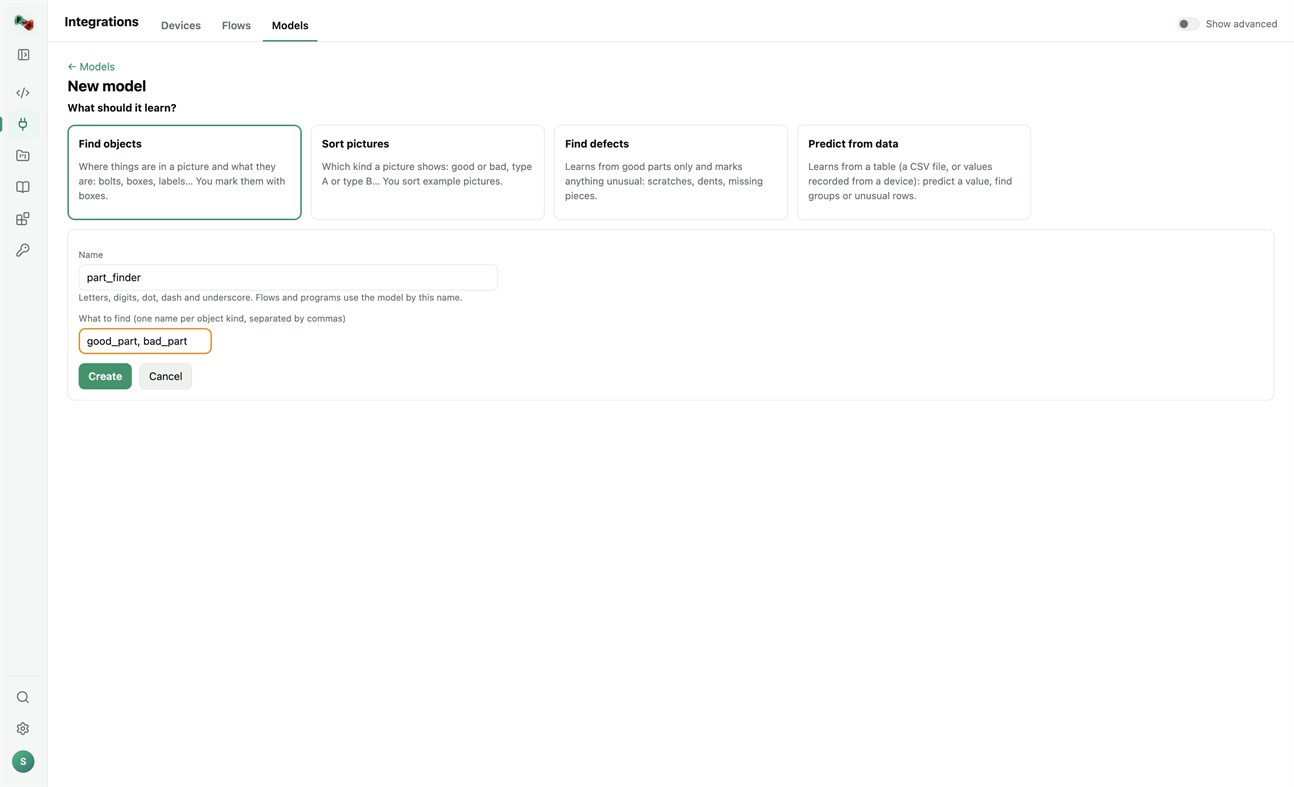
MODELS: TRAIN YOUR OWN OR USE READY ONES
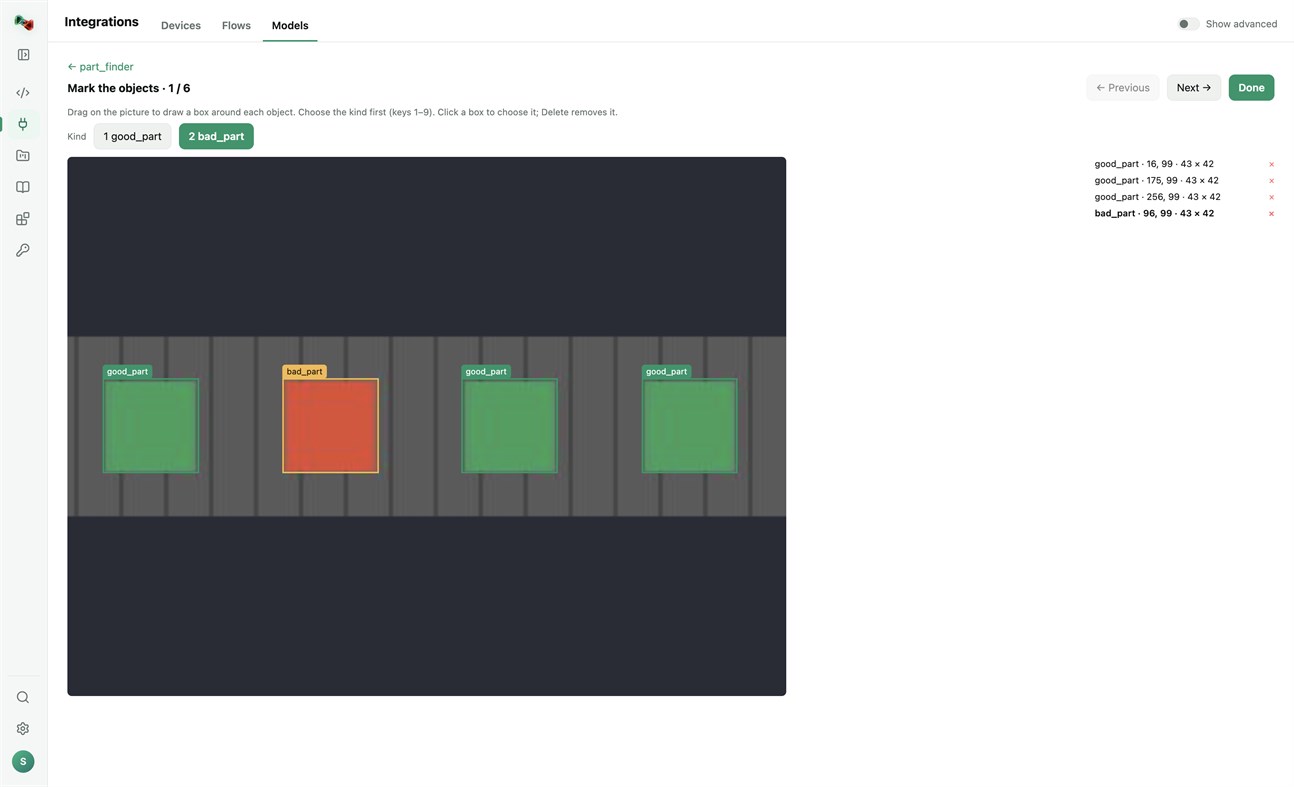
• Train models on this PC's processor; your pictures and tables stay on your computer. Find objects (you mark them with boxes), sort pictures, find defects (learns from good parts only) or predict from data (a CSV file or values recorded from a device). Training needs a one-time download of PyTorch and scikit-learn.
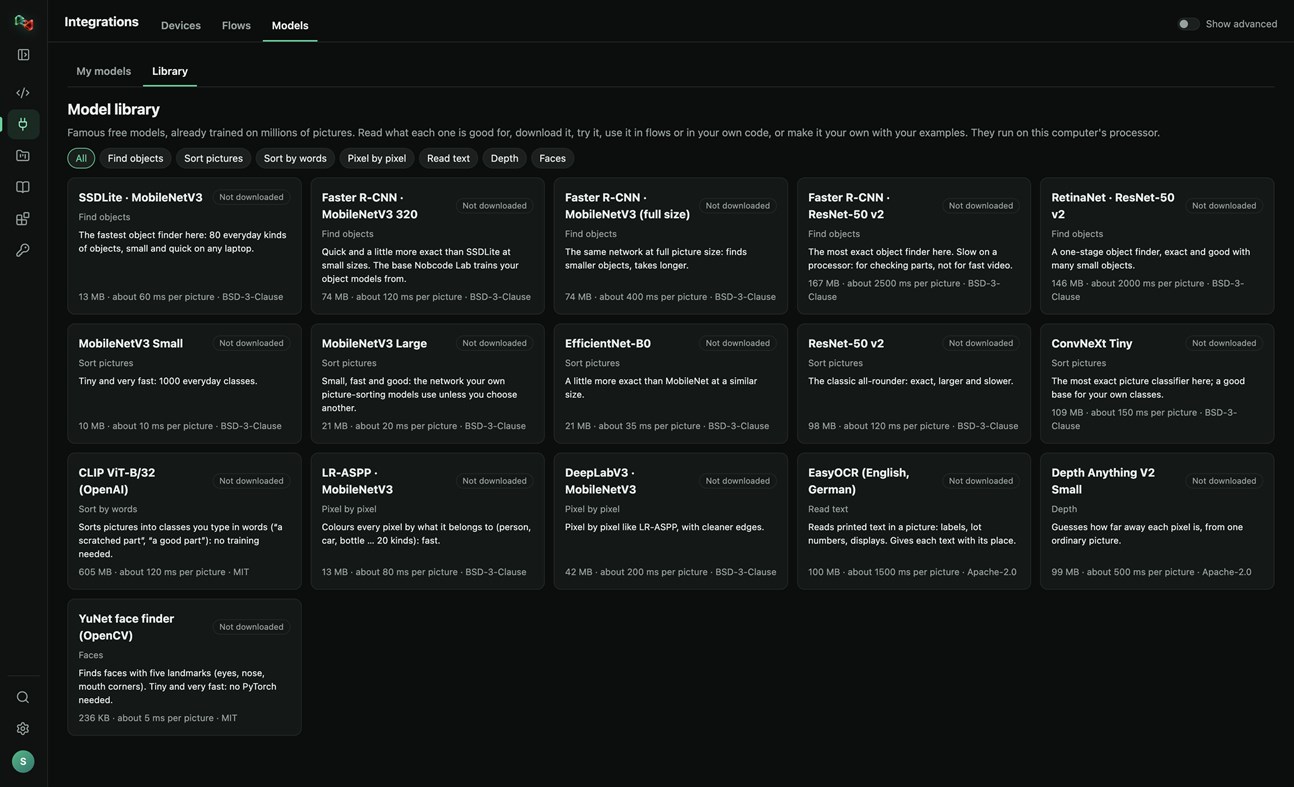
• A library of 16 free pretrained models: find objects, sort pictures, sort by words, pixel-by-pixel segmentation, read text, depth and faces. Read what each one is good for, try it, use it in flows or in your own code, or make it your own with your examples.
RECORDER: SEE WHAT HAPPENED BEFORE A FAULT
• Record the values of your PLCs and robots and the pictures of your cameras. The last 10 minutes to 24 hours stay on this PC.
• Incidents are saved by themselves when an alarm or fault switches on, a flow run is NOK or fails, or a device stops answering. Press Mark incident to save one by hand, with a note.
• Each incident shows what changed first, a replay of the values and pictures, and Where to look first: ranked leads with their evidence, compared with normal operation and with earlier incidents. A lead is not proof of the cause.
• Note what the cause was and what fixed it: the next incident like it shows that as a lead.
• Save an incident as CSV or as a report, or copy it for Code Lab's AI. The Recorder only reads: it never writes to a device or moves anything, and pictures stay on your computer.
Sign in with your browser. The app is made for code and machines: Code Lab with its AI chat, Integrations, Projects and Knowledge. The plain chat, images and 3D are on ai.nobco.de.
Your code runs on your computer, not on our servers, when you choose "This computer". The app keeps only a small local log for troubleshooting and sends no telemetry.
Basic chat works as a guest. Some features need a free Nobcode AI account; Premium plans are available on ai.nobco.de. An internet connection is required.
Dallo sviluppatore ¡
Sei lo sviluppatore?
Le tue novità in cima alla pagina, inviate via e-mail ai follower
Altre piattaforme 0
| Nob Code LabWindows Store1K OroWindowsAcquisti in-app | Gratis |
Per ora solo in questo store.
Cronologia dei prezzi 0
- Prezzo attuale: Gratis
- Minimo: Gratis
- Massimo: Gratis
Monitora i prezzi Aggiungi a una lista per ricevere avvisi sugli sconti via email o push
Liste 0
-
 Nob Code Lab
Punti 0
-

- +1 Punto

Classifiche 0
-
- La tua valutazione
Commenti 0 ¡
Sii il primo a commentare
Sviluppatore 1
- Saeid Khoorani
- Follower: 0
- Piattaforme: Windows App (1)
- Offerte: 0
- Liste: 0 + 0
- Punti: 0 + 0 ¡
- Classifiche: 0
- Commenti: 0
- Video: 0
- RSS: Iscriviti
Novità
- Versione: PC
- Ultimo aggiornamento:
- New in 1.1.3: the Recorder (Integrations → Recorder). Record your devices' values and camera pictures; incidents are saved on alarms, NOK runs and lost connections, and each one shows what changed first and where to look first. New Nobcode logo.
Informazioni aggiuntive
- Data di uscita:
- Categoria:
App per Windows›Strumenti di sviluppo - Sistemi operativi:
PC - Dimensioni:
169 Mb - Lingue supportate:
Inglese,Tedesco - Classificazione contenuti:
EVERYONE - Windows Store Valutazione: ¡
0 - Sito web:
 https://ai.nobco.de/desktop/
Punteggio AppAgg
1450
Punteggio AppAgg stimato per
Nob Code Lab
Sviluppatore: Saeid Khoorani
1450 Oro
Un punteggio più alto riflette in genere risultati migliori negli indicatori di AppAgg.
Basato su: popolarità · valutazioni degli utenti · freschezza · offerte · dati degli store · attività della community
Ricalcolato ogni giorno con dati AppAgg aggiornati.
Badge per siti web:  Copiato!
In breve
Nob Code Lab URL breve: Copiato!- Windows Store
Su AppAgg puoi seguire «Nob Code Lab», un’app di Saeid Khoorani per Windows nella categoria Strumenti di sviluppo. Punteggio AppAgg: 1450 (Oro). Punti AppAgg dell’app — confermati: 0; indiretti: 0. Liste pubbliche che includono l’app: 0. Utenti che l’hanno salvata in liste private: 0. Gli utenti di AppAgg non hanno ancora valutato questa app. I punti confermati registrano le visite allo store degli utenti che hanno effettuato l’accesso ad AppAgg; quelli indiretti si basano sui dati degli store. I due contatori indicano le liste pubbliche e gli utenti che hanno salvato l’app o il gioco in liste private. L’app è stata pubblicata per la prima volta il . Ultimo aggiornamento dell’app: . L’app è attualmente disponibile gratuitamente. L’app è disponibile nelle seguenti lingue: Inglese, Tedesco. Consulta la cronologia dei prezzi, aggiungi l’app a una lista o segui lo sviluppatore. Segui le prossime offerte e gli aggiornamenti dell’app tramite il feed RSS. AppAgg non ospita né distribuisce questa app. Tutti i marchi, i loghi e gli screenshot relativi all’app appartengono ai rispettivi proprietari.
Ti potrebbero piacere anche
Visti di recente
Utenti di AppAgg ¡Altro →
Missioni della settimanaAccedi per ricevere 3 missioni ogni settimana e guadagnare XP.

