
书签
为此书签设置标题。
书签已保存
| 开发者: | Saeid Khoorani (1) | ||
| 价格: | * 免费 新 | ||
| 评分: | 1,450 黄金 | ||
| 排名: | 0 | ||
| 评论: | 0 发表评论 | ||
| 列表: | 0 + 0 | ||
| 积分: | 0 + 0 ¡ | ||
| +1 积分 | |||
屏幕截图 10
广告
描述

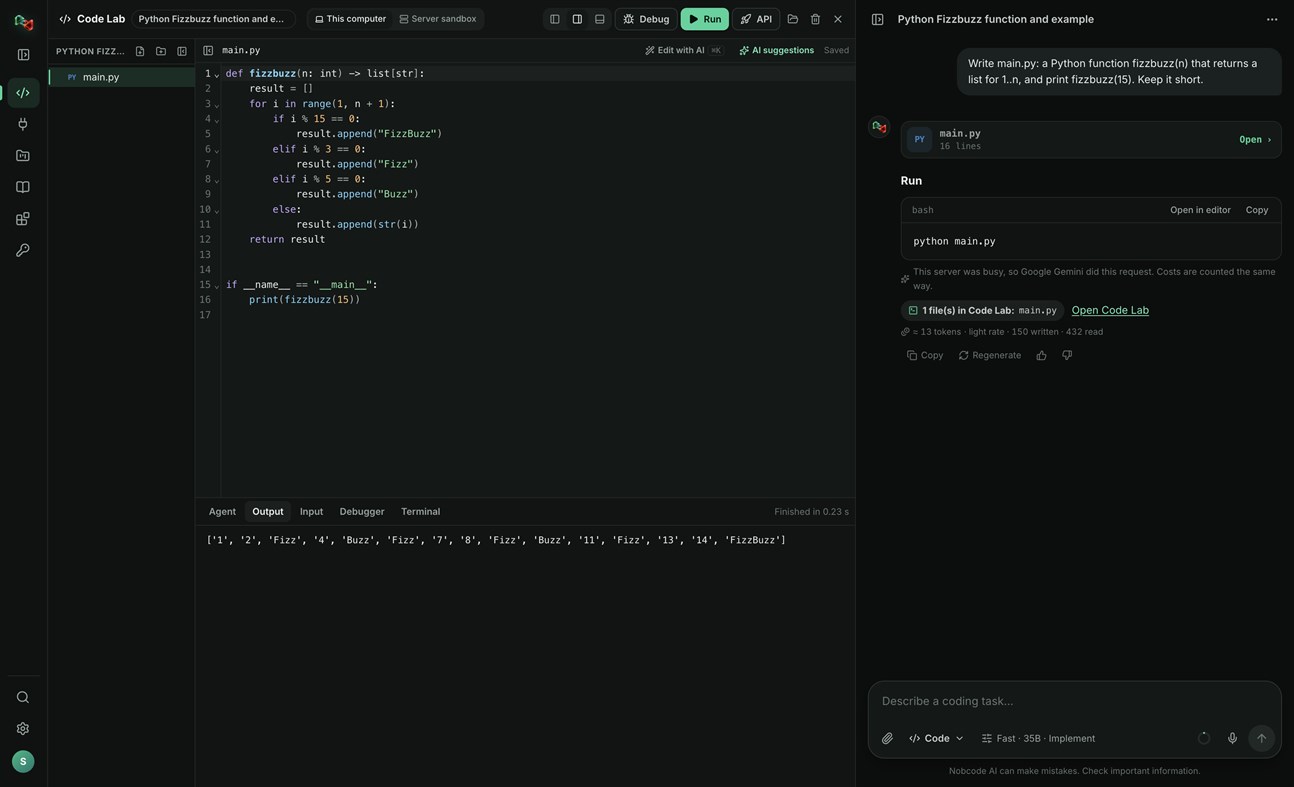
CODE LAB
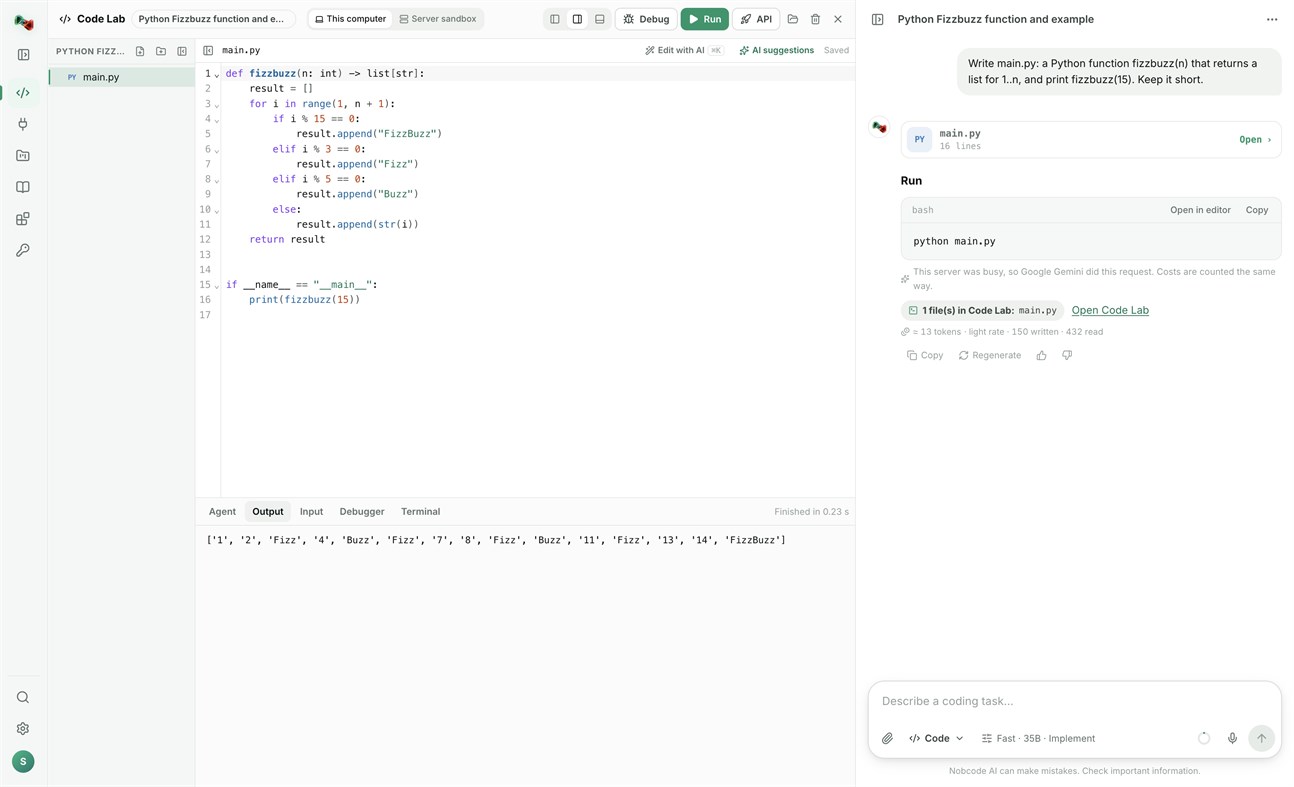
• Run code locally: Python, JavaScript and TypeScript, Go, C and C++, Rust, Java, C#, PHP, Ruby, shell and PowerShell scripts, and SQL, with your own compilers and interpreters.
• Open a terminal in your project folder.
• Link a folder on your PC: Code Lab and your files stay in sync both ways.
• The AI assistant proposes commands and file changes. Nothing runs or is written without your approval.
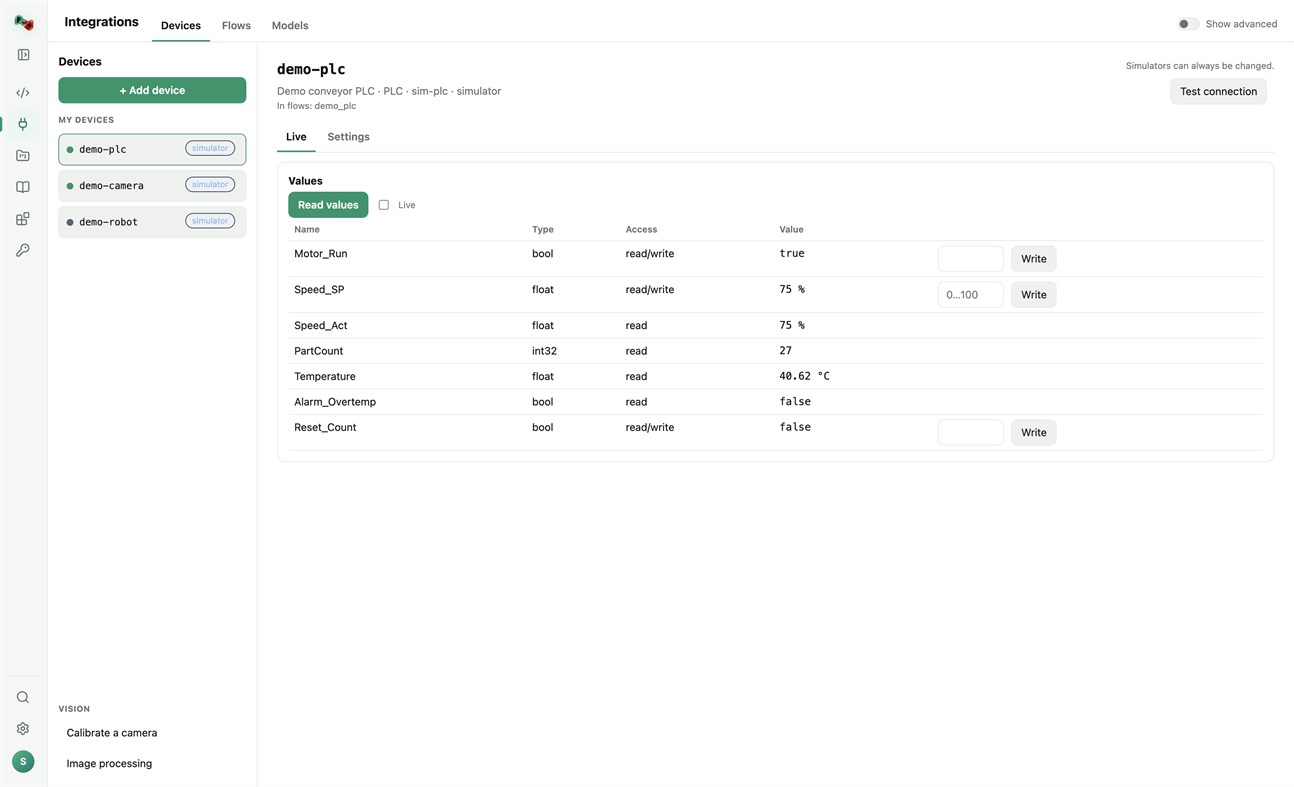
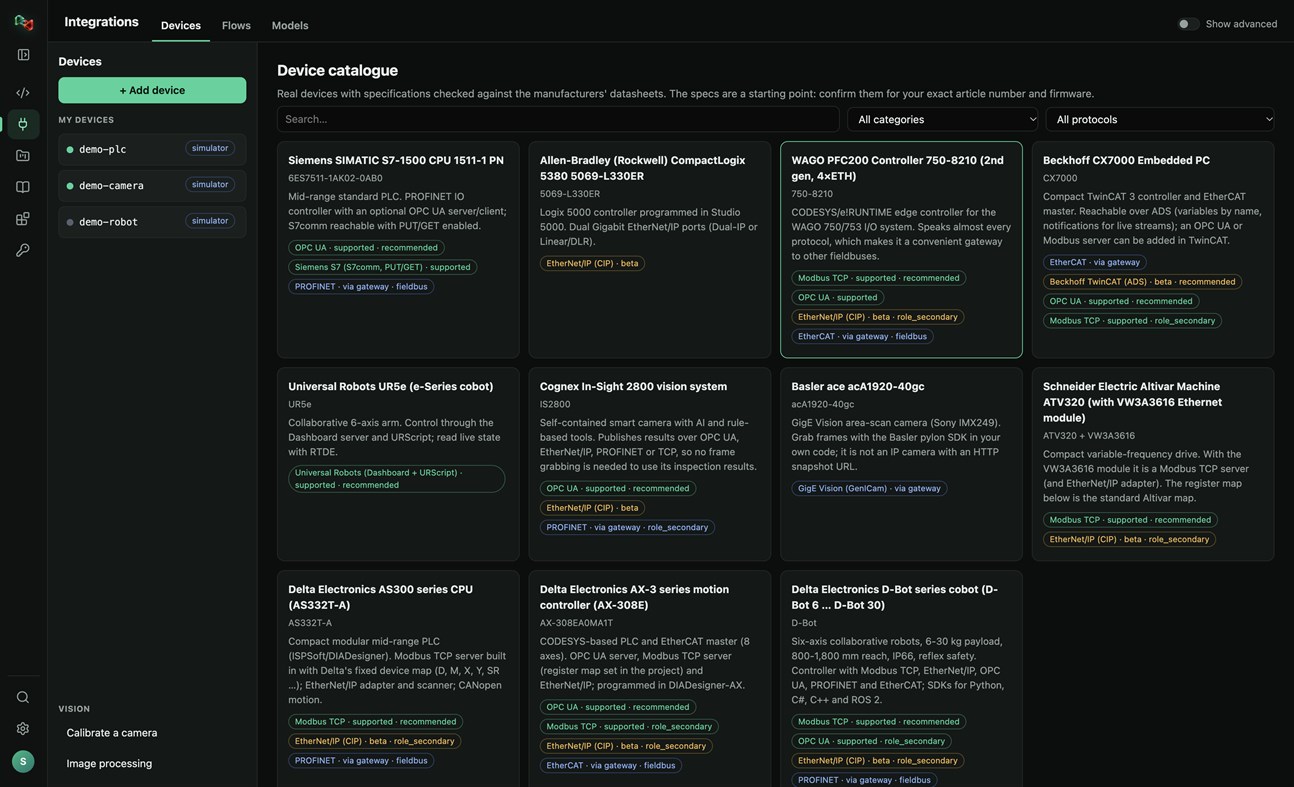
DEVICES: ADD YOUR OWN HARDWARE
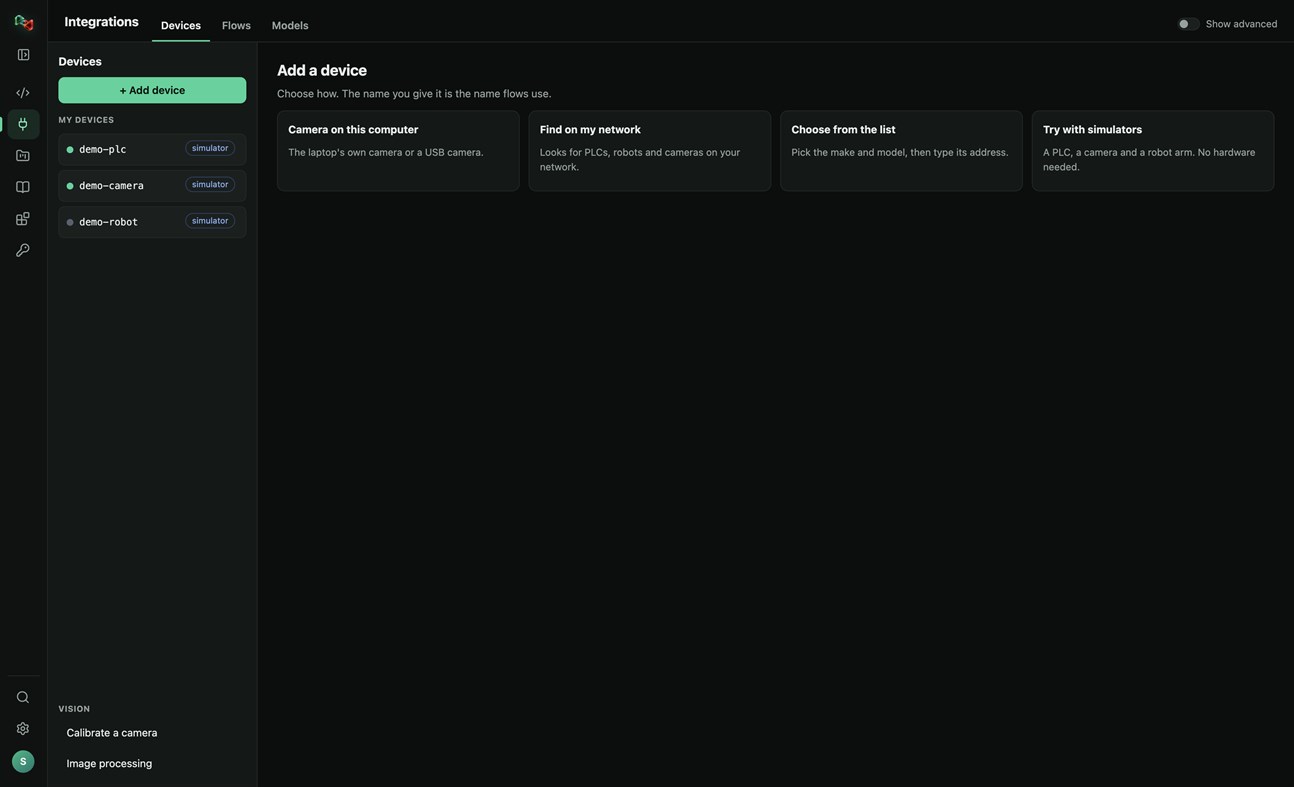
• Add a device in four ways: the camera of this PC or a USB camera, search your network for PLCs, robots and cameras, pick the make and model from a catalogue of real devices, or start with simulators (a PLC, a camera and a robot arm, no hardware needed).
• Connections: OPC UA, Siemens S7 (S7comm), Modbus TCP, Universal Robots, ROS and ROS 2 (rosbridge), IP cameras (HTTP snapshot, MJPEG, RTSP), serial RS-232/RS-485 and CAN through a USB adapter. EtherNet/IP and Beckhoff ADS are in beta.
• Watch live values and read and write tags. Real devices only accept writes and moves after you arm them; stop is always allowed.
• Calibrate a camera and try image processing on its pictures.
• Use your devices from your own code: the Python and JavaScript libraries read and write PLC values, take camera pictures and move robots by the device's name.
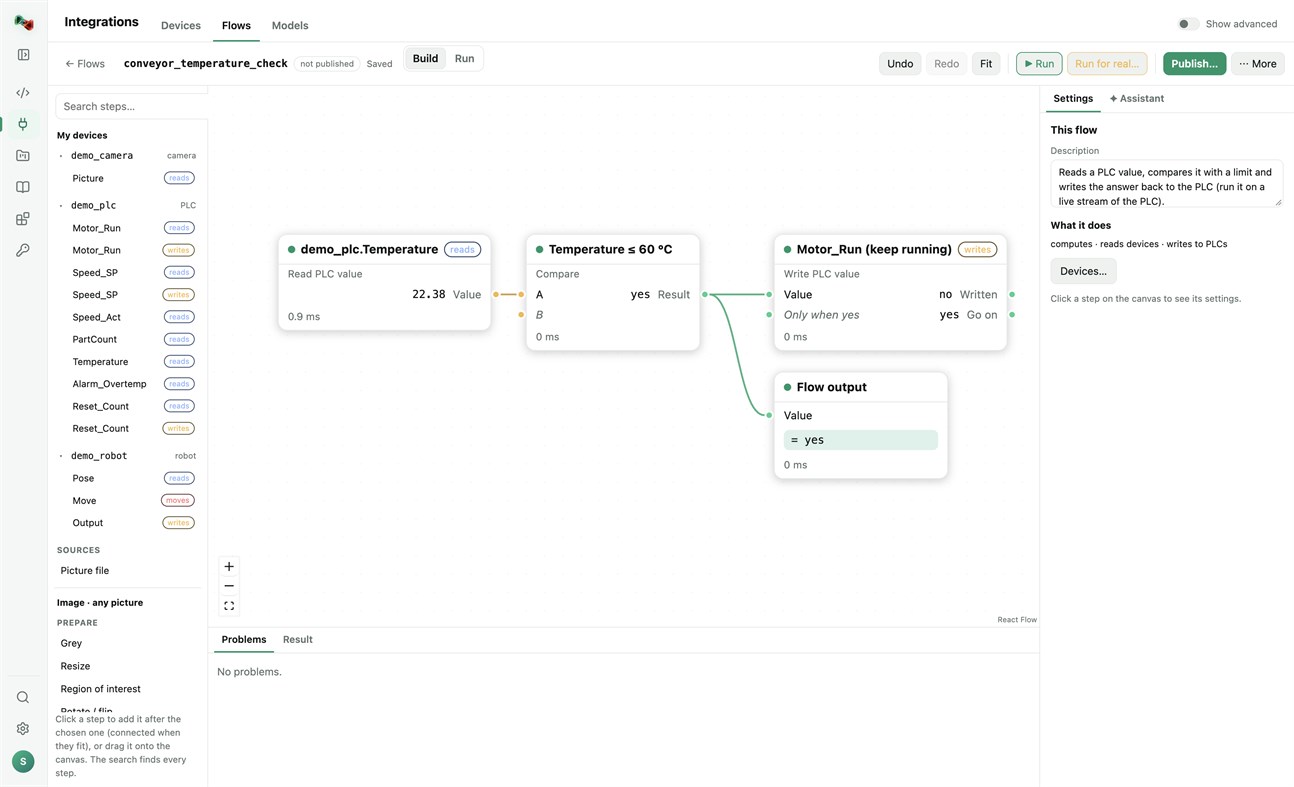
FLOWS: VISION AND AUTOMATION WITHOUT BOILERPLATE
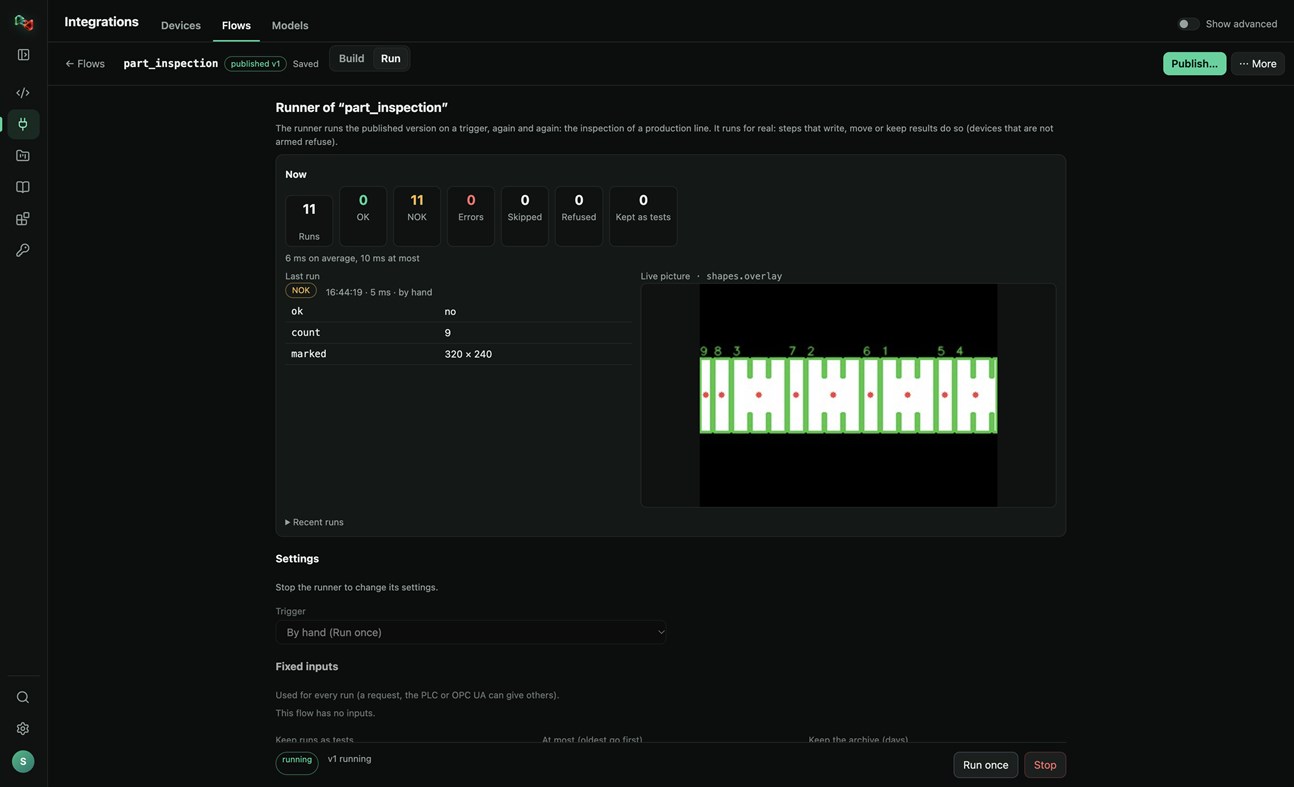
• Build flows in a visual editor: a camera picture or a PLC value, then prepare, find (shapes, circles, known parts, QR codes, barcodes), measure (count, sizes in millimetres), decide (compare, OK/NOK) and act (write a PLC value, move a robot, keep the result).
• Start from a template (inspect parts with a camera, measure parts in millimetres, react to a PLC value) or let the assistant draft the flow.
• Test with a picture, publish versions, and run them on a trigger: by hand, on a timer, PLC handshake, TCP socket, OPC UA or a live stream, with OK/NOK counts and the live picture. Your programs run published flows by name, in any language.
MODELS: TRAIN YOUR OWN OR USE READY ONES
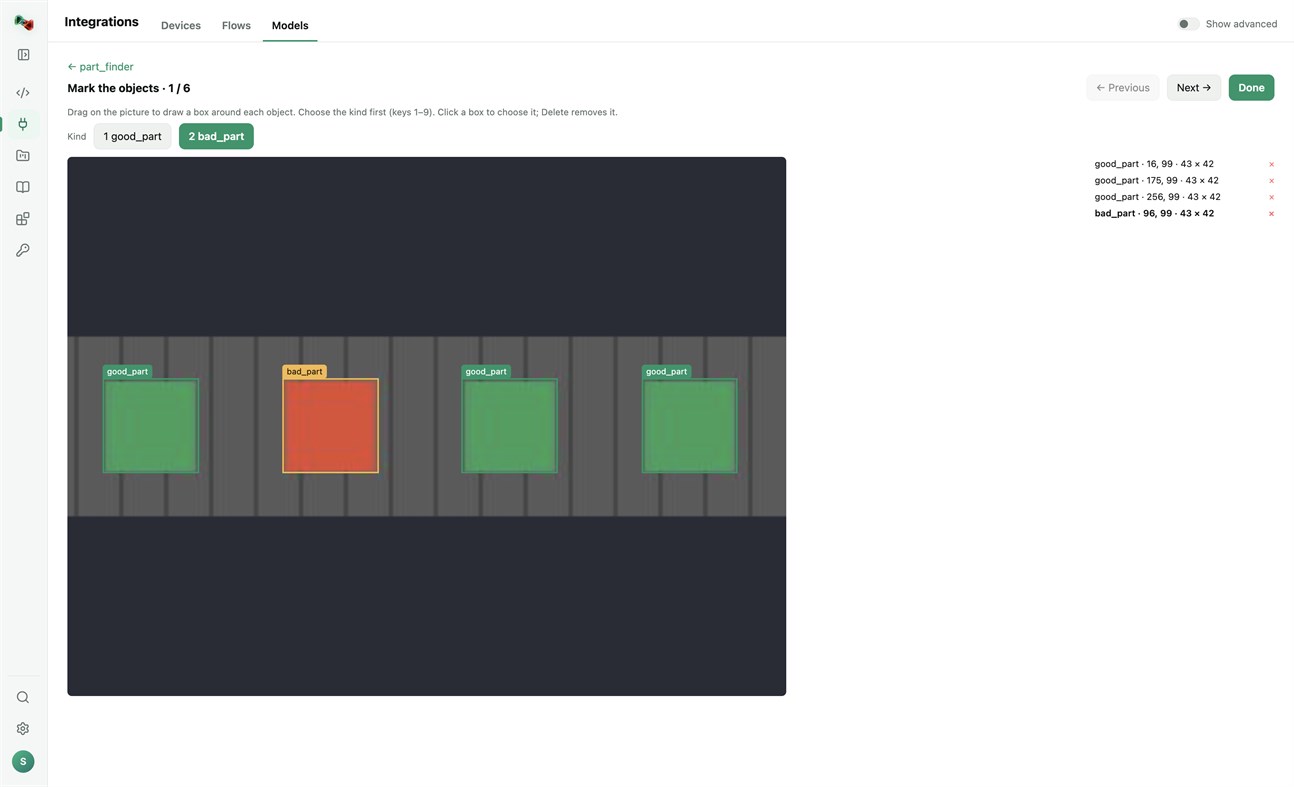
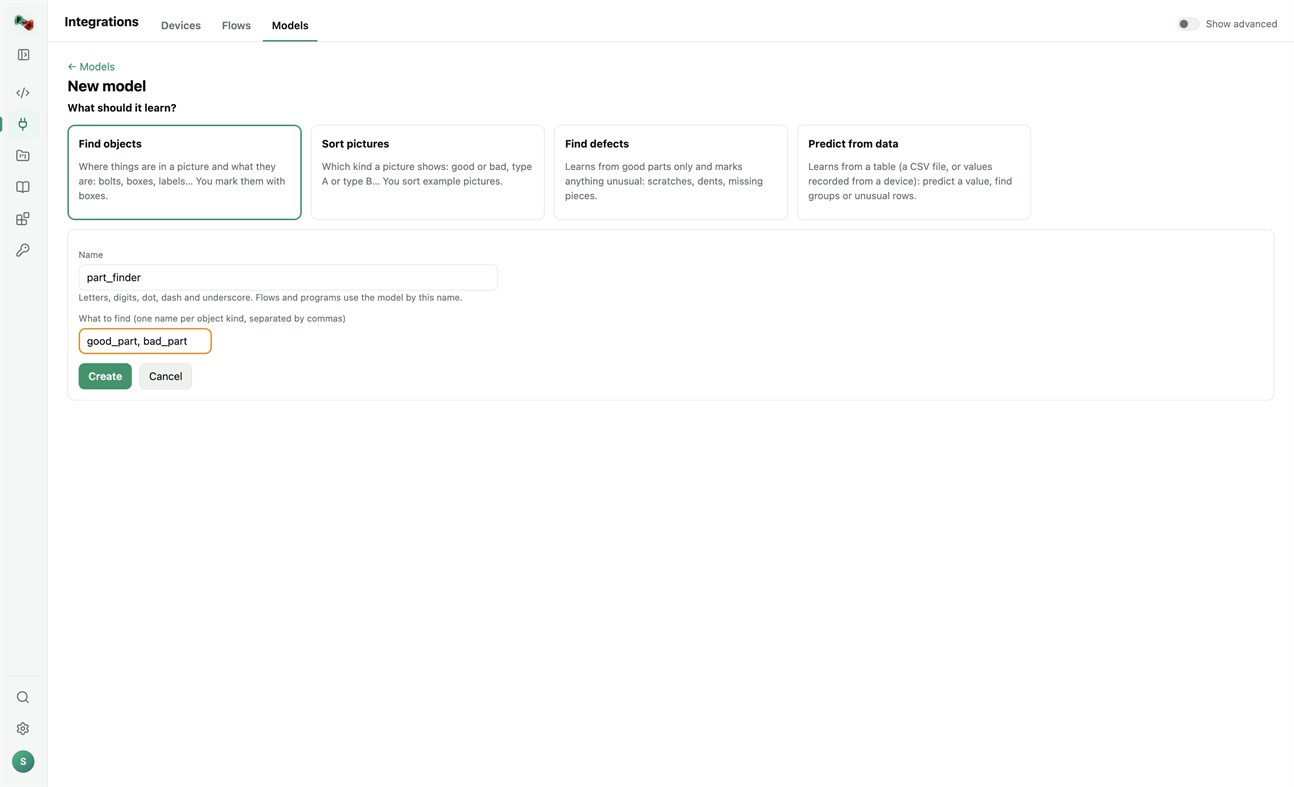
• Train models on this PC's processor; your pictures and tables stay on your computer. Find objects (you mark them with boxes), sort pictures, find defects (learns from good parts only) or predict from data (a CSV file or values recorded from a device). Training needs a one-time download of PyTorch and scikit-learn.
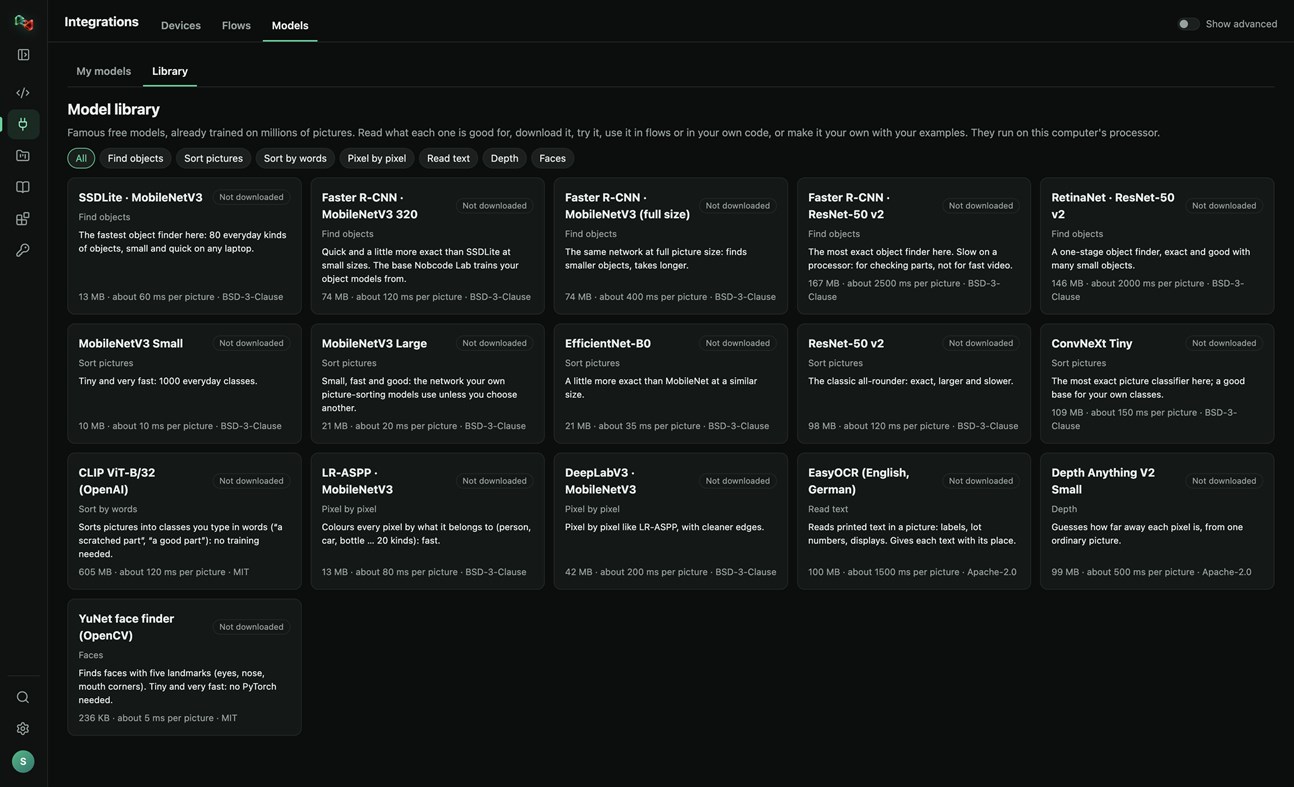
• A library of 16 free pretrained models: find objects, sort pictures, sort by words, pixel-by-pixel segmentation, read text, depth and faces. Read what each one is good for, try it, use it in flows or in your own code, or make it your own with your examples.
RECORDER: SEE WHAT HAPPENED BEFORE A FAULT
• Record the values of your PLCs and robots and the pictures of your cameras. The last 10 minutes to 24 hours stay on this PC.
• Incidents are saved by themselves when an alarm or fault switches on, a flow run is NOK or fails, or a device stops answering. Press Mark incident to save one by hand, with a note.
• Each incident shows what changed first, a replay of the values and pictures, and Where to look first: ranked leads with their evidence, compared with normal operation and with earlier incidents. A lead is not proof of the cause.
• Note what the cause was and what fixed it: the next incident like it shows that as a lead.
• Save an incident as CSV or as a report, or copy it for Code Lab's AI. The Recorder only reads: it never writes to a device or moves anything, and pictures stay on your computer.
Sign in with your browser. The app is made for code and machines: Code Lab with its AI chat, Integrations, Projects and Knowledge. The plain chat, images and 3D are on ai.nobco.de.
Your code runs on your computer, not on our servers, when you choose "This computer". The app keeps only a small local log for troubleshooting and sends no telemetry.
Basic chat works as a guest. Some features need a free Nobcode AI account; Premium plans are available on ai.nobco.de. An internet connection is required.
来自开发者 ¡
你是开发者吗?
你的动态显示在页面顶部,并通过邮件发送给关注者
其他平台 0
| Nob Code LabWindows Store1K 黄金Windows提供应用内购商品 | 免费 |
目前仅在此商店提供。
价格历史 0
- 目前价格: 免费
- 最小值: 免费
- 最大值: 免费
列表 0
-
 Nob Code Lab
积分 0
-

- +1 积分

排名 0
-
- 您的评分
评论 0 ¡
来发第一条评论吧
开发者 1
- Saeid Khoorani
- 关注者: 0
- 平台: Windows 应用 (1)
- 折扣: 0
- 列表: 0 + 0
- 积分: 0 + 0 ¡
- 排名: 0
- 评论: 0
- 视频: 0
- RSS: 订阅
新版变化
- 版本: PC
- 最后更新:
- New in 1.1.3: the Recorder (Integrations → Recorder). Record your devices' values and camera pictures; incidents are saved on alarms, NOK runs and lost connections, and each one shows what changed first and where to look first. New Nobcode logo.
其他信息
 https://ai.nobco.de/desktop/
AppAgg 评分
1,450
AppAgg 预估评分:
Nob Code Lab
开发者: Saeid Khoorani
1,450 黄金
评分越高,通常表示其在 AppAgg 上的各项指标表现越好。
基于: 热度 · 用户评分 · 新鲜度 · 优惠 · 商店数据 · 社区活跃度
根据最新 AppAgg 数据每日重新计算。
网站徽章:  已复制!
摘要
Nob Code Lab 短网址: 已复制!- Windows Store
在 AppAgg 上,您可以关注由 Saeid Khoorani 开发的“Nob Code Lab”应用。适用平台:Windows;分类:开发人员工具。 AppAgg 评分:1,450(黄金)。 AppAgg 为该应用记录的积分:已确认 0,间接 0。 收录此应用的公开列表:0 个。将其保存到私密列表的用户:0 人。 AppAgg 用户尚未对该应用评分。 已确认积分记录已登录 AppAgg 用户前往商店的操作,间接积分则基于商店数据。 两个计数分别表示公开列表数量,以及将应用或游戏保存到私密列表的用户人数。 该应用首次发布于。 该应用最近更新于。 该应用目前可免费获取。 该应用支持以下语言:德语, 英语。 查看价格历史、将应用加入列表,或关注开发者。 通过RSS 订阅源关注该应用今后的优惠和更新。 AppAgg 不托管或分发该应用。 与该应用相关的所有商标、徽标和屏幕截图均归其各自所有者所有。

