
Záložky
| Vývojář: | Oracle Inc. (1) | ||
| Cena: | Zdarma | ||
| Skóre: | 1 310 Zlato | ||
| Žebříčky: | 0 | ||
| Komentáře: | 0 Přidat komentář | ||
| Seznamy: | 0 0 | ||
| Body: | 0 | ||
| +1 Bod | |||
Shrnutí
Oracle Linux 7.9 je aplikace od vývojáře Oracle Inc. z kategorie „Vývojářské nástroje“.
Vyšla . Už to není novinka, ale ještě ani pamětnice.
Zdarma, žádné reklamy, žádné nákupy v aplikaci. Jen vy a aplikace.
Microsoft Store je přímo součástí Windows, takže instalace je otázkou pár kliknutí.
5,0 z 5 od uživatelů na Windows Store. 6 lidí si našlo čas ji ohodnotit.
Skóre AppAgg je 1 310. To je „Zlato“.
Věková kategorie „EVERYONE“, takže se hodí i pro děti.
Mluví jen jedním jazykem a čeština to není.
Používali jste ji? Vaše recenze tu bude první.
Je to jediná aplikace tohoto vývojáře na AppAgg. Zatím.
Chcete se o aktualizacích a nových aplikacích dozvídat jako první? Sledujte vývojáře nebo odebírejte RSS kanál. Push oznámení chodí přes aplikaci AppAgg Alerts pro Android a iOS.
Další platformy 0
Historie cen 0
- Aktuální cena: Zdarma
- Minimum: Zdarma
- Maximum: Zdarma
Vlastní přehled na hlavní stránce
Snímky obrazovky 2
Popis

For application developers who want to run Linux software on a Windows environment, and use Windows apps and Linux tools on the same set of files, Oracle Linux is an ideal choice. Oracle Linux is easy to download and completely free to use, distribute, and update.
With Oracle Linux you can standardize on an open, hardware-neutral infrastructure with nonrestrictive contracts and flexible enterprise-class support options. Oracle Linux Support offers access to award-winning Oracle support resources and Linux support specialists, at a low cost.
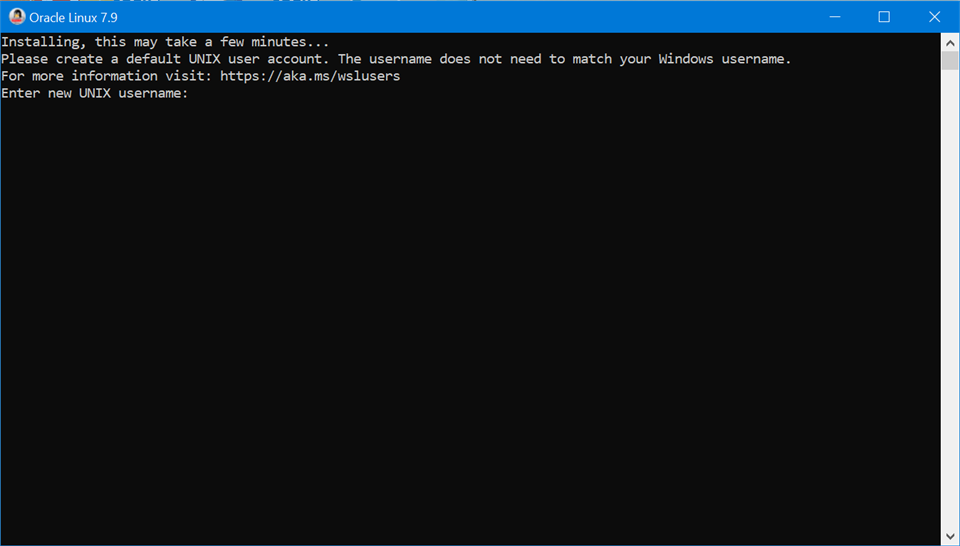
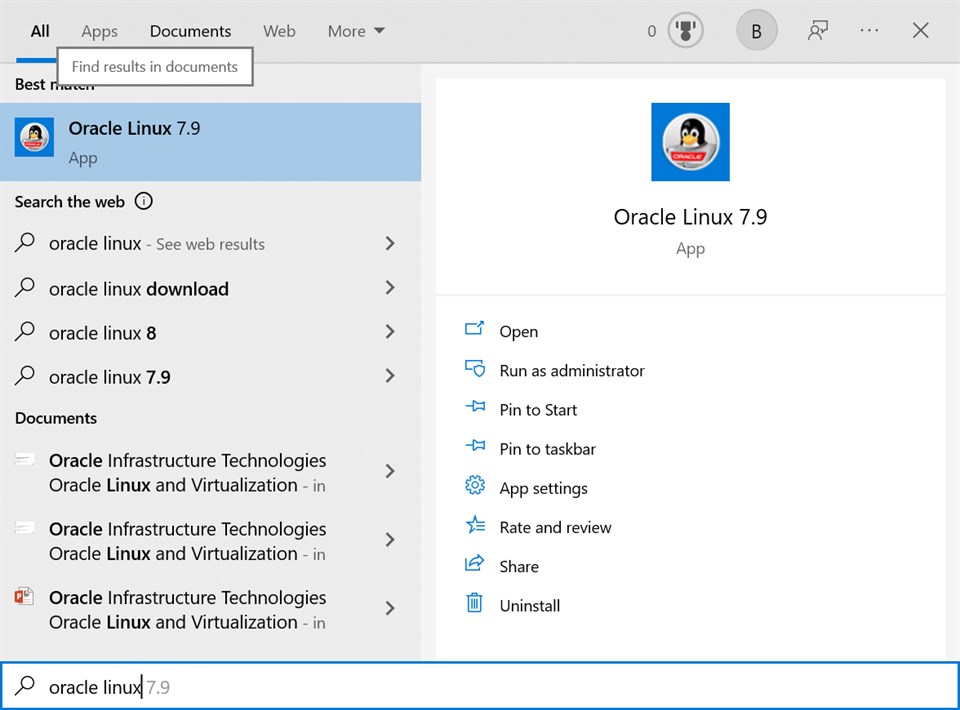
This app installs Oracle Linux 7 Update 9 for the Windows Subsystem for Linux (WSL) on Windows. Launch this app by typing “oraclelinux79” on the command prompt, or by clicking the Oracle Linux 7.9 tile in the Windows 10 Start Menu. To install Oracle Linux updates, please run a yum update in the Oracle Linux Terminal.
Windows System Installation Prerequisites
Please note: WSL is not supported by Windows 10 in "S Mode."
Windows 10 - Build 19041.0 or higher
To find the version and build number, right-click Start and select Settings > System > About. Your OS build is under Windows Specification.
WSL must be enabled as a Windows Feature:
1. In the Search box on the Windows 10 task bar, type “Turn Windows features on or off”
2. Select the "Windows Subsystem for Linux" checkbox in the newly opened Windows Features window.
3. Reboot
Alternatively:
1. Run Windows PowerShell as an administrator and enter the following as a single command:
Enable-WindowsOptionalFeature -Online -FeatureName Microsoft-Windows-Subsystem-Linux
2. Reboot
Download Oracle Linux 7 Update 9 for the Windows Subsystem for Linux (WSL) on Windows from the Windows App Store.
• Follow the directions to set up Oracle Linux.
To run Oracle Linux 7.9
Launch the app by typing “oraclelinux79” on the command prompt, or by clicking Oracle Linux 7.9 in the Windows 10 Start Menu.
To Update Oracle Linux 7.9
To install Oracle Linux updates, run a yum update in the Oracle Linux Terminal.
• sudo yum update
Od vývojáře
Seznamy 0
-
 Oracle Linux 7.9
Body 0
-

- +1 Bod

Žebříčky 0
-
- Vaše hodnocení
Vývojář 1
- Oracle Inc.
- Sledující: 0
- Platformy: Windows Aplikace (1)
- Slevy: 0
- Seznamy: 0 0
- Body: 0
- Žebříčky: 0
- Komentáře: 0
- Videa: 0
- RSS: Odebírat
Novinky
- Verze: PC
- Poslední aktualizace:
Další informace
- Datum vydání:
- Kategorie:
Aplikace pro Windows›Vývojářské nástroje - OS:
PC - Velikost:
125 Mb - Podporované jazyky:
Angličtina - Hodnocení obsahu:
EVERYONE - Windows Store Hodnocení: ¡
5.0(6)
 https://www.oracle.com/linux/index.html
Skóre AppAgg
Odhadované skóre AppAgg pro
Oracle Linux 7.9
Vývojář: Oracle Inc.
Vyšší skóre obvykle odráží lepší výsledky v ukazatelích sledovaných na AppAgg.
Na základě: popularity · uživatelských hodnocení · aktuálnosti · slev · dat obchodů · aktivity komunity
Denně se přepočítává z aktuálních dat AppAgg.
Komentáře 0 ¡
Sdílet
Oracle Linux 7.9 Krátká adresa URL: Zkopírováno!- Windows Store

