
Bogmærker
| Udvikler: | Oracle Inc. (1) | ||
| Pris: | Gratis | ||
| Score: | 1.310 Guld | ||
| Ranglister: | 0 | ||
| Kommentarer: | 0 Skriv kommentar | ||
| Lister: | 0 0 | ||
| Point: | 0 | ||
| +1 Point | |||
Kort fortalt
Oracle Linux 7.9 er en app fra Oracle Inc. i kategorien »Udviklerværktøjer«.
Udkom . Ikke længere helt ny, men heller ikke en veteran endnu.
Gratis: ingen reklamer og ingen køb i appen. Kun dig og appen.
Microsoft Store er bygget ind i Windows, så installationen klares med et par klik.
5,0 ud af 5 fra brugere i Windows Store. 6 personer gad faktisk at give en bedømmelse.
AppAgg-scoren er 1.310. Det er Guld.
Aldersgrænse »EVERYONE«: også fint for børn.
Taler kun ét sprog, og det er ikke dansk.
Har du brugt den? Din anmeldelse bliver den første her.
Det er udviklerens eneste app på AppAgg. Indtil videre.
Vil du høre om opdateringer og nye apps først? Følg udvikleren eller abonner på vores RSS-feed. Push-beskeder kommer via appen AppAgg Alerts til Android og iOS.
Andre platforme 0
Prishistorik 0
- Nuværende pris: Gratis
- Minimum: Gratis
- Maksimum: Gratis
Dit eget feed på forsiden
Skærmbilleder 2
Beskrivelse

For application developers who want to run Linux software on a Windows environment, and use Windows apps and Linux tools on the same set of files, Oracle Linux is an ideal choice. Oracle Linux is easy to download and completely free to use, distribute, and update.
With Oracle Linux you can standardize on an open, hardware-neutral infrastructure with nonrestrictive contracts and flexible enterprise-class support options. Oracle Linux Support offers access to award-winning Oracle support resources and Linux support specialists, at a low cost.
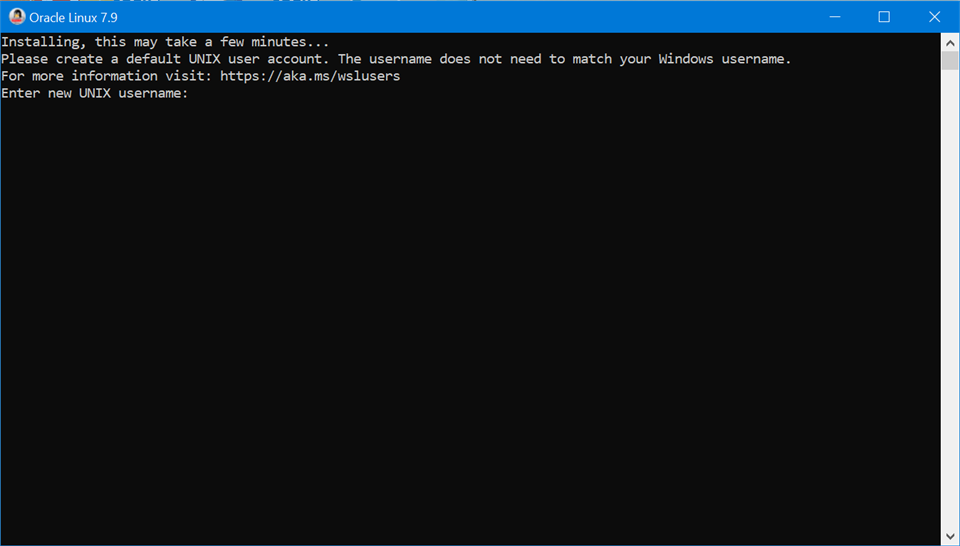
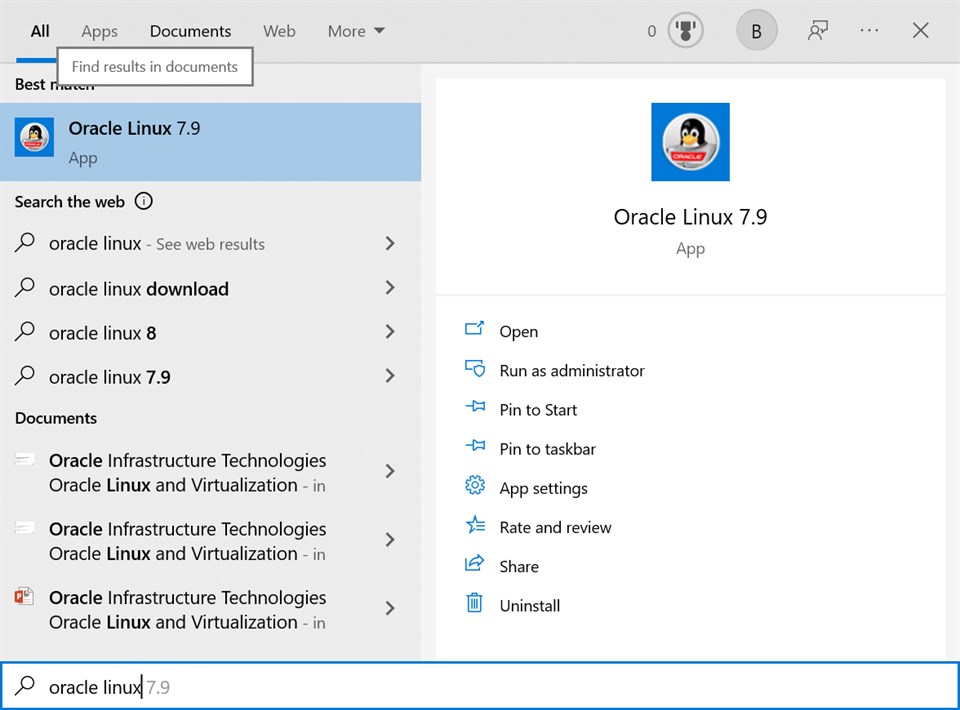
This app installs Oracle Linux 7 Update 9 for the Windows Subsystem for Linux (WSL) on Windows. Launch this app by typing “oraclelinux79” on the command prompt, or by clicking the Oracle Linux 7.9 tile in the Windows 10 Start Menu. To install Oracle Linux updates, please run a yum update in the Oracle Linux Terminal.
Windows System Installation Prerequisites
Please note: WSL is not supported by Windows 10 in "S Mode."
Windows 10 - Build 19041.0 or higher
To find the version and build number, right-click Start and select Settings > System > About. Your OS build is under Windows Specification.
WSL must be enabled as a Windows Feature:
1. In the Search box on the Windows 10 task bar, type “Turn Windows features on or off”
2. Select the "Windows Subsystem for Linux" checkbox in the newly opened Windows Features window.
3. Reboot
Alternatively:
1. Run Windows PowerShell as an administrator and enter the following as a single command:
Enable-WindowsOptionalFeature -Online -FeatureName Microsoft-Windows-Subsystem-Linux
2. Reboot
Download Oracle Linux 7 Update 9 for the Windows Subsystem for Linux (WSL) on Windows from the Windows App Store.
• Follow the directions to set up Oracle Linux.
To run Oracle Linux 7.9
Launch the app by typing “oraclelinux79” on the command prompt, or by clicking Oracle Linux 7.9 in the Windows 10 Start Menu.
To Update Oracle Linux 7.9
To install Oracle Linux updates, run a yum update in the Oracle Linux Terminal.
• sudo yum update
Fra udvikleren
Lister 0
-
 Oracle Linux 7.9
Point 0
-

- +1 Point

Ranglister 0
-
- Din bedømmelse
Udvikler 1
- Oracle Inc.
- Følgere: 0
- Platforme: Windows Apps (1)
- Tilbud: 0
- Lister: 0 0
- Point: 0
- Ranglister: 0
- Kommentarer: 0
- Videoer: 0
- RSS: Abonner
Nyheder
- Version: PC
- Sidst opdateret:
Yderligere oplysninger
- Udgivelsesdato:
- Kategori:
Windows-apps›Udviklerværktøjer - Operativsystem:
PC - Størrelse:
125 Mb - Understøttede sprog:
Engelsk - Indholdsklassificering:
EVERYONE - Windows Store Bedømmelse: ¡
5.0(6)
 https://www.oracle.com/linux/index.html
AppAgg-score
Estimeret AppAgg-score for
Oracle Linux 7.9
Udvikler: Oracle Inc.
En højere score afspejler som regel bedre resultater på de områder, AppAgg måler.
Baseret på: popularitet · brugervurderinger · aktualitet · tilbud · butiksdata · fællesskabsaktivitet
Genberegnes dagligt ud fra aktuelle AppAgg-data.
Kommentarer 0 ¡
Del
Oracle Linux 7.9 Kort webadresse: Kopieret!- Windows Store

