
Lesezeichen
| Entwickler: | jaidev gilla (12) | ||
| Preis: | Kostenlos | ||
| Score: | 1.510 Gold | ||
| Ranglisten: | 0 | ||
| Kommentare: | 0 Kommentar posten | ||
| Listen: | 0 0 | ||
| Punkte: | 0 | ||
| +1 Punkt | |||
Kurzinfo
Vorhang auf für Oracle Linux 8.5, eine App von jaidev gilla aus der Kategorie „Entwicklungstools“.
Erschienen . Nicht mehr neu, aber auch noch kein Veteran.
Gratis, keine Werbung, keine In-App-Käufe. Nur du und die App.
Der Microsoft Store ist in Windows eingebaut, die Installation ist also in ein paar Klicks erledigt.
Die Nutzer bei Windows Store geben 4,9 von 5. 7 Leute haben sich extra die Mühe gemacht, abzustimmen.
Der AppAgg-Score liegt bei 1.510. Das ist Gold.
Altersfreigabe „EVERYONE“, also auch für Kinder geeignet.
Spricht nur eine Sprache, und das ist nicht Deutsch.
Hier herrscht noch Funkstille: keine Bewertungen, keine Kommentare. Brich das Schweigen.
Der Entwickler hat noch 11 weitere Apps auf AppAgg. Ein Blick lohnt sich.
Willst du als Erstes von Updates und neuen Apps erfahren? Folge dem Entwickler oder abonniere den RSS-Feed. Push-Nachrichten kommen über die App AppAgg Alerts für Android und iOS.
Andere Plattformen 0
Preisentwicklung 0
- Aktueller Preis: Kostenlos
- Minimum: Kostenlos
- Maximum: Kostenlos
Dein eigener Feed auf der Startseite
Screenshots 2
Beschreibung

For application developers who want to run Linux software on a Windows environment, and use Windows apps and Linux tools on the same set of files, Oracle Linux is an ideal choice. Oracle Linux is easy to download and completely free to use, distribute, and update.
With Oracle Linux you can standardize on an open, hardware-neutral infrastructure with nonrestrictive contracts and flexible enterprise-class support options. Oracle Linux Support offers access to award-winning Oracle support resources and Linux support specialists, at a low cost.
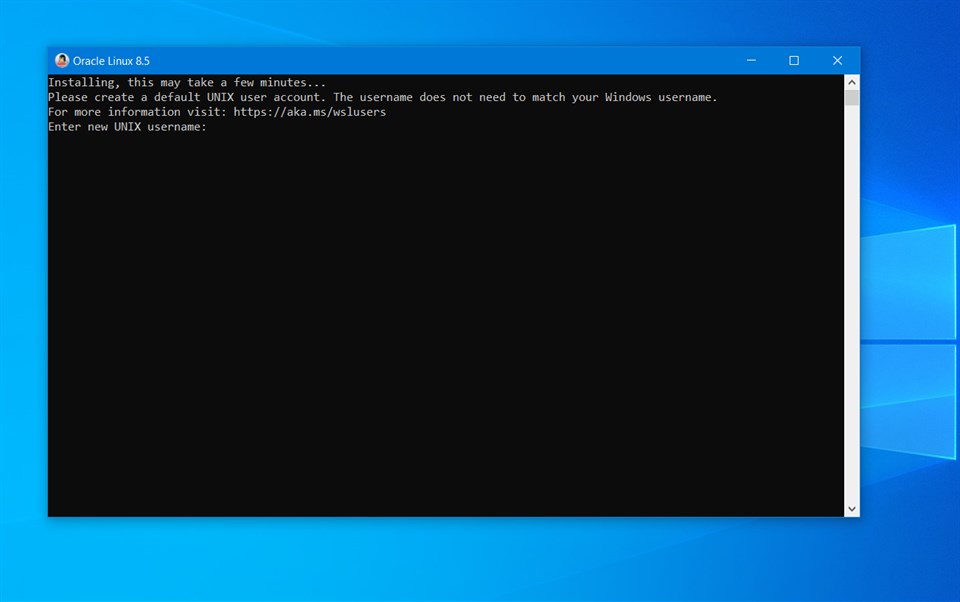
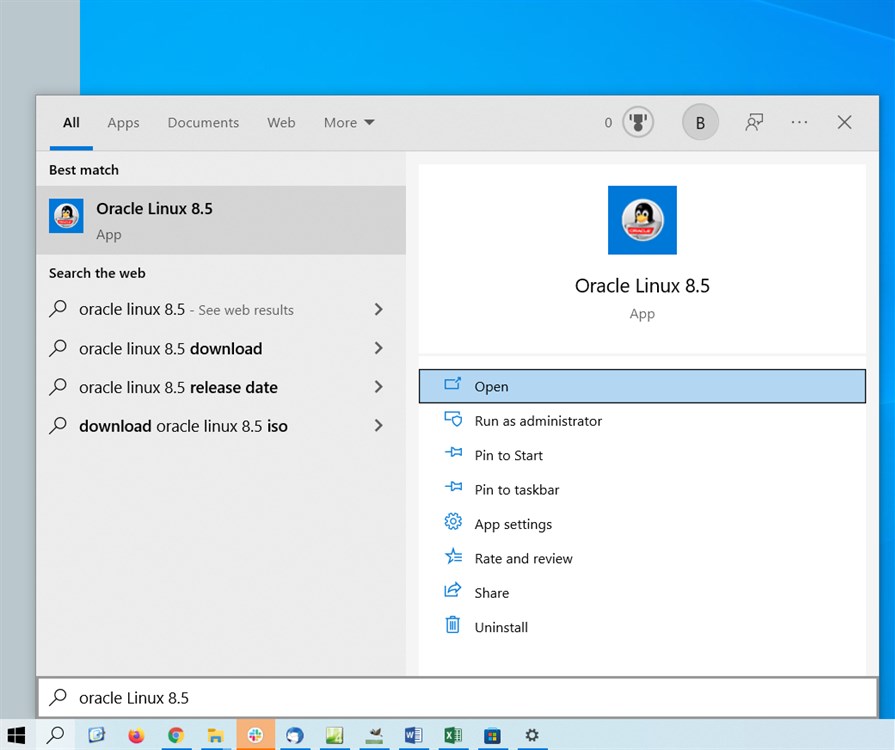
This app installs Oracle Linux 8 Update 5 for the Windows Subsystem for Linux (WSL) on Windows. Launch this app by typing “oraclelinux85” on the command prompt, or by clicking the Oracle Linux 8.5 tile in the Windows 10 Start Menu. To install Oracle Linux updates, please run a yum update in the Oracle Linux Terminal.
Windows System Installation Prerequisites
Please note: WSL is not supported by Windows 10 in "S Mode."
Windows 10 - Build 19041.0 or higher
To find the version and build number, right-click Start and select Settings > System > About. Your OS build is under Windows Specification.
WSL must be enabled as a Windows Feature:
1. In the Search box on the Windows 10 task bar, type “Turn Windows features on or off”
2. Select the "Windows Subsystem for Linux" checkbox in the newly opened Windows Features window.
3. Reboot
Alternatively:
1. Run Windows PowerShell as an administrator and enter the following as a single command:
Enable-WindowsOptionalFeature -Online -FeatureName Microsoft-Windows-Subsystem-Linux
2. Reboot
Download Oracle Linux 8 Update 5 for the Windows Subsystem for Linux (WSL) on Windows from the Windows App Store.
• Follow the directions to set up Oracle Linux.
To run Oracle Linux 8.5
Launch the app by typing “oraclelinux85” on the command prompt, or by clicking Oracle Linux 7.9 in the Windows 10 Start Menu.
To Update Oracle Linux 8.5
To install Oracle Linux updates, run a yum update in the Oracle Linux Terminal.
• sudo yum update
Vom Entwickler
Listen 0
-
 Oracle Linux 8.5
Punkte 0
-

- +1 Punkt

Ranglisten 0
-
- Deine Bewertung
Entwickler 12
- jaidev gilla
- Follower: 0
- Plattformen: Windows Apps (12)
- Angebote: 0
- Listen: 0 0
- Punkte: 0
- Ranglisten: 0
- Kommentare: 0
- Videos: 0
- RSS: Abonnieren
Neue Funktionen
- Version: PC
- Zuletzt aktualisiert:
Weitere Informationen
- Veröffentlichungsdatum:
- Kategorie:
Windows-Apps›Entwicklungstools - Betriebssysteme:
PC - Größe:
109 Mb - Unterstützte Sprachen:
Englisch - Altersfreigabe:
EVERYONE - Windows Store Bewertung: ¡
4.9(7) - Webseite:
 https://www.oracle.com/linux/index.html
AppAgg-Score
Geschätzter AppAgg-Score für
Oracle Linux 8.5
Entwickler: jaidev gilla
Ein höherer Score weist meist auf bessere Werte bei den von AppAgg erfassten Kennzahlen hin.
Basierend auf: Popularität · Nutzerbewertungen · Aktualität · Angeboten · Store-Daten · Community-Aktivität
Wird täglich anhand aktueller AppAgg-Daten neu berechnet.
Kommentare 0 ¡
Teilen
Oracle Linux 8.5 Kurz-URL: Kopiert!- Windows Store

