
Закладки
| Разработчик: | jaidev gilla (12) | ||
| Цена: | Бесплатно | ||
| Оценка: | 1 250 Золото | ||
| Рейтинги: | 0 | ||
| Комментарии: | 0 Оставить комментарий | ||
| Списки: | 0 0 | ||
| Очки: | 0 | ||
| +1 Очко | |||
Кратко
Знакомьтесь: Oracle Linux 9, приложение от jaidev gilla из раздела «Средства разработчика».
Вышло . Уже не новинка, но ещё и не ветеран.
Бесплатно: ни рекламы, ни встроенных покупок. Только вы и приложение.
Microsoft Store встроен в Windows, так что ставится в пару кликов.
В Windows Store у него 3,3 из 5 от 7 человек.
Оценка AppAgg: 1 250. Это «Золото».
Возрастной рейтинг «EVERYONE», подходит и детям.
Говорит только на одном языке, и это не русский.
На AppAgg его пока никто не оценил. Шанс стать первым прямо сейчас.
У этого разработчика на AppAgg ещё 11 приложений. Загляните.
Хотите первым узнавать об обновлениях и новых приложениях? Подпишитесь на разработчика или на RSS-канал. Push приходят в приложении AppAgg Alerts для Android и iOS.
Другие платформы 0
История цен 0
- Текущая цена: Бесплатно
- Минимум: Бесплатно
- Максимум: Бесплатно
Своя лента на главной
Скриншоты 2
Описание

For application developers who want to run Linux software on a Windows environment, and use Windows apps and Linux tools on the same set of files, Oracle Linux is an ideal choice. Oracle Linux is easy to download and completely free to use, distribute, and update.
With Oracle Linux you can standardize on an open, hardware-neutral infrastructure with nonrestrictive contracts and flexible enterprise-class support options. Oracle Linux Support offers access to award-winning Oracle support resources and Linux support specialists, at a low cost.
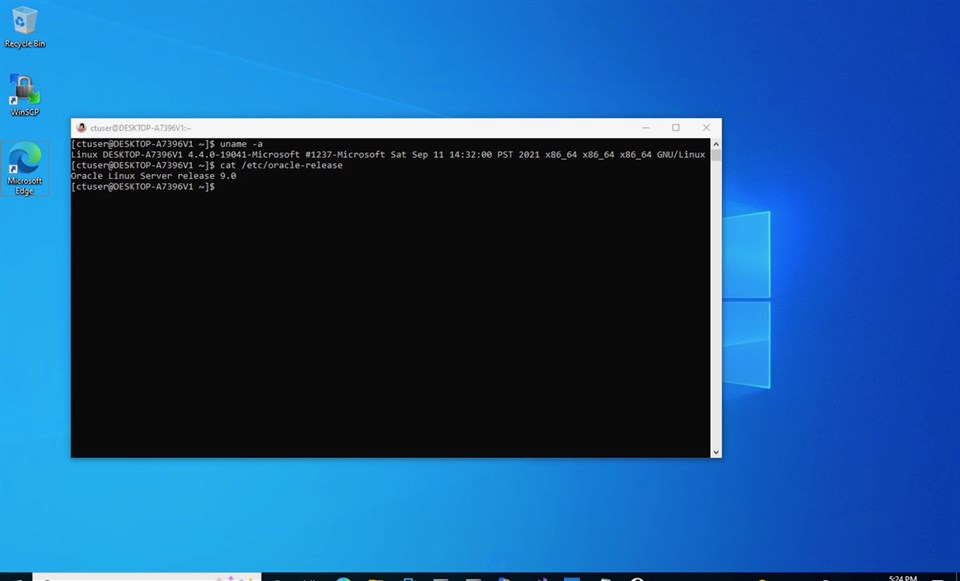
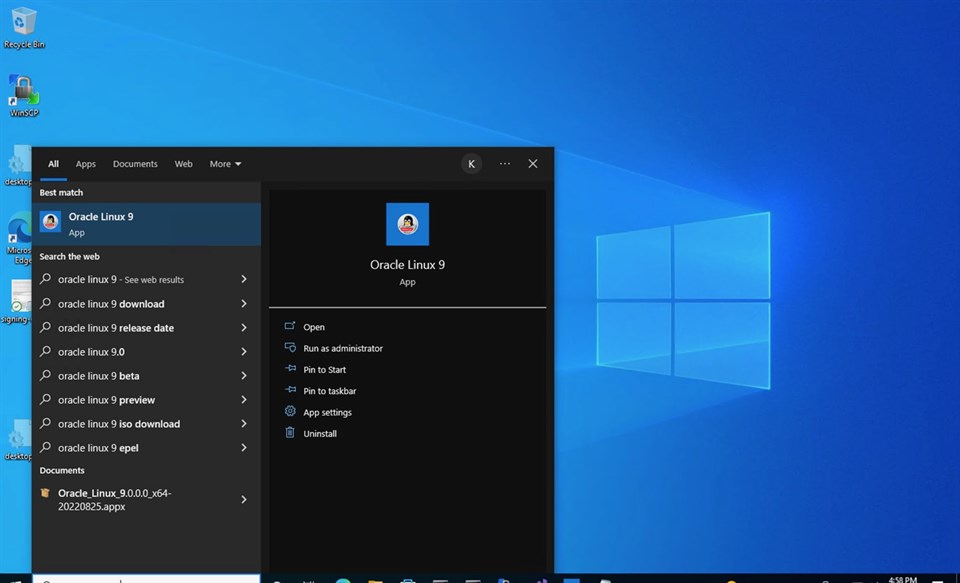
This app installs Oracle Linux 9 for the Windows Subsystem for Linux (WSL) on Windows. Launch this app by typing “oraclelinux9” on the command prompt, or by clicking the Oracle Linux 9 tile in the Windows 10 Start Menu. To install Oracle Linux updates, please run a yum update in the Oracle Linux Terminal.
Windows System Installation Prerequisites
Please note: WSL is not supported by Windows 10 in "S Mode."
Windows 10 - Build 19041.0 or higher
To find the version and build number, right-click Start and select Settings > System > About. Your OS build is under Windows Specification.
WSL must be enabled as a Windows Feature:
1. In the Search box on the Windows 10 task bar, type “Turn Windows features on or off”
2. Select the "Windows Subsystem for Linux" checkbox in the newly opened Windows Features window.
3. Reboot
Alternatively:
1. Run Windows PowerShell as an administrator and enter the following as a single command:
Enable-WindowsOptionalFeature -Online -FeatureName Microsoft-Windows-Subsystem-Linux
2. Reboot
Download Oracle Linux 9 for the Windows Subsystem for Linux (WSL) on Windows from the Windows App Store.
• Follow the directions to set up Oracle Linux.
To run Oracle Linux 9
Launch the app by typing “oraclelinux9” on the command prompt, or by clicking Oracle Linux 9 in the Windows 10 Start Menu.
To Update Oracle Linux 9
To install Oracle Linux updates, run a yum update in the Oracle Linux Terminal.
• sudo yum update
От разработчика
Списки 0
-
 Oracle Linux 9
Очки 0
-

- +1 Очко

Рейтинги 0
-
- Ваша оценка
Разработчик 12
- jaidev gilla
- Подписчики: 0
- Платформы: Windows Приложения (12)
- Скидки: 0
- Списки: 0 0
- Очки: 0
- Рейтинги: 0
- Комментарии: 0
- Видео: 0
- RSS: Подписаться
Что нового
- Версия: PC
- Последнее обновление:
Дополнительная информация
- Дата выпуска:
- Категория:
Приложения для Windows›Средства разработчика - Операционные системы:
PC - Размер:
109 Mb - Поддерживаемые языки:
Английский - Возрастные ограничения:
EVERYONE - Windows Store Рейтинг: ¡
3.3(7)
 https://www.oracle.com/linux/index.html
Оценка AppAgg
Примерная оценка AppAgg для
Oracle Linux 9
Разработчик: jaidev gilla
Более высокая оценка обычно означает лучшие результаты по показателям AppAgg.
На основе: популярности · оценок пользователей · актуальности · скидок · данных магазинов · активности сообщества
Пересчитывается ежедневно на основе актуальных данных AppAgg.
Комментарии 0 ¡
Поделиться
Oracle Linux 9 Короткий URL: Скопировано!- Windows Store

