
Bogmærker
| Udvikler: | BOMTOBE (7) | ||
| Pris: | Gratis | ||
| Score: | 1.020 Sølv | ||
| Ranglister: | 0 | ||
| Kommentarer: | 0 Skriv kommentar | ||
| Lister: | 0 0 | ||
| Point: | 0 | ||
| +1 Point | |||
Kort fortalt
Mød orke, en app fra BOMTOBE i kategorien »Udviklerværktøjer«.
Udkom og er stadig ret frisk.
Findes også på Google Play. Vælg den, der passer dig bedst.
Gratis: ingen reklamer og ingen køb i appen. Kun dig og appen.
Microsoft Store er bygget ind i Windows, så installationen klares med et par klik.
AppAgg-scoren er 1.020. Sølv, og det er slet ikke dårligt.
Aldersgrænse »EVERYONE«: også fint for børn.
Kan 2 sprog, men dansk er ikke blandt dem endnu.
Total stilhed her indtil videre: ingen bedømmelser, ingen kommentarer. Bryd tavsheden.
Udvikleren har yderligere 6 apps på AppAgg. Tag et kig.
Vil du høre om opdateringer og nye apps først? Følg udvikleren eller abonner på vores RSS-feed. Push-beskeder kommer via appen AppAgg Alerts til Android og iOS.
Andre platforme 1
 | orkeWindows Store1K SølvWindows | Gratis |
 | orkeGoogle Play640 BronzeAndroid | Gratis |
Prishistorik 0
- Nuværende pris: Gratis
- Minimum: Gratis
- Maksimum: Gratis
Dit eget feed på forsiden
Skærmbilleder 6
Beskrivelse
Terminals and AI sessions
Work with Claude Code, Codex, OpenCode, Hermes and Antigravity CLI (agy) after installing the agents you need. See running sessions and input-waiting states, find conversation history and resume supported agent sessions. Closing a terminal tab keeps its live session running; reopen it from the session list or end it explicitly. Claude and Codex account management follows the current login in each execution environment.
Git and history
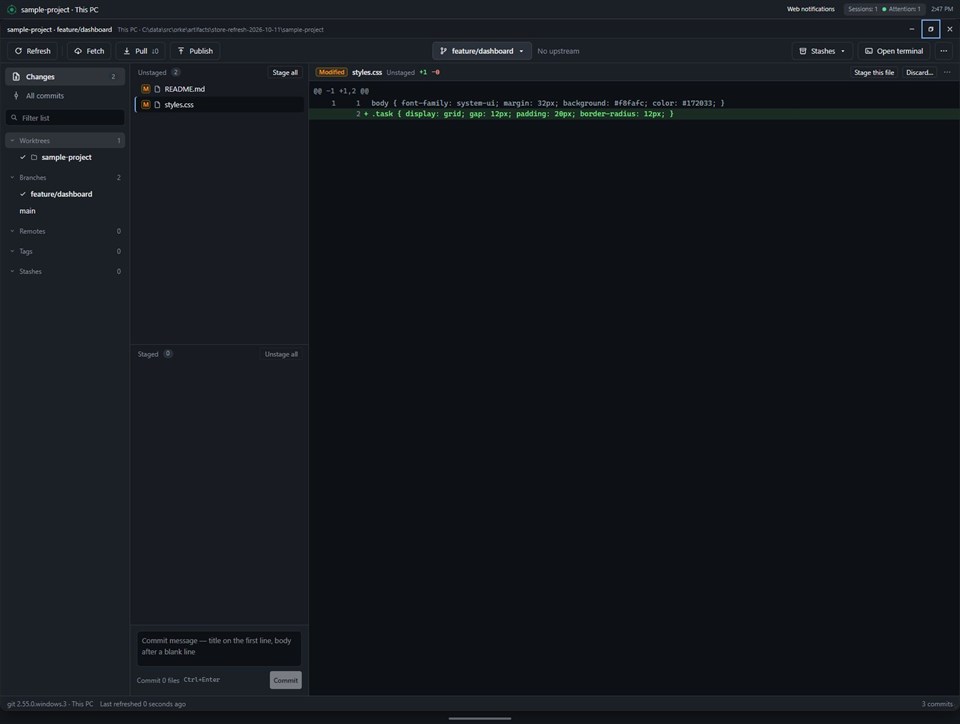
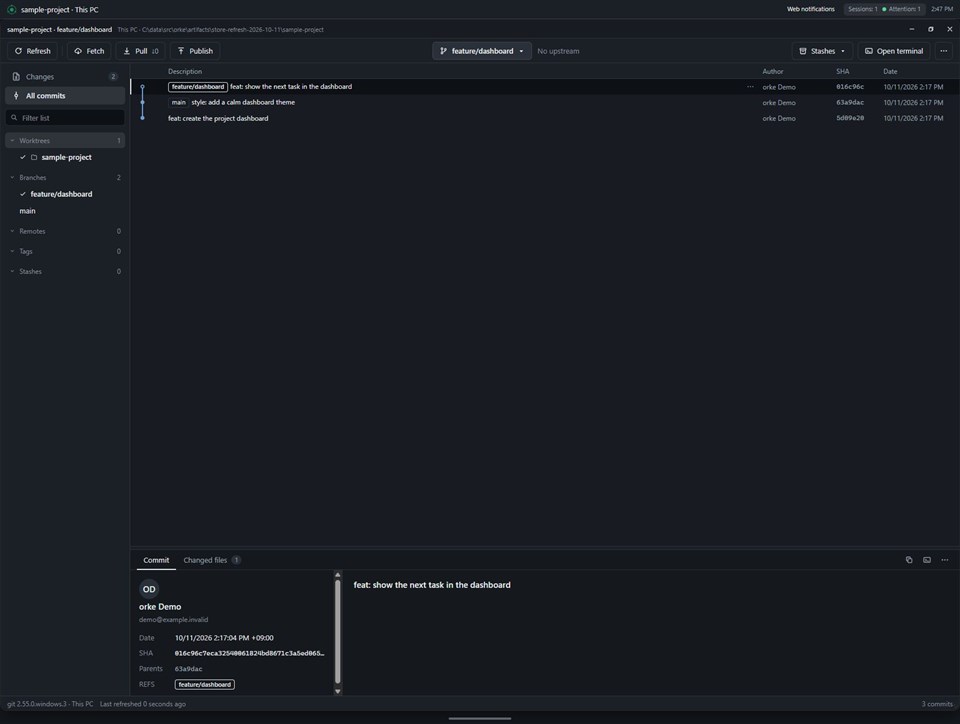
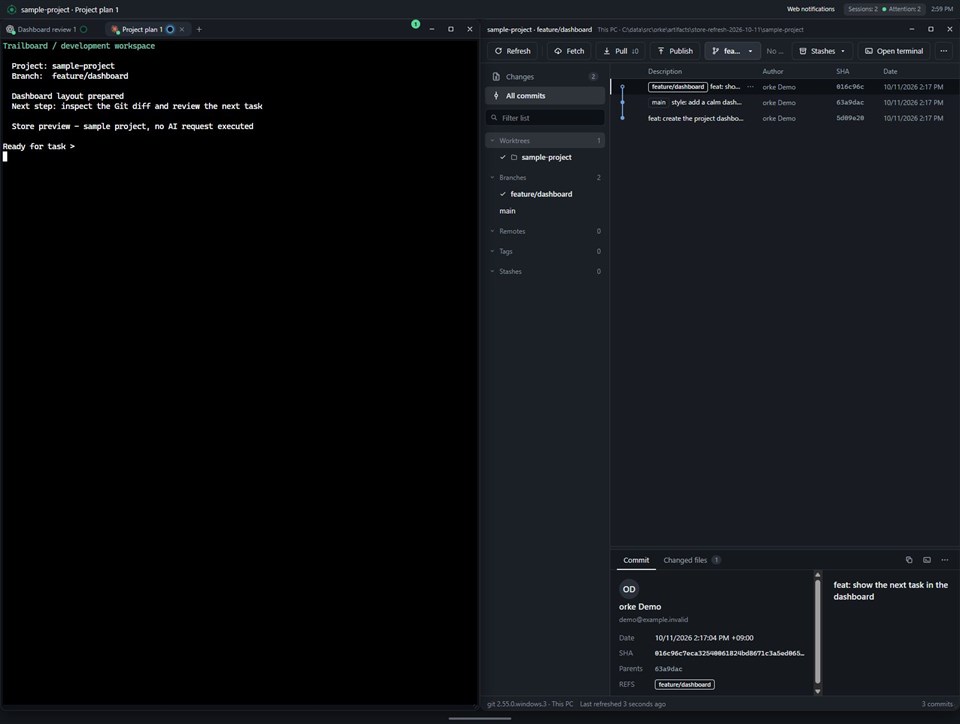
Inspect changed files, diffs, branches and commit history. Stage files, commit, fetch, pull and push from the workspace. Git requires a separate installation, and remote repositories use your existing Git authentication.
Web pages alongside your work
Open documentation, development sites and work pages in built-in browser tabs. Supported agents can use browser tools to read and interact with pages. Select a page element and send it to an agent with your instructions. From a remotely connected device, view and control web pages running on your PC. Some sites and input methods have support limitations.
Multi-step automation
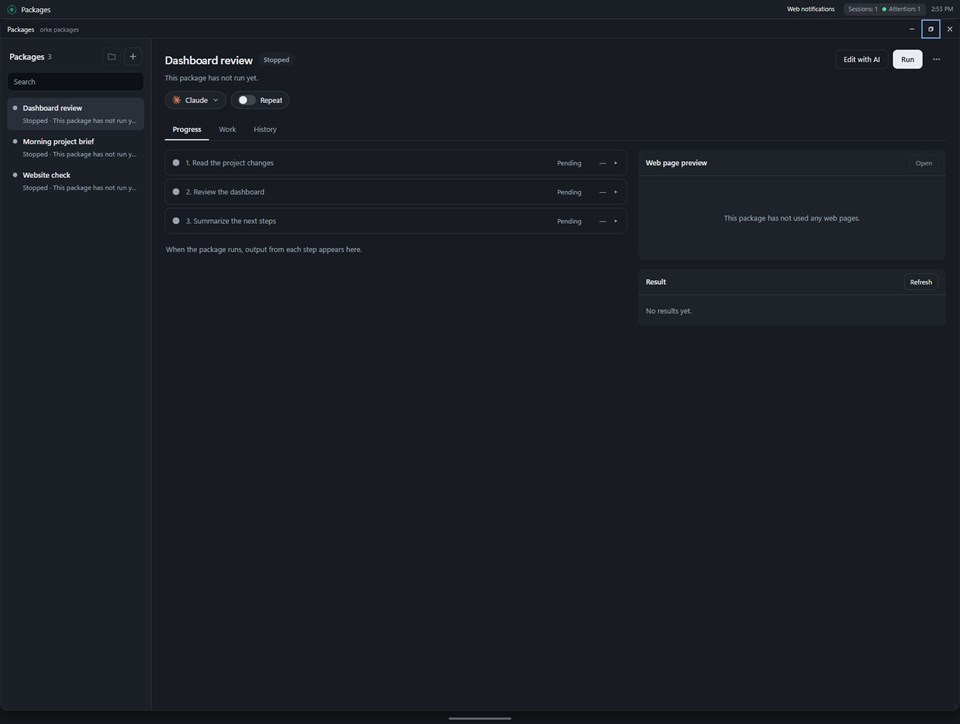
Define steps in a package and run them in sequence with Claude, Codex, NVIDIA or Antigravity. Run once, repeat, use an interval or schedule a daily start time, then inspect step results and run history. If you use Hermes, you can also inspect and manage its scheduled jobs. Scheduled work requires orke to remain running.
orke support
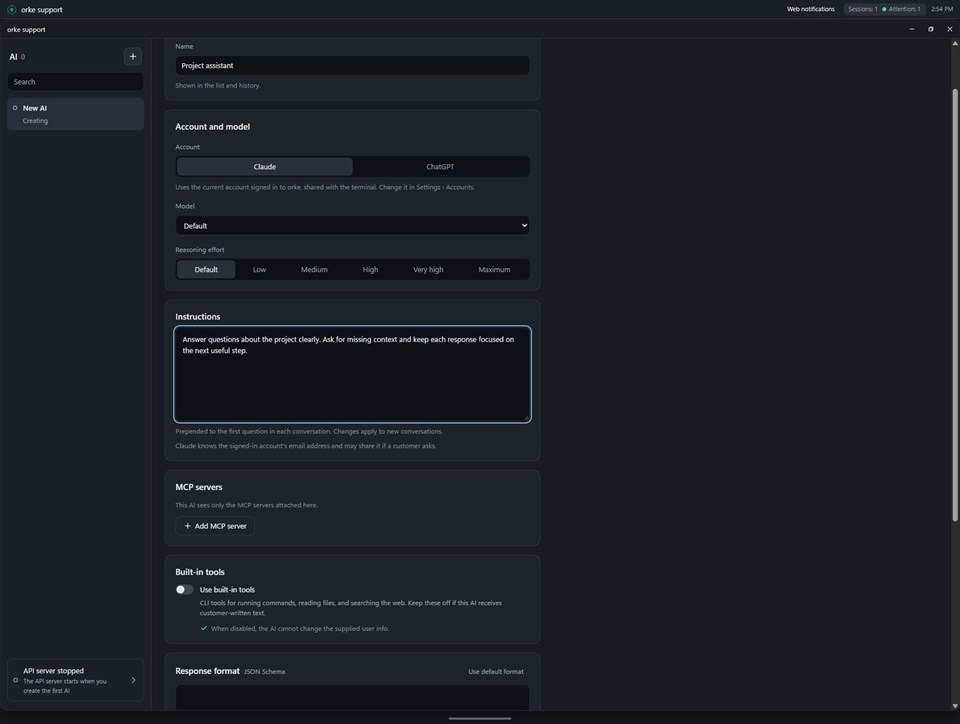
Configure AIs backed by your signed-in Claude or Codex CLI and manage questions and answers by room. Connect your own service through the HTTP interface and a separate access key for each AI. Configure MCP servers and optional built-in tools per AI. Built-in tools are initially disabled. support runs on your PC and does not include a separate AI service subscription.
Continue from another device
Optional ngrok setup lets your permitted Google account access the workspace from another computer or a phone browser. The touch workspace lets you select sessions, enter text and continue work running on the PC. Remote access is off by default and requires an ngrok account, connector and configuration.
Languages and execution environments
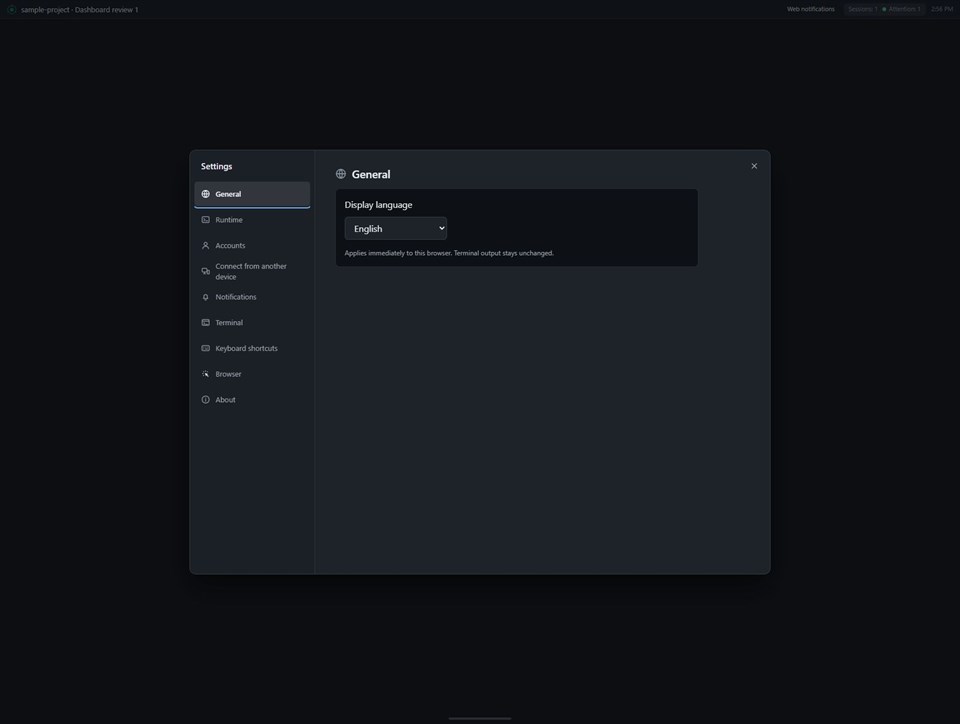
Choose English, Korean, Simplified Chinese, Japanese, Spanish, French or Brazilian Portuguese for the interface. Optional Docker execution uses a separate disk without mounting PC folders. Isolated sessions share a container and volume and retain network access; this is not a security boundary between sessions. Docker and the agents and tools inside it require separate installation.
Before you start
orke includes its NVIDIA agent, which requires an NVIDIA API key and a supported endpoint. Install and sign in to other AI agents separately. AI service pricing, usage limits and availability follow each provider's terms. Local agents run with your PC user's permissions, and supported CLIs are launched with approval prompts skipped. Use them for work you trust.
Fra udvikleren
Lister 0
-
 orke
Point 0
-

- +1 Point

Ranglister 0
-
- Din bedømmelse
Udvikler 7
- BomToBe
- Følgere: 0
- Platforme: Android Apps (5) Windows Apps (2)
- Tilbud: 0
- Lister: 0 0
- Point: 0
- Ranglister: 0
- Kommentarer: 0
- Videoer: 0
- RSS: Abonner
Nyheder
- Version: PC
- Sidst opdateret:
- orke 3.4.3
• Choose from seven UI languages: English, Korean, Simplified Chinese, Japanese, Spanish, French and Brazilian Portuguese.
• Configure Claude/Codex-backed AIs, access keys, question rooms and MCP servers in orke support.
• Use Antigravity CLI (agy) sessions and automation packages.
• Inspect browser elements, wait for page conditions, send element instructions and control PC web pages remotely.
• Run multi-step packages on repeat or a schedule and inspect their run history.
• Clipboard and process-handling reliability improvements.
External AI CLIs, AI service accounts, ngrok and Docker require separate setup for the features that use them.
• Added a visible orke CLI Start menu entry for Store distribution and updated default CLI output to English.
Yderligere oplysninger
- Udgivelsesdato:
- Kategori:
Windows-apps›Udviklerværktøjer - Operativsystem:
PC - Størrelse:
252 Mb - Understøttede sprog:
Engelsk,Koreansk - Indholdsklassificering:
EVERYONE - Windows Store Bedømmelse: ¡
0 - Websted:
 https://bom.bomtobe.com
AppAgg-score
Estimeret AppAgg-score for
orke
Udvikler: BOMTOBE
En højere score afspejler som regel bedre resultater på de områder, AppAgg måler.
Baseret på: popularitet · brugervurderinger · aktualitet · tilbud · butiksdata · fællesskabsaktivitet
Genberegnes dagligt ud fra aktuelle AppAgg-data.
Kommentarer 0 ¡
Del
orke Kort webadresse: Kopieret!- Windows Store

