
书签
为此书签设置标题。
书签已保存
| 开发者: | Aether Forge (6) | ||
| 价格: | 免费 | ||
| 评分: | 1,230 黄金 | ||
| 排名: | 0 | ||
| 评论: | 0 发表评论 | ||
| 列表: | 0 0 | ||
| 积分: | 0 | ||
| +1 积分 | |||
摘要
Paste MD 是 Aether Forge 推出的应用,属于“开发人员工具”分类。
发布于,还挺新鲜的。
免费,没有广告,没有内购。只有你和这款应用。
Microsoft Store 内置在 Windows 里,点几下就装好了。
AppAgg 评分 1,230,达到黄金级。
只有 8 MB,硬盘塞满了也装得下。
年龄分级为“EVERYONE”,孩子也适合。
只会一种语言,而且不是中文。
这里至今一片寂静:没有评分,也没有评论。来打破沉默吧。
这位开发者在 AppAgg 上还有 5 款应用,值得一看。
顺便一提,这位开发者现在有 1 款作品在打折。
想第一时间知道更新和新应用?关注开发者或订阅RSS 订阅源。推送通知通过 AppAgg Alerts 应用发送,支持 Android 和 iOS。
广告
其他平台 0
价格历史 0
- 目前价格: 免费
- 最小值: 免费
- 最大值: 免费
首页专属动态
为「新上架与最近更新」选择平台,首页就只显示你需要的应用和游戏。
屏幕截图 10
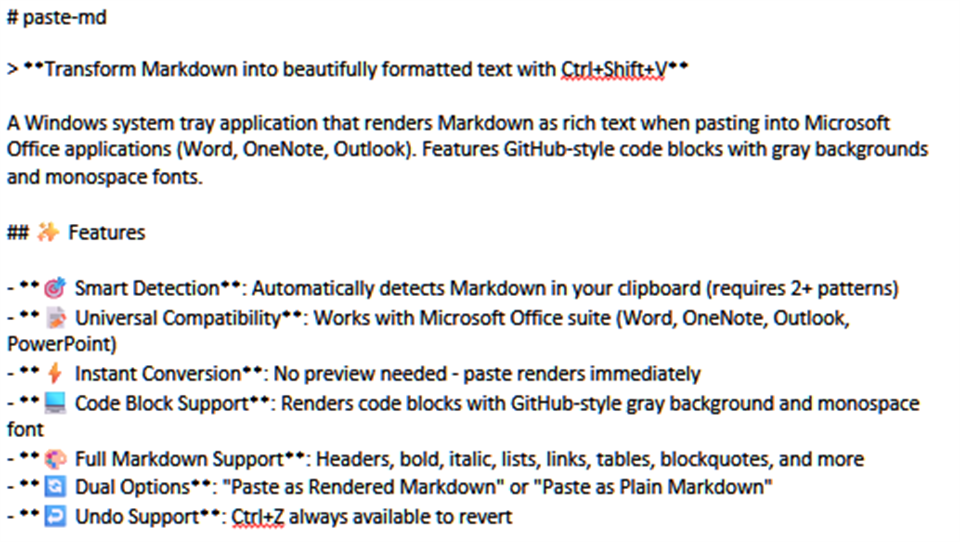
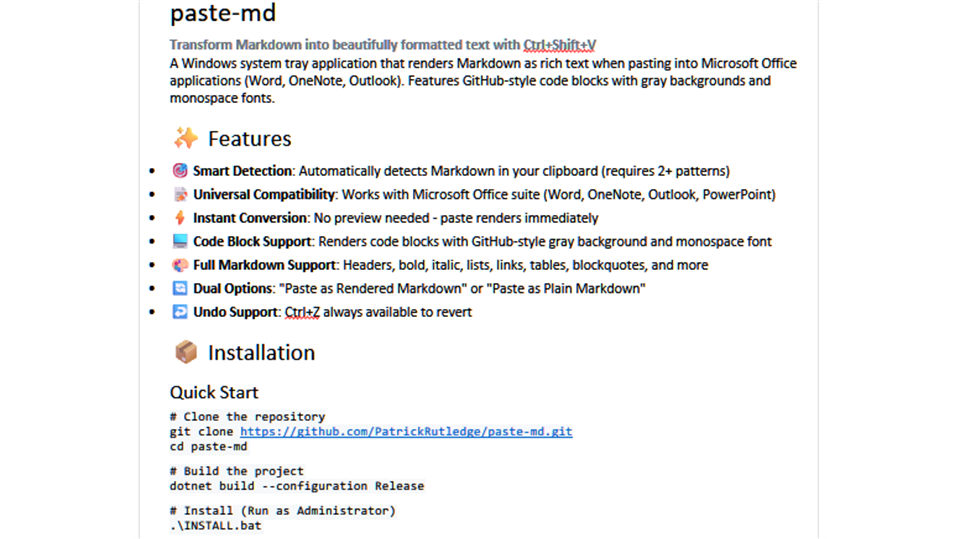
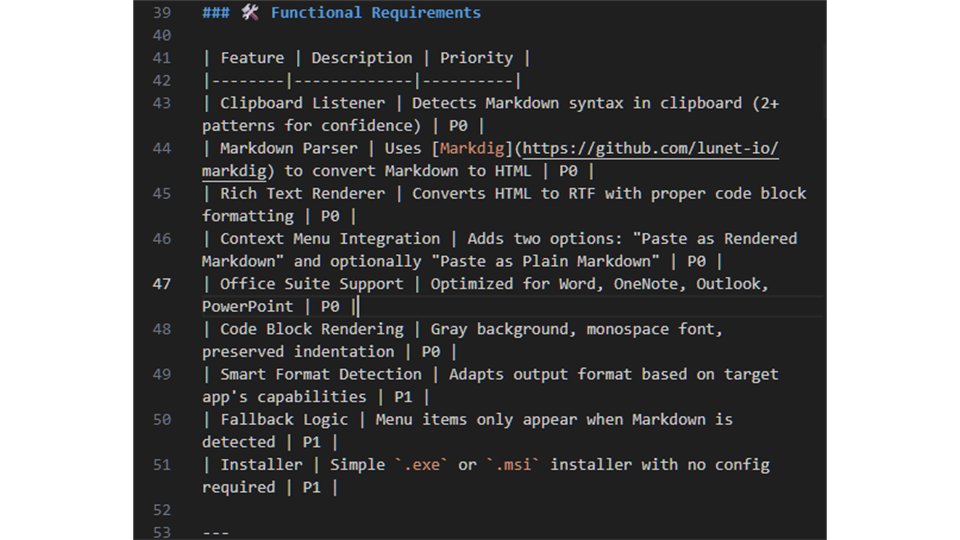
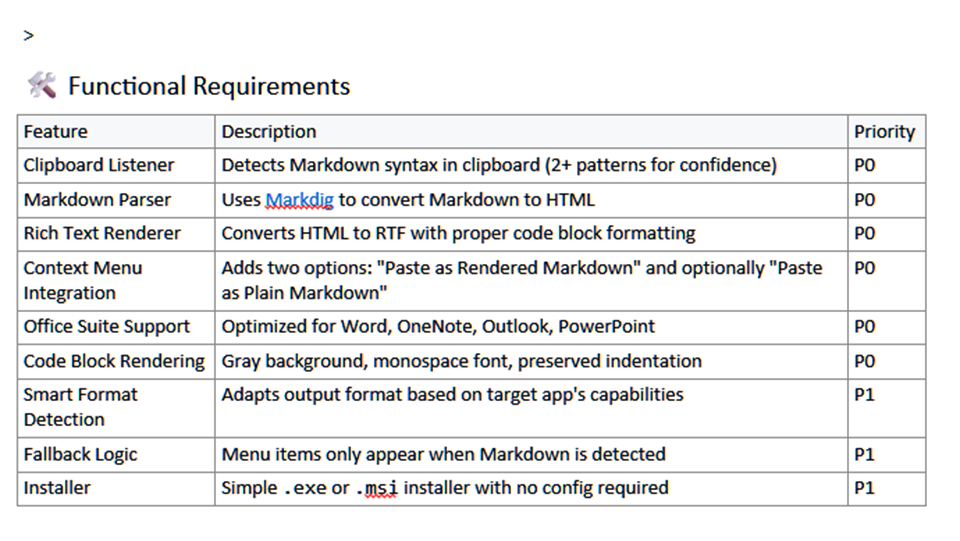
视频 1
描述

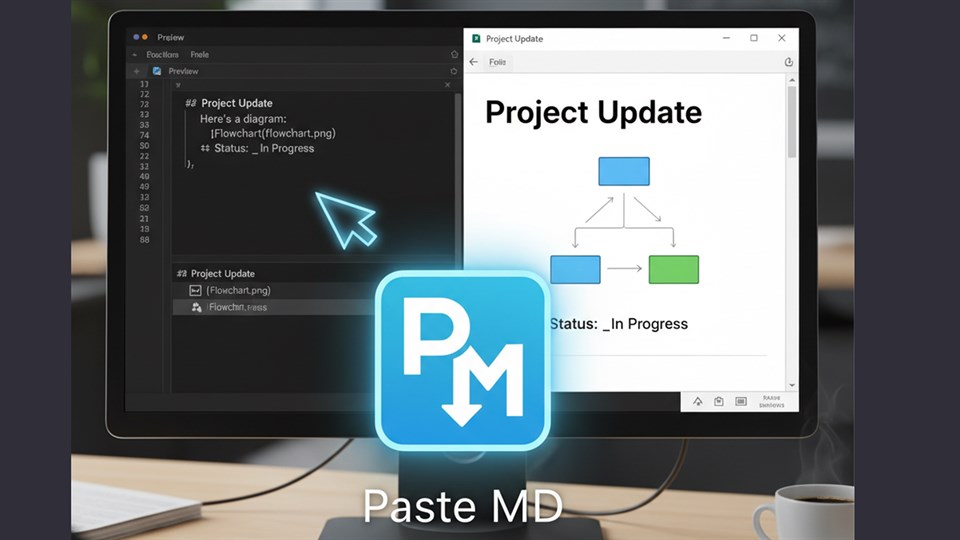
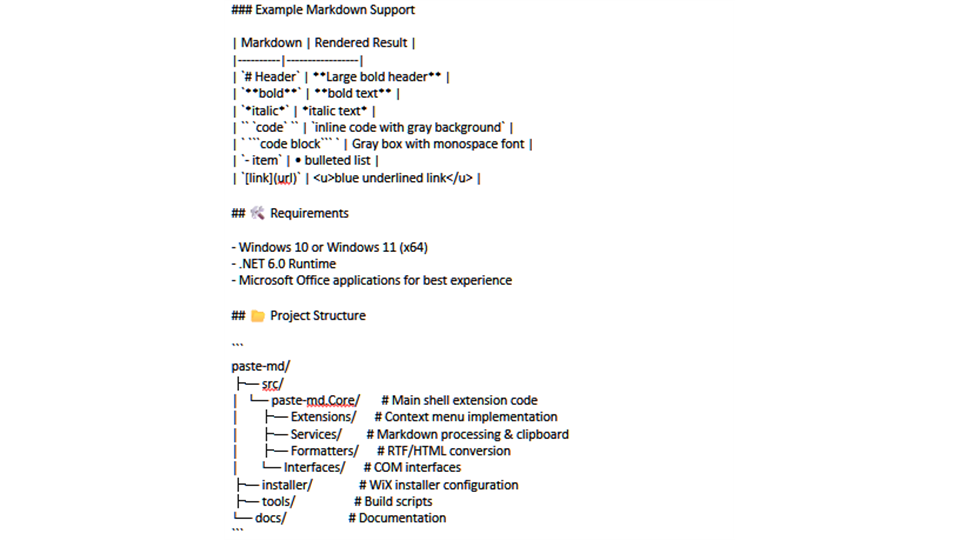
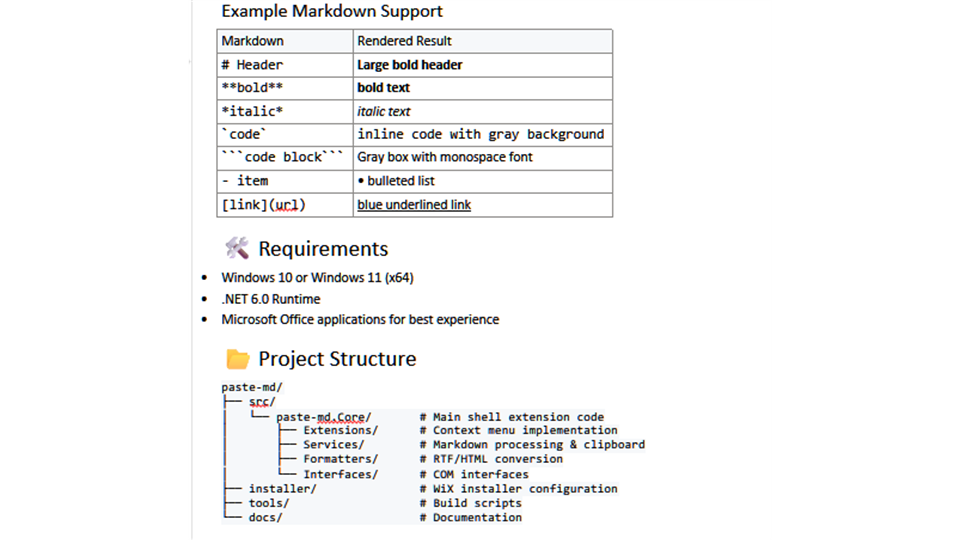
Stop wrestling with messy formatting. Paste MD is a lightweight Windows tray app that automatically converts Markdown into clean, rich text when you paste. Copy from GitHub, VS Code, Notion, ChatGPT, or any Markdown source, then just
paste—and your content drops into Word, OneNote, Outlook, or PowerPoint perfectly formatted, with headers, lists, links, tables, and code blocks intact.
Why You'll Love It
- No hotkey to remember — Copy Markdown, then paste normally with Ctrl+V. Formatting happens automatically.
- Smart detection — paste-md recognizes Markdown in your clipboard and enriches it in the background.
- Office-native results — Output looks like you typed it directly into Word, with proper styles and spacing.
- GitHub-style code blocks — Monospace fonts and subtle gray backgrounds keep your snippets readable.
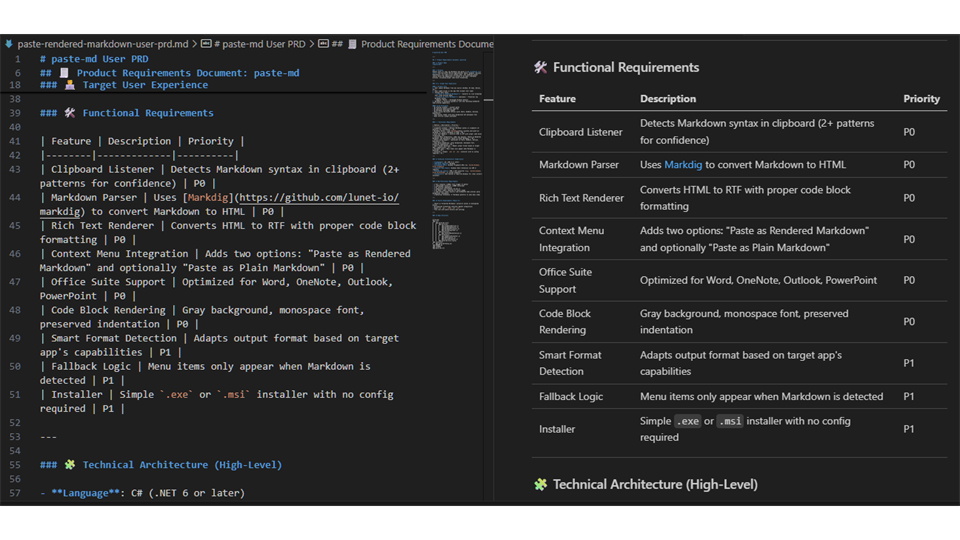
- Full Markdown support — Headers, bold, italic, lists, links, tables, blockquotes, and more.
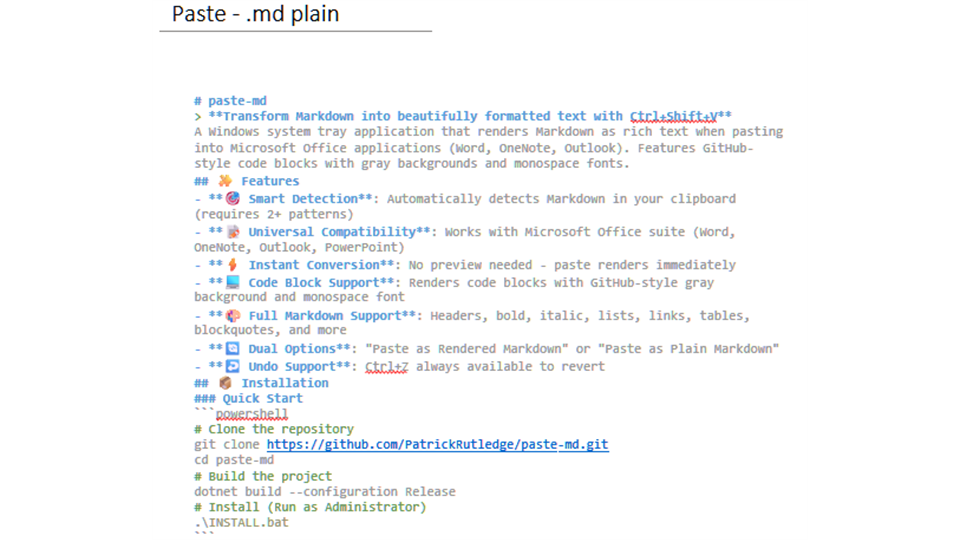
- Need the raw Markdown? — Use Paste Special → "Keep Text Only," and the original Markdown is always preserved.
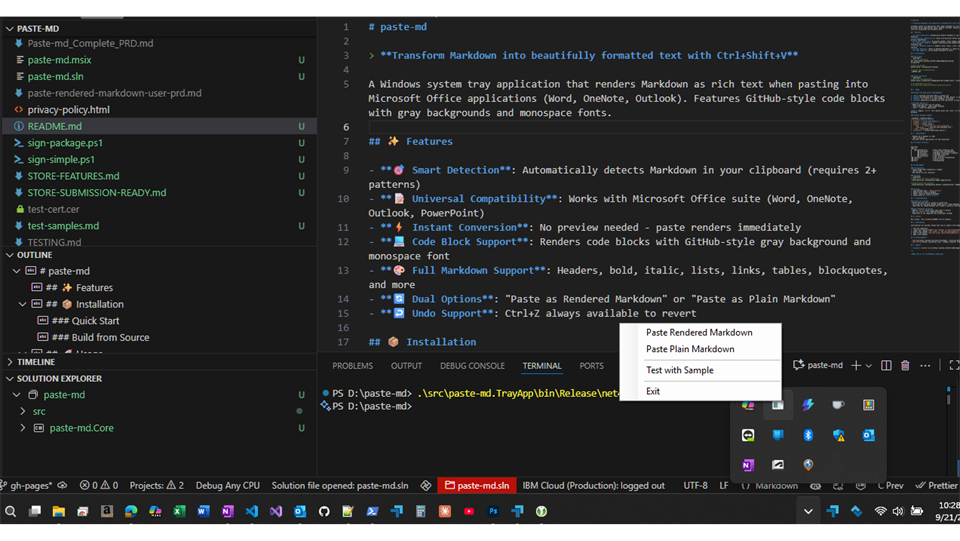
- Quiet and out of your way — Runs in the system tray, starts with Windows, and can be paused anytime from the tray menu.
Get Started in Seconds
1. Launch Paste MD—it lives quietly in your system tray.
2. Copy Markdown from any app or website.
3. Paste with Ctrl+V into your Office application.
4. Enjoy clean, professional formatting instantly.
System Requirements
- Windows 10 or Windows 11 (64-bit)
- .NET 6.0 Runtime
- Microsoft Office (Word, OneNote, Outlook, or PowerPoint) recommended
Support & Feedback
Questions, ideas, or bug reports? Visit our GitHub Issues page:
https://github.com/PatrickRutledge/paste-md/issues
Microsoft, Word, OneNote, PowerPoint, and Outlook are trademarks of Microsoft Corporation. Paste MD is an independent app and is not affiliated with or endorsed by Microsoft.
来自开发者
你是开发者吗?
在页面顶部发布新闻,关注者会通过邮件收到。添加你的 YouTube 视频,它们会排在“视频”版块最前面。
列表 0
-
 Paste MD
积分 0
-

- +1 积分

排名 0
-
- 您的评分
开发者 6
- Aether Forge
- 关注者: 0
- 平台: Windows 应用 (6)
- 折扣: 1
- 列表: 0 0
- 积分: 0
- 排名: 0
- 评论: 0
- 视频: 3
- RSS: 订阅
新版变化
- 版本: PC
- 最后更新:
- What's New
- Simpler than ever — no shortcut to remember. Just copy Markdown and paste normally with Ctrl+V. Formatting now happens automatically, with no special hotkey.
- Improved reliability and stability. Reworked clipboard handling for smoother, more dependable pasting across Office apps.
- Raw Markdown is always preserved. Use Paste Special → "Keep Text Only" anytime you want the original Markdown source.
- Lighter and quieter. Runs unobtrusively in the system tray and starts with Windows.
其他信息
- 发布日期:
- 类别:
Windows 应用›开发人员工具 - 操作系统:
PC - 大小:
8 Mb - 可用的功能:
Mixed reality - 支持的语言:
英语 - 内容分级:
EVERYONE - Windows Store 评分: ¡
0
 https://patrickrutledge.github.io/aether-forge/
AppAgg 评分
1,230
AppAgg 预估评分:
Paste MD
开发者: Aether Forge
1,230 黄金
评分越高,通常表示其在 AppAgg 上的各项指标表现越好。
基于: 热度 · 用户评分 · 新鲜度 · 优惠 · 商店数据 · 社区活跃度
根据最新 AppAgg 数据每日重新计算。
网站徽章:  已复制!
评论 0 ¡
来发第一条评论吧
分享
Paste MD 短网址: 已复制!- Windows Store

