
저장됨
저장됨 메뉴에 표시할 이름을 선택하세요.
완료!
| 개발자: | Whitewater Foundry (5) | ||
| 가격: | $19.99 | ||
| 순위: | 0 | ||
| 댓글: | 0 댓글 게시 | ||
| 목록: | 0 + 0 | ||
| 포인트: | 0 + 60 (3.9) ¡ | ||
| Windows Store | |||
기술

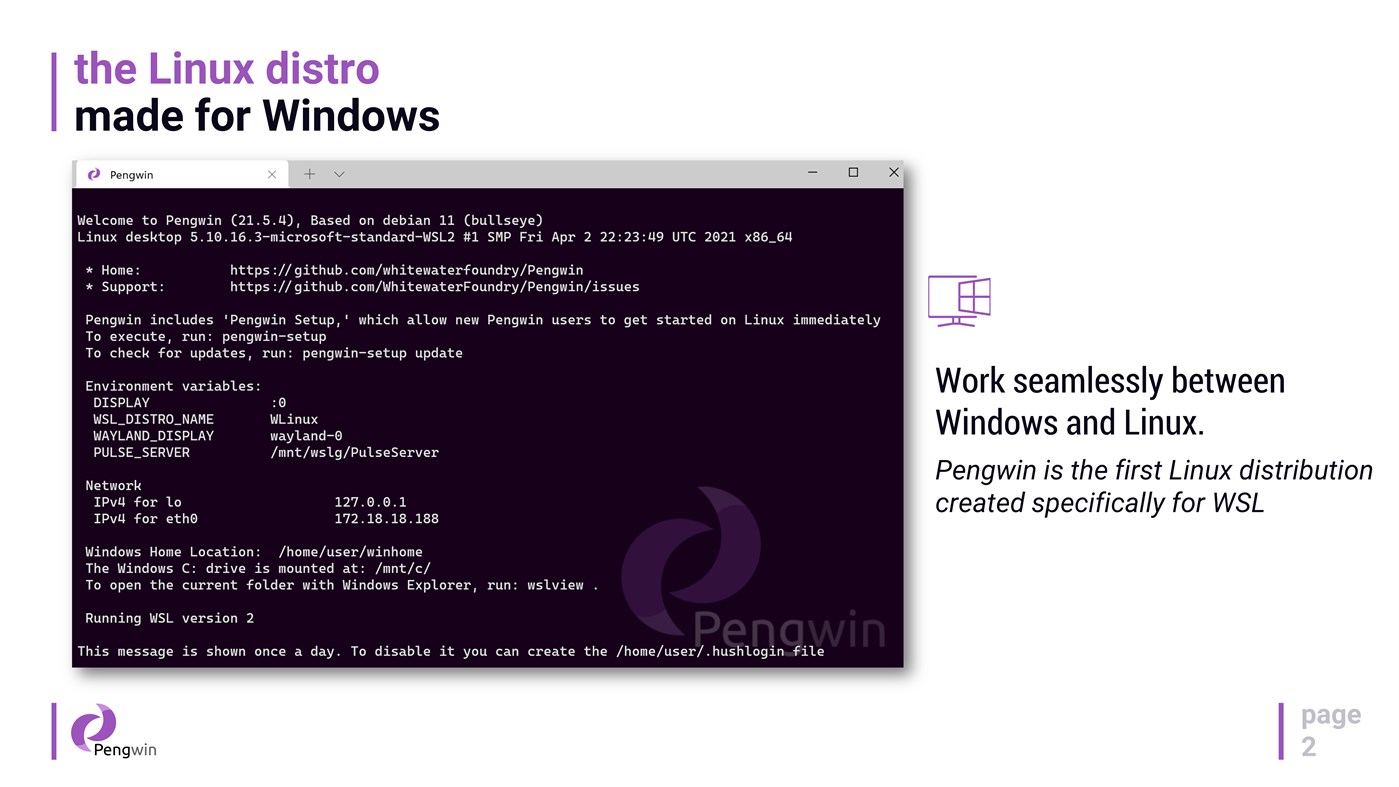
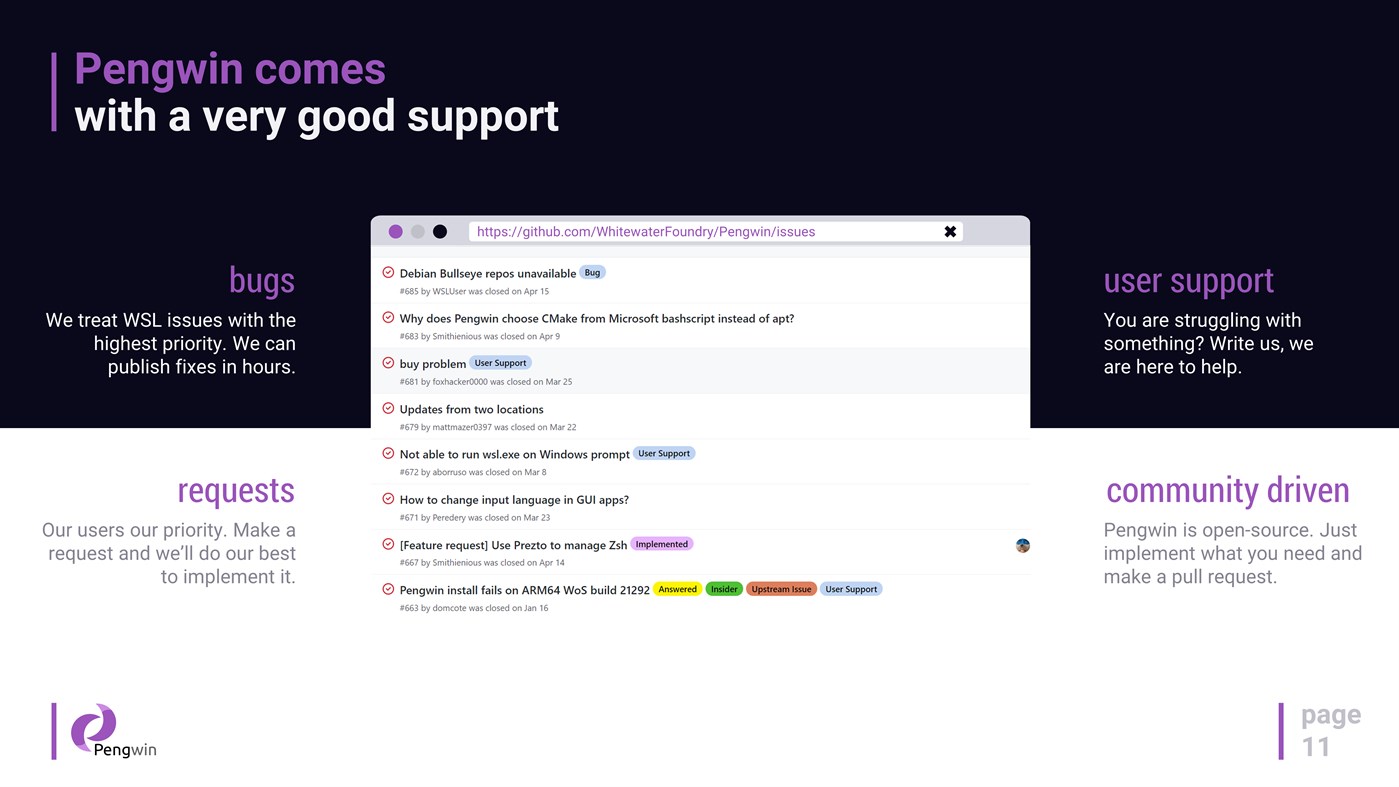
Pengwin is open-source, built by WSL users, and shaped by community feedback.
Why Pengwin
* Debian 13 (Trixie) foundation for stability, security, and a huge package ecosystem.
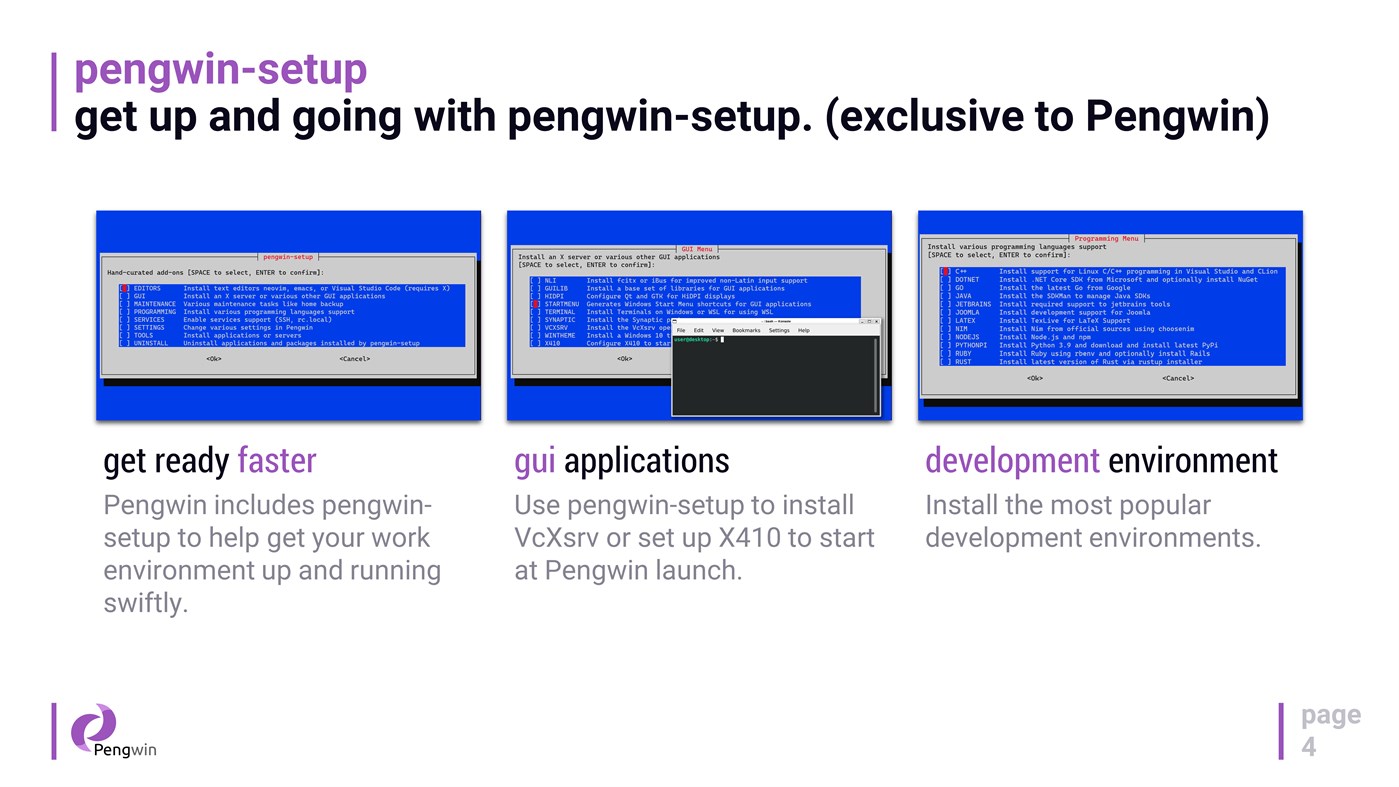
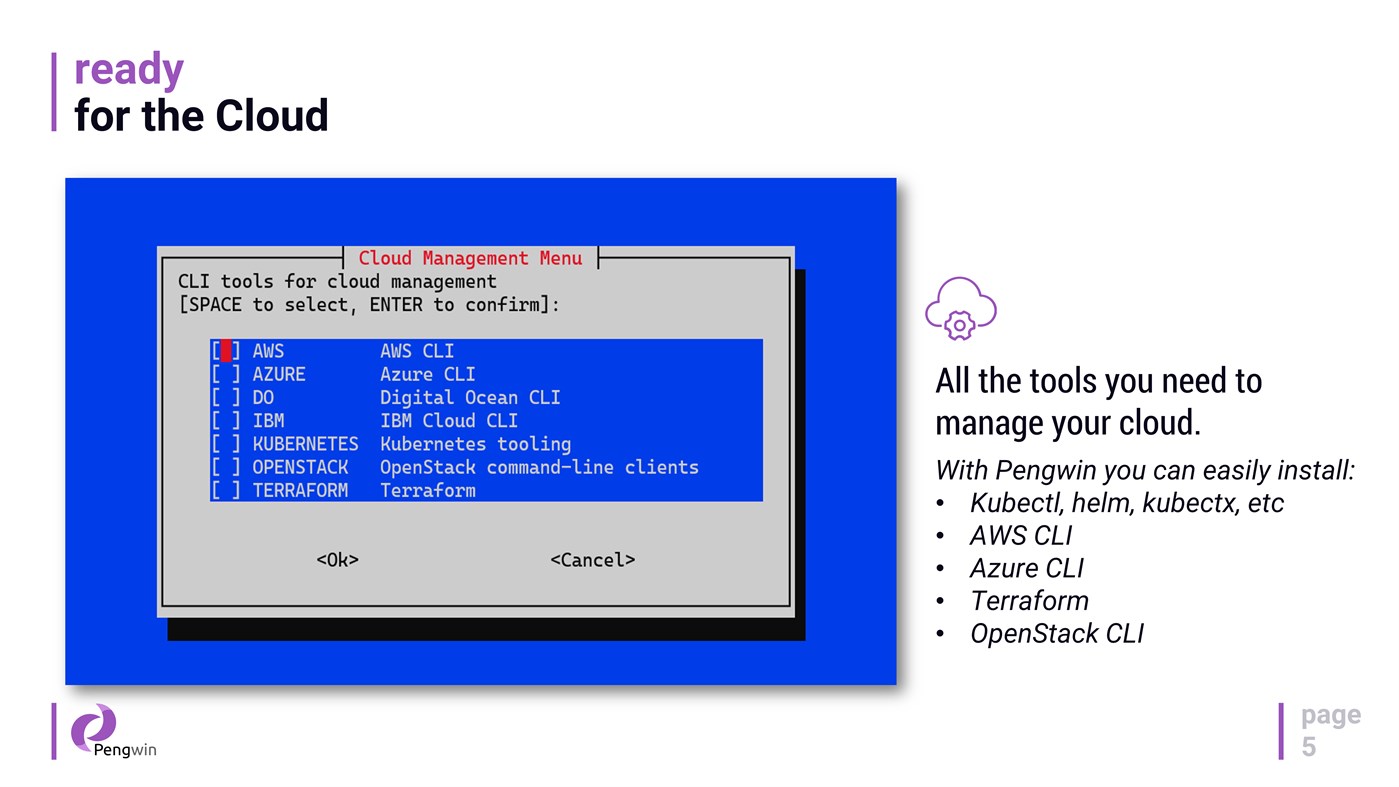
* Fast onboarding with `pengwin-setup`: guided setup and automation for dev tools, cloud tooling, and desktop environments.
* systemd support: enabled by default on new installs, and can be toggled on/off via pengwin-setup (existing installs opt in).
* Modern WSL export/import architecture: `wsl --export` / `wsl --import` preserves your icon and Windows Terminal profile when importing under a new name.
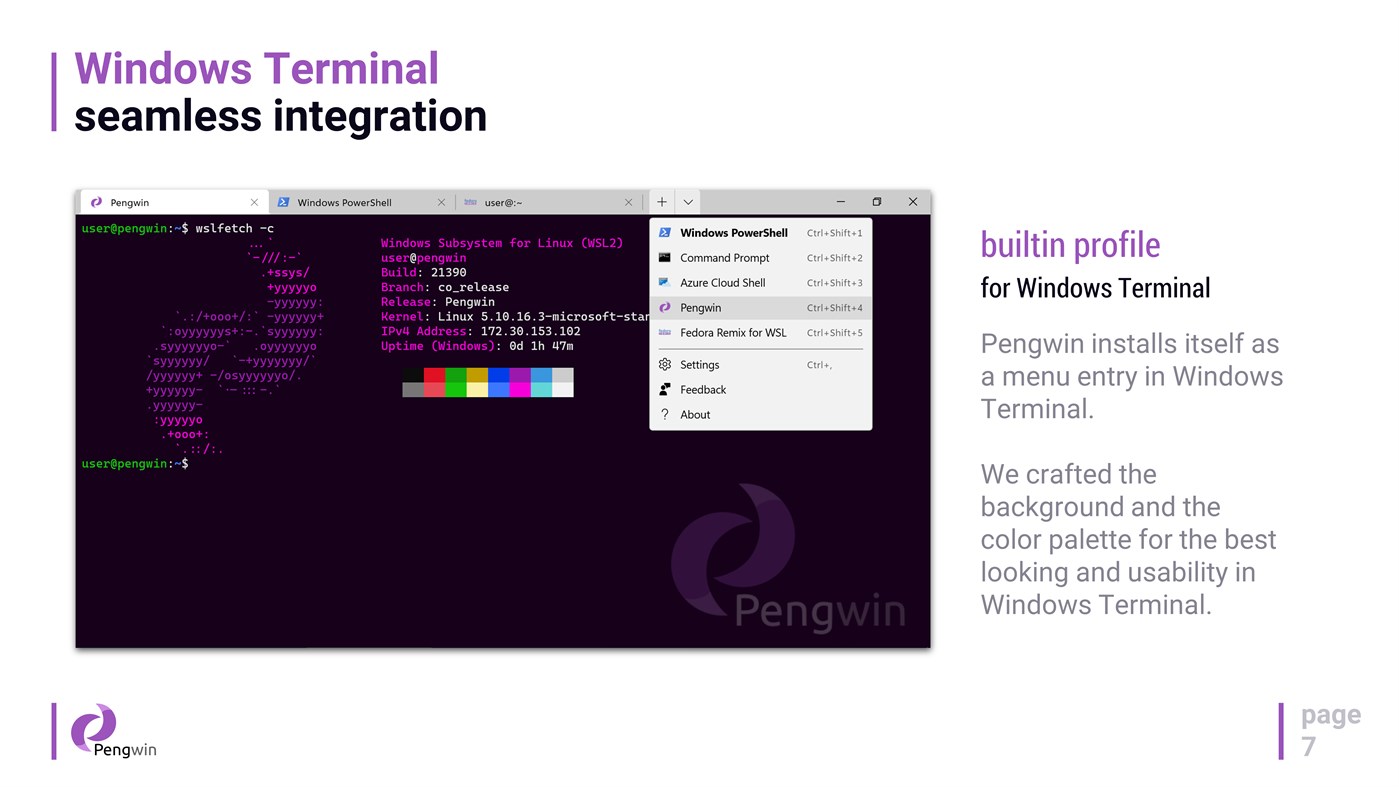
* Windows Terminal integration: Pengwin registers itself in Windows Terminal with a curated profile (colors/background) and improved launch behavior (starts in the current directory when launched via “Open with Windows Terminal” and when set as default).
* GPU acceleration + GPU video acceleration out of the box (no custom repos or manual environment hacks).
* Optional D3D12 acceleration toggle to disable hardware acceleration for driver compatibility or troubleshooting.
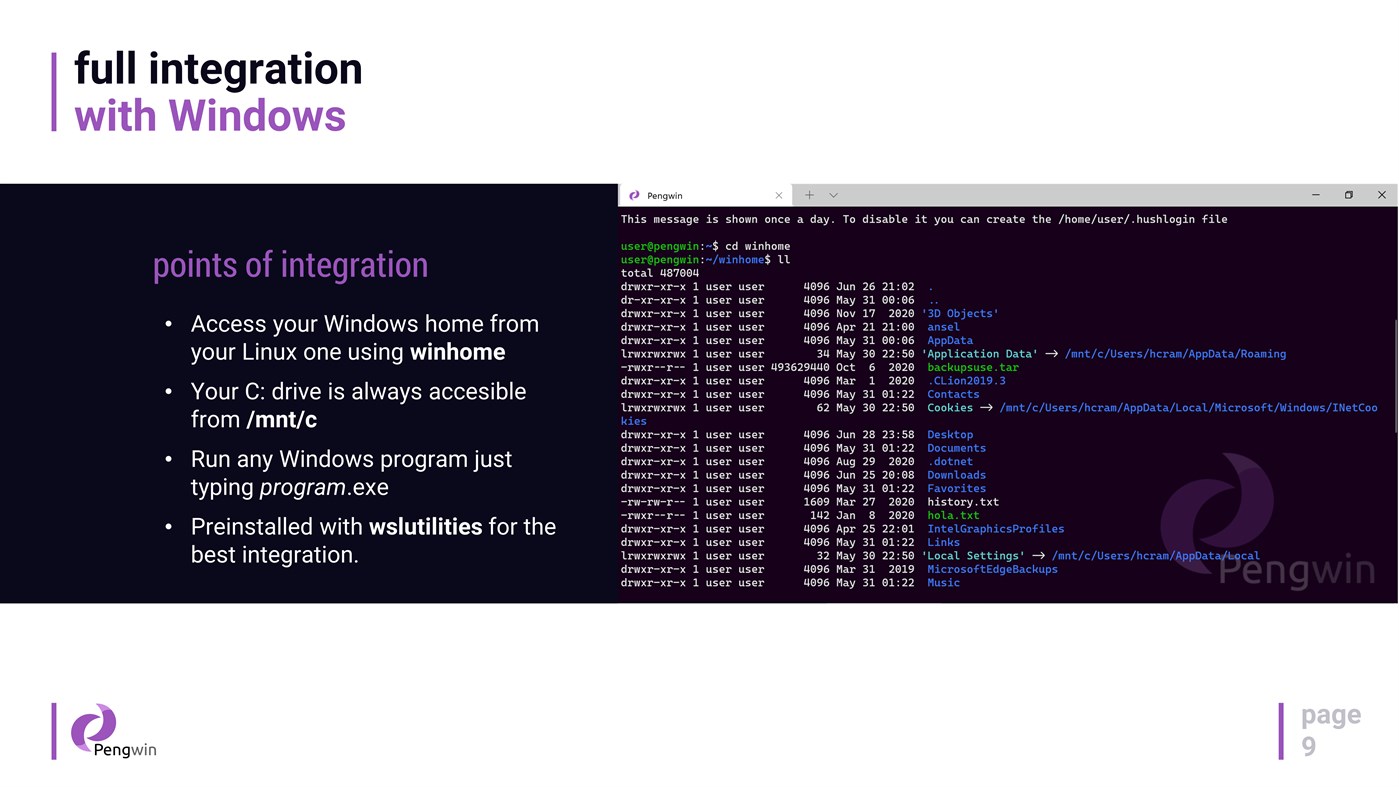
* wslu utilities included for Windows↔Linux workflows (open URLs/files, clipboard interop, Windows env vars, etc.).
What you can do with it
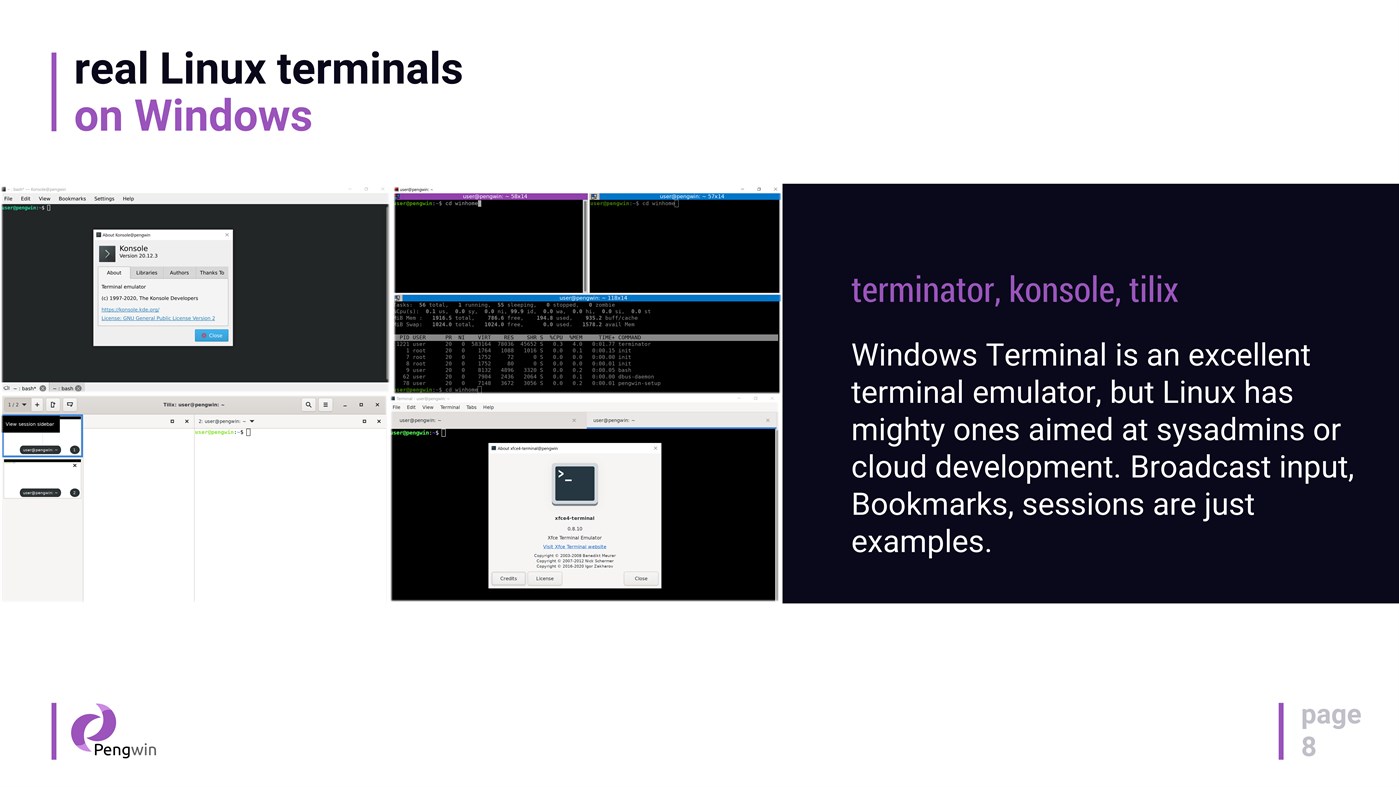
* Use a real Linux terminal on Windows: git, OpenSSH, Python, PowerShell, Bash, and more.
* Install developer stacks via version managers (e.g., pyenv, n, rbenv, SDKMAN!) and get modern toolchains quickly.
* Run local services for dev/test, including a one-click LAMP stack.
* Install cloud & DevOps tooling such as Terraform, Kubernetes tooling, and cloud CLIs via pengwin-setup.
* Run essential Linux GUI apps (IDEs, terminals, tools) with WSLg on Windows 11.
Desktop apps and WSL1 support
* Install a full Xfce desktop environment from pengwin-setup and launch it directly from the Windows Start Menu.
* On WSL1, pengwin-setup can install/configure VcXsrv or set up X410, and you can manage services using `wslsystemctl`.
Hybrid Windows + Linux workflow
Access your `C:` drive at `/mnt/c`, work in a mixed toolchain, and move seamlessly between ecosystems—Pengwin is designed to make the hybrid workflow feel native.
Notes
* Pengwin is Debian-based (not Ubuntu). For best results, follow Debian instructions when troubleshooting or installing packages.
* DISCLAIMER: Windows Insider Preview builds are not production-ready and may introduce incompatibilities. Support for Insider builds is best-effort.
Ad
스크린샷


가격 내역
- 현재 가격: $19.99
- 최소: $4.99
- 최대: $19.99
가격 추적
추가 정보
 https://whitewaterfoundry.com/
새로운 기능
- 버전: PC
- 업데이트:
개발자
- Whitewater Foundry
- 플랫폼: Windows 앱 (5)
- 목록: 2 + 1
- 포인트: 2 + 101 ¡
- 순위: 0
- 댓글: 0
- 할인: 0
- 동영상: 0
- RSS: 구독
목록 (0)
0 ☹️
- Pengwin
포인트 (0)
0 ☹️
순위 (0)
0 ☹️
댓글 (0)
가장 먼저 댓글을 남겨주세요 🌟
«Pengwin». 플랫폼: Windows. 카테고리: 개발자 도구. 개발자: «Whitewater Foundry». 첫 번째 릴리스: . 마지막 업데이트: . 현재 가격: $19.99. 최저 기록 가격: $4.99 (). 최고 기록 가격: $19.99 (). 이 타이틀은 아직 AppAgg에서 평가나 리뷰를 받지 못했습니다. 매장: Windows Store. 매장 평가: 3.9. 투표: 60. 사용 가능한 언어: English. AppAgg는 «Pengwin»의 가격 기록, 평점 및 사용자 피드백을 추적합니다. 향후 할인 및 업데이트 받기: RSS에서 확인할 수 있습니다. AppAgg는 애플리케이션을 호스팅하거나 소프트웨어를 배포하지 않습니다. 모든 상표, 로고 및 스크린샷은 해당 소유자의 자산입니다.
Pengwin 단축 URL: 복사됨!- 🌟 공유하기
- Windows Store
유사 항목
-
- Pengwin Enterprise 8
- Windows 앱: 개발자 도구 게시자: Whitewater Foundry
- $8.99
- 목록: 0 0 0
- 포인트: 1 버전: PC Pengwin Enterprise is a Windows Subsystem for Linux (WSL) solution compatible with mainstream enterprise Linux distributions such as **Oracle Linux** and **Red Hat Enterprise Linux**. ... ⥯
-
- Pengwin Enterprise 9
- Windows 앱: 개발자 도구 게시자: Whitewater Foundry
- $9.99
- 목록: 0 0 0
- 포인트: 0 버전: PC Pengwin Enterprise is a Windows Subsystem for Linux (WSL) solution compatible with mainstream enterprise Linux distributions such as **Oracle Linux** and **Red Hat Enterprise Linux**. ... ⥯