
Bookmarks
Choose a title for this bookmark.
Bookmark saved
| Developer: | Dmitrii Shmanev (2) | ||
| Price: | Free | ||
| Score: | 1,120 Silver | ||
| Rankings: | 0 | ||
| Comments: | 0 Add a comment | ||
| Lists: | 0 + 0 | ||
| Points: | 0 + 0 ¡ | ||
| +1 Points | |||
Screenshots
Advertisement
Video 1
Description

Write SQL and see rows sooner
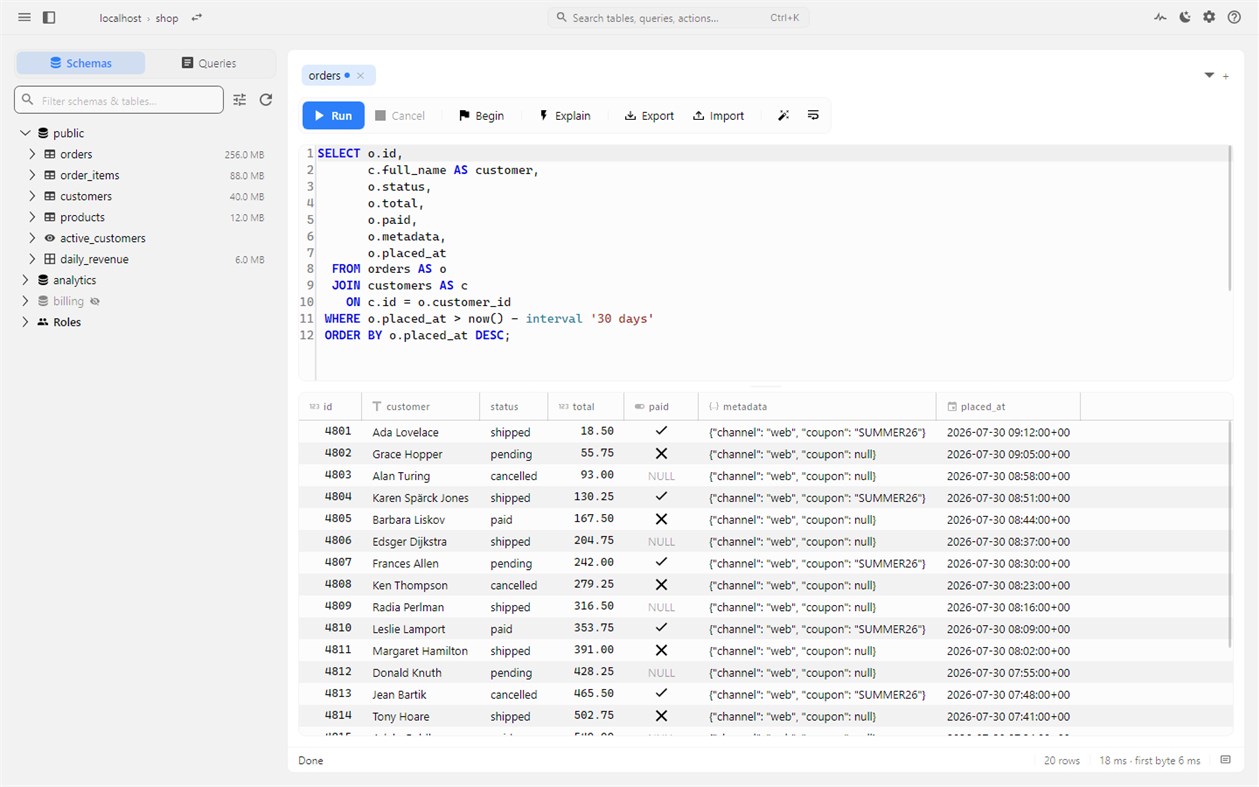
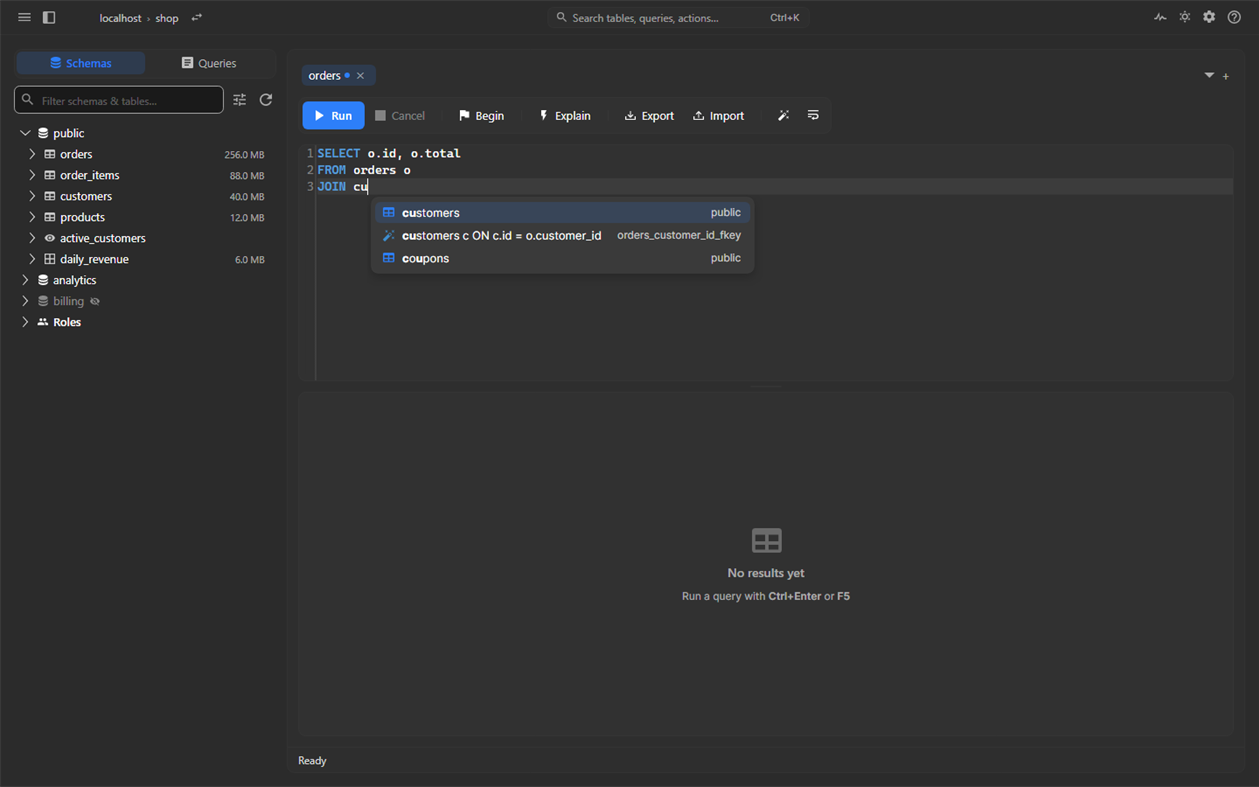
Results stream into the grid while the query runs, and Esc stops it on the server. Autocomplete reads SQL the way PostgreSQL does: it resolves names along search_path and inside subqueries and CTEs, offers one JOIN ... ON condition per foreign key, and completes whole phrases such as ORDER BY and LEFT JOIN. Scripts get a result section for each statement. Your tabs, including unsaved ones, come back after a restart, and Ctrl+Shift+T reopens a closed tab.
Review changes before they are applied
Browse any table without writing SQL, with sorting, paging and filters that run on the server. Follow foreign keys, edit cells with editors for enums, dates, arrays and JSON, or open a row as a form.
Safe mode stages edits, inserts and deletes and shows the exact SQL. Everything commits as one transaction. Each staged row is re-read under a lock first, so if another session changed it, nothing is written and you see the old, current and proposed values.
Understand slow queries
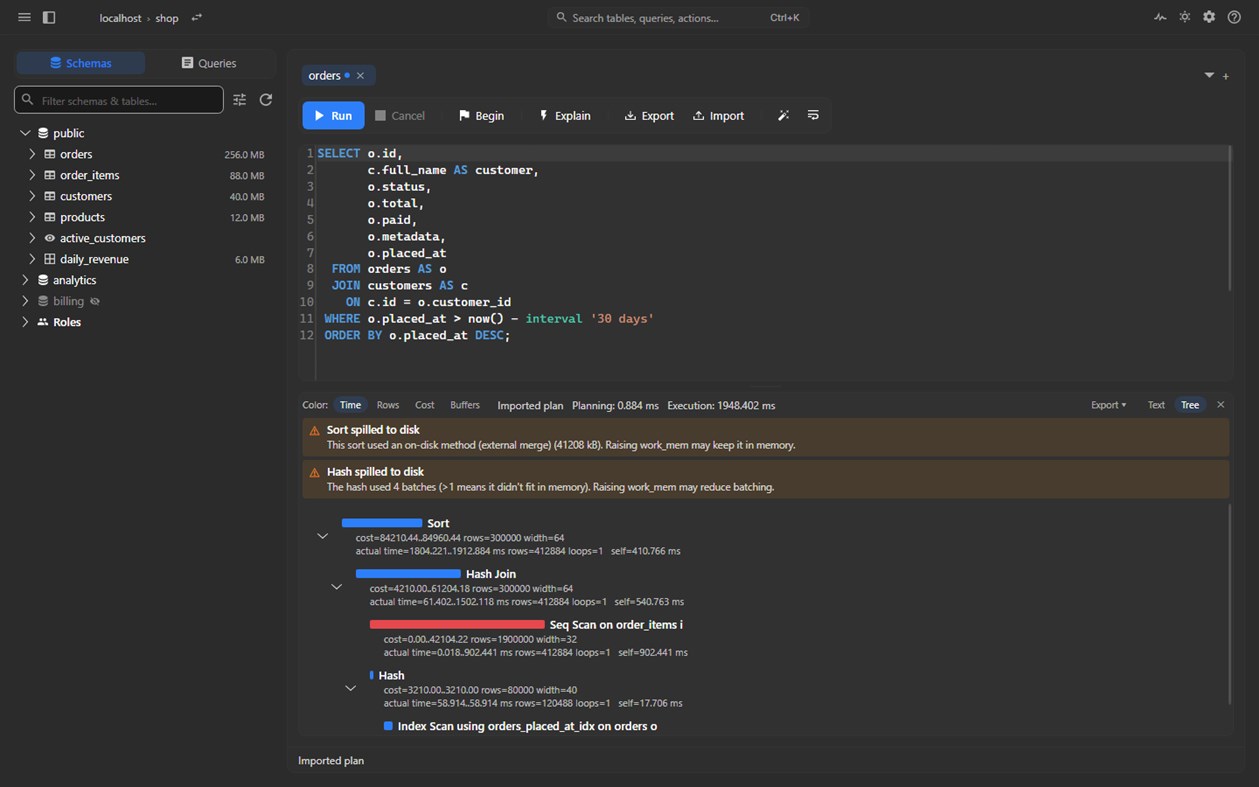
EXPLAIN and EXPLAIN ANALYZE open as a tree with a heat map of self time and plain warnings about disk spills and bad row estimates. Paste a plan from anywhere and read it without a connection. Slow queries lists the heaviest statements from pg_stat_statements and never resets your statistics.
See what the server is doing
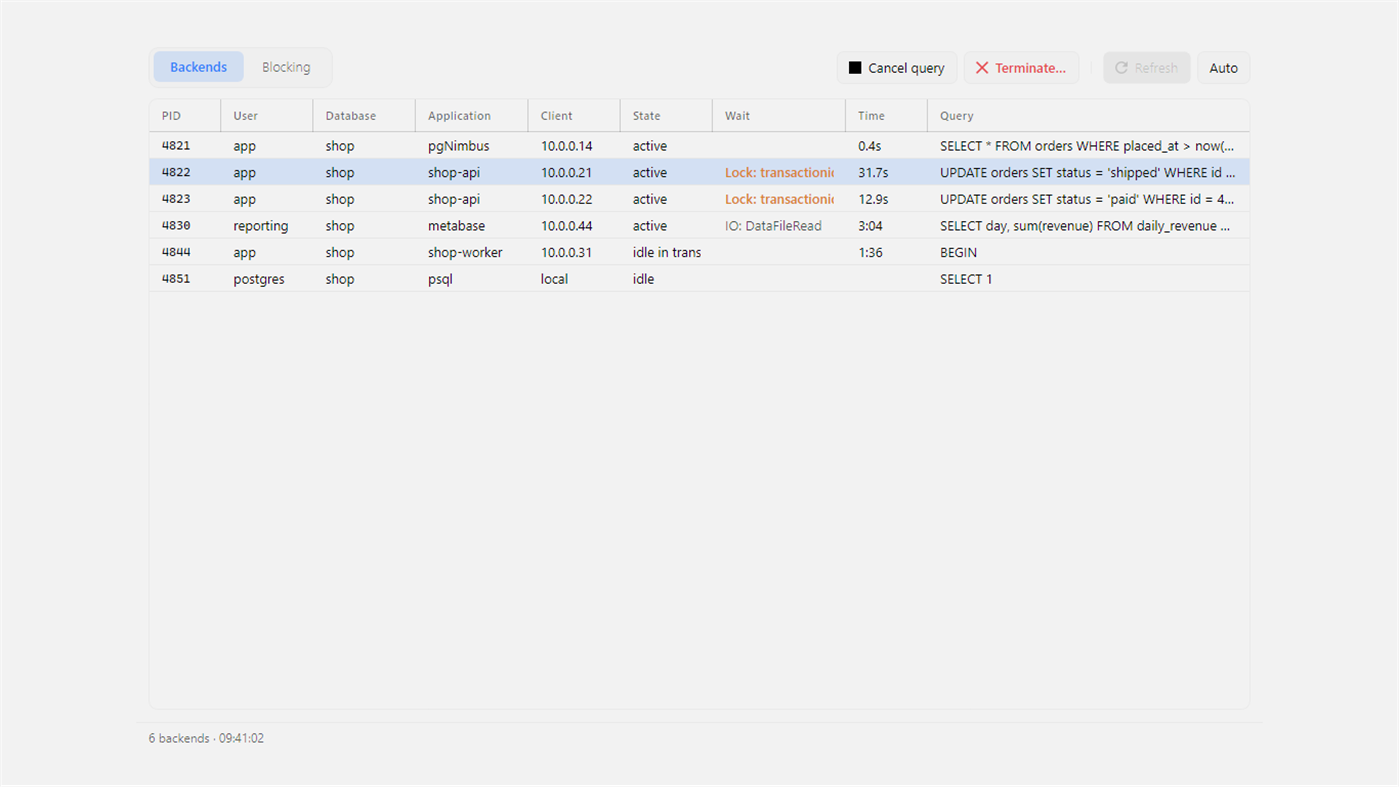
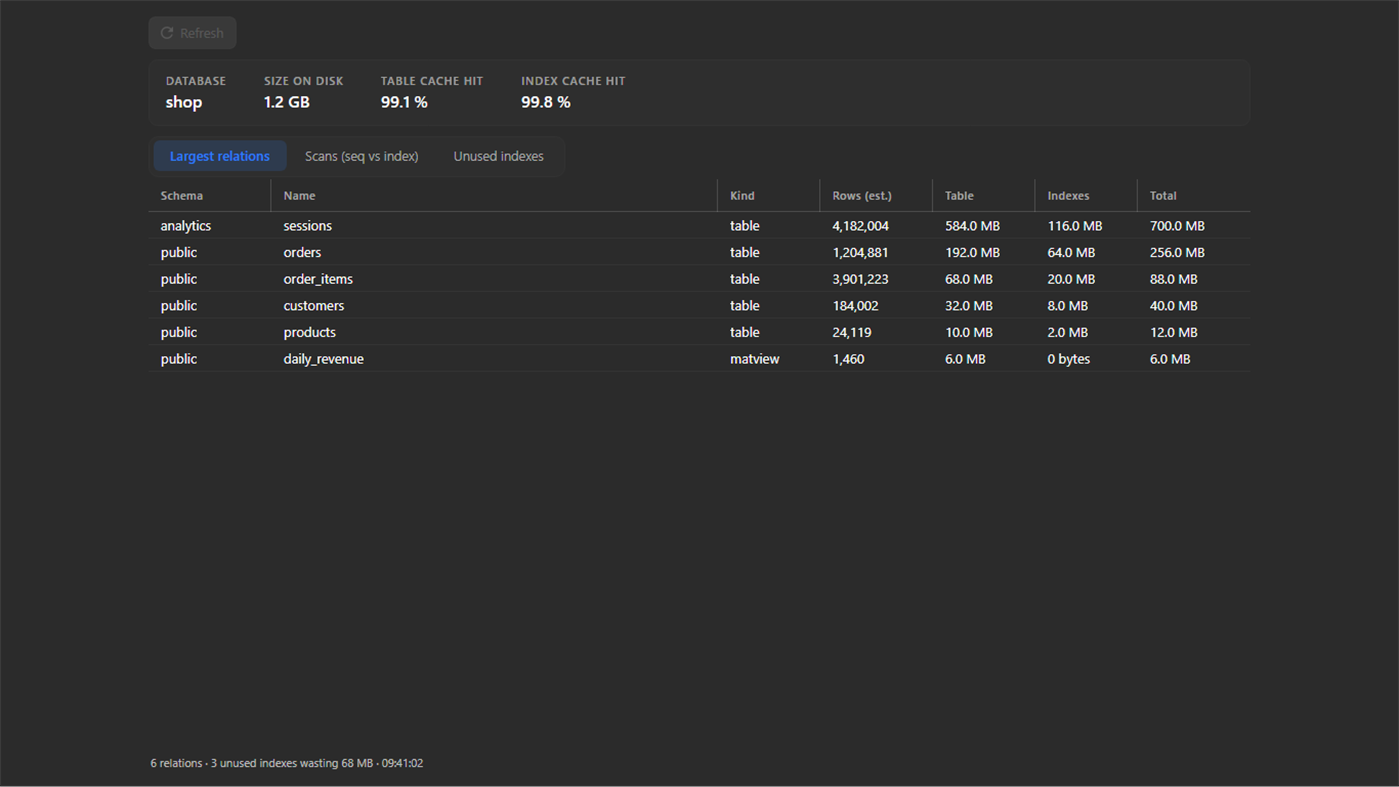
Server activity lets you cancel or terminate a session, and a lock tree shows who blocks whom. Database overview lists the largest relations, unused indexes, scan types and cache hit ratios. The roles view answers "can this role do that, and why" using the server's own privilege checks, and changes come out as a script instead of being applied behind your back. The LISTEN/NOTIFY monitor shows JSON payloads as a tree.
Connect with care
Paste a connection string in any format: a postgres:// URI, a JDBC URL, libpq keywords or a whole psql command. Give each profile an accent color so production never looks like staging. Mark a profile Read only and the server itself refuses every write. SSH tunnels sign in with your SSH agent, a key file or a password, and the host key is checked against known_hosts. TLS goes up to Verify full, also through a tunnel, with your own root certificate if you need one. Passwords are encrypted with Windows DPAPI and stored apart from your connection profiles.
Import and export
Import CSV and JSON through COPY. Export a table or a query result as CSV, JSON, Markdown or INSERT statements. The export writes every row, not just the page on screen, and you can cancel it.
Free and private
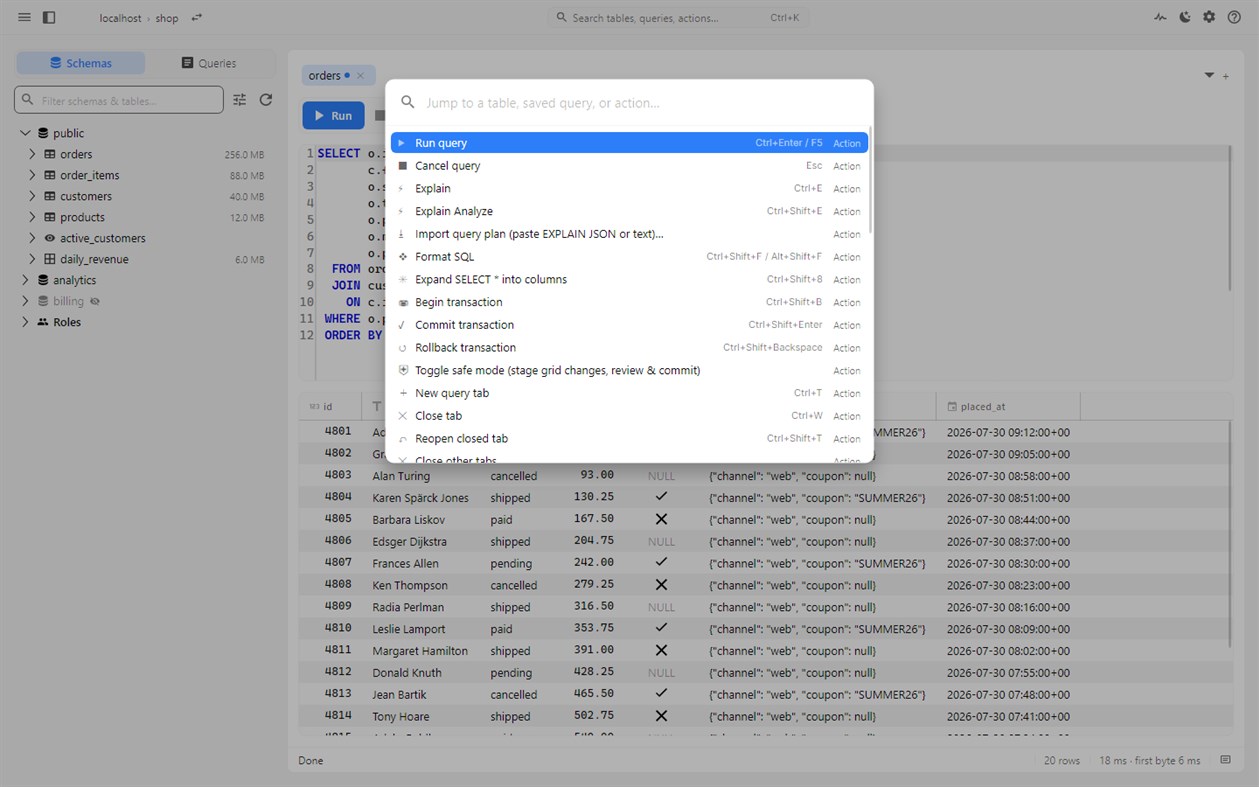
pgNimbus is MIT licensed and built with .NET and Avalonia as a NativeAOT app, not Electron. It has no telemetry, no automatic crash reports and no account. Ctrl+K opens a command palette for every table and command, F1 lists all shortcuts, and there are light and dark themes.
Requires access to a PostgreSQL server.
Other platforms
| pgNimbus - PostgreSQL ClientWindows Store1K SilverYou are here | Free |
Only in this store right now.
Price History
- Current price: Free
- Minimum: Free
- Maximum: Free
Track prices Add to a list to get discount alerts by email or push
Lists 0
0
- pgNimbus - PostgreSQL Client
Points 0
0
Rankings 0
-

- Your rating

Comments 0 ¡
Be the first to comment
Developer
- Dmitrii Shmanev
- Followers: 0
- Platforms: Windows Apps (2)
- Deals: 0
- Lists: 0 + 0
- Points: 0 + 0 ¡
- Rankings: 0
- Comments: 0
- Videos: 2
- RSS: Subscribe
What's new
- Version: PC
- Last Updated:
- pgNimbus 1.2.1 adds environments. Your connections, queries and settings carry over.
• Mark a connection as Development, Staging or Production. The label shows in the connection list and next to the database name in the title bar, so you see where you are before anything runs.
• Production opens with writes off. The server enforces it, so the editor, the grid, imports and schema actions are all refused the same way. Click the red production label (or run Allow writes in this window from the command palette) and confirm to allow writes in that window only. New windows and the next connect start locked again.
Improved: Tab strips keep the focus ring when you move with the arrow keys. Updated to Avalonia 12.1.4 and the latest stable packages.
Additional Information
- Release Date:
- Category:
Windows Apps›Developer tools - OS:
PC - Size:
27 Mb - Supported Languages:
English - Content Rating:
EVERYONE - Windows Store Rating: ¡
0 - Website:
 https://shman4ik.github.io/pgNimbus/
AppAgg Score
1,120
Estimated AppAgg Score for
pgNimbus - PostgreSQL Client
Developer: Dmitrii Shmanev
1,120 Silver
Higher scores usually reflect better results across AppAgg’s indicators.
Based on: popularity · ratings · freshness · deals · store data · community signals
Recalculated daily using fresh AppAgg data.
Website badge:  Copied!
Summary
pgNimbus - PostgreSQL Client Short URL: Copied!- Windows Store
On AppAgg, you can track the Windows app “pgNimbus - PostgreSQL Client” by Dmitrii Shmanev, listed under Developer tools. AppAgg Score: 1,120 (Silver). AppAgg Points for the app — confirmed: 0; indirect: 0. Public lists containing the app: 0. Users who have saved it in private lists: 0. AppAgg users have not rated the app yet. Confirmed Points record visits to a store by signed-in AppAgg users; indirect Points are based on store data. AppAgg counts public lists containing an app or game and users who have saved it in private lists. The app was first released on . The app was last updated on . The app is currently available for free. The app is available in these languages: English. Explore the price history, add the app to a list, or follow its developer. Follow future deals and updates for the app via its RSS feed. AppAgg does not host or distribute the app. All trademarks, logos, and screenshots related to the app belong to their respective owners.
You may also like
Recent discussions
 AppLocalDub – Real-Time Game Dubbing Hello Kırtay Interactive, I am using LocalDub - Real-Time Game Dubbing. I would like to know if Hind...
  rashid game5
  AppNauticPlayer This app is absolute cinema. Honestly, it’s one of the best media players I’ve ever tried, and I’m s...
  Manuel16
  AppScreen Beings This is my app so I’m a little bias but as someone from the ADHD community that teaches ADHD and neu...
  Tarelle Irwin6
  AppAadi vault good it ia a encrypter and good you my work on office
  Aditya Rai5
  AppTyping 365 | Daily Typing Trainer The best typing app ever. With Typing 365 you don’t have to force yourself for couple minutes traini...
  Ahmad Mozaffar5
  AppZefir Calendar — Calendar in the Taskbar excelente app! Superando todas as espectativas!
  Diógenes Magnus5
  AppLockinRa LockinRa 리뷰 LockinRa는 작업 관리, 집중력 도구, AI 코칭을 하나의 데스크톱 앱으로 통합한 무료 Windows 생산성 프로그램입니다. 클라우드 동기화 없이 로컬 ...
  abhilok reddy6
  AppCN Vault I Love this app CN Vault is a user-friendly app that helps keep your passwords safe and secure. If y...
  Marjuk Amin5
