
Bogmærker
| Udvikler: | PocketCmd (2) | ||
| Pris: | * Gratis Ny | ||
| Score: | 1.480 Guld | ||
| Ranglister: | 0 | ||
| Kommentarer: | 0 Skriv kommentar | ||
| Lister: | 0 0 | ||
| Point: | 0 | ||
| +1 Point | |||
Kort fortalt
PocketCmd: SSH Client & SFTP er en app fra PocketCmd i kategorien »Udviklerværktøjer«.
Nyhed: den udkom , så du er blandt de første.
Findes også på Google Play. Vælg den, der passer dig bedst.
Gratis at komme ind, men butikken derinde har åbent.
Microsoft Store er bygget ind i Windows, så installationen klares med et par klik.
AppAgg-scoren er 1.480. Det er Guld.
Kun 26 megabyte. Der er plads, selv på en fyldt harddisk.
Aldersgrænse »EVERYONE«: også fint for børn.
Taler kun ét sprog, og det er ikke dansk.
Har du brugt den? Din anmeldelse bliver den første her.
Udvikleren har yderligere 1 app på AppAgg. Tag et kig.
Vil du høre om opdateringer og nye apps først? Følg udvikleren eller abonner på vores RSS-feed. Push-beskeder kommer via appen AppAgg Alerts til Android og iOS.
Andre platforme 1
 | PocketCmd: SSH Client & SFTPWindows Store1K GuldWindowsKøb i appen | Gratis |
 | PocketCmd: SSH Client & SFTPGoogle Play3K SølvAndroidKøb i appen $4.99 – $99.99 | Gratis |
Prishistorik 0
- Nuværende pris: Gratis
- Minimum: Gratis
- Maksimum: Gratis
Dit eget feed på forsiden
Skærmbilleder 8
Video 1
Beskrivelse
Free for one server, with no time limit. Pro removes the limits.
BUILT FOR THE DESKTOP
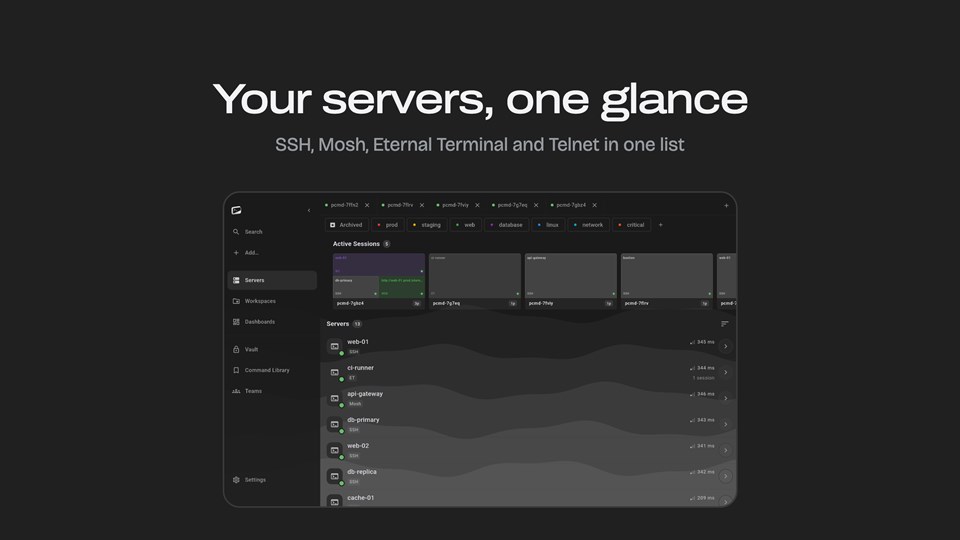
• A sidebar for your servers, session tabs, a command palette, right-click menus and drag-and-drop
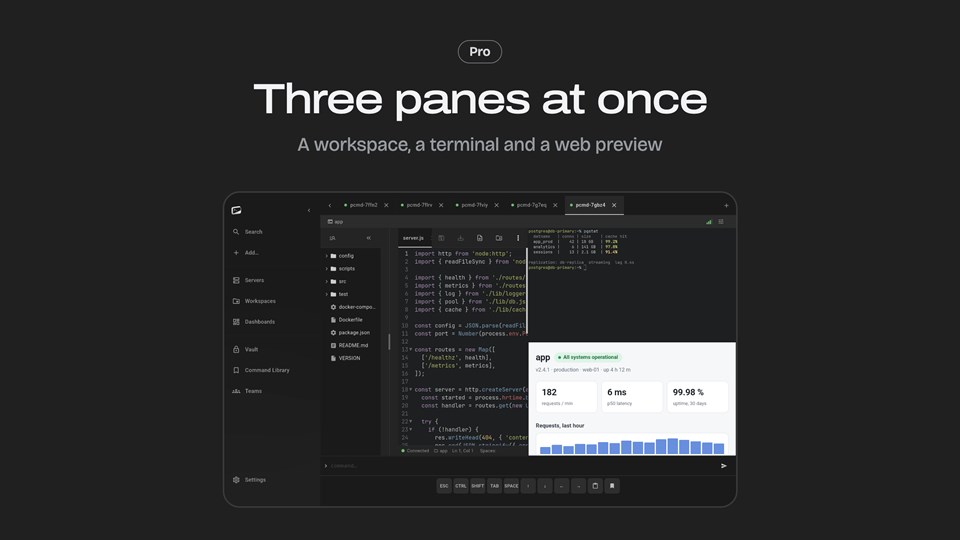
• Split the window into up to four panes, with terminals, a workspace and a web preview side by side (Pro)
• Your servers appear in File Explorer, so remote files open like local ones
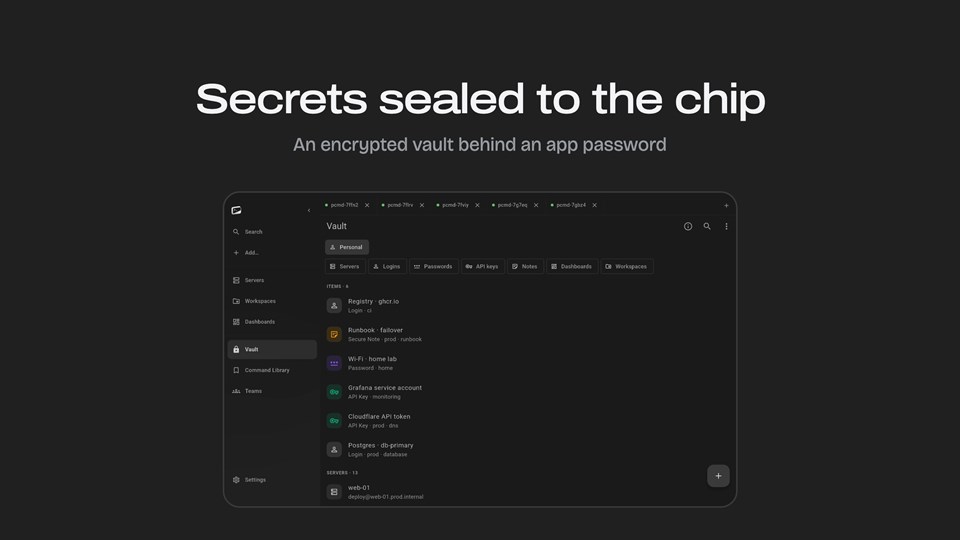
• Your vault key is sealed to the TPM 2.0 chip where your PC has one
A REAL TERMINAL
• Our own terminal renderer, written in C: libvterm parsing, FreeType and HarfBuzz, 24-bit color, 60 fps, no web view
• SSH on native libssh2 and OpenSSL, with every key format, two-factor and keyboard-interactive logins, and agent forwarding
• Mosh and Eternal Terminal: sessions survive network changes, sleep and even an app restart
• Telnet for the legacy gear that still needs it, with a warning before anything goes out unencrypted
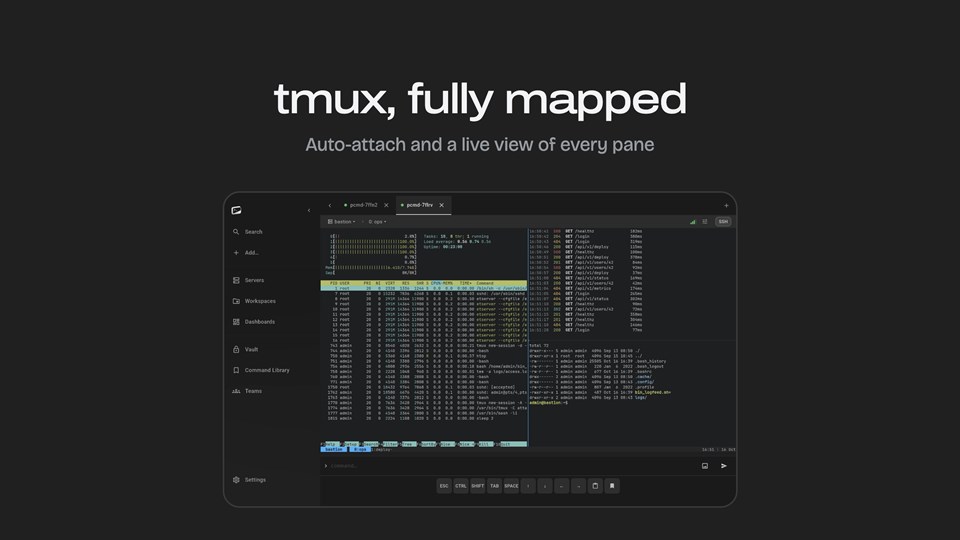
• tmux auto-attach, with a live view of every window and pane
FILES AND WORKSPACES
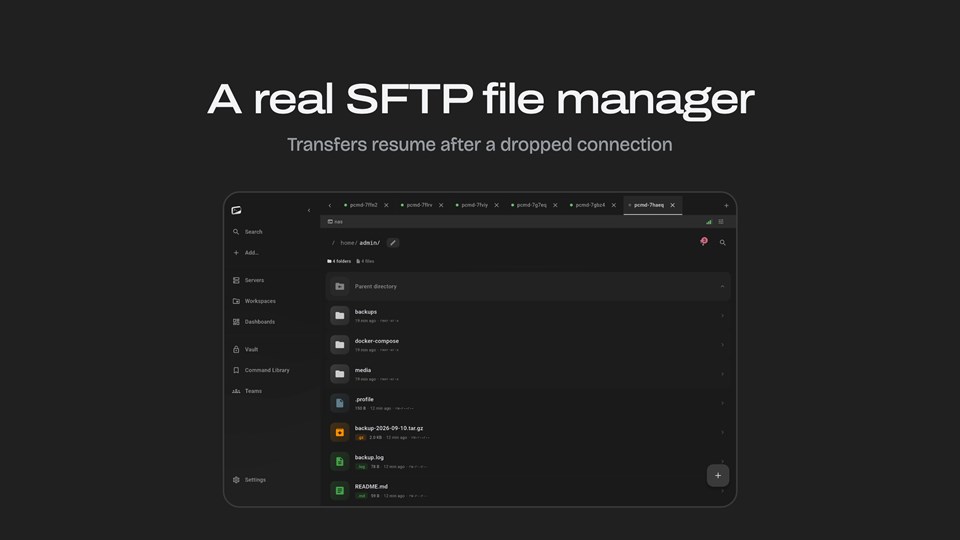
• A full SFTP file manager with permissions, symlinks, search and bookmarks
• Background transfers that resume after a dropped connection, verified with SHA-256
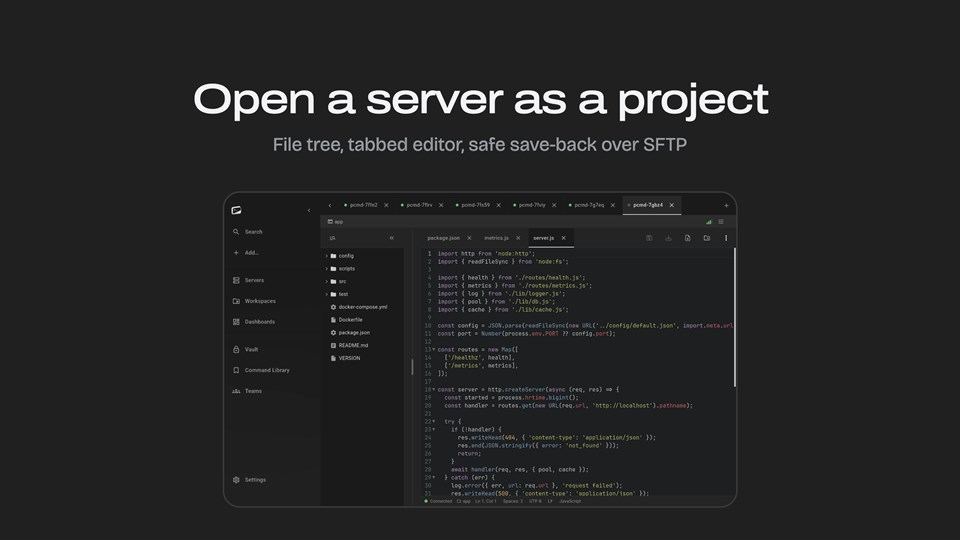
• Open a server folder as a workspace: file tree, tabbed code editor with syntax highlighting, folding, find and replace, a diff viewer, quick-open and search that runs on the server
• Saving checks for remote changes first, and unsaved edits are kept encrypted, never as plain text on disk
MONITORING WITHOUT AN AGENT
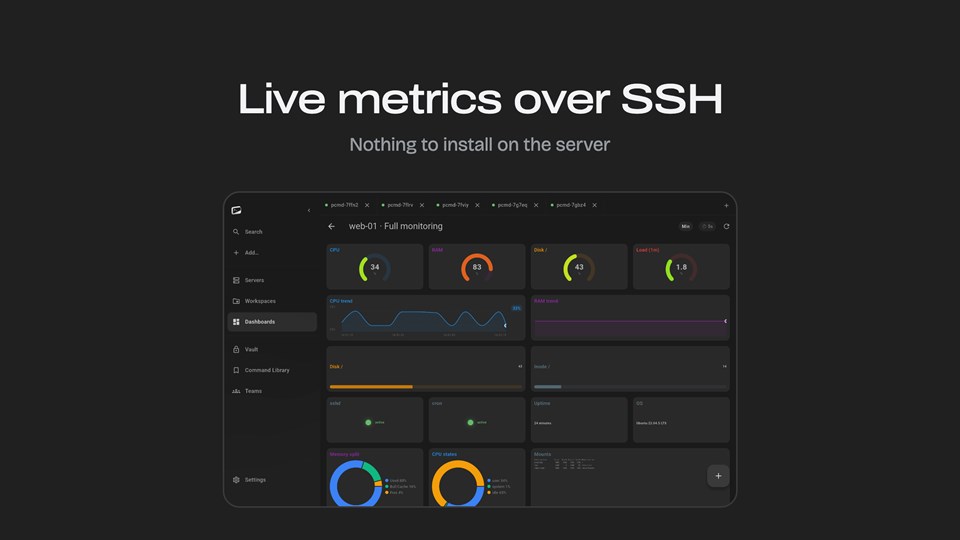
• Dashboards of live metrics over the SSH connection you already have: gauges, sparklines, bars, donuts and status cards
• Nothing to install on the server
• Threshold alerts pushed to your phone by your own self-hosted server (Pro)
SECURITY THAT IS NOT OPTIONAL
• An app password is always required, stretched with Argon2id
• Host keys are pinned on first connect and checked every time after
• An encrypted vault for passwords, key passphrases, API tokens and notes
• Generate SSH keys in the app, or import your SSH config and keys from files
ALSO IN THE BOX
• Port forwarding: local, remote and SOCKS5
• Snippets, command templates and a curated command library
• A web preview with developer tools for what your server is serving
• Encrypted backup and restore
OPTIONAL: YOUR OWN SERVER
PocketCmd connects to any SSH server as it is. If you want more, pair the optional companion server, a single open-source Go binary you host yourself, for zero-knowledge sync between your devices, teams with roles and shared vaults, and always-on alerts (Pro). Everything is encrypted on your PC before it leaves, so the server stores data it cannot read.
FREE AND PRO
Free: one saved server, one group, one dashboard and one workspace, with all four protocols, SFTP, tmux, port forwarding, the vault and every security feature. No account, no time limit.
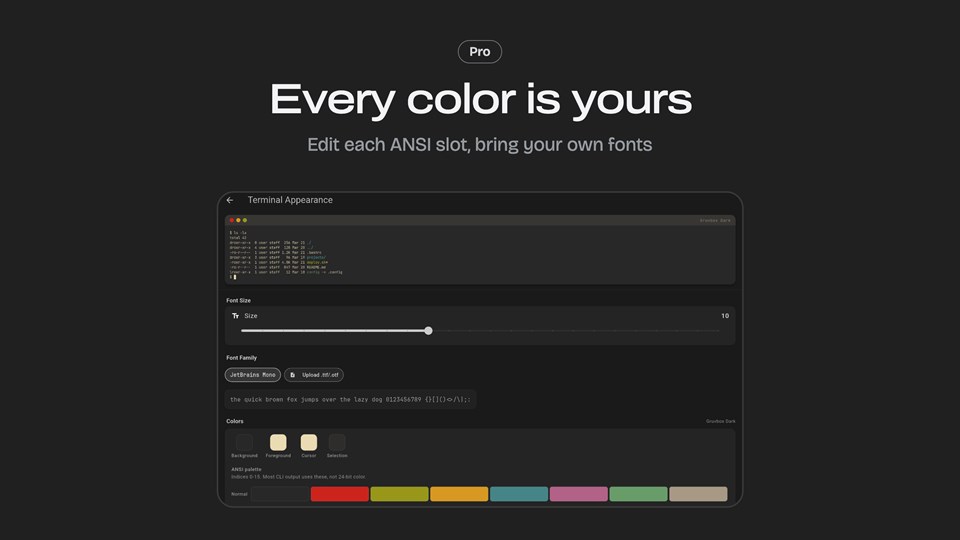
Pro: unlimited servers, groups, dashboards and workspaces, split panes, multi-hop SSH through jump hosts, every theme with the theme editors and custom fonts, protocol switching mid-session, sync, alerts and teams. Pro is an in-app purchase through Paddle: a monthly or yearly subscription, or a one-time lifetime license while those are available, from US$5 to US$149 depending on the plan (local prices vary). One license covers up to three of your devices, on Windows, Mac, Linux, iPhone, iPad and Android. If a subscription ends, nothing is deleted.
PRIVACY
Your PC connects directly to your servers. There is no PocketCmd account, no relay in between, no analytics and no ads.
Fra udvikleren
Lister 0
-
 PocketCmd: SSH Client & SFTP
Point 0
-

- +1 Point

Ranglister 0
-
- Din bedømmelse
Udvikler 2
- PocketCmd
- Følgere: 0
- Platforme: Android Apps (1) Windows Apps (1)
- Tilbud: 0
- Lister: 0 0
- Point: 0
- Ranglister: 0
- Kommentarer: 0
- Videoer: 1
- RSS: Abonner
Nyheder
- Version: PC
- Sidst opdateret:
Yderligere oplysninger
- Udgivelsesdato:
- Kategori:
Windows-apps›Udviklerværktøjer - Operativsystem:
PC - Størrelse:
26 Mb - Understøttede sprog:
Engelsk - Indholdsklassificering:
EVERYONE - Windows Store Bedømmelse: ¡
0 - Websted:
 https://pocketcmd.com
AppAgg-score
Estimeret AppAgg-score for
PocketCmd: SSH Client & SFTP
Udvikler: PocketCmd
En højere score afspejler som regel bedre resultater på de områder, AppAgg måler.
Baseret på: popularitet · brugervurderinger · aktualitet · tilbud · butiksdata · fællesskabsaktivitet
Genberegnes dagligt ud fra aktuelle AppAgg-data.
Kommentarer 0 ¡
Del
PocketCmd: SSH Client & SFTP Kort webadresse: Kopieret!- Windows Store

