
Lesezeichen
| Entwickler: | whyun (3) | ||
| Preis: | Kostenlos Neu | ||
| Score: | 1.010 Silber | ||
| Ranglisten: | 0 | ||
| Kommentare: | 0 Kommentar posten | ||
| Listen: | 0 0 | ||
| Punkte: | 0 | ||
| +1 Punkt | |||
Kurzinfo
Vorhang auf für Posemark, eine App von whyun aus der Kategorie „Entwicklungstools“.
Neuerscheinung: erst erschienen, du bist also ganz vorne mit dabei.
Gratis, keine Werbung, keine In-App-Käufe. Nur du und die App.
Der Microsoft Store ist in Windows eingebaut, die Installation ist also in ein paar Klicks erledigt.
Der AppAgg-Score liegt bei 1.010. Silber, und das ist gar nicht übel.
Altersfreigabe „EVERYONE“, also auch für Kinder geeignet.
Kann 2 Sprachen, aber Deutsch ist noch nicht dabei.
Schon benutzt? Deine Rezension wäre hier die erste.
Der Entwickler hat noch 2 weitere Apps auf AppAgg. Ein Blick lohnt sich.
Willst du als Erstes von Updates und neuen Apps erfahren? Folge dem Entwickler oder abonniere den RSS-Feed. Push-Nachrichten kommen über die App AppAgg Alerts für Android und iOS.
Andere Plattformen 0
Preisentwicklung 0
- Aktueller Preis: Kostenlos
- Minimum: Kostenlos
- Maximum: Kostenlos
Dein eigener Feed auf der Startseite
Screenshots 6
Beschreibung

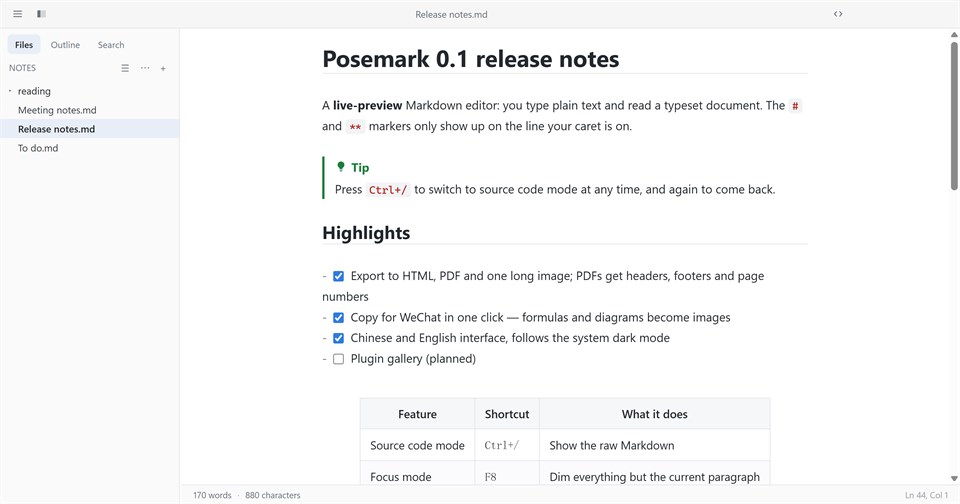
Live preview editing
- Headings, lists, quotes, task lists with clickable checkboxes, horizontal rules, bold, italic, strikethrough, highlight, subscript and superscript.
- GFM tables open as an editable grid when you click into them. Tab and Shift+Tab walk the cells, Enter moves down a row, and a right-click menu inserts or deletes rows and columns and sets alignment. Every keystroke is written back to the Markdown source.
- Fenced code blocks are syntax-highlighted, with optional line numbers and soft wrap, and stay highlighted while you edit them.
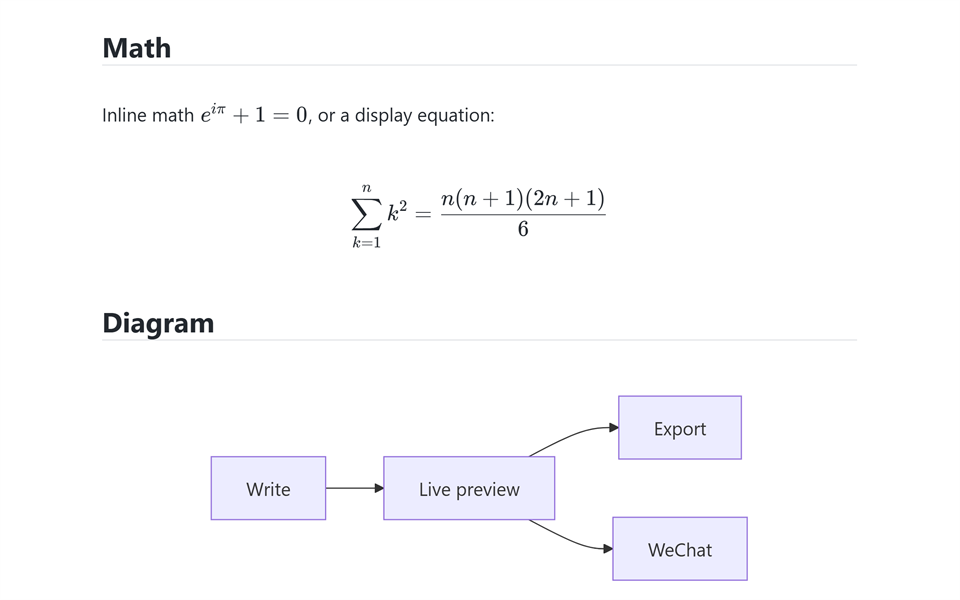
- Inline and block math with KaTeX, including mhchem chemistry, a subset of the physics package, equation numbering and \label / \ref cross-references. A math block opens as a field with the rendered formula updating underneath.
- Mermaid diagrams, plus sequence and flow diagram syntaxes, render in place and follow the editor theme. Right-click a diagram to save it as SVG or PNG.
- GitHub-style alerts, footnotes, a clickable [TOC] block, emoji shortcodes with autocomplete, reference-style links and YAML front matter.
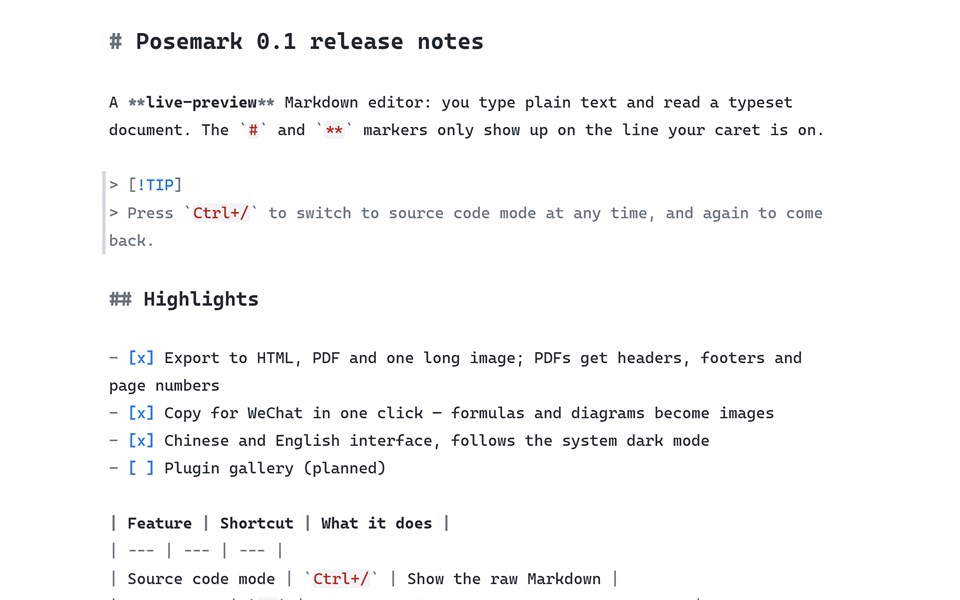
- Source code mode shows the raw Markdown with syntax highlighting.
Images
- Drop or paste an image and it is copied into the document's image folder (assets/ by default) and linked for you. Video and audio files become players.
- Click an image to resize it with a drag handle; the size is written into the Markdown.
- A right-click menu opens, reveals, copies, zooms, moves or deletes images, and can download a remote image into the image folder.
- Optional uploading through PicGo-Core, PicList or your own command, if you set one up.
Writing comfort
- Smart typography, auto-pairing of brackets and Markdown markers, and smart paste that turns rich text from web pages or Word into Markdown.
- Find and replace with regular expressions, jump to line, focus mode, typewriter mode, zoom and full screen.
- Word count with characters, lines, paragraphs and reading time.
Workspace
- Open a folder and work from a file tree: new file, new folder, rename, duplicate, drag-and-drop move, move to the Recycle Bin, and undo of the last file operation.
- Quick open, recent files, pinned folders, a flat file list view and search across the whole folder.
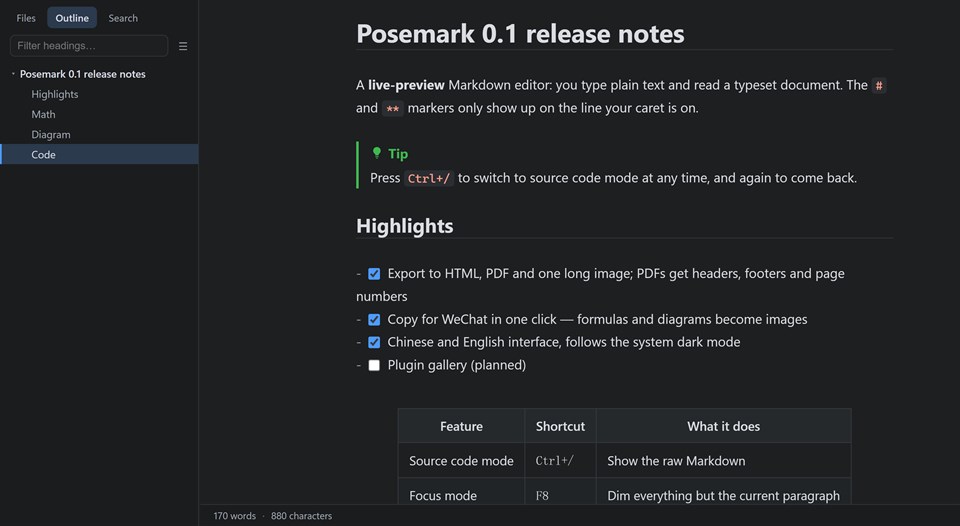
- An outline panel with folding and filtering.
- Changes made to the folder by other programs show up automatically.
- Multiple windows, one document per window, and automatic save if you want it.
- Unsaved edits are backed up as drafts so a crash or a forced shutdown loses nothing; recover them from the File menu.
- Command line: after installation the posemark command opens files or folders from a terminal and exports Markdown to HTML, PDF or PNG in batch.
Output
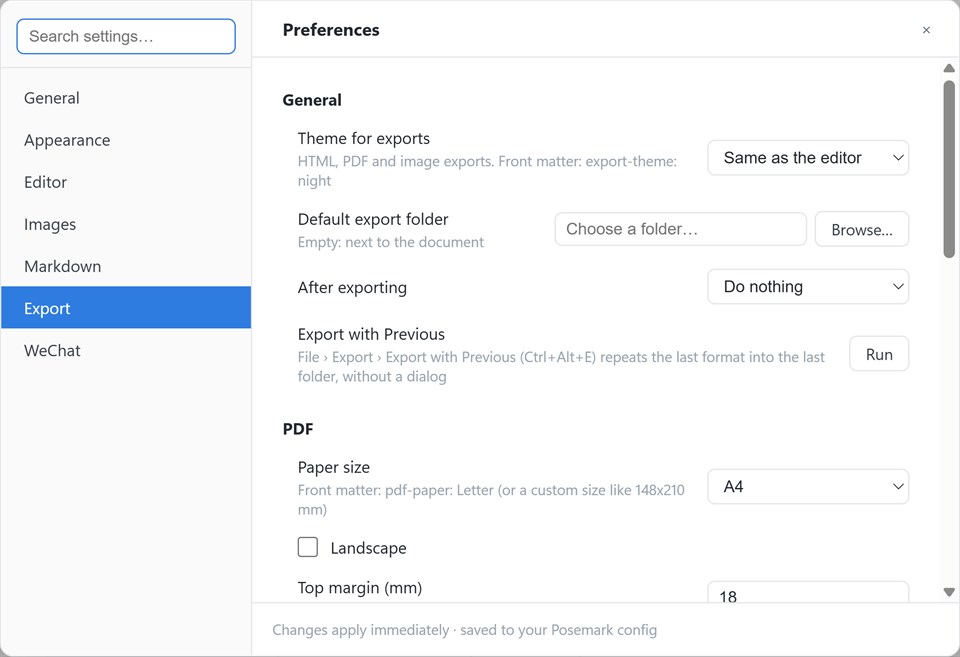
- Export to self-contained HTML or to PDF, with headers, footers and page numbers for PDF.
- Copy as HTML or as Markdown.
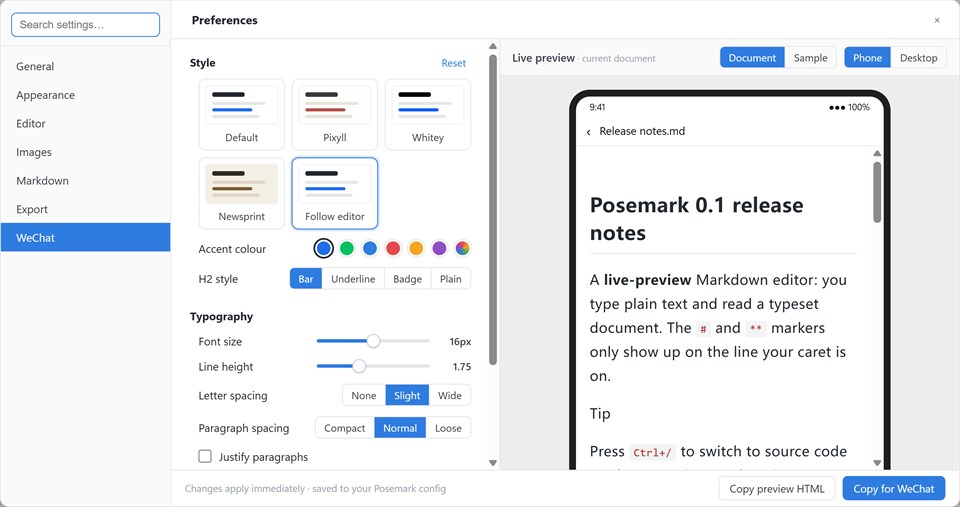
- Copy for WeChat Official Accounts: the document is rebuilt with inline styles only, with formulas and diagrams turned into images, and a live preview lets you tune the look.
Themes
- Five built-in themes (Default, Night, Pixyll, Whitey, Newsprint), automatic switching with the Windows light or dark mode, and your own CSS overrides or complete themes.
- The interface is available in English and Simplified Chinese.
Privacy
Posemark works on local files. It has no account, no ads and no telemetry. It only goes online when your document references a remote image, when you ask it to download an image, or when you use an image uploader you configured yourself.
Posemark is free and open source under the MIT license.
Vom Entwickler
Listen 0
-
 Posemark
Punkte 0
-

- +1 Punkt

Ranglisten 0
-
- Deine Bewertung
Entwickler 3
- whyun
- Follower: 0
- Plattformen: Windows Apps (3)
- Angebote: 0
- Listen: 0 0
- Punkte: 0
- Ranglisten: 0
- Kommentare: 0
- Videos: 0
- RSS: Abonnieren
Neue Funktionen
- Version: PC
- Zuletzt aktualisiert:
- Posemark 0.2.1 is a bug-fix update:
- Lists in live preview: bullets render as disc, circle and square by nesting depth, ordered lists keep their numbers, and items plus their continuation lines get a hanging indent so wrapped text lines up under the item text. The text no longer shifts when the caret line shows the raw marker.
- Bold and italic around CJK punctuation: wrapping a selection such as 「她」 in bold, italic, strikethrough or highlight now moves the markers inside the punctuation so the formatting renders correctly.
Weitere Informationen
- Veröffentlichungsdatum:
- Kategorie:
Windows-Apps›Entwicklungstools - Betriebssysteme:
PC - Größe:
162 Mb - Unterstützte Sprachen:
Chinesisch,Englisch - Altersfreigabe:
EVERYONE - Windows Store Bewertung: ¡
0 - Webseite:
 https://posemark.pages.dev/
AppAgg-Score
Geschätzter AppAgg-Score für
Posemark
Entwickler: whyun
Ein höherer Score weist meist auf bessere Werte bei den von AppAgg erfassten Kennzahlen hin.
Basierend auf: Popularität · Nutzerbewertungen · Aktualität · Angeboten · Store-Daten · Community-Aktivität
Wird täglich anhand aktueller AppAgg-Daten neu berechnet.
Kommentare 0 ¡
Teilen
Posemark Kurz-URL: Kopiert!- Windows Store

