
Bogmærker
| Udvikler: | Human Typer (7) | ||
| Pris: | $2.99 | ||
| Score: | 1.050 Sølv | ||
| Ranglister: | 0 | ||
| Kommentarer: | 0 Skriv kommentar | ||
| Lister: | 0 0 | ||
| Point: | 0 | ||
| +1 Point | |||
Kort fortalt
Mød PresentPointer, en app fra Human Typer i kategorien »Udviklerværktøjer«.
Udkom og er stadig ret frisk.
$2.99, og ikke en eneste rabat på AppAgg indtil videre. En hård nød at knække.
Microsoft Store er bygget ind i Windows, så installationen klares med et par klik.
AppAgg-scoren er 1.050. Sølv, og det er slet ikke dårligt.
Aldersgrænse »EVERYONE«: også fint for børn.
Taler kun ét sprog, og det er ikke dansk.
Har du brugt den? Din anmeldelse bliver den første her.
Udvikleren har yderligere 6 apps på AppAgg. Tag et kig.
Vil du høre om tilbud, opdateringer og nye apps først? Opret en prisalarm, følg udvikleren eller abonner på vores RSS-feed. Push-beskeder kommer via appen AppAgg Alerts til Android og iOS.
Andre platforme 0
Prishistorik 0
- Nuværende pris: $2.99
- Minimum: $2.99
- Maksimum: $2.99
Dit eget feed på forsiden
Skærmbilleder 5
Video 1
Beskrivelse

⚠️ IMPORTANT COMPATIBILITY NOTES:
Recording: This tool is not compatible with Windows Game Bar or "Window Capture" modes, as they filter out overlays. To record the effects, please use an app meant for recording your entire screen.
Visibility: Due to Windows security restrictions, the cursor highlight will appear behind the Start Menu, Taskbar, and possibly Task Manager. This is normal behavior for all standard Windows applications.
Elevate your presentations, tutorials, and screen recordings with PresentPointer. for teachers, content creators, and professionals, this lightweight utility transforms your mouse cursor into a clear, visual focal point, ensuring your audience never loses track of the action.
Key Features:
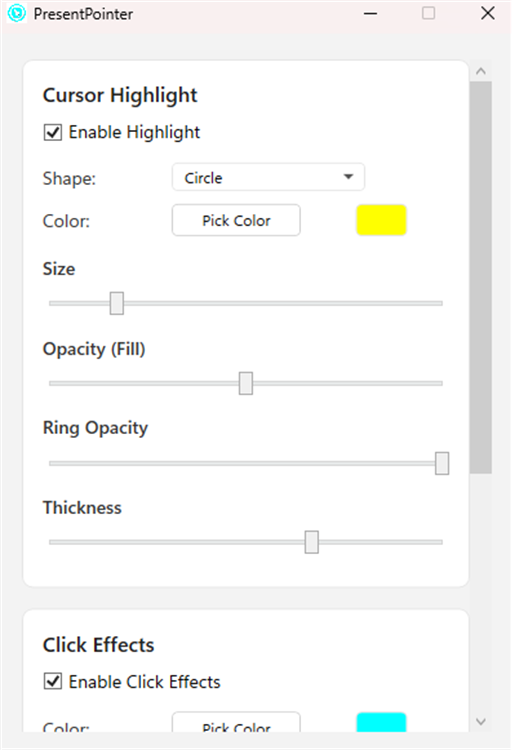
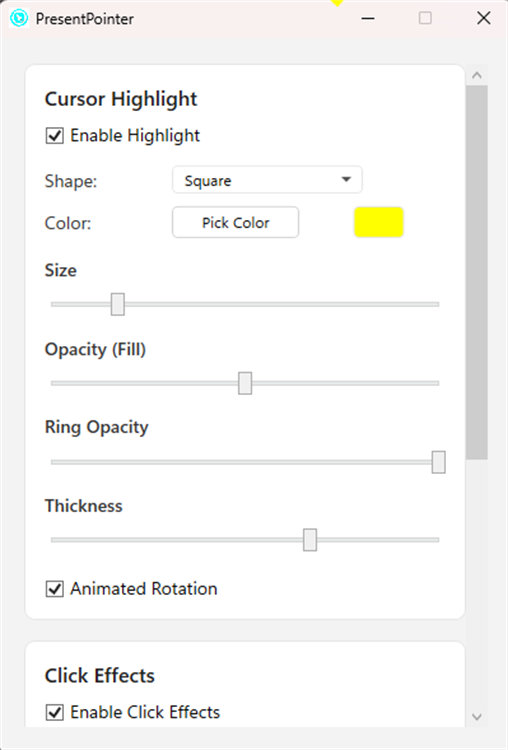
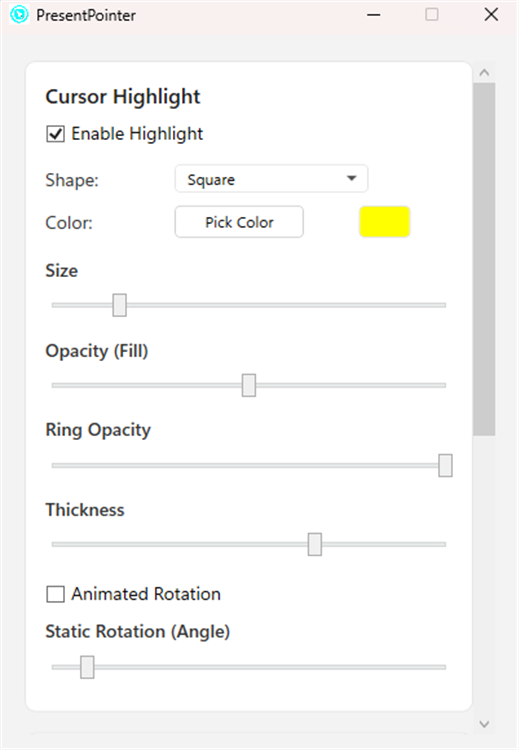
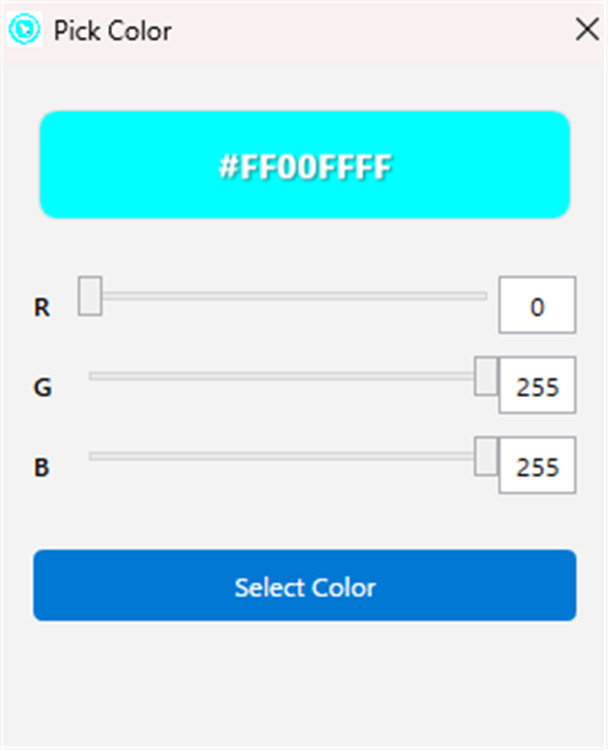
Customizable Highlight: Choose from a Circle or Square overlay. Fully adjust the color, size, opacity, and border thickness to match your brand or preference.
Dynamic Visuals: Add a professional touch with optional rotation animations—keep it static or set it to a gentle spin.
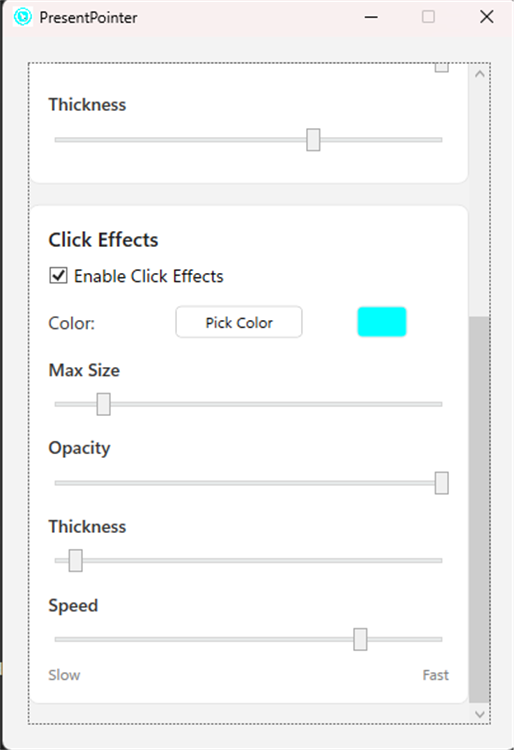
Interactive Click Effects: visual feedback ripples outward whenever you click, making your interactions obvious and engaging.
Instant Updates: Settings apply in real-time. No need to restart or guess—what you see is what you get.
Set It & Forget It: Your preferences are saved automatically and load consistently every time you start the app.
Lightweight & Secure: Runs quietly in the background with minimal system impact. Packaged as a secure native Windows application.
Whether you're guiding students through a lesson or highlighting key data in a meeting, PresentPointer helps you point with purpose.
Fra udvikleren
Lister 0
-
 PresentPointer
Point 0
-

- +1 Point

Ranglister 0
-
- Din bedømmelse
Udvikler 7
- Human Typer
- Følgere: 0
- Platforme: Windows Apps (7)
- Tilbud: 0
- Lister: 0 0
- Point: 0
- Ranglister: 0
- Kommentarer: 0
- Videoer: 2
- RSS: Abonner
Nyheder
- Version: PC
- Sidst opdateret:
Yderligere oplysninger
- Udgivelsesdato:
- Kategori:
Windows-apps›Udviklerværktøjer - Operativsystem:
PC - Størrelse:
73 Mb - Understøttede sprog:
Engelsk - Indholdsklassificering:
EVERYONE - Windows Store Bedømmelse: ¡
0
AppAgg-score
Estimeret AppAgg-score for
PresentPointer
Udvikler: Human Typer
En højere score afspejler som regel bedre resultater på de områder, AppAgg måler.
Baseret på: popularitet · brugervurderinger · aktualitet · tilbud · butiksdata · fællesskabsaktivitet
Genberegnes dagligt ud fra aktuelle AppAgg-data.
Kommentarer 0 ¡
Del
PresentPointer Kort webadresse: Kopieret!- Windows Store

