
Lesezeichen
| Entwickler: | Human Typer (7) | ||
| Preis: | $2.99 | ||
| Score: | 1.050 Silber | ||
| Ranglisten: | 0 | ||
| Kommentare: | 0 Kommentar posten | ||
| Listen: | 0 0 | ||
| Punkte: | 0 | ||
| +1 Punkt | |||
Kurzinfo
Vorhang auf für PresentPointer, eine App von Human Typer aus der Kategorie „Entwicklungstools“.
Erst erschienen, also noch ziemlich frisch.
$2.99, und auf AppAgg bisher kein einziger Rabatt. Eine harte Nuss.
Der Microsoft Store ist in Windows eingebaut, die Installation ist also in ein paar Klicks erledigt.
Der AppAgg-Score liegt bei 1.050. Silber, und das ist gar nicht übel.
Altersfreigabe „EVERYONE“, also auch für Kinder geeignet.
Spricht nur eine Sprache, und das ist nicht Deutsch.
Schon benutzt? Deine Rezension wäre hier die erste.
Der Entwickler hat noch 6 weitere Apps auf AppAgg. Ein Blick lohnt sich.
Willst du als Erstes von Angeboten, Updates und neuen Apps erfahren? Richte einen Preisalarm ein, folge dem Entwickler oder abonniere den RSS-Feed. Push-Nachrichten kommen über die App AppAgg Alerts für Android und iOS.
Andere Plattformen 0
Preisentwicklung 0
- Aktueller Preis: $2.99
- Minimum: $2.99
- Maximum: $2.99
Dein eigener Feed auf der Startseite
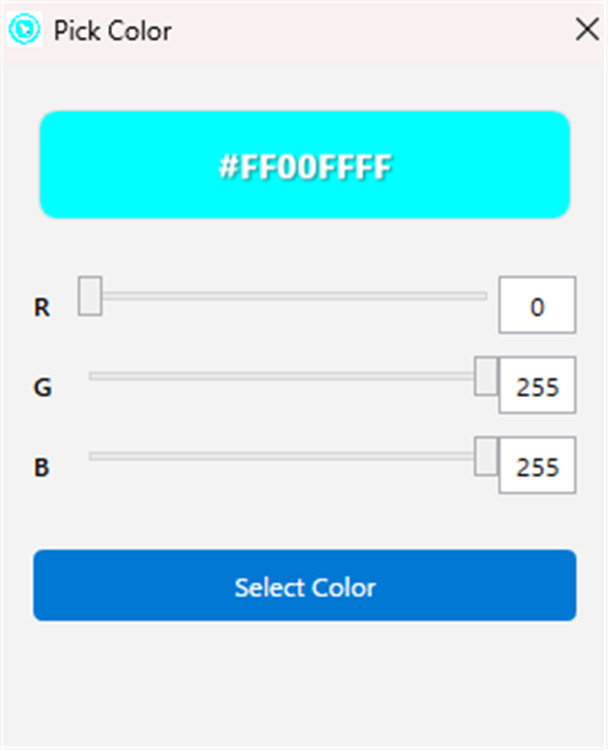
Screenshots 5
Video 1
Beschreibung

⚠️ IMPORTANT COMPATIBILITY NOTES:
Recording: This tool is not compatible with Windows Game Bar or "Window Capture" modes, as they filter out overlays. To record the effects, please use an app meant for recording your entire screen.
Visibility: Due to Windows security restrictions, the cursor highlight will appear behind the Start Menu, Taskbar, and possibly Task Manager. This is normal behavior for all standard Windows applications.
Elevate your presentations, tutorials, and screen recordings with PresentPointer. for teachers, content creators, and professionals, this lightweight utility transforms your mouse cursor into a clear, visual focal point, ensuring your audience never loses track of the action.
Key Features:
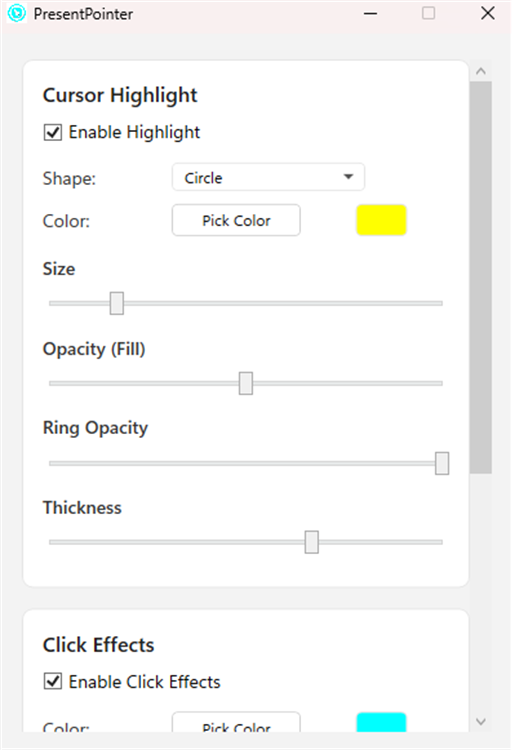
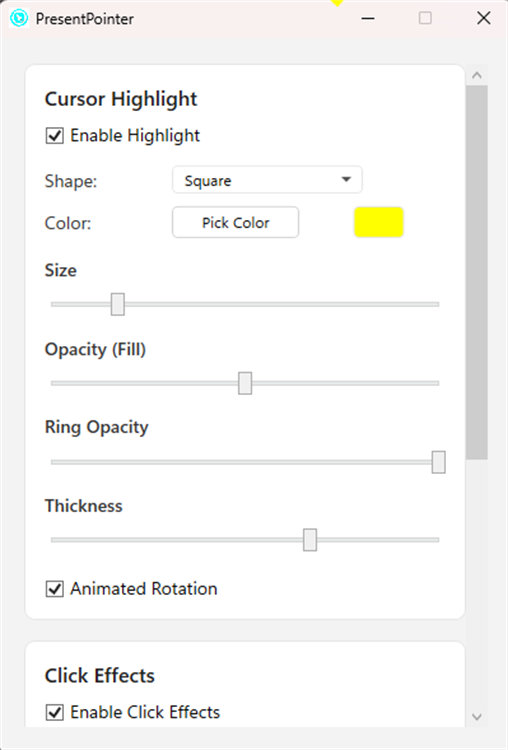
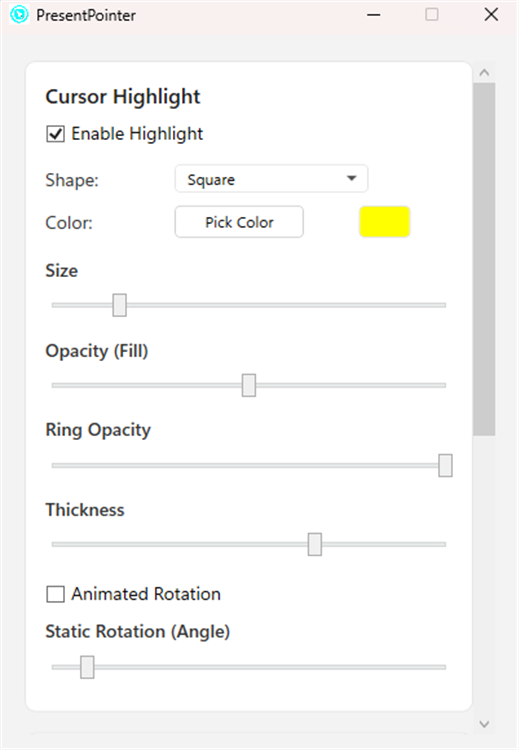
Customizable Highlight: Choose from a Circle or Square overlay. Fully adjust the color, size, opacity, and border thickness to match your brand or preference.
Dynamic Visuals: Add a professional touch with optional rotation animations—keep it static or set it to a gentle spin.
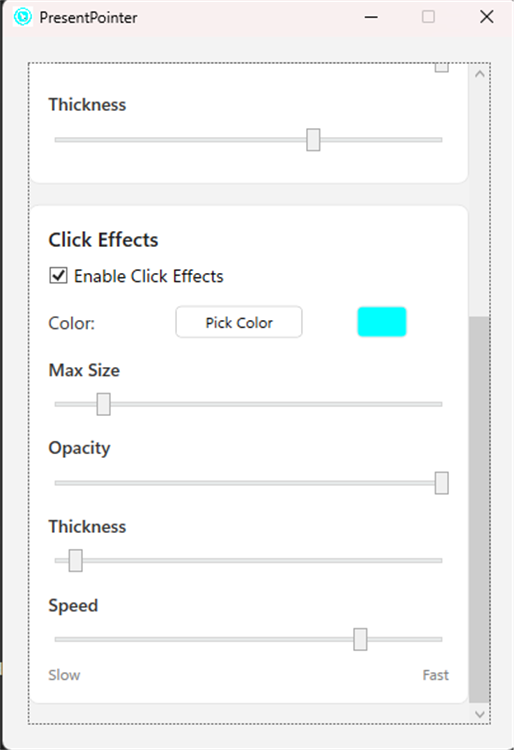
Interactive Click Effects: visual feedback ripples outward whenever you click, making your interactions obvious and engaging.
Instant Updates: Settings apply in real-time. No need to restart or guess—what you see is what you get.
Set It & Forget It: Your preferences are saved automatically and load consistently every time you start the app.
Lightweight & Secure: Runs quietly in the background with minimal system impact. Packaged as a secure native Windows application.
Whether you're guiding students through a lesson or highlighting key data in a meeting, PresentPointer helps you point with purpose.
Vom Entwickler
Listen 0
-
 PresentPointer
Punkte 0
-

- +1 Punkt

Ranglisten 0
-
- Deine Bewertung
Entwickler 7
- Human Typer
- Follower: 0
- Plattformen: Windows Apps (7)
- Angebote: 0
- Listen: 0 0
- Punkte: 0
- Ranglisten: 0
- Kommentare: 0
- Videos: 2
- RSS: Abonnieren
Neue Funktionen
- Version: PC
- Zuletzt aktualisiert:
Weitere Informationen
- Veröffentlichungsdatum:
- Kategorie:
Windows-Apps›Entwicklungstools - Betriebssysteme:
PC - Größe:
73 Mb - Unterstützte Sprachen:
Englisch - Altersfreigabe:
EVERYONE - Windows Store Bewertung: ¡
0
AppAgg-Score
Geschätzter AppAgg-Score für
PresentPointer
Entwickler: Human Typer
Ein höherer Score weist meist auf bessere Werte bei den von AppAgg erfassten Kennzahlen hin.
Basierend auf: Popularität · Nutzerbewertungen · Aktualität · Angeboten · Store-Daten · Community-Aktivität
Wird täglich anhand aktueller AppAgg-Daten neu berechnet.
Kommentare 0 ¡
Teilen
PresentPointer Kurz-URL: Kopiert!- Windows Store

