
Kirjanmerkit
| Kehittäjä: | Human Typer (7) | ||
| Hinta: | $2.99 | ||
| Arvio: | 1 050 Hopea | ||
| Sijoitukset: | 0 | ||
| Kommentit: | 0 Lähetä kommentti | ||
| Listat: | 0 0 | ||
| Pisteet: | 0 | ||
| +1 Piste | |||
Lyhyesti
Tutustu: PresentPointer, kehittäjän Human Typer sovellus kategoriassa ”Kehittäjien työkalut”.
Julkaistu , eli vielä melko tuore.
$2.99, eikä AppAggissa ole tähän mennessä nähty yhtään alennusta. Kova pähkinä purtavaksi.
Microsoft Store on rakennettu suoraan Windowsiin, joten asennus hoituu parilla klikkauksella.
AppAgg-arvio on 1 050. Taso Hopea, eikä se ole yhtään hullumpi.
Ikäraja ”EVERYONE”, joten sopii lapsillekin.
Puhuu vain yhtä kieltä, eikä se ole suomi.
Käytitkö sitä? Arvostelusi olisi täällä ensimmäinen.
Kehittäjällä on AppAggissa vielä 6 muuta sovellusta. Kannattaa vilkaista.
Haluatko kuulla tarjouksista, päivityksistä ja uusista sovelluksista ensimmäisenä? Aseta hintavahti, seuraa kehittäjää tai tilaa RSS-syöte. Push-ilmoitukset saat AppAgg Alerts -sovelluksella, joka toimii Android- ja iOS-laitteissa.
Muut alustat 0
Hintahistoria 0
- Nykyinen hinta: $2.99
- Vähintään: $2.99
- Enintään: $2.99
Oma syöte etusivulla
Näyttökuvat 5
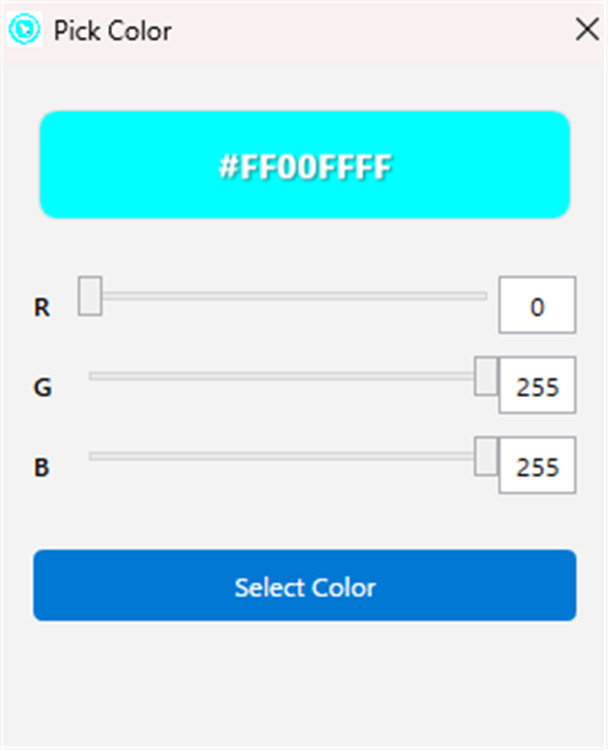
Video 1
Kuvaus

⚠️ IMPORTANT COMPATIBILITY NOTES:
Recording: This tool is not compatible with Windows Game Bar or "Window Capture" modes, as they filter out overlays. To record the effects, please use an app meant for recording your entire screen.
Visibility: Due to Windows security restrictions, the cursor highlight will appear behind the Start Menu, Taskbar, and possibly Task Manager. This is normal behavior for all standard Windows applications.
Elevate your presentations, tutorials, and screen recordings with PresentPointer. for teachers, content creators, and professionals, this lightweight utility transforms your mouse cursor into a clear, visual focal point, ensuring your audience never loses track of the action.
Key Features:
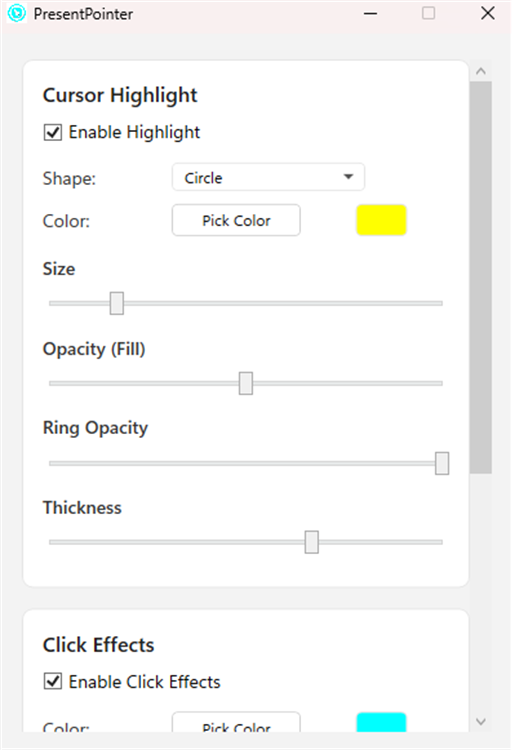
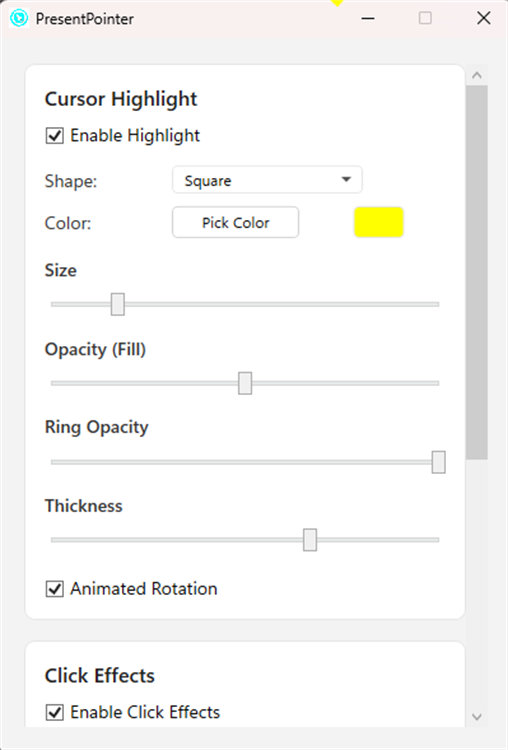
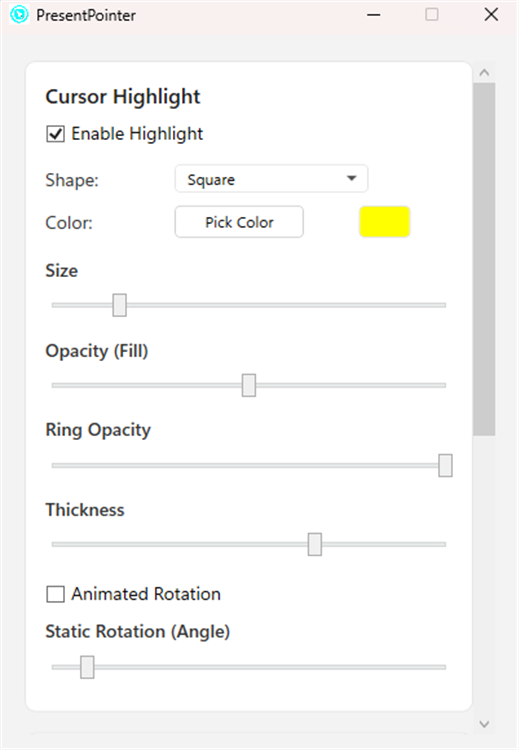
Customizable Highlight: Choose from a Circle or Square overlay. Fully adjust the color, size, opacity, and border thickness to match your brand or preference.
Dynamic Visuals: Add a professional touch with optional rotation animations—keep it static or set it to a gentle spin.
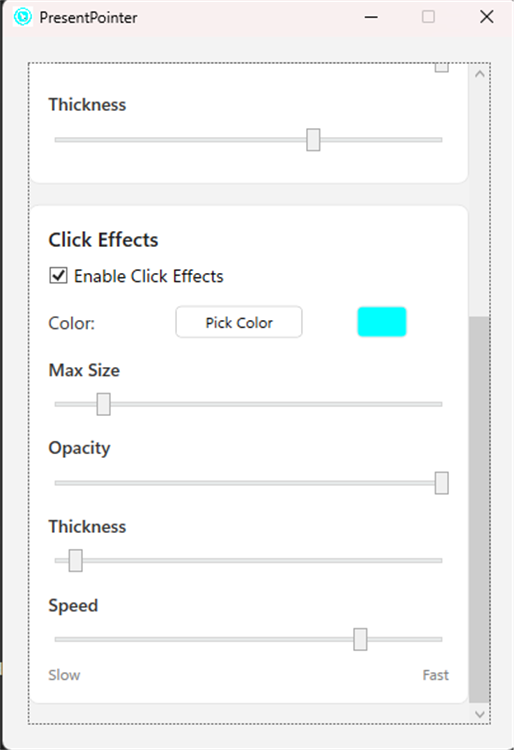
Interactive Click Effects: visual feedback ripples outward whenever you click, making your interactions obvious and engaging.
Instant Updates: Settings apply in real-time. No need to restart or guess—what you see is what you get.
Set It & Forget It: Your preferences are saved automatically and load consistently every time you start the app.
Lightweight & Secure: Runs quietly in the background with minimal system impact. Packaged as a secure native Windows application.
Whether you're guiding students through a lesson or highlighting key data in a meeting, PresentPointer helps you point with purpose.
Kehittäjältä
Listat 0
-
 PresentPointer
Pisteet 0
-

- +1 Piste

Sijoitukset 0
-
- Arviosi
Kehittäjä 7
- Human Typer
- Seuraajat: 0
- Alustat: Windows Sovellukset (7)
- Tarjoukset: 0
- Listat: 0 0
- Pisteet: 0
- Sijoitukset: 0
- Kommentit: 0
- Videot: 2
- RSS: Tilaa
Uutta
- Versio: PC
- Viimeksi päivitetty:
Lisätietoja
- Julkaisupäivämäärä:
- Luokka:
Windows-sovellukset›Kehittäjien työkalut - Käyttöjärjestelmä:
PC - Koko:
73 Mb - Tuetut kielet:
Englanti - Sisällön ikärajoitus:
EVERYONE - Windows Store Arvio: ¡
0
AppAgg-arvio
Laskennallinen AppAgg-arvio:
PresentPointer
Kehittäjä: Human Typer
Korkeampi arvio kertoo yleensä paremmista tuloksista AppAggin seuraamissa mittareissa.
Perustuu: suosioon · käyttäjäarvioihin · tuoreuteen · tarjouksiin · kauppadataan · yhteisön aktiivisuuteen
Lasketaan uudelleen päivittäin tuoreiden AppAgg-tietojen perusteella.
Kommentit 0 ¡
Jaa
PresentPointer Lyhennetty URL: Kopioitu!- Windows Store

