
Закладки
| Разработчик: | Human Typer (7) | ||
| Цена: | $2.99 | ||
| Оценка: | 1 050 Серебро | ||
| Рейтинги: | 0 | ||
| Комментарии: | 0 Оставить комментарий | ||
| Списки: | 0 0 | ||
| Очки: | 0 | ||
| +1 Очко | |||
Кратко
Знакомьтесь: PresentPointer, приложение от Human Typer из раздела «Средства разработчика».
Вышло , ещё вполне свежее.
$2.99, и ни одной скидки за всё время на AppAgg. Крепкий орешек.
Microsoft Store встроен в Windows, так что ставится в пару кликов.
Оценка AppAgg: 1 050. «Серебро», и это уже неплохо.
Возрастной рейтинг «EVERYONE», подходит и детям.
Говорит только на одном языке, и это не русский.
Пользовались? Ваш отзыв будет здесь первым.
У этого разработчика на AppAgg ещё 6 приложений. Загляните.
Хотите первым узнавать о скидках, обновлениях и новых приложениях? Включите оповещение о цене, подпишитесь на разработчика или на RSS-канал. Push приходят в приложении AppAgg Alerts для Android и iOS.
Другие платформы 0
История цен 0
- Текущая цена: $2.99
- Минимум: $2.99
- Максимум: $2.99
Своя лента на главной
Скриншоты 5
Видео 1
Описание

⚠️ IMPORTANT COMPATIBILITY NOTES:
Recording: This tool is not compatible with Windows Game Bar or "Window Capture" modes, as they filter out overlays. To record the effects, please use an app meant for recording your entire screen.
Visibility: Due to Windows security restrictions, the cursor highlight will appear behind the Start Menu, Taskbar, and possibly Task Manager. This is normal behavior for all standard Windows applications.
Elevate your presentations, tutorials, and screen recordings with PresentPointer. for teachers, content creators, and professionals, this lightweight utility transforms your mouse cursor into a clear, visual focal point, ensuring your audience never loses track of the action.
Key Features:
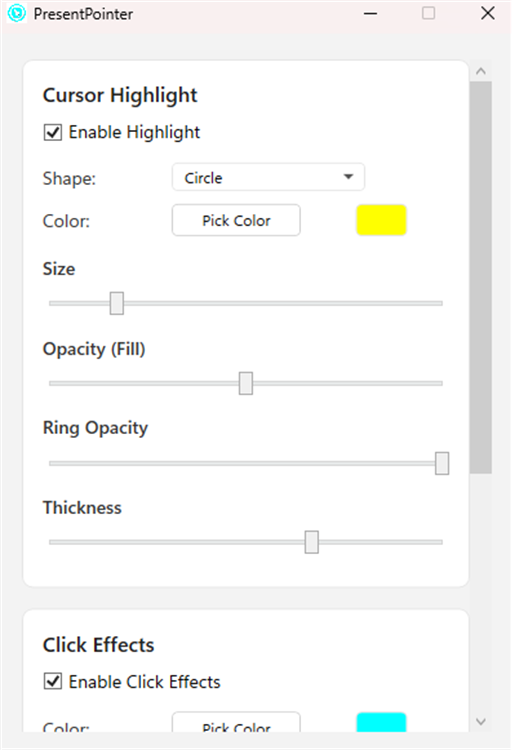
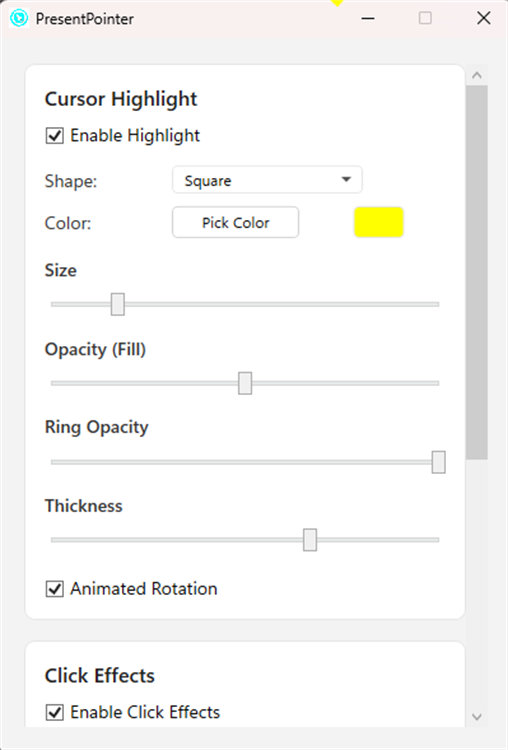
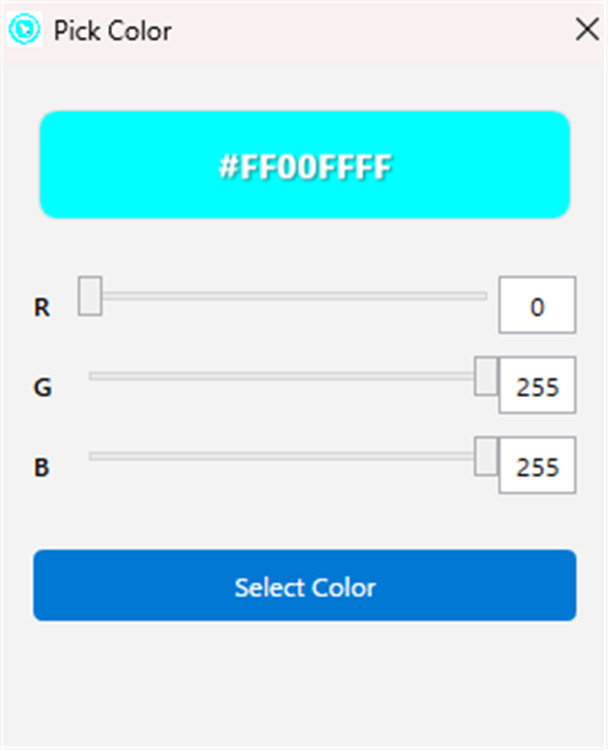
Customizable Highlight: Choose from a Circle or Square overlay. Fully adjust the color, size, opacity, and border thickness to match your brand or preference.
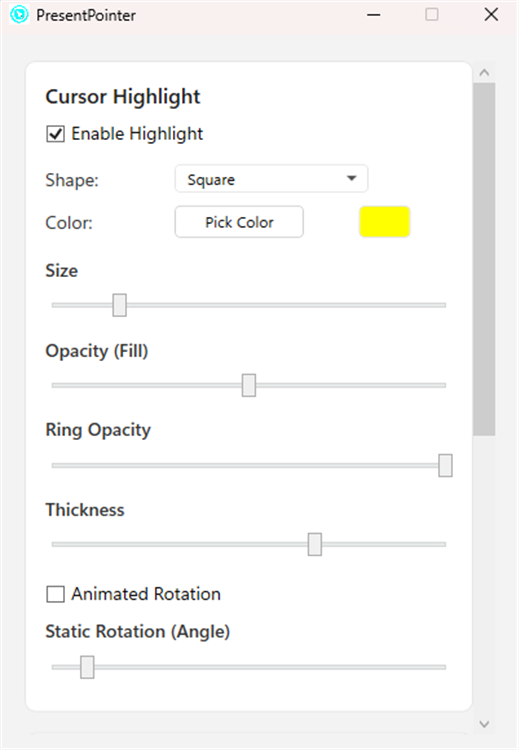
Dynamic Visuals: Add a professional touch with optional rotation animations—keep it static or set it to a gentle spin.
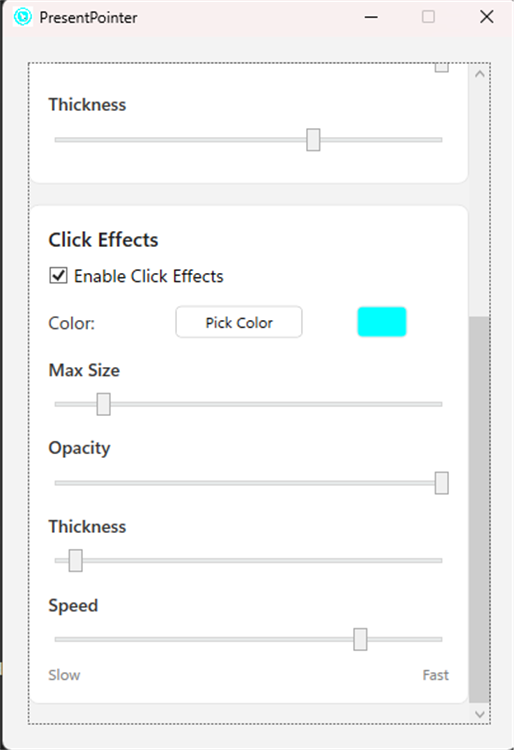
Interactive Click Effects: visual feedback ripples outward whenever you click, making your interactions obvious and engaging.
Instant Updates: Settings apply in real-time. No need to restart or guess—what you see is what you get.
Set It & Forget It: Your preferences are saved automatically and load consistently every time you start the app.
Lightweight & Secure: Runs quietly in the background with minimal system impact. Packaged as a secure native Windows application.
Whether you're guiding students through a lesson or highlighting key data in a meeting, PresentPointer helps you point with purpose.
От разработчика
Списки 0
-
 PresentPointer
Очки 0
-

- +1 Очко

Рейтинги 0
-
- Ваша оценка
Разработчик 7
- Human Typer
- Подписчики: 0
- Платформы: Windows Приложения (7)
- Скидки: 0
- Списки: 0 0
- Очки: 0
- Рейтинги: 0
- Комментарии: 0
- Видео: 2
- RSS: Подписаться
Что нового
- Версия: PC
- Последнее обновление:
Дополнительная информация
- Дата выпуска:
- Категория:
Приложения для Windows›Средства разработчика - Операционные системы:
PC - Размер:
73 Mb - Поддерживаемые языки:
Английский - Возрастные ограничения:
EVERYONE - Windows Store Рейтинг: ¡
0
Оценка AppAgg
Примерная оценка AppAgg для
PresentPointer
Разработчик: Human Typer
Более высокая оценка обычно означает лучшие результаты по показателям AppAgg.
На основе: популярности · оценок пользователей · актуальности · скидок · данных магазинов · активности сообщества
Пересчитывается ежедневно на основе актуальных данных AppAgg.
Комментарии 0 ¡
Поделиться
PresentPointer Короткий URL: Скопировано!- Windows Store

