
ที่บันทึกไว้
เลือกชื่อที่จะแสดงในเมนูที่บันทึกไว้ของคุณ
เสร็จแล้ว
| ผู้พัฒนา: | aryansingh783 (1) | ||
| ราคา: | ฟรี | ||
| การประเมิน: | 590 บรอนซ์ | ||
| การจัดอันดับ: | 0 | ||
| ความเห็น: | 0 โพสต์ความคิดเห็น | ||
| รายการ: | 0 + 0 | ||
| แต้มแล: | 0 + 0 ¡ | ||
| +1 แต้มแล | |||
คำอธิบาย

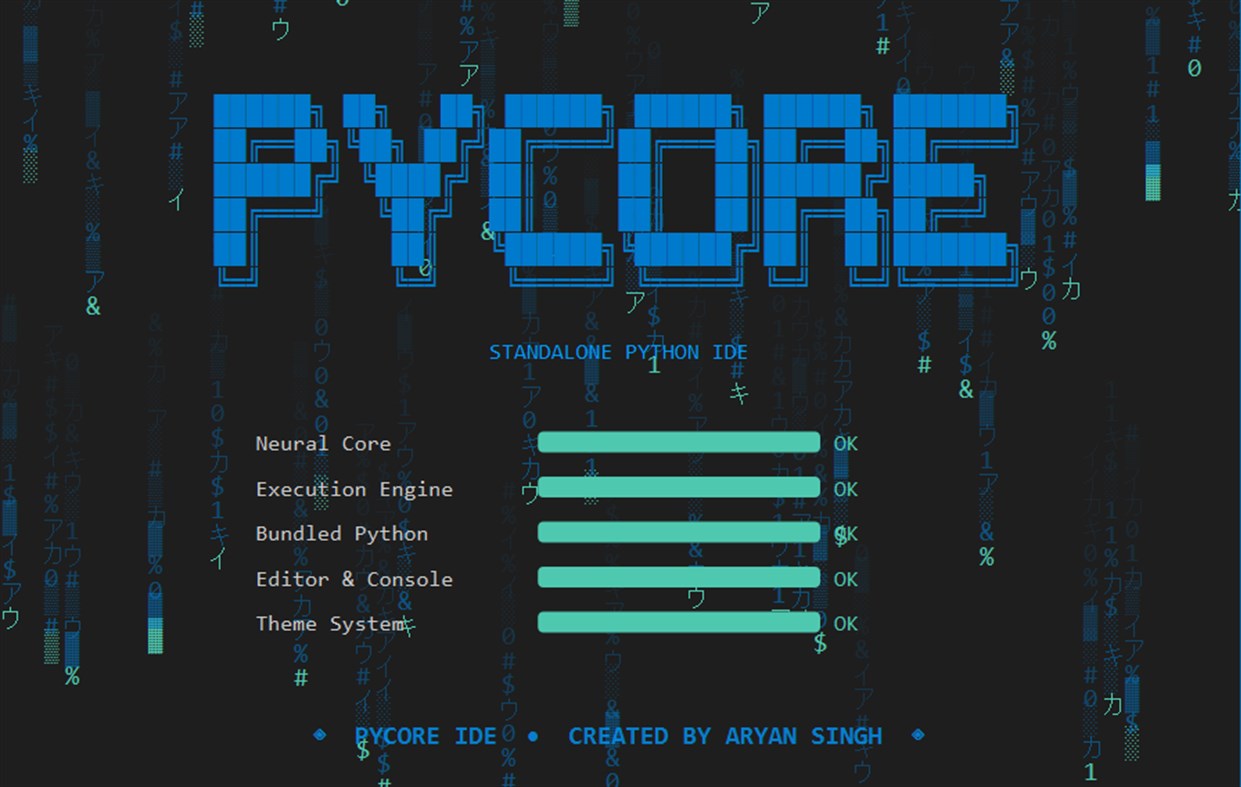
PyCore IDE is a modern, lightweight, and completely standalone Python development environment built for students, educators, and developers who want to code without the hassle of complex setups.
Unlike traditional IDEs, PyCore comes with a real Python interpreter bundled inside. You don't need to install Python separately, configure system PATH variables, or possess administrator rights. Just download, open, and start coding!
Whether you are writing your first "Hello World" or building complex algorithms, PyCore IDE provides a professional, distraction-free environment with everything you need right out of the box.
🚀 KEY FEATURES:
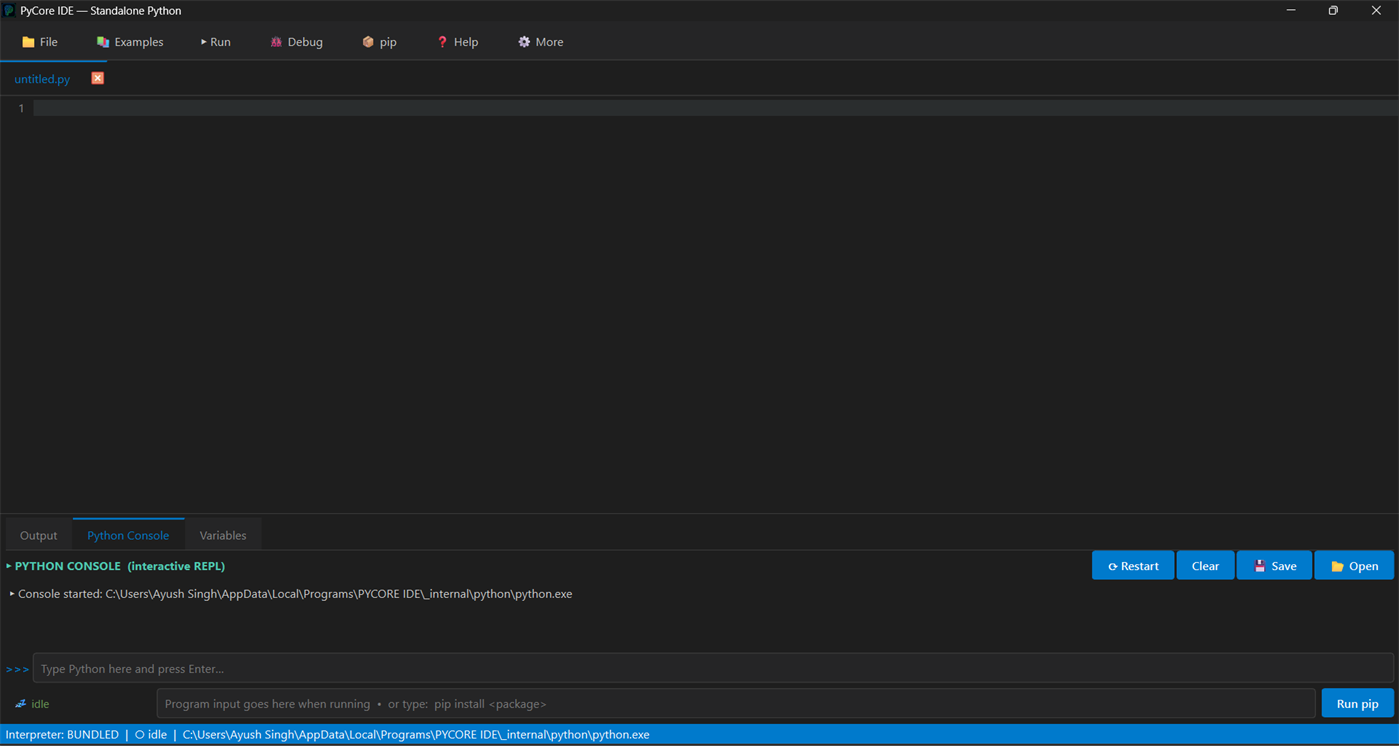
📦 Bundled Python Environment Works instantly on any Windows PC. No pre-installation of Python is required. Perfect for school labs, thin clients, and beginners.
🔌 Integrated 'pip' Package Manager Install external libraries (like pandas, requests, numpy) at runtime straight from the built-in terminal. Packages persist locally within the app environment.
🐞 Visual Step Debugger Click the gutter to set breakpoints and step through your code line by line. Watch how your program executes in slow-motion to understand logic and squash bugs.
🔎 Live Variables Panel After every run, instantly see a list of every variable, its type, and its current value at a glance. A game-changer for learning how your code manipulates data.
⚡ Lightning Fast Editor Enjoy a snappy, native desktop experience featuring Auto-complete, Bracket Matching, and Find & Replace. The exact line that fails turns red, so you find mistakes instantly.
▶️ Interactive Console & Session Replay A live Python REPL (like IDLE's shell) where variables persist. You can even save your console sessions as .pycs files and replay them later!
🔒 100% Offline & Privacy First Your code stays on your machine. PyCore IDE requires no internet connection (except when using pip) and contains zero silent telemetry or spyware. Complete freedom and privacy.
🎨 Modern Dark UI A sleek, beautiful dark mode interface that reduces eye strain during late-night coding sessions, complete with ready-to-load example programs to help you learn.
Stop fighting with configurations and start writing code. Get PyCore IDE today!
โฆษณา
ภาพหน้าจอ
ประวัติราคา
- ราคาปัจจุบัน: ฟรี
- ต่ำสุด: ฟรี
- มากที่สุด: ฟรี
ติดตามราคา เพิ่มลงในรายการเพื่อรับการแจ้งเตือนส่วนลดทางอีเมลหรือพุช
การประเมิน AppAgg
590
การประเมิน AppAgg โดยประมาณสำหรับ
PyCore IDE
ผู้พัฒนา: aryansingh783
590 บรอนซ์
การประเมินที่สูงขึ้นมักหมายถึงสัญญาณบน AppAgg ที่แข็งแกร่งขึ้น
อิงจาก: ความนิยม · คะแนนจากผู้ใช้ · ความสดใหม่ · ดีล · ข้อมูลร้านค้า · กิจกรรมชุมชน
คำนวณใหม่ทุกวันจากข้อมูล AppAgg ล่าสุด.
URL แบบสั้น: คัดลอกแล้ว!
มีอะไรใหม่
- เวอร์ชัน: PC
- อัปเดตล่าสุด:
ข้อมูลเพิ่มเติม
- วันที่วางจำหน่าย:
- หมวดหมู่:
Windows แอป›เครื่องมือสำหรับนักพัฒนา - ระบบปฏิบัติการ:
PC - ขนาด:
59 Mb - ภาษาที่สนับสนุน:
English - การจัดประเภทเนื้อหา:
EVERYONE - Windows Store คะแนนโดย:
0 - เว็บไซท์:
 https://pycore-ide.web.app/
ผู้พัฒนา
- aryansingh783
- ผู้ติดตาม: 0
- แพลตฟอร์ม: Windows แอป (1)
- ลดราคา: 0
- รายการ: 0 + 0
- แต้มแล: 0 + 0 ¡
- การจัดอันดับ: 0
- ความเห็น: 0
- วิดีโอ: 0
- RSS: ติดตาม
รายการ (0)
0
- PyCore IDE
แต้มแล (0)
0
การจัดอันดับ (0)
0
ความเห็น (0)
เป็นคนแรกที่แสดงความเห็น
สรุป
PyCore IDE URL แบบสั้น: คัดลอกแล้ว!- แชร์
- Windows Store
«PyCore IDE». แพลตฟอร์ม: Windows. หมวดหมู่: เครื่องมือสำหรับนักพัฒนา. ผู้พัฒนา: «aryansingh783». การเปิดตัวครั้งแรก: . อัปเดตล่าสุด: . ราคาปัจจุบัน: ฟรี. ชื่อนี้ยังไม่ได้รับการให้คะแนนหรือบทวิจารณ์บน AppAgg ภาษาที่ใช้ได้: English. AppAgg ติดตามประวัติราคา การให้คะแนน และคำติชมของผู้ใช้ «PyCore IDE». AppAgg ไม่ได้โฮสต์แอปพลิเคชันหรือแจกจ่ายซอฟต์แวร์ เครื่องหมายการค้า โลโก้ และภาพหน้าจอทั้งหมดเป็นของเจ้าของที่เกี่ยวข้อง ส่วนลดและอัปเดตในอนาคต: RSS
คล้ายกัน
-
- Tetrees IDE
- Windows แอป: เครื่องมือสำหรับนักพัฒนา โดย: Tetrees IDE
- * ฟรี
- รายการ: 0 0 0
- แต้มแล: 0 + 0 560 · บรอนซ์ เวอร์ชัน: PC Tetrees IDE is an AI-first code editor that brings an agentic coding assistant, a community code Exchange, and a full developer toolkit into one fast, modern workspace. Chat with a ...
-
- IoT Core Selfhost Companion
- Windows แอป: เครื่องมือสำหรับนักพัฒนา โดย: CET IoT Core Quality
- ฟรี
- รายการ: 0 0 0
- แต้มแล: 0 + 0 500 · บรอนซ์ เวอร์ชัน: PC This is the Companion app for the IoT Core Smart Display Selfhost project. It can list all IoT Core machines on your network, connect to your selfhost device, and display different ...
- ใหม่
- Cortex AI IDE
- Windows แอป: เครื่องมือสำหรับนักพัฒนา โดย: Pasons Group
- * ฟรี
- รายการ: 0 0 0
- แต้มแล: 0 + 0 870 · เงิน เวอร์ชัน: PC Cortex AI IDE is an AI-powered code editor for Windows. It combines a full editor, an integrated terminal and Git with an AI agent that can read, search and edit across your entire ...
-
- Arduino IDE
- Windows แอป: เครื่องมือสำหรับนักพัฒนา โดย: Arduino LLC
- ฟรี
- รายการ: 0 + 2 0 0
- แต้มแล: 2 + 936 4K · ทอง เวอร์ชัน: PC Arduino is an open-source electronics platform based on easy-to-use hardware and software. It's intended for anyone making interactive projects. IMPORTANT: This app performs with core ...
-
- Insait Edit Modular IDE C Sharp
- Windows แอป: เครื่องมือสำหรับนักพัฒนา โดย: Oleh Kurylo
- ฟรี
- รายการ: 0 0 0
- แต้มแล: 0 + 0 710 · เงิน เวอร์ชัน: PC ️ Preview Version This is an early preview release. Features, modules, and UI may change between updates. Insait Edit Modular IDE C Sharp is a modular Windows IDE focused on modern ...
-
- Innov8r Python IDE
- Windows แอป: เครื่องมือสำหรับนักพัฒนา โดย: Kritrima Prajna Innovations Pvt Ltd
- ฟรี
- รายการ: 0 0 0
- แต้มแล: 0 + 0 570 · บรอนซ์ เวอร์ชัน: PC Innov8r IDE is a powerful Python-based Integrated Development Environment (IDE) designed to streamline your software development workflow. Built for students, hobbyists, and ...
-
- LightNote Core
- Windows แอป: เครื่องมือสำหรับนักพัฒนา โดย: NGLCZR
- $39.99
- รายการ: 0 0 0
- แต้มแล: 0 + 0 590 · บรอนซ์ เวอร์ชัน: PC Your notes, your code and your AI agents together, and talking to each other. LightNote is a lightweight Windows editor where your second brain in Markdown becomes the context for your
-
- Geany - Lightweight IDE
- Windows แอป: เครื่องมือสำหรับนักพัฒนา โดย: Dev Packager
- $9.99
- รายการ: 0 0 0
- แต้มแล: 0 + 0 600 · เงิน เวอร์ชัน: PC Geany is a lightweight editor for various programming languages such as C, CPP, HTML, PHP, Python and Java.
-
- Lya Studio Coder
- Windows แอป: เครื่องมือสำหรับนักพัฒนา โดย: Studio CodeAI
- ฟรี
- รายการ: 0 0 0
- แต้มแล: 0 + 0 580 · บรอนซ์ เวอร์ชัน: PC Tired of copying context between Claude tabs, VS Code and the terminal? Lya Studio Coder is the cockpit that removes that friction. One environment where all your AIs work together ...
-
- PyBridge
- Windows แอป: เครื่องมือสำหรับนักพัฒนา โดย: Bisneto
- ฟรี
- รายการ: 0 + 1 0 0
- แต้มแล: 0 + 0 860 · เงิน เวอร์ชัน: PC With PyBridge it is possible to run Python scripts by bridging the code implemented in the project created with other platforms. With PyBridge it is possible to create scripts that ...
-
- C# to Dart Transpiler
- Windows แอป: เครื่องมือสำหรับนักพัฒนา โดย: kineapps
- * ฟรี
- รายการ: 1 0 0
- แต้มแล: 6 + 8 4K · ทอง เวอร์ชัน: PC This tool will transpile your C# code to Dart language in few seconds. Use the tool e.g. for porting your Xamarin/UWP project to Flutter. C# to Dart transpiler will save you days or ...
-
- Python Install Manager
- Windows แอป: เครื่องมือสำหรับนักพัฒนา โดย: Python Software Foundation
- ฟรี
- รายการ: 0 + 1 0 0
- แต้มแล: 3 + 32 3K · ทอง เวอร์ชัน: PC The Python install manager helps you to install, manage, and launch Python on Windows. After install, the "py" command is your tool of choice - try "py help" to see what it can do! ...
-
- Project Launcher
- Windows แอป: เครื่องมือสำหรับนักพัฒนา โดย: Aʀtʋʀ Cʀɘțʋ
- $7.99
- รายการ: 0 0 0
- แต้มแล: 0 + 0 1K · เงิน เวอร์ชัน: PC PROJECT LAUNCHER - THE ULTIMATE KEYBOARD-FIRST IDE LAUNCHER FOR DEVELOPERS Open any code project, in any IDE, in under a second, without ever leaving your keyboard. Project Launcher is
-
- Codly Snippet Manager
- Windows แอป: เครื่องมือสำหรับนักพัฒนา โดย: Quinn's Computing
- $2.49
- รายการ: 0 + 1 0 0
- แต้มแล: 4 + 0 7K · ทอง เวอร์ชัน: PC Codly is the ultimate app for storing and quickly inserting code snippets. Easily categorize your snippets by programming language and sort them info folders. You can also mark ...

