
저장됨
저장됨 메뉴에 표시할 이름을 선택하세요.
완료!
| 개발자: | Aria Vision (23) | ||
| 가격: | $1.99 | ||
| 평가: | 500 브론즈 | ||
| 순위: | 0 | ||
| 댓글: | 0 댓글 게시 | ||
| 목록: | 0 + 0 | ||
| 포인트: | 0 + 0 ¡ | ||
| +1 포인트 | |||
기술

Python must be installed on your system to use this app.
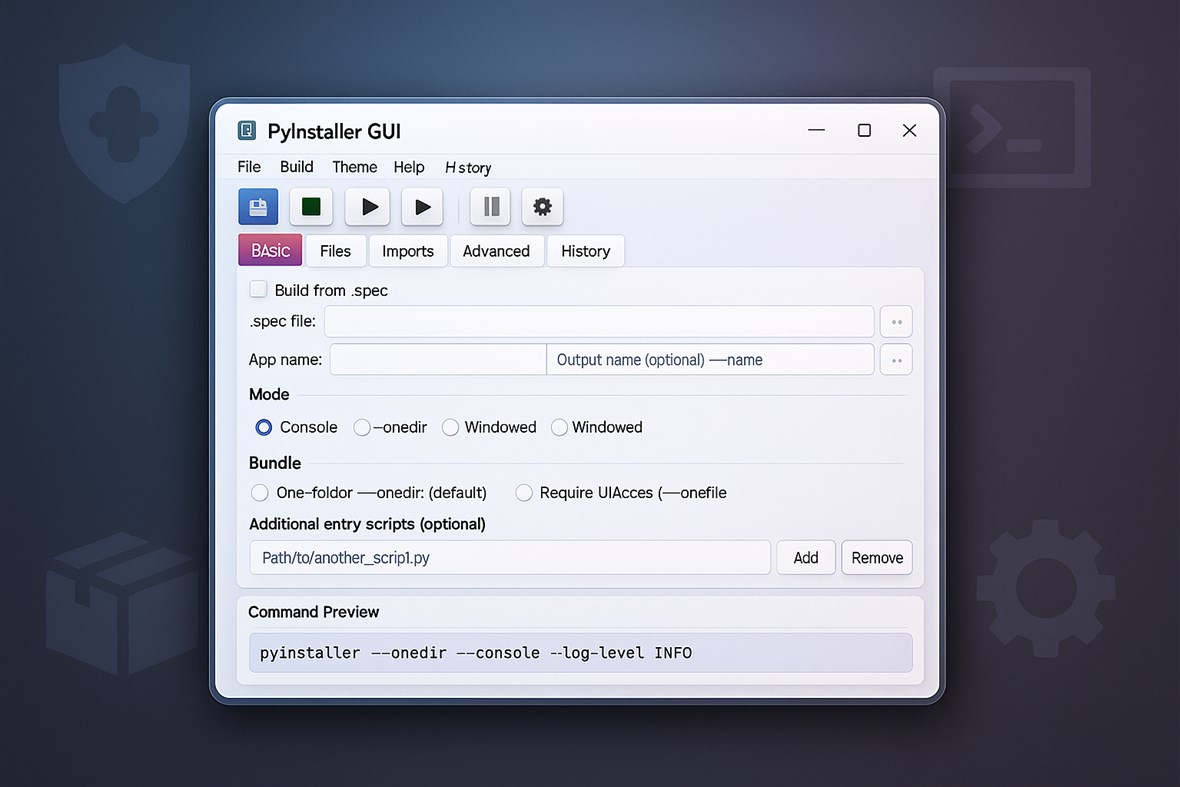
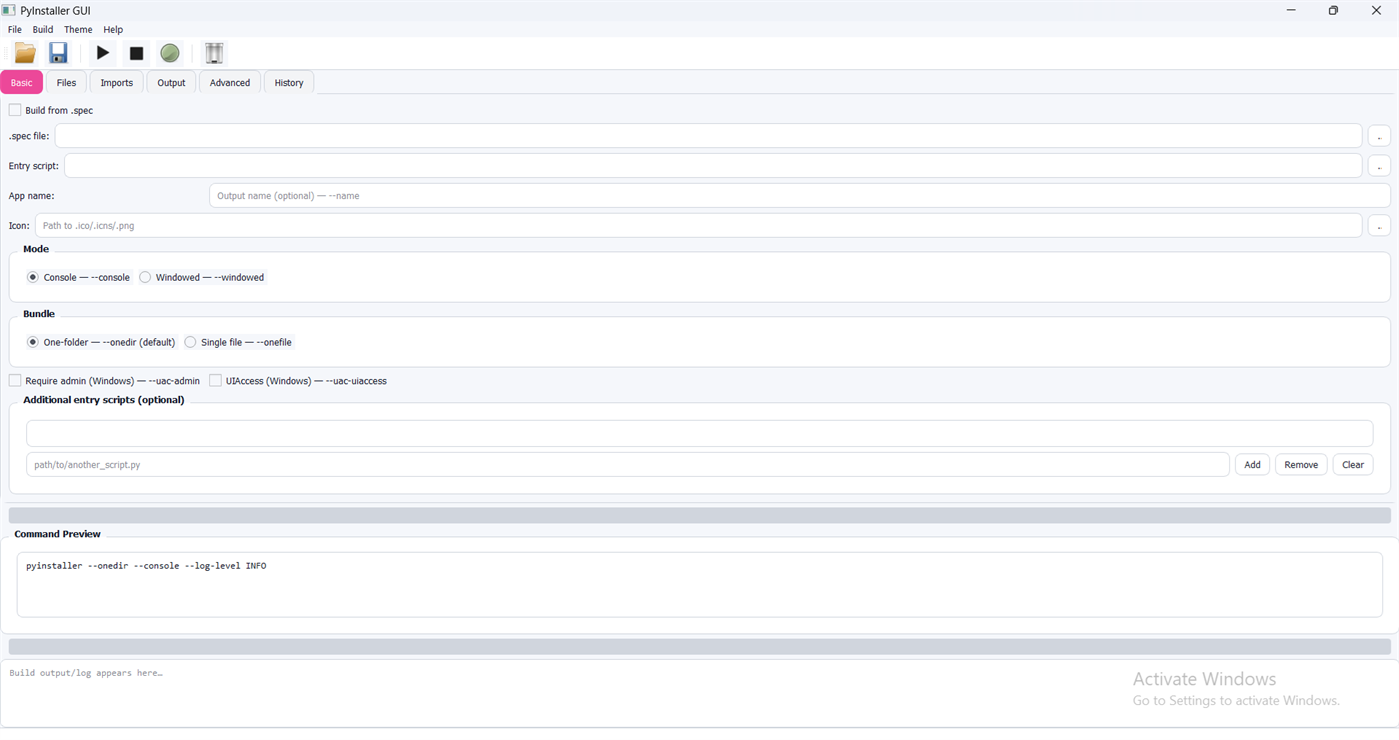
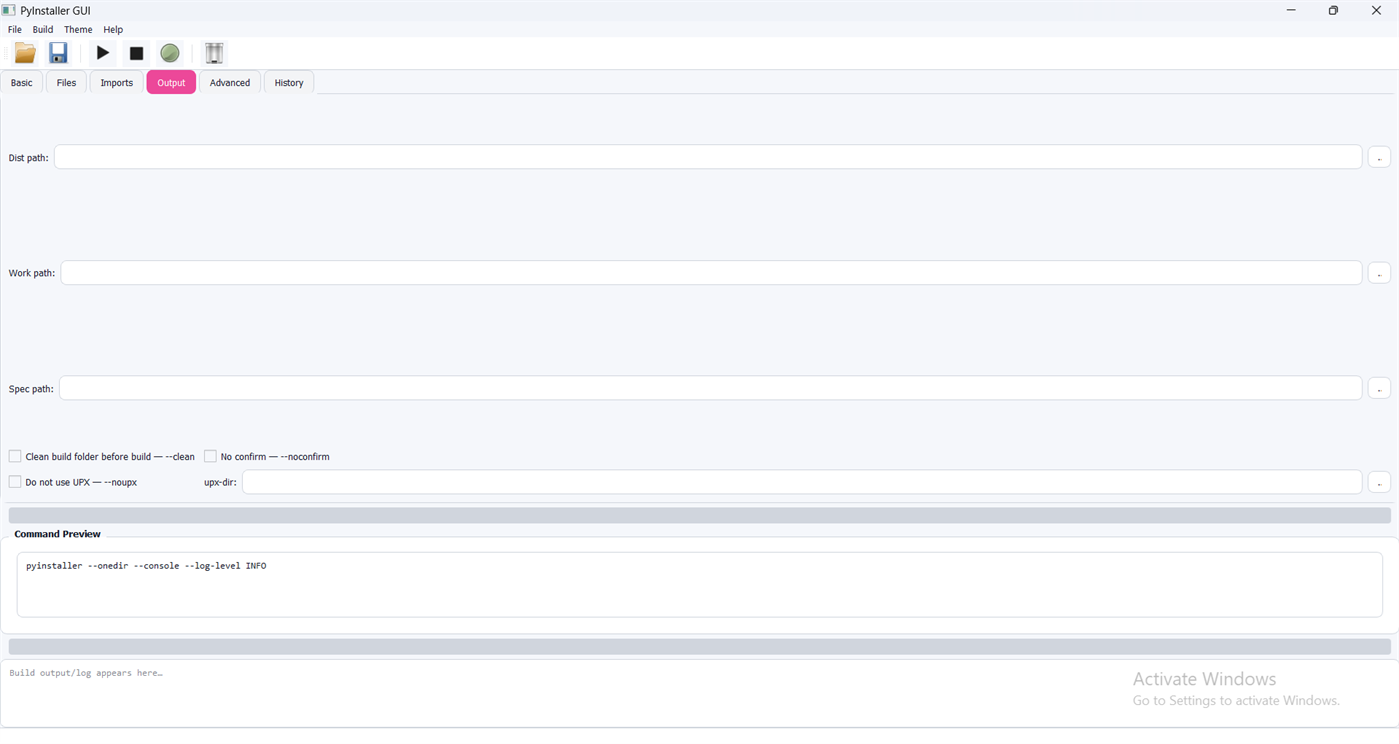
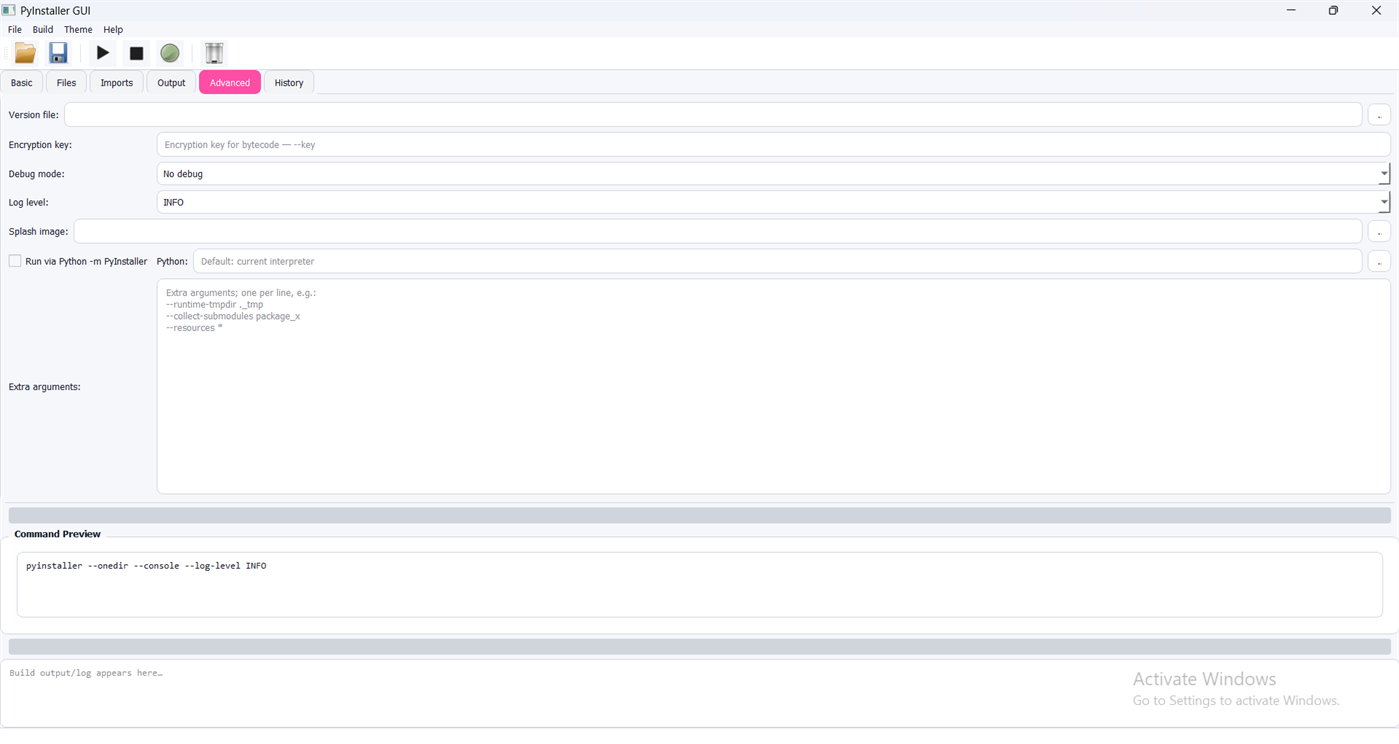
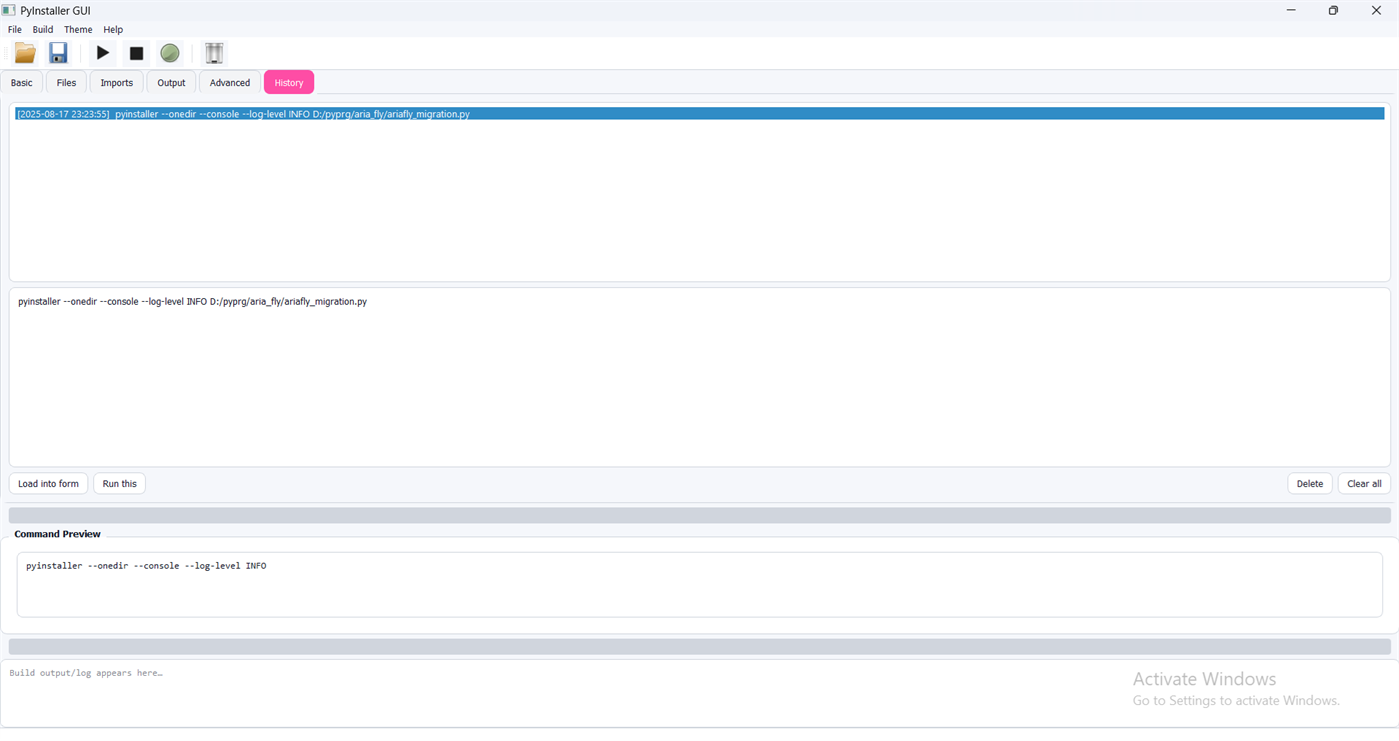
PyInstaller GUI is a developer-focused EXE builder and Python packager for Windows that provides a modern graphical interface for PyInstaller. It helps you convert Python scripts into Windows executable applications with a structured workflow, repeatable build profiles, and transparent build output—without the need to memorize complex command-line options.
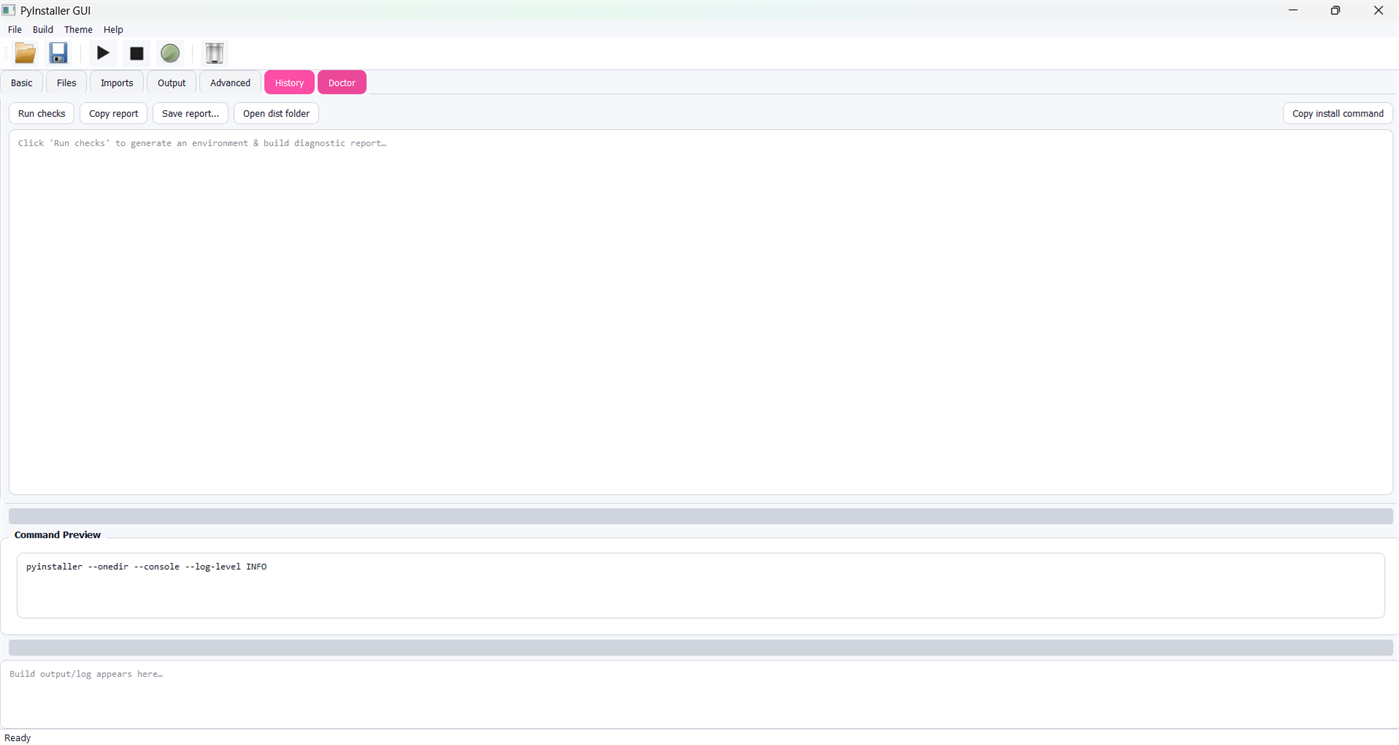
If you are building desktop tools, utilities, or GUI apps (including PyQt-based projects), PyInstaller GUI streamlines the packaging process with a clean UI, reliable execution, and real-time diagnostics.
Key Features
1) Graphical Interface for PyInstaller
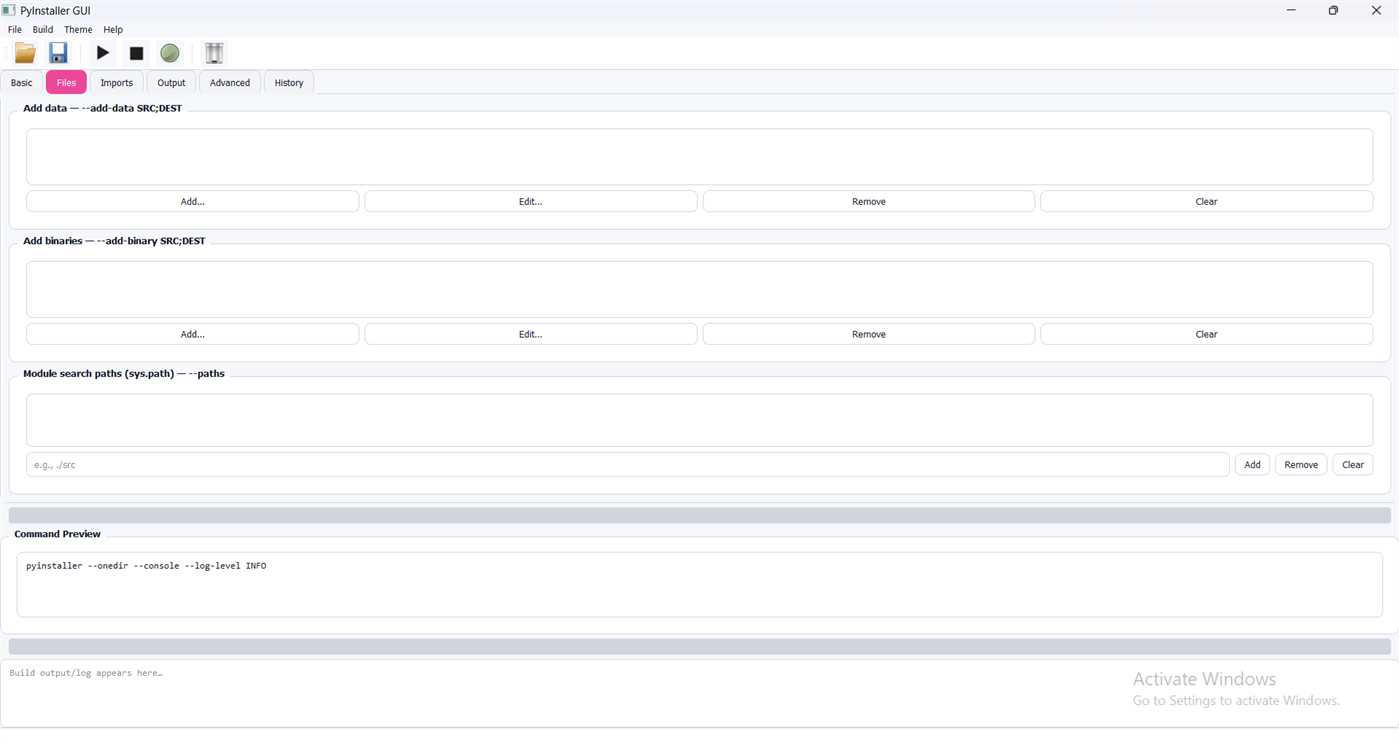
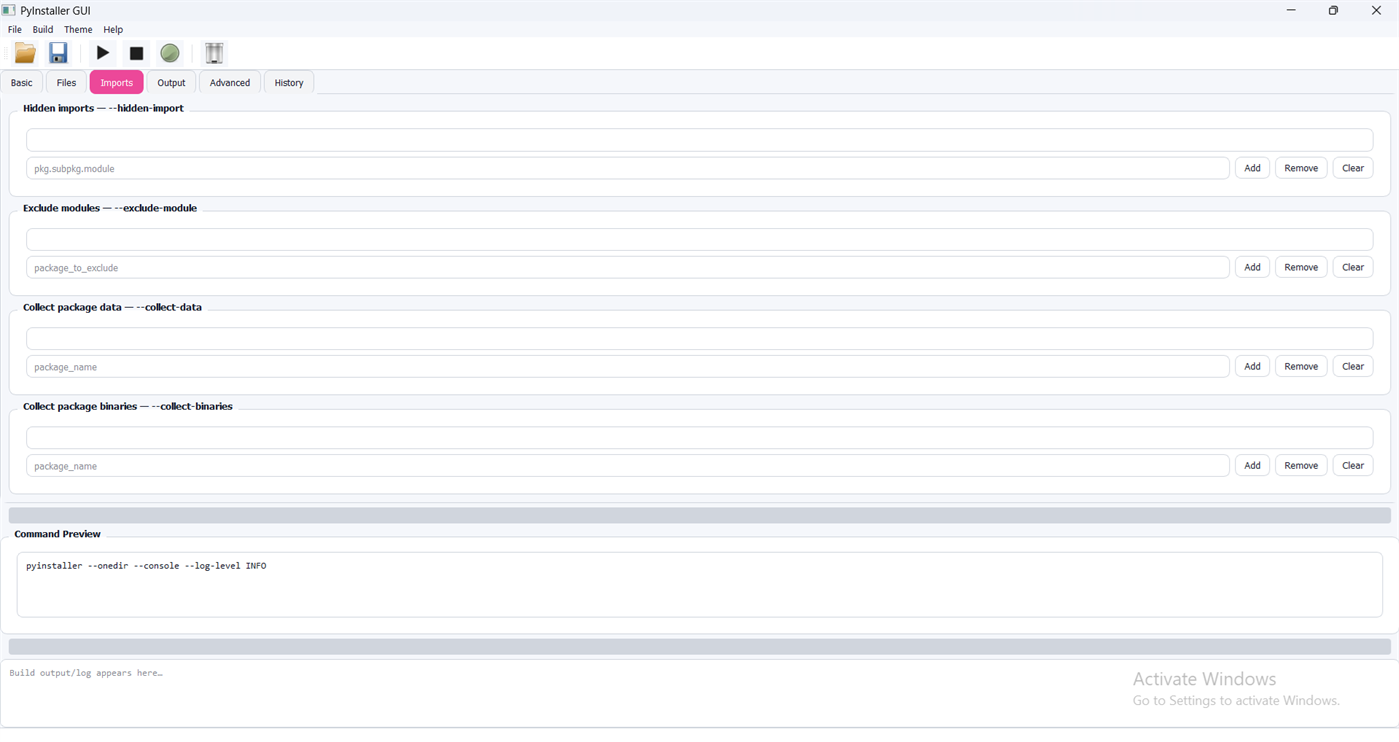
Configure PyInstaller options through an intuitive GUI (checkboxes, radio buttons, and input fields)
Live command preview to see the exact compilation command before running
Drag & drop or file dialog selection for Python entry files
Supports .py and .pyw source files
2) Project Profiles & Configuration Management
Save and load complete build profiles as .pyp project files
Automatic detection of unsaved changes (marked with *)
Work with multiple projects efficiently; open multiple instances when needed
Reuse and modify configurations quickly across different applications
3) Build Options (Core Packaging Modes)
Console mode
Show console window
Hide console window (recommended for GUI applications)
Output mode
Single-file executable (--onefile)
Directory build (dependency folder output)
4) Build Execution, Logs, and Diagnostics
Real-time compilation logs while building
Interruptible builds (cancel compilation safely)
Progress visualization with a progress bar
Automatic log saving to a temporary directory
Error detection and clear feedback for troubleshooting
5) Automation & Command-Line Support
Batch processing support for command-line parameters
Automatic compilation mode (-a)
Load and compile saved .pyp projects via command line (useful for repeatable workflows)
6) System & PyInstaller Settings
Auto-detects PyInstaller installation
Optional custom PyInstaller path configuration
One-click PyInstaller upgrade
Displays current PyInstaller version
Configurable default output directory
Stores app data in the user configuration folder
Use Cases
Build a Windows executable from a Python script quickly
Package GUI apps without showing a console window
Maintain repeatable, shareable build configurations across projects
Troubleshoot packaging issues using real-time logs and saved build reports
스크린샷
Ad
가격 내역
- 현재 가격: $1.99
- 최소: $1.99
- 최대: $1.99
가격 추적
AppAgg 평가
500
AppAgg 예상 평가:
PyInstaller
500 브론즈
평가가 높을수록 보통 AppAgg에서 더 강한 신호를 의미합니다.
기준: 인기 · 사용자 평점 · 최신성 · 딜 · 스토어 데이터 · 커뮤니티 활동
최신 AppAgg 데이터를 바탕으로 매일 다시 계산됩니다.
단축 URL: 복사됨!
새로운 기능
- 버전: PC
- 마지막 업데이트:
추가 정보
 https://ariavisionapps.com/apps/pyinstaller/
개발자
- aria vision
- 플랫폼: Windows 앱 (22) Windows 게임 (1)
- 목록: 0 + 0
- 포인트: 2 + 6 ¡
- 순위: 0
- 댓글: 0
- 할인: 4
- 동영상: 0
- RSS: 구독
목록 (0)
0
- PyInstaller
포인트 (0)
0
순위 (0)
0
댓글 (0)
가장 먼저 댓글을 남겨주세요
요약
PyInstaller 단축 URL: 복사됨!- 공유하기
- Windows Store
«PyInstaller». 플랫폼: Windows. 카테고리: 개발자 도구. 개발자: «Aria Vision». 첫 번째 릴리스: . 마지막 업데이트: . 현재 가격: $1.99. 최저 기록 가격: $1.99. 최고 기록 가격: $1.99. 이 타이틀은 아직 AppAgg에서 평가나 리뷰를 받지 못했습니다. 사용 가능한 언어: English. AppAgg는 «PyInstaller»의 가격 기록, 평점 및 사용자 피드백을 추적합니다. AppAgg는 애플리케이션을 호스팅하거나 소프트웨어를 배포하지 않습니다. 모든 상표, 로고 및 스크린샷은 해당 소유자의 자산입니다. 향후 할인 및 업데이트 받기: RSS에서 확인할 수 있습니다
유사 항목
-
- App Installer (Mobile) - WinUI 3
- Windows 앱: 개발자 도구 게시자: wherewhere
- 무료
- 목록: 3 + 2 0 0
- 포인트: 20 + 3,246 8K 버전: PC Android™ App Installer for Windows 10/11 makes sideloading Android applications easy for WSA, Anbox, etc.: Just double-click the app package, and you won't have to run Android Debug ... ⥯
-
- Python Quick Installer Pro
- Windows 앱: 개발자 도구 게시자: Aria Vision
- $2.49
- 목록: 0 0 0
- 포인트: 0 + 0 500 버전: PC ️ Python and pip must be installed on your system beforehand. Install Python packages, effortlessly. A sleek Material-inspired GUI for pip with live output, a Tiny Panel for one-click ... ⥯
-
- MSI Viewer
- Windows 앱: 개발자 도구 게시자: William Kent
- 무료
- 목록: 3 + 1 0 0
- 포인트: 1 + 8 2K 버전: PC View the contents of MSI installer files and merge modules with this app, and extract them without needing to run the installer. View MSI files by launching the app, or by ... ⥯
-
- Python Install Manager
- Windows 앱: 개발자 도구 게시자: Python Software Foundation
- 무료
- 목록: 0 + 1 0 0
- 포인트: 3 + 19 1K 버전: PC The Python install manager helps you to install, manage, and launch Python on Windows. After install, the "py" command is your tool of choice - try "py help" to see what it can do! ... ⥯
- 새로운
- InstallAware Studio
- Windows 앱: 개발자 도구 게시자: InstallAware Software Corporation
- * 무료
- 목록: 0 0 0
- 포인트: 0 + 0 500 버전: PC InstallAware is a software installation solution for Windows Installer that enables MSIcode scripting for rapid setup development without the high cost and steep learning curve of ... ⥯
- 새로운
- Docker Desktop
- Windows 앱: 개발자 도구 게시자: Docker, Inc
- 무료
- 목록: 0 0 0
- 포인트: 0 + 57 2K 버전: PC Docker Desktop is a one-click-install application for your Mac, Linux, or Windows environment, enabling you to build, share, and run containerized applications and microservices. With ... ⥯
-
- Notepad Editor
- Windows 앱: 개발자 도구 게시자: CSTRSK
- * 무료
- 목록: 0 0 0
- 포인트: 0 + 31 1K 버전: PC Notepad Editor is a multifunctional text editor with which you can easily edit Batch | .bat , C-Sharp | .cs , Cascading Style Sheets | .css , Hypertext Markup Language | .html , ... ⥯