
Segnalibri
| Sviluppatore: | PhoenixSoft (4) | ||
| Prezzo: | Gratis | ||
| Punteggio: | 600 Argento | ||
| Classifiche: | 0 | ||
| Commenti: | 0 Pubblica commento | ||
| Liste: | 0 0 | ||
| Punti: | 0 | ||
| +1 Punto | |||
In breve
Ti presentiamo QoolTester, un’app di PhoenixSoft della categoria «Strumenti di sviluppo».
Uscita , è ancora bella fresca.
Gratis: niente pubblicità, niente acquisti in-app. Solo tu e l’app.
Il Microsoft Store è integrato in Windows, quindi si installa in un paio di clic.
Il suo Punteggio AppAgg è 600. Livello Argento, e non è affatto male.
Solo 28 megabyte. Ci sta anche su un disco pieno zeppo.
Classificazione «EVERYONE»: va bene anche per i bambini.
Parla una sola lingua, e non è l’italiano.
L’hai usata? La tua recensione sarebbe la prima qui.
Lo sviluppatore ha 3 altre app su AppAgg. Vale la pena dare un’occhiata.
Vuoi sapere prima di tutti di aggiornamenti e nuove app? Segui lo sviluppatore o iscriviti al feed RSS. Le notifiche push arrivano tramite l’app AppAgg Alerts per Android e iOS.
Screenshot 4
Altre piattaforme 0
Cronologia dei prezzi 0
- Prezzo attuale: Gratis
- Minimo: Gratis
- Massimo: Gratis
Il tuo feed personale nella home
Descrizione

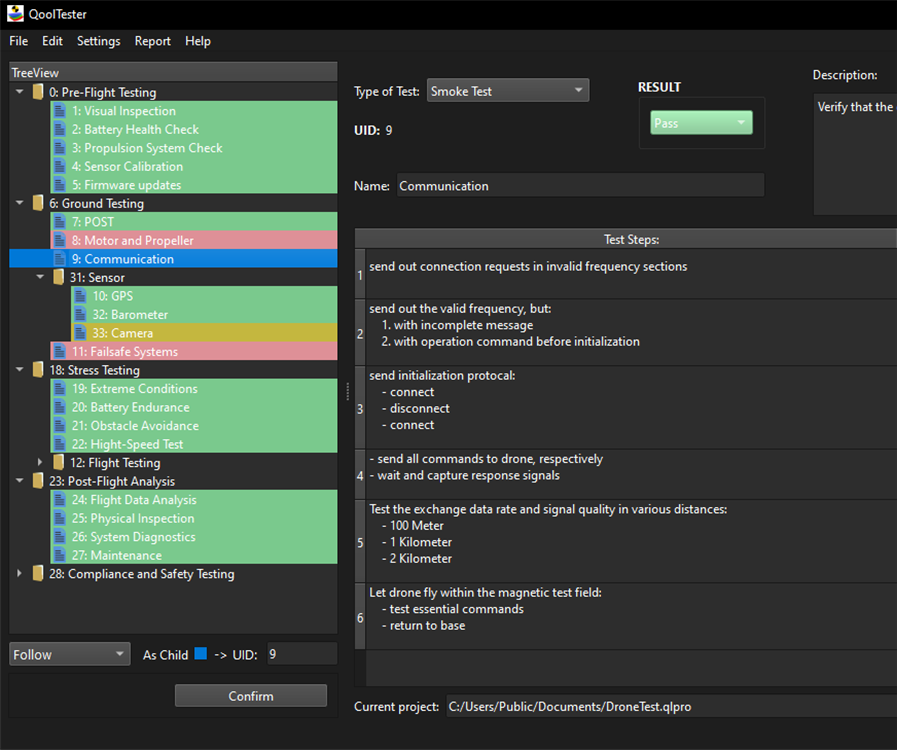
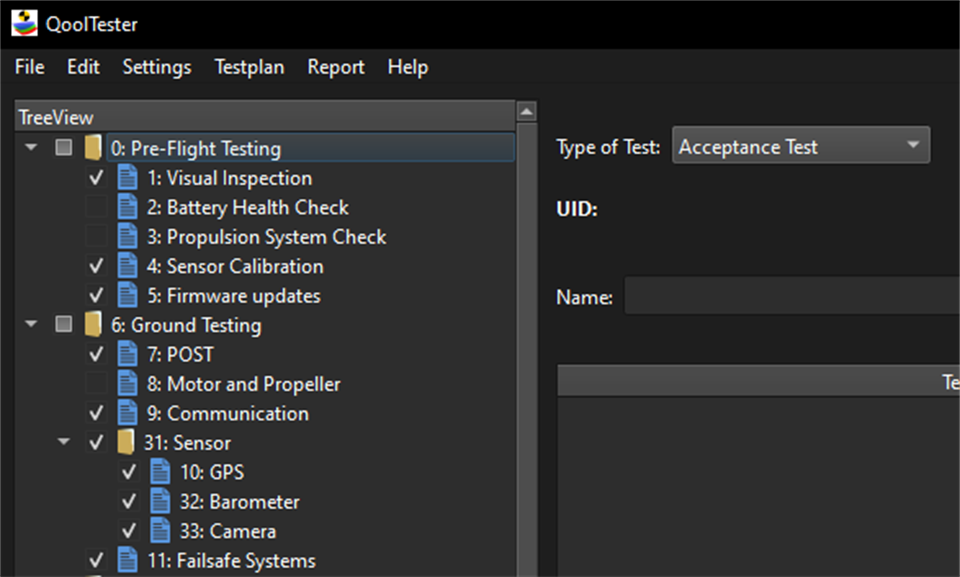
Select the desired testcases and export as test plan if we are to customize the project and not all tests are needed.
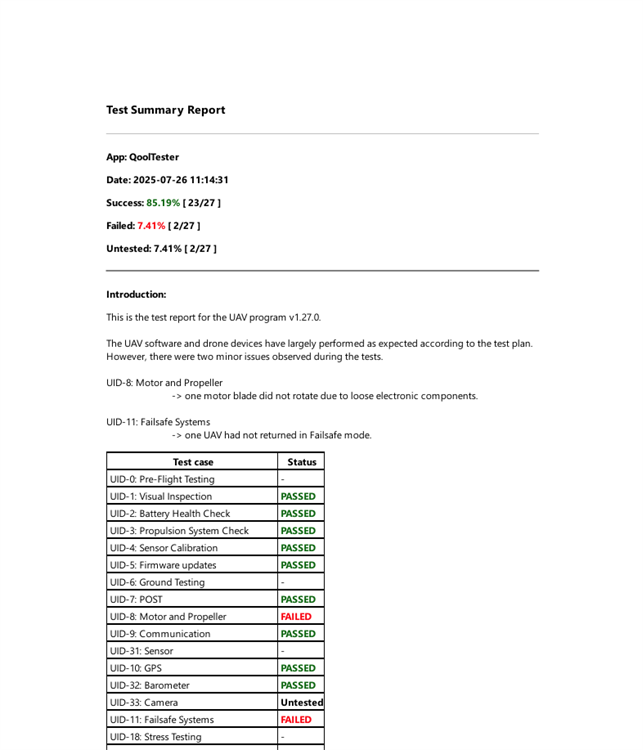
Utilize project as test run, by labeling the tests with pass fail criteria.
Finally create a PDF report with test summary.
Notice: the project file is in XML format, this allows the tester to create customized project files automatically, via e.g. Python scripting.
For more detailed information please refer to the instruction manual in the installation folder.
Dallo sviluppatore
Liste 0
-
 QoolTester
Punti 0
-

- +1 Punto

Classifiche 0
-
- La tua valutazione
Sviluppatore 4
- Phoenixsoft
- Follower: 0
- Piattaforme: Android App (3) Windows App (1)
- Offerte: 0
- Liste: 0 0
- Punti: 0
- Classifiche: 0
- Commenti: 0
- Video: 0
- RSS: Iscriviti
Novità
- Versione: PC
- Ultimo aggiornamento:
- # v2.8.0
- show individual test cases immediately through arrow key navigation.
- introduce Shortcuts to mark and store test results in test runs automatically, mouse is no longer required during testing :)
[Ctrl+Q]: Mark Test as Pass
[Ctrl+F]: Mark Test as Fail
[Ctrl+R]: Mark Test as Retest
# v2.7.2
- App with its icon can be accessed on the taskbar, for minimizing and maximizing window as common windows applications do.
# v2.7.1
- Implemented the "auto tri-state" feature, when exporting test run the checkbox selections should now work automatically (selection, unselection and partially selection get updated as expected.)
# Editing Tests
---
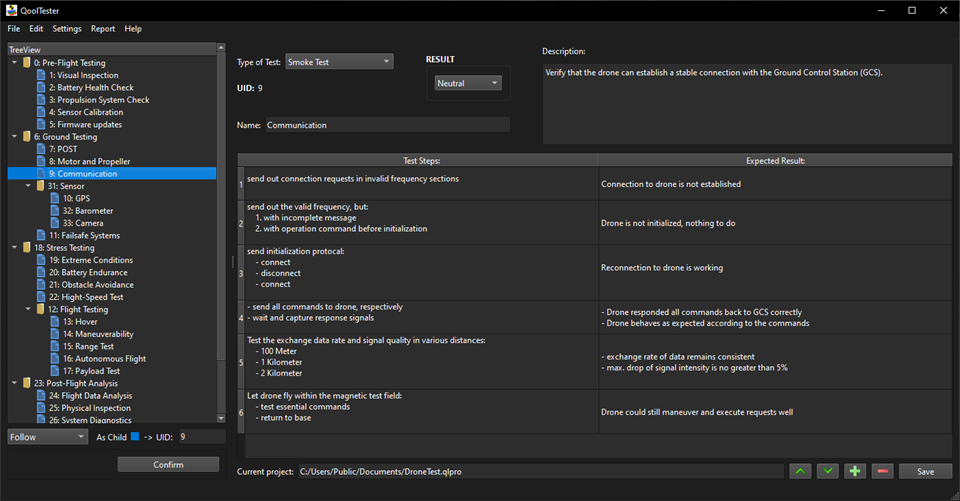
Select one test case, then use the utilities at the buttom right corner. Test steps can be added, deleted or moved around. `Save` button or the shortcut `Ctrl+S` stores changes to the project.
# Managing Tests
- `Follow`: click on an existing test case or folder under tree view and input the UID to follow; choose `as Child` if a deeper layer is desired. Beyond `Confirm` the highlighted test case is moved behind the UID.
- `Add Subfolder`: enter an existing UID, `Confirm`, then a new test folder with a new UID is appended behind the target UID.
- `Add Testcase`: same as `Add Subfolder`, but as test case.
- `Delete`: the selected test case or folder including its subdirectories is going to be removed.
Informazioni aggiuntive
- Data di uscita:
- Categoria:
App per Windows›Strumenti di sviluppo - Sistemi operativi:
PC - Dimensioni:
28 Mb - Lingue supportate:
Inglese - Classificazione contenuti:
EVERYONE - Windows Store Valutazione: ¡
0
Punteggio AppAgg
Punteggio AppAgg stimato per
QoolTester
Sviluppatore: PhoenixSoft
Un punteggio più alto riflette in genere risultati migliori negli indicatori di AppAgg.
Basato su: popolarità · valutazioni degli utenti · freschezza · offerte · dati degli store · attività della community
Ricalcolato ogni giorno con dati AppAgg aggiornati.
Commenti 0 ¡
Condividi
QoolTester URL breve: Copiato!- Windows Store

