
Bogmærker
| Udvikler: | Akhil Vithanala (14) | ||
| Pris: | Gratis Ny | ||
| Score: | 860 Sølv | ||
| Ranglister: | 0 | ||
| Kommentarer: | 0 Skriv kommentar | ||
| Lister: | 0 0 | ||
| Point: | 0 | ||
| +1 Point | |||
Kort fortalt
Quick Tools for Excel er en app fra Akhil Vithanala i kategorien »Udviklerværktøjer«.
Nyhed: den udkom , så du er blandt de første.
Gratis: ingen reklamer og ingen køb i appen. Kun dig og appen.
Microsoft Store er bygget ind i Windows, så installationen klares med et par klik.
AppAgg-scoren er 860. Sølv, og det er slet ikke dårligt.
Kun 14 megabyte. Der er plads, selv på en fyldt harddisk.
Aldersgrænse »EVERYONE«: også fint for børn.
Taler kun ét sprog, og det er ikke dansk.
Har du brugt den? Din anmeldelse bliver den første her.
Udvikleren har yderligere 13 apps på AppAgg. Tag et kig.
Vil du høre om opdateringer og nye apps først? Følg udvikleren eller abonner på vores RSS-feed. Push-beskeder kommer via appen AppAgg Alerts til Android og iOS.
Andre platforme 0
Prishistorik 0
- Nuværende pris: Gratis
- Minimum: Gratis
- Maksimum: Gratis
Dit eget feed på forsiden
Skærmbilleder 6


Beskrivelse

Working with spreadsheets often means navigating multiple menus, remembering keyboard shortcuts, and repeatedly performing the same operations. Quick Excel Tools simplifies this workflow by bringing frequently used Excel commands into one convenient floating interface.
YOUR EXCEL TOOLS, JUST ONE CLICK AWAY
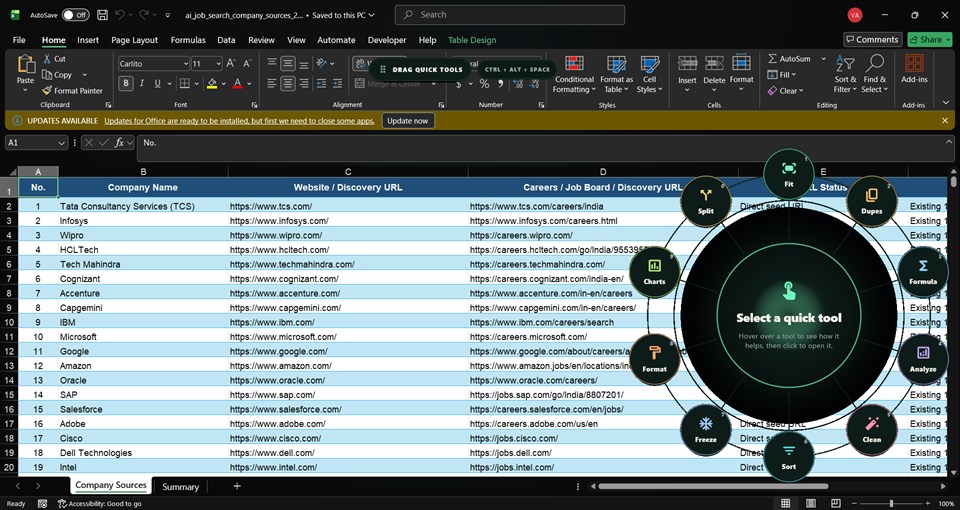
Launch the floating Quick Tools wheel over Microsoft Excel to access useful spreadsheet commands without repeatedly navigating the Excel ribbon.
Its circular interface organizes tools into ten categories, helping you quickly locate the operation you need.
WORK DIRECTLY WITH YOUR EXCEL WORKBOOKS
Quick Excel Tools connects to the Microsoft Excel desktop application and works with your active workbook, worksheet, and selected cells.
The app automatically identifies populated worksheet boundaries and provides an editable range selection, allowing you to review where an action will be applied.
POWERFUL EVERYDAY EXCEL TOOLS
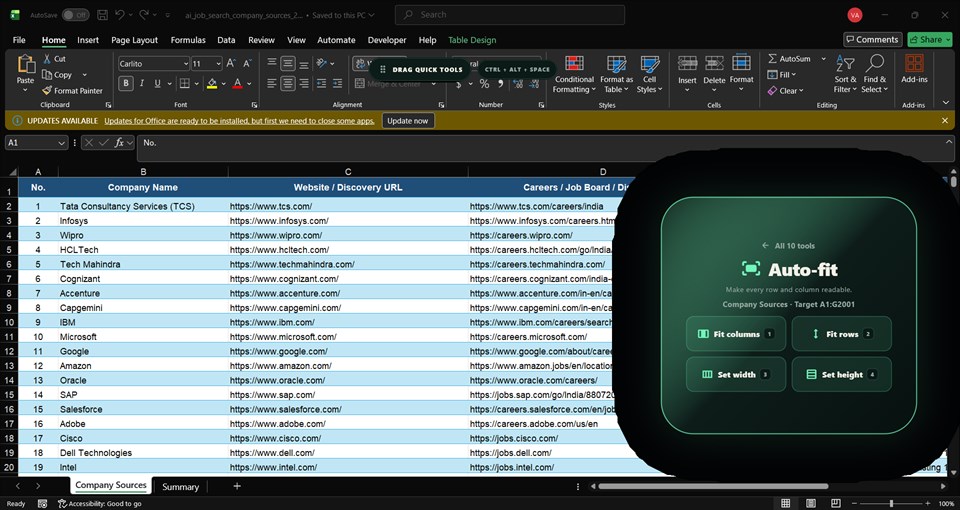
Auto-Fit Rows and Columns
Quickly adjust column widths and row heights to fit spreadsheet contents. Improve readability without manually resizing individual cells.
Find and Manage Duplicates
Identify repeated values, highlight duplicates, review duplicate counts, and remove duplicate records using selected key columns. Duplicate removal includes a backup worksheet for additional protection.
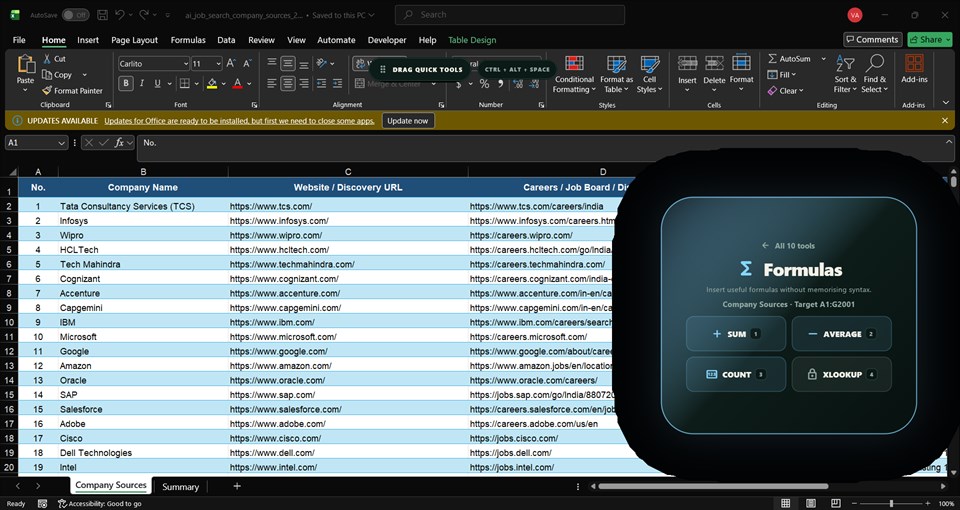
Quick Excel Formulas
Insert commonly used SUM, AVERAGE, and COUNT formulas to calculate spreadsheet values without manually typing formula expressions.
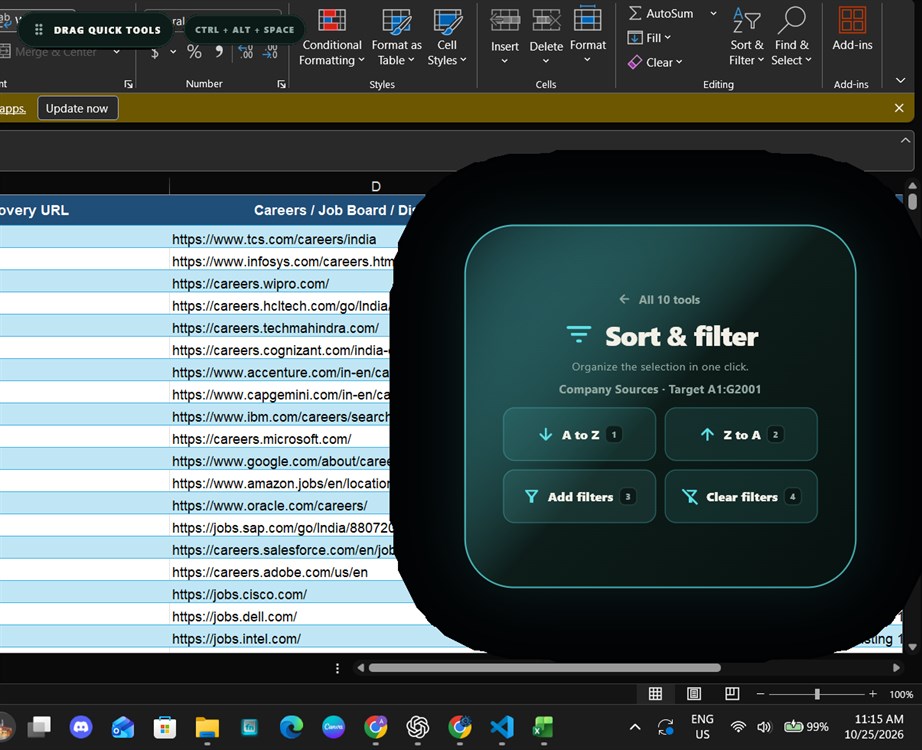
Sort and Filter Utilities
Access tools for applying and clearing worksheet filters, making it easier to work with large datasets.
Freeze Rows and Columns
Keep important information visible while scrolling. Freeze the top row, first column, or rows and columns above the current selection.
Quick Formatting
Apply cell borders, date formats, and numeric formatting to make spreadsheets cleaner, more organized, and easier to read.
Create Charts
Generate column, line, and pie charts directly from selected spreadsheet data to visualize information more clearly.
Spreadsheet Data Checks
Inspect supported data ranges for potential issues, including blank cells, repeated values, Excel errors, and numbers stored as text.
PREVIEW BEFORE MAKING CHANGES
Quick Excel Tools provides an operation preview showing:
Active workbook and worksheet
Current Excel selection
Automatically identified data range
Editable start and end cells
Expected action and supported status
This helps you understand the operation before applying it to your workbook.
DESIGNED FOR CONVENIENCE
The transparent, floating interface stays accessible while working in Excel.
Organized tool categories, contextual descriptions, and clear action dialogs help reduce repetitive navigation and make common spreadsheet operations easier to discover.
BUILT FOR EVERYDAY EXCEL USERS
Quick Excel Tools is suitable for:
Students working with assignments and datasets
Office employees managing spreadsheets
Accountants organizing financial records
Professionals preparing Excel reports
Small businesses managing tabular information
Anyone who regularly works with Microsoft Excel
WORKS WITH MICROSOFT EXCEL DESKTOP
Quick Excel Tools operates with the Microsoft Excel desktop application installed on Windows.
Microsoft Excel must be installed separately.
The application does not support Excel for the web, Google Sheets, or other browser-based spreadsheet applications.
Quick Excel Tools is an independent third-party productivity application and is not affiliated with or endorsed by Microsoft Corporation.
Make everyday spreadsheet work easier with Quick Excel Tools — your convenient companion for Microsoft Excel.
Fra udvikleren
Lister 0
-
 Quick Tools for Excel
Point 0
-

- +1 Point

Ranglister 0
-
- Din bedømmelse
Udvikler 14
- Akhil Vithanala
- Følgere: 0
- Platforme: Windows Apps (14)
- Tilbud: 0
- Lister: 0 0
- Point: 2
- Ranglister: 0
- Kommentarer: 0
- Videoer: 2
- RSS: Abonner
Nyheder
- Version: PC
- Sidst opdateret:
Yderligere oplysninger
- Udgivelsesdato:
- Kategori:
Windows-apps›Udviklerværktøjer - Operativsystem:
PC - Størrelse:
14 Mb - Understøttede sprog:
Engelsk - Indholdsklassificering:
EVERYONE - Windows Store Bedømmelse: ¡
0 - Websted:
 https://vcrtechnology.in/
AppAgg-score
Estimeret AppAgg-score for
Quick Tools for Excel
Udvikler: Akhil Vithanala
En højere score afspejler som regel bedre resultater på de områder, AppAgg måler.
Baseret på: popularitet · brugervurderinger · aktualitet · tilbud · butiksdata · fællesskabsaktivitet
Genberegnes dagligt ud fra aktuelle AppAgg-data.
Kommentarer 0 ¡
Del
Quick Tools for Excel Kort webadresse: Kopieret!- Windows Store

