
Lesezeichen
| Entwickler: | Akhil Vithanala (14) | ||
| Preis: | Kostenlos Neu | ||
| Score: | 860 Silber | ||
| Ranglisten: | 0 | ||
| Kommentare: | 0 Kommentar posten | ||
| Listen: | 0 0 | ||
| Punkte: | 0 | ||
| +1 Punkt | |||
Kurzinfo
Quick Tools for Excel ist eine App von Akhil Vithanala aus der Kategorie „Entwicklungstools“.
Neuerscheinung: erst erschienen, du bist also ganz vorne mit dabei.
Gratis, keine Werbung, keine In-App-Käufe. Nur du und die App.
Der Microsoft Store ist in Windows eingebaut, die Installation ist also in ein paar Klicks erledigt.
Der AppAgg-Score liegt bei 860. Silber, und das ist gar nicht übel.
Nur 14 Megabyte, passt sogar auf eine volle Festplatte.
Altersfreigabe „EVERYONE“, also auch für Kinder geeignet.
Spricht nur eine Sprache, und das ist nicht Deutsch.
Schon benutzt? Deine Rezension wäre hier die erste.
Der Entwickler hat noch 13 weitere Apps auf AppAgg. Ein Blick lohnt sich.
Willst du als Erstes von Updates und neuen Apps erfahren? Folge dem Entwickler oder abonniere den RSS-Feed. Push-Nachrichten kommen über die App AppAgg Alerts für Android und iOS.
Andere Plattformen 0
Preisentwicklung 0
- Aktueller Preis: Kostenlos
- Minimum: Kostenlos
- Maximum: Kostenlos
Dein eigener Feed auf der Startseite
Screenshots 6


Beschreibung

Working with spreadsheets often means navigating multiple menus, remembering keyboard shortcuts, and repeatedly performing the same operations. Quick Excel Tools simplifies this workflow by bringing frequently used Excel commands into one convenient floating interface.
YOUR EXCEL TOOLS, JUST ONE CLICK AWAY
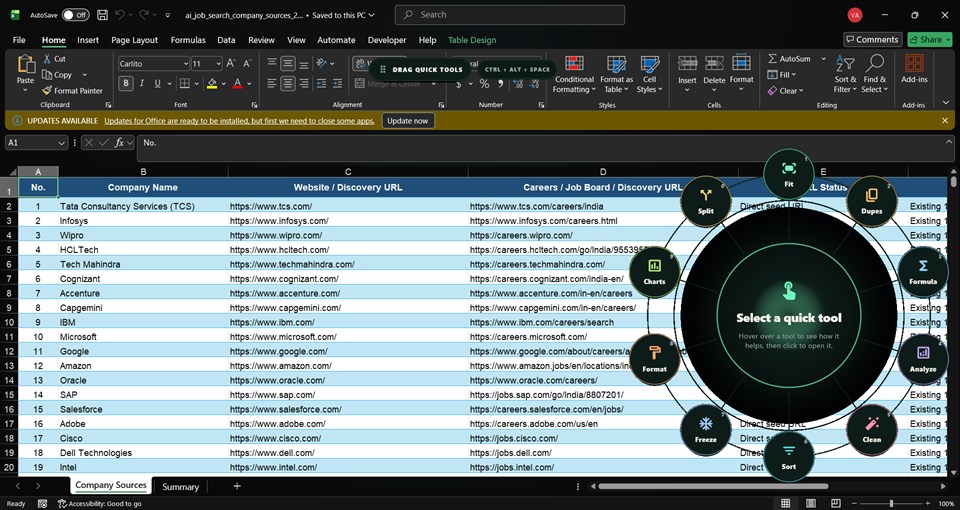
Launch the floating Quick Tools wheel over Microsoft Excel to access useful spreadsheet commands without repeatedly navigating the Excel ribbon.
Its circular interface organizes tools into ten categories, helping you quickly locate the operation you need.
WORK DIRECTLY WITH YOUR EXCEL WORKBOOKS
Quick Excel Tools connects to the Microsoft Excel desktop application and works with your active workbook, worksheet, and selected cells.
The app automatically identifies populated worksheet boundaries and provides an editable range selection, allowing you to review where an action will be applied.
POWERFUL EVERYDAY EXCEL TOOLS
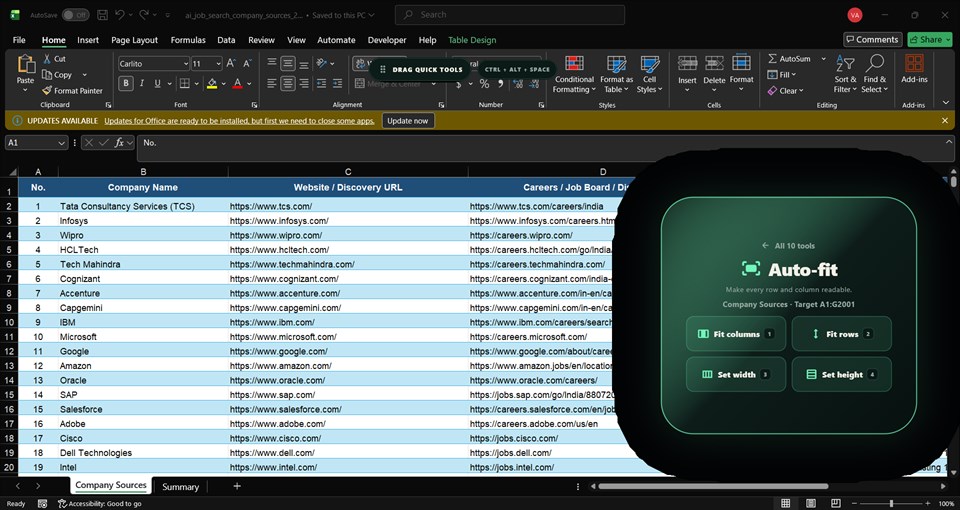
Auto-Fit Rows and Columns
Quickly adjust column widths and row heights to fit spreadsheet contents. Improve readability without manually resizing individual cells.
Find and Manage Duplicates
Identify repeated values, highlight duplicates, review duplicate counts, and remove duplicate records using selected key columns. Duplicate removal includes a backup worksheet for additional protection.
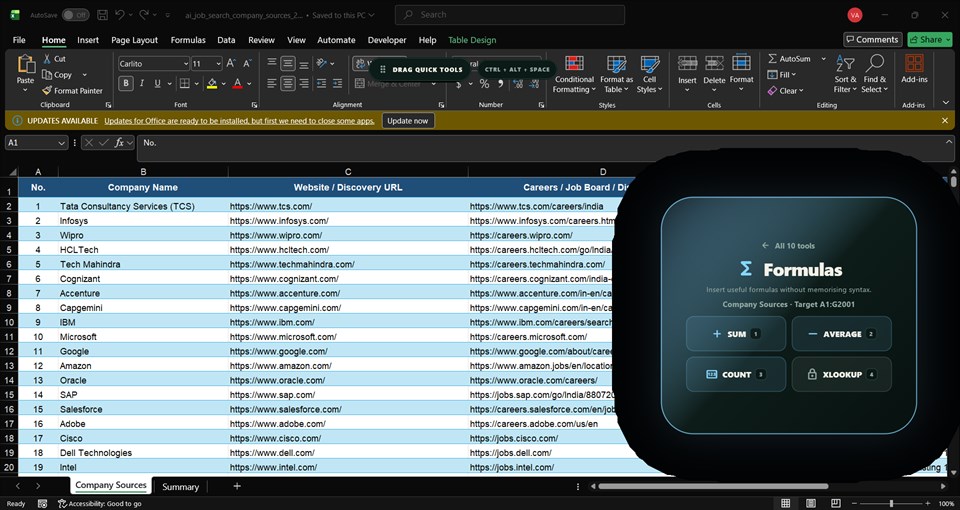
Quick Excel Formulas
Insert commonly used SUM, AVERAGE, and COUNT formulas to calculate spreadsheet values without manually typing formula expressions.
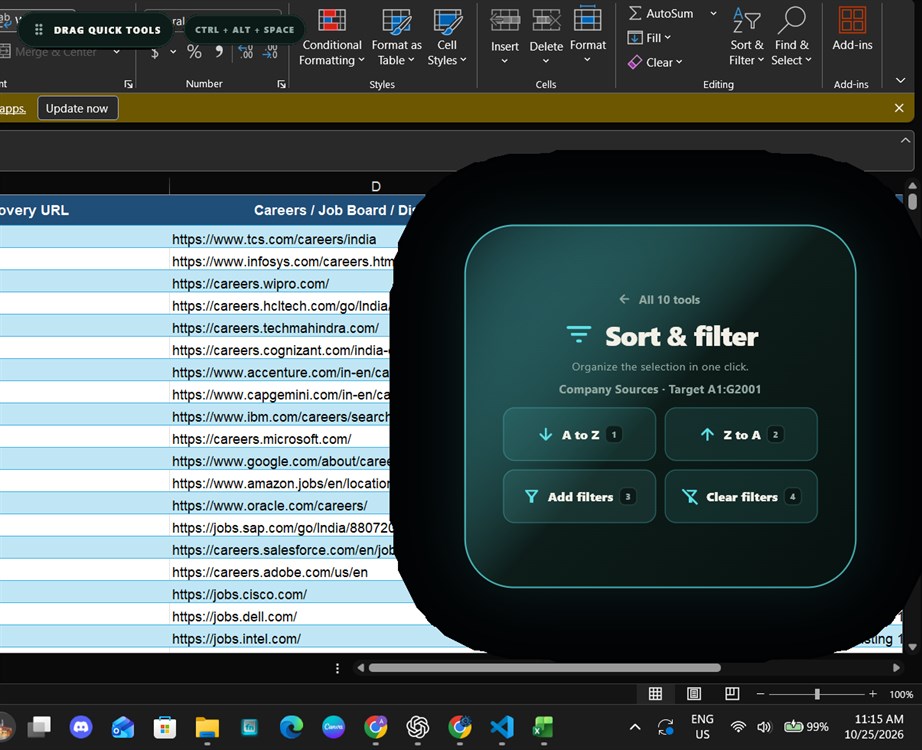
Sort and Filter Utilities
Access tools for applying and clearing worksheet filters, making it easier to work with large datasets.
Freeze Rows and Columns
Keep important information visible while scrolling. Freeze the top row, first column, or rows and columns above the current selection.
Quick Formatting
Apply cell borders, date formats, and numeric formatting to make spreadsheets cleaner, more organized, and easier to read.
Create Charts
Generate column, line, and pie charts directly from selected spreadsheet data to visualize information more clearly.
Spreadsheet Data Checks
Inspect supported data ranges for potential issues, including blank cells, repeated values, Excel errors, and numbers stored as text.
PREVIEW BEFORE MAKING CHANGES
Quick Excel Tools provides an operation preview showing:
Active workbook and worksheet
Current Excel selection
Automatically identified data range
Editable start and end cells
Expected action and supported status
This helps you understand the operation before applying it to your workbook.
DESIGNED FOR CONVENIENCE
The transparent, floating interface stays accessible while working in Excel.
Organized tool categories, contextual descriptions, and clear action dialogs help reduce repetitive navigation and make common spreadsheet operations easier to discover.
BUILT FOR EVERYDAY EXCEL USERS
Quick Excel Tools is suitable for:
Students working with assignments and datasets
Office employees managing spreadsheets
Accountants organizing financial records
Professionals preparing Excel reports
Small businesses managing tabular information
Anyone who regularly works with Microsoft Excel
WORKS WITH MICROSOFT EXCEL DESKTOP
Quick Excel Tools operates with the Microsoft Excel desktop application installed on Windows.
Microsoft Excel must be installed separately.
The application does not support Excel for the web, Google Sheets, or other browser-based spreadsheet applications.
Quick Excel Tools is an independent third-party productivity application and is not affiliated with or endorsed by Microsoft Corporation.
Make everyday spreadsheet work easier with Quick Excel Tools — your convenient companion for Microsoft Excel.
Vom Entwickler
Listen 0
-
 Quick Tools for Excel
Punkte 0
-

- +1 Punkt

Ranglisten 0
-
- Deine Bewertung
Entwickler 14
- Akhil Vithanala
- Follower: 0
- Plattformen: Windows Apps (14)
- Angebote: 0
- Listen: 0 0
- Punkte: 2
- Ranglisten: 0
- Kommentare: 0
- Videos: 2
- RSS: Abonnieren
Neue Funktionen
- Version: PC
- Zuletzt aktualisiert:
Weitere Informationen
- Veröffentlichungsdatum:
- Kategorie:
Windows-Apps›Entwicklungstools - Betriebssysteme:
PC - Größe:
14 Mb - Unterstützte Sprachen:
Englisch - Altersfreigabe:
EVERYONE - Windows Store Bewertung: ¡
0 - Webseite:
 https://vcrtechnology.in/
AppAgg-Score
Geschätzter AppAgg-Score für
Quick Tools for Excel
Entwickler: Akhil Vithanala
Ein höherer Score weist meist auf bessere Werte bei den von AppAgg erfassten Kennzahlen hin.
Basierend auf: Popularität · Nutzerbewertungen · Aktualität · Angeboten · Store-Daten · Community-Aktivität
Wird täglich anhand aktueller AppAgg-Daten neu berechnet.
Kommentare 0 ¡
Teilen
Quick Tools for Excel Kurz-URL: Kopiert!- Windows Store

