
저장됨
저장됨 메뉴에 표시할 이름을 선택하세요.
완료!
| 개발자: | SCORPIOX, INC (5) | ||
| 가격: | $3.34 | ||
| 평가: | 600 실버 | ||
| 순위: | 0 | ||
| 댓글: | 0 댓글 게시 | ||
| 목록: | 0 + 0 | ||
| 포인트: | 0 + 0 ¡ | ||
| +1 포인트 | |||
기술

Unlike browser-based AI tools, SCORPIOX CODE runs as a lightweight native application with GPU-accelerated rendering, giving you instant responsiveness and a distraction-free coding environment. The app connects to powerful cloud AI models while keeping your workflow local and fast.
KEY CAPABILITIES:
Multi-Model AI Engine
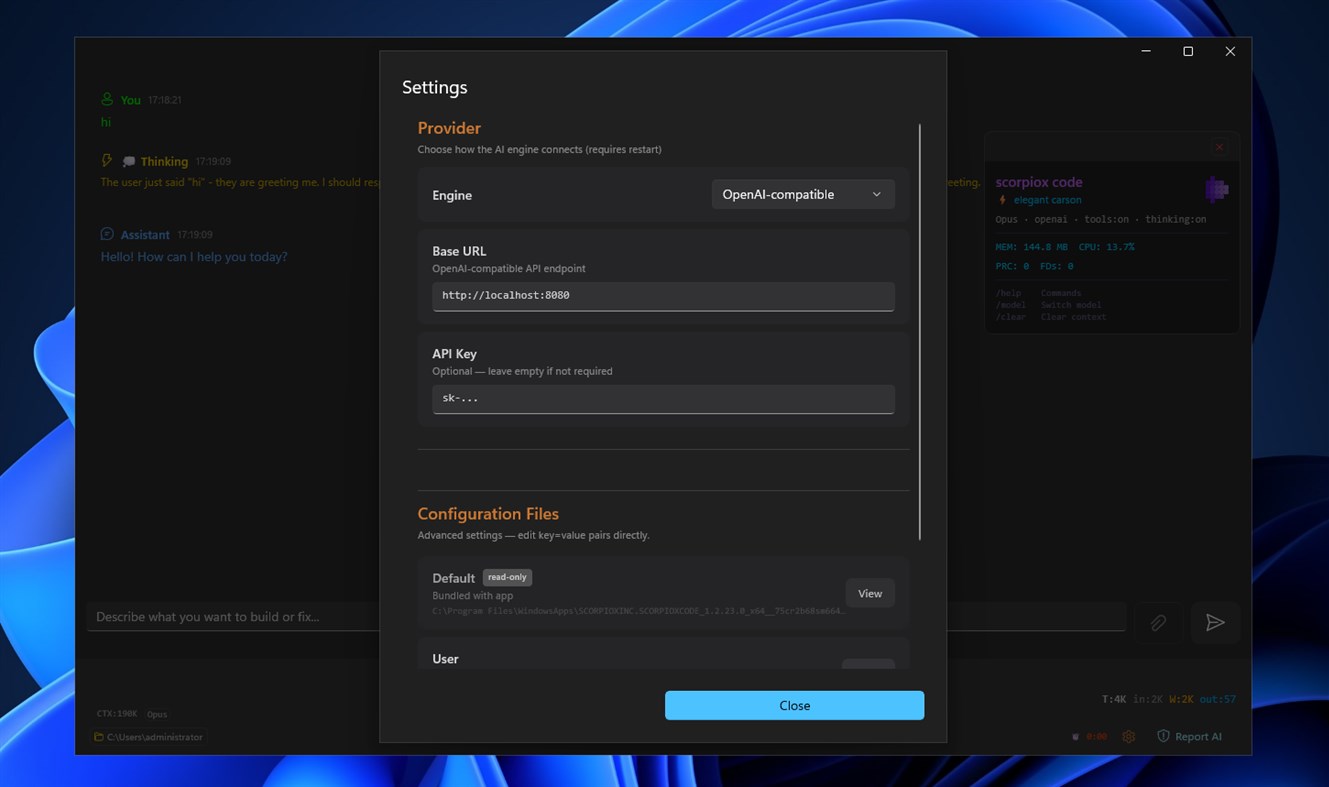
Switch seamlessly between Opus, Sonnet, and Haiku AI models depending on your task complexity. Use Opus for deep architectural reasoning, Sonnet for balanced everyday coding, or Haiku for quick answers and simple tasks. Change models on the fly without losing your conversation context.
Interactive Tool Calling
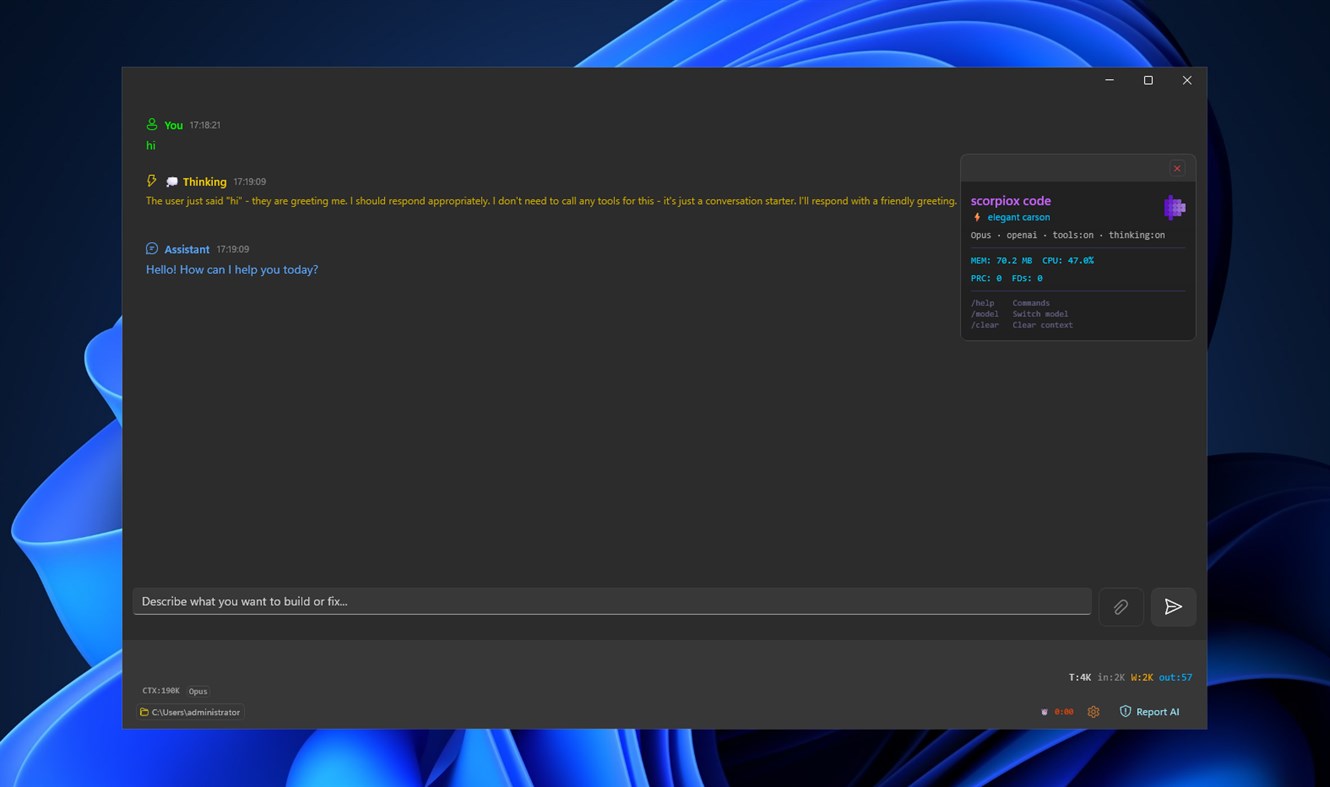
SCORPIOX CODE goes beyond simple chat. The AI can execute tool calls, run bash commands, read and write files, and perform complex multi-step operations — all visible in your conversation as transparent, auditable steps. Watch the AI think, plan, and act in real time.
Slash Commands
Power-user workflow with built-in slash commands. Type "/" to see available commands with autocomplete suggestions. Execute specialized operations instantly without leaving the chat interface.
Image Understanding
Attach images directly to your conversations via drag-and-drop or the attachment button. The AI can analyze screenshots, UI mockups, error messages, and diagrams to provide context-aware coding assistance.
Real-Time Streaming
Watch responses stream in token-by-token with live thinking indicators. See detailed token usage statistics including input, output, cache reads, and cache writes. Monitor context window usage and elapsed time for every interaction.
Native Performance
Built on WinUI 3 with hardware-accelerated composition effects. The app launches instantly, uses minimal resources, and integrates naturally with your Windows desktop. No Electron bloat, no browser tabs — just a focused coding tool.
PERFECT FOR:
- Developers who want an AI coding assistant without browser distractions
- Engineers debugging complex issues with interactive tool execution
- Teams building software with AI-assisted code generation and review
- Students learning to code with an intelligent, patient tutor
- DevOps engineers automating scripts and infrastructure tasks
- Anyone who prefers a native desktop app over web-based AI chat
The clean, dark-themed interface is designed for extended coding sessions. Conversations are displayed with color-coded message types — your messages, assistant responses, tool calls, system events, and thinking steps are all visually distinct and easy to follow.
Start coding smarter today with SCORPIOX CODE.
Ad
스크린샷
가격 내역
- 현재 가격: $3.34
- 최소: 무료
- 최대: $4.99
AppAgg 평가
600
AppAgg 예상 평가:
SCORPIOX CODE
600 실버
평가가 높을수록 보통 AppAgg에서 더 강한 신호를 의미합니다.
기준: 인기 · 사용자 평점 · 최신성 · 딜 · 스토어 데이터 · 커뮤니티 활동
최신 AppAgg 데이터를 바탕으로 매일 다시 계산됩니다.
단축 URL: 복사됨!
새로운 기능
- 버전: PC
- 마지막 업데이트:
추가 정보
개발자
목록 (0)
0
- SCORPIOX CODE
포인트 (0)
0
순위 (0)
0
댓글 (0)
가장 먼저 댓글을 남겨주세요
요약
SCORPIOX CODE 단축 URL: 복사됨!- 공유하기
- Windows Store
«SCORPIOX CODE». 플랫폼: Windows. 카테고리: 개발자 도구. 개발자: «SCORPIOX, INC». 첫 번째 릴리스: . 마지막 업데이트: . 현재 가격: $3.34. 최저 기록 가격: $0.00 (). 최고 기록 가격: $4.99 (). 이 타이틀은 아직 AppAgg에서 평가나 리뷰를 받지 못했습니다. 사용 가능한 언어: Arabic, Chinese, English, French, German, Italian, Japanese, Korean, Portuguese, Russian, Spanish, Turkish. AppAgg는 «SCORPIOX CODE»의 가격 기록, 평점 및 사용자 피드백을 추적합니다. AppAgg는 애플리케이션을 호스팅하거나 소프트웨어를 배포하지 않습니다. 모든 상표, 로고 및 스크린샷은 해당 소유자의 자산입니다. 향후 할인 및 업데이트 받기: RSS에서 확인할 수 있습니다
유사 항목
-
- #Code
- Windows 앱: 개발자 도구 게시자: Shahul Hameed
- * 무료
- 목록: 0 + 1 0 0
- 포인트: 1 + 276 9K · 골드 버전: PC #Code is an online compiler that that lets you compile and execute code snippets on your Windows 10 device. As of now, #Code supports over 12 programming languages and is a ...
-
- Code Graph
- Windows 앱: 개발자 도구 게시자: 淹死的鱼ysdy44
- 무료
- 목록: 0 + 1 0 0
- 포인트: 2 + 0 630 · 실버 버전: PC Code Graph is a reference relationship visualizer that finds all the .csproj (C# project) files in a folder and draws the reference relationships between them.
-
- Code Tree Indexer
- Windows 앱: 개발자 도구 게시자: ptl1998naganodevall
- $1.59
- 목록: 0 0 0
- 포인트: 0 + 0 590 · 브론즈 버전: PC Code Tree Indexer is a desktop developer tool that scans a project folder and turns source code into structured code maps. It helps developers, reviewers, and AI-assisted coding ...
-
- Code to Prompt
- Windows 앱: 개발자 도구 게시자: Vossel
- * 무료
- 목록: 0 0 0
- 포인트: 0 + 0 780 · 실버 버전: PC Code to Prompt is a Windows utility that consolidates an entire codebase into a single, structured text file ready to paste into ChatGPT, Claude, Gemini, or any large language model. ...
-
- Code Reader+
- Windows 앱: 개발자 도구 게시자: CodeRobin Ltd
- $5.99
- 목록: 0 0 0
- 포인트: 0 + 0 1K · 실버 버전: PC Do you Read Source Code? Are you a Developer, Project Manager or Programming Learner? Want to read source code with your Surface/Tablet while travelling underground or 30000 ft above? ...
-
- Visual Studio Code
- Windows 앱: 개발자 도구 게시자: Microsoft Corporation
- 무료
- 목록: 0 + 3 0 0
- 포인트: 1 + 8,316 11K · 골드 버전: PC Visual Studio Code is a free, lightweight, and extensible code editor for building web, desktop, and mobile applications, using any programming language and framework. Visual Studio ...
-
- Chicote Code
- Windows 앱: 개발자 도구 게시자: RENANT BERNABE DESENVOLVIMENTO DE SOFTWARE LTDA
- 무료
- 목록: 0 0 0
- 포인트: 0 + 0 590 · 브론즈 버전: PC Chicote Code is a transparent desktop overlay that triggers playful whip animations on top of your screen driven by Twitch Channel Points redemptions, Claude Code hooks, or any ...
-
- Serris Code Editor
- Windows 앱: 개발자 도구 게시자: Seeriis
- 무료
- 목록: 1 0 0
- 포인트: 3 + 41 2K · 실버 버전: PC Serris Code Editor is a open source code editor for UWP (compatible with Windows 10 S, ARM, Desktop and Hololens) and available for free with no ads in the Microsoft Store ! The editor
-
- Visual FoxPro Code Converter
- Windows 앱: 개발자 도구 게시자: .com Solutions Inc.
- $19.49
- 목록: 0 0 0
- 포인트: 1 + 0 670 · 실버 버전: PC The Visual FoxPro Code Converter converts/migrates/translates the contents of Visual FoxPro .PRG files into LiveCode or Servoy JavaScript code. Scripts can be selected and converted ...
-
- JSON to Code
- Windows 앱: 개발자 도구 게시자: CronBlocks
- 무료
- 목록: 0 + 1 0 0
- 포인트: 2 + 0 930 · 실버 버전: PC A simple app to convert an object represented in JSON to various code elements including C representation through structures, and class representations in Java, C#, C++ and Python.
-
- Screenshot to Code
- Windows 앱: 개발자 도구 게시자: 韵华软件
- * 무료
- 목록: 0 0 0
- 포인트: 0 + 0 1K · 실버 버전: PC "Screenshot to Code": The Intelligent AI Tool for Transforming Design Images into Code Overview: "Screenshot to Code" offers designers and front-end developers a revolutionary solution
-
- Json Code Converter
- Windows 앱: 개발자 도구 게시자: B4C Studio
- $2.19
- 목록: 0 0 0
- 포인트: 0 + 0 670 · 실버 버전: PC Json Code Converter is an application convert JSON into gorgeous, typesafe code in many programming languages. Json Code Converter supports many programing languages and file types: - ...
-
- Simple Code Line Counter
- Windows 앱: 개발자 도구 게시자: Krosenut's castle
- $0.99
- 목록: 0 0 0
- 포인트: 0 + 0 590 · 브론즈 버전: PC This is an application that counts code lines in several programming language files. It counts lines in a directory - total line count and code line count (lines that aren't blank or ...
-
- Multi-Model AI Proxy for GitHub CoPilot and Visual Studio 2026 / Code
- Windows 앱: 개발자 도구 게시자: hayman.dev LTD
- 무료
- 목록: 0 0 0
- 포인트: 0 + 0 1K · 실버 버전: PC Use models from OpenRouter, DeepSeek v4, Mimo (Xiaomi),, x.AI, Qwen and Z.ai (ZhiPu GLM), natively in Visual Studio's 2026 / Code's GitHub CoPilot chat window! The Multi-Model AI Proxy