
Bogmærker
| Udvikler: | WPC Solutions (3) | ||
| Pris: | Gratis Ny | ||
| Score: | 540 Bronze | ||
| Ranglister: | 0 | ||
| Kommentarer: | 0 Skriv kommentar | ||
| Lister: | 0 0 | ||
| Point: | 0 | ||
| +1 Point | |||
Kort fortalt
ScreenGauge er en app fra WPC Solutions i kategorien »Udviklerværktøjer«.
Nyhed: den udkom , så du er blandt de første.
Gratis: ingen reklamer og ingen køb i appen. Kun dig og appen.
Microsoft Store er bygget ind i Windows, så installationen klares med et par klik.
AppAgg-scoren er 540. Bronze indtil videre, med masser af plads til at vokse.
Aldersgrænse »EVERYONE«: også fint for børn.
Taler kun ét sprog, og det er ikke dansk.
Total stilhed her indtil videre: ingen bedømmelser, ingen kommentarer. Bryd tavsheden.
Udvikleren har yderligere 2 apps på AppAgg. Tag et kig.
Vil du høre om opdateringer og nye apps først? Følg udvikleren eller abonner på vores RSS-feed. Push-beskeder kommer via appen AppAgg Alerts til Android og iOS.
Skærmbilleder 5
Andre platforme 0
Prishistorik 0
- Nuværende pris: Gratis
- Minimum: Gratis
- Maksimum: Gratis
Dit eget feed på forsiden
Beskrivelse

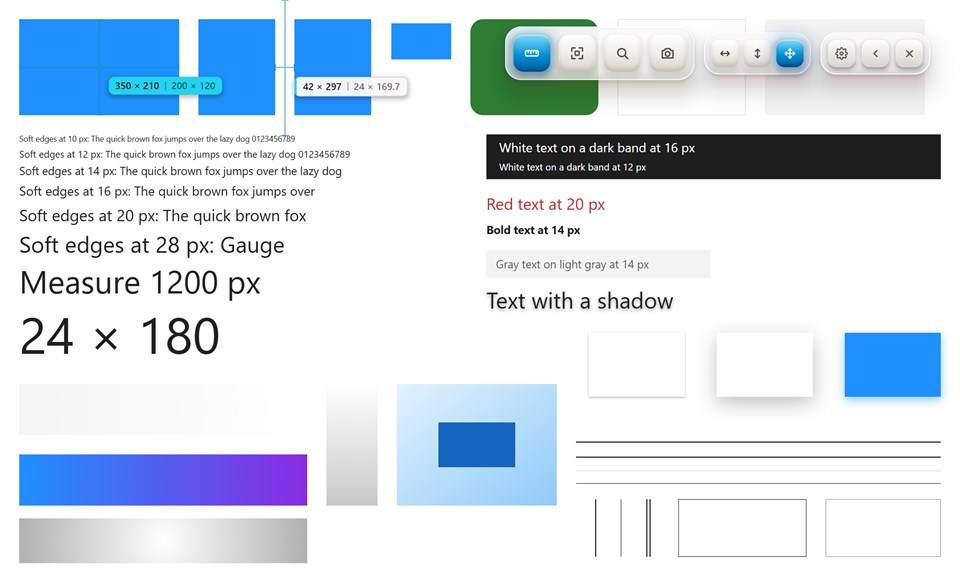
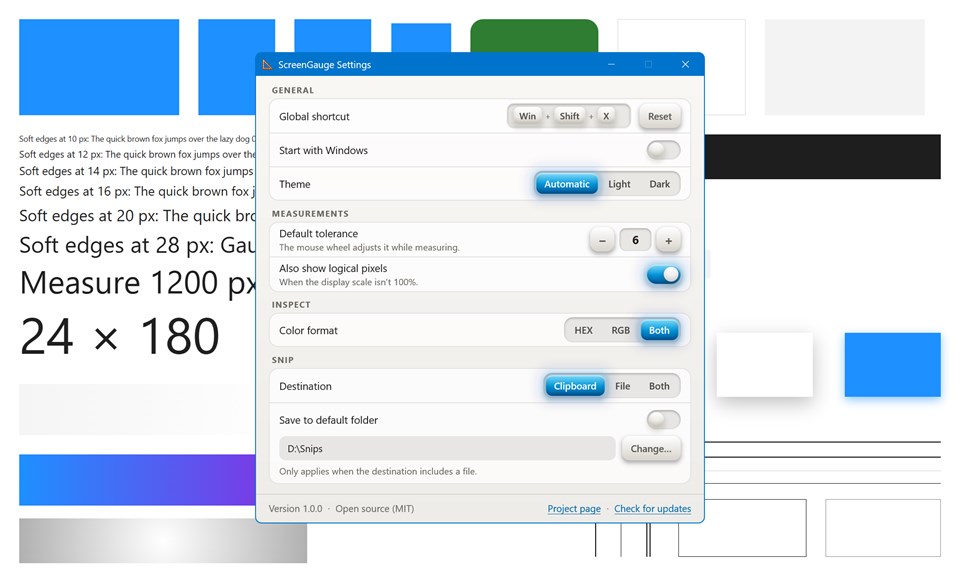
Dimensions measures the gap around the cursor, from the nearest edge on one side to the nearest edge on the other: horizontally, vertically, or both at once.
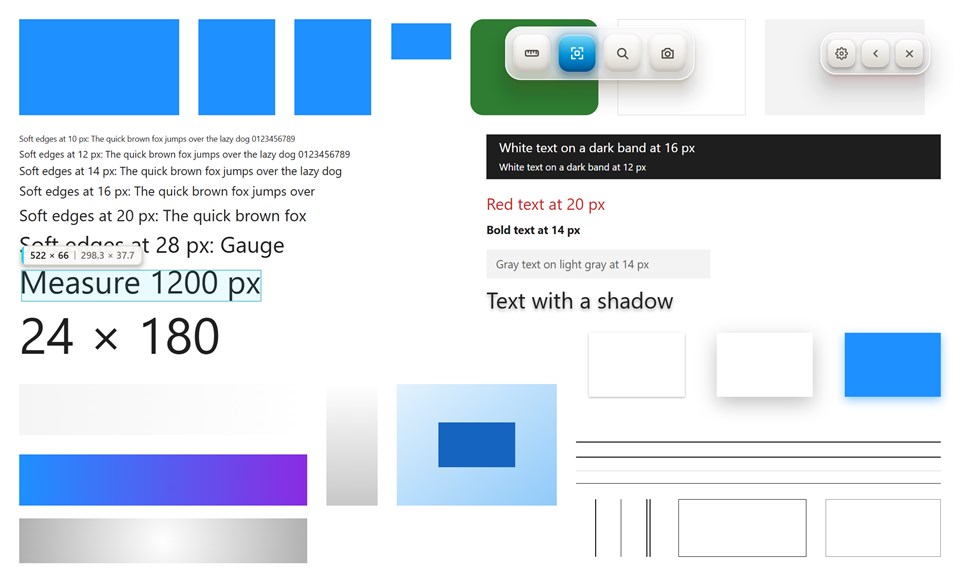
Bounds shrinks a rectangle you drag until it fits the content inside it.
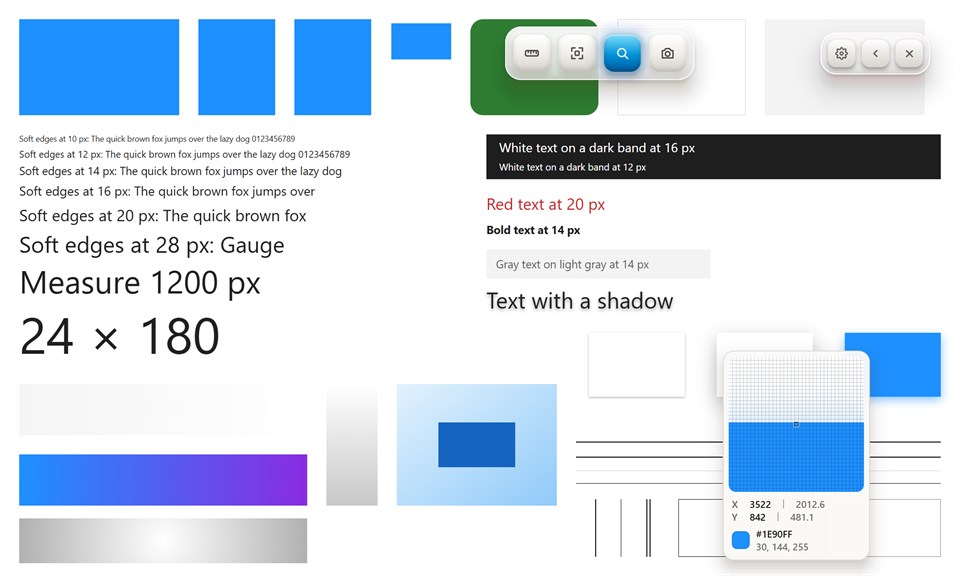
Inspect magnifies the area around the cursor and shows the cursor's position and the exact color of the pixel under it, in HEX, RGB, or both.
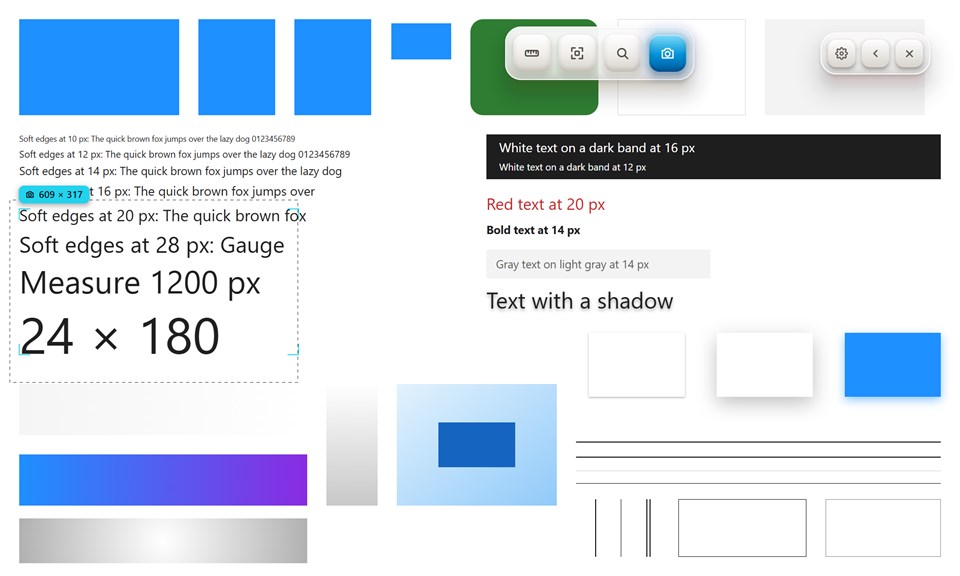
Snip captures the content inside a rectangle you drag as a PNG image, to the clipboard, a file, or both.
Every number is in physical pixels, with logical pixels next to it when Windows scales the monitor. A click copies the number or the color, ready to paste into your design tool, your code or a bug report.
Pin measurements on the screen to compare them, move the cursor one pixel at a time with the arrow keys, and set with the mouse wheel how different a color must be to count as an edge. ScreenGauge works with several monitors, each at its own scale: each tool measures the monitor under the cursor.
ScreenGauge waits next to the clock until you need it. Open it with the shortcut, which you can change in Settings, or with a click on its icon. It can start with Windows, and its theme can be light, dark, or follow Windows.
ScreenGauge collects nothing and has no account. The Microsoft Store keeps it up to date.
Fra udvikleren
Udvikler
- WPC Solutions
- Følgere: 0
- Platforme: Windows Apps (3)
- Tilbud: 0
- Lister: 0 0
- Point: 0
- Ranglister: 0
- Kommentarer: 0
- Videoer: 0
- RSS: Abonner
Lister 0
-
 ScreenGauge
Point 0
-

- +1 Point

Ranglister 0
-
- Din bedømmelse
Nyheder
- Version: PC
- Sidst opdateret:
Yderligere oplysninger
- Udgivelsesdato:
- Kategori:
Windows-apps›Udviklerværktøjer - Operativsystem:
PC - Størrelse:
660 Kb - Understøttede sprog:
Engelsk - Indholdsklassificering:
EVERYONE - Windows Store Bedømmelse: ¡
0
 https://github.com/carreirodev/screengauge
Kommentarer 0 ¡
AppAgg-score
Estimeret AppAgg-score for
ScreenGauge
Udvikler: WPC Solutions
En højere score afspejler som regel bedre resultater på de områder, AppAgg måler.
Baseret på: popularitet · brugervurderinger · aktualitet · tilbud · butiksdata · fællesskabsaktivitet
Genberegnes dagligt ud fra aktuelle AppAgg-data.
ScreenGauge Kort webadresse: Kopieret!- Windows Store

