
Bookmarks
| Developer: | Villi Development (7) | ||
| Price: | $9.99 New | ||
| Score: | 1,530 Gold | ||
| Rankings: | 0 | ||
| Comments: | 0 Add a comment | ||
| Lists: | 0 0 | ||
| Points: | 0 | ||
| +1 Point | |||
Summary
Meet Scribbit, an app from Villi Development in the Developer tools category.
It came out , so it’s younger than the milk in your fridge.
$9.99, and not a single discount on AppAgg so far. Tough nut to crack.
The Microsoft Store is built into Windows, so it installs in a couple of clicks.
Its AppAgg Score is 1,530. That’s Gold.
Just 6 megabytes, it’ll fit even on a full drive.
Rated “EVERYONE”, so it’s fine for kids too.
Only one language, and it’s English.
Nobody on AppAgg has rated it yet. Your chance to be first is right now.
The developer has 6 more apps on AppAgg. Worth a look.
By the way, this developer has 1 deal right now.
Want to hear about deals, updates and new apps first? Set a price alert, follow the developer or subscribe to the RSS feed. Push alerts come through the AppAgg Alerts app for Android and iOS.
Screenshots 10
Other platforms 0
Video 1
Price History 0
- Current price: $9.99
- Minimum: $9.99
- Maximum: $9.99
Your own feed on the home page
Description

THE NOTEPAD THAT UNDERSTANDS WHAT YOU PASTE
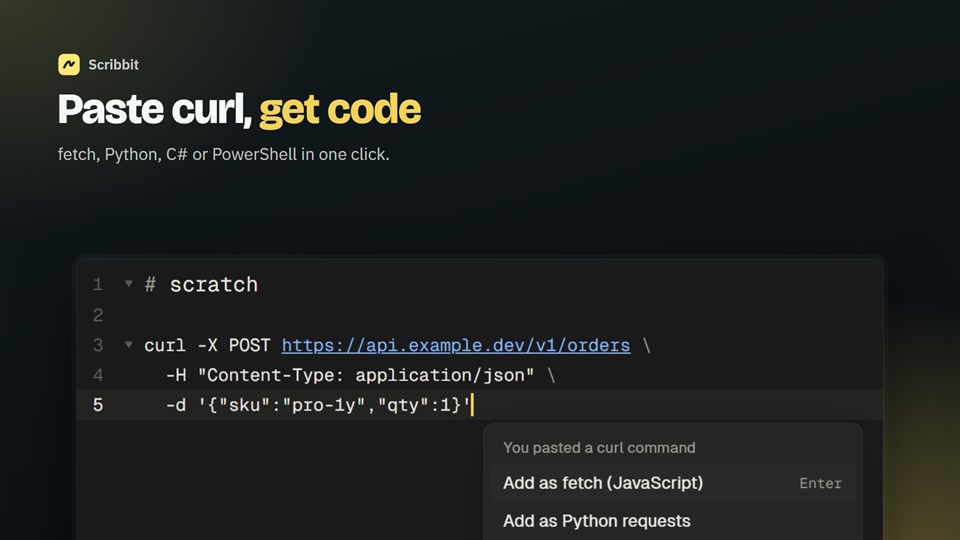
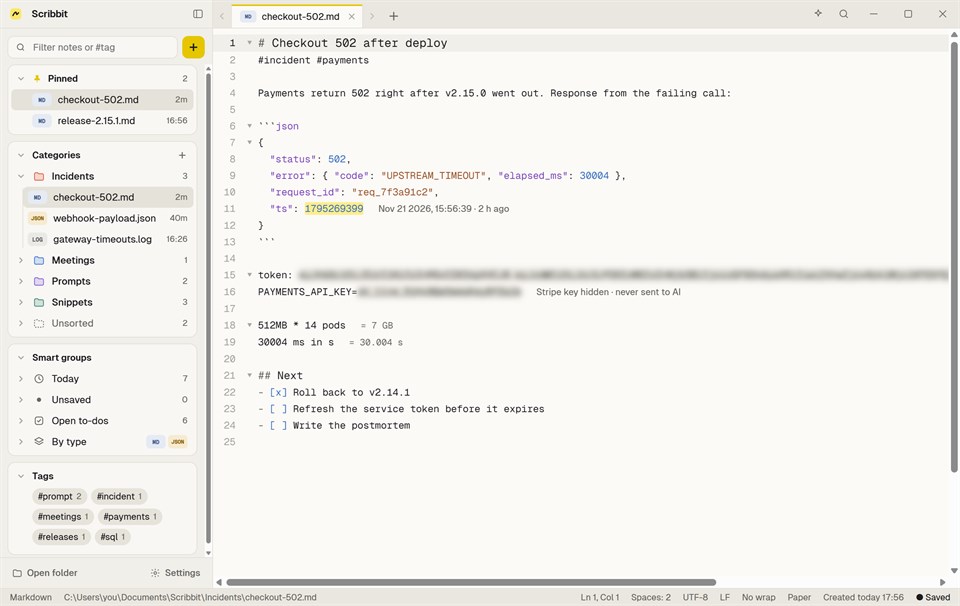
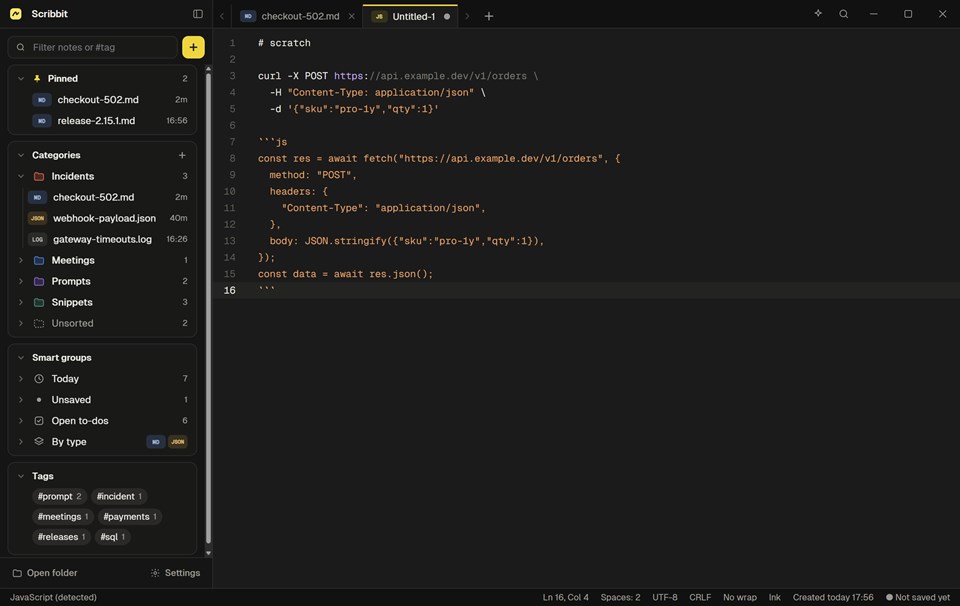
• Paste JSON and format it with one key. Paste curl and get fetch, Python, C# or PowerShell. Paste a stack trace and keep only your own frames, or open the line in VS Code.
• Unix timestamps show the date, JWTs show who they're for and when they expire, colors show a swatch and contrast, Base64 shows what it says, hex shows its number.
• Math lines work like a calculator: "512MB * 14 pods" shows "= 7 GB".
• Secrets like API keys and passwords are blurred on screen, hidden in search results, and never sent to AI.
A REAL EDITOR FOR DEVELOPERS
• Syntax colors for about 40 languages, line numbers, multi-cursor, column selection, bracket matching, code folding and regex find and replace.
• Format document for 20+ languages: JavaScript, TypeScript, JSON, CSS, SCSS, HTML, Vue, Markdown, YAML, GraphQL, SQL and XML built in, plus Python, Go, Rust, C, C++, Java, C#, Shell, Dart, Lua, Swift, Kotlin and TOML with your installed formatter.
• Line tools: sort, remove duplicates, trim, join, number, change case (camelCase, snake_case, kebab-case…).
• Converters: Base64, URL, JSON escape, HTML, hex, SHA-256, Unix time and more.
• Keeps each file's encoding (UTF-8, UTF-16, ANSI) and line endings (CRLF or LF).
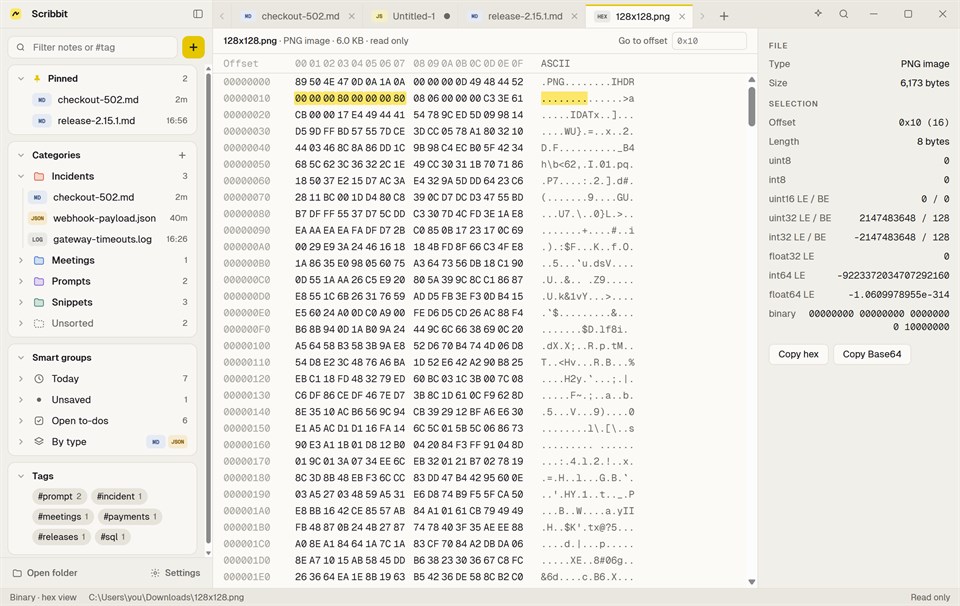
• Hex view for binary files, with file type detection and a byte inspector.
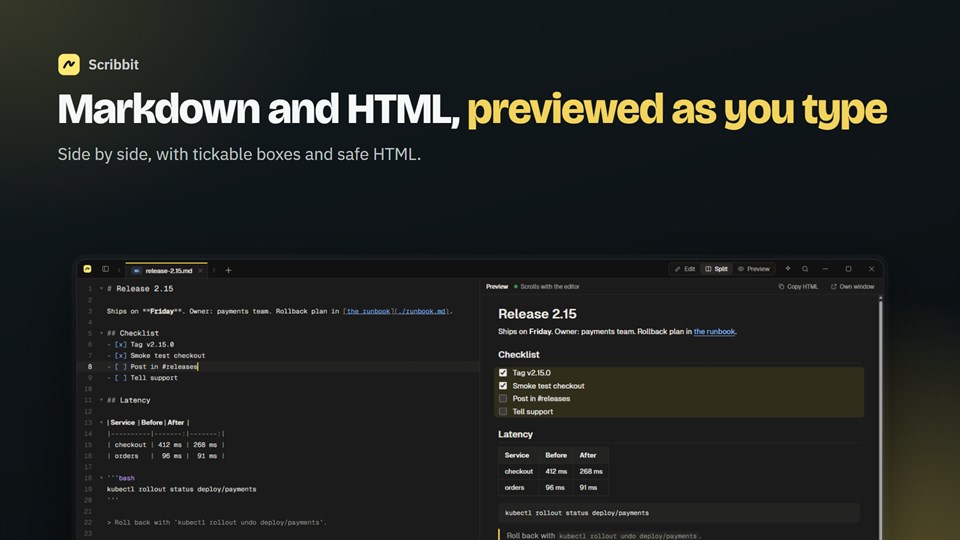
MARKDOWN AND HTML, PREVIEWED AS YOU TYPE
• Edit, Split or Preview with one click or Ctrl+Shift+V. The preview scrolls with the editor and marks the part you're writing.
• Tick a checkbox in the preview and the file updates. Tables, code blocks, links and images from the note's folder all show.
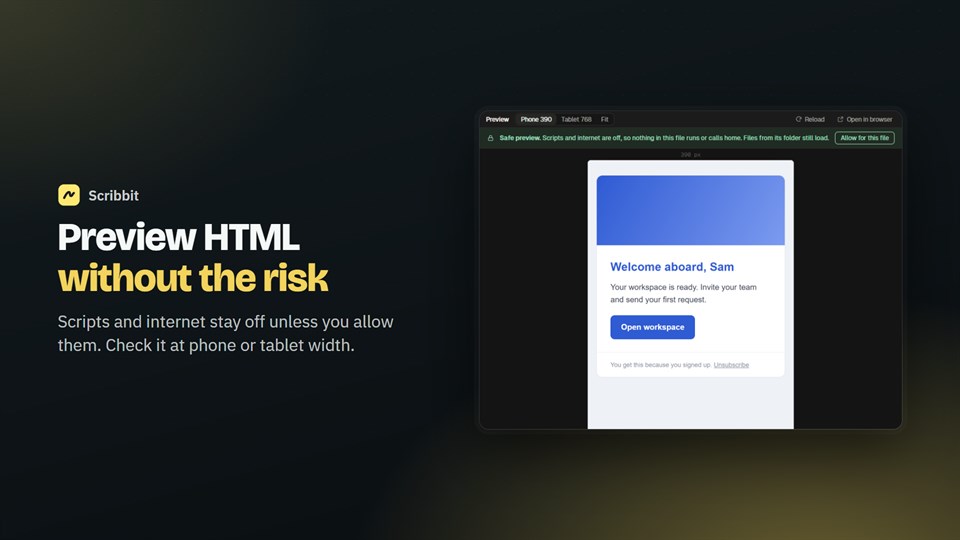
• HTML files preview safely: scripts and internet are off, so nothing in the file runs or calls home. Allow them for one file when you trust it, and check the page at phone or tablet width.
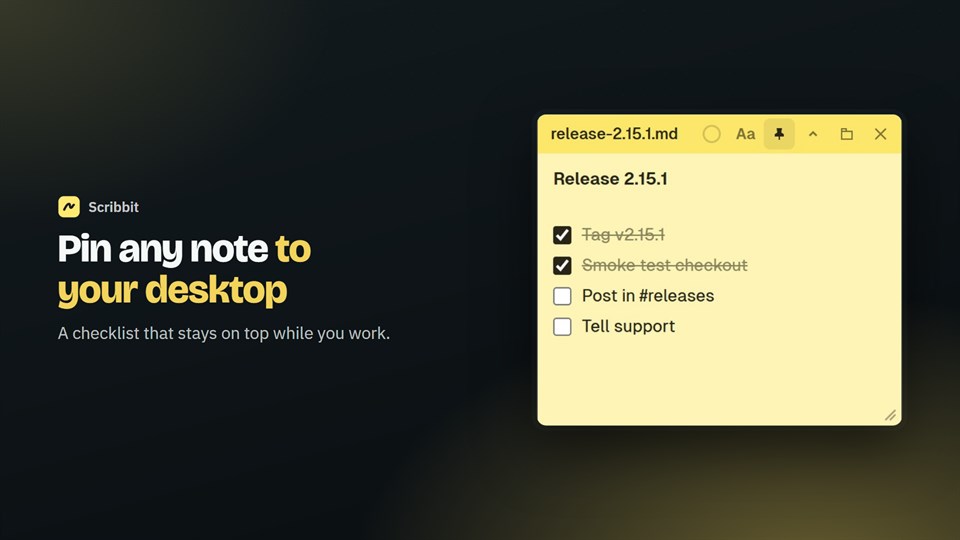
• Pinned Markdown notes show clean text with tickable boxes instead of # and - [ ].
ORGANIZED
• Notes are plain files in your Documents folder. Group them in color-coded categories, pin the important ones, and find them with tags you write right in the note.
• Smart groups: today, unsaved, open to-dos, by type.
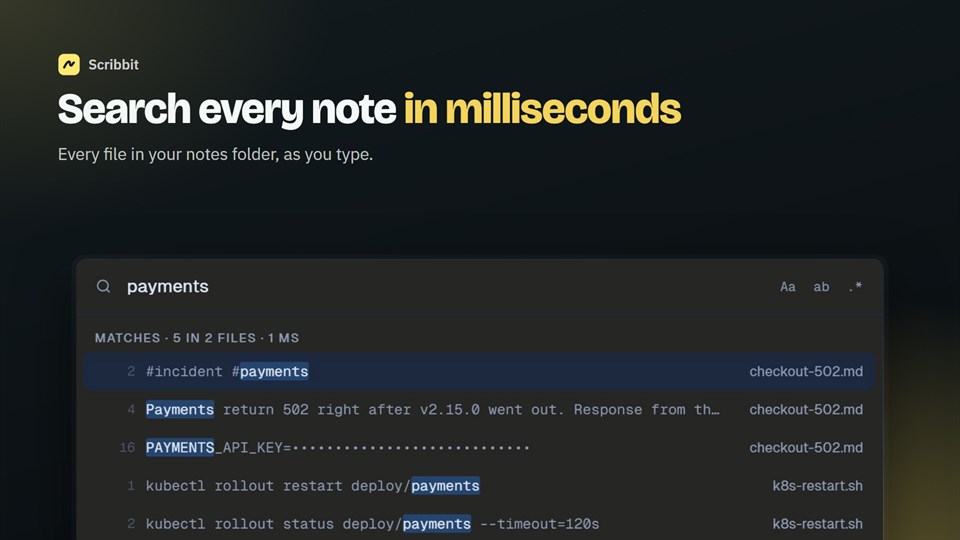
• Search everything (Ctrl+P): names and text across all notes and opened folders, with regex.
• Version history: every save keeps the version before it, side by side, one click to restore. Compare any two tabs.
ON YOUR DESKTOP
• Pin any note to the desktop as a sticky note. Move it, resize it, edit it there or in the tab, check off to-dos, pick a color and font, keep it on top or behind your windows.
• Lives in the tray: close the window and your sticky notes and quick capture keep working. Start with Windows if you like.
• Quick capture: Ctrl+Alt+N opens a small note box from any app.
• Shows in "Open with" for .txt, .md, .json, .log, .yaml, .env, .sql and about 50 file types.
AI WHEN YOU WANT IT
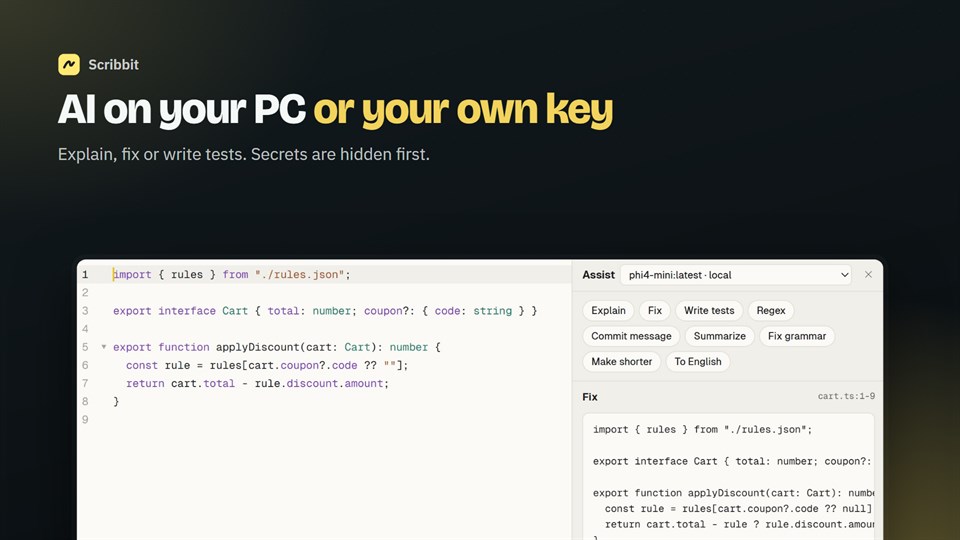
• AI Assist explains code, fixes bugs, writes tests, regexes and commit messages, summarizes logs and fixes grammar.
• Runs on Ollama on your PC, or with your own OpenAI, Anthropic or Gemini key, stored in Windows Credential Manager. Off until you turn it on. Secrets are masked before anything is sent.
MAKE IT YOURS
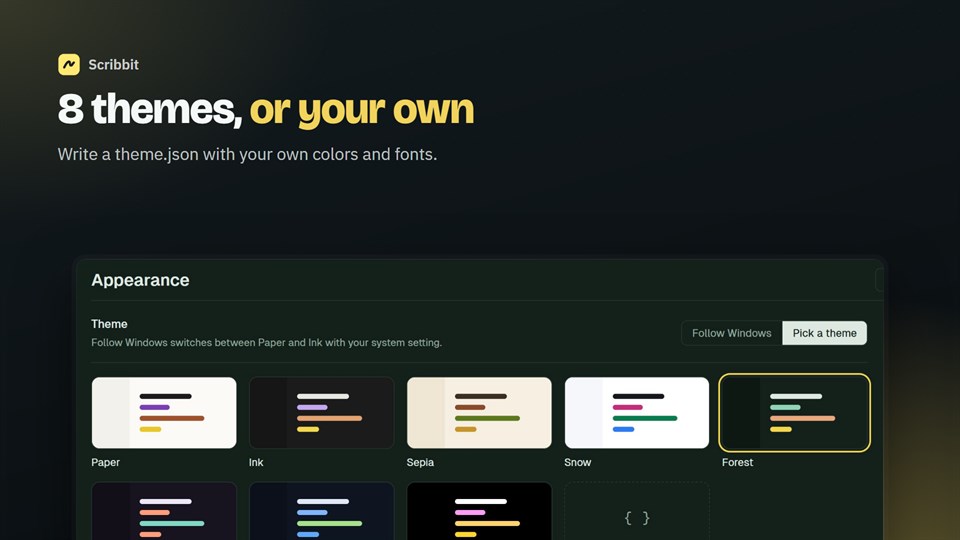
• 8 built-in themes (Paper, Ink, Sepia, Snow, Forest, Dusk, Midnight, High contrast), Follow Windows, or your own theme.json with any colors and fonts.
• Pick the editor font (Cascadia Code, JetBrains Mono, Consolas or any font you have) and text size.
• Custom title bar, left-aligned tabs, and a clean layout that stays out of the way. A short welcome tour shows you around.
PRIVATE
• No account, no analytics, no tracking. Your notes never leave your PC unless you send them to an AI provider yourself.
TRY IT FREE FOR 7 DAYS
After the trial, opening, writing and saving files keep working forever. Buy once to keep the Pro features. No subscription.
From the developer
Developer
- Villi Development
- Followers: 0
- Platforms: Windows Apps (7)
- Deals: 1
- Lists: 0 0
- Points: 0
- Rankings: 0
- Comments: 0
- Videos: 3
- RSS: Subscribe
Lists 0
-
 Scribbit
Points 0
-

- +1 Point

Rankings 0
-
- Your rating
What's new
- Version: PC
- Last Updated:
- Markdown and HTML preview. Switch between Edit, Split and Preview with Ctrl+Shift+V. Tick checkboxes right in the preview, check HTML at phone or tablet width with scripts and internet off by default, and see pinned Markdown notes as clean text.
Additional Information
- Release Date:
- Category:
Windows Apps›Developer tools - OS:
PC - Size:
6 Mb - Supported Languages:
English - Content Rating:
EVERYONE - Windows Store Rating: ¡
0 - Website:
 https://villi.dev/solutions/scribbit
Comments 0 ¡
AppAgg Score
Estimated AppAgg Score for
Scribbit
Developer: Villi Development
Higher scores usually reflect better results across AppAgg’s indicators.
Based on: popularity · ratings · freshness · deals · store data · community signals
Recalculated daily using fresh AppAgg data.
Scribbit Short URL: Copied!- Windows Store
You may also like
Recent discussionsMore →
 AppTapeFlo this app is the best app i use in my life Because. you trade. journal. Discipline. rule's that you w...
 Shurem Boy35
 AppGame4Class Game4Class makes lesson review fun and interactive. I like how easily students can join from their o...
 Mehdi Gateway62
 AppAniMate Waifu - AI Anime Desktop Pet This is the best anime desktop pets I have ever had, The dancing feature is amazing.
 shaw chaney34
 AppSpark Motion Create 26 The graphics are amazing! Now I can design my ball layouts and watch then spin in 3D animation.
 Jim Kirker40
 AppLocalDub – Real-Time Game Dubbing Hello Kırtay Interactive, I am using LocalDub - Real-Time Game Dubbing. I would like to know if Hind...
 rashid game53
 AppNauticPlayer This app is absolute cinema. Honestly, it’s one of the best media players I’ve ever tried, and I’m s...
 Manuel92
 AppScreen Beings - Interactive Accessibility Companion This is my app so I’m a little bias but as someone from the ADHD community that teaches ADHD and neu...
 Tarelle Irwin54
 AppAadi vault good it ia a encrypter and good you my work on office
 Aditya Rai50
 AppTyping 365 | Daily Typing Trainer The best typing app ever. With Typing 365 you don’t have to force yourself for couple minutes traini...
 Ahmad Mozaffar50
 AppZefir Calendar — Calendar in the Taskbar excelente app! Superando todas as espectativas!
 Diógenes Magnus50

