
Bookmarks
| Developer: | Pedro Loy (1) | ||
| Price: | Free | ||
| Score: | 1,120 Silver | ||
| Rankings: | 0 | ||
| Comments: | 0 Add a comment | ||
| Lists: | 0 0 | ||
| Points: | 0 | ||
| +1 Point | |||
Summary
Meet ServerAlyzer, an app from Pedro Loy in the Developer tools category.
Released , still pretty fresh.
Free, no ads, no in-app purchases. Just you and the app.
The Microsoft Store is built into Windows, so it installs in a couple of clicks.
Its AppAgg Score is 1,120. Silver, and that’s not bad at all.
Rated “EVERYONE”, so it’s fine for kids too.
Speaks 2 languages, English included.
Total silence here so far: no ratings, no comments. Break the silence.
It’s the developer’s only app on AppAgg. For now.
Want to hear about updates and new apps first? Follow the developer or subscribe to the RSS feed. Push alerts come through the AppAgg Alerts app for Android and iOS.
Other platforms 0
Price History 0
- Current price: Free
- Minimum: Free
- Maximum: Free
Your own feed on the home page
Screenshots 8
Description

Every server at a glance
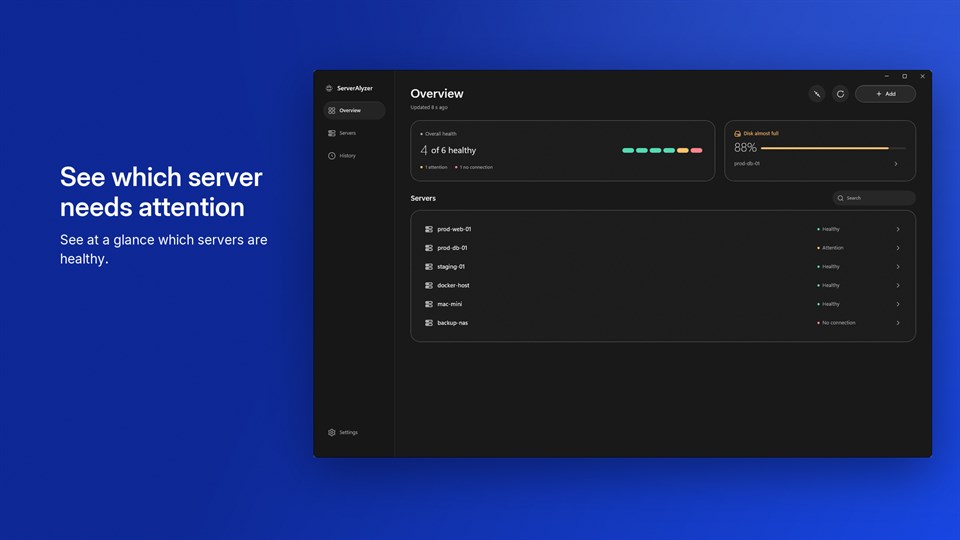
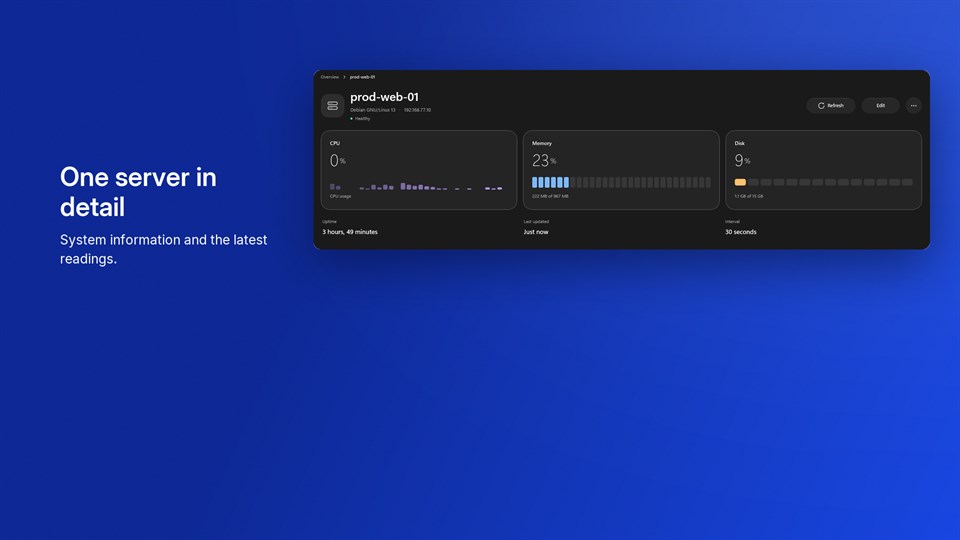
The Overview shows how each server is doing, points out the one that needs attention and tells you when a reading is out of date. The Servers list adds CPU, memory and disk for each server, and each server's page shows its uptime. Servers are checked automatically in the background and you can refresh at any time. When a value cannot be read, ServerAlyzer says so instead of showing zero.
History on your PC
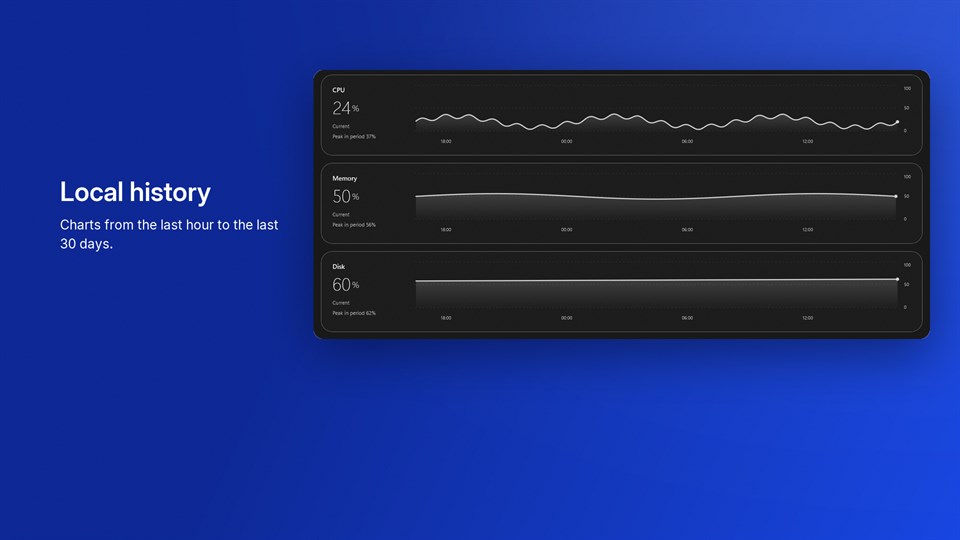
CPU, memory and disk readings are kept in a local history for 30 days. Charts cover the last hour up to the last 30 days.
Services and containers, read-only
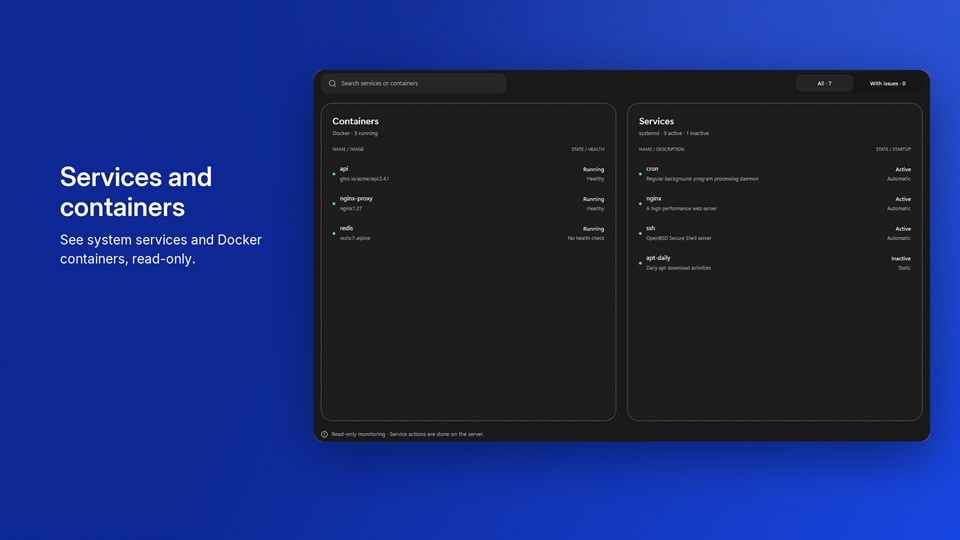
From each server's page, see its Docker containers and system services (systemd on Linux, launchd on macOS). ServerAlyzer only reads: it never starts, stops or changes anything on your servers.
SSH you can trust
Before a server is trusted, ServerAlyzer shows its SHA-256 host key fingerprint and asks you to confirm it. If the key changes later, the connection is blocked. Passwords and passphrases are kept in Windows Credential Manager. For key authentication only the location of your private key is saved, never its contents. On your servers the app runs a fixed set of read-only commands, with no sudo and no commands you type in.
Quick to set up
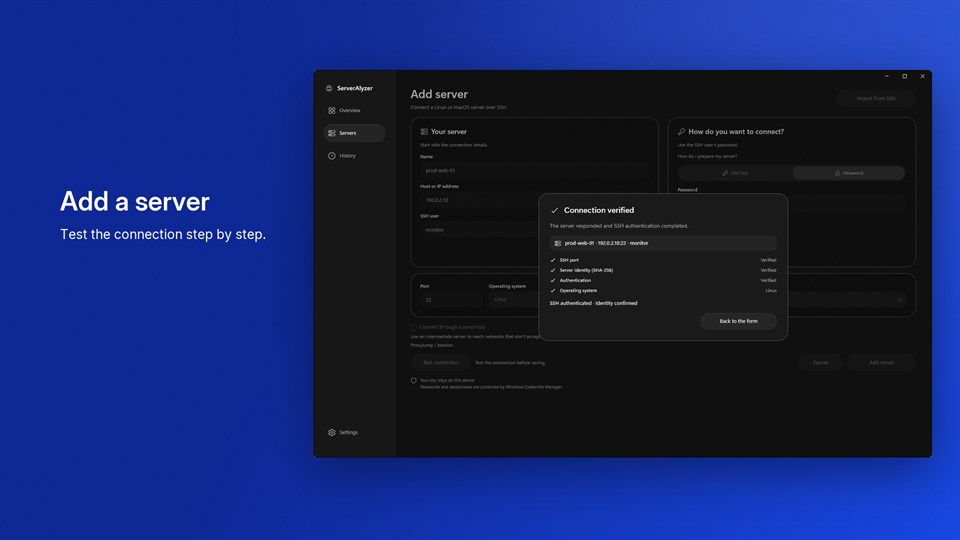
A first-run guide helps you add your first server. You can fill in a server from a host in your SSH config file, pick one of your standard private keys, and use a connection test that shows each step so you can see what failed. Servers reached through a single jump host (ProxyJump) are supported.
At home in Windows 11
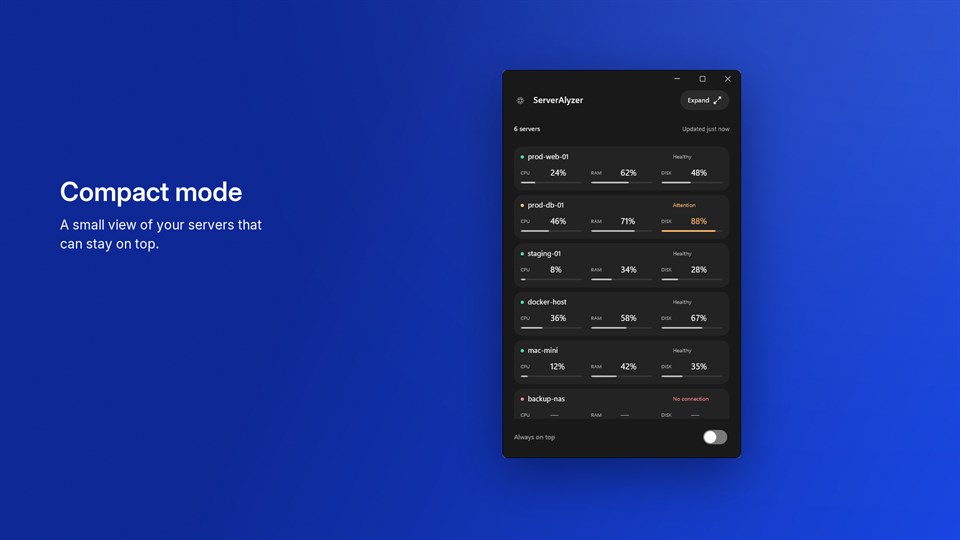
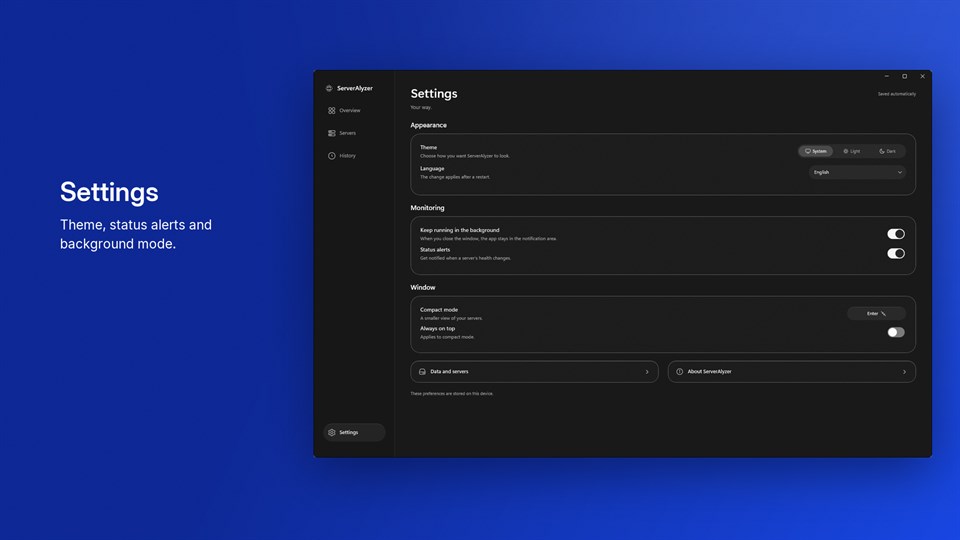
ServerAlyzer can keep running in the notification area when you close the window, and can tell you with Windows notifications when a server's health changes. Compact mode gives you a small view of all your servers that can stay always on top. The Windows 11 widget shows your servers on the Widgets board in three sizes and always shows how old its data is. Light, dark and system themes, keyboard navigation, screen readers and high contrast are supported. Available in English, Portuguese (Portugal) and Portuguese (Brazil).
Local network search, only when you ask
You can search your local network for SSH servers that announce themselves (mDNS/DNS-SD), from the empty Overview or from Settings › Data and servers. The search runs only when you choose it and never scans ports or address ranges. It ends on its own after about 40 seconds if no new server is found, and after 10 minutes at most; you can also stop it at any time.
Encrypted backup
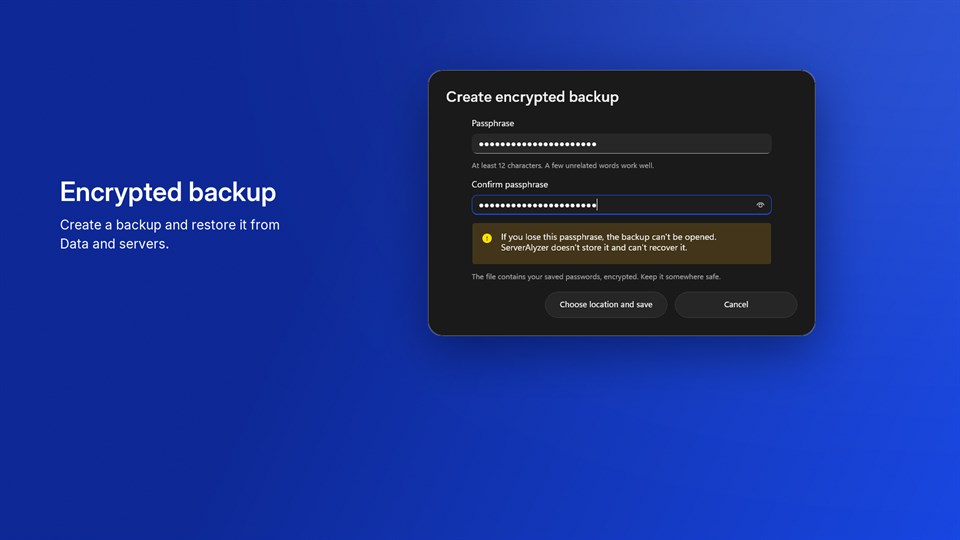
Save your servers, trusted host keys and saved passwords to a file protected by a passphrase you choose, and restore them later. Private key files are never included.
Private by design
No account, and ServerAlyzer collects no telemetry. Your server list, history and saved credentials stay on your PC, unless you export an encrypted backup, which is saved wherever you choose. ServerAlyzer uses the network only to reach the servers you add (and your local network when you start a search); it does not send your data to ServerAlyzer.
Requirements
A Windows 11 PC (x64). The widget needs Windows 11 version 22H2 or later. Your servers must run Linux or macOS and be reachable over SSH from your PC; service lists need systemd (Linux) or launchd (macOS). ServerAlyzer runs on Windows only: it monitors Macs, but there is no macOS version of the app.
From the developer
Lists 0
-
 ServerAlyzer
Points 0
-

- +1 Point

Rankings 0
-
- Your rating
Developer 1
- Pedro Loy
- Followers: 0
- Platforms: Windows Apps (1)
- Deals: 0
- Lists: 0 0
- Points: 0
- Rankings: 0
- Comments: 0
- Videos: 0
- RSS: Subscribe
What's new
- Version: PC
- Last Updated:
- ServerAlyzer 1.1.11 makes the Overview and Settings fit better in smaller windows.
Overview. The health bar is never cut off: in a narrow window it moves below the server counts, and its last segment keeps its rounded end.
Pages. When you scroll a page, its content no longer runs under the title bar area.
Settings. The cards stack instead of being cut off when the window is narrow, and Tab and screen readers move through them in the order you see them.
Sidebar. The sidebar is slightly wider, so the names of the pages have more space before they are shortened.
- ServerAlyzer 1.1.9 remembers your theme.
Theme. The Light or Dark choice in Settings is now kept when you close and reopen ServerAlyzer. If you choose System, ServerAlyzer follows the Windows theme as before.
High contrast. When a Windows high contrast theme is on, it still takes priority over your choice. When you turn high contrast off, ServerAlyzer goes back to the theme you chose. - A redesigned interface and new features since ServerAlyzer 1.1.
A new look. A sidebar takes you to Overview, Servers, History and Settings, each server has its own detail page, and compact mode and the Windows 11 widget were redesigned. Keyboard, screen reader and high contrast support was improved.
Easier setup. A first-run guide helps you add your first server. You can fill in a server from a host in your SSH config file, the app suggests your standard private keys from your .ssh folder, and the connection test shows each step so you can see what failed.
Jump hosts. Servers reached through one ProxyJump host are now supported, and the jump host's key is checked separately.
Encrypted backup. In Settings you can save your servers, trusted host keys and saved passwords to a file protected by a passphrase you choose, and restore them later. Private key files are never included.
Language. On a new install, if Windows is not in Portuguese, the app opens in English. A language already set is kept, including Brazilian Portuguese chosen automatically by earlier versions: to change it, pick English or "Use system language" in Settings > Language and restart the app.
Local network search now runs only when you ask, from an empty Overview or from Settings > Data and servers; Windows may ask for network permission. It ends after about 40 seconds if no new server is found, or after 10 minutes.
The .NET runtime is now included, so you no longer need to install .NET.
Additional Information
- Release Date:
- Category:
Windows Apps›Developer tools - OS:
PC - Size:
68 Mb - Supported Languages:
English,Portuguese - Content Rating:
EVERYONE - Windows Store Rating: ¡
0 - Website:
 https://serveralyzer.com
AppAgg Score
Estimated AppAgg Score for
ServerAlyzer
Developer: Pedro Loy
Higher scores usually reflect better results across AppAgg’s indicators.
Based on: popularity · ratings · freshness · deals · store data · community signals
Recalculated daily using fresh AppAgg data.
Comments 0 ¡
Share
ServerAlyzer Short URL: Copied!- Windows Store
You may also like
Recent discussionsMore →
 AppGame4Class Game4Class makes lesson review fun and interactive. I like how easily students can join from their o...
 Mehdi Gateway62
 AppAniMate Waifu - AI Anime Desktop Pet This is the best anime desktop pets I have ever had, The dancing feature is amazing.
 shaw chaney34
 AppSpark Motion Create 26 The graphics are amazing! Now I can design my ball layouts and watch then spin in 3D animation.
 Jim Kirker40
 AppLocalDub – Real-Time Game Dubbing Hello Kırtay Interactive, I am using LocalDub - Real-Time Game Dubbing. I would like to know if Hind...
 rashid game53
 AppNauticPlayer This app is absolute cinema. Honestly, it’s one of the best media players I’ve ever tried, and I’m s...
 Manuel92
 AppScreen Beings - Interactive Accessibility Companion This is my app so I’m a little bias but as someone from the ADHD community that teaches ADHD and neu...
 Tarelle Irwin54
 AppAadi vault good it ia a encrypter and good you my work on office
 Aditya Rai50
 AppTyping 365 | Daily Typing Trainer The best typing app ever. With Typing 365 you don’t have to force yourself for couple minutes traini...
 Ahmad Mozaffar50
 AppZefir Calendar — Calendar in the Taskbar excelente app! Superando todas as espectativas!
 Diógenes Magnus50
 AppBlazin IPTV Player This compact IPTV player is amazing. I threw multiple playlists at it and it handles it with no issu...
 Mike Anderson40

