
书签
为此书签设置标题。
书签已保存
摘要
来认识一下 ServerAlyzer,Pedro Loy 出品的应用,归在“开发人员工具”分类下。
发布于,还挺新鲜的。
免费,没有广告,没有内购。只有你和这款应用。
Microsoft Store 内置在 Windows 里,点几下就装好了。
AppAgg 评分 1,120。白银级,已经很不错了。
年龄分级为“EVERYONE”,孩子也适合。
会 2 种语言,但还没学会中文。
这里至今一片寂静:没有评分,也没有评论。来打破沉默吧。
这是该开发者在 AppAgg 上唯一的应用。至少目前是。
想第一时间知道更新和新应用?关注开发者或订阅RSS 订阅源。推送通知通过 AppAgg Alerts 应用发送,支持 Android 和 iOS。
广告
其他平台 0
价格历史 0
- 目前价格: 免费
- 最小值: 免费
- 最大值: 免费
首页专属动态
为「新上架与最近更新」选择平台,首页就只显示你需要的应用和游戏。
屏幕截图 8
描述

Every server at a glance
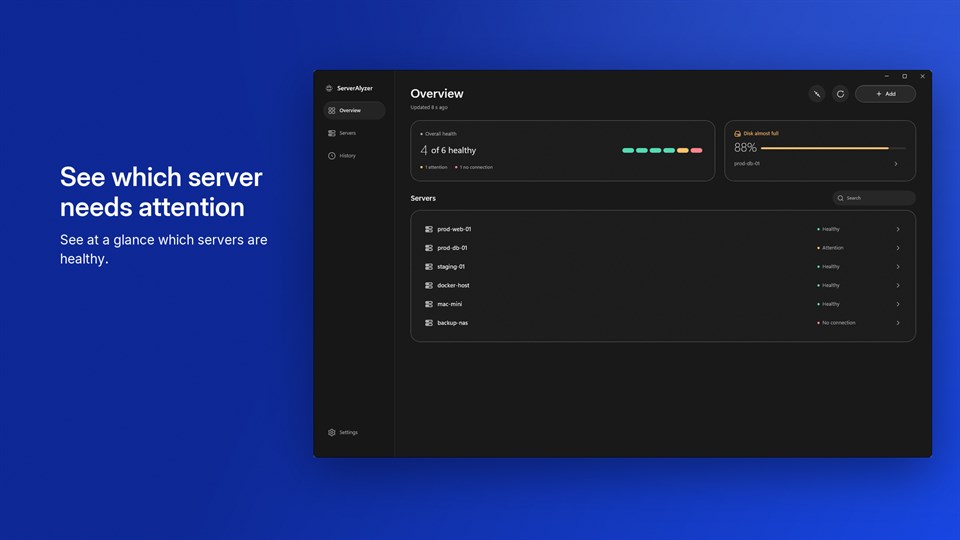
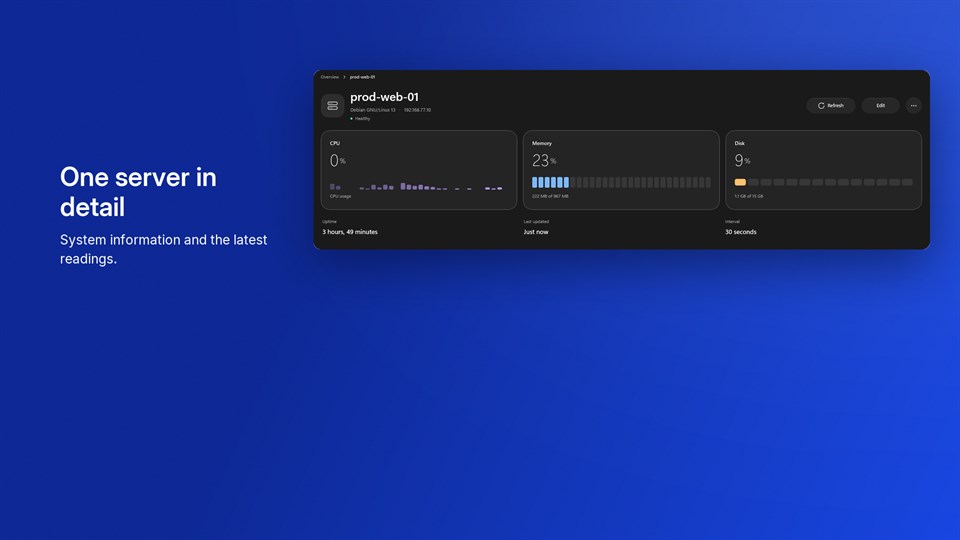
The Overview shows how each server is doing, points out the one that needs attention and tells you when a reading is out of date. The Servers list adds CPU, memory and disk for each server, and each server's page shows its uptime. Servers are checked automatically in the background and you can refresh at any time. When a value cannot be read, ServerAlyzer says so instead of showing zero.
History on your PC
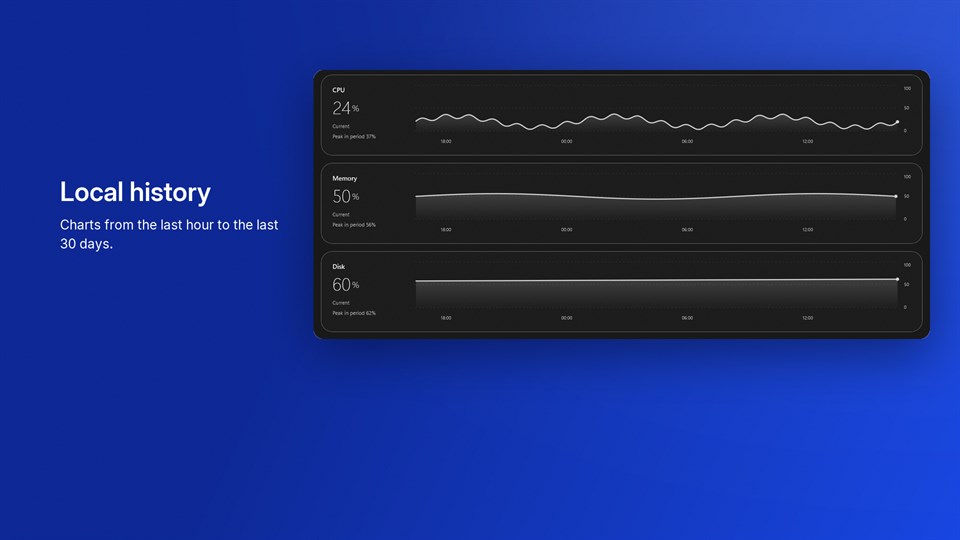
CPU, memory and disk readings are kept in a local history for 30 days. Charts cover the last hour up to the last 30 days.
Services and containers, read-only
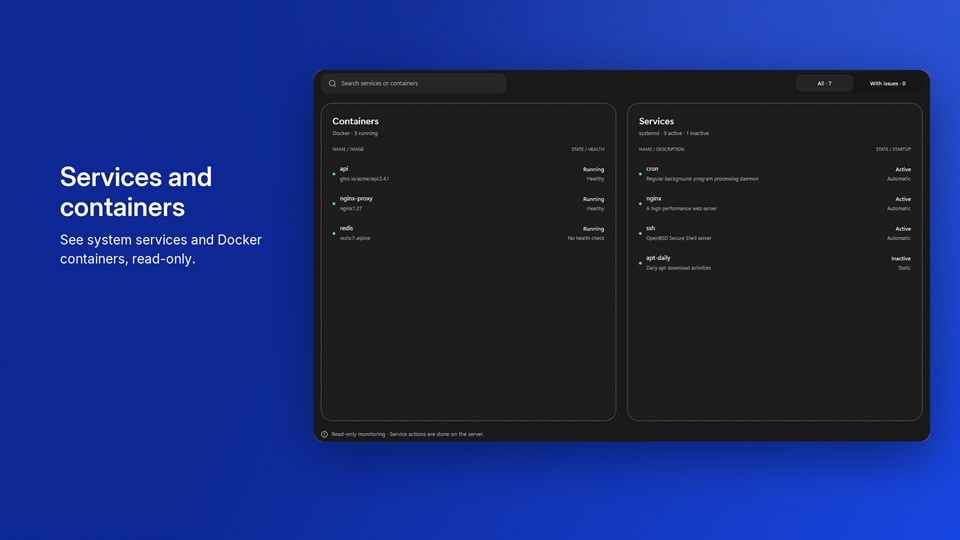
From each server's page, see its Docker containers and system services (systemd on Linux, launchd on macOS). ServerAlyzer only reads: it never starts, stops or changes anything on your servers.
SSH you can trust
Before a server is trusted, ServerAlyzer shows its SHA-256 host key fingerprint and asks you to confirm it. If the key changes later, the connection is blocked. Passwords and passphrases are kept in Windows Credential Manager. For key authentication only the location of your private key is saved, never its contents. On your servers the app runs a fixed set of read-only commands, with no sudo and no commands you type in.
Quick to set up
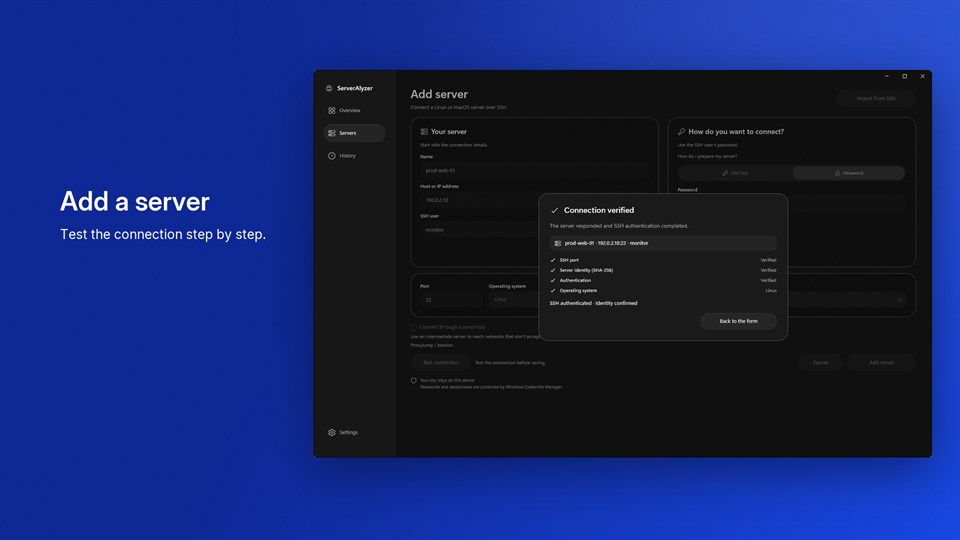
A first-run guide helps you add your first server. You can fill in a server from a host in your SSH config file, pick one of your standard private keys, and use a connection test that shows each step so you can see what failed. Servers reached through a single jump host (ProxyJump) are supported.
At home in Windows 11
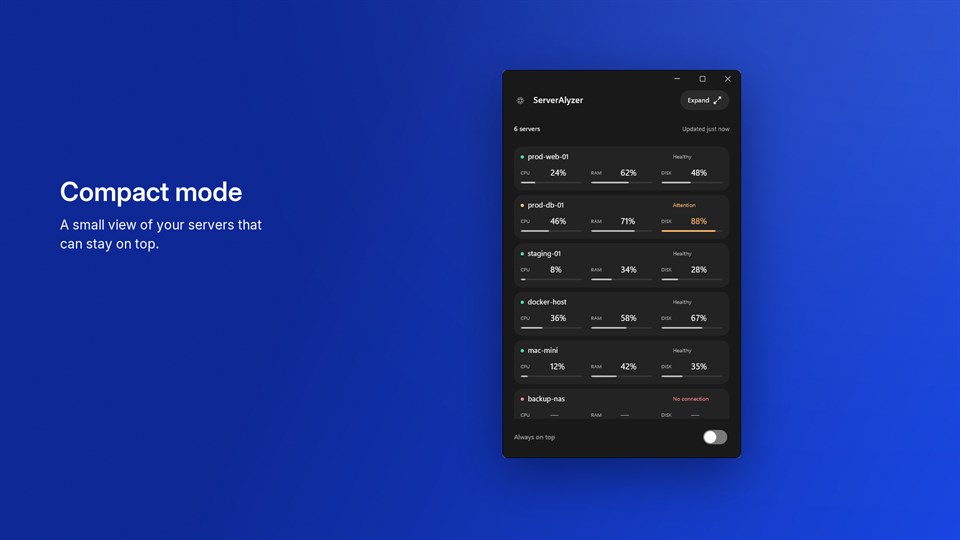
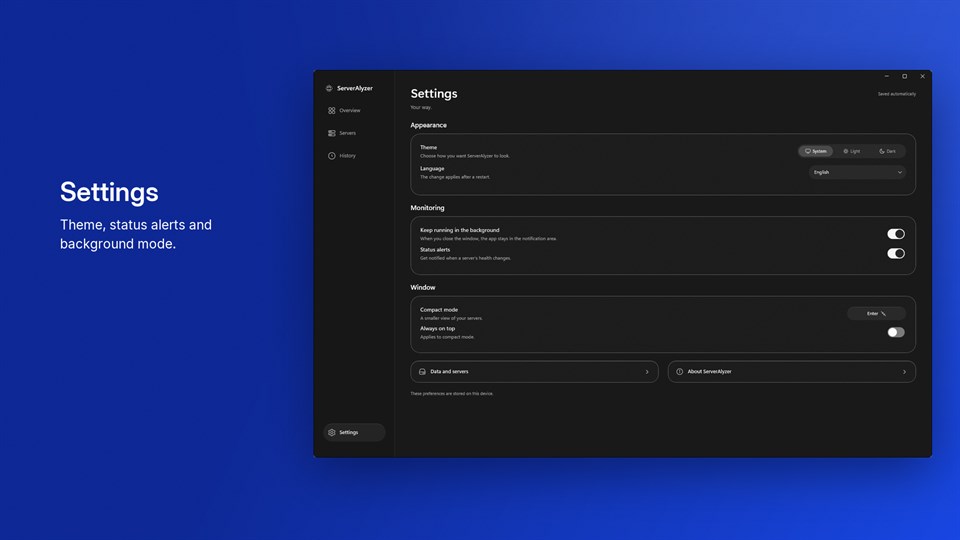
ServerAlyzer can keep running in the notification area when you close the window, and can tell you with Windows notifications when a server's health changes. Compact mode gives you a small view of all your servers that can stay always on top. The Windows 11 widget shows your servers on the Widgets board in three sizes and always shows how old its data is. Light, dark and system themes, keyboard navigation, screen readers and high contrast are supported. Available in English, Portuguese (Portugal) and Portuguese (Brazil).
Local network search, only when you ask
You can search your local network for SSH servers that announce themselves (mDNS/DNS-SD), from the empty Overview or from Settings › Data and servers. The search runs only when you choose it and never scans ports or address ranges. It ends on its own after about 40 seconds if no new server is found, and after 10 minutes at most; you can also stop it at any time.
Encrypted backup
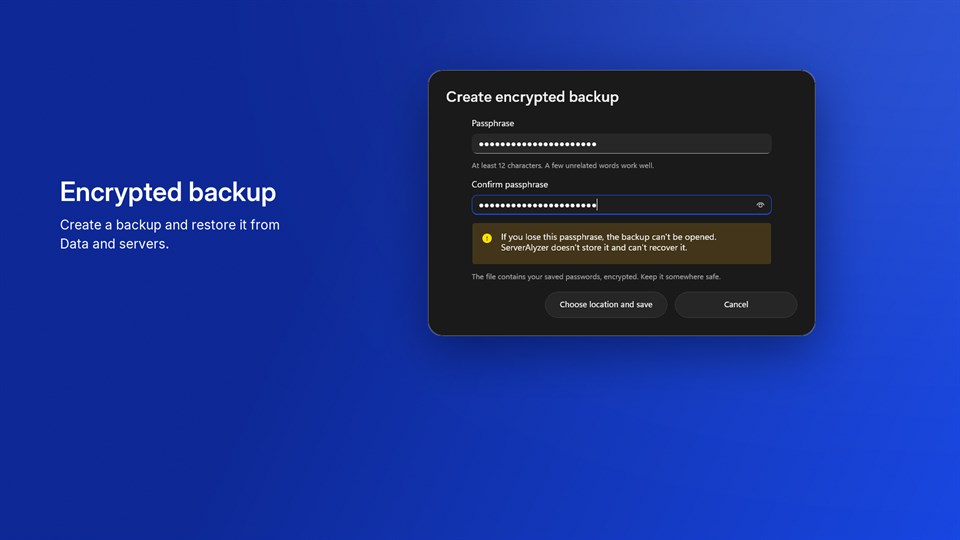
Save your servers, trusted host keys and saved passwords to a file protected by a passphrase you choose, and restore them later. Private key files are never included.
Private by design
No account, and ServerAlyzer collects no telemetry. Your server list, history and saved credentials stay on your PC, unless you export an encrypted backup, which is saved wherever you choose. ServerAlyzer uses the network only to reach the servers you add (and your local network when you start a search); it does not send your data to ServerAlyzer.
Requirements
A Windows 11 PC (x64). The widget needs Windows 11 version 22H2 or later. Your servers must run Linux or macOS and be reachable over SSH from your PC; service lists need systemd (Linux) or launchd (macOS). ServerAlyzer runs on Windows only: it monitors Macs, but there is no macOS version of the app.
来自开发者
你是开发者吗?
在页面顶部发布新闻,关注者会通过邮件收到。添加你的 YouTube 视频,它们会排在“视频”版块最前面。
列表 0
-
 ServerAlyzer
积分 0
-

- +1 积分

排名 0
-
- 您的评分
开发者 1
- Pedro Loy
- 关注者: 0
- 平台: Windows 应用 (1)
- 折扣: 0
- 列表: 0 0
- 积分: 0
- 排名: 0
- 评论: 0
- 视频: 0
- RSS: 订阅
新版变化
- 版本: PC
- 最后更新:
- ServerAlyzer 1.1.11 makes the Overview and Settings fit better in smaller windows.
Overview. The health bar is never cut off: in a narrow window it moves below the server counts, and its last segment keeps its rounded end.
Pages. When you scroll a page, its content no longer runs under the title bar area.
Settings. The cards stack instead of being cut off when the window is narrow, and Tab and screen readers move through them in the order you see them.
Sidebar. The sidebar is slightly wider, so the names of the pages have more space before they are shortened.
版本历史2
- ServerAlyzer 1.1.9 remembers your theme.
Theme. The Light or Dark choice in Settings is now kept when you close and reopen ServerAlyzer. If you choose System, ServerAlyzer follows the Windows theme as before.
High contrast. When a Windows high contrast theme is on, it still takes priority over your choice. When you turn high contrast off, ServerAlyzer goes back to the theme you chose. - A redesigned interface and new features since ServerAlyzer 1.1.
A new look. A sidebar takes you to Overview, Servers, History and Settings, each server has its own detail page, and compact mode and the Windows 11 widget were redesigned. Keyboard, screen reader and high contrast support was improved.
Easier setup. A first-run guide helps you add your first server. You can fill in a server from a host in your SSH config file, the app suggests your standard private keys from your .ssh folder, and the connection test shows each step so you can see what failed.
Jump hosts. Servers reached through one ProxyJump host are now supported, and the jump host's key is checked separately.
Encrypted backup. In Settings you can save your servers, trusted host keys and saved passwords to a file protected by a passphrase you choose, and restore them later. Private key files are never included.
Language. On a new install, if Windows is not in Portuguese, the app opens in English. A language already set is kept, including Brazilian Portuguese chosen automatically by earlier versions: to change it, pick English or "Use system language" in Settings > Language and restart the app.
Local network search now runs only when you ask, from an empty Overview or from Settings > Data and servers; Windows may ask for network permission. It ends after about 40 seconds if no new server is found, or after 10 minutes.
The .NET runtime is now included, so you no longer need to install .NET.
其他信息
 https://serveralyzer.com
AppAgg 评分
1,120
AppAgg 预估评分:
ServerAlyzer
开发者: Pedro Loy
1,120 白银
评分越高,通常表示其在 AppAgg 上的各项指标表现越好。
基于: 热度 · 用户评分 · 新鲜度 · 优惠 · 商店数据 · 社区活跃度
根据最新 AppAgg 数据每日重新计算。
网站徽章:  已复制!
评论 0 ¡
来发第一条评论吧
分享
ServerAlyzer 短网址: 已复制!- Windows Store

