
Bookmarks
| Developer: | sggyamg (3) | ||
| Price: | * Free | ||
| Score: | 1,710 Gold | ||
| Rankings: | 0 | ||
| Comments: | 0 Add a comment | ||
| Lists: | 0 0 | ||
| Points: | 0 | ||
| +1 Point | |||
Summary
Meet ShellPhone - SSH client, an app from sggyamg in the Developer tools category.
Released , still pretty fresh.
Also on Google Play, pick whichever suits you.
Free to download. After that it’s up to you (there are in-app purchases).
The Microsoft Store is built into Windows, so it installs in a couple of clicks.
Its AppAgg Score is 1,710. That’s Gold.
Rated “EVERYONE”, so it’s fine for kids too.
Speaks 9 languages, English included.
Used it? Your review would be the first one here.
The developer has 2 more apps on AppAgg. Worth a look.
Want to hear about updates and new apps first? Follow the developer or subscribe to the RSS feed. Push alerts come through the AppAgg Alerts app for Android and iOS.
Other platforms 1
 | ShellPhone - SSH clientWindows Store1K GoldWindowsIn-App Purchases | Free |
 | ShellPhone - SSH clientGoogle Play1K SilverAndroidIn-App Purchases $1.99 – $5.99 | Free |
Price History 0
- Current price: Free
- Minimum: Free
- Maximum: Free
Your own feed on the home page
Screenshots 10
Video 1
Description
Your terminal, now on your desktop too.
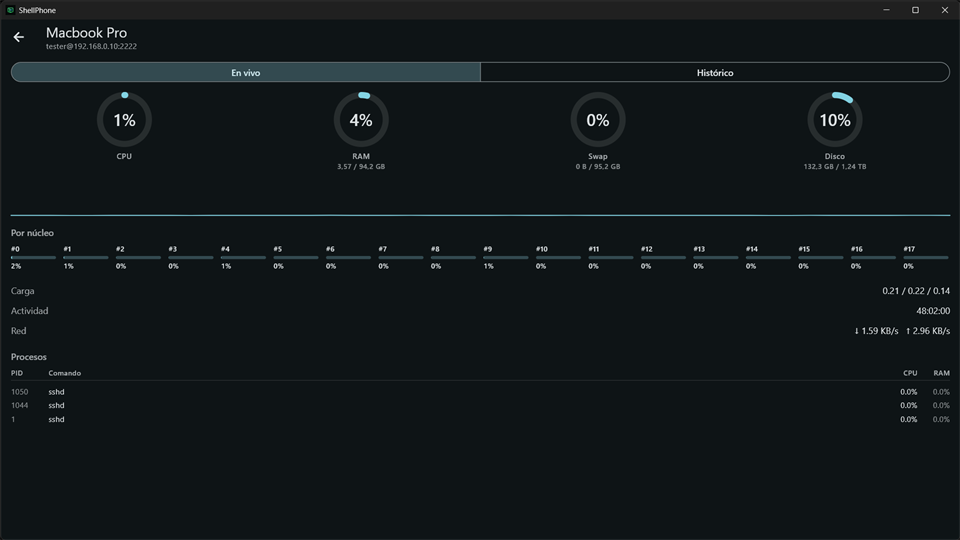
ShellPhone is a real, full-featured SSH client for Windows — the same native app as on iPhone, iPad, Mac and Android. Free to download and use as your daily driver. No cloud. No tracking. No nonsense.
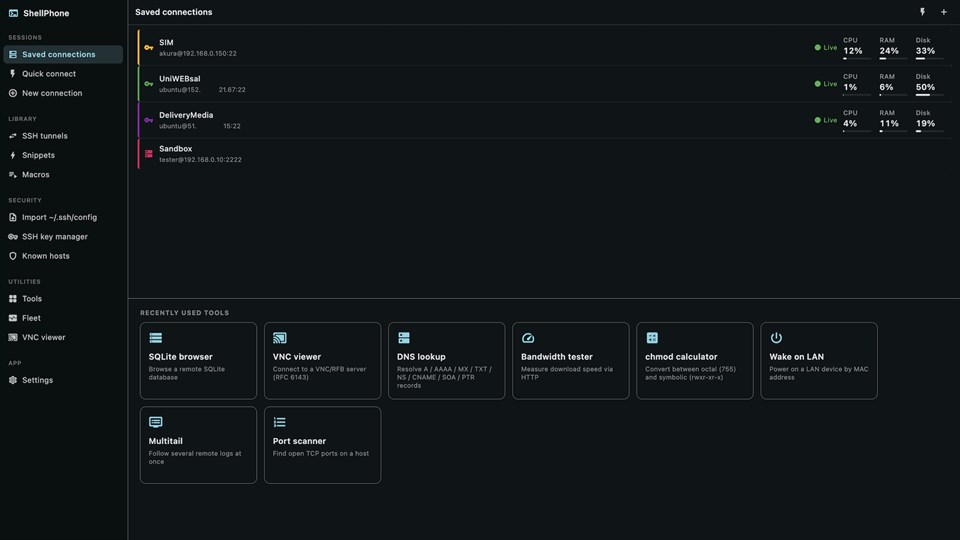
A genuine xterm terminal (true colour, UTF-8, unlimited scrollback), multi-tab sessions, SFTP browser, SSH tunnels, snippets, command history, and every symbol you actually need at a shell. The All-in-one bundle unlocks the power-user features with a one-time annual pass — no subscription, no auto-renewal, and no account, ever: buy it at shellphone.sggyamg.com, get a code by email, redeem it in the app. The licence is tied to your machine and you can transfer it when you change computers.
FREE — your daily SSH client
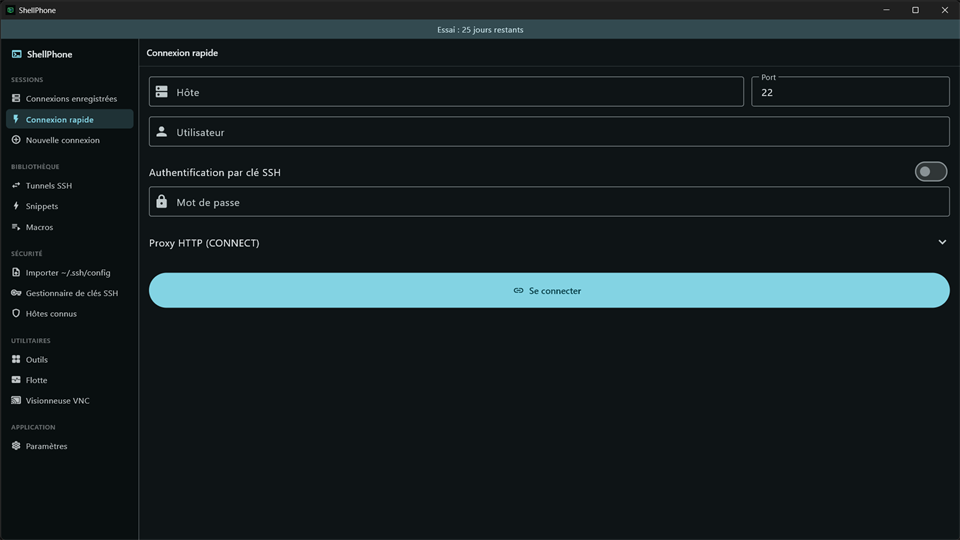
• Quick Connect, no signup
• Multi-tab terminal · true colour · UTF-8 · unlimited scrollback
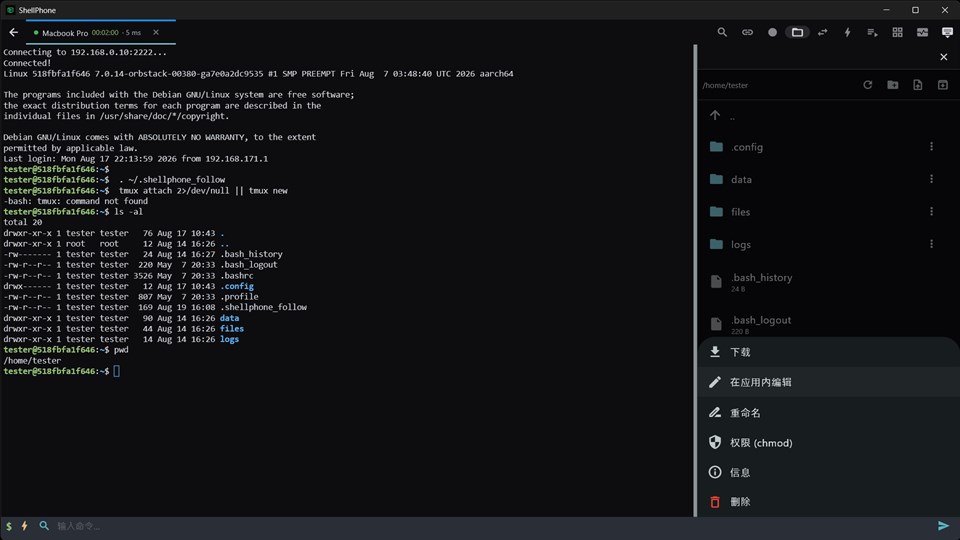
• SFTP browser with streaming downloads (progress + cancel)
• Command history search
• Natural-language snippet search (cht.sh, no API key)
• SSH key import, encrypted on your machine
• Host-key trust (TOFU)
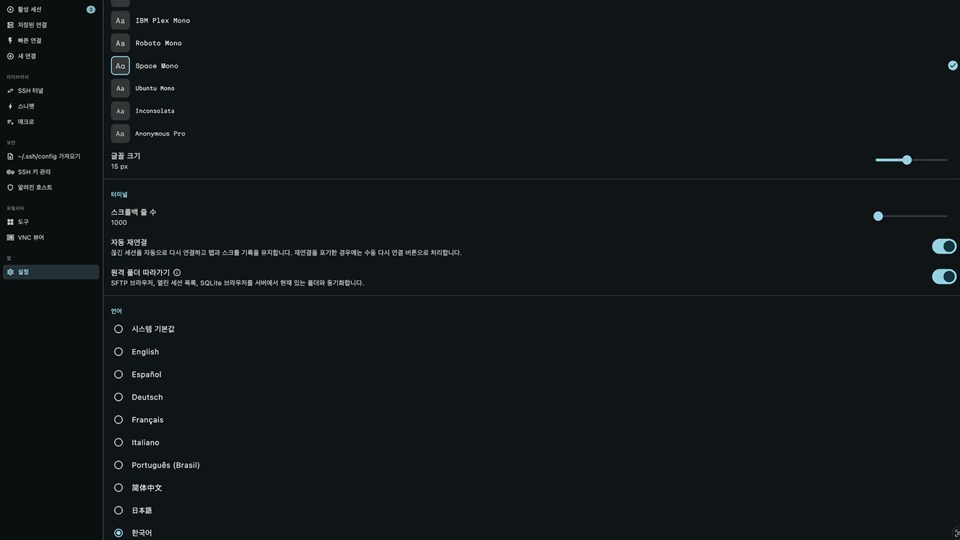
• 5 themes · 9 languages · iTerm2 .itermcolors import
• Persist theme, font & language across launches
• Full keyboard shortcuts · split panes
• End-to-end encrypted Cloud Sync
• Encrypted backup file · transparent reconnection
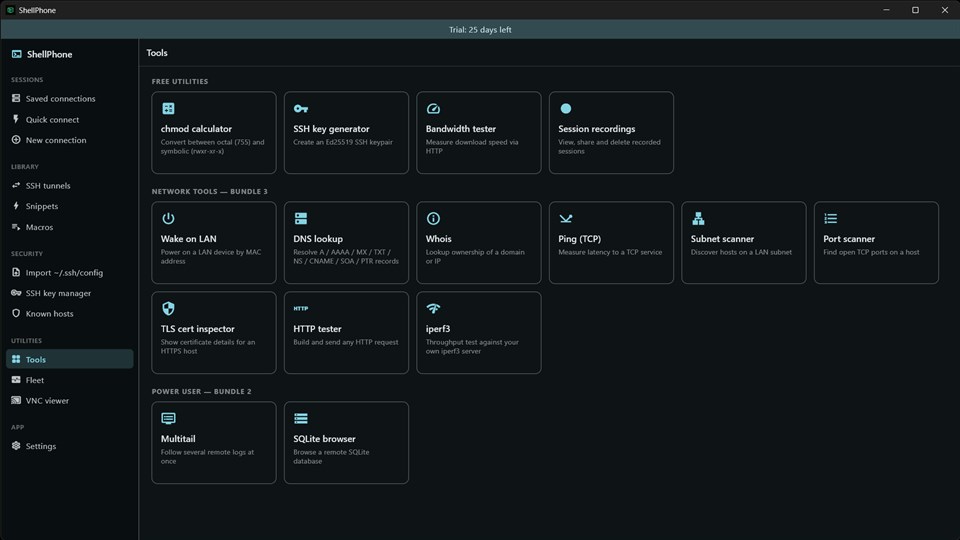
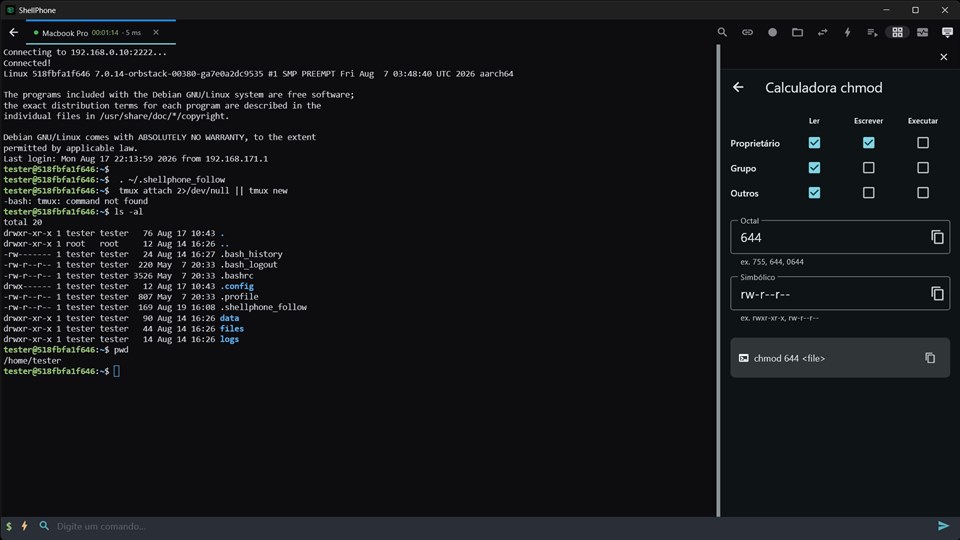
• Tools: chmod calculator · Ed25519 key generator · bandwidth test
• More offline tools: crontab (build + explain) · hashes & checksums (MD5/SHA-1/SHA-256/SHA-512) · Base64 & URL · password generator · MAC vendor lookup
• Connection groups — folders for your saved connections
• Built-in glossary — what every tool, icon and flow (including Multiexec) does, in 9 languages
ALL-IN-ONE — one annual pass, everything unlocked
POWER USER
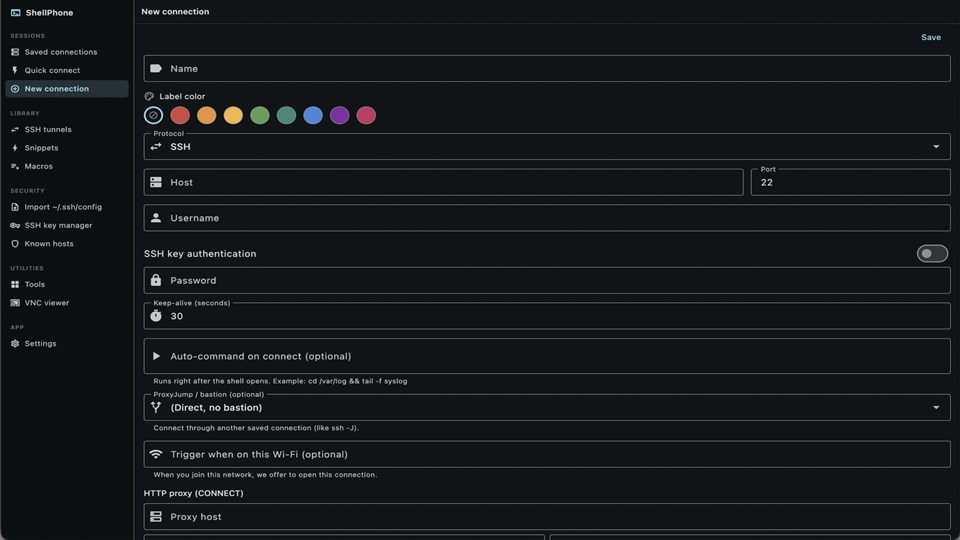
• Save SSH connections
• Bulk-import ~/.ssh/config · strict key validation
• Save tunnels — LOCAL (-L) + SOCKS5 (-D)
• Snippets with {{variables}}
• SFTP uploads · auto-sync SFTP
• ProxyJump / bastion (ssh -J) · Telnet
• Wi-Fi triggers (by SSID) · pubkey agent
• Macros — command sequences with delays
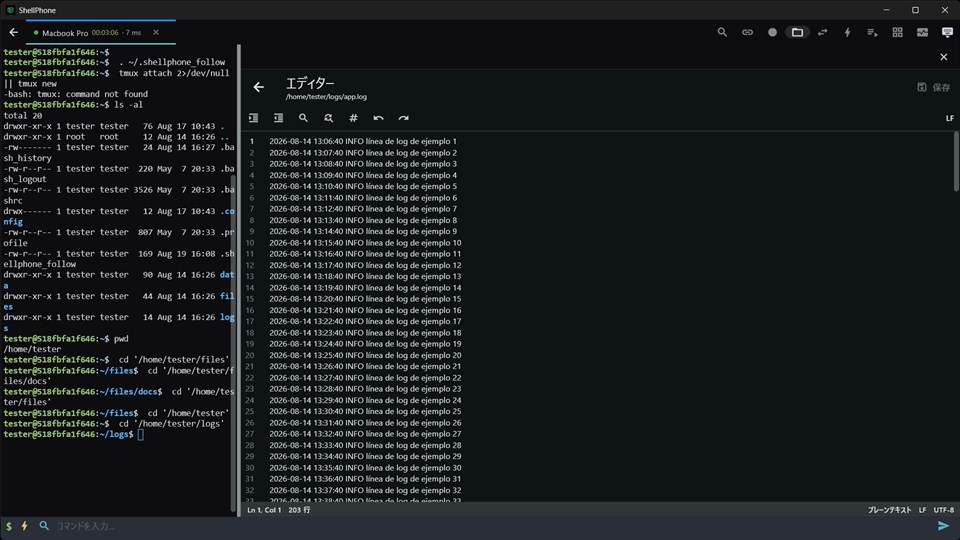
• Built-in code editor for remote files
• Zip / unzip over SFTP
• Multitail — follow several remote logs at once
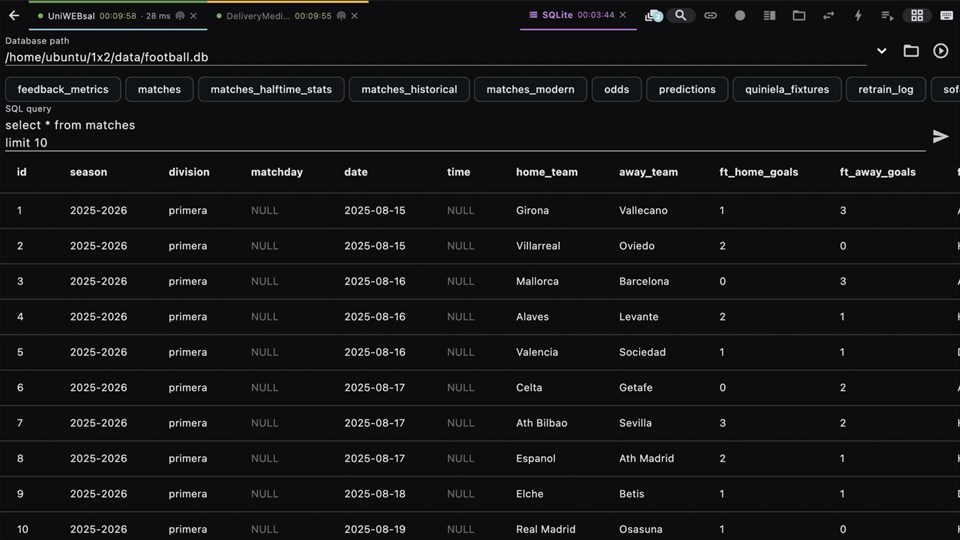
• Remote SQLite browser
• SFTP file management (rename, mkdir, visual chmod)
• Search the scrollback · extract URLs · session recording · live latency
• JWT decoder — header, claims and expiry; the token never leaves the device
• Checksum of remote files over your SSH session
• Format converter — JSON, YAML, TOML and XML
• Multiexec — a dedicated tab: type once and reach several SSH sessions at once
• Per-connection VPN — import a WireGuard config and the connection tunnels through it; a userspace tunnel per connection, no system-wide VPN and no TUN
NETWORK TOOLS
• Wake on LAN
• TCP Ping (latency, jitter, loss)
• DNS lookup (A/AAAA/MX/TXT/NS/CNAME/SOA/PTR) · Reverse DNS · Whois
• Subnet scanner · port scanner
• TLS cert inspector (fingerprints + expiry alerts)
• HTTP / curl tester
• iperf3 client (TCP/UDP)
• Multi-host send (broadcast to several tabs)
• SSH over HTTP CONNECT proxy · remote port forward (ssh -R)
• Subnet calculator — CIDR, mask, wildcard, usable range and range→CIDR
• Timestamp converter — Unix, ISO-8601 and time zones
• UUID v4 and ULID generator
REMOTE DESKTOP
• VNC viewer (RFC 6143) — TightVNC, RealVNC, x11vnc, macOS Screen Sharing, Linux, Raspberry Pi
• Pinch-zoom up to 10× · drag-pan
• Raw + CopyRect encodings · VNC password auth
The purchase happens on our website with Stripe: one-time payment, valid for one year, no auto-renewal. Two weeks before it expires the app reminds you — and you decide. No analytics SDKs, no third-party tracking; your keys stay encrypted on your machine.
Terms of Use (EULA): https://shellphone.sggyamg.com/terms/
Privacy Policy: https://shellphone.sggyamg.com/privacy/
From the developer
Lists 0
-
 ShellPhone - SSH client
Points 0
-

- +1 Point

Rankings 0
-
- Your rating
Developer 3
- SGGyAMG
- Followers: 0
- Platforms: Android Apps (2) Windows Apps (1)
- Deals: 0
- Lists: 0 0
- Points: 0
- Rankings: 0
- Comments: 0
- Videos: 1
- RSS: Subscribe
What's new
- Version: PC
- Last Updated:
Additional Information
- Release Date:
- Category:
Windows Apps›Developer tools - OS:
PC - Size:
114 Mb - Supported Languages:
English,Chinese,French,German,Italian,Japanese,Korean,Portuguese,Spanish - Content Rating:
EVERYONE - Windows Store Rating: ¡
0 - Website:
 https://shellphone.sggyamg.com/
AppAgg Score
Estimated AppAgg Score for
ShellPhone - SSH client
Developer: sggyamg
Higher scores usually reflect better results across AppAgg’s indicators.
Based on: popularity · ratings · freshness · deals · store data · community signals
Recalculated daily using fresh AppAgg data.
Comments 0 ¡
Share
ShellPhone - SSH client Short URL: Copied!- Windows Store
You may also like
Recent discussionsMore →
 AppGame4Class Game4Class makes lesson review fun and interactive. I like how easily students can join from their o...
 Mehdi Gateway62
 AppAniMate Waifu - AI Anime Desktop Pet This is the best anime desktop pets I have ever had, The dancing feature is amazing.
 shaw chaney34
 AppSpark Motion Create 26 The graphics are amazing! Now I can design my ball layouts and watch then spin in 3D animation.
 Jim Kirker40
 AppLocalDub – Real-Time Game Dubbing Hello Kırtay Interactive, I am using LocalDub - Real-Time Game Dubbing. I would like to know if Hind...
 rashid game53
 AppNauticPlayer This app is absolute cinema. Honestly, it’s one of the best media players I’ve ever tried, and I’m s...
 Manuel92
 AppScreen Beings - Interactive Accessibility Companion This is my app so I’m a little bias but as someone from the ADHD community that teaches ADHD and neu...
 Tarelle Irwin54
 AppAadi vault good it ia a encrypter and good you my work on office
 Aditya Rai50
 AppTyping 365 | Daily Typing Trainer The best typing app ever. With Typing 365 you don’t have to force yourself for couple minutes traini...
 Ahmad Mozaffar50
 AppZefir Calendar — Calendar in the Taskbar excelente app! Superando todas as espectativas!
 Diógenes Magnus50
 AppBlazin IPTV Player This compact IPTV player is amazing. I threw multiple playlists at it and it handles it with no issu...
 Mike Anderson40

