
Gespeichert
Wähle den Namen, der im Menü Gespeichert angezeigt werden soll.
Fertig!
| Entwickler: | EvlarSoft LLC (177) | ||
| Preis: | $1.99 | ||
| Score: | 940 Silber | ||
| Ranglisten: | 0 | ||
| Kommentare: | 0 Kommentar posten | ||
| Listen: | 0 + 0 | ||
| Punkte: | 0 + 0 ¡ | ||
| +1 Punkte | |||
Beschreibung

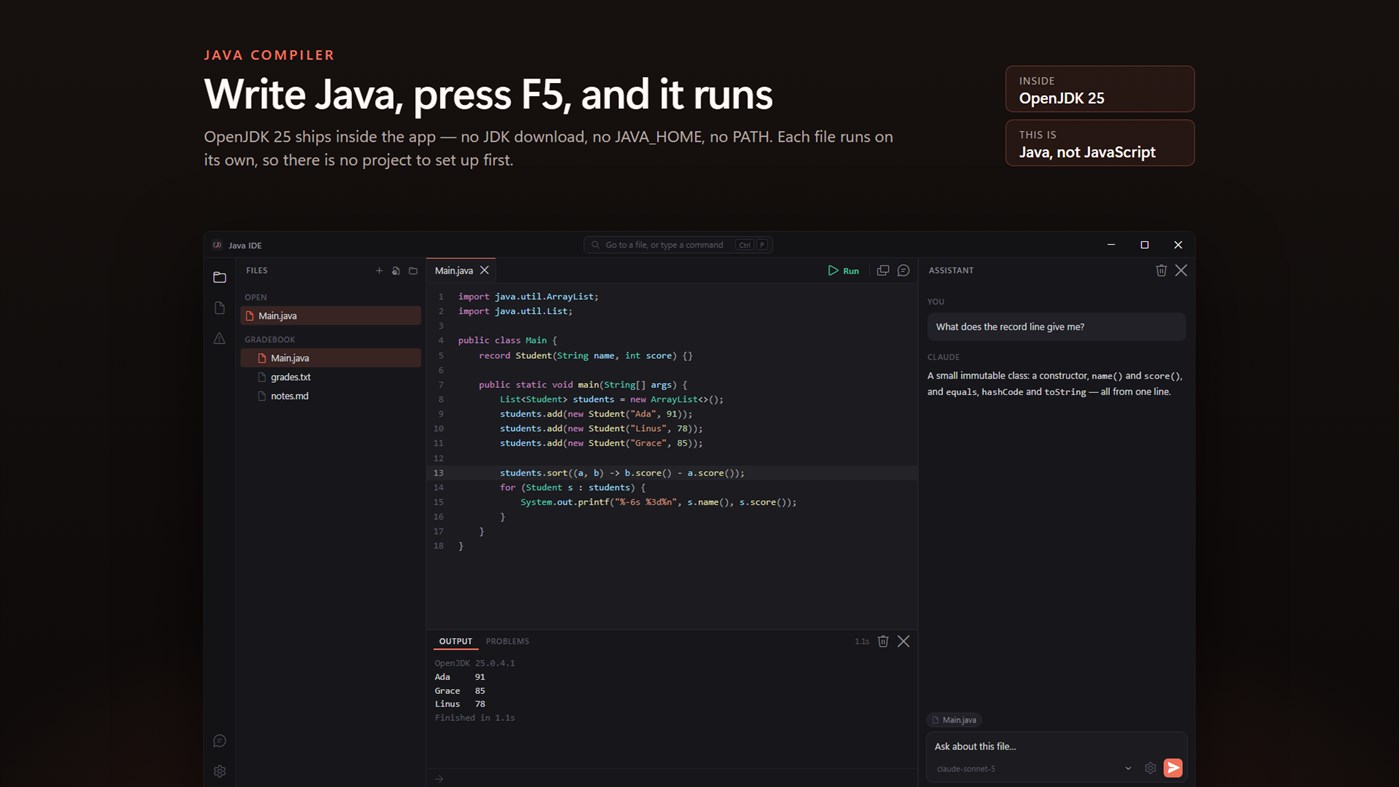
This is that. It opens a .java file, colors it properly, runs it with a keypress and shows you what the program printed — in one window, with nothing to set up.
This app is for Java: classes, objects and public static void main. JavaScript, the language of web pages, only shares the name, and it has an app of its own.
NOTHING TO INSTALL
OpenJDK 25 ships inside the app. On a PC that has never had Java, your first program runs immediately: no JDK download, no JAVA_HOME, no PATH. Each file runs on its own, the way Java runs a single source file, so there is no project to create before you can start.
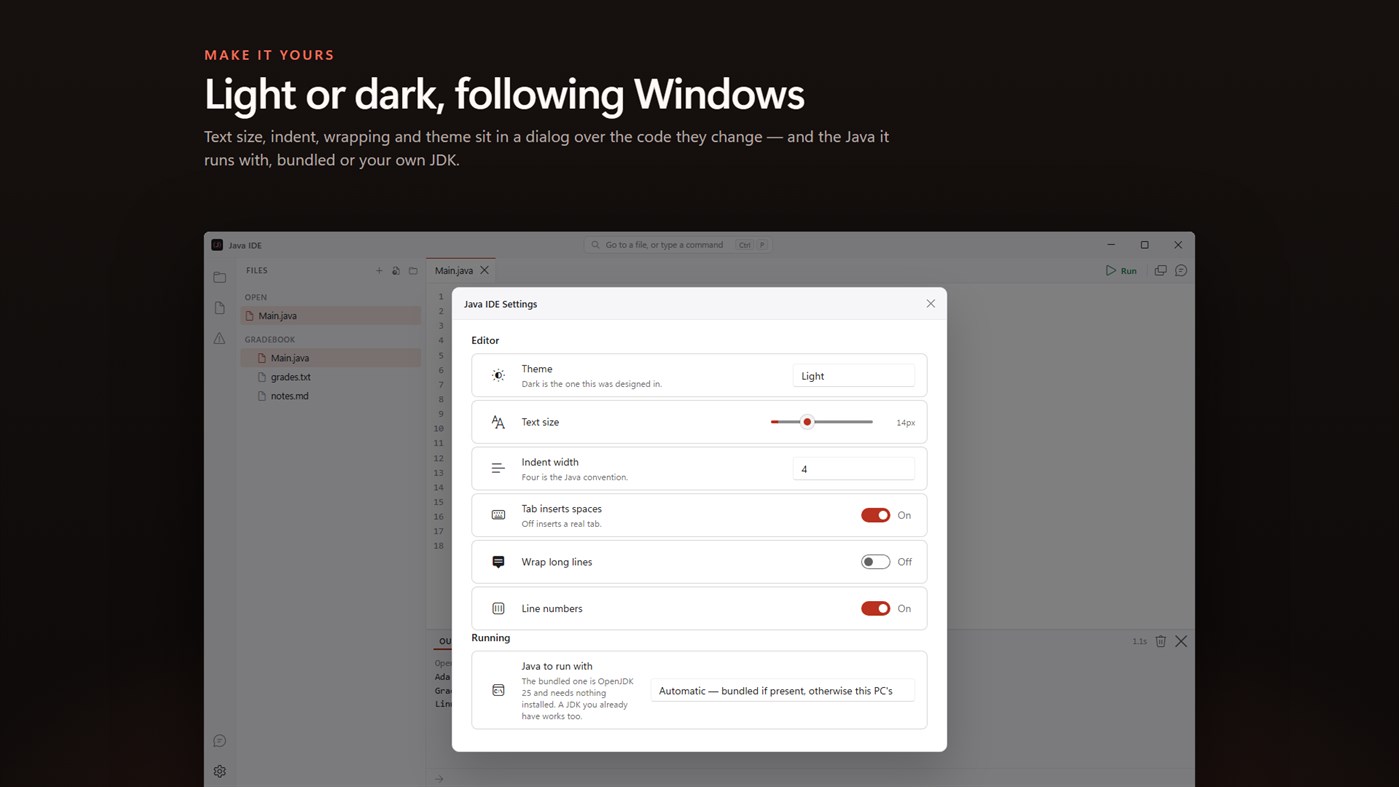
If you already have a JDK, Settings will use yours instead.
WRITE IT
Syntax color, folding, bracket matching and completion that knows Java's keywords and the classes you reach for first — Scanner, ArrayList, HashMap, String. A tab per file, each with its own undo.
RUN IT
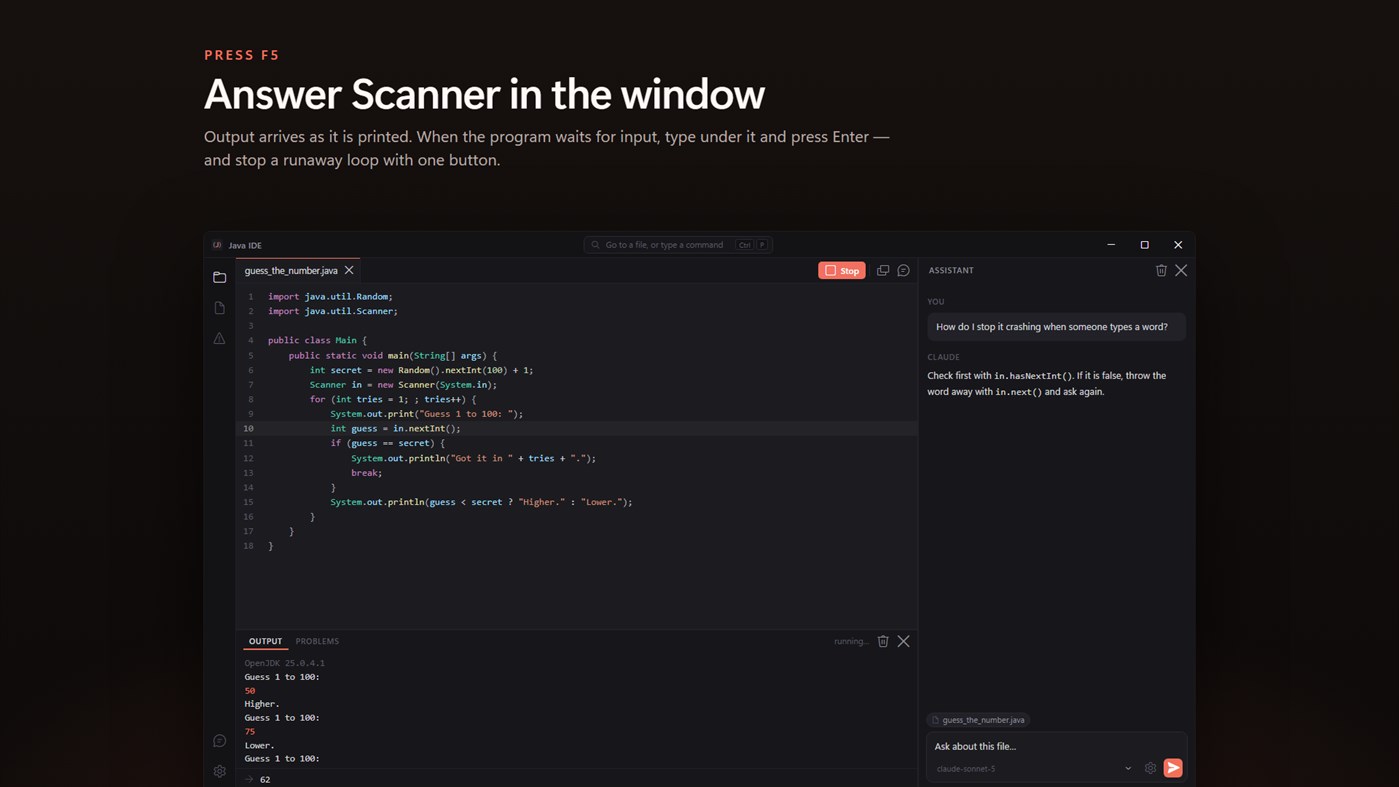
F5 compiles and runs. Output arrives in the panel as it is printed, and when your program asks for input through Scanner you answer it right there. Ctrl+F5 feeds it input.txt from the same folder instead, the way contest problems are practiced.
WHEN IT BREAKS
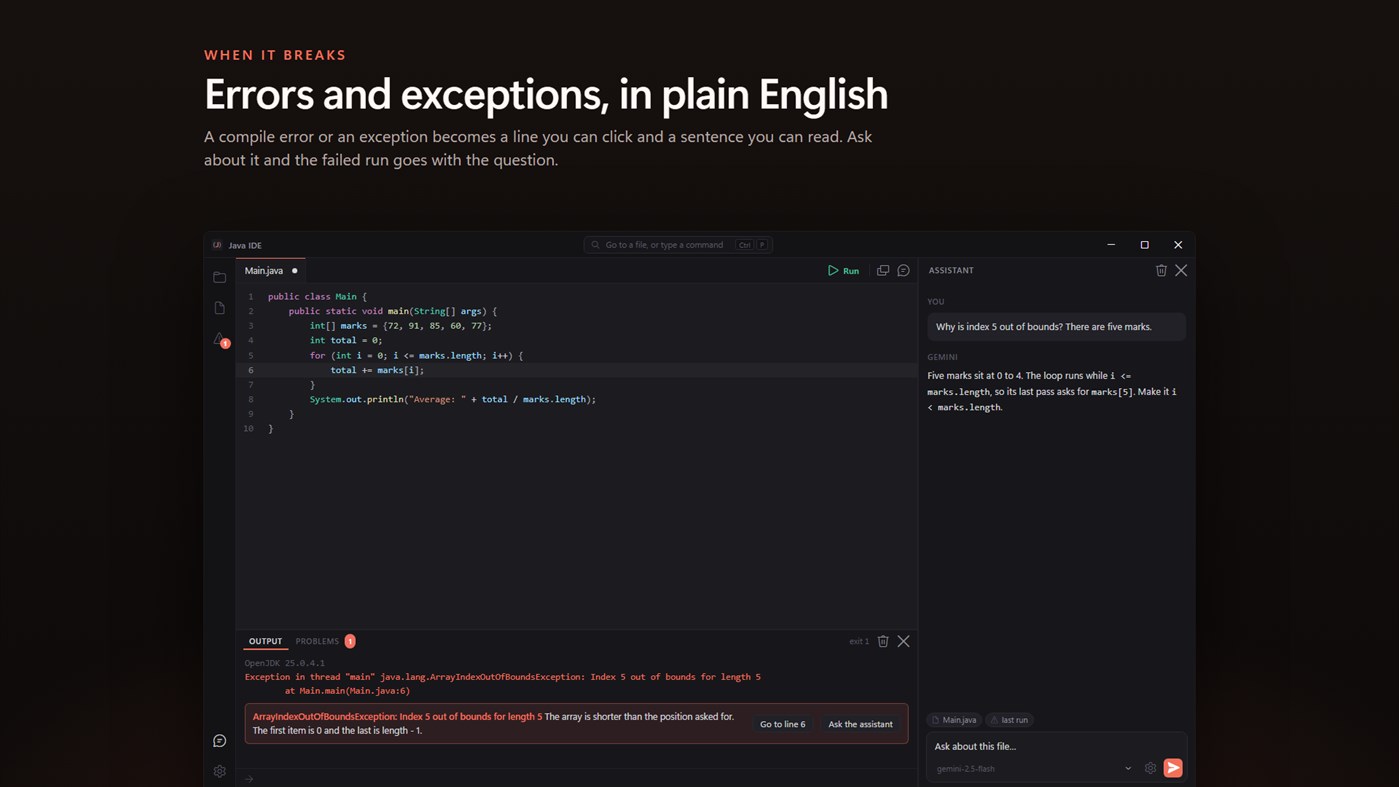
A compile error becomes a line you can click, with the same error in a sentence underneath: what "cannot find symbol" usually means, why main cannot call a method that is not static, what a missing return is complaining about.
Exceptions get the same treatment. A NullPointerException, an ArrayIndexOutOfBoundsException or a Scanner that was handed the wrong kind of input is explained in plain words, with the line it happened on.
ASK ABOUT IT
The assistant panel can see the file you are on. Select some lines and it sees those too; run something that fails and the error goes with your question.
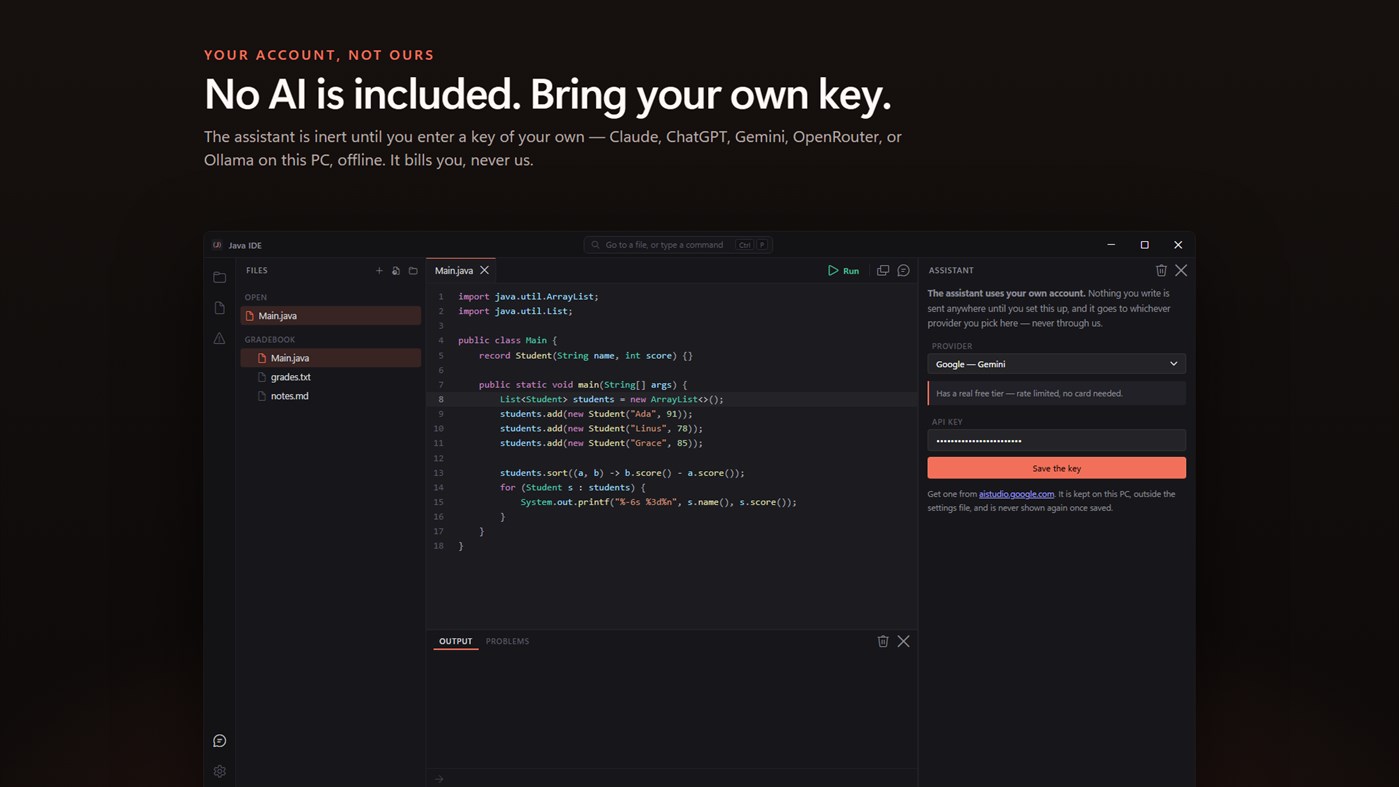
No AI service is included with this app, and none is being sold to you here. The assistant is inert until you enter an API key of your own, and the price of this app buys the editor and the JDK — not the model behind that key. Whatever you spend asking questions is billed to you by the provider you chose, on your own account, and never passes through us.
Bring a key from Claude, ChatGPT, Gemini or OpenRouter, or point it at Ollama or LM Studio on this PC and it works offline. The key is kept on this PC, outside the settings file.
15 THINGS TO START FROM
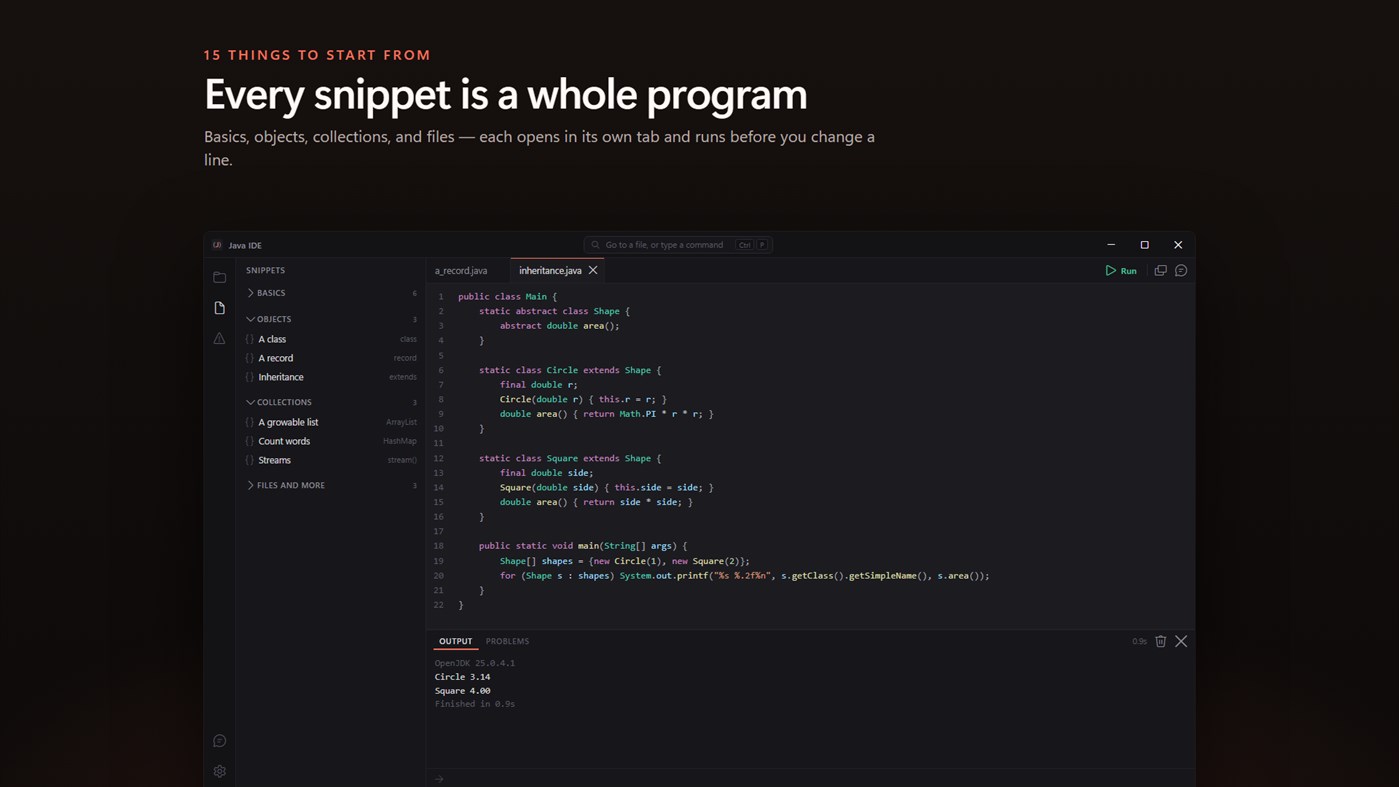
Fifteen snippets in four sections: basics, objects, collections, and files and more. Reading input safely, loops, arrays, methods, classes, records, inheritance, lists, maps, streams, files, random numbers and a small guessing game. Each opens in its own tab as a complete program you can run before you change a line.
WHAT IT DOES NOT DO
It is an editor and a runner, not a full development environment. There is no debugger, no Maven or Gradle, and each file runs on its own rather than as a multi-module project.
No account. No sign-in. No ads. The app makes no network call of its own; the only thing that ever leaves your PC is a question you type into the assistant, going to the provider whose key you entered.
Built for Windows 11, and at home on Windows 10.
Werbung
Screenshots
Preisentwicklung
- Aktueller Preis: $1.99
- Minimum: $1.99
- Maximum: $1.99
Preise beobachten Zur Liste hinzufügen und Rabattbenachrichtigungen per E-Mail oder Push erhalten
AppAgg-Score
940
Geschätzter AppAgg-Score für
Simple Java Compiler
Entwickler: EvlarSoft LLC
940 Silber
Ein höherer Score weist meist auf bessere Werte bei den von AppAgg erfassten Kennzahlen hin.
Basierend auf: Popularität · Nutzerbewertungen · Aktualität · Angeboten · Shop-Daten · Community-Aktivität
Wird täglich anhand aktueller AppAgg-Daten neu berechnet.
AppAgg-Score teilen
Kurz-URL: Kopiert! Badge für deine Website: Neue Funktionen
- Version: PC
- Zuletzt aktualisiert:
Weitere Informationen
- Veröffentlichungsdatum:
- Kategorie:
Windows-Apps›Entwicklungstools - Betriebssysteme:
PC - Größe:
61 Mb - Unterstützte Sprachen:
English - Altersfreigabe:
EVERYONE - Windows Store Bewertung: ¡
0
Entwickler
- EvlarSoft LLC
- Follower: 0
- Plattformen: Windows Apps (171) Windows Spiele (6)
- Angebote: 2
- Listen: 4 + 2
- Punkte: 25 + 448 ¡
- Ranglisten: 0
- Kommentare: 0
- Videos: 0
- RSS: Abonnieren
Listen (0)
0
- Simple Java Compiler
Punkte (0)
0
Ranglisten (0)
0
Kommentare (0)
Schreibe den ersten Kommentar
Kurzinfo
Simple Java Compiler Kurz-URL: Kopiert!- Windows Store
Auf AppAgg kannst du „Simple Java Compiler“ verfolgen, eine App von EvlarSoft LLC für Windows in der Kategorie Entwicklungstools. AppAgg-Score: 940 (Silber). AppAgg-Punkte der App — bestätigt: 0; indirekt: 0. Öffentliche Listen mit dieser App: 0. Nutzer, die sie in privaten Listen gespeichert haben: 0. AppAgg-Nutzer haben die App noch nicht bewertet. Bestätigte Punkte erfassen Store-Aufrufe angemeldeter AppAgg-Nutzer; indirekte Punkte beruhen auf Store-Daten. AppAgg zählt öffentliche Listen mit einer App oder einem Spiel sowie Nutzer, die sie oder es in privaten Listen gespeichert haben. Die App wurde erstmals am veröffentlicht. Die App wurde zuletzt am aktualisiert. Die App kostet derzeit $1.99. Die App ist in folgenden Sprachen verfügbar: English. Sieh dir den Preisverlauf an, füge die App einer Liste hinzu oder folge dem Entwickler. Verfolge künftige Angebote und Updates der App über den RSS-Feed. AppAgg hostet oder vertreibt diese App nicht. Alle Marken, Logos und Screenshots im Zusammenhang mit der App gehören ihren jeweiligen Eigentümern.

