
Saved
Choose the name that will be shown in your Saved menu.
Done!
| Developer: | EvlarSoft LLC (172) | ||
| Price: | ▼ $1.99 | ||
| Score: | 1,160 Silver | ||
| Rankings: | 0 | ||
| Comments: | 0 Add a comment | ||
| Lists: | 0 + 0 | ||
| Points: | 1 + 0 ¡ | ||
| +1 Points | |||
Description

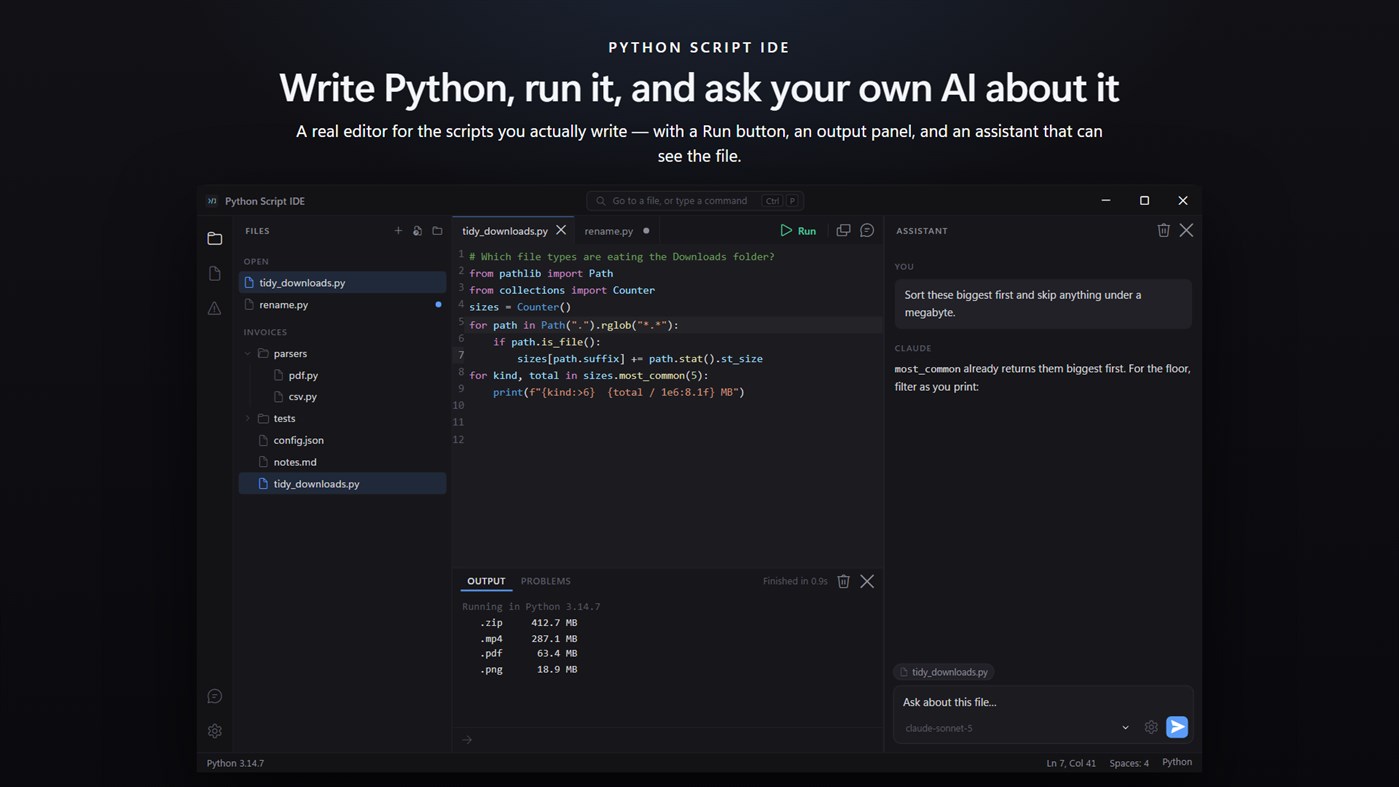
This is the editor for that. It opens the file, colours it properly, runs it with a keypress, and shows you what it printed — in one window, with nothing to set up.
WRITE IT
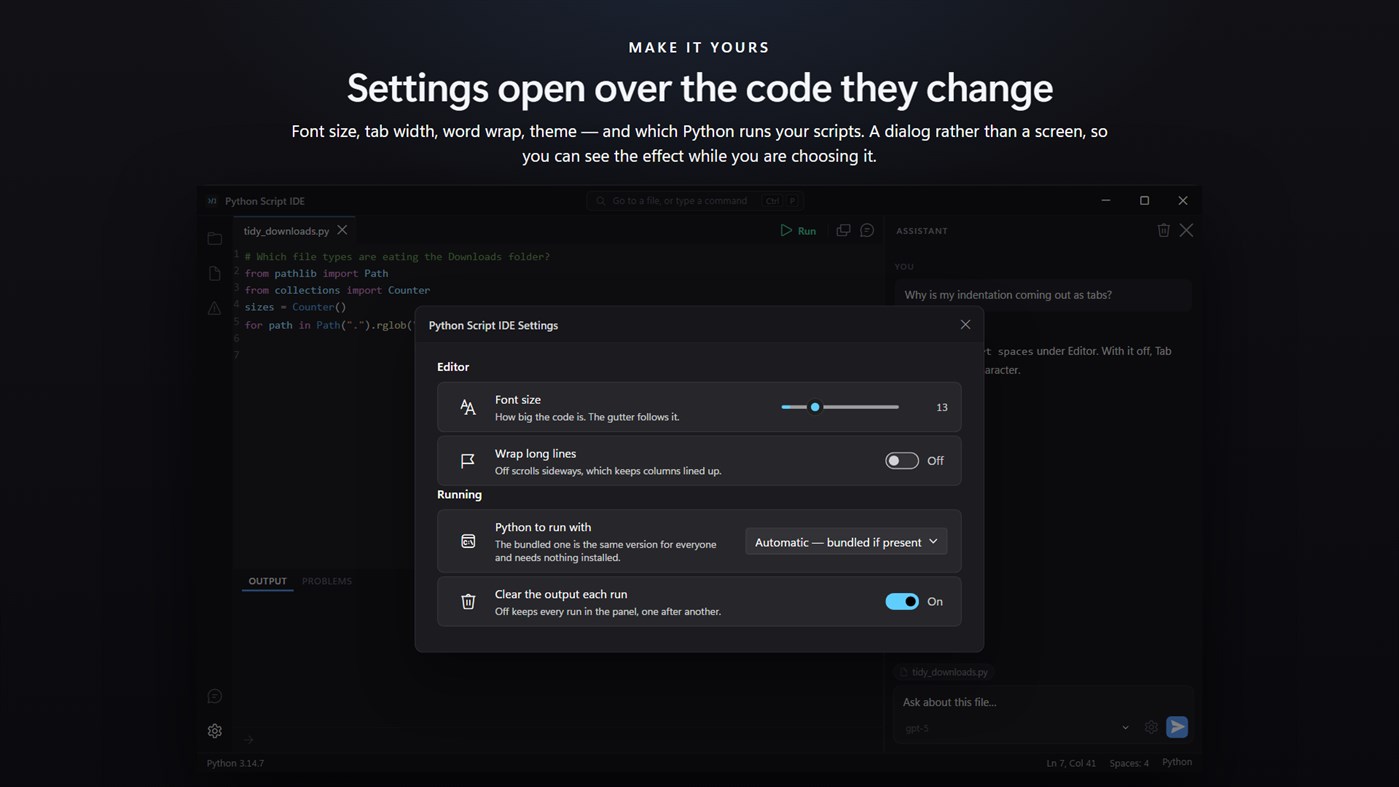
Syntax colouring, code folding, bracket matching and completion that knows Python's keywords, its builtins and the standard library modules you are most likely to reach for. A tab per file, each keeping its own undo history. Line numbers, active-line highlight, and the choice between tabs and spaces where it belongs — in Settings, not in an argument.
Open a folder and the tree shows the whole project: the JSON your script reads, the CSV it writes, the notes beside it. All of them open, and the ones that are not Python are highlighted too.
RUN IT
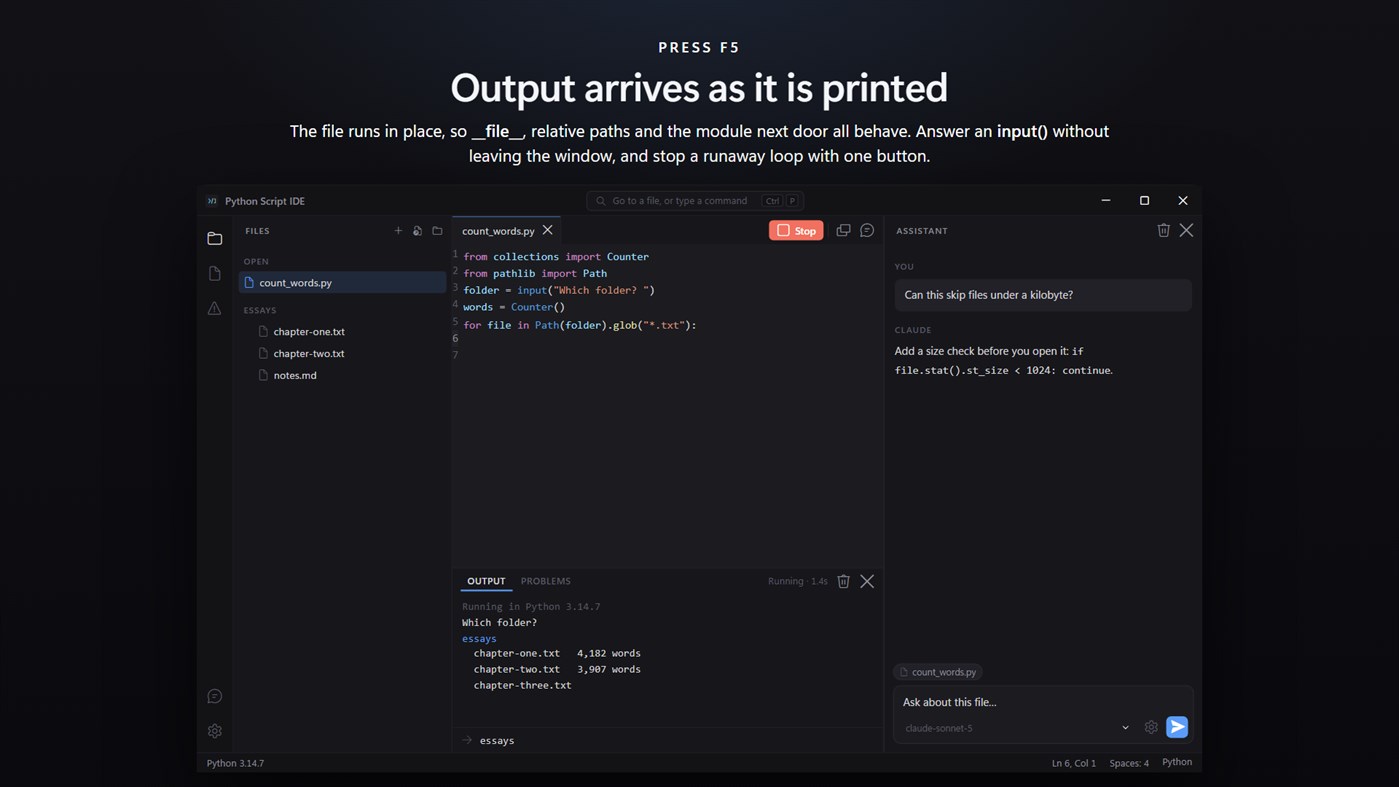
F5. The file runs in place, so __file__, relative paths and the module in the next file all behave exactly as they would from a terminal. Output arrives in the panel as it is printed rather than all at once when the script exits, so a long loop shows progress instead of nothing.
If the script asks a question with input(), answer it in the window. If it will not stop, one button stops it.
WHEN IT BREAKS
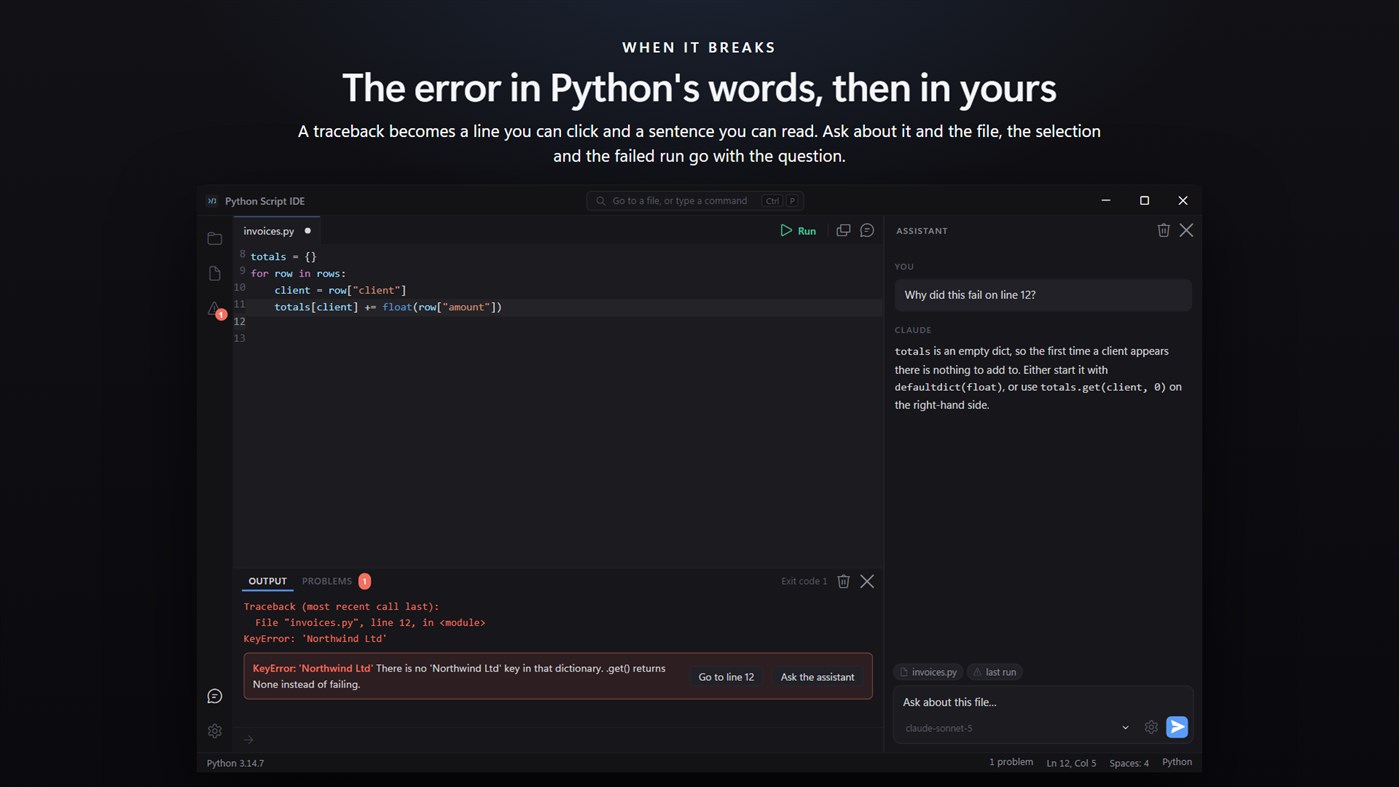
A traceback is a wall of text that names a file and a line. Here it becomes a line you can click, and underneath it, the same error in a sentence: what a NameError actually means, why an IndentationError is complaining about a space, which module is missing and how to install it.
ASK ABOUT IT
The assistant panel can see the file you are on. Select some lines and it sees those too; run something that fails and the traceback goes with your question. You are not pasting code into a browser tab and pasting the answer back.
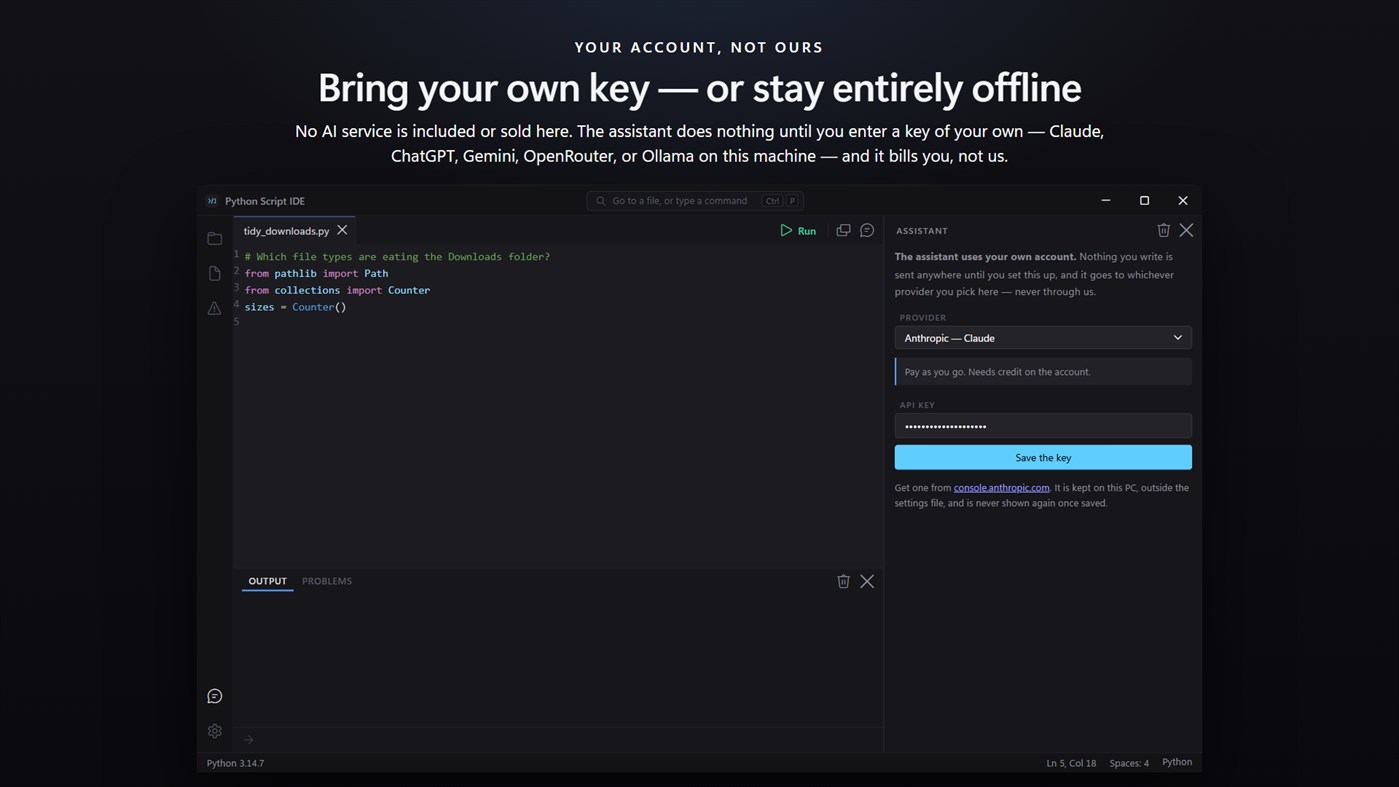
No AI service is included with this app, and none is being sold to you here. The assistant panel is inert until you enter an API key of your own, and the price of this app buys the editor — not the model behind that key. Whatever you spend asking questions is billed to you by the provider you chose, on your own account, and never passes through us.
Bring a key from Claude, ChatGPT, Gemini or OpenRouter, and the app asks each provider which models your key can reach rather than shipping a list that goes stale. Free models are marked as free. If you would rather nothing left the machine at all, point it at Ollama or LM Studio running locally and it works offline.
The key is written to this PC and kept out of the settings file. Requests go out from the app itself, not from the page, and the app's own content policy forbids it talking to anywhere else.
NOTHING TO INSTALL
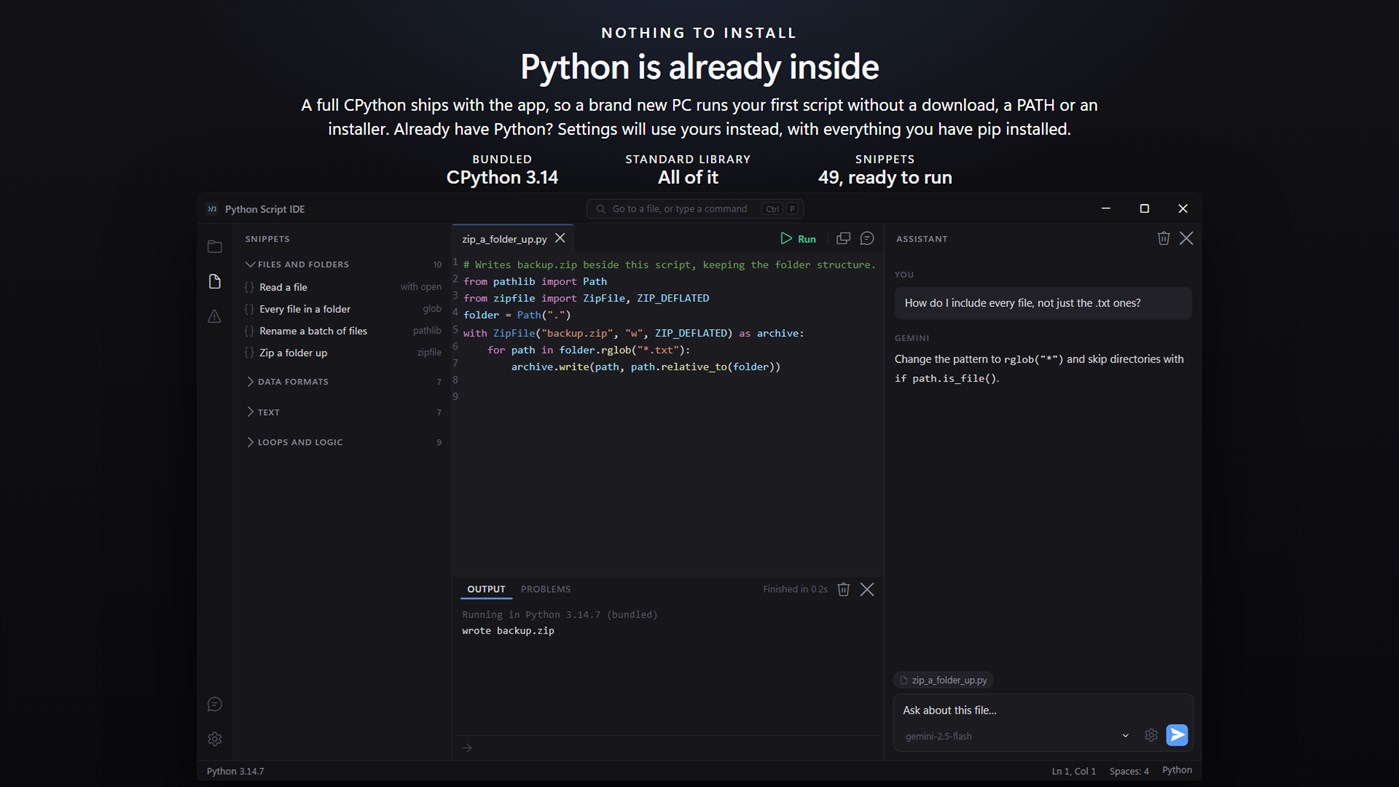
A complete CPython 3.14 ships inside the app. On a PC that has never had Python, your first script runs immediately — no download, no PATH, no installer, no version to choose.
If you already have Python, Settings will use yours instead, with every package you have pip installed. You can also point it at a specific python.exe, and the status bar always says which interpreter a run actually used.
49 THINGS TO START FROM
Forty-nine snippets in six sections: files and folders, data formats, text, loops and logic, structure, and this machine. Reading a CSV by column name, hashing a file, zipping a folder, retrying something that failed, formatting a number properly.
Each one opens in its own tab as a complete script with its sample data already in it, so you can press F5 and watch it work before you change a line. All of them use only the standard library, so they run under the bundled Python with nothing added.
WHAT IT DOES NOT DO
It is an editor and a runner, not a full development environment. There is no debugger, no breakpoints, no package manager and no source control. If you want those, you want something bigger — and if you have ever wanted them, you probably already have it.
No account. No sign-in. No ads. The app makes no network call of its own; the only thing that ever leaves your PC is a question you type into the assistant, going to the provider whose key you entered.
Built for Windows 11, and at home on Windows 10.
Advertisement
Screenshots
Price History
- Current price: $1.99
$2.99-33% - Minimum: ▼ $1.99
- Maximum: $3.99
Track prices Add to a list to get discount alerts by email or push
AppAgg Score
1,160
Estimated AppAgg Score for
Simple Python Script Runner
Developer: EvlarSoft LLC
1,160 Silver
Higher scores usually mean stronger signals on AppAgg.
Based on: popularity · ratings · freshness · deals · store data · community signals
Recalculated daily using fresh AppAgg data.
Short URL: Copied!
What's new
- Version: PC
- Last Updated:
Additional Information
- Release Date:
- Category:
Windows Apps›Developer tools - OS:
PC - Size:
26 Mb - Supported Languages:
English - Content Rating:
EVERYONE - Windows Store Rating: ¡
0
Developer
- EvlarSoft LLC
- Followers: 0
- Platforms: Windows Apps (166) Windows Games (6)
- Deals: 2
- Lists: 4 + 2
- Points: 25 + 438 ¡
- Rankings: 0
- Comments: 0
- Videos: 0
- RSS: Subscribe
Lists (0)
0
- Simple Python Script Runner
Points (1)
-

- 13,387 Simon Chan
- +1

Rankings (0)
0
Comments (0)
Be the first to comment
Summary
Simple Python Script Runner Short URL: Copied!- Windows Store
On AppAgg, you can track the Windows app “Simple Python Script Runner” by EvlarSoft LLC, listed under Developer tools. AppAgg Score: 1,160 (Silver). AppAgg Points for the app — confirmed: 1; indirect: 0. Public lists containing the app: 0. Users who have saved it in private lists: 0. AppAgg users have not rated the app yet. Confirmed Points record visits to a store by signed-in AppAgg users; indirect Points are based on store data. AppAgg counts public lists containing an app or game and users who have saved it in private lists. The app was first released on . The app was last updated on . The app previously cost $2.99; it now costs $1.99 (33% off). The lowest recorded price for the app was $1.99 (); the highest was $3.99 (). The app is available in these languages: English. Explore the price history, add the app to a list, or follow its developer. Follow future deals and updates for the app via its RSS feed. AppAgg does not host or distribute the app. All trademarks, logos, and screenshots related to the app belong to their respective owners.

