
Kirjanmerkit
| Kehittäjä: | Simplehire (1) | ||
| Hinta: | Ilmainen | ||
| Arvio: | 1 060 Hopea | ||
| Sijoitukset: | 0 | ||
| Kommentit: | 0 Lähetä kommentti | ||
| Listat: | 0 0 | ||
| Pisteet: | 0 | ||
| +1 Piste | |||
Lyhyesti
Simplehire on kehittäjän Simplehire sovellus kategoriassa ”Kehittäjien työkalut”.
Julkaistu , eli vielä melko tuore.
Ilmainen: ei mainoksia, ei sovelluksen sisäisiä ostoksia. Vain sinä ja sovellus.
Microsoft Store on rakennettu suoraan Windowsiin, joten asennus hoituu parilla klikkauksella.
AppAgg-arvio on 1 060. Taso Hopea, eikä se ole yhtään hullumpi.
Vain 2 megatavua. Mahtuu täydellekin levylle.
Ikäraja ”EVERYONE”, joten sopii lapsillekin.
Puhuu vain yhtä kieltä, eikä se ole suomi.
Kukaan AppAggissa ei ole vielä arvioinut sitä. Nyt on tilaisuutesi olla ensimmäinen.
Tämä on kehittäjän ainoa sovellus AppAggissa. Toistaiseksi.
Haluatko kuulla päivityksistä ja uusista sovelluksista ensimmäisenä? Seuraa kehittäjää tai tilaa RSS-syöte. Push-ilmoitukset saat AppAgg Alerts -sovelluksella, joka toimii Android- ja iOS-laitteissa.
Muut alustat 0
Hintahistoria 0
- Nykyinen hinta: Ilmainen
- Vähintään: Ilmainen
- Enintään: Ilmainen
Oma syöte etusivulla
Näyttökuvat 9
Kuvaus

SimpleHire is a companion app. It does nothing on its own, and there is
nothing to sign up for here. You only need it if an employer has invited you to a SimpleHire interview and asked for desktop monitoring. Everything else — your interview, your questions, your answers — happens in your web browser.
WHAT SIMPLEHIRE IS TRYING TO DO
Hiring teams receive far more applicants than they can interview in person, so
first-round interviews have moved online. That created a fairness problem in both directions. Employers cannot tell whether an online interview reflects the
candidate's own ability. Candidates who prepare honestly end up competing against people who did not, and get no credit for having done it properly.
SimpleHire runs a structured, AI-led first-round interview in the browser and
gives the employer a clear, evidence-backed summary. SimpleHire Desktop App is the part that makes that summary trustworthy — so that a genuine candidate's result stands up, and an employer can rely on it.
HOW THE WEB APP AND THIS DESKTOP APP WORK TOGETHER
Think of them as two halves of one interview.
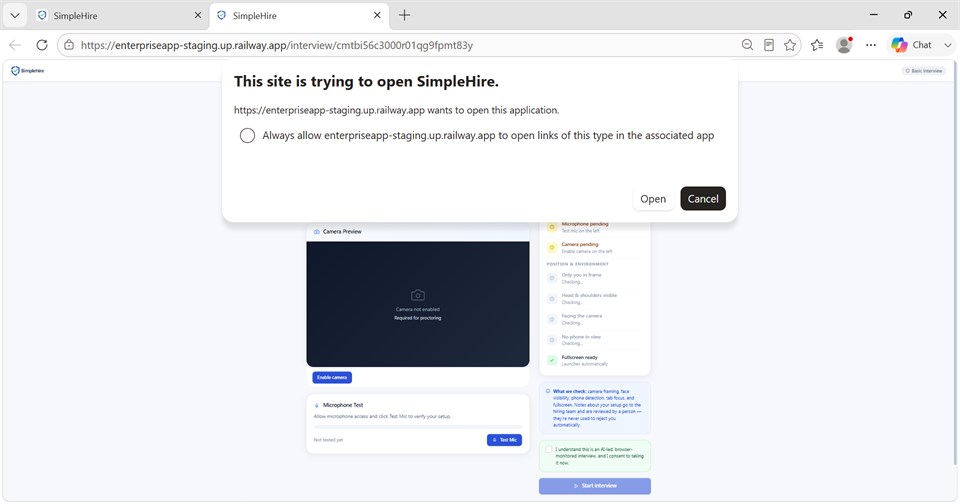
The web app (the interview portal, in your browser) is where the interview
actually happens:
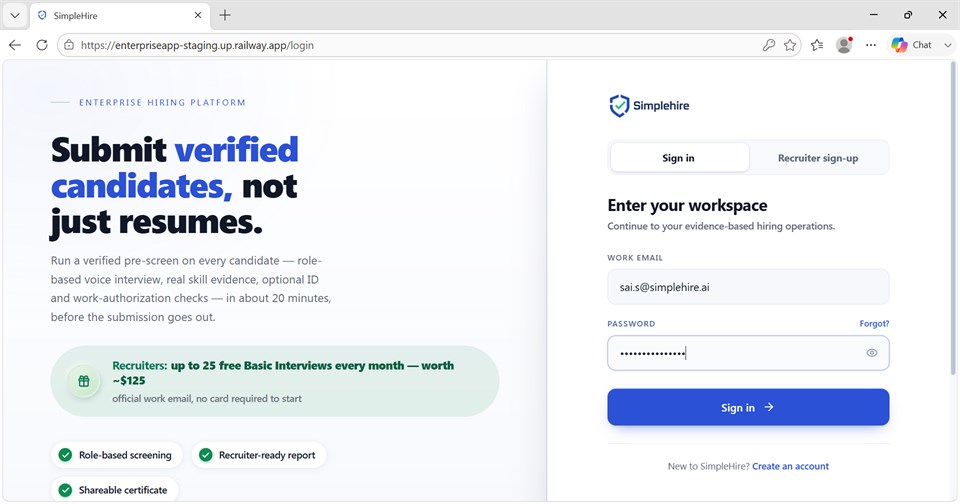
• you open the invitation link your employer emailed you
• you read and accept a consent screen that explains exactly what is monitored
• you check your camera and microphone
• you talk with the AI interviewer and answer its questions
• you see your progress, and when it is finished
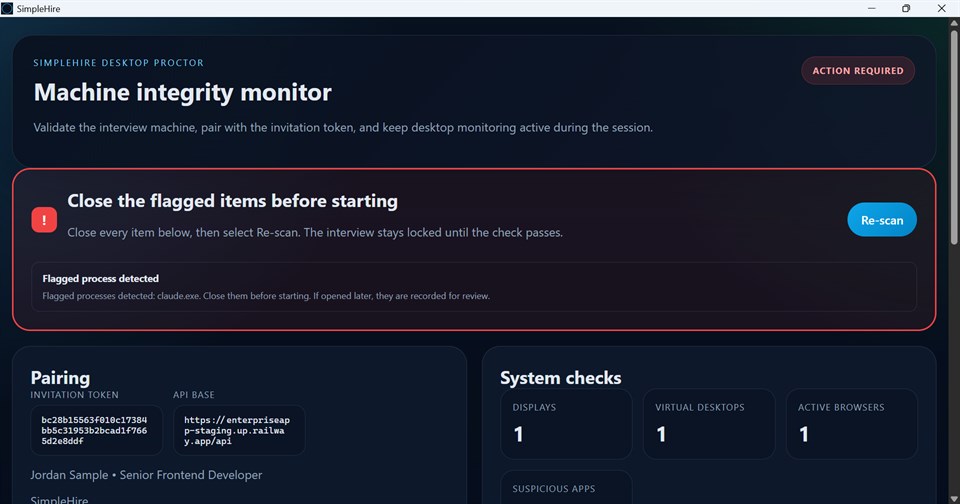
This desktop app is the part your browser cannot do. A web page can only see itself. It cannot tell whether a second monitor is attached, whether a
screen-sharing tool is running behind it, or whether the interview has been moved onto another virtual desktop. Those checks need to run on the computer itself.
That is the app's entire job.
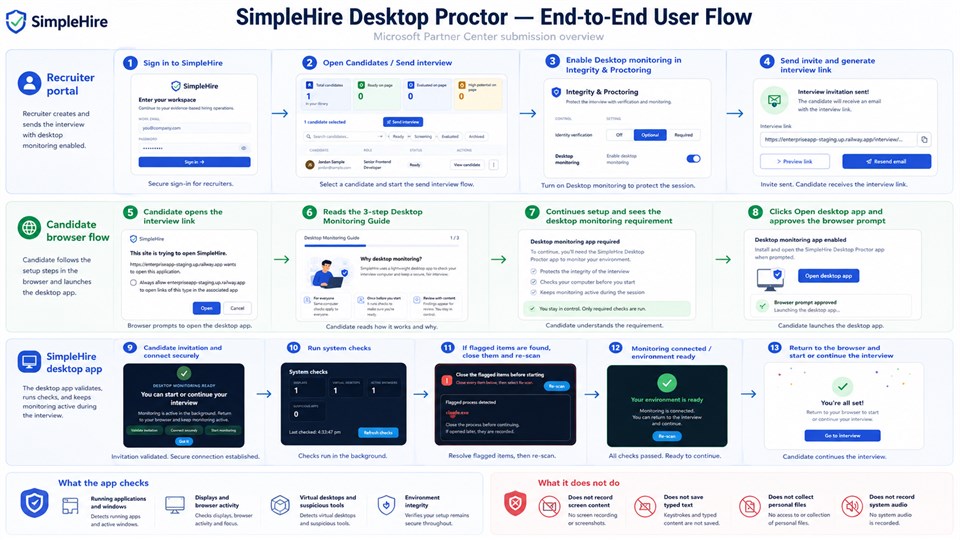
The two are joined by a one-time pairing link:
1. In the browser, on the setup screen, you select "Open SimpleHire Proctor".
2. Windows opens this app and pairs it to that single interview session. You do not type a password or create an account — the link carries a token that is
valid only for your interview.
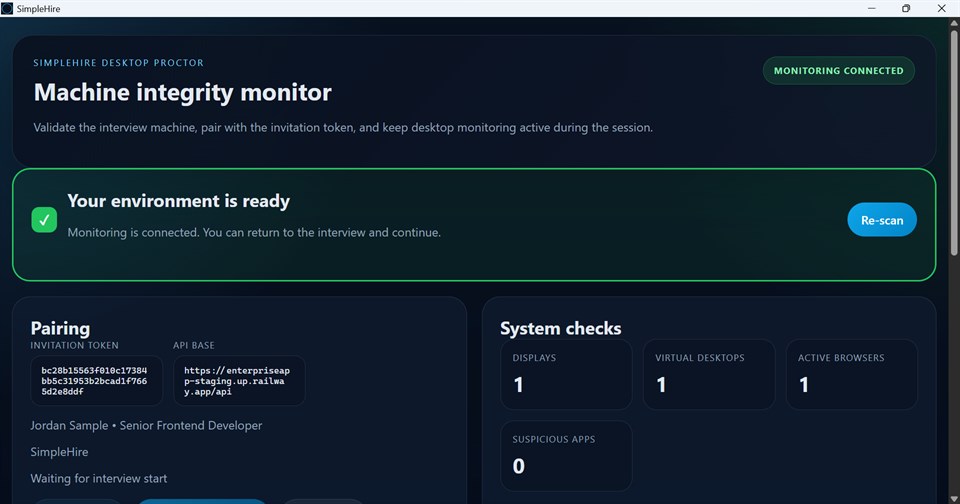
3. The app runs an environment check and shows you the result in plain language. If something needs fixing (for example, a screen-recording tool is open), it tells you what to close, and you re-run the check yourself.
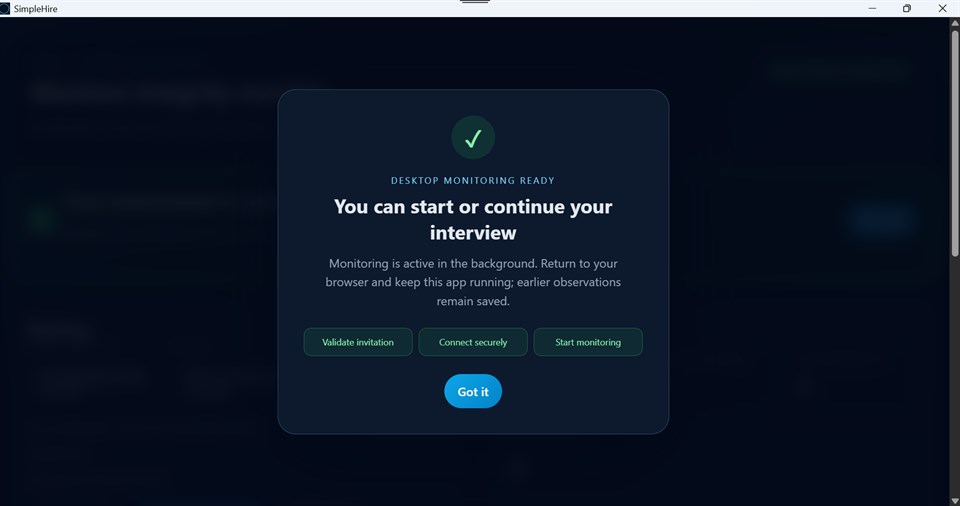
4. Once the check passes, you return to the browser and start the interview. The app keeps running quietly alongside it.
5. When the interview ends, the app stops monitoring and closes. Nothing is left running in the background.
Because the two are paired, they help each other. If your interview browser tab is closed by accident, this app tells you that your interview is still open and that you can reopen it within a few minutes and carry on. If monitoring drops out, the browser lets you know rather than silently failing the check.
WHAT THE APP CHECKS DURING AN INTERVIEW
While the interview is live, and only then, the app periodically reports:
• how many displays are connected, and whether an extra one appears
• how many virtual desktops exist
• whether more than one browser session has the interview open
• whether applications associated with screen sharing, remote control, virtual
cameras or AI assistants are running
• whether a physical keyboard and mouse are present (by device type only)
If the interview service specifically requests it, the app can take a single
screenshot as supporting evidence. This is always a response to an explicit
request — there is no continuous capture and no recording timer.
WHAT THE APP DOES NOT DO
This matters, so it is stated plainly:
• it does not record your keystrokes and contains no keylogger
• it does not read your documents, photos, emails or personal files
• it does not read your browsing history or the contents of other tabs
• it does not continuously record your screen, camera, microphone or audio
• it does not stay resident after the interview ends, and does not start with
Windows
• it does not track you between interviews or build a profile of you
• it does not decide anything about your application on its own
PRIVACY AND FAIRNESS
The app is only active for a scheduled interview you have been invited to and have consented to. Consent is given in the browser, before anything starts, on a screen that lists what is monitored. If you do not consent, the interview does not begin.
What the app sends is limited to the checks listed above, tied to that one
interview. It is sent over an encrypted connection to SimpleHire and made available to the employer who invited you.
Findings are recorded as neutral observations — "a second display was connected", not "this candidate cheated". They are context for a human reviewer. The app does not score you, does not rank you, and does not reject anyone. Every hiring decision is made by a person at the employer, who can see the observation and judge it. Many observations have ordinary explanations, and a recruiter is expected to weigh them as such.
You can close the app at any time. Doing so ends monitoring; your employer's rules decide what that means for the interview, and the app will tell you before you do it.
WHAT YOU NEED
• Windows 10 or Windows 11, 64-bit
• An interview invitation from an employer using SimpleHire
• A working camera, microphone and internet connection
• No account, no subscription, no payment. The app is free for candidates; the employer pays for SimpleHire.
FOR EMPLOYERS AND IT ADMINISTRATORS
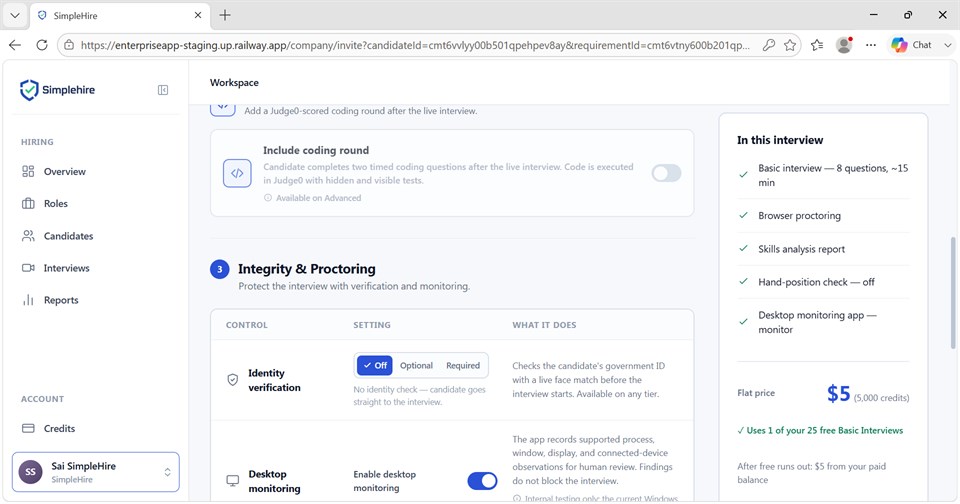
Desktop monitoring is optional and set per interview by the hiring team. Interviews can run with browser-based checks alone, with this app added, or with an optional second-device camera.
The app is a per-user install, needs no administrator rights, and makes no
system-wide changes. It communicates only with SimpleHire's own service, over HTTPS, and only while a paired interview is in progress. It installs no drivers, no services and no browser extensions.
FOR STORE REVIEWERS
Opening the app without an invitation is expected and safe: it shows an unpaired screen explaining that a pairing link is required, and does nothing else. It cannot be exercised meaningfully without an invitation, because it is bound to a scheduled interview. Please contact us at the support address below and we will provide a test interview and a disposable pairing link so the paired state can be reviewed end to end.
SUPPORT
Questions, problems or a privacy request: contact SimpleHire support through the support link on this listing. If you are in the middle of an interview and
something is not working, contact the hiring team who invited you — they can reset or reschedule your interview.
Kehittäjältä
Listat 0
-
 Simplehire
Pisteet 0
-

- +1 Piste

Sijoitukset 0
-
- Arviosi
Kehittäjä 1
- Simplehire
- Seuraajat: 0
- Alustat: Windows Sovellukset (1)
- Tarjoukset: 0
- Listat: 0 0
- Pisteet: 0
- Sijoitukset: 0
- Kommentit: 0
- Videot: 0
- RSS: Tilaa
Uutta
- Versio: PC
- Viimeksi päivitetty:
Lisätietoja
- Julkaisupäivämäärä:
- Luokka:
Windows-sovellukset›Kehittäjien työkalut - Käyttöjärjestelmä:
PC - Koko:
2 Mb - Käytettävissä olevat ominaisuudet:
Mixed reality - Tuetut kielet:
Englanti - Sisällön ikärajoitus:
EVERYONE - Windows Store Arvio: ¡
0 - Verkkosivusto:
 http://www.simplehire.ai/
AppAgg-arvio
Laskennallinen AppAgg-arvio:
Simplehire
Kehittäjä: Simplehire
Korkeampi arvio kertoo yleensä paremmista tuloksista AppAggin seuraamissa mittareissa.
Perustuu: suosioon · käyttäjäarvioihin · tuoreuteen · tarjouksiin · kauppadataan · yhteisön aktiivisuuteen
Lasketaan uudelleen päivittäin tuoreiden AppAgg-tietojen perusteella.
Kommentit 0 ¡
Jaa
Simplehire Lyhennetty URL: Kopioitu!- Windows Store

