
Lesezeichen
| Entwickler: | flipall s.r.l. (3) | ||
| Preis: | Kostenlos | ||
| Score: | 930 Silber | ||
| Ranglisten: | 0 | ||
| Kommentare: | 0 Kommentar posten | ||
| Listen: | 0 0 | ||
| Punkte: | 0 | ||
| +1 Punkt | |||
Kurzinfo
SnipSSH ist eine App von flipall s.r.l. aus der Kategorie „Entwicklungstools“.
Erst erschienen, also noch ziemlich frisch.
Auch bei Google Play erhältlich. Such dir aus, was dir besser passt.
Gratis, keine Werbung, keine In-App-Käufe. Nur du und die App.
Der Microsoft Store ist in Windows eingebaut, die Installation ist also in ein paar Klicks erledigt.
Der AppAgg-Score liegt bei 930. Silber, und das ist gar nicht übel.
Altersfreigabe „EVERYONE“, also auch für Kinder geeignet.
Kann 2 Sprachen, aber Deutsch ist noch nicht dabei.
Auf AppAgg hat die App noch niemand bewertet. Jetzt ist deine Chance, den Anfang zu machen.
Der Entwickler hat noch 2 weitere Apps auf AppAgg. Ein Blick lohnt sich.
Willst du als Erstes von Updates und neuen Apps erfahren? Folge dem Entwickler oder abonniere den RSS-Feed. Push-Nachrichten kommen über die App AppAgg Alerts für Android und iOS.
Andere Plattformen 1
 | SnipSSHWindows Store930 SilberWindows | Kostenlos |
 | SnipSSHGoogle Play670 BronzeAndroid | Kostenlos |
Preisentwicklung 0
- Aktueller Preis: Kostenlos
- Minimum: Kostenlos
- Maximum: Kostenlos
Dein eigener Feed auf der Startseite
Screenshots 6
Beschreibung
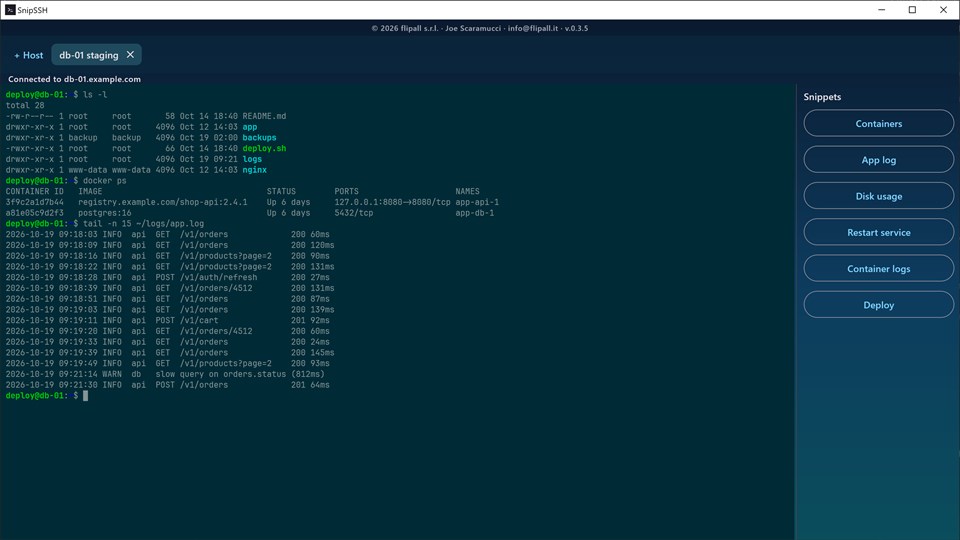
- SSH sessions with ANSI terminal emulation (colours, cursor, scrollback).
- Full keyboard support: arrows, F1–F12, Ctrl+letter, AltGr.
- Copy with Ctrl+Shift+C (or Ctrl+C with a selection), paste with Ctrl+Shift+V or Shift+Insert; mouse selection and wheel scrolling.
- Per-host command history: as you type, previously used commands that start the same way appear, most used first.
- Host key verification on first connection, with a warning if the server key changes.
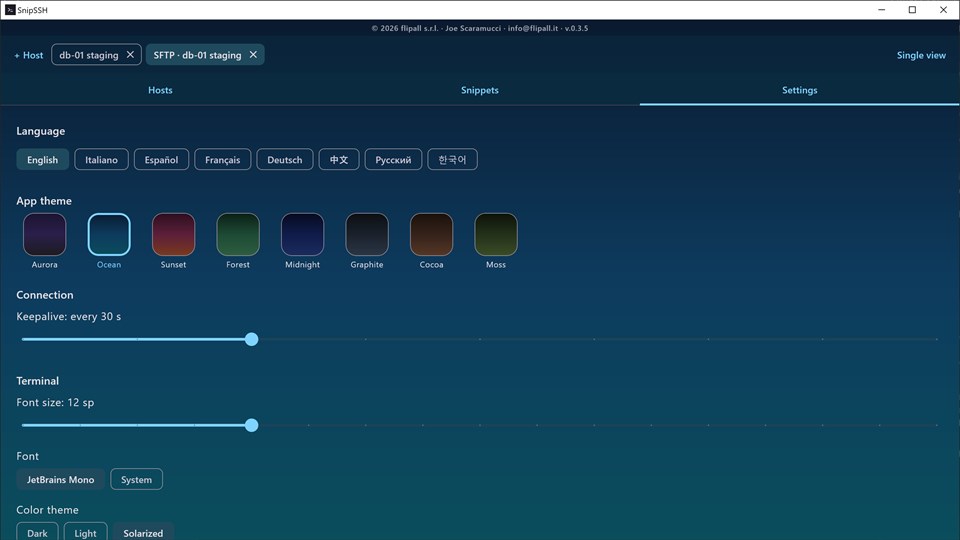
- Font size, system font or JetBrains Mono, colour theme Dark, Light or Solarized. Ctrl+wheel to zoom.
Tabs and split view
- Shells and SFTP sessions open in tabs.
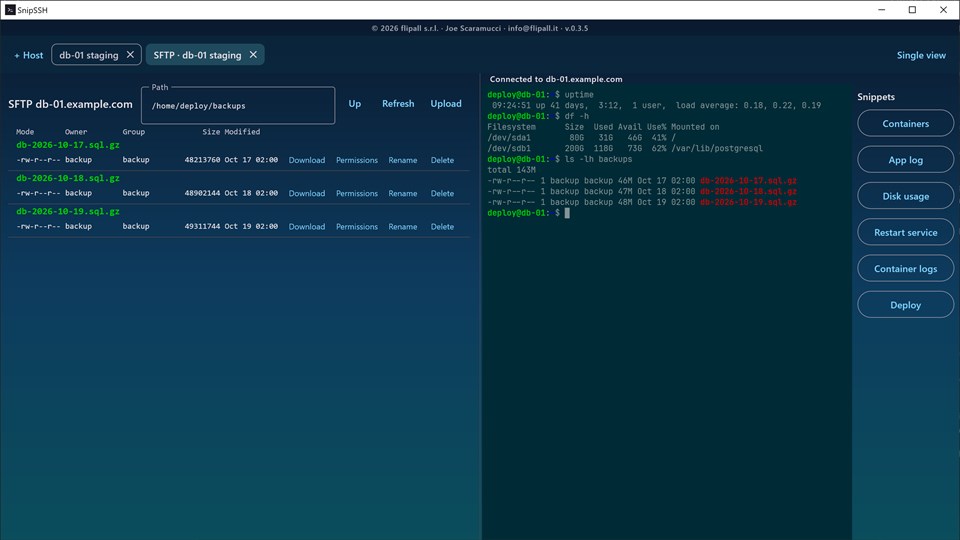
- Split view shows up to 4 tabs side by side, for example an SSH shell next to an SFTP browser, with resizable panes.
Snippets
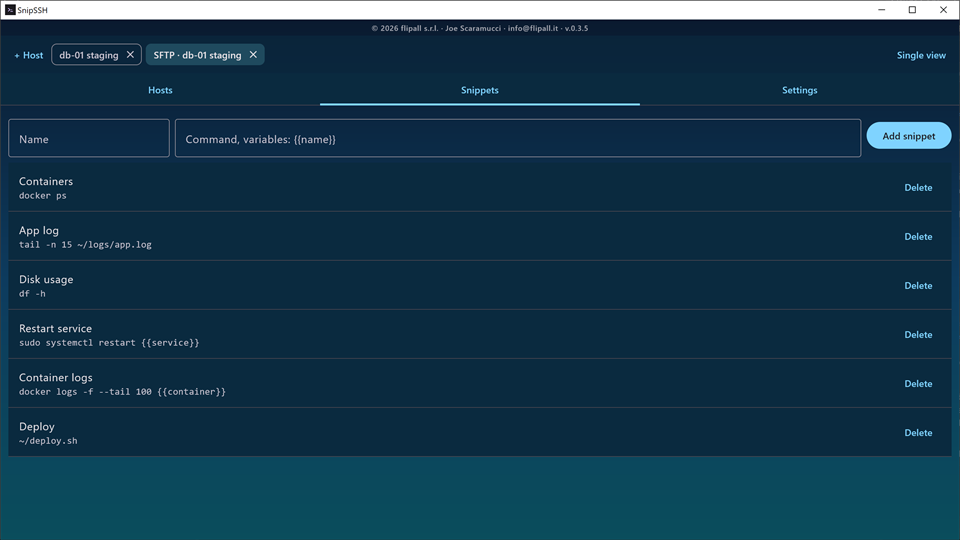
- Save the commands you use most, with a name and variables such as {{service}}.
- Run a snippet on the server with one click and a confirmation.
Hosts
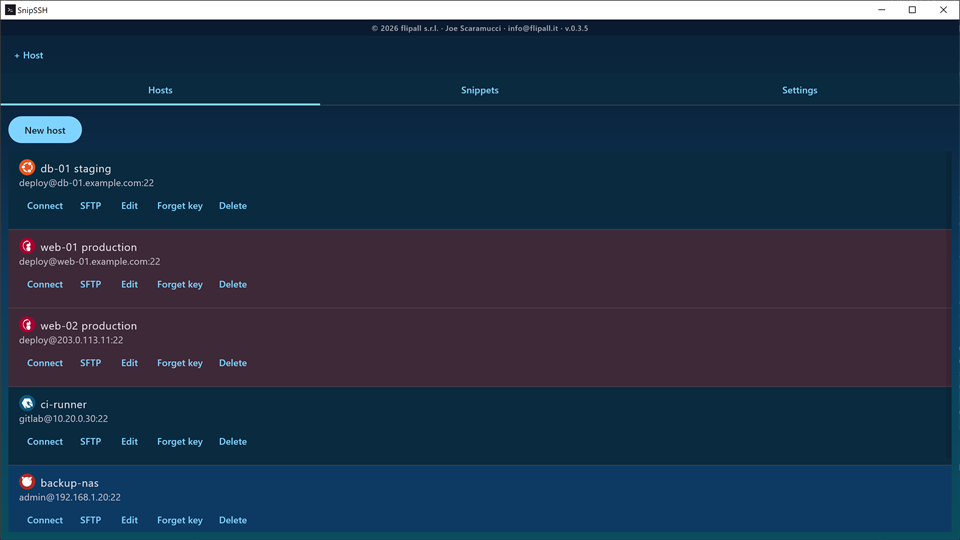
- Password or private key (OpenSSH or PEM; RSA, ECDSA, Ed25519), with an optional passphrase.
- Distribution logo and a colour for each host in the list.
SFTP
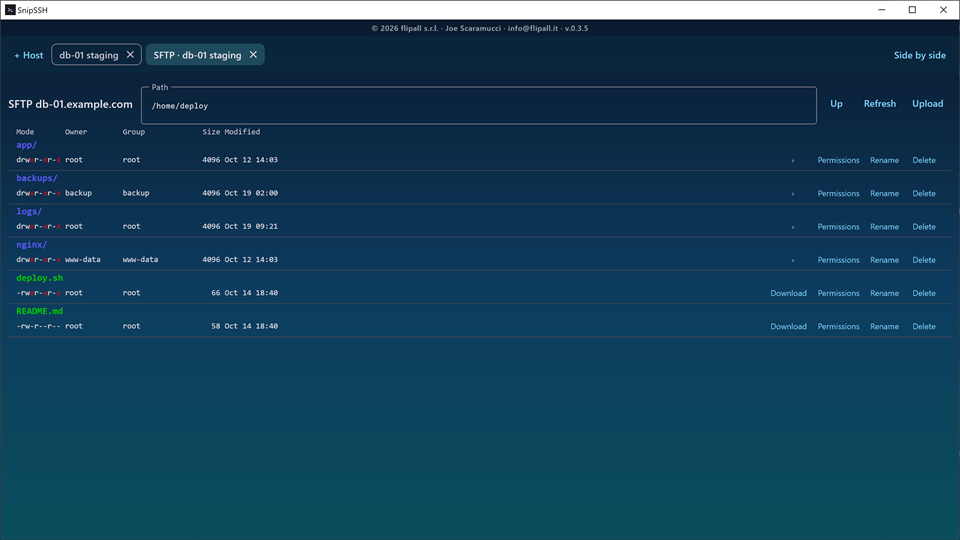
- ls -l style listing with permissions, owner, size and date.
- Double-click to open folders, upload several files at once, download with Save as, change permissions, delete files and empty folders.
Privacy and security
- Hosts, snippets and keys are stored only on this PC, encrypted with AES-256-GCM; the key is protected by Windows DPAPI.
- Encrypted backup protected by a password you choose, compatible with the Android app.
- No account, no ads, no analytics, no middle server: the connection goes from your PC directly to your server.
Languages: English, Italian, Spanish, French, German, Simplified Chinese, Russian and Korean.
Known limits: full-screen terminal programs such as vim or htop are not supported yet.
Vom Entwickler
Listen 0
-
 SnipSSH
Punkte 0
-

- +1 Punkt

Ranglisten 0
-
- Deine Bewertung
Entwickler 3
- flipall s.r.l.
- Follower: 0
- Plattformen: Android Apps (2) Windows Apps (1)
- Angebote: 0
- Listen: 0 0
- Punkte: 0
- Ranglisten: 0
- Kommentare: 0
- Videos: 1
- RSS: Abonnieren
Neue Funktionen
- Version: PC
- Zuletzt aktualisiert:
- SnipSSH is an SSH terminal and an SFTP file manager in one app, with command snippets, no subscription and no account. It is made for people who work on servers every day. The same app is available for Android, and backups move between the two.
It is made for people who work on servers every day. The same app is available for Android, and backups move between the two.
Weitere Informationen
- Veröffentlichungsdatum:
- Kategorie:
Windows-Apps›Entwicklungstools - Betriebssysteme:
PC - Größe:
100 Mb - Unterstützte Sprachen:
Englisch,Italienisch - Altersfreigabe:
EVERYONE - Windows Store Bewertung: ¡
0 - Webseite:
 https://flipall.it/
AppAgg-Score
Geschätzter AppAgg-Score für
SnipSSH
Entwickler: flipall s.r.l.
Ein höherer Score weist meist auf bessere Werte bei den von AppAgg erfassten Kennzahlen hin.
Basierend auf: Popularität · Nutzerbewertungen · Aktualität · Angeboten · Store-Daten · Community-Aktivität
Wird täglich anhand aktueller AppAgg-Daten neu berechnet.
Kommentare 0 ¡
Teilen
SnipSSH Kurz-URL: Kopiert!- Windows Store

