
已保存
为“已保存”菜单中的项目设置名称。
完成!
说明

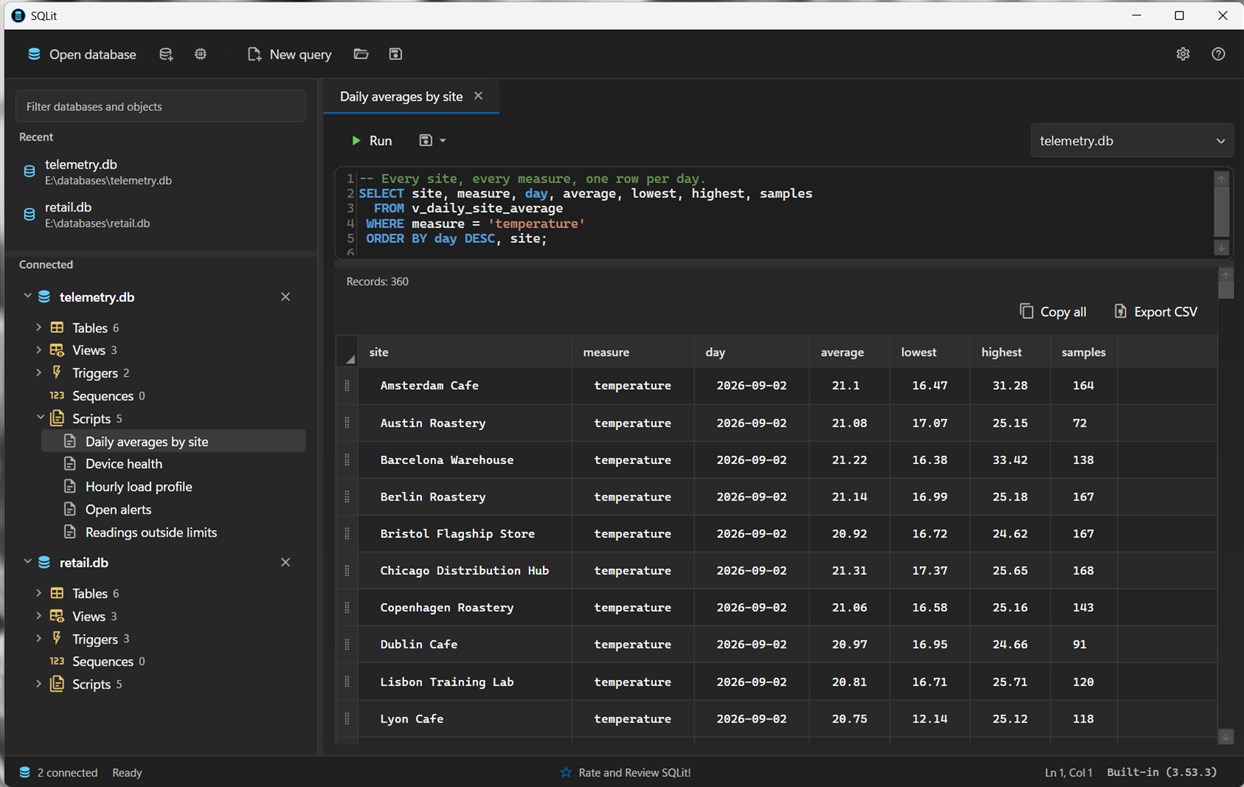
SQLit is a desktop management studio for SQLite on Windows. It is built for people who keep data in .db files: app developers, testers, support staff, and anyone who needs to inspect or change a database without standing up a server.
Open an existing file, create a new one, or start an in-memory database. Keep several connections open. Recents are remembered. Files on USB drives and SD cards are supported.
No account. No subscription. Your databases stay on this PC. SQLit works offline.
QUERY AND INSPECT
• SQL editor
• Run a script or stop one that is taking too long
• See row counts and elapsed time in the status bar
• Results grid: copy cells, copy with column names, copy whole rows, or export to CSV
• Object explorer for tables, views, indexes, triggers, sequences, columns, and foreign keys
• Filter the explorer to find an object quickly
• Open sqlite_master when you need the catalog itself
CHANGE THE SCHEMA WITH SQL, NOT GUESSWORK
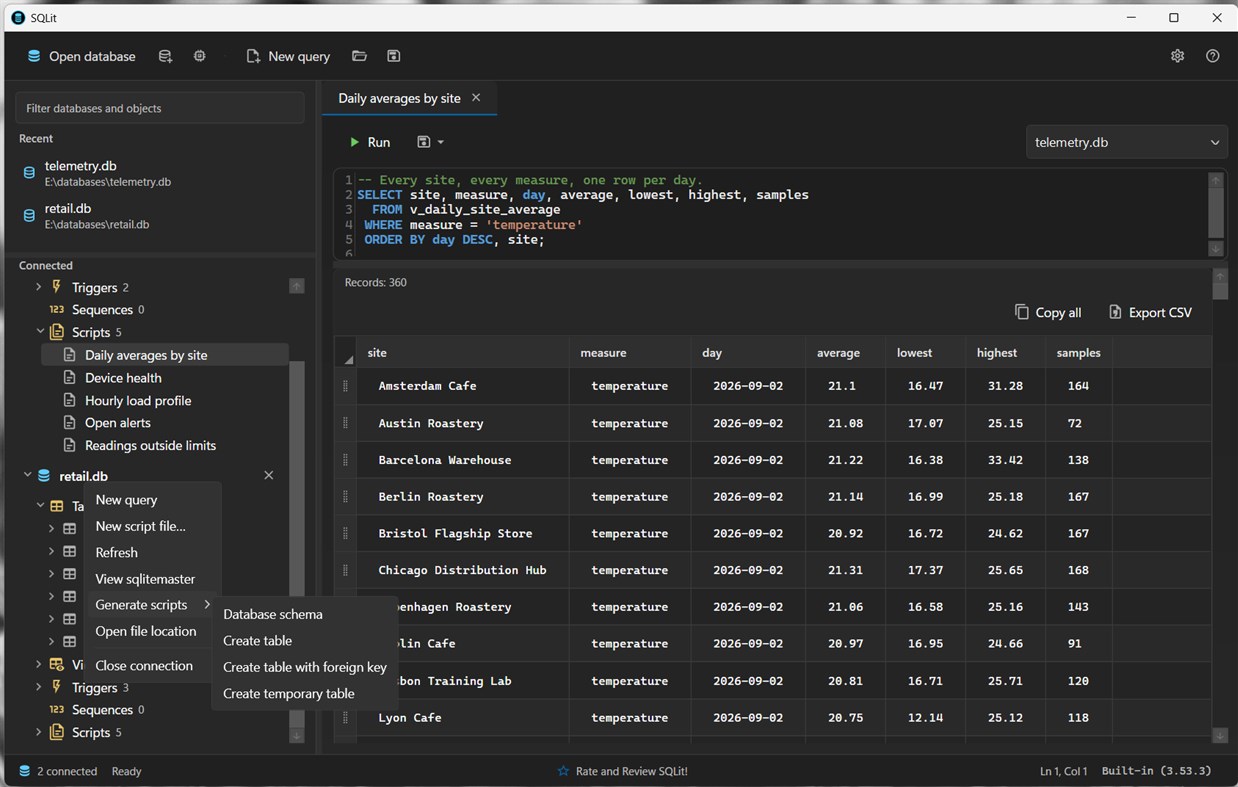
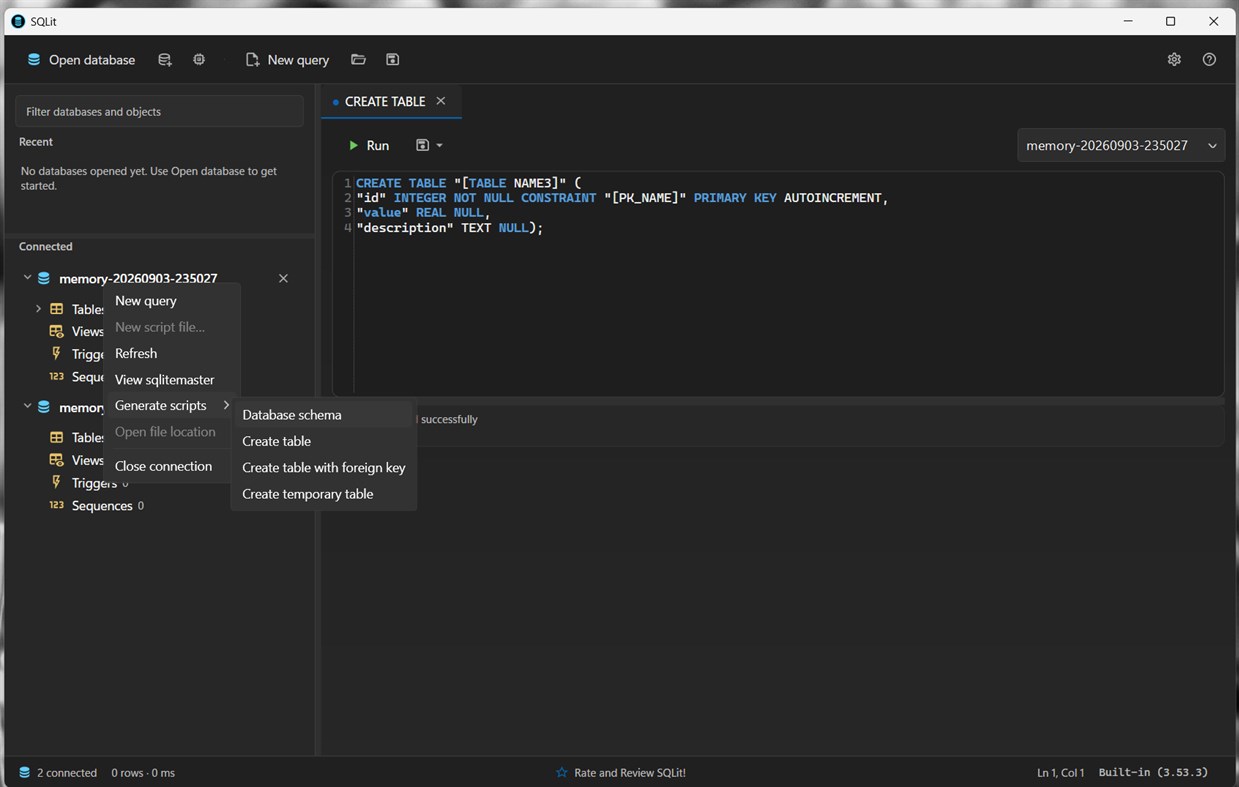
• Context menus generate CREATE, DROP, and SELECT scripts for the object under the cursor
• Table, view, index, trigger, and sequence scripts, including temporary objects and foreign keys
• Trigger templates for BEFORE, AFTER, and INSTEAD OF
• Save scripts next to a database, or as ordinary files
• Unsaved editors are written continuously and restored the next time you start SQLit
YOUR ENGINE, YOUR RULES
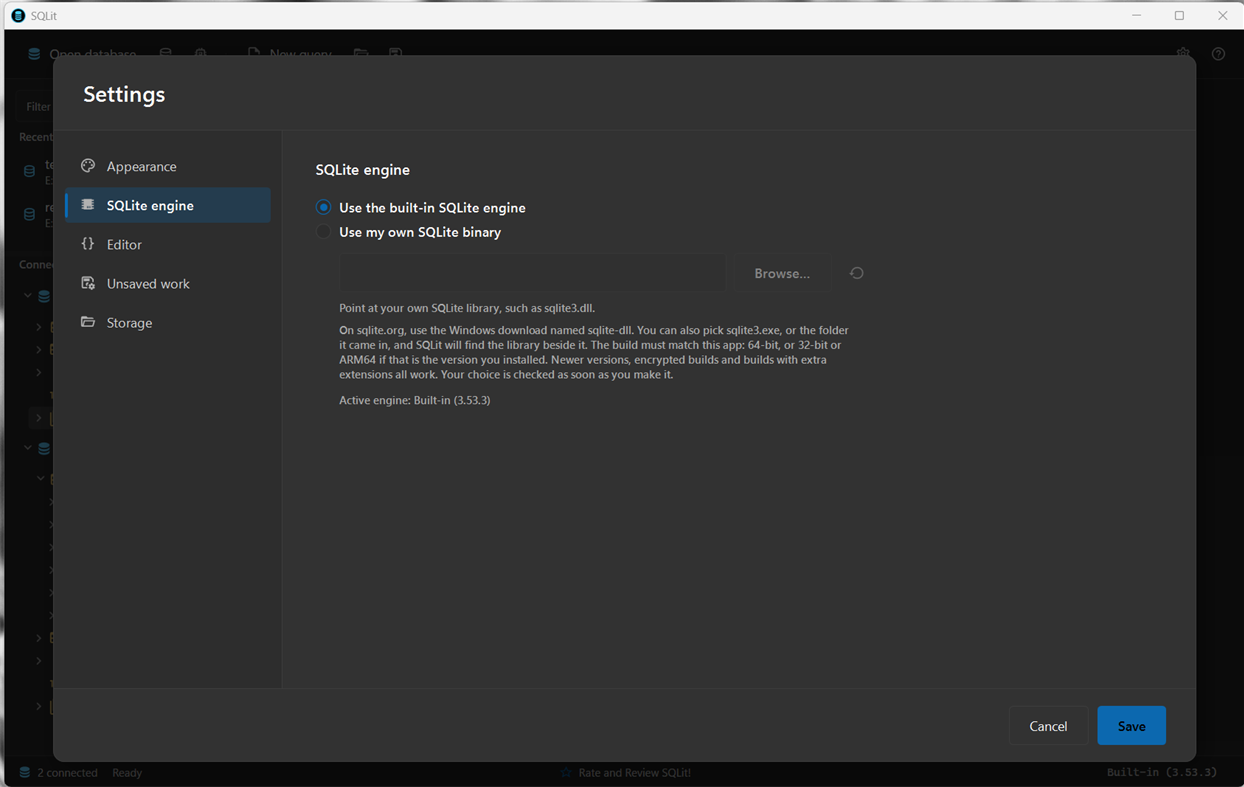
• A current SQLite engine is included
• Or point SQLit at your own Windows SQLite library (sqlite3.dll). Newer builds, encrypted builds, and builds with extra extensions are supported when the binary matches the app (64-bit, or 32-bit if that is the package you installed)
• The choice is checked when you set it. Restart SQLit to use a new library; if it cannot load, SQLit falls back to the built-in engine and tells you why
THE DESKTOP APP
• Dark, Light, and Windows themes, switched without a restart
• Interface size and editor font under your control
• English and Spanish
• Link to the official SQLite documentation from the command bar
BEFORE YOU INSTALL
SQLit manages SQLite database files on this device. It does not host a server and it does not replace a networked SQL Server or PostgreSQL installation.
Windows 10 version 2004 (build 19041) or later, desktop PC. Available as x64 and x86.
SQLite is a public-domain library. SQLit is not affiliated with sqlite.org.
广告
屏幕截图
价格历史
- 目前价格: 免费
- 最小值: 免费
- 最大值: 免费
AppAgg 评分
2,210
AppAgg 预估评分:
SQLit
开发者: Apped
2,210 黄金
评分越高,通常表示其在 AppAgg 上的各项指标表现越好。
基于: 热度 · 用户评分 · 新鲜度 · 优惠 · 商店数据 · 社区活跃度
根据最新 AppAgg 数据每日重新计算。
分享 AppAgg 评分
短网址: 已复制! 网站徽章: 新版变化
- 版本: PC
- 最后更新:
其他信息
 https://www.mobileapped.com/apps/sqlit.html
开发者
- Apped
- 关注者: 0
- 平台: Windows 应用 (4)
- 折扣: 1
- 列表: 0 + 1
- 积分: 3 + 5 ¡
- 排名: 0
- 评论: 0
- 视频: 0
- RSS: 订阅
列表 (0)
0
- SQLit
积分 (1)
-

- 13,567 Simon Chan
- +1

排名 (0)
0
评论 (0)
来发第一条评论吧
摘要
SQLit 短网址: 已复制!- Windows Store
在 AppAgg 上,您可以关注由 Apped 开发的“SQLit”应用。适用平台:Windows;分类:开发人员工具。 AppAgg 评分:2,210(黄金)。 AppAgg 为该应用记录的积分:已确认 1,间接 5。 收录此应用的公开列表:0 个。将其保存到私密列表的用户:1 人。 AppAgg 用户尚未对该应用评分。 已确认积分记录已登录 AppAgg 用户前往商店的操作,间接积分则基于商店数据。 两个计数分别表示公开列表数量,以及将应用或游戏保存到私密列表的用户人数。 该应用首次发布于。 该应用最近更新于。 该应用目前可免费获取。 该应用目前在Windows Store的评分为4.2,投票数为5。 该应用支持以下语言:English。 查看价格历史、将应用加入列表,或关注开发者。 通过RSS 订阅源关注该应用今后的优惠和更新。 AppAgg 不托管或分发该应用。 与该应用相关的所有商标、徽标和屏幕截图均归其各自所有者所有。

