
Bogmærker
| Udvikler: | Gain Publications (25) | ||
| Pris: | $39.99 Ny | ||
| Score: | 1.490 Guld | ||
| Ranglister: | 0 | ||
| Kommentarer: | 0 Skriv kommentar | ||
| Lister: | 0 0 | ||
| Point: | 0 | ||
| +1 Point | |||
Kort fortalt
Mød Synapse Desktop, en app fra Gain Publications i kategorien »Udviklerværktøjer«.
Nyhed: den udkom , så du er blandt de første.
$39.99, og ikke en eneste rabat på AppAgg indtil videre. En hård nød at knække.
Microsoft Store er bygget ind i Windows, så installationen klares med et par klik.
AppAgg-scoren er 1.490. Det er Guld.
Aldersgrænse »EVERYONE«: også fint for børn.
Taler kun ét sprog, og det er ikke dansk.
Ingen på AppAgg har bedømt den endnu. Din chance for at blive den første er lige nu.
Udvikleren har yderligere 3 spil og 21 apps på AppAgg. Tag et kig.
Forresten har denne udvikler 2 tilbud lige nu.
Vil du høre om tilbud, opdateringer og nye apps først? Opret en prisalarm, følg udvikleren eller abonner på vores RSS-feed. Push-beskeder kommer via appen AppAgg Alerts til Android og iOS.
Andre platforme 0
Prishistorik 1
- Nuværende pris: $39.99
- Minimum: $39.99
- Maksimum: $49.99
Dit eget feed på forsiden
Skærmbilleder 9
Beskrivelse

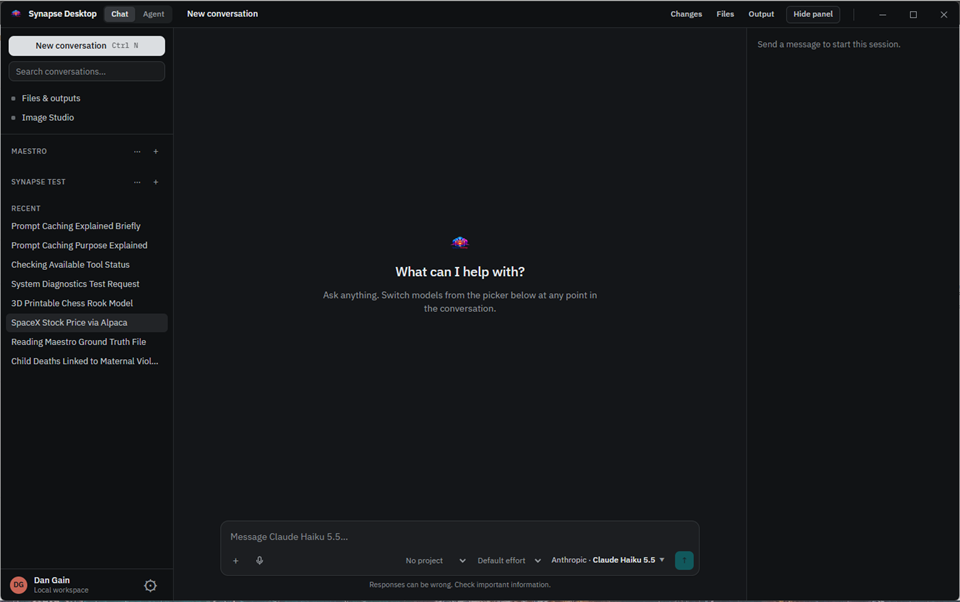
Your keys, your providers, your data. Synapse Desktop is the app, not an AI service: your messages go straight from your PC to the provider you pick, using your own API key, and you pay that provider at their own rates. Gain Publications never sees your conversations, files or keys. No telemetry, no analytics, no account with us.
IT BUILDS SOFTWARE
Give Synapse a project folder and a goal, and it plans the work, writes the code and checks it. A planner model breaks the job into steps and writes each one up; a builder carries it out in your project; a reviewer checks the result and sends it back if it isn't right. Lessons from mistakes carry into later steps, several builders can work at once in their own git branches, and a hands-off run keeps going on its own until the job is done or it needs your answer, which can reach you on your phone. Every change is backed up and can be undone, and each finished step is committed to git.
PICTURES, VIDEO AND 3D MODELS IN ONE APP
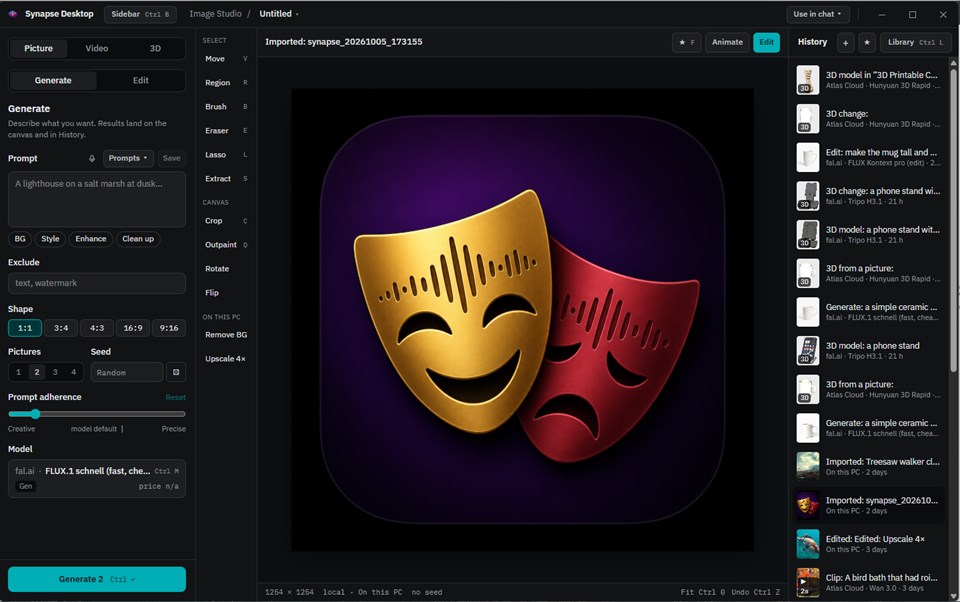
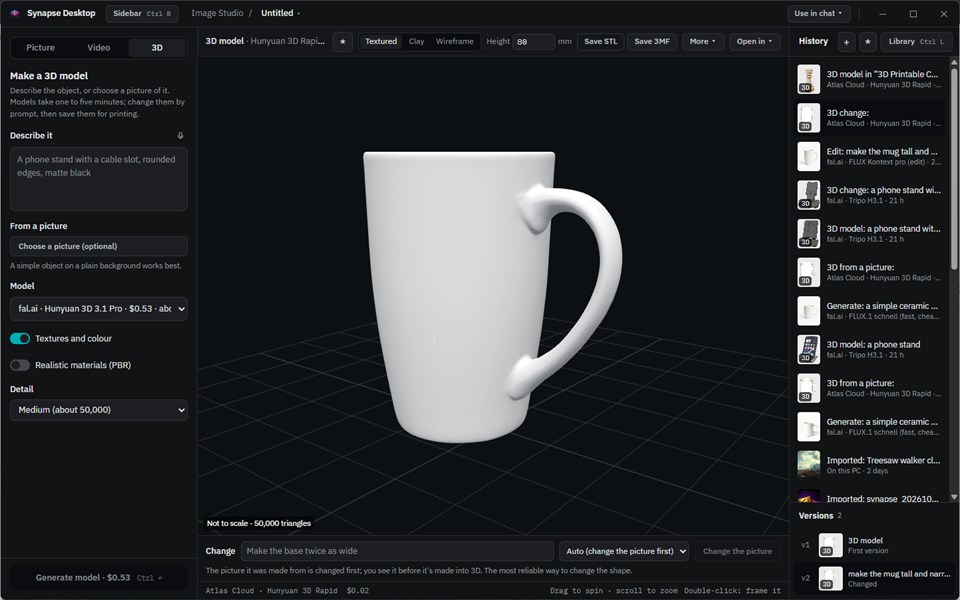
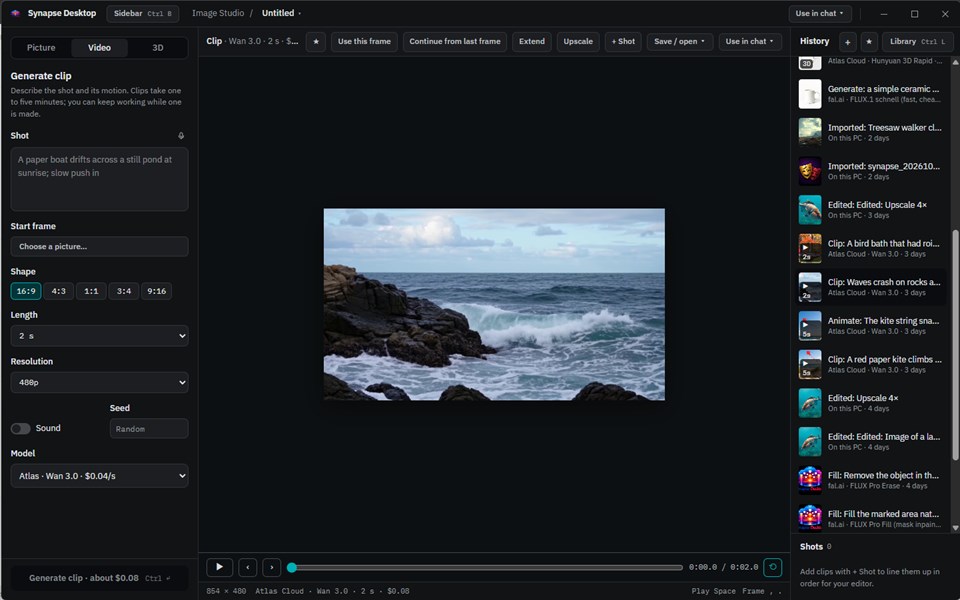
Image Studio makes and edits pictures with fal.ai, Atlas Cloud, Together AI, Fireworks, DeepInfra, xAI, OpenRouter and Venice, with a prompt library and a picture library. The Image Editor adds inpainting and outpainting, layers, and tools that run on your PC with no upload: background removal, 4x upscaling and object selection. Turn text or pictures into short video clips. Make printable 3D models (STL, 3MF, OBJ, GLB) from a description or a picture, see them in the built-in 3D viewer with their real size, and change them by asking. Ask for any of it in chat, too.
SAFETY YOU CONTROL
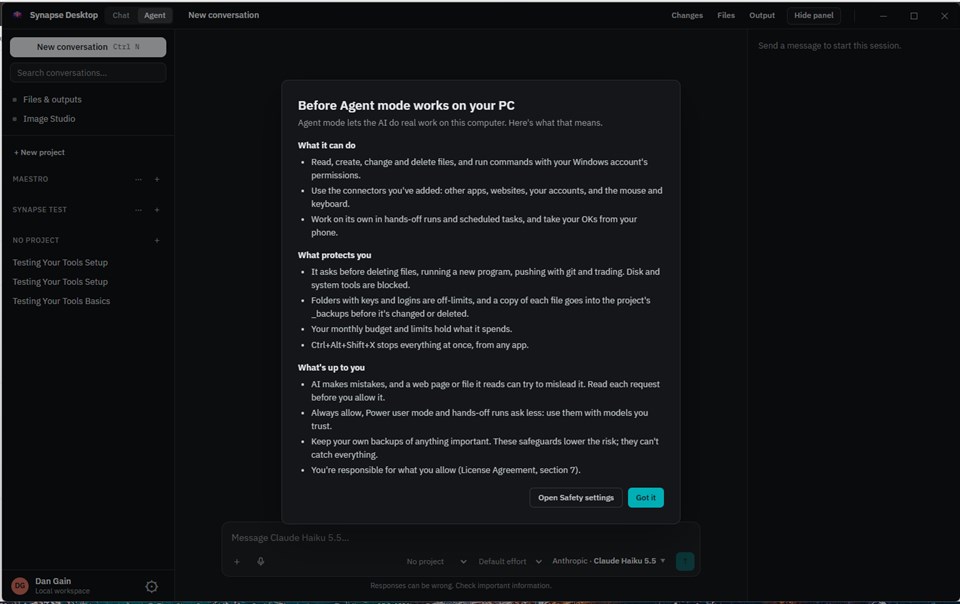
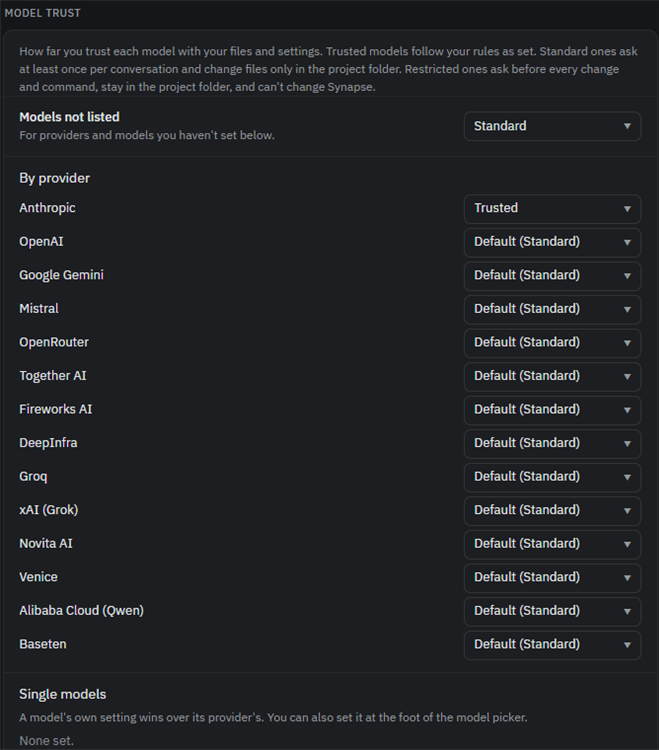
AI that can act on your computer needs limits you set. Approval cards for file changes, commands and anything that spends money or changes settings. Trust levels for each model (Trusted, Standard, Restricted), a command block list, protected folders that hold your keys and logins, a backup of every file before it changes, Revert, and an emergency stop. Deletions, disk changes and purchases always ask. Every safety feature has its own switch, so you decide how much freedom each model gets.
AGENTS THAT WORK ON YOUR PC
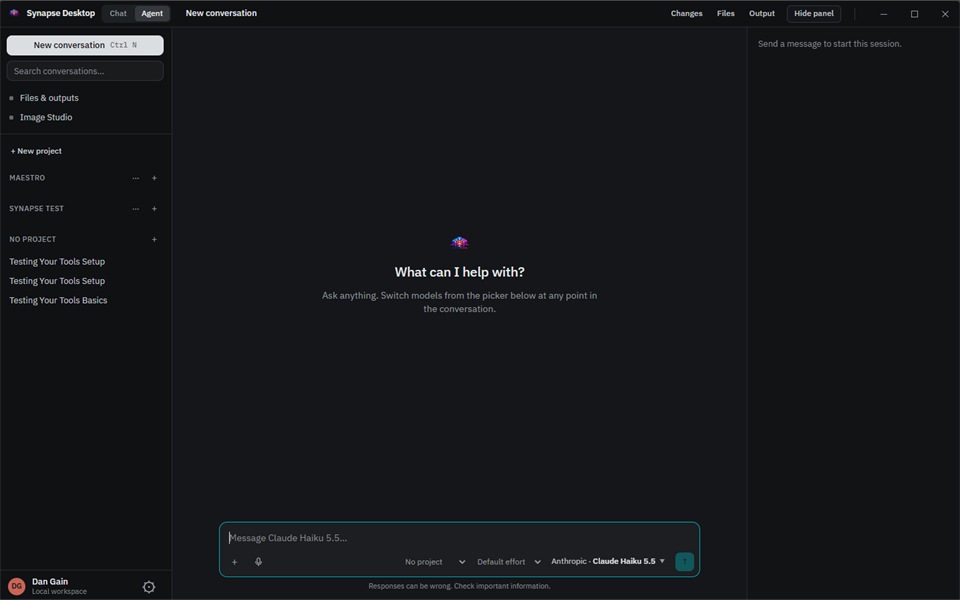
Agent mode reads and writes files in the folders you allow, runs commands, searches and reads the web, controls apps and the browser, and reports back. Everything Claude Desktop does with connectors and projects, Synapse does with any AI.
PROJECTS, KNOWLEDGE AND MEMORY
Group conversations into projects with their own folder, instructions and knowledge files (PDF, Word, Markdown, code, CSV and more). Synapse remembers what matters about you and each project, and you can see and edit every memory.
CONNECTORS (MCP)
Add tools through the Model Context Protocol. Desktop Commander, Windows control, a Playwright web browser and Alpaca come in the package, so installing them downloads nothing. Add GitHub, Context7, Exa, Notion, Linear, Atlassian, Sentry, Cloudflare, Supabase, Vercel or any MCP server of your own.
MANY MODELS AT ONCE
Compare answers side by side, race models for the fastest reply, chain them, or have them reach a consensus. Specialist models take on coding, vision or quick tasks for the main model.
SAVES MONEY AUTOMATICALLY
Prompt caching is used on every model and service that supports it, so a long conversation costs a fraction of the price after the first message. Models that cache are marked in the model picker, and Synapse can test any model's caching for you. A monthly budget, usage and cost by provider, and a warning at 80% keep spending in view.
AND MORE
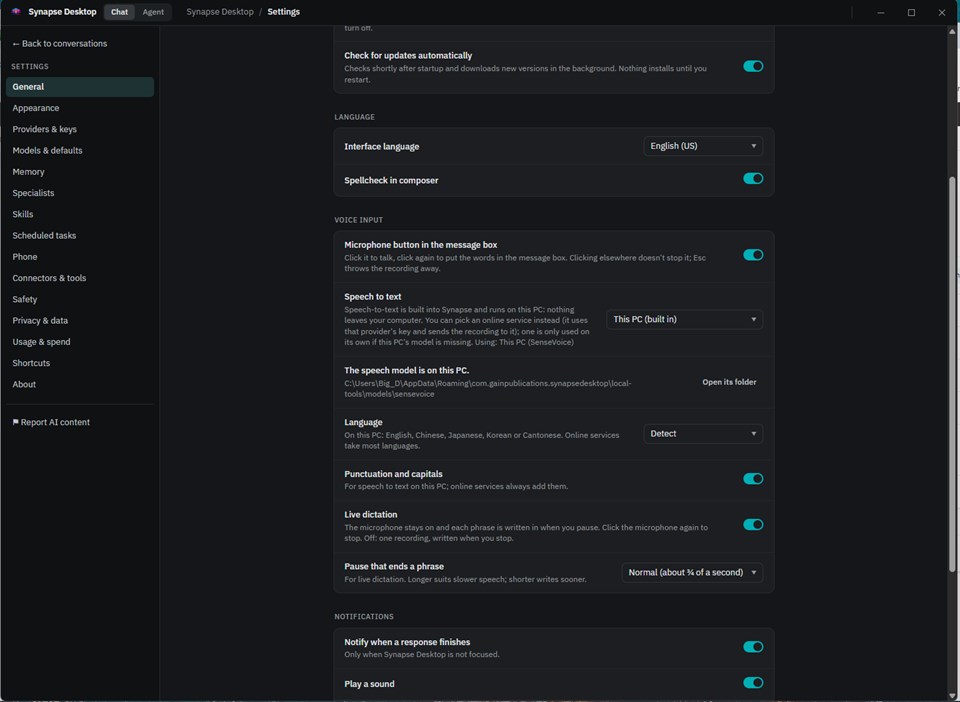
• Voice input, with speech recognition that can run entirely on your PC
• Scheduled tasks: run a prompt daily, weekly or every few hours
• Approve actions and chat with Synapse from your phone through your own Telegram bot
• Web search with no key needed, plus page reading
• WordPress and cPanel site tools
• Market data (Finnhub) and Alpaca trading, paper account by default, every order asks first
• "Test your tools": one command checks every tool and connector and reports what works
• Backup and restore of everything, including your saved keys (optionally password-locked)
• A local control API so other AI apps on your PC can drive Synapse
YOUR DATA STAYS ON YOUR PC
Conversations, projects, memories, pictures and settings are stored on your computer. API keys are kept in Windows Credential Manager, never in files. Nothing is sent to Gain Publications.
GENERATIVE AI
Synapse Desktop uses live generative AI: replies, code, pictures, video and 3D models are created by the third-party AI models you connect, in response to what you ask. Synapse doesn't make or control that content; each AI service's own policies and safety systems apply. AI can be wrong, so check important results. To report inappropriate AI content, use Report on any reply, or Report AI content in Settings.
SYSTEM REQUIREMENTS
Windows 10 (version 2004 or later) or Windows 11, 64-bit. Internet connection for cloud AI providers. An API key from at least one provider (many offer free tiers), or Ollama for local models. No GPU required.
LICENSING
Synapse Desktop includes open-source components (Rust and JavaScript libraries, ONNX Runtime, three.js, Node.js, Python, uv and the bundled connectors) under the MIT, Apache 2.0 and similar licenses. Full license texts are in Settings -> About -> Licenses & Legal.
Built by Daniel E. Gain at Gain Publications.
Fra udvikleren
Lister 0
-
 Synapse Desktop
Point 0
-

- +1 Point

Ranglister 0
-
- Din bedømmelse
Udvikler 25
- Gain Publications
- Følgere: 0
- Platforme: Windows Apps (22) Windows Spil (3)
- Tilbud: 2
- Lister: 0 0
- Point: 0
- Ranglister: 0
- Kommentarer: 0
- Videoer: 0
- RSS: Abonner
Nyheder
- Version: PC
- Sidst opdateret:
- Synapse Desktop — Initial Release
• Builds software: a planner, a builder and a reviewer work through your project step by step, hands-off if you like, with every change backed up and committed
• Pictures, video clips and printable 3D models in one app, with an image editor whose background removal, upscaling and selection run on your PC
• Works with Claude, Gemini, Grok, Mistral, Qwen, DeepSeek, Llama and hundreds more through your own keys, or local models with Ollama
• Agent mode with approval cards, trust levels, Revert and an emergency stop
• Projects with instructions, knowledge files and memory
• MCP connectors, with Desktop Commander, Windows control, Playwright and Alpaca included
• Compare, race, chain and consensus across several models
• Prompt caching on every model that supports it, with a cache test
• Scheduled tasks, phone approvals through Telegram, voice input
• Backup and restore, including saved keys
Built by Daniel E. Gain at Gain Publications.
Yderligere oplysninger
- Udgivelsesdato:
- Kategori:
Windows-apps›Udviklerværktøjer - Operativsystem:
PC - Størrelse:
553 Mb - Understøttede sprog:
Engelsk - Indholdsklassificering:
EVERYONE - Windows Store Bedømmelse: ¡
0 - Websted:
 https://gainpublications.com
AppAgg-score
Estimeret AppAgg-score for
Synapse Desktop
Udvikler: Gain Publications
En højere score afspejler som regel bedre resultater på de områder, AppAgg måler.
Baseret på: popularitet · brugervurderinger · aktualitet · tilbud · butiksdata · fællesskabsaktivitet
Genberegnes dagligt ud fra aktuelle AppAgg-data.
Kommentarer 0 ¡
Del
Synapse Desktop Kort webadresse: Kopieret!- Windows Store

